Introduction
AI image generation tools help people create images from text prompts, reference images, or simple design directions. In practical terms, you describe what you want, and the system generates visuals such as product concepts, marketing creatives, character art, backgrounds, thumbnails, or social media graphics. These tools matter because content teams need faster production, creators want quick iteration, and businesses need scalable design output without compromising brand consistency. Typical use cases include ad creatives, product mockups, storyboards, concept art, social media posts, blog images, thumbnails, and design ideation. When selecting a tool, evaluate image quality, control over style, prompt editing options, speed, consistency across outputs, model flexibility, rights and licensing clarity, collaboration features, privacy controls, and overall value.
Best for: marketers, designers, creators, founders, small businesses, content teams, and agencies who need fast visual creation and iteration.
Not ideal for: teams that require strict photoreal accuracy for regulated workflows, highly controlled medical or forensic imagery, or those who only need basic cropping and templates where a simple editor is enough.
Key Trends in AI Image Generation Tools
- Better prompt control through structured inputs, style locks, and reusable presets
- Image editing features merging with generation, so users can generate and refine in one place
- Higher demand for consistent characters and brand style across multiple images
- Growth of workflow features like batch generation, version history, and team collaboration
- Increasing focus on commercial-use clarity and safer content filters for businesses
- More options for private generation, on-device workflows, and restricted data handling
- Faster generation and better upscaling, reducing the need for external enhancement tools
- Better text handling inside images for posters, banners, and packaging-style outputs
How We Selected These Tools (Methodology)
- Selected tools with strong adoption and broad usage across creators and business teams
- Looked for consistent output quality across multiple styles and use cases
- Included tools that support both generation and editing for practical production workflows
- Considered ease of use for non-designers as well as depth for advanced users
- Evaluated control features such as reference images, style control, and variation options
- Considered ecosystem value: templates, integrations, export options, and team workflows
- Included a balanced mix of creator-focused, enterprise-friendly, and flexible platforms
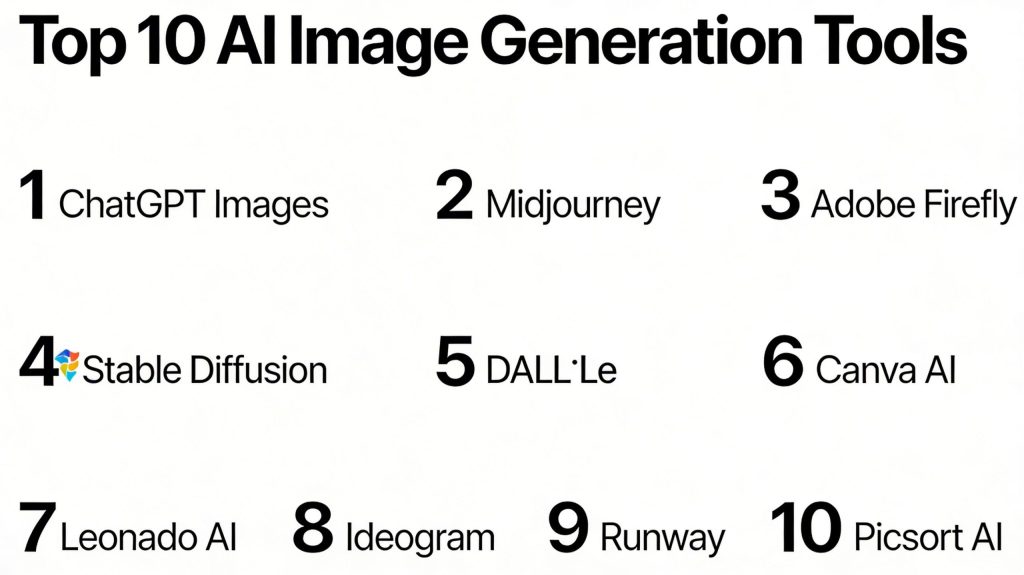
Top 10 AI Image Generation Tools
1 — ChatGPT (Images)
A conversational workflow for generating and refining images using natural language instructions. Useful for people who want quick iterations, creative direction, and edits through simple chat-style prompts.
Key Features
- Text-to-image generation with iterative refinement
- Prompt assistance to improve clarity and style direction
- Ability to request variations and adjustments in plain language
- Helpful for brainstorming visual concepts quickly
- Fits well for early-stage creative exploration
Pros
- Easy for beginners because it feels like talking to a creative assistant
- Strong for quick iteration and idea development
Cons
- Advanced fine-grain control can be limited compared to specialist platforms
- Enterprise governance details may vary by plan
Platforms / Deployment
Web, Cloud
Security and Compliance
Not publicly stated
Integrations and Ecosystem
Works well as a starting point for creative direction, prompt building, and quick concept images.
- Helpful for creators who want guided prompt improvement
- Practical for drafting ad concepts and content visuals
- Useful for fast iteration before moving into design tools
Support and Community
Strong user community and learning content; support varies by plan.
2 — Midjourney
A widely used AI art generator known for strong aesthetics and stylized imagery. Popular among creators for concept art, illustrations, and visually striking outputs.
Key Features
- Strong stylization and artistic output quality
- Variation generation and iterative refinement
- Prompt-based control for composition and mood
- Useful for concept art and creative direction
- Strong results for posters and social visuals
Pros
- Excellent aesthetic quality for many styles
- Strong community-driven prompting culture
Cons
- Some workflows require learning prompt patterns
- Fine control for exact brand consistency can take practice
Platforms / Deployment
Web, Cloud
Security and Compliance
Not publicly stated
Integrations and Ecosystem
Often used as a creative ideation engine and paired with other tools for final layout and edits.
- Strong community prompt sharing culture
- Practical for concept art and campaign brainstorming
- Fits into pipelines via export and post-edit workflows
Support and Community
Large and active community; support availability varies.
3 — Adobe Firefly
A tool designed for creators and marketing teams who need AI-generated visuals with a focus on practical design workflows.
Key Features
- Image generation designed for design use cases
- Style and visual direction controls for brand-oriented work
- Useful for marketing assets and creative production
- Often fits into broader design workflows
- Focus on production-friendly outputs
Pros
- Strong fit for marketing and design teams
- Practical for workflows that require controlled output
Cons
- Some advanced creative styles may require experimentation
- Feature availability can vary by plan
Platforms / Deployment
Web, Cloud
Security and Compliance
Not publicly stated
Integrations and Ecosystem
Often used within broader creative workflows where assets move into design composition tools.
- Useful for campaign assets and concept drafts
- Works well for iterative creative production
- Strong fit for teams already using design suites
Support and Community
Strong documentation and training resources; support varies.
4 — Stable Diffusion
A flexible image generation approach popular for customization and advanced workflows. Often used by technical teams and creators who want control over models and outputs.
Key Features
- High flexibility through model choices and customization
- Supports a wide range of styles and use cases
- Strong community models and workflow experiments
- Can be used in different interfaces and setups
- Good for users who want deeper control
Pros
- Very flexible for advanced users and custom needs
- Strong ecosystem of models and workflow tools
Cons
- Setup and workflow complexity can be higher
- Output consistency depends on model choice and configuration
Platforms / Deployment
Windows / macOS / Linux, Cloud or Self-hosted varies
Security and Compliance
Not publicly stated
Integrations and Ecosystem
Stable Diffusion sits inside a broader ecosystem of interfaces, add-ons, and community models.
- Commonly used in creator pipelines needing customization
- Works well for experimental and specialized styles
- Strong ecosystem for advanced generation workflows
Support and Community
Very large community; official support varies by distribution.
5 — DALL·E
A text-to-image generator known for prompt-driven image creation and broad style coverage. Useful for general creative production and fast concepting.
Key Features
- Text-based image generation across many styles
- Variation generation to explore multiple options
- Useful for marketing, blog visuals, and concept drafts
- Works well for simple creative workflows
- Practical for fast ideation and exploration
Pros
- Easy for broad use cases and general creativity
- Good for quick concept creation and variations
Cons
- Fine-grained control depends on workflow and tool settings
- Some professional workflows may require additional editing tools
Platforms / Deployment
Web, Cloud
Security and Compliance
Not publicly stated
Integrations and Ecosystem
Often used for quick concepts that are refined later in editing or design tools.
- Good for early-stage ideation and drafts
- Useful for multiple variations and creative exploration
- Fits into production workflows via export and editing
Support and Community
Strong community discussion; support varies.
6 — Canva AI
A design-first platform that combines templates, layouts, and AI generation to help non-designers produce ready-to-publish visuals quickly.
Key Features
- AI image generation within a template-based design workflow
- Fast creation of social posts, ads, and banners
- Drag-and-drop editing for quick polishing
- Team collaboration and brand kit style workflows
- Suitable for repeatable marketing content
Pros
- Very easy for beginners and marketing teams
- Great for producing final designs quickly
Cons
- Deep artistic control can be limited compared to specialist generators
- Outputs may look template-like if not customized
Platforms / Deployment
Web, iOS, Android, Cloud
Security and Compliance
Not publicly stated
Integrations and Ecosystem
Strong for teams that want generation plus layout in the same workflow.
- Templates and brand kit workflows for consistent marketing output
- Collaboration features for teams and approvals
- Useful for fast publishing across channels
Support and Community
Strong help content and wide user base; support tiers vary.
7 — Leonardo AI
A creator-focused image generation platform known for game art, asset creation, and stylized outputs with practical production workflows.
Key Features
- Strong for character and asset-style image creation
- Useful variation and refinement workflows
- Supports creative direction and consistent style building
- Practical for game-style visuals and concept art
- Often used for repeated creative output
Pros
- Strong for asset-style generation and creator workflows
- Helpful controls for building a consistent style
Cons
- Output quality can depend on how well prompts are structured
- Some features may vary by plan
Platforms / Deployment
Web, Cloud
Security and Compliance
Not publicly stated
Integrations and Ecosystem
Often used by creators producing repeated sets of assets and visuals.
- Practical for character packs and concept sets
- Fits into pipelines via exports and post-edit workflows
- Useful for consistent artistic direction with practice
Support and Community
Active creator community; support varies.
8 — Ideogram
A tool popular for generating images that include text elements, making it useful for posters, logos, and social creatives where text matters.
Key Features
- Strong performance for text-in-image use cases
- Useful for posters, captions, and graphic-style visuals
- Variation workflows for quick exploration
- Practical for social content creation
- Prompt-based control for style and layout
Pros
- Better fit than many tools when text needs to appear in the image
- Great for quick marketing concepts
Cons
- Exact brand typography may still require manual design polishing
- Some outputs need refinement for professional print needs
Platforms / Deployment
Web, Cloud
Security and Compliance
Not publicly stated
Integrations and Ecosystem
Often used to generate poster-style drafts that are refined in design tools.
- Strong for marketing drafts with text elements
- Useful for thumbnails and social media banners
- Works well in quick iterative design workflows
Support and Community
Growing user base; support availability varies.
9 — Runway
A creative platform known for AI-driven content production, including image workflows that fit into broader media creation tasks.
Key Features
- Creative workflows that combine generation and editing concepts
- Useful for content teams producing media assets
- Variation and refinement tools for iteration
- Designed for production-friendly creative workflows
- Good for teams that want fast output and experimentation
Pros
- Strong for creative production teams that iterate quickly
- Practical for multi-step creative workflows
Cons
- Advanced control depends on feature set and plan
- Some workflows may require learning platform conventions
Platforms / Deployment
Web, Cloud
Security and Compliance
Not publicly stated
Integrations and Ecosystem
Often used by creators who want a broader creative toolkit, not only pure image generation.
- Supports rapid creative experimentation
- Useful for content pipelines needing speed
- Works best when paired with clear brand guidelines
Support and Community
Strong creator interest; support varies by plan.
10 — Picsart AI
A creator-friendly platform focused on fast visual creation and editing, making it suitable for social media content and quick marketing assets.
Key Features
- AI generation combined with editing tools
- Useful for quick social media visuals
- Simple workflows for non-designers
- Fast variation and enhancement features
- Practical for everyday content production
Pros
- Easy to create and edit in one place
- Good fit for quick social-first content
Cons
- Deep professional control may be limited for complex brand work
- Output polish sometimes needs extra refinement
Platforms / Deployment
Web, iOS, Android, Cloud
Security and Compliance
Not publicly stated
Integrations and Ecosystem
Works well for creators who want generation plus quick edits without heavy design tools.
- Social-first workflows for rapid production
- Simple editing and enhancement pipelines
- Useful for small teams and solo creators
Support and Community
Large consumer creator base; support varies by plan.
Comparison Table
| Tool Name | Best For | Platform(s) Supported | Deployment | Standout Feature | Public Rating |
|---|---|---|---|---|---|
| ChatGPT (Images) | Prompt-driven concept and iteration | Web | Cloud | Conversational refinement workflow | N/A |
| Midjourney | High-aesthetic creative outputs | Web | Cloud | Strong stylized image quality | N/A |
| Adobe Firefly | Marketing and design workflows | Web | Cloud | Production-friendly design focus | N/A |
| Stable Diffusion | Customizable advanced workflows | Varies / N/A | Cloud or Self-hosted varies | Flexible models and customization | N/A |
| DALL·E | General-purpose text-to-image creation | Web | Cloud | Versatile prompt-based generation | N/A |
| Canva AI | Template-based content production | Web, iOS, Android | Cloud | Generation inside design templates | N/A |
| Leonardo AI | Game art and asset creation | Web | Cloud | Creator-focused asset workflows | N/A |
| Ideogram | Posters and text in images | Web | Cloud | Better text-in-image output | N/A |
| Runway | Creative production pipelines | Web | Cloud | Production-friendly creative workflows | N/A |
| Picsart AI | Social-first creation and editing | Web, iOS, Android | Cloud | Quick generation plus editing | N/A |
Evaluation and Scoring of AI Image Generation Tools
Weights
Core features 25 percent
Ease of use 15 percent
Integrations and ecosystem 15 percent
Security and compliance 10 percent
Performance and reliability 10 percent
Support and community 10 percent
Price and value 15 percent
| Tool Name | Core | Ease | Integrations | Security | Performance | Support | Value | Weighted Total |
|---|---|---|---|---|---|---|---|---|
| ChatGPT (Images) | 8.5 | 9.0 | 7.5 | 6.0 | 8.0 | 8.0 | 8.0 | 8.03 |
| Midjourney | 9.0 | 7.5 | 7.5 | 6.0 | 8.5 | 8.0 | 7.5 | 8.00 |
| Adobe Firefly | 8.5 | 8.5 | 8.0 | 6.5 | 8.0 | 7.5 | 7.5 | 8.02 |
| Stable Diffusion | 9.0 | 6.5 | 8.5 | 6.0 | 8.0 | 8.5 | 9.0 | 8.15 |
| DALL·E | 8.5 | 8.5 | 7.5 | 6.0 | 8.0 | 7.5 | 7.5 | 7.88 |
| Canva AI | 7.5 | 9.5 | 8.0 | 6.0 | 8.0 | 7.5 | 8.5 | 8.08 |
| Leonardo AI | 8.0 | 8.0 | 7.5 | 5.5 | 8.0 | 7.0 | 8.0 | 7.68 |
| Ideogram | 7.5 | 8.0 | 7.0 | 5.5 | 7.5 | 6.5 | 8.0 | 7.35 |
| Runway | 8.0 | 7.5 | 8.0 | 6.0 | 8.0 | 7.5 | 7.0 | 7.63 |
| Picsart AI | 7.0 | 9.0 | 7.0 | 5.5 | 7.5 | 7.0 | 8.5 | 7.65 |
How to interpret the scores
These scores help you compare tools side by side using common priorities. A slightly lower score can still be the best choice if it fits your workflow and team skill set. Core and integrations influence long-term usefulness, while ease affects onboarding and daily speed. Security is listed as comparative because many public claims vary by plan and are not always clearly stated. Treat this table as a shortlist guide, then validate with real prompts and real production constraints.
Which AI Image Generation Tool Is Right for You
Solo or Freelancer
If you want speed and simplicity, ChatGPT (Images) and Canva AI can help you go from idea to usable visuals quickly. If you focus on artistic visuals and want distinctive styles, Midjourney is a strong choice. If you like deep control and customization, Stable Diffusion can be powerful, but it needs more workflow discipline.
SMB
Small teams often do best with tools that combine generation and production workflows. Canva AI works well for repeatable marketing assets. Adobe Firefly can fit design-oriented workflows for teams that need consistent outputs. Midjourney or Leonardo AI can add creative range for campaigns and branding explorations.
Mid-Market
Mid-sized teams should focus on repeatability, collaboration, and brand consistency. Adobe Firefly and Canva AI often work well for structured content pipelines. Stable Diffusion can be valuable for teams that need customization and advanced controls, provided you have someone who can manage models and workflow standards.
Enterprise
Enterprise teams typically need governance, predictable workflows, and clear usage rights. Adobe Firefly is often considered in brand-focused environments, while Stable Diffusion can be used for controlled internal workflows when customization matters. In all cases, validate privacy handling, content policy controls, and internal approvals before large-scale rollouts.
Budget vs Premium
Budget-first teams often prefer Stable Diffusion-based workflows or tools that provide high value for frequent output. Premium choices are usually the ones that reduce time-to-output for non-experts and simplify workflow standardization. The right call depends on whether your cost is licensing or people time.
Feature Depth vs Ease of Use
If you prioritize ease, Canva AI and ChatGPT (Images) are typically simpler for daily content work. If you prioritize creative depth and style richness, Midjourney and Leonardo AI can be stronger. If you prioritize maximum control and customization, Stable Diffusion often stands out.
Integrations and Scalability
If you need end-to-end production flow with templates and team workflows, Canva AI is strong. If you need deeper creative suite alignment, Adobe Firefly can fit well. If you need customization at scale, Stable Diffusion-based workflows can work, but they require consistent governance and testing.
Security and Compliance Needs
Most teams should assume that security and compliance details vary by plan and are not always public. If your content is sensitive, focus on vendor controls, private workspace options, data handling practices, and whether prompts or generated assets are stored. Confirm requirements through vendor documentation or enterprise support channels before committing.
Conclusion
AI image generation tools can dramatically reduce the time it takes to go from an idea to a usable visual, but the best choice depends on your workflow and what “quality” means for your team. Some tools are better for fast marketing output and template-based production, while others shine for artistic direction and unique styles. Technical teams may prefer platforms that allow deeper customization, but that comes with extra setup and governance work. The most practical next step is to shortlist two or three tools, test them with real brand prompts and real use cases, compare output consistency, and validate whether the tool supports your review process and privacy needs. Once that is clear, run a small pilot and standardize your best prompt patterns.