Introduction
AI content generation tools help teams create, rewrite, summarize, and optimize text faster with consistent tone and structure. They are now widely used because content demand keeps growing across blogs, ads, email, product pages, support docs, and internal knowledge bases, while teams want shorter turnaround time without losing brand consistency. Common use cases include marketing copy for campaigns, SEO-friendly drafts for long articles, sales outreach emails, product descriptions for eCommerce, social media captions, and internal documentation summaries. When evaluating these tools, focus on output quality, tone control, factual risk handling, brand voice features, collaboration workflows, integrations, data privacy controls, plagiarism support, multilingual capability, and pricing predictability.
Best for: marketers, founders, content teams, SEO writers, sales teams, customer support teams, and product teams that publish high volumes of written content and want faster drafts with consistent tone.
Not ideal for: teams that need strictly verified factual writing without human review, regulated publishing without approval workflows, or highly technical legal or medical copy where accuracy and citations must be formally validated.
Key Trends in AI Content Generation Tools
- More emphasis on brand voice, style guides, and reusable tone templates
- Stronger guardrails to reduce risky claims and improve safer outputs
- Collaboration features for teams, approvals, and shared libraries of prompts
- Better integrations into writing surfaces like docs, browsers, and CMS workflows
- AI-assisted SEO suggestions focused on readability and intent alignment
- Multi-format generation that supports ads, blogs, emails, scripts, and captions
- Increasing support for multilingual campaigns with localized tone
- Expansion of rewrite and repurpose workflows to reuse existing assets
- Privacy controls becoming a major differentiator for business use
- Value shifting from “just writing” to workflow automation and governance
How We Selected These Tools (Methodology)
- Selected tools with broad adoption and strong mindshare in content teams
- Included a mix of marketing-first, enterprise-first, and general writing assistants
- Prioritized tools that support multiple content types beyond simple paragraphs
- Considered practical workflow features like templates, tone control, and teams
- Looked at integration strength into common work environments
- Assessed usability for non-technical users and speed to first draft
- Included tools known for rewriting, grammar, and clarity as core content needs
- Evaluated ecosystem maturity through extensions, APIs, and team features
- Scored comparatively based on real-world fit rather than marketing claims
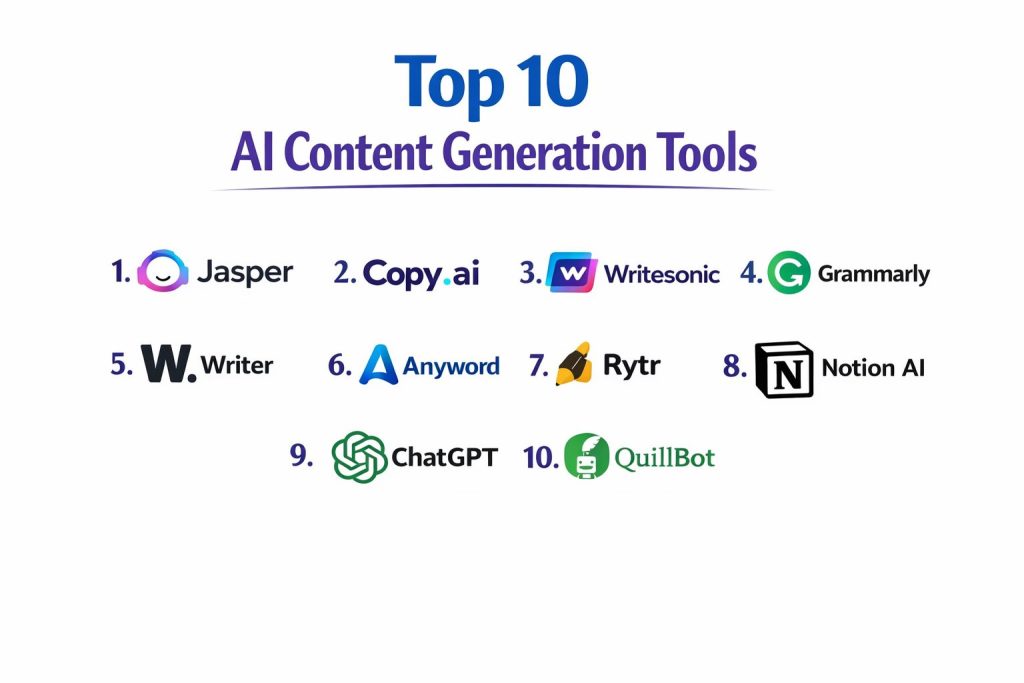
Top 10 AI Content Generation Tools
1) Jasper
A marketing-focused writing platform designed to help teams produce campaign content quickly while maintaining consistent tone. It suits teams that need repeatable templates and coordinated brand messaging.
Key Features
- Marketing templates for ads, blogs, landing pages, and emails
- Brand voice controls to keep writing consistent across campaigns
- Team workflows for shared assets and reusable content structures
- Multi-channel content support for web, social, and outreach
- Rewrite and expansion tools for repurposing existing copy
- Organization features for managing campaigns and content blocks
- Collaboration-friendly editing and review patterns
Pros
- Strong for marketing teams producing content at scale
- Good structure and templates reduce blank-page time
Cons
- Can feel template-heavy for highly creative long-form writing
- Cost may be high for small creators depending on usage
Platforms / Deployment
- Web
- Cloud
Security & Compliance
- SSO/SAML, MFA, encryption, audit logs, RBAC: Not publicly stated
- SOC 2, ISO 27001, GDPR, HIPAA: Not publicly stated
Integrations & Ecosystem
Jasper commonly fits into marketing workflows where content moves across ads, email, and web publishing tools.
- Browser and writing-surface extensions: Varies / N/A
- API and automation options: Varies / Not publicly stated
- Team collaboration features for shared assets
- Export and copy workflows into CMS tools: Varies / N/A
- Compatibility with common marketing stacks: Varies / N/A
Support & Community
Documentation is generally accessible for marketers, onboarding is guided, and support tiers vary by plan.
2) Copy.ai
A tool designed for fast marketing and sales copy creation, with workflows that help teams generate variations quickly. It fits organizations that need many short-form assets and outreach messages.
Key Features
- Copy generation for ads, outreach, product pages, and social captions
- Variation generation for testing multiple angles quickly
- Workflow-style generation for repeated business tasks
- Tone control for consistent messaging across teams
- Rewrite tools for shortening, expanding, or simplifying text
- Collaboration options for shared use in teams
- Content organization features for storing and reusing outputs
Pros
- Fast for producing many variations for campaigns
- Helpful for sales and marketing teams under tight deadlines
Cons
- Long-form depth may require additional editing and structuring
- Output quality depends heavily on clear inputs and review
Platforms / Deployment
- Web
- Cloud
Security & Compliance
- SSO/SAML, MFA, encryption, audit logs, RBAC: Not publicly stated
- SOC 2, ISO 27001, GDPR, HIPAA: Not publicly stated
Integrations & Ecosystem
Copy.ai is typically used alongside CRM, email, and marketing content workflows, with outputs pasted or automated into downstream tools.
- Automation and workflow features: Varies / N/A
- API availability: Varies / Not publicly stated
- Typical integration with sales and marketing stacks: Varies / N/A
- Export and reuse across channels: Varies / N/A
Support & Community
Good self-serve resources for common use cases; support and onboarding vary by plan.
3) Writesonic
A content generation platform often used for marketing drafts, SEO-focused content, and multi-format writing. It suits teams that want broad content types with guided workflows.
Key Features
- Blog, ad, and landing-page generation workflows
- SEO-oriented drafting support and structured outputs
- Rewrite and summarization features for repurposing content
- Multi-tone writing for different audiences and channels
- Short-form and long-form generation in one tool
- Team usage features for shared content workflows
- Content templates to speed creation for common formats
Pros
- Broad coverage for many marketing content formats
- Useful for SEO draft creation and iteration
Cons
- Requires strong human editing for accuracy and brand nuance
- Templates can produce similar-sounding content if not guided well
Platforms / Deployment
- Web
- Cloud
Security & Compliance
- SSO/SAML, MFA, encryption, audit logs, RBAC: Not publicly stated
- SOC 2, ISO 27001, GDPR, HIPAA: Not publicly stated
Integrations & Ecosystem
Writesonic typically supports workflows that move content into blogs, marketing pages, and campaign materials.
- CMS handoff workflows: Varies / N/A
- API and extensions: Varies / Not publicly stated
- Collaboration and shared workspaces: Varies / N/A
- SEO and content ops alignment: Varies / N/A
Support & Community
Documentation is generally approachable; support responsiveness varies by plan and region.
4) Grammarly
A writing assistant focused on grammar, clarity, tone, and correctness improvements. It is often used to polish AI drafts and human writing, making it valuable in any content workflow.
Key Features
- Grammar and spelling corrections with contextual suggestions
- Clarity and readability improvements for cleaner writing
- Tone detection and adjustments for professional communication
- Consistency support for style and phrasing
- Plagiarism checking options in some plans: Varies / N/A
- Works well across apps through extensions (availability varies)
- Useful for editing AI-generated drafts before publishing
Pros
- Strong for polishing and reducing common writing mistakes
- Easy adoption across teams and individual workflows
Cons
- Not primarily a full long-form content generator by itself
- Suggestions can occasionally conflict with brand voice choices
Platforms / Deployment
- Web / Windows / macOS (availability varies)
- Cloud
Security & Compliance
- SSO/SAML, MFA, encryption, audit logs, RBAC: Not publicly stated
- SOC 2, ISO 27001, GDPR, HIPAA: Not publicly stated
Integrations & Ecosystem
Grammarly typically integrates into writing surfaces, email tools, and document environments via extensions and apps.
- Browser extensions and desktop integrations: Varies / N/A
- Team admin controls in business plans: Varies / N/A
- Compatibility with common doc and email tools: Varies / N/A
- APIs: Varies / Not publicly stated
Support & Community
Strong documentation and broad user base; business support tiers vary by plan.
5) Writer
An enterprise-focused AI writing platform designed around brand governance, style rules, and team controls. It suits organizations that need consistent messaging, approvals, and safer usage patterns.
Key Features
- Brand voice and style guide enforcement across teams
- Collaboration workflows for review and standardized outputs
- Enterprise governance features for controlled writing assistance
- Templates and reusable content blocks for consistent messaging
- Team and role-based usage patterns (availability varies)
- Workflow alignment for business content creation
- Consistency features helpful for large organizations
Pros
- Strong for enterprises needing governance and consistency
- Good fit for organizations managing multiple writers and channels
Cons
- May feel heavy for solo users or very small teams
- Setup time is higher when implementing brand rules deeply
Platforms / Deployment
- Web
- Cloud
Security & Compliance
- SSO/SAML, MFA, encryption, audit logs, RBAC: Not publicly stated
- SOC 2, ISO 27001, GDPR, HIPAA: Not publicly stated
Integrations & Ecosystem
Writer is typically used in enterprise content workflows where governance and collaboration matter.
- Integration with internal knowledge and content systems: Varies / N/A
- APIs and automation: Varies / Not publicly stated
- Team admin and controls: Varies / N/A
- Workflow compatibility with content ops tools: Varies / N/A
Support & Community
Enterprise-oriented onboarding and support options that vary by agreement; documentation is structured for teams.
6) Anyword
A marketing copy tool focused on generating and optimizing messaging variations for performance-oriented teams. It fits use cases where teams want many copy options and structured experimentation.
Key Features
- Copy generation for ads, landing pages, and email messaging
- Variation creation for testing multiple angles and tones
- Structured workflows for campaign copy production
- Brand consistency features (availability varies)
- Rewrite tools for shortening, expanding, and rephrasing
- Useful for performance marketing content pipelines
- Team collaboration support (varies by plan)
Pros
- Helpful for teams that need many copy variants quickly
- Strong fit for short-form marketing content workflows
Cons
- Long-form writing still needs human structure and editing
- Best outcomes require clear positioning and audience inputs
Platforms / Deployment
- Web
- Cloud
Security & Compliance
- SSO/SAML, MFA, encryption, audit logs, RBAC: Not publicly stated
- SOC 2, ISO 27001, GDPR, HIPAA: Not publicly stated
Integrations & Ecosystem
Anyword typically fits into marketing execution workflows where copy is moved into ad managers and landing pages.
- Workflow exports into marketing tools: Varies / N/A
- Automation capabilities: Varies / N/A
- APIs: Varies / Not publicly stated
- Collaboration for team usage: Varies / N/A
Support & Community
Support resources focus on marketing use cases; onboarding and support tiers vary by plan.
7) Rytr
A lightweight writing assistant focused on fast drafts, rewrites, and short-to-medium content. It suits freelancers and small teams who want quick content creation with low setup.
Key Features
- Quick generation for common formats like ads, emails, and posts
- Rewrite options for tone changes and content shortening
- Simple interface designed for speed
- Supports multiple tones and basic style preferences
- Useful for ideation and quick outlines
- Multi-language support in many workflows: Varies / N/A
- Good entry-level tool for frequent writing tasks
Pros
- Easy to start and cost-friendly for many users
- Good for rapid drafting and rewriting
Cons
- Advanced team workflows and governance are limited
- Output depth can be inconsistent on complex long-form needs
Platforms / Deployment
- Web
- Cloud
Security & Compliance
- SSO/SAML, MFA, encryption, audit logs, RBAC: Not publicly stated
- SOC 2, ISO 27001, GDPR, HIPAA: Not publicly stated
Integrations & Ecosystem
Rytr is commonly used as a standalone drafting tool with copy-paste workflows into downstream systems.
- Extensions and integrations: Varies / N/A
- API availability: Varies / Not publicly stated
- Workflow automation: Varies / N/A
Support & Community
Simple documentation and onboarding; community footprint varies, support depends on plan.
8) Notion AI
A writing assistant embedded into a workspace used for notes, docs, and knowledge bases. It fits teams that want content drafting and summarization directly inside their documentation environment.
Key Features
- Summarization and rewriting inside documents
- Drafting for internal docs, meeting notes, and project writing
- Content organization within pages and workspaces
- Useful for knowledge base cleanup and standardization
- Quick conversion of notes into structured outputs
- Supports collaborative editing in shared spaces
- Helps reduce time spent on repetitive documentation writing
Pros
- Very convenient for teams already working inside Notion
- Strong for summarization and internal content workflows
Cons
- Best value depends on how much your team uses Notion as the main workspace
- Less specialized for marketing templates than marketing-first tools
Platforms / Deployment
- Web / Windows / macOS / iOS / Android (availability varies)
- Cloud
Security & Compliance
- SSO/SAML, MFA, encryption, audit logs, RBAC: Not publicly stated
- SOC 2, ISO 27001, GDPR, HIPAA: Not publicly stated
Integrations & Ecosystem
Notion AI is strongest when used inside Notion workflows, with content flowing through internal pages and team spaces.
- Workspace integrations: Varies / N/A
- Automation patterns: Varies / N/A
- External publishing workflows: Varies / N/A
Support & Community
Large community and broad documentation; business support options vary by plan.
9) ChatGPT
A general-purpose AI assistant used for drafting, brainstorming, rewriting, summarization, and content planning. It fits many roles because it can adapt to different formats, tones, and workflows with strong prompting.
Key Features
- Drafting for blogs, emails, scripts, outlines, and messaging
- Rewrite and summarization for repurposing existing assets
- Tone adaptation and structured content generation
- Ideation support for angles, hooks, and content calendars
- Helpful for QA-style content and internal documentation drafts
- Can assist with content frameworks and brand voice guidance (workflow dependent)
- Strong flexibility across many content types
Pros
- Very flexible across many writing tasks and formats
- Useful for brainstorming plus producing structured drafts quickly
Cons
- Requires human review for accuracy and brand nuance
- Output quality depends on instructions and context provided
Platforms / Deployment
- Web / iOS / Android (availability varies)
- Cloud
Security & Compliance
- SSO/SAML, MFA, encryption, audit logs, RBAC: Not publicly stated
- SOC 2, ISO 27001, GDPR, HIPAA: Not publicly stated
Integrations & Ecosystem
ChatGPT is used in many workflows through copy-paste, team processes, and integration patterns that vary by plan and environment.
- Content workflow integrations: Varies / N/A
- Team collaboration patterns: Varies / N/A
- Automation and APIs: Varies / Not publicly stated
- Compatibility with marketing and documentation processes: Varies / N/A
Support & Community
Very large user community and many learning resources; support options vary by plan.
10) QuillBot
A writing assistant known for paraphrasing, rewriting, summarization, and clarity improvements. It fits students, professionals, and content teams needing fast rewrites and refinement.
Key Features
- Paraphrasing modes for rewriting and tone adjustment
- Summarization for turning long text into key points
- Grammar and clarity improvements (features vary)
- Useful for repurposing content into different styles
- Helps reduce repetition and improve readability
- Works well as an editing layer on top of drafts
- Good for quick rewrites when time is limited
Pros
- Strong for rewriting, paraphrasing, and summarization workflows
- Easy to use for quick improvements and repurposing
Cons
- Not designed as a full campaign workflow platform
- Brand governance and team controls are limited
Platforms / Deployment
- Web (others: Varies / N/A)
- Cloud
Security & Compliance
- SSO/SAML, MFA, encryption, audit logs, RBAC: Not publicly stated
- SOC 2, ISO 27001, GDPR, HIPAA: Not publicly stated
Integrations & Ecosystem
QuillBot is typically used as a refinement layer with copy-paste into publishing tools and writing environments.
- Extensions and integrations: Varies / N/A
- Workflow automation: Varies / N/A
- APIs: Varies / Not publicly stated
Support & Community
Simple onboarding and user-friendly resources; support tiers vary by plan.
Comparison Table (Top 10)
| Tool Name | Best For | Platform(s) Supported | Deployment (Cloud/Self-hosted/Hybrid) | Standout Feature | Public Rating |
|---|---|---|---|---|---|
| Jasper | Marketing teams scaling campaigns | Web | Cloud | Brand voice and templates | N/A |
| Copy.ai | Fast marketing and sales copy variations | Web | Cloud | High-volume copy generation | N/A |
| Writesonic | SEO drafts and multi-format marketing content | Web | Cloud | Broad templates and formats | N/A |
| Grammarly | Polishing clarity, tone, and correctness | Web, Windows, macOS (varies) | Cloud | Editing and clarity improvement | N/A |
| Writer | Enterprise brand governance and consistency | Web | Cloud | Style guide and governance | N/A |
| Anyword | Performance marketing copy workflows | Web | Cloud | Campaign copy variations | N/A |
| Rytr | Lightweight drafting and rewriting | Web | Cloud | Simple, fast drafting | N/A |
| Notion AI | Writing inside team docs and knowledge base | Web, Windows, macOS, iOS, Android (varies) | Cloud | In-workspace drafting and summaries | N/A |
| ChatGPT | Flexible drafting, rewriting, planning | Web, iOS, Android (varies) | Cloud | Multi-format versatility | N/A |
| QuillBot | Paraphrasing and summarization | Web (varies) | Cloud | Strong rewriting modes | N/A |
Evaluation & Scoring of AI Content Generation Tools
Weights: Core features 25%, Ease 15%, Integrations 15%, Security 10%, Performance 10%, Support 10%, Value 15%.
| Tool Name | Core (25%) | Ease (15%) | Integrations (15%) | Security (10%) | Performance (10%) | Support (10%) | Value (15%) | Weighted Total (0–10) |
|---|---|---|---|---|---|---|---|---|
| Jasper | 8.5 | 8.0 | 7.5 | 6.0 | 8.0 | 7.5 | 6.5 | 7.62 |
| Copy.ai | 8.0 | 8.0 | 7.0 | 6.0 | 8.0 | 7.0 | 7.0 | 7.45 |
| Writesonic | 8.0 | 7.5 | 7.0 | 6.0 | 7.5 | 7.0 | 7.0 | 7.32 |
| Grammarly | 7.5 | 9.0 | 7.5 | 6.5 | 9.0 | 8.0 | 7.5 | 8.02 |
| Writer | 8.0 | 7.0 | 7.5 | 7.0 | 8.0 | 7.5 | 6.5 | 7.42 |
| Anyword | 7.5 | 7.5 | 6.5 | 6.0 | 7.5 | 7.0 | 6.5 | 7.02 |
| Rytr | 7.0 | 8.5 | 6.0 | 5.5 | 7.5 | 6.5 | 8.5 | 7.32 |
| Notion AI | 7.5 | 8.5 | 7.0 | 6.5 | 8.0 | 7.0 | 7.0 | 7.57 |
| ChatGPT | 8.5 | 8.5 | 7.0 | 6.5 | 9.0 | 8.0 | 8.0 | 8.15 |
| QuillBot | 7.0 | 8.0 | 6.0 | 5.5 | 8.0 | 6.5 | 7.5 | 7.02 |
How to interpret the scores:
- Scores are comparative within this list and reflect typical business usage patterns.
- A higher weighted total suggests broader strength across many scenarios, not a universal winner.
- Ease and value matter most for small teams shipping fast, while governance matters more for large teams.
- Security scoring is limited because public compliance details are often not clearly stated.
- Run a short pilot using your real content workflows before standardizing on a tool.
Which AI Content Generation Tool Is Right for You?
Solo / Freelancer
Rytr and QuillBot work well for quick drafts and rewrites when you want speed and simplicity. ChatGPT is strong if you want one flexible tool for ideation, outlines, and full drafts, but you must review carefully before publishing. Grammarly helps polish any draft and can improve clarity and tone for client work.
SMB
SMBs that produce marketing content frequently often do well with Copy.ai or Writesonic for multi-format drafts and variations. Jasper is a strong option if brand consistency matters across multiple people and channels. Pairing Grammarly with any of these helps reduce editing time and improves readability.
Mid-Market
Mid-market teams benefit from tools that balance scale and workflow. Jasper, Copy.ai, and Writesonic can handle campaign pipelines, while Notion AI helps keep internal docs and content briefs consistent. ChatGPT can support planning, reworking, and producing drafts across teams if you set clear guidelines and review rules.
Enterprise
Enterprises usually care about consistency, governance, and controlled usage. Writer is often a better fit when you need brand rules, team workflows, and standardized messaging. Grammarly can help ensure communication quality across teams. For broad drafting and ideation, ChatGPT can be useful when paired with internal policies and human approvals.
Budget vs Premium
If budget is tight, Rytr plus QuillBot can cover drafting and rewriting, while Grammarly helps polish. Premium tools like Jasper and Writer often make sense when the cost is justified by volume, brand governance, and coordination across many contributors.
Feature Depth vs Ease of Use
Grammarly is among the easiest for improving existing writing. Jasper and Copy.ai provide structure for marketing use cases, while ChatGPT offers deep flexibility if your team can write strong prompts and follow review discipline. Writer leans toward governance rather than instant simplicity.
Integrations & Scalability
If your work lives in documents and internal knowledge, Notion AI can reduce context switching. If you need to scale campaign outputs across channels, Jasper, Copy.ai, and Writesonic are commonly used choices. For flexible workflows and experimentation across many formats, ChatGPT often becomes a central drafting tool.
Security & Compliance Needs
If your organization has strict requirements, prioritize tools that offer clear admin controls, team governance, and documented policies. Where details are not publicly stated, treat them as unknown and validate through formal vendor review and internal security approval.
Frequently Asked Questions (FAQs)
1) Do these tools replace human writers completely?
No, they speed up drafting, brainstorming, and rewriting, but humans are still needed for accuracy, brand nuance, and final approval. The best results come from using AI as a first draft and humans as editors.
2) What pricing models are common for AI writing tools?
Most tools use subscription tiers based on seats and usage limits. Some also add higher tiers for team features and governance. When pricing details are unclear, treat them as varies and confirm before rollout.
3) How long does onboarding usually take for a team?
Individuals can start in minutes, but teams need longer to standardize tone, templates, and review workflows. A short pilot with clear rules is the fastest way to reduce confusion and rework.
4) What are the most common mistakes when using AI content tools?
Publishing without review, giving vague instructions, and mixing tone across campaigns. Another mistake is ignoring brand guidelines, which creates inconsistent voice and weak messaging.
5) How do these tools handle factual accuracy?
Many can produce convincing text that still needs verification. For factual or sensitive content, teams should add a review checklist and require source validation internally before publishing.
6) Can these tools support SEO content creation?
Yes, many help draft outlines, expand sections, and improve readability. However, ranking-quality content still needs unique insights, clear structure, and careful editing for intent and trust.
7) How do integrations affect tool choice?
If the tool fits directly into your writing environment, adoption is easier. Tools embedded into docs reduce context switching, while marketing-focused platforms help produce campaign assets quickly.
8) What is the best approach for brand voice consistency?
Create a small set of approved tones, example phrases, and do-and-don’t rules, then apply them across templates. Tools with brand governance features can help, but human review is still required.
9) Is it hard to switch from one tool to another later?
Switching is usually manageable because the content output is text, but workflows, templates, and team habits take time to rebuild. Keep your brand rules documented so you can migrate faster.
10) What is a simple pilot plan before purchasing?
Pick two tools, run the same set of tasks for a week, and measure time saved, editing effort, and output consistency. Also validate team collaboration needs and any governance requirements before final decision.
Conclusion
AI content generation tools can dramatically reduce the time it takes to go from idea to publishable draft, but the “best” tool depends on your workflow, your content volume, and how much control you need over tone and governance. Marketing teams that produce high volumes often prefer structured platforms like Jasper, Copy.ai, or Writesonic, while enterprises may prioritize consistency and controls with Writer. If you want flexibility across many formats, ChatGPT is often a strong option, especially when paired with a clear review checklist. Grammarly and QuillBot add real value as editing layers that improve clarity and reduce polishing time. A practical next step is to shortlist two or three tools, run a small pilot with your real use cases, validate collaboration needs, and only then standardize your templates and publishing rules.