Introduction
Speech recognition platforms convert spoken audio into accurate text so teams can search, analyze, automate, and act on conversations in real time or after the call. They sit behind call center transcription, meeting notes, voice assistants, subtitles, and voice-enabled apps. They matter now because businesses are handling more voice data across sales, support, healthcare, and field teams, while expectations for accuracy, speed, privacy, and multilingual coverage keep rising. Common use cases include contact center call transcription, meeting summarization, voicebots and IVR automation, media captioning, compliance monitoring, and analytics on customer sentiment and intent. When selecting a platform, evaluate accuracy on your accents and domain, latency, language coverage, diarization, punctuation and formatting, customization, streaming support, security controls, integrations, monitoring, and cost predictability.
Best for: contact centers, product teams building voice features, media teams, healthcare documentation workflows, and enterprises needing searchable, auditable transcripts.
Not ideal for: teams with very low audio volume, simple manual note-taking needs, or workflows where privacy rules prevent sending audio to external services.
Key Trends in Speech Recognition Platforms
- Domain adaptation is becoming a core requirement for industry terms, names, and acronyms.
- Real-time streaming transcription is expanding beyond call centers into apps and devices.
- Speaker separation and diarization quality is becoming a key differentiator for meetings and calls.
- More teams want transcript enrichment such as timestamps, topics, and intent extraction.
- Privacy expectations are increasing with stronger data handling controls and retention options.
- Multilingual accuracy is improving, including code-switching within the same conversation.
- Hybrid patterns are growing where sensitive workloads stay on controlled infrastructure.
- Cost visibility matters more, with teams demanding predictable billing and monitoring.
How We Selected These Tools (Methodology)
- Included widely adopted platforms used in production for transcription at scale.
- Balanced large cloud providers with specialist speech vendors focused on accuracy and speed.
- Considered real-time and batch transcription capabilities across common scenarios.
- Evaluated language coverage, diarization, timestamps, and formatting quality.
- Looked for integration friendliness with common developer and data workflows.
- Included both hosted services and self-managed approaches for control and privacy needs.
- Considered maturity of documentation, community, and operational support patterns.
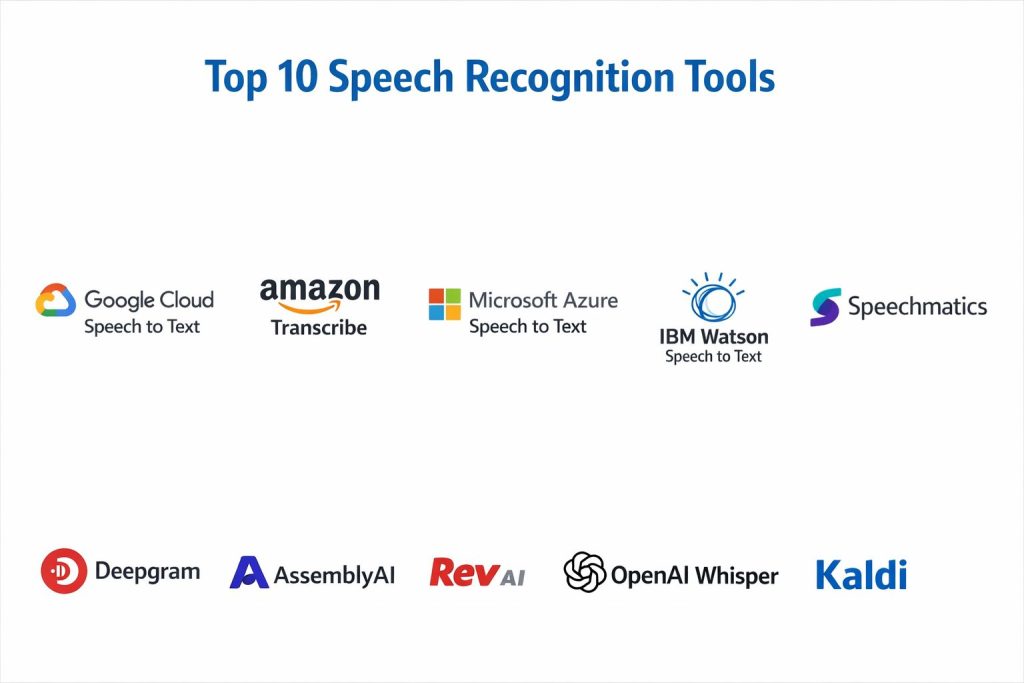
Top 10 Speech Recognition Platforms Tools
1 — Google Cloud Speech to Text
A cloud speech transcription service suited for applications needing fast integration, broad language support, and scalable transcription for streaming or batch audio.
Key Features
- Streaming and batch transcription options
- Word-level timestamps for alignment and analytics
- Speaker separation options depending on configuration
- Multilingual transcription support
- Controls for formatting such as punctuation
Pros
- Strong scalability for high-volume workloads
- Good fit for teams already using a cloud data stack
Cons
- Cost can become significant at large volume without monitoring
- Domain accuracy may require careful customization and testing
Platforms / Deployment
Web API, Cloud
Security and Compliance
Not publicly stated
Integrations and Ecosystem
Commonly used with data pipelines, storage, analytics tools, and application backends.
- API-based integration for apps and services
- Typical use with data warehousing and analytics workflows
- Common patterns for event-driven processing
Support and Community
Strong documentation and developer resources; enterprise support varies by plan.
2 — Amazon Transcribe
A cloud transcription service designed for scalable speech-to-text, often used in contact centers, media processing, and voice analytics pipelines.
Key Features
- Streaming and batch transcription capabilities
- Timestamped transcripts for search and analysis
- Speaker labeling options depending on audio
- Vocabulary customization features for named terms
- Scales for high-volume transcription use
Pros
- Strong fit for organizations on AWS infrastructure
- Good for pipeline-based processing of large audio libraries
Cons
- Accuracy depends heavily on audio quality and domain vocabulary
- Cost control requires careful usage monitoring
Platforms / Deployment
Web API, Cloud
Security and Compliance
Not publicly stated
Integrations and Ecosystem
Often connected to storage, workflow orchestration, and contact center systems.
- Common pipeline patterns for batch audio processing
- Integration through SDKs and APIs
- Works well with event-driven architectures
Support and Community
Strong cloud documentation; support tiers vary.
3 — Microsoft Azure Speech to Text
A speech transcription platform used in enterprise settings for voice apps, transcription, and speech-enabled workflows with customization options.
Key Features
- Real-time and batch transcription workflows
- Custom vocabulary and domain adaptation options
- Speaker handling options depending on setup
- Language and accent support coverage
- Tools for building speech-enabled applications
Pros
- Strong fit for enterprise identity and IT environments
- Good for teams building speech features into apps
Cons
- Customization requires setup effort and testing
- Results can vary by language and accent in real workloads
Platforms / Deployment
Web API, Cloud
Security and Compliance
Not publicly stated
Integrations and Ecosystem
Often adopted by teams using enterprise productivity stacks and cloud services.
- API integration for apps and workflows
- Common pipeline into analytics and automation systems
- Fits well with enterprise operations patterns
Support and Community
Good documentation and enterprise onboarding options; support varies by plan.
4 — IBM Watson Speech to Text
A speech recognition offering used in enterprise workflows where governance, integration, and vendor support are key selection factors.
Key Features
- Speech-to-text for batch and streaming audio
- Language support and formatting options
- Word timestamps for alignment and search
- Customization options depending on plan
- API-based integration patterns
Pros
- Often considered for enterprise vendor alignment
- Suitable for structured enterprise workflows
Cons
- Feature availability can vary by region and plan
- Some teams may prefer specialist vendors for accuracy focus
Platforms / Deployment
Web API, Cloud
Security and Compliance
Not publicly stated
Integrations and Ecosystem
Commonly used as a component in enterprise process automation stacks.
- API integration into internal tools
- Works with workflow orchestration patterns
- Suitable for structured document and transcript pipelines
Support and Community
Documentation is available; enterprise support depends on plan.
5 — Speechmatics
A specialist speech recognition platform known for strong multilingual transcription quality and practical features for enterprise transcription workflows.
Key Features
- Multilingual transcription and language detection options
- Speaker separation support depending on configuration
- Streaming and batch workflows
- Punctuation and formatting outputs
- Practical API integration for production
Pros
- Strong focus on transcription quality across languages
- Good fit for global teams handling diverse accents
Cons
- Integration may require more evaluation than using a single cloud vendor
- Pricing and packaging can vary by contract
Platforms / Deployment
Web API, Cloud, Hybrid options may vary
Security and Compliance
Not publicly stated
Integrations and Ecosystem
Often used by teams needing multilingual speech analytics and production-grade transcription.
- API integration for batch and streaming
- Common fit for media, customer support, and analytics pipelines
- Useful for transcript enrichment workflows
Support and Community
Professional vendor support; community visibility varies.
6 — Deepgram
A developer-focused speech recognition platform designed for fast, scalable transcription with strong real-time performance and flexible API workflows.
Key Features
- Streaming transcription for low-latency use cases
- Batch transcription for audio libraries
- Diarization and formatting capabilities
- Model options depending on domain needs
- Developer-friendly integration patterns
Pros
- Strong fit for real-time apps and voice analytics
- Developer-friendly APIs and workflow patterns
Cons
- Domain accuracy still needs careful validation and tuning
- Feature availability can vary by plan
Platforms / Deployment
Web API, Cloud
Security and Compliance
Not publicly stated
Integrations and Ecosystem
Often used in modern application stacks where speed and API-first workflows matter.
- Easy integration into microservices and event pipelines
- Common pairing with analytics and monitoring tools
- Good fit for voice product teams
Support and Community
Good developer documentation; support varies by plan.
7 — AssemblyAI
A speech recognition platform designed for developers who want transcription plus useful transcript enrichment capabilities for downstream workflows.
Key Features
- Batch and streaming transcription support
- Timestamps and transcript formatting
- Speaker labeling options depending on configuration
- Useful enrichment features depending on plan
- API-first integration approach
Pros
- Strong for teams that want more than plain transcripts
- Practical integration for app workflows and analytics
Cons
- Quality depends on audio and domain, requiring evaluation
- Feature packaging can vary by plan
Platforms / Deployment
Web API, Cloud
Security and Compliance
Not publicly stated
Integrations and Ecosystem
Often adopted in product workflows where transcripts feed analytics and automation.
- API integration for apps and pipelines
- Works well with data processing workflows
- Suitable for content and meeting transcription use cases
Support and Community
Documentation is solid; support varies.
8 — Rev AI
A speech-to-text platform often used when teams need dependable transcription workflows and practical outputs for media and business use.
Key Features
- Automated speech-to-text for common business scenarios
- Timestamps for alignment and search
- Speaker labeling options depending on setup
- Practical formatting outputs for readability
- API-driven integration patterns
Pros
- Easy to integrate into existing transcription workflows
- Useful for media and content processing pipelines
Cons
- Accuracy can vary across accents and noisy environments
- Some advanced enterprise controls may be plan-dependent
Platforms / Deployment
Web API, Cloud
Security and Compliance
Not publicly stated
Integrations and Ecosystem
Commonly used for transcription pipelines feeding editing, captioning, and analytics.
- API integration into content workflows
- Suitable for batch processing and queue-based systems
- Fits well for transcript delivery use cases
Support and Community
Support and onboarding vary by plan; community is moderate.
9 — OpenAI Whisper
A widely used speech recognition model known for strong multilingual transcription and robustness across varied audio, often adopted in developer and research workflows.
Key Features
- Multilingual transcription capability
- Robust performance on diverse audio conditions
- Useful for batch transcription workflows
- Strong community usage for experimentation
- Flexible deployment patterns depending on how you run it
Pros
- Strong multilingual and accent coverage in many cases
- Can be used in controlled environments for sensitive workflows
Cons
- Operational setup can be complex for large-scale production
- Performance and cost depend on infrastructure choices
Platforms / Deployment
Varies, Self-hosted or Cloud depending on implementation
Security and Compliance
Not publicly stated
Integrations and Ecosystem
Whisper is commonly used as a model component in pipelines where teams build their own processing layers.
- Integrates through custom services and batch jobs
- Often paired with storage, queueing, and analytics pipelines
- Works best when teams standardize preprocessing and formatting
Support and Community
Strong community adoption; enterprise-grade support varies by implementation.
10 — Kaldi
An open-source speech recognition toolkit used mainly for research, customization, and specialized deployments where teams need deep control.
Key Features
- Tooling for building and training speech recognition systems
- Flexible architecture for advanced customization
- Supports experimentation and specialized acoustic modeling
- Useful for research and controlled environments
- Suitable for teams with ML engineering expertise
Pros
- Deep customization and control for expert teams
- Works well for specialized speech research needs
Cons
- Not beginner-friendly and requires substantial expertise
- Productionizing can take significant engineering effort
Platforms / Deployment
Varies, Self-hosted
Security and Compliance
Not publicly stated
Integrations and Ecosystem
Kaldi is often used as a foundation where teams build custom pipelines and services around it.
- Custom integration through in-house services
- Often used in research or specialized production systems
- Requires engineering investment for modern workflow patterns
Support and Community
Strong academic community; production support depends on internal team expertise.
Comparison Table
| Tool Name | Best For | Platform(s) Supported | Deployment | Standout Feature | Public Rating |
|---|---|---|---|---|---|
| Google Cloud Speech to Text | Scalable transcription in cloud stacks | Web API | Cloud | Broad language support and scaling | N/A |
| Amazon Transcribe | Contact center and batch pipelines | Web API | Cloud | Strong integration in AWS workflows | N/A |
| Microsoft Azure Speech to Text | Enterprise speech apps and workflows | Web API | Cloud | Enterprise-friendly integration patterns | N/A |
| IBM Watson Speech to Text | Enterprise-aligned transcription workflows | Web API | Cloud | Vendor-aligned enterprise workflows | N/A |
| Speechmatics | Multilingual enterprise transcription | Web API | Cloud | Multilingual strength | N/A |
| Deepgram | Low-latency developer workflows | Web API | Cloud | Real-time transcription performance | N/A |
| AssemblyAI | Transcription plus enrichment workflows | Web API | Cloud | Useful transcript enrichment options | N/A |
| Rev AI | Media and business transcription pipelines | Web API | Cloud | Practical readable transcript outputs | N/A |
| OpenAI Whisper | Multilingual model-driven pipelines | Varies | Varies | Robust multilingual transcription | N/A |
| Kaldi | Custom research and specialized control | Varies | Self-hosted | Deep customization toolkit | N/A |
Evaluation and Scoring of Speech Recognition Platforms
Weights
Core features 25 percent
Ease of use 15 percent
Integrations and ecosystem 15 percent
Security and compliance 10 percent
Performance and reliability 10 percent
Support and community 10 percent
Price and value 15 percent
| Tool Name | Core | Ease | Integrations | Security | Performance | Support | Value | Weighted Total |
|---|---|---|---|---|---|---|---|---|
| Google Cloud Speech to Text | 8.5 | 8.0 | 9.0 | 6.0 | 8.0 | 7.5 | 7.0 | 7.93 |
| Amazon Transcribe | 8.0 | 8.0 | 8.5 | 6.0 | 8.0 | 7.5 | 7.0 | 7.74 |
| Microsoft Azure Speech to Text | 8.0 | 7.5 | 8.5 | 6.5 | 7.5 | 7.5 | 7.0 | 7.63 |
| IBM Watson Speech to Text | 7.5 | 7.0 | 7.5 | 6.5 | 7.0 | 7.0 | 6.5 | 7.08 |
| Speechmatics | 8.0 | 7.5 | 7.5 | 6.0 | 8.0 | 7.0 | 6.5 | 7.41 |
| Deepgram | 8.0 | 8.0 | 8.0 | 6.0 | 8.5 | 7.0 | 7.5 | 7.73 |
| AssemblyAI | 7.5 | 8.0 | 7.5 | 6.0 | 7.5 | 7.0 | 7.5 | 7.39 |
| Rev AI | 7.0 | 8.0 | 7.0 | 6.0 | 7.0 | 7.0 | 7.0 | 7.14 |
| OpenAI Whisper | 8.0 | 6.5 | 7.0 | 6.0 | 7.5 | 8.5 | 8.0 | 7.43 |
| Kaldi | 7.5 | 4.5 | 5.5 | 6.5 | 7.0 | 7.5 | 8.5 | 6.71 |
How to interpret the scores
These scores are comparative and designed to help shortlist tools for a pilot. A lower score can still be the best option if your priorities are unique, such as full control, offline processing, or specialized domain tuning. Core and integrations often decide long-term fit, while ease affects onboarding time and developer speed. Performance matters for real-time use cases, and value depends on your volume, infrastructure, and how much customization you do. Use these scores to narrow choices, then validate with your real audio and languages.
Which Speech Recognition Platform Tool Is Right for You
Solo or Freelancer
If you want maximum flexibility and control, OpenAI Whisper can work well when you can run it in your own environment and handle setup. If you need a simple hosted API experience without heavy infrastructure work, Deepgram or AssemblyAI can be practical depending on your workflow and budget.
SMB
SMBs usually want quick integration, predictable outputs, and manageable costs. Deepgram and AssemblyAI often fit well for product teams building voice features quickly. If your company already uses a major cloud provider, choosing Google Cloud Speech to Text or Amazon Transcribe can simplify operations and billing.
Mid-Market
Mid-market teams often focus on reliability, integrations, and scaling to more departments and languages. Google Cloud Speech to Text, Amazon Transcribe, and Microsoft Azure Speech to Text are common choices because they align well with broader cloud services. Speechmatics can be attractive when multilingual accuracy is a top priority.
Enterprise
Enterprise buyers usually care about governance, vendor support, standardization, and risk management. Microsoft Azure Speech to Text can align well with enterprise identity and IT operations. Google Cloud Speech to Text and Amazon Transcribe are often chosen for scalable pipelines and integration with analytics and storage. IBM Watson Speech to Text may be considered when vendor alignment and enterprise procurement patterns matter.
Budget vs Premium
Budget paths often use OpenAI Whisper or Kaldi when teams can invest engineering time instead of paying higher per-minute costs. Premium paths often favor major cloud services or specialist vendors when speed-to-production, support, and operational simplicity are worth the cost.
Feature Depth vs Ease of Use
If you want quick integration and managed operations, hosted APIs like Google Cloud Speech to Text, Amazon Transcribe, Azure Speech to Text, Deepgram, and AssemblyAI are typically easier. If you want maximum control and customization, Kaldi offers depth but requires significant expertise, while Whisper can sit in the middle depending on your deployment approach.
Integrations and Scalability
For broad ecosystem integration and scaling across business units, the major cloud offerings often make operations easier. For developer-first integration and real-time performance, Deepgram is often a strong fit. For transcript enrichment workflows feeding analytics, AssemblyAI can be practical.
Security and Compliance Needs
If you have strict requirements, focus on controlling where audio is stored, how long it is retained, and who can access transcripts. For many organizations, the security of your surrounding pipeline matters most, including access controls on storage, logging, and auditing. When vendor compliance details are not publicly stated, treat them as unknown until you validate through official procurement and security review.
Frequently Asked Questions
1. What is the main difference between batch and streaming transcription
Batch transcription processes recorded files after the fact, while streaming transcribes audio live with low latency. Streaming is best for call centers and real-time apps, while batch is best for archives and media libraries.
2. How do I improve accuracy for company names and industry terms
Use vocabulary hints or custom word lists when available, and keep a clean glossary of product names, acronyms, and common phrases. Also test with real audio from your users, not only clean samples.
3. Does speaker separation always work correctly
It depends on microphone quality, overlap, background noise, and how many speakers are present. Always validate diarization on your real calls and decide whether you need human review for critical workflows.
4. What are common mistakes teams make when adopting speech recognition
Skipping a pilot, ignoring accent and language diversity, and not monitoring error patterns are common. Another mistake is not standardizing audio preprocessing, which can hurt accuracy and cost.
5. How should I handle noisy audio from field teams or call centers
Use consistent audio capture settings, reduce background noise where possible, and test platforms on your worst audio conditions. In many cases, better audio capture improves accuracy more than switching vendors.
6. Can speech recognition be used for compliance monitoring
Yes, transcripts can be searched for required phrases, risky statements, or policy violations. However, you should validate accuracy carefully and keep a human review step for high-impact decisions.
7. How do I estimate costs before rolling out at scale
Start with minutes per month, average call length, and concurrency needs for streaming. Then run a pilot to measure real usage, error rates, and reprocessing needs, because those affect total cost.
8. Can I switch platforms later without losing my transcripts
Yes, if you store transcripts in your own systems with consistent formatting and metadata. Use a normalized transcript schema so you can swap the transcription engine without rewriting everything.
9. What is the best approach for multilingual organizations
Choose a platform that performs well across your main languages and accents, and test code-switching if your users mix languages. Keep separate quality benchmarks per language so problems are visible early.
10. When should I choose a self-hosted approach
Choose self-hosted when data sensitivity, offline requirements, or deep customization matter more than ease of use. Be ready to invest in infrastructure, monitoring, model updates, and reliability engineering.
Conclusion
Speech recognition platforms are no longer just transcription tools; they are foundation systems for search, analytics, automation, and customer intelligence across voice-heavy workflows. The right choice depends on your audio quality, languages, latency needs, and how tightly you want to integrate speech data into applications and reporting. Major cloud services like Google Cloud Speech to Text, Amazon Transcribe, and Microsoft Azure Speech to Text often win for scale and ecosystem alignment. Specialist vendors like Speechmatics and Deepgram can be strong for multilingual and real-time needs, while AssemblyAI and Rev AI may fit teams that want fast integration and practical outputs. If control is critical, Whisper or Kaldi can work when you can handle engineering and operations. Shortlist two or three, pilot with real calls, validate diarization and accuracy, and confirm cost and governance before full rollout.