Introduction
Experiment tracking tools help teams record, organize, and compare machine learning experiments so results do not get lost across notebooks, scripts, and multiple team members. In practical terms, they capture what you ran, what data and parameters you used, what model artifacts were produced, and what metrics came out, so you can reproduce winning runs and avoid repeating failed ones. These tools matter because ML work is now faster, more collaborative, and more regulated in many organizations, so traceability and repeatability are no longer optional. Common use cases include tracking hyperparameter tuning runs, comparing model versions across datasets, monitoring training outcomes in teams, auditing experiments for governance, and creating a clean path from research to production.
What buyers should evaluate includes: logging ease, metric and artifact management, lineage and reproducibility, collaboration features, integrations with notebooks and pipelines, scaling for many runs, access control, search and filtering, visualization depth, and cost-to-value fit.
Best for: data scientists, ML engineers, applied research teams, and platform teams who need repeatable experiments and shared visibility.
Not ideal for: teams doing occasional toy experiments with no need for history, collaboration, or reproducibility, where lightweight logging in code may be enough.
Key Trends in Experiment Tracking Tools
- Stronger end-to-end lineage expectations, linking data versions, code, parameters, artifacts, and metrics in one view.
- More focus on team collaboration features like reviews, comparisons, comments, and reusable templates.
- Deeper integrations with orchestration, pipelines, and model registries to reduce manual steps.
- Increased use of lightweight, developer-friendly tracking that works in scripts, notebooks, and CI pipelines.
- More emphasis on governance signals such as audit trails, role-based controls, and reproducibility workflows.
- Better visualization and experiment comparison for large hyperparameter sweeps and many parallel runs.
- Packaging and artifact handling improvements to simplify model promotion and handoff to production.
- Greater adoption of hybrid usage patterns where teams mix local tracking with centralized dashboards.
How We Selected These Tools (Methodology)
- Included tools with strong adoption and credibility across ML research and production teams.
- Balanced enterprise-ready platforms with simpler, developer-first options.
- Prioritized tools that cover the core tracking loop: parameters, metrics, artifacts, and comparisons.
- Considered scaling patterns for high experiment volume and multi-user collaboration.
- Evaluated ecosystem fit with common ML workflows like notebooks, training scripts, and pipelines.
- Looked for practical usability signals such as setup friction, workflow clarity, and visibility features.
- Included options that support reproducibility and discipline, not only dashboards.
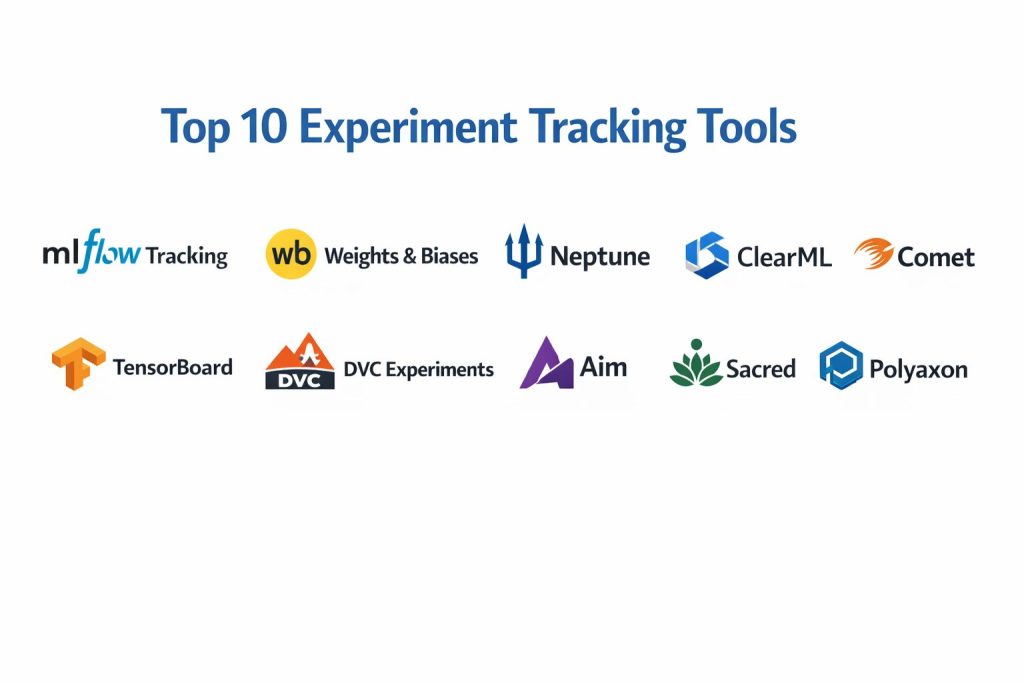
Top 10 Experiment Tracking Tools
1 — MLflow Tracking
A widely used experiment tracking system that logs parameters, metrics, and artifacts while supporting reproducible runs and team visibility. Often chosen because it fits well into both research workflows and production-facing ML operations.
Key Features
- Parameter, metric, and artifact logging with consistent run structure
- Search and filtering across runs for quick comparison
- Basic visualization and run comparisons for iterative tuning
- Flexible integration with training scripts and notebooks
- Works well when paired with broader ML platform components
Pros
- Strong baseline capability with a familiar workflow pattern
- Fits many organizations as a “default standard” for tracking
Cons
- Advanced collaboration and UX may feel lighter than dedicated platforms
- Enterprise governance features vary by setup and deployment approach
Platforms / Deployment
Varies / N/A
Security and Compliance
Not publicly stated
Integrations and Ecosystem
MLflow Tracking commonly integrates into existing pipelines because it is frequently used as a foundational layer for experiment records.
- Works well with notebooks and training scripts
- Common fit in CI and pipeline-driven training setups
- Often paired with model registry and artifact storage patterns
Support and Community
Strong community adoption and broad documentation; support varies by who hosts and manages it.
2 — Weights and Biases
A popular experiment tracking and visualization platform focused on collaboration, comparisons, dashboards, and workflow acceleration for ML teams running many experiments.
Key Features
- Rich dashboards for metrics, charts, and run comparisons
- Hyperparameter sweep tracking and performance exploration
- Artifact versioning and structured experiment organization
- Team collaboration with shared projects and consistent views
- Strong visualization for training curves and model behaviors
Pros
- Excellent UI for comparing many runs quickly
- Strong for collaborative teams and frequent iteration
Cons
- Cost can increase with scale depending on usage needs
- Some teams may need governance validation for sensitive workloads
Platforms / Deployment
Varies / N/A
Security and Compliance
Not publicly stated
Integrations and Ecosystem
This tool is commonly used across notebooks, scripts, and managed training environments with practical integrations.
- Easy SDK integration for common frameworks
- Strong support for sweep workflows and team visibility
- Often fits well with broader ML platform stacks
Support and Community
Large community and strong learning resources; support tiers vary.
3 — Neptune
An experiment tracking system designed for organized metadata logging, comparisons, and team workflows, often favored by teams that want clean experiment structure and searchability.
Key Features
- Structured logging for parameters, metrics, and artifacts
- Strong filtering and search across many experiments
- Visual comparisons and experiment grouping features
- Supports team collaboration and shared experiment standards
- Practical support for long-running and iterative training
Pros
- Good organization and search for large experiment volumes
- Helps teams standardize how experiments are documented
Cons
- Some features may require disciplined setup to get full value
- Costs and advanced capabilities depend on plan and scale
Platforms / Deployment
Varies / N/A
Security and Compliance
Not publicly stated
Integrations and Ecosystem
Neptune is typically used where metadata discipline and experiment organization are important.
- Fits notebooks and scripted training patterns
- Useful for teams managing many variations and datasets
- Integrates into ML workflows via SDK-based logging
Support and Community
Active documentation and community presence; support tiers vary.
4 — ClearML
A platform that combines experiment tracking with automation-friendly workflows, often used by teams that want tracking plus operational structure and repeatability.
Key Features
- Experiment tracking for metrics, parameters, and artifacts
- Task-based structure that supports repeatable runs
- Strong visibility across training jobs and outcomes
- Works well with automation patterns and team workflows
- Useful for organizing assets and results consistently
Pros
- Good fit for teams that want tracking plus operational discipline
- Helps connect experiments to repeatable execution patterns
Cons
- Setup and workflow design can take time for new teams
- Some features require standardization to stay clean
Platforms / Deployment
Varies / N/A
Security and Compliance
Not publicly stated
Integrations and Ecosystem
ClearML is commonly used where teams want tracking that supports broader process workflows.
- Useful for pipeline and job execution patterns
- SDK integration into training scripts and notebooks
- Works best with consistent team conventions
Support and Community
Growing community; documentation is solid; support varies.
5 — Comet
A mature experiment tracking platform that focuses on logging, comparisons, visualizations, and collaboration for ML teams that need repeatable experiment history.
Key Features
- Logging for metrics, parameters, and artifacts
- Experiment comparison and visual dashboards
- Useful grouping and organization across projects
- Collaboration features for teams and shared review
- Supports many ML frameworks and training patterns
Pros
- Practical, well-rounded platform for core tracking needs
- Good visibility for teams managing many experiments
Cons
- Full value depends on team adoption and consistent usage
- Pricing and feature access may vary by tier
Platforms / Deployment
Varies / N/A
Security and Compliance
Not publicly stated
Integrations and Ecosystem
Comet typically integrates easily into standard ML workflows and helps teams compare many runs.
- SDK logging for common ML stacks
- Useful for notebooks and training scripts
- Often used alongside artifact storage and model lifecycle tools
Support and Community
Strong documentation and steady adoption; support tiers vary.
6 — TensorBoard
A well-known visualization and tracking companion commonly used with deep learning workflows, especially for monitoring training metrics and model behavior through dashboards.
Key Features
- Training curve visualization for metrics over time
- Useful tooling for monitoring model training behavior
- Integrates naturally with many deep learning workflows
- Simple dashboards for iterative experimentation
- Practical for individual and small-team monitoring needs
Pros
- Easy to adopt for teams already using compatible workflows
- Strong at visualizing training progress and metrics
Cons
- Collaboration and advanced experiment management is limited
- Artifact and lineage management is not a primary focus
Platforms / Deployment
Varies / N/A
Security and Compliance
Not publicly stated
Integrations and Ecosystem
TensorBoard is often used as a visualization layer rather than a full experiment management system.
- Fits common deep learning training loops
- Useful for quick inspection of training runs
- Often paired with broader tracking tools for full lineage
Support and Community
Very strong community familiarity and documentation.
7 — DVC Experiments
A workflow that focuses on reproducible experiments by connecting code and data versioning with experiment outputs, often appealing to teams that want strong reproducibility discipline.
Key Features
- Experiment management connected to versioned data workflows
- Structured approach to reproduce and compare runs
- Helps connect experiments to code and pipeline changes
- Practical for teams that treat experiments like engineering artifacts
- Works well for iterative model development cycles
Pros
- Strong reproducibility mindset and workflow discipline
- Helpful for teams managing data changes alongside modeling changes
Cons
- Requires process adoption and consistent workflow use
- Visualization depth may depend on additional components
Platforms / Deployment
Varies / N/A
Security and Compliance
Not publicly stated
Integrations and Ecosystem
DVC Experiments fits teams that already value versioning and reproducibility as first-class needs.
- Works well with structured ML engineering practices
- Connects experiments with data and pipeline changes
- Useful in teams that standardize development workflows
Support and Community
Active community; workflow strength depends on team discipline.
8 — Aim
A developer-friendly experiment tracking tool focused on fast logging, exploration, and comparison, often chosen by teams that want lightweight tracking without heavy overhead.
Key Features
- Fast metric logging and experiment comparisons
- Practical UI for exploring runs and training curves
- Designed to be lightweight and developer-friendly
- Helpful for iterative tuning and repeated experimentation
- Simple setup for teams starting with structured tracking
Pros
- Low friction for developers and small teams
- Good for quick run comparisons and visibility
Cons
- Enterprise governance features may be limited
- Advanced collaboration depth varies by usage and setup
Platforms / Deployment
Varies / N/A
Security and Compliance
Not publicly stated
Integrations and Ecosystem
Aim commonly fits into scripts and notebooks where teams want structured logs and easy exploration.
- Logging from training scripts and notebooks
- Comparison workflows for tuning and iteration
- Works best with consistent naming and experiment conventions
Support and Community
Growing community and documentation; support varies.
9 — Sacred
A lightweight framework-style approach to experiment configuration and tracking, commonly used by teams that want structured experiment definitions with minimal overhead.
Key Features
- Structured experiment configuration and run definitions
- Tracking of parameters and results in a consistent way
- Encourages disciplined experiment organization
- Fits well into Python-first experimentation patterns
- Helpful for repeatable run definitions and comparisons
Pros
- Lightweight and flexible for developer-driven workflows
- Encourages clean experiment setup and repeatability
Cons
- UI and collaboration experience may be limited
- Scaling and centralized management depend on added tooling
Platforms / Deployment
Varies / N/A
Security and Compliance
Not publicly stated
Integrations and Ecosystem
Sacred is often used when teams want a framework-like way to define experiments consistently.
- Useful for code-driven experiment configuration
- Works best with teams that value experiment discipline
- Often paired with storage and visualization choices
Support and Community
Community support exists; depth varies by usage patterns.
10 — Polyaxon
A platform that combines experiment tracking with workflow execution patterns, often used when teams want tracking plus orchestration-friendly structure in one place.
Key Features
- Experiment tracking for metrics, parameters, and artifacts
- Visibility across runs and outcomes in a team environment
- Helpful structure for repeatable job execution patterns
- Supports organized project-based experimentation
- Useful for teams scaling training across infrastructure
Pros
- Good fit for teams that want tracking plus operational structure
- Useful for scaling experiment execution and visibility
Cons
- Setup and operational ownership can be more involved
- Feature fit depends on how your ML platform is designed
Platforms / Deployment
Varies / N/A
Security and Compliance
Not publicly stated
Integrations and Ecosystem
Polyaxon is often selected when teams want tracking to align closely with execution and scale patterns.
- Fits pipeline and job-based training workflows
- Useful for centralized visibility across runs
- Works best when teams standardize experiment templates
Support and Community
Community and support vary; best outcomes come with clear platform ownership.
Comparison Table
| Tool Name | Best For | Platform(s) Supported | Deployment | Standout Feature | Public Rating |
|---|---|---|---|---|---|
| MLflow Tracking | General-purpose experiment tracking | Varies / N/A | Varies / N/A | Simple, widely adopted tracking baseline | N/A |
| Weights and Biases | Team collaboration and rich comparisons | Varies / N/A | Varies / N/A | Powerful dashboards and run comparisons | N/A |
| Neptune | Structured metadata logging at scale | Varies / N/A | Varies / N/A | Strong search and organization | N/A |
| ClearML | Tracking plus operational discipline | Varies / N/A | Varies / N/A | Task-based repeatable runs | N/A |
| Comet | Mature tracking with collaboration | Varies / N/A | Varies / N/A | Balanced tracking and visualization | N/A |
| TensorBoard | Training visualization and monitoring | Varies / N/A | Varies / N/A | Training curve dashboards | N/A |
| DVC Experiments | Reproducible experiments with versioning mindset | Varies / N/A | Varies / N/A | Strong reproducibility workflow | N/A |
| Aim | Lightweight tracking for developers | Varies / N/A | Varies / N/A | Fast logging and exploration | N/A |
| Sacred | Minimal overhead experiment structure | Varies / N/A | Varies / N/A | Code-driven experiment definitions | N/A |
| Polyaxon | Tracking aligned with scalable execution | Varies / N/A | Varies / N/A | Platform-oriented experiment workflows | N/A |
Evaluation and Scoring of Experiment Tracking Tools
Weights
Core features 25 percent
Ease of use 15 percent
Integrations and ecosystem 15 percent
Security and compliance 10 percent
Performance and reliability 10 percent
Support and community 10 percent
Price and value 15 percent
| Tool Name | Core | Ease | Integrations | Security | Performance | Support | Value | Weighted Total |
|---|---|---|---|---|---|---|---|---|
| MLflow Tracking | 8.5 | 7.5 | 8.0 | 6.0 | 7.5 | 8.0 | 8.5 | 7.83 |
| Weights and Biases | 9.0 | 8.0 | 9.0 | 6.5 | 8.0 | 8.5 | 7.0 | 8.18 |
| Neptune | 8.5 | 7.5 | 8.0 | 6.0 | 7.5 | 7.5 | 7.5 | 7.60 |
| ClearML | 8.5 | 7.0 | 8.0 | 6.0 | 7.5 | 7.5 | 7.5 | 7.55 |
| Comet | 8.5 | 7.5 | 8.5 | 6.0 | 7.5 | 7.5 | 7.0 | 7.63 |
| TensorBoard | 7.5 | 8.0 | 7.0 | 5.5 | 7.5 | 8.5 | 9.0 | 7.60 |
| DVC Experiments | 8.0 | 6.5 | 7.5 | 6.0 | 7.0 | 7.5 | 8.0 | 7.33 |
| Aim | 7.5 | 8.0 | 7.0 | 5.5 | 7.0 | 7.0 | 8.5 | 7.25 |
| Sacred | 7.0 | 7.0 | 6.5 | 5.5 | 6.5 | 7.0 | 9.0 | 6.93 |
| Polyaxon | 8.0 | 6.5 | 8.0 | 6.0 | 7.5 | 7.0 | 7.0 | 7.28 |
How to interpret the scores
These scores are comparative and help you shortlist based on typical needs. A slightly lower score can still be the best match if it fits your workflow, team maturity, and deployment constraints. Core features and integrations usually decide long-term fit, while ease of use influences adoption speed. Security and compliance often depend on how you deploy and govern access, so validate early. Use the scores to pick two or three candidates, then run a pilot with real experiments and team workflows.
Which Experiment Tracking Tool Is Right for You
Solo or Freelancer
If you want minimal friction and fast visibility, Aim or TensorBoard can be a practical start depending on your workflow. If you want a stronger baseline that can grow with you, MLflow Tracking is often a stable choice. If you care strongly about disciplined experiments tied to engineering practices, DVC Experiments can be a strong direction.
SMB
Small teams benefit most from tools that improve collaboration and reduce repeated mistakes. Weights and Biases, Neptune, and Comet are commonly good fits because they make comparisons and sharing easy. ClearML can be valuable if you also want a stronger execution structure and repeatability beyond simple tracking.
Mid-Market
At this stage, consistency and integration patterns matter. MLflow Tracking is often selected as a standard layer that fits many pipelines. Neptune and Comet work well where metadata discipline and comparisons matter. ClearML and Polyaxon can help when you want tracking tightly linked to repeatable workflows and team execution patterns.
Enterprise
Enterprise teams usually prioritize standardization, governance, and platform integration. MLflow Tracking is often used as a foundational standard, while Weights and Biases is strong for collaboration and visibility at scale. ClearML and Polyaxon can be good when tracking must align tightly with platform operations and execution patterns. Security needs should be validated early, especially around access control, data sensitivity, and auditability.
Budget vs Premium
Budget-focused teams may prefer MLflow Tracking, TensorBoard, Aim, or Sacred depending on required visibility. Premium platforms can be worth it when your team runs many experiments, needs strong collaboration, and wants faster iteration with fewer tracking gaps.
Feature Depth vs Ease of Use
If you want the most polished run comparisons and dashboards, Weights and Biases often feels strong. If you prefer straightforward logging and predictable structure, MLflow Tracking can be enough. If ease is critical, lightweight tools reduce friction, but may require extra discipline to stay organized.
Integrations and Scalability
If your workflow depends on pipelines, orchestration, and repeatable execution, ClearML and Polyaxon may align well. If you mainly need flexible logging across many scripts and teams, MLflow Tracking, Comet, and Neptune can fit. Always test integrations with your actual stack rather than assuming.
Security and Compliance Needs
If you work with sensitive data, focus on access control, authentication options, auditability, and how artifacts are stored and shared. When details are not clearly stated publicly, treat them as not publicly stated and validate with your internal requirements checklist before standardizing.
Frequently Asked Questions
1. What should an experiment tracking tool store for each run
At minimum, store parameters, metrics, training environment details, and artifacts like model files and logs. Strong tools also help you connect runs to datasets and code versions for repeatability.
2. Do I need experiment tracking if I already use notebooks
Yes, because notebooks alone rarely provide consistent history across many runs. Tracking tools make comparisons, reproducibility, and team sharing much easier and less error-prone.
3. How do these tools help with reproducibility
They help by saving parameters, metrics, artifacts, and run context in a consistent format. Some workflows also encourage linking experiments to data and code changes for cleaner reproduction.
4. What is the most common mistake teams make with tracking
They log metrics but forget artifacts, dataset versions, or run context. Another mistake is inconsistent naming and tagging, which makes search and comparisons painful later.
5. How should I choose between a lightweight tool and a full platform
Choose lightweight tools if you need fast adoption with minimal setup. Choose full platforms if you need collaboration, governance, strong comparisons, and consistent team visibility.
6. Can experiment tracking tools support hyperparameter tuning workflows
Yes, many tools help you compare sweeps and understand which parameter changes drive better metrics. The best tools make it easy to filter, group, and compare hundreds of runs.
7. What should I validate during a pilot
Test logging simplicity, run comparison speed, search and filtering, artifact handling, and integration with your training workflow. Also test how teams collaborate, review results, and avoid duplication.
8. How do I keep tracking clean as the number of runs grows
Use consistent project naming, tags, and templates. Define what must be logged for every run, and build small automation helpers so logging becomes a habit, not an afterthought.
9. How do I handle sensitive data in experiment tracking
Avoid logging raw sensitive inputs and restrict who can access artifacts and dashboards. Use access controls, isolate storage, and follow internal governance practices for what can be logged.
10. How hard is it to switch experiment tracking tools later
Switching can be painful if your team depends heavily on dashboards and run history. To reduce lock-in risk, standardize how you log and store artifacts, and keep exports and storage structured.
Conclusion
Experiment tracking tools prevent the most common ML failure mode: losing knowledge. Without tracking, teams rerun experiments, forget what changed, and struggle to reproduce the run that looked best last week. A good tool helps you capture parameters, metrics, artifacts, and context consistently, then compare results quickly to make decisions with confidence. MLflow Tracking and TensorBoard can work well as practical foundations, while platforms like Weights and Biases, Neptune, and Comet often shine when collaboration and comparisons matter most. ClearML and Polyaxon can help when you want tracking aligned with repeatable execution patterns. The best next step is to shortlist two or three tools, run a small pilot with real experiments, validate integrations and access controls, and then standardize a logging checklist your team follows every time.