Introduction
A model registry is the system that stores, tracks, and governs machine learning models across their lifecycle. It helps teams move from “a file on someone’s laptop” to a controlled, repeatable path from training to validation to deployment. A strong registry matters because models change often, data drifts, approvals must be traceable, and production incidents need fast rollback. Common use cases include promoting a model from experimentation to production, tracking versions for audits, coordinating approvals between data science and engineering, managing multiple environments, and monitoring lineage between datasets, runs, and deployed endpoints. When evaluating a model registry, focus on versioning depth, stage management, approvals, lineage, metadata richness, artifact storage, access control, integration with CI/CD and deployment, support for multiple frameworks, and operational reliability.
Best for: data science teams, MLOps engineers, platform teams, and regulated industries that need controlled model promotion, traceability, and repeatable deployment workflows.
Not ideal for: very early prototypes where models are not deployed and governance is unnecessary; in that case, a simple experiment tracker plus structured storage may be enough.
Key Trends in Model Registry Tools
- Stronger governance workflows with approvals, sign-offs, and role-based controls
- More emphasis on lineage connecting datasets, code, runs, models, and deployments
- “Registry plus catalog” approaches that unify models with data and features
- Automated promotion patterns driven by tests, metrics thresholds, and CI pipelines
- Better cross-environment handling for dev, staging, and production parity
- Increased focus on reproducibility: pinned dependencies, containers, and signatures
- Security expectations rising: fine-grained permissions, audit logs, encryption controls
- Support expanding for multi-model and multi-tenant enterprise use cases
- More standardized metadata schemas and API-first registry access
- Closer integration with monitoring to tie production behavior back to versions
How We Selected These Tools (Methodology)
- Picked tools that are widely used and credible for model versioning and promotion
- Prioritized registries with clear lifecycle concepts like stages, approvals, and rollback
- Considered reliability signals from production usage and mature ecosystems
- Evaluated integration strength with common ML stacks and deployment pathways
- Included a mix of cloud-native, platform-native, and open ecosystem options
- Looked at how well each tool supports metadata, lineage, and collaboration
- Considered enterprise readiness such as access controls and auditability
- Scored comparatively for practical fit across teams, not marketing claims
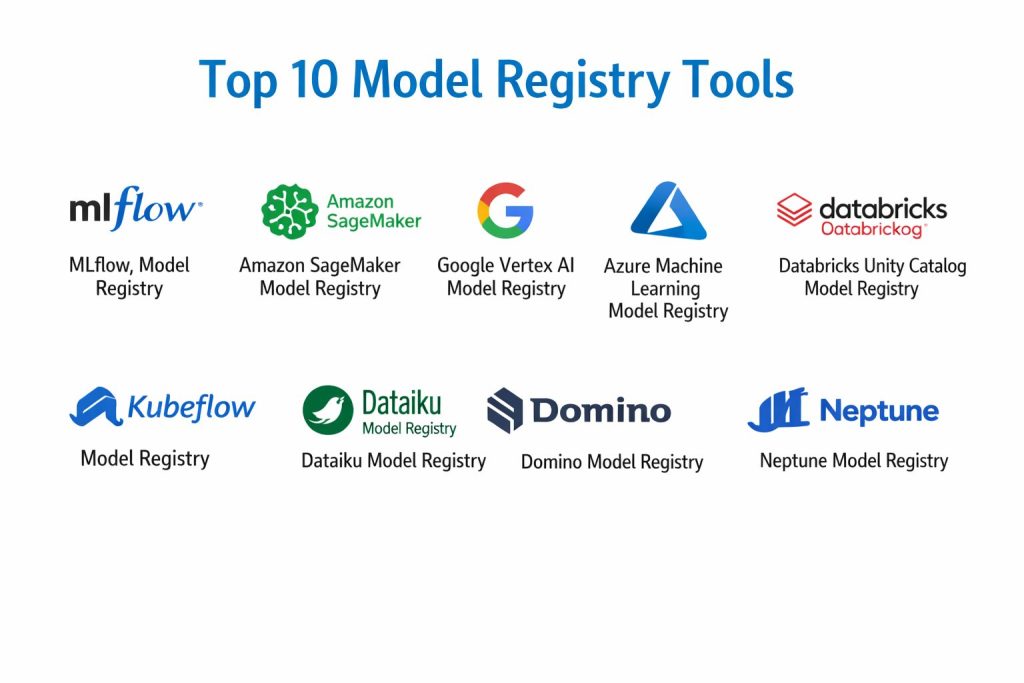
Top 10 Model Registry Tools
1) MLflow Model Registry
A widely adopted registry for managing model versions, stages, and metadata within the MLflow ecosystem. Strong for teams that want a portable workflow that can run across different environments.
Key Features
- Model versioning with named models and structured version history
- Stage transitions for lifecycle management (workflow dependent)
- Metadata tracking, tags, and descriptive notes for governance
- Integration with run tracking to link models to experiments
- Flexible artifact storage patterns (environment dependent)
- API-based access for automation and CI workflows
- Broad ecosystem usage across many ML teams
Pros
- Good balance of simplicity and governance for many teams
- Works well for teams building portable MLOps practices
Cons
- Advanced governance patterns often require disciplined processes around it
- Some enterprise features depend on surrounding platform choices
Platforms / Deployment
- Windows / macOS / Linux
- Cloud / Self-hosted / Hybrid (Varies / N/A)
Security & Compliance
- SSO/SAML, MFA, encryption, audit logs, RBAC: Varies / Not publicly stated
- SOC 2, ISO 27001, GDPR, HIPAA: Not publicly stated
Integrations & Ecosystem
MLflow registries commonly integrate with training pipelines and deployment tools through APIs and common ML workflow components.
- CI pipelines and promotion automation patterns
- Artifact stores and object storage backends (Varies / N/A)
- Common ML frameworks and training pipelines
- Model serving integrations (Varies / N/A)
- Extensibility via APIs and plugins (Varies / N/A)
Support & Community
Strong community adoption and documentation, plus wide availability of examples and best practices. Enterprise support varies by vendor packaging.
2) Amazon SageMaker Model Registry
A managed registry integrated into the Amazon SageMaker platform. Good for teams already running training, pipelines, and deployment in the same ecosystem.
Key Features
- Central model package versioning with approvals workflow
- Stage-like promotion patterns through model package groups
- Integration with automated pipelines for training and registration
- Linkage to deployment workflows and endpoint management
- Metadata and governance fields for operational tracking
- Permissions integration with broader cloud identity controls
- Works well for standardized enterprise AWS workflows
Pros
- Strong end-to-end integration for teams on the same platform
- Clear governance workflow support for approvals and promotion
Cons
- Best experience is tightly coupled to the platform ecosystem
- Portability to non-platform environments may require extra work
Platforms / Deployment
- Web
- Cloud
Security & Compliance
- SSO/SAML, MFA, encryption, audit logs, RBAC: Not publicly stated
- SOC 2, ISO 27001, GDPR, HIPAA: Not publicly stated
Integrations & Ecosystem
Often integrates with pipelines, training jobs, and deployment endpoints within the same cloud ecosystem.
- Pipeline automation and CI-style promotion steps
- Model deployment endpoints and rollback workflows
- Identity and permission controls via cloud policies (Varies / N/A)
- Monitoring and logging integrations (Varies / N/A)
- SDK and API access for automation
Support & Community
Strong official documentation and enterprise support options, plus a large community among cloud ML teams.
3) Google Vertex AI Model Registry
A managed registry within Vertex AI for tracking model versions, metadata, and deployments. Best for teams standardizing on Google’s ML platform.
Key Features
- Central registry for model versions and metadata
- Integration with pipeline workflows and training services
- Deployment and endpoint linkage for lifecycle visibility
- Support for managing models across environments (workflow dependent)
- Permissions integration with cloud identity controls
- Good alignment with production MLOps workflows on the platform
- API-first workflows for automation
Pros
- Smooth integration with training, pipelines, and deployment in one place
- Strong platform operational tooling around model lifecycle
Cons
- Most valuable when the broader workflow is on the same platform
- Cross-platform portability may require additional engineering
Platforms / Deployment
- Web
- Cloud
Security & Compliance
- SSO/SAML, MFA, encryption, audit logs, RBAC: Not publicly stated
- SOC 2, ISO 27001, GDPR, HIPAA: Not publicly stated
Integrations & Ecosystem
Vertex AI registry connects naturally to pipelines, endpoints, and monitoring features in the same environment.
- Pipeline-based promotion automation
- Deployment endpoints and rollback patterns
- Identity and access integration (Varies / N/A)
- Logging and monitoring integrations (Varies / N/A)
- SDK and API automation
Support & Community
Strong official documentation and enterprise plans; broad usage among cloud-first ML teams.
4) Azure Machine Learning Model Registry
A registry that supports versioning, lifecycle management, and collaboration inside Azure Machine Learning. Strong for enterprises building standardized governance workflows on Azure.
Key Features
- Model versioning with metadata and lifecycle promotion patterns
- Integration with ML pipelines and automation steps
- Linkage to deployments and managed endpoints (workflow dependent)
- Collaboration features for teams and workspaces
- Fine-grained access patterns through cloud identity governance
- Monitoring linkage patterns (environment dependent)
- Operational tooling for large-scale ML management
Pros
- Enterprise-ready patterns for access control and collaboration
- Integrates well with pipeline automation in the same ecosystem
Cons
- Best value when the stack is already standardized on the platform
- Can feel heavy for small teams that need minimal overhead
Platforms / Deployment
- Web
- Cloud
Security & Compliance
- SSO/SAML, MFA, encryption, audit logs, RBAC: Not publicly stated
- SOC 2, ISO 27001, GDPR, HIPAA: Not publicly stated
Integrations & Ecosystem
Azure ML registries integrate naturally with pipelines, managed endpoints, and DevOps automation patterns.
- CI-style model promotion with pipelines
- Endpoint deployments and environment tracking
- Identity governance integration (Varies / N/A)
- Monitoring and logs (Varies / N/A)
- SDK and API for automation
Support & Community
Strong enterprise documentation and large user base; support tiers depend on plan and contract.
5) Databricks Unity Catalog Model Registry
A registry approach tied to Databricks governance and catalog patterns. Best for organizations combining data governance and ML lifecycle under a unified platform approach.
Key Features
- Centralized governance-aligned model management
- Integration with workspace workflows and ML pipelines
- Strong metadata and access governance patterns (platform dependent)
- Unified catalog mindset for assets and permissions
- Collaboration patterns for teams working in shared environments
- APIs for automation and lifecycle steps
- Strong fit for data platform-led organizations
Pros
- Useful when you want models governed like other enterprise assets
- Strong alignment between data, features, and model lifecycle patterns
Cons
- Platform-coupled approach may reduce portability
- Governance complexity may be more than small teams need
Platforms / Deployment
- Web
- Cloud
Security & Compliance
- SSO/SAML, MFA, encryption, audit logs, RBAC: Not publicly stated
- SOC 2, ISO 27001, GDPR, HIPAA: Not publicly stated
Integrations & Ecosystem
Typically integrates well with data platform workflows, feature engineering patterns, and model deployment pipelines within the same environment.
- Platform-native ML workflows and job orchestration
- Data governance and access control alignment
- API-driven lifecycle automation
- Integration with monitoring patterns (Varies / N/A)
- Ecosystem tooling for analytics and ML teams
Support & Community
Strong community among data platform teams and enterprise support options that vary by agreement.
6) Kubeflow Model Registry
A Kubernetes-aligned approach for teams running MLOps on Kubernetes. Best for platform engineers and MLOps teams that want an open, composable workflow.
Key Features
- Registry patterns that align with Kubernetes-first MLOps architectures
- Integration with pipeline components and automation flows (workflow dependent)
- Flexible deployment patterns in self-managed environments
- API-first approach for programmatic lifecycle handling
- Works well in multi-team platform setups (setup dependent)
- Integrates with other open ecosystem ML components
- Supports portability through infrastructure standardization
Pros
- Good fit for teams standardizing on Kubernetes-based MLOps
- Flexible and composable for custom workflows
Cons
- Requires platform maturity and operational expertise
- Out-of-the-box governance depth varies by installation and setup
Platforms / Deployment
- Linux
- Self-hosted / Hybrid (Varies / N/A)
Security & Compliance
- SSO/SAML, MFA, encryption, audit logs, RBAC: Varies / Not publicly stated
- SOC 2, ISO 27001, GDPR, HIPAA: Not publicly stated
Integrations & Ecosystem
Integrations depend heavily on your Kubernetes platform, pipeline setup, and surrounding tooling choices.
- Kubeflow pipelines and pipeline automation
- Container registry and artifact storage backends (Varies / N/A)
- Identity integration through cluster controls (Varies / N/A)
- Monitoring stacks on Kubernetes (Varies / N/A)
- Extensible components for custom MLOps patterns
Support & Community
Strong open community with many examples, but enterprise-grade support depends on vendors and internal platform teams.
7) Dataiku Model Registry
A registry and governance experience that fits into Dataiku’s broader end-to-end analytics and ML platform. Best for organizations that want guided workflows and collaboration across technical and business users.
Key Features
- Central model tracking with version and metadata management
- Workflow support for approvals and controlled promotion (platform dependent)
- Integration with project-based collaboration features
- Support for multiple modeling approaches within the same environment
- Operational handoff patterns for deployment workflows (workflow dependent)
- Governance and audit-style tracking patterns (Varies / N/A)
- Suitable for cross-functional teams
Pros
- Strong for collaborative workflows across teams and stakeholders
- Helps standardize processes for organizations with mixed skill levels
Cons
- Platform-coupled approach may limit flexibility for custom stacks
- Power users may want deeper low-level customization
Platforms / Deployment
- Web
- Cloud / Self-hosted / Hybrid (Varies / N/A)
Security & Compliance
- SSO/SAML, MFA, encryption, audit logs, RBAC: Not publicly stated
- SOC 2, ISO 27001, GDPR, HIPAA: Not publicly stated
Integrations & Ecosystem
Dataiku often integrates through connectors, project workflows, and APIs to fit enterprise data environments.
- Data connectors and platform integrations (Varies / N/A)
- API access for automation
- Collaboration and governance workflows
- Deployment patterns depending on platform usage
- Monitoring integrations (Varies / N/A)
Support & Community
Strong enterprise onboarding and documentation; community is active, and support levels vary by plan.
8) Domino Model Registry
A registry experience integrated into Domino’s enterprise ML platform. Best for teams that want a managed path from experimentation to governed deployment in one controlled environment.
Key Features
- Versioned model management with lifecycle promotion patterns
- Governance support for approvals and controlled releases (platform dependent)
- Integration with experiment workflows and collaboration
- Enterprise-ready operational controls for production workflows
- Support for standardized packaging and deployment patterns (Varies / N/A)
- API-driven automation options
- Designed for regulated and enterprise environments
Pros
- Strong governance and operational structure for enterprise MLOps
- Good fit for teams needing standardization across many projects
Cons
- Platform adoption can be heavy for small teams
- Flexibility may depend on platform constraints and licensing
Platforms / Deployment
- Web
- Cloud / Self-hosted / Hybrid (Varies / N/A)
Security & Compliance
- SSO/SAML, MFA, encryption, audit logs, RBAC: Not publicly stated
- SOC 2, ISO 27001, GDPR, HIPAA: Not publicly stated
Integrations & Ecosystem
Domino commonly integrates with enterprise data sources and operational workflows through platform connectors and APIs.
- Data and compute environment integrations (Varies / N/A)
- Lifecycle automation via APIs
- Deployment workflow integrations (Varies / N/A)
- Monitoring and governance integrations (Varies / N/A)
- Collaboration patterns for teams
Support & Community
Enterprise-oriented support and onboarding; community presence varies compared to open ecosystems.
9) Neptune Model Registry
A registry-like approach aligned with Neptune’s tracking and metadata strengths. Useful for teams that want consistent metadata, lineage, and controlled organization of model artifacts.
Key Features
- Strong experiment-to-model linkage through metadata and tracking
- Version organization patterns for model artifacts (workflow dependent)
- Collaboration support through structured project organization
- Useful governance metadata and documentation patterns
- API-first usage patterns for automation
- Integrations with common ML workflows (Varies / N/A)
- Helpful for teams that prioritize traceability and organization
Pros
- Strong metadata organization for teams managing many experiments and outputs
- Good fit for teams that want clarity and traceability in model iterations
Cons
- Registry depth depends on how teams structure promotion workflows
- Some lifecycle governance features may require process enforcement externally
Platforms / Deployment
- Web
- Cloud / Self-hosted / Hybrid (Varies / N/A)
Security & Compliance
- SSO/SAML, MFA, encryption, audit logs, RBAC: Not publicly stated
- SOC 2, ISO 27001, GDPR, HIPAA: Not publicly stated
Integrations & Ecosystem
Neptune commonly integrates through SDKs and APIs into training pipelines and CI-style workflows.
- ML framework integrations via SDK
- Automation via APIs and scripts
- Artifact organization patterns (Varies / N/A)
- Collaboration workflows for teams
- Integration with deployment systems: Varies / N/A
Support & Community
Good documentation and an active user community; support levels vary by plan.
10) ClearML Model Registry
A model management approach tied to ClearML’s tracking and orchestration ecosystem. Good for teams that want a unified experience across experiments, artifacts, and operational workflows.
Key Features
- Model artifact tracking with version organization
- Linkage between experiments, datasets, and model outputs (workflow dependent)
- Automation-friendly API usage and pipeline integration
- Collaboration patterns around projects and tasks
- Works well with orchestrated ML workloads (setup dependent)
- Useful for teams standardizing repeatable training and registration steps
- Flexible deployment patterns depending on environment
Pros
- Strong end-to-end workflow alignment for tracking and artifacts
- Useful for teams building repeatable pipelines with automation
Cons
- Registry governance depends on how teams enforce promotion controls
- Setup and best results require process discipline and platform familiarity
Platforms / Deployment
- Web / Windows / macOS / Linux
- Cloud / Self-hosted / Hybrid (Varies / N/A)
Security & Compliance
- SSO/SAML, MFA, encryption, audit logs, RBAC: Not publicly stated
- SOC 2, ISO 27001, GDPR, HIPAA: Not publicly stated
Integrations & Ecosystem
ClearML integrates through agents, SDKs, and APIs that connect training to artifact management.
- SDK integration with training pipelines
- Orchestration and job execution patterns (Varies / N/A)
- Artifact storage backends (Varies / N/A)
- Automation through APIs
- Integration with monitoring and deployment: Varies / N/A
Support & Community
Active community and solid documentation; support tiers vary by plan and vendor packaging.
Comparison Table (Top 10)
| Tool Name | Best For | Platform(s) Supported | Deployment | Standout Feature | Public Rating |
|---|---|---|---|---|---|
| MLflow Model Registry | Portable model versioning and promotion | Windows, macOS, Linux | Cloud / Self-hosted / Hybrid | Simple lifecycle stages and broad ecosystem | N/A |
| Amazon SageMaker Model Registry | Managed registry on AWS workflows | Web | Cloud | Approval-based model package governance | N/A |
| Google Vertex AI Model Registry | Managed registry on Google ML platform | Web | Cloud | Tight linkage to pipelines and endpoints | N/A |
| Azure Machine Learning Model Registry | Enterprise MLOps on Azure | Web | Cloud | Workspace-based collaboration and lifecycle | N/A |
| Databricks Unity Catalog Model Registry | Governance-aligned model management | Web | Cloud | Catalog-style access control mindset | N/A |
| Kubeflow Model Registry | Kubernetes-first MLOps registries | Linux | Self-hosted / Hybrid | Composable platform-native workflows | N/A |
| Dataiku Model Registry | Collaborative governed ML in one platform | Web | Cloud / Self-hosted / Hybrid | Business-to-technical collaboration workflow | N/A |
| Domino Model Registry | Enterprise standardization and governance | Web | Cloud / Self-hosted / Hybrid | Managed enterprise MLOps lifecycle | N/A |
| Neptune Model Registry | Metadata-driven traceability and organization | Web | Cloud / Self-hosted / Hybrid | Strong experiment-to-model traceability | N/A |
| ClearML Model Registry | Unified tracking and artifact lifecycle | Web, Windows, macOS, Linux | Cloud / Self-hosted / Hybrid | End-to-end tracking plus model artifacts | N/A |
Evaluation & Scoring of Model Registry Tools
| Tool Name | Core (25%) | Ease (15%) | Integrations (15%) | Security (10%) | Performance (10%) | Support (10%) | Value (15%) | Weighted Total (0–10) |
|---|---|---|---|---|---|---|---|---|
| MLflow Model Registry | 8.5 | 7.5 | 8.5 | 6.0 | 8.0 | 8.0 | 9.0 | 8.05 |
| Amazon SageMaker Model Registry | 8.5 | 7.5 | 8.5 | 7.0 | 8.5 | 8.0 | 7.0 | 7.98 |
| Google Vertex AI Model Registry | 8.5 | 7.5 | 8.5 | 7.0 | 8.5 | 8.0 | 7.0 | 7.98 |
| Azure Machine Learning Model Registry | 8.5 | 7.0 | 8.5 | 7.0 | 8.5 | 8.0 | 7.0 | 7.90 |
| Databricks Unity Catalog Model Registry | 8.0 | 7.5 | 8.5 | 7.0 | 8.0 | 8.0 | 7.0 | 7.83 |
| Kubeflow Model Registry | 7.5 | 6.5 | 8.0 | 6.5 | 8.0 | 7.5 | 8.0 | 7.45 |
| Dataiku Model Registry | 8.0 | 8.0 | 7.5 | 6.5 | 8.0 | 8.0 | 7.0 | 7.70 |
| Domino Model Registry | 8.0 | 7.0 | 7.5 | 7.0 | 8.0 | 7.5 | 6.5 | 7.45 |
| Neptune Model Registry | 7.5 | 8.0 | 7.5 | 6.0 | 8.0 | 7.5 | 7.5 | 7.50 |
| ClearML Model Registry | 7.5 | 7.5 | 8.0 | 6.0 | 8.0 | 7.5 | 8.0 | 7.63 |
How to interpret the scores:
- Scores compare tools within this list, not the entire market.
- A higher total suggests broader fit across many common scenarios.
- Ease and value can outweigh depth for smaller teams moving fast.
- Security scoring is limited because disclosures vary and many deployments depend on your environment.
- Always validate with a pilot using your CI, storage, and deployment workflow.
Which Model Registry Tool Is Right for You?
Solo / Freelancer
If you want a practical registry without heavy platform coupling, MLflow Model Registry is often a good fit, especially when you already track experiments and need simple promotion. If your goal is to learn MLOps patterns while keeping control, Kubeflow Model Registry can work, but only if you are comfortable operating a Kubernetes setup.
SMB
Small teams usually benefit from minimizing operational overhead. If you are already on a major cloud platform, the managed registries like Amazon SageMaker Model Registry, Google Vertex AI Model Registry, or Azure Machine Learning Model Registry reduce platform work and give a consistent promotion workflow. If your teams include non-technical stakeholders, Dataiku Model Registry can help standardize collaboration.
Mid-Market
Mid-market teams often need strong integrations, repeatable pipelines, and governance without slowing delivery. A platform-aligned registry is usually easiest to scale. Databricks Unity Catalog Model Registry is a good fit when the data platform is central and governance must be unified. ClearML Model Registry can be strong when you want tracking, artifacts, and automation together across multiple pipelines.
Enterprise
Enterprises should prioritize governance, auditability, access patterns, and consistency across many teams. Domino Model Registry and Dataiku Model Registry can support standardized workflows across projects. Cloud registries are strong when the enterprise is committed to that ecosystem and wants platform-level security controls. The best approach is the one that matches enterprise identity, approvals, and deployment standards.
Budget vs Premium
Budget-minded teams often start with MLflow Model Registry or Kubeflow Model Registry because they can control infrastructure cost and scale gradually. Premium platform options typically trade cost for reduced operational burden, standardized controls, and tighter platform integration.
Feature Depth vs Ease of Use
If ease and speed matter most, a managed cloud registry usually simplifies adoption. If you need deep customization and platform control, open ecosystem approaches like Kubeflow are more flexible but require more work. If you want strong metadata organization and clarity, Neptune Model Registry can help, but you must enforce lifecycle processes consistently.
Integrations & Scalability
Pick the registry that naturally fits your pipeline: training runs, artifact storage, approvals, and deployment. The biggest scaling risk is “registry drift,” where teams store models but never enforce promotion discipline. Choose a tool that supports automation, policy, and consistent naming so teams can scale together.
Security & Compliance Needs
If you operate in regulated environments, focus on access controls, audit logs, approval workflows, and standardized promotion. When compliance details are not publicly stated, treat them as unknown and validate through procurement and internal security review. Also ensure model artifacts and metadata are stored in controlled, encrypted environments with clear access boundaries.
Frequently Asked Questions (FAQs)
1. What is the difference between a model registry and an experiment tracker?
An experiment tracker focuses on runs, metrics, and parameters during training. A model registry focuses on versioned models that are approved, promoted, and deployed with traceability.
2. Do I need a model registry if I only have one model?
If the model changes rarely and is not deployed widely, you may not need one. Once you promote models across environments or need rollback and audits, a registry becomes valuable.
3. How should teams name models and versions?
Use consistent names that reflect the use case and business domain, then version through the registry. Avoid embedding environment names into the model name; use stages or tags instead.
4. What are common mistakes when adopting a registry?
Not enforcing promotion rules, mixing experimental artifacts with production models, and skipping documentation. Teams also forget to test rollback and approval workflows early.
5. How do approvals usually work in model registries?
Most registries support an approval or promotion step tied to stages. Many teams also add automated gates like metric thresholds, tests, and reproducibility checks.
6. Can a model registry help with rollback during incidents?
Yes, if versions are tracked with clear deployment mapping. Good registries enable you to identify the last known good model and promote it quickly.
7. How do registries connect to CI pipelines?
Typically through APIs that register models, attach metadata, and move versions between lifecycle stages after tests pass. The exact pattern depends on your platform.
8. What should I store as model metadata?
Training dataset references, code version identifiers, metrics, evaluation reports, approval notes, owners, and deployment targets. Keep metadata consistent and searchable.
9. Is platform lock-in a risk with managed registries?
It can be, especially if the registry is tightly coupled to training and deployment services. If portability matters, standardize formats and keep a clear export path.
10. What is the simplest way to start with a model registry?
Pick one tool, define naming standards, define promotion stages, and require every deployment to reference a registry version. Then add automated checks and approvals gradually.
Conclusion
Model registry tools are the backbone of reliable MLOps because they turn model files into governed, versioned assets that can be promoted, audited, and rolled back safely. The right choice depends on where you run your training and deployment workflows and how much operational overhead you can accept. Cloud-native registries can simplify adoption for teams already committed to a single platform, while open ecosystem options can offer more control for platform-first organizations. Tools that emphasize metadata and traceability can help reduce confusion when many models evolve quickly. A simple next step is to shortlist two or three tools, run a pilot that includes registration, approvals, and a rollback drill, and confirm that integrations, access controls, and lifecycle rules fit your real delivery process.