Introduction
Batch processing frameworks help teams run large volumes of data work in scheduled or triggered runs, instead of processing events one by one in real time. They are used when you need repeatable, reliable jobs like nightly ETL, reporting pipelines, backfills, and cost-optimized transformations on big datasets. A good batch framework matters because data sizes keep growing, teams need consistent results, and reliability is often more important than instant speed. When choosing a framework, evaluate scalability, fault tolerance, scheduling flexibility, data connectors, deployment options, observability, retry behavior, governance, security controls, and ecosystem maturity. Batch frameworks are especially important for analytics, finance reconciliation, billing, data warehousing, and regulated data pipelines that must be correct and auditable.
Best for: data engineering teams, platform teams, analytics teams, and enterprises running repeatable pipelines, large transformations, and recurring reporting workloads.
Not ideal for: low-latency event streaming workloads where each message must be handled instantly, or simple scripts that run rarely and do not justify a full framework.
Key Trends in Batch Processing Frameworks
- More pipelines run on container platforms for portability and environment consistency
- Strong push toward unified processing where batch and streaming share concepts and APIs
- Faster development cycles through declarative workflows and pipeline-as-code practices
- More built-in reliability patterns like idempotent runs, checkpoints, and resumable jobs
- Integration depth increases with warehouses, lakehouses, and table formats
- Cost optimization becomes a top priority, with autoscaling and spot-capable execution
- Observability moves from logs-only to full lineage, metrics, traces, and run analytics
- Better governance expectations including access controls and audit-friendly execution
- Cross-cloud portability becomes more important for enterprise risk management
- Operational simplicity wins, with managed services used for predictable production runs
How We Selected These Tools (Methodology)
- Included frameworks with strong adoption in production batch processing
- Prioritized reliability, scalability, and job recovery behavior for real workloads
- Considered ecosystem strength: connectors, community, extensions, and integrations
- Balanced open-source and managed options to cover different operating models
- Evaluated portability across infrastructures and common deployment patterns
- Looked at observability maturity and how teams debug failures at scale
- Considered learning curve and long-term maintainability for teams
- Included tools that cover both compute frameworks and batch orchestration needs
- Scored each tool comparatively using a practical rubric, not marketing claims
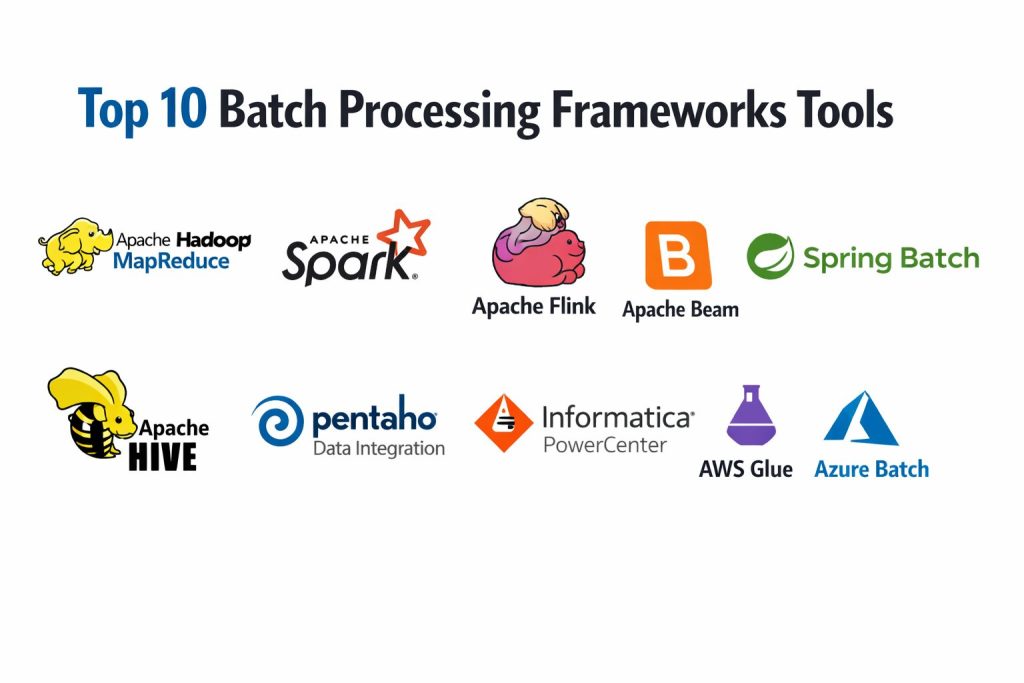
Top 10 Batch Processing Framework Tools
1) Apache Hadoop MapReduce
A foundational batch processing model designed for large-scale distributed computation on clusters. Best for legacy Hadoop environments and workloads already built around HDFS-style batch operations.
Key Features
- Distributed batch compute model designed for large datasets
- Strong fault tolerance through task retries and re-execution
- Works closely with Hadoop storage patterns and cluster ecosystems
- Handles large sequential processing efficiently in many cases
- Mature operational patterns for large enterprise clusters
- Supports many ETL and transformation styles through higher-level tools
- Useful for organizations with existing Hadoop investments
Pros
- Proven scalability for large batch workloads in mature clusters
- Strong fault tolerance for long-running jobs
Cons
- Developer productivity is lower compared to newer APIs
- Can be less flexible for modern iterative or complex pipelines
Platforms / Deployment
- Linux (common), others vary / N/A
- Self-hosted
Security & Compliance
- SSO/SAML, MFA, encryption, audit logs, RBAC: Varies / N/A
- SOC 2, ISO 27001, GDPR, HIPAA: Not publicly stated
Integrations & Ecosystem
Often used with broader Hadoop ecosystem components and common data tools.
- Connectors and ecosystem tools: Varies / N/A
- Interop with higher-level frameworks: Varies / N/A
- Works with common storage systems depending on setup
Support & Community
Large historical community and extensive documentation. Enterprise support depends on distribution and vendor choices.
2) Apache Spark
A widely used distributed processing engine for batch workloads and iterative computations. Strong for ETL, analytics transformations, and large-scale data processing with a rich ecosystem.
Key Features
- In-memory processing for faster batch transformations where applicable
- APIs for SQL, dataframes, and distributed computations
- Strong integration with common storage and table formats (setup dependent)
- Scales across clusters with fault tolerance and task retry behavior
- Supports structured processing patterns for repeatable pipelines
- Works well with interactive development and scheduled batch runs
- Large ecosystem of connectors and tooling
Pros
- High performance and broad adoption across many industries
- Flexible APIs for different team skill sets
Cons
- Tuning and cluster sizing can be complex for consistent performance
- Cost can rise quickly if jobs are not optimized
Platforms / Deployment
- Windows / macOS / Linux (varies by distribution)
- Self-hosted / Cloud / Hybrid
Security & Compliance
- SSO/SAML, MFA, encryption, audit logs, RBAC: Varies / N/A
- SOC 2, ISO 27001, GDPR, HIPAA: Not publicly stated
Integrations & Ecosystem
Spark typically sits at the core of modern batch data stacks with many connectors.
- Integrations with common storage, warehouses, and lakehouses: Varies / N/A
- Rich connector ecosystem via community and vendors
- Works with workflow schedulers and orchestration tools
Support & Community
Very large community, strong documentation, and broad enterprise usage. Support quality varies by platform and vendor.
3) Apache Flink
A unified engine used for both batch-style processing and streaming-style processing. Best for teams that want consistent APIs across different processing modes and strong state handling patterns.
Key Features
- Handles large-scale processing with strong checkpointing concepts
- Unified approach for different processing styles depending on setup
- Strong support for event-time concepts and state management patterns
- Works with large cluster deployments and scaling strategies
- Good for pipelines needing consistent reprocessing and backfills
- Ecosystem support for connectors and integrations (varies)
- Suitable for teams that want unified processing architecture
Pros
- Strong reliability patterns and stateful processing capabilities
- Good fit for teams standardizing on one engine for multiple needs
Cons
- Operational complexity can be higher than simpler batch-only tools
- Learning curve can be steeper for teams new to its execution model
Platforms / Deployment
- Linux (common), others vary / N/A
- Self-hosted / Cloud / Hybrid
Security & Compliance
- SSO/SAML, MFA, encryption, audit logs, RBAC: Varies / N/A
- SOC 2, ISO 27001, GDPR, HIPAA: Not publicly stated
Integrations & Ecosystem
Flink integrates through connectors and platform distributions.
- Connectors for storage and messaging: Varies / N/A
- Works with orchestration frameworks: Varies / N/A
- Extensible through APIs and plugin patterns: Varies / N/A
Support & Community
Strong community and growing enterprise adoption. Support depends on platform and distribution.
4) Apache Beam
A programming model that lets you define batch pipelines that can run on different execution engines. Best for teams that want portability across backends and a consistent pipeline definition.
Key Features
- Unified pipeline model for batch-style processing
- Portability across multiple execution backends (runner dependent)
- Strong abstractions for pipeline composition and reuse
- Encourages consistent testing and pipeline definitions
- Supports common transform patterns for ETL-style workloads
- Works well for teams building standardized pipeline libraries
- Suitable for organizations needing portability and governance
Pros
- Pipeline portability can reduce vendor lock-in risk
- Strong structure for consistent pipeline design
Cons
- Performance and features depend heavily on the chosen execution backend
- Can feel abstract compared to direct engine-specific APIs
Platforms / Deployment
- Windows / macOS / Linux (development), execution varies / N/A
- Cloud / Self-hosted / Hybrid (runner dependent)
Security & Compliance
- SSO/SAML, MFA, encryption, audit logs, RBAC: Varies / N/A
- SOC 2, ISO 27001, GDPR, HIPAA: Not publicly stated
Integrations & Ecosystem
Beam pipelines integrate mainly through the selected runner and its connectors.
- Runners and connector availability: Varies / N/A
- Integrates with orchestration and scheduling: Varies / N/A
- Works with common data formats and storage depending on runner
Support & Community
Active community and good documentation. Practical support depends on your chosen runner environment.
5) Spring Batch
A framework for building reliable batch jobs in Java, often used for enterprise data processing, file-based ETL, and transaction-oriented batch workloads.
Key Features
- Robust job and step model for structured batch pipelines
- Built-in restartability and retry patterns for reliability
- Strong support for chunk-based processing of large datasets
- Transaction management support for consistent results
- Integrates well with enterprise Java ecosystems
- Good for file processing, database batch, and scheduled ETL
- Mature patterns for auditing and job metadata tracking
Pros
- Excellent for enterprise-grade batch jobs with transactional needs
- Clear structure for maintainable long-running job pipelines
Cons
- Less suited for massive distributed cluster compute compared to Spark-style engines
- Java ecosystem overhead can be heavy for small teams
Platforms / Deployment
- Windows / macOS / Linux
- Self-hosted / Cloud / Hybrid
Security & Compliance
- SSO/SAML, MFA, encryption, audit logs, RBAC: Varies / N/A
- SOC 2, ISO 27001, GDPR, HIPAA: Not publicly stated
Integrations & Ecosystem
Often used with databases, messaging, and enterprise service layers depending on architecture.
- Database integrations through standard connectors and drivers
- Works with schedulers and orchestration: Varies / N/A
- Integrates with enterprise monitoring stacks: Varies / N/A
Support & Community
Strong documentation and a large enterprise community. Support depends on your platform and internal practices.
6) Apache Hive
A SQL-oriented batch analytics framework commonly used in Hadoop-style ecosystems. Best for teams using SQL-based transformations on large datasets stored in distributed file systems.
Key Features
- SQL-based batch querying model for large datasets
- Works well for scheduled transformations and reporting pipelines
- Integrates with data lake storage patterns (setup dependent)
- Supports partitioning and optimization strategies (depends on tuning)
- Strong fit for teams that prefer SQL workflows over code-heavy pipelines
- Common in legacy Hadoop-based environments
- Works alongside other batch compute engines depending on architecture
Pros
- SQL approach can improve accessibility for analytics teams
- Mature ecosystem for warehouse-style batch workloads
Cons
- Performance depends heavily on configuration and storage layout
- Not ideal for complex procedural transformations without additional tools
Platforms / Deployment
- Linux (common), others vary / N/A
- Self-hosted
Security & Compliance
- SSO/SAML, MFA, encryption, audit logs, RBAC: Varies / N/A
- SOC 2, ISO 27001, GDPR, HIPAA: Not publicly stated
Integrations & Ecosystem
Hive fits into Hadoop data lake architectures and SQL-based batch workflows.
- Integrations with metastore and storage systems: Varies / N/A
- Works with orchestration frameworks: Varies / N/A
- Common interoperability through standard data formats: Varies / N/A
Support & Community
Mature community and documentation. Enterprise support depends on distribution and vendor.
7) Pentaho Data Integration
A data integration and ETL tool often used for batch workflows that connect multiple sources, transform data, and load it into target systems. Best for teams that want visual design for ETL jobs.
Key Features
- Visual pipeline design for ETL-style batch jobs
- Broad connectors to common databases and file formats (varies)
- Transformation steps for cleansing, enrichment, and aggregation
- Scheduling integration patterns depending on environment
- Suitable for repeatable data movement and transformation jobs
- Useful for teams with mixed technical skill levels
- Common choice for classic ETL workflows in many organizations
Pros
- Visual design can speed up development and onboarding
- Good fit for traditional ETL jobs connecting many systems
Cons
- Scaling to very large workloads can require careful architecture
- Governance and collaboration depend on how it is deployed and managed
Platforms / Deployment
- Windows / macOS / Linux
- Self-hosted / Hybrid
Security & Compliance
- SSO/SAML, MFA, encryption, audit logs, RBAC: Not publicly stated
- SOC 2, ISO 27001, GDPR, HIPAA: Not publicly stated
Integrations & Ecosystem
Pentaho integrates through connectors and ETL components across many systems.
- Connectors for databases, files, and enterprise systems: Varies / N/A
- Integration with scheduling tools: Varies / N/A
- Extensibility through plugins and custom steps: Varies / N/A
Support & Community
Community resources exist with enterprise support options that vary by vendor and plan.
8) Informatica PowerCenter
An enterprise ETL platform widely used for large, governed batch integration workloads. Best for enterprises needing strong governance patterns and standardized data integration processes.
Key Features
- Enterprise-grade ETL design and execution environment
- Broad connector ecosystem for enterprise systems (varies)
- Strong governance and standardized integration patterns (setup dependent)
- Handles complex transformation logic for large organizations
- Operational tooling for monitoring, metadata, and management
- Works well for organizations with formal data integration practices
- Suitable for regulated environments depending on deployment and controls
Pros
- Strong enterprise governance and standardized ETL operations
- Mature tooling and widespread enterprise adoption
Cons
- Can be costly and heavy for small teams
- Implementation and operations require experienced administrators
Platforms / Deployment
- Windows / Linux (varies)
- Self-hosted / Hybrid (platform dependent)
Security & Compliance
- SSO/SAML, MFA, encryption, audit logs, RBAC: Not publicly stated
- SOC 2, ISO 27001, GDPR, HIPAA: Not publicly stated
Integrations & Ecosystem
PowerCenter integrates widely in enterprise stacks with many connectors and metadata patterns.
- Enterprise application connectors: Varies / N/A
- Integration with scheduling and governance tooling: Varies / N/A
- Metadata and operational integration patterns: Varies / N/A
Support & Community
Strong enterprise support structure through vendor contracts; community is enterprise-focused.
9) AWS Glue
A managed data integration service commonly used for scheduled batch ETL jobs in cloud environments. Best for teams that want managed orchestration, integrations with cloud storage, and reduced infrastructure management.
Key Features
- Managed execution model for batch ETL-style workloads
- Integrations with cloud storage and data services (varies by setup)
- Built-in job scheduling patterns and triggers (environment dependent)
- Scales based on job configuration and service capabilities
- Strong fit for teams standardizing on a managed cloud data platform
- Supports common transformation patterns and connectors (varies)
- Simplifies operations for teams with limited infrastructure resources
Pros
- Reduced infrastructure management compared to self-hosted clusters
- Strong fit for cloud-native batch pipelines
Cons
- Service-specific behavior can create portability constraints
- Cost can be unpredictable without strong job optimization discipline
Platforms / Deployment
- Web (managed service)
- Cloud
Security & Compliance
- SSO/SAML, MFA, encryption, audit logs, RBAC: Varies / N/A
- SOC 2, ISO 27001, GDPR, HIPAA: Not publicly stated
Integrations & Ecosystem
Glue integrates with many cloud data components depending on architecture.
- Integrations with storage, catalogs, and warehouses: Varies / N/A
- Job triggers and scheduling patterns: Varies / N/A
- Extensibility through scripts and job configs: Varies / N/A
Support & Community
Community resources exist and support depends on cloud support plan and internal platform maturity.
10) Azure Batch
A batch job execution service that helps run parallel compute workloads at scale. Best for teams that need batch compute scheduling and cluster-style execution without managing every node directly.
Key Features
- Batch job scheduling and parallel execution patterns
- Works well for compute-heavy workloads and parallelizable tasks
- Integrates with cloud storage and compute environments (setup dependent)
- Supports scaling strategies based on job demand
- Suitable for backfills, large compute runs, and scheduled processing jobs
- Operational tooling for job monitoring and execution control (varies)
- Useful when you need distributed batch compute without full cluster operations
Pros
- Good for large-scale parallel batch compute execution
- Reduces infrastructure management for batch compute workloads
Cons
- Not a full ETL transformation suite by itself
- Portability depends on how tightly you integrate with the cloud ecosystem
Platforms / Deployment
- Web (managed service)
- Cloud
Security & Compliance
- SSO/SAML, MFA, encryption, audit logs, RBAC: Varies / N/A
- SOC 2, ISO 27001, GDPR, HIPAA: Not publicly stated
Integrations & Ecosystem
Azure Batch integrates into cloud workflows for storage, compute, and job orchestration patterns.
- Integrations with storage and compute services: Varies / N/A
- Works with orchestration tools: Varies / N/A
- APIs for automation and job submission: Varies / N/A
Support & Community
Vendor support depends on service plan; community resources exist but are more platform-oriented than developer-community driven.
Comparison Table (Top 10)
| Tool Name | Best For | Platform(s) Supported | Deployment (Cloud/Self-hosted/Hybrid) | Standout Feature | Public Rating |
|---|---|---|---|---|---|
| Apache Hadoop MapReduce | Large-scale legacy cluster batch processing | Linux (common), others vary / N/A | Self-hosted | Fault-tolerant distributed batch execution | N/A |
| Apache Spark | High-performance distributed batch transformations | Windows, macOS, Linux (varies) | Cloud / Self-hosted / Hybrid | Flexible APIs and strong ecosystem | N/A |
| Apache Flink | Unified processing approach with strong state handling | Linux (common), others vary / N/A | Cloud / Self-hosted / Hybrid | Checkpointing and stateful processing | N/A |
| Apache Beam | Portable pipeline model across execution backends | Windows, macOS, Linux (dev), execution varies | Cloud / Self-hosted / Hybrid | Runner-based portability | N/A |
| Spring Batch | Enterprise Java batch jobs with restartability | Windows, macOS, Linux | Self-hosted / Cloud / Hybrid | Structured job and step model | N/A |
| Apache Hive | SQL-based batch transformations in data lakes | Linux (common), others vary / N/A | Self-hosted | SQL-driven batch analytics | N/A |
| Pentaho Data Integration | Visual ETL for multi-source batch integration | Windows, macOS, Linux | Self-hosted / Hybrid | Visual ETL design | N/A |
| Informatica PowerCenter | Enterprise governed ETL at scale | Windows / Linux (varies) | Self-hosted / Hybrid | Enterprise-grade integration governance | N/A |
| AWS Glue | Managed cloud batch ETL workflows | Web | Cloud | Managed ETL execution | N/A |
| Azure Batch | Parallel cloud batch compute execution | Web | Cloud | Scalable job scheduling | N/A |
Evaluation & Scoring of Batch Processing Frameworks
Weights: Core features 25%, Ease 15%, Integrations 15%, Security 10%, Performance 10%, Support 10%, Value 15%.
| Tool Name | Core (25%) | Ease (15%) | Integrations (15%) | Security (10%) | Performance (10%) | Support (10%) | Value (15%) | Weighted Total (0–10) |
|---|---|---|---|---|---|---|---|---|
| Apache Hadoop MapReduce | 7.5 | 5.5 | 7.0 | 6.0 | 7.5 | 7.5 | 8.0 | 6.99 |
| Apache Spark | 9.0 | 7.5 | 9.0 | 6.5 | 9.0 | 8.5 | 8.0 | 8.40 |
| Apache Flink | 8.5 | 6.5 | 8.0 | 6.5 | 8.5 | 8.0 | 7.5 | 7.74 |
| Apache Beam | 8.0 | 6.5 | 8.0 | 6.0 | 7.5 | 7.5 | 7.5 | 7.36 |
| Spring Batch | 7.5 | 7.5 | 7.5 | 6.5 | 7.0 | 8.0 | 7.5 | 7.39 |
| Apache Hive | 7.5 | 7.0 | 7.5 | 6.0 | 7.0 | 7.5 | 8.0 | 7.23 |
| Pentaho Data Integration | 7.0 | 7.5 | 7.5 | 6.0 | 6.5 | 7.0 | 7.0 | 7.05 |
| Informatica PowerCenter | 8.5 | 6.5 | 9.0 | 6.5 | 8.0 | 8.0 | 6.0 | 7.68 |
| AWS Glue | 7.5 | 7.5 | 8.5 | 7.0 | 7.5 | 7.5 | 6.5 | 7.47 |
| Azure Batch | 7.0 | 7.0 | 7.5 | 7.0 | 8.0 | 7.0 | 7.0 | 7.21 |
How to interpret the scores:
- These scores compare tools within this list, not across every tool in the market.
- A higher total suggests broader suitability across more batch scenarios.
- Some tools score higher because they cover more end-to-end needs, not because they are always the best choice.
- Security scoring is limited because disclosure and deployment models vary widely.
- Always validate with a pilot using your real data size, retry needs, and integration points.
Which Batch Processing Framework Tool Is Right for You?
Solo / Freelancer
If you are building batch pipelines alone, focus on simplicity and portability. Spring Batch fits well if your world is Java and you need reliable restartable jobs. Apache Spark can be strong if you already have access to a cluster or a managed environment, but you must watch cost and complexity. If you mainly need ETL with many connectors and prefer a visual workflow, Pentaho Data Integration can speed up delivery, provided your scale requirements are reasonable.
SMB
Small and growing teams often want quick wins with minimal operations burden. Apache Spark is usually the most flexible core engine for batch transformations, while AWS Glue can reduce operational load for teams that are cloud-native and prefer managed execution. If SQL-first batch transformations are common in your team, Apache Hive can be effective in lake-style environments when configured well.
Mid-Market
Mid-market teams often need scale plus predictable operations. Apache Spark remains a strong center because it handles many batch patterns well and integrates broadly. Apache Beam can help if you want a consistent pipeline definition and the ability to run on different backends over time. Apache Flink fits teams that want one consistent processing approach for multiple styles and expect complex backfills and state-heavy processing.
Enterprise
Enterprises typically prioritize governance, standards, and predictable support. Informatica PowerCenter is often chosen where enterprise integration governance and standardized workflows are a requirement. Apache Spark and Apache Flink are common when enterprises run large data platforms internally. Azure Batch and AWS Glue can work well when enterprises standardize on cloud-managed operations, but portability and governance must be planned carefully.
Budget vs Premium
Budget-sensitive teams often start with open-source engines like Apache Spark or Apache Hive, accepting operational responsibility. Premium approaches often use managed services like AWS Glue or enterprise platforms like Informatica PowerCenter to reduce operational risk and standardize governance.
Feature Depth vs Ease of Use
If you value deep distributed compute capabilities, Apache Spark and Apache Flink are strong choices. If ease of building structured enterprise jobs matters most, Spring Batch is easier to maintain in many enterprise coding environments. If you prefer visual ETL, Pentaho Data Integration can reduce build time, but you must ensure it meets scale expectations.
Integrations & Scalability
If your pipelines must connect to many systems, focus on connector maturity and how easy it is to test end-to-end runs. Apache Spark and enterprise ETL tools often have wide connector ecosystems. If you need large parallel compute rather than ETL transformation, Azure Batch is more of an execution platform than a transformation framework.
Security & Compliance Needs
Security for batch processing often depends on the surrounding platform: identity controls, storage governance, and audit practices. Tools that do not publicly state certifications should be treated as unknown for compliance and validated through vendor documentation, contracts, and internal security review.
Frequently Asked Questions (FAQs)
1. What is batch processing in simple terms?
Batch processing runs work in groups on a schedule or trigger, rather than handling each event instantly. It is used when correctness and repeatability matter more than immediate results.
2. Which tool is best for large-scale batch transformations?
Apache Spark is a common choice for large-scale transformations because it scales well and has a broad ecosystem. The best option still depends on your infrastructure and team skills.
3. When should I choose Spring Batch?
Choose Spring Batch when your batch work is transactional, structured, and tightly integrated with Java applications and databases. It is strong for restartable enterprise jobs.
4. Are managed services always cheaper for batch pipelines?
Not always. They reduce operational work but can increase cost if jobs are not optimized. You should measure cost per successful run and tune resource usage.
5. How do I reduce failures in nightly batch jobs?
Use idempotent job design, clear checkpoints, retries with backoff, and strong monitoring. Also validate data quality early and fail fast when inputs are wrong.
6. What is the biggest migration risk when changing batch frameworks?
Hidden assumptions in job behavior, data formats, and retry semantics. Always migrate with parallel runs and compare outputs before cutting over.
7. Do I need a separate scheduler with these frameworks?
Often yes. Many engines execute jobs, while scheduling is handled by a separate orchestration tool. Some managed services provide scheduling patterns, but needs vary.
8. Which tool is best if my team is SQL-first?
Apache Hive is common for SQL-first batch transformations in lake-style environments. However, performance and governance depend heavily on setup.
9. How do I choose between Spark and Flink for batch needs?
Spark is widely used for batch transformations and has broad ecosystem maturity. Flink can be attractive if you want strong stateful processing concepts and unified processing patterns.
10. What should I test in a pilot before standardizing?
Test one full run with real data size, real connectors, failure and retry behavior, performance, operational monitoring, and how quickly your team can debug issues.
Conclusion
Batch processing frameworks are essential when you need reliable, repeatable data work at scale, such as scheduled ETL, reporting, backfills, and reconciliations. The right tool depends on your workload style, operating model, and how much infrastructure you want to manage. Apache Spark is a flexible choice for distributed batch transformations and has a strong ecosystem, while Spring Batch is excellent for structured enterprise jobs with restartability and transactional patterns. Apache Beam can improve portability when you want consistent pipeline definitions across backends. Managed options like AWS Glue and execution services like Azure Batch can reduce operational overhead, but you must validate cost, portability, and governance. A practical next step is to shortlist two or three tools, run a pilot on real data, and confirm reliability, observability, and integration behavior before committing.