Introduction
Vector database platforms store and search high-dimensional vectors, which are numeric representations of text, images, audio, and other data. These vectors are usually created by embedding models, and they help machines find “similar meaning” instead of matching exact keywords. This matters because search, recommendations, and AI assistants need fast and accurate similarity retrieval to work well. When teams build AI apps, they often need a reliable way to retrieve the right context from private data, then send it to an AI model for better answers.
Common use cases include semantic search for documents, retrieval for AI chat assistants, recommendation engines, duplicate detection, image and video similarity search, and anomaly or fraud pattern discovery. When choosing a platform, evaluate indexing and recall quality, latency at scale, hybrid search support, filtering and metadata handling, update performance, replication and high availability, multi-tenancy, security controls, integrations with data and AI tooling, operational complexity, and cost predictability.
Best for: product teams, data engineers, ML engineers, and platform teams building search, recommendation, or AI assistant features.
Not ideal for: teams with small datasets and simple keyword search needs, or teams that do not require similarity search and can use a standard relational database.
Key Trends in Vector Database Platforms
- Hybrid search is becoming default, combining vector similarity with keyword search and filters.
- Metadata filtering is getting stronger, because real apps need both meaning and strict constraints.
- Real-time updates and streaming ingestion are growing, not just batch indexing.
- Multi-tenant design matters more as platforms serve multiple teams and customers.
- Vector compression and efficient indexing are improving cost and memory usage.
- Better observability is emerging, so teams can track recall, latency, and drift.
- Closer integration with AI pipelines is increasing, including embedding generation and retrieval workflows.
- More focus on governance and security controls, especially where private documents are used.
How We Selected These Tools (Methodology)
- Prioritized widely used platforms with strong adoption in real AI and search workloads.
- Included both purpose-built vector systems and established search platforms with vector capability.
- Considered indexing options, filtering quality, and performance signals at different scales.
- Looked at ecosystem strength, integrations, and developer experience patterns.
- Balanced managed options and self-hosted options to fit different operating models.
- Included tools that cover different maturity levels, from simple local usage to enterprise scale.
- Focused on practical fit for production apps, not only research use.
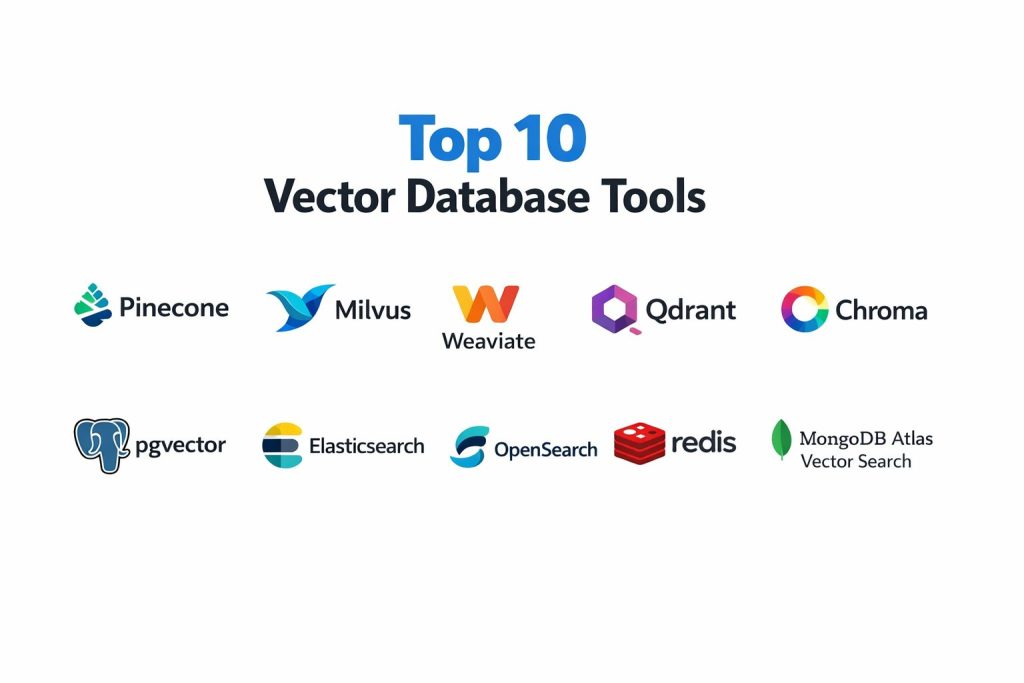
Top 10 Vector Database Platforms Tools
1 — Pinecone
A managed vector database designed for fast similarity search, scalable indexing, and simple operations for production AI retrieval.
Key Features
- Scalable vector indexing and similarity search
- Strong metadata filtering for real applications
- Operational simplicity with managed service workflows
- Multi-tenant friendly patterns for application use
- Stable performance focus for retrieval workloads
Pros
- Easy to operate for production retrieval use cases
- Good fit when you want to avoid infrastructure work
Cons
- Managed-first approach may not fit all hosting requirements
- Cost can rise with heavy scale if usage is not controlled
Platforms / Deployment
Cloud
Security and Compliance
Not publicly stated
Integrations and Ecosystem
Pinecone fits common AI retrieval workflows and is typically used alongside embedding pipelines and application backends.
- Common integration with embedding and orchestration tooling
- API-driven usage for application teams
- Works well in retrieval pipelines with metadata constraints
Support and Community
Support options vary by plan; community content is strong and growing.
2 — Milvus
An open-source vector database designed for large-scale similarity search with flexible indexing and distributed architecture.
Key Features
- Multiple index types for different performance profiles
- Distributed scaling for large datasets
- Strong performance focus for high-volume retrieval
- Flexible deployment patterns for engineering teams
- Active ecosystem for production usage
Pros
- Strong for large-scale workloads with engineering investment
- Flexible indexing choices for different latency and recall needs
Cons
- Operational complexity can be higher than managed platforms
- Requires tuning and monitoring for best performance
Platforms / Deployment
Cloud / Self-hosted / Hybrid
Security and Compliance
Not publicly stated
Integrations and Ecosystem
Milvus commonly appears in self-managed AI retrieval stacks where teams want infrastructure control.
- Connects with embedding pipelines and data ingestion workflows
- Works with common application architectures via APIs
- Ecosystem includes tooling and connectors that vary by setup
Support and Community
Strong open-source community; enterprise support varies by provider.
3 — Weaviate
A vector database focused on developer experience, hybrid search, and flexible schema support for semantic retrieval.
Key Features
- Hybrid search combining vector and keyword patterns
- Metadata filtering and schema-driven data modeling
- Extensible architecture for different retrieval workflows
- Good developer ergonomics for building AI apps
- Practical multi-tenant patterns for application use
Pros
- Strong for hybrid retrieval use cases
- Developer-friendly approach to building semantic apps
Cons
- Operational needs vary by deployment mode
- Some advanced tuning may be needed at large scale
Platforms / Deployment
Cloud / Self-hosted / Hybrid
Security and Compliance
Not publicly stated
Integrations and Ecosystem
Weaviate is often used in retrieval applications that need both semantic similarity and structured filtering.
- Integrates with common embedding pipelines
- API-driven application integration
- Ecosystem includes modules and extensions depending on setup
Support and Community
Active community and documentation; support tiers vary.
4 — Qdrant
A vector database built for fast similarity search with strong filtering, efficient indexing, and production-ready performance patterns.
Key Features
- Fast vector search with strong metadata filtering
- Efficient indexing and storage patterns
- Support for high update rates in many scenarios
- Good operational footprint for self-hosted use
- Practical multi-collection and namespace organization
Pros
- Strong filtering and performance balance
- Good fit for teams that want self-hosted control
Cons
- Feature depth depends on deployment and configuration choices
- Scaling architecture requires planning for large workloads
Platforms / Deployment
Cloud / Self-hosted / Hybrid
Security and Compliance
Not publicly stated
Integrations and Ecosystem
Qdrant commonly fits retrieval stacks that require reliable filtering and predictable query patterns.
- Common integration with embedding generation pipelines
- Client libraries and API-driven usage
- Works well with retrieval orchestration patterns
Support and Community
Growing community; support options vary by plan.
5 — Chroma
A developer-focused vector store often used for local development and smaller production setups, especially for AI app prototypes.
Key Features
- Simple developer experience for vector storage and retrieval
- Useful for local development and prototyping workflows
- Supports metadata and basic filtering patterns
- Integrates easily into application code
- Quick setup for proof-of-concept work
Pros
- Very fast to start and iterate for developers
- Good for prototypes and smaller workloads
Cons
- Not always the best fit for large-scale enterprise production
- Operational and scaling needs can change as usage grows
Platforms / Deployment
Self-hosted
Security and Compliance
Not publicly stated
Integrations and Ecosystem
Chroma is often used inside application code for quick retrieval workflows during build-and-test cycles.
- Integrates easily with embedding workflows
- Common in prototyping and early-stage AI assistants
- Works well when teams want minimal setup overhead
Support and Community
Community-driven support; maturity varies by workload type.
6 — pgvector
A vector extension for PostgreSQL that enables vector similarity search while keeping your data in a familiar relational database.
Key Features
- Vector storage inside PostgreSQL tables
- Similarity search and indexing options depending on setup
- Strong relational joins and transactional behavior
- Simple operations for teams already running PostgreSQL
- Good for hybrid structured plus vector workloads
Pros
- Great when you want one system for relational and vector data
- Familiar tooling for database teams
Cons
- Scaling and performance may not match purpose-built vector systems
- High-dimensional and high-volume workloads may require careful tuning
Platforms / Deployment
Cloud / Self-hosted / Hybrid
Security and Compliance
Varies / Not publicly stated
Integrations and Ecosystem
pgvector benefits from the entire PostgreSQL ecosystem and is often used where structured filtering is as important as similarity.
- Works with standard database drivers and tooling
- Fits well in apps already using PostgreSQL
- Supports retrieval pipelines without adding a separate database
Support and Community
Strong PostgreSQL community; support depends on your PostgreSQL provider.
7 — Elasticsearch
A search platform widely used for text search and analytics that also supports vector search patterns for hybrid retrieval.
Key Features
- Strong keyword search and relevance tuning
- Vector search support for semantic retrieval use cases
- Robust filtering and aggregations for structured constraints
- Mature scaling and cluster operations patterns
- Strong observability and monitoring ecosystem
Pros
- Powerful hybrid search when you need text plus vector together
- Mature operational ecosystem and tooling
Cons
- Requires careful tuning for vector workloads
- Operational complexity can be high for small teams
Platforms / Deployment
Cloud / Self-hosted / Hybrid
Security and Compliance
Varies / Not publicly stated
Integrations and Ecosystem
Elasticsearch often fits when teams already use it for search and want to add semantic retrieval without adding a new system.
- Integrates with logging, analytics, and search pipelines
- Strong plugin and client ecosystem
- Works well when keyword relevance and filters are central
Support and Community
Large community; enterprise support varies by plan.
8 — OpenSearch
An open-source search and analytics platform that supports vector search and can be used for hybrid retrieval workloads.
Key Features
- Keyword search plus vector search support
- Filtering and analytics features for real application constraints
- Open-source ecosystem with extensibility
- Cluster scaling for larger search workloads
- Practical for teams wanting more control over search infrastructure
Pros
- Strong option when you want open ecosystem control
- Good for hybrid search and analytics patterns
Cons
- Vector performance and tuning depend on configuration
- Operational work can be significant at scale
Platforms / Deployment
Cloud / Self-hosted / Hybrid
Security and Compliance
Varies / Not publicly stated
Integrations and Ecosystem
OpenSearch commonly appears in stacks where teams want full control while still delivering hybrid search capabilities.
- Works with common search ingestion workflows
- Strong integration patterns with analytics pipelines
- Extensible via plugins and client libraries
Support and Community
Active community; support varies by provider.
9 — Redis
An in-memory data platform that supports vector similarity patterns and is often used where low-latency retrieval is critical.
Key Features
- Low-latency retrieval and caching patterns
- Vector similarity support depending on setup and modules
- Fast metadata access and application integration
- Useful for high-throughput real-time workloads
- Commonly used as part of broader architectures
Pros
- Very strong latency profile for real-time systems
- Easy to embed into app architectures as a fast layer
Cons
- Memory cost can be high at large scale
- Feature depth depends on modules and architecture choices
Platforms / Deployment
Cloud / Self-hosted / Hybrid
Security and Compliance
Varies / Not publicly stated
Integrations and Ecosystem
Redis is often used as a fast layer in retrieval systems where speed matters as much as recall.
- Fits well into application backends and caching architectures
- Works alongside primary databases for metadata and persistence
- Integration patterns depend on modules and deployment
Support and Community
Very large community; support tiers vary.
10 — MongoDB Atlas Vector Search
A vector search capability integrated into MongoDB Atlas, designed for teams that want document storage plus semantic retrieval in one place.
Key Features
- Vector search alongside document-oriented data storage
- Useful metadata filtering and document query patterns
- Managed operations for teams using MongoDB Atlas
- Good fit for applications already using MongoDB
- Supports hybrid retrieval needs in document-centric apps
Pros
- Convenient for teams already standardized on MongoDB Atlas
- One platform for documents and retrieval reduces system sprawl
Cons
- Best fit is MongoDB-centric application architecture
- Deep vector specialization may be stronger in purpose-built systems
Platforms / Deployment
Cloud
Security and Compliance
Varies / Not publicly stated
Integrations and Ecosystem
MongoDB Atlas Vector Search fits document-heavy applications that need semantic retrieval without adding another database layer.
- Works with standard MongoDB application patterns
- Fits well for metadata-driven document retrieval
- Integrates with typical backend architectures
Support and Community
Large community and managed support options depending on plan.
Comparison Table
| Tool Name | Best For | Platform(s) Supported | Deployment | Standout Feature | Public Rating |
|---|---|---|---|---|---|
| Pinecone | Managed vector search for production apps | Web | Cloud | Low-ops scalable retrieval | N/A |
| Milvus | Large-scale self-managed vector search | Windows, macOS, Linux | Cloud, Self-hosted, Hybrid | Distributed indexing flexibility | N/A |
| Weaviate | Hybrid search with developer-friendly schema | Windows, macOS, Linux | Cloud, Self-hosted, Hybrid | Hybrid retrieval focus | N/A |
| Qdrant | Fast filtered vector retrieval | Windows, macOS, Linux | Cloud, Self-hosted, Hybrid | Strong filtering performance | N/A |
| Chroma | Developer prototyping and small workloads | Windows, macOS, Linux | Self-hosted | Quick setup for AI apps | N/A |
| pgvector | Vector search inside PostgreSQL | Windows, macOS, Linux | Cloud, Self-hosted, Hybrid | Relational plus vector in one DB | N/A |
| Elasticsearch | Hybrid search and analytics at scale | Windows, macOS, Linux | Cloud, Self-hosted, Hybrid | Mature search ecosystem | N/A |
| OpenSearch | Open hybrid search with analytics | Windows, macOS, Linux | Cloud, Self-hosted, Hybrid | Open ecosystem control | N/A |
| Redis | Low-latency retrieval layer | Windows, macOS, Linux | Cloud, Self-hosted, Hybrid | Speed for real-time queries | N/A |
| MongoDB Atlas Vector Search | Document plus vector retrieval | Web | Cloud | Document and vector in one platform | N/A |
Evaluation and Scoring of Vector Database Platforms
Weights
Core features 25 percent
Ease of use 15 percent
Integrations and ecosystem 15 percent
Security and compliance 10 percent
Performance and reliability 10 percent
Support and community 10 percent
Price and value 15 percent
| Tool Name | Core | Ease | Integrations | Security | Performance | Support | Value | Weighted Total |
|---|---|---|---|---|---|---|---|---|
| Pinecone | 8.5 | 8.5 | 8.5 | 6.5 | 8.5 | 7.5 | 7.0 | 7.98 |
| Milvus | 8.5 | 6.5 | 7.5 | 6.0 | 8.5 | 7.5 | 8.5 | 7.72 |
| Weaviate | 8.0 | 7.5 | 8.0 | 6.0 | 8.0 | 7.5 | 7.5 | 7.63 |
| Qdrant | 8.0 | 7.5 | 7.5 | 6.0 | 8.0 | 7.0 | 8.0 | 7.55 |
| Chroma | 6.5 | 8.5 | 6.5 | 5.5 | 6.5 | 6.5 | 8.5 | 7.05 |
| pgvector | 7.0 | 7.5 | 7.5 | 6.5 | 7.0 | 7.5 | 8.5 | 7.45 |
| Elasticsearch | 8.0 | 6.5 | 9.0 | 7.0 | 8.5 | 8.5 | 6.5 | 7.78 |
| OpenSearch | 7.5 | 6.5 | 8.5 | 6.5 | 8.0 | 7.5 | 7.5 | 7.43 |
| Redis | 7.0 | 7.5 | 8.0 | 6.5 | 8.5 | 8.0 | 7.0 | 7.55 |
| MongoDB Atlas Vector Search | 7.5 | 8.0 | 8.0 | 7.0 | 7.5 | 8.0 | 7.0 | 7.63 |
How to interpret the scores
These scores help compare tools under a consistent lens, but they are not absolute truth. A tool with a lower total can still be the best choice if it matches your stack and constraints. Core features and integrations often decide long-term fit, while ease impacts onboarding speed. Performance depends heavily on dataset size, index choice, and query patterns. Value changes based on how efficiently you run workloads and whether you consolidate systems or add extra layers.
Which Vector Database Platform Is Right for You
Solo or Freelancer
If you want fast results with minimal setup, Chroma is often a simple starting point, especially for prototypes. If you already run PostgreSQL, pgvector can keep things simple without adding new infrastructure. If you plan to deploy real apps quickly and prefer managed operations, Pinecone can reduce time spent on infrastructure work.
SMB
SMBs should focus on predictable operations and strong filtering. Qdrant and Weaviate often fit well when you want a balanced feature set with manageable complexity. If you already use Elasticsearch or OpenSearch for search, adding vector capability there can reduce tool sprawl. If you run many real-time requests and need very low latency, Redis can be a strong supporting layer.
Mid-Market
Mid-sized teams often need scale plus operational clarity. Milvus is a strong option when you want distributed scaling and are willing to invest in engineering. Elasticsearch and OpenSearch are practical if hybrid search and analytics are as important as vectors. If your team is building AI assistants with many tenants and strict metadata constraints, Weaviate or Qdrant can be a strong fit.
Enterprise
Enterprises usually choose based on security, governance, integration, and predictable performance. Elasticsearch and OpenSearch are common where search platforms are already standardized. Pinecone fits teams that want managed scaling and clear operational boundaries. Milvus can fit large-scale needs where infrastructure control is required. If your organization is MongoDB-heavy, MongoDB Atlas Vector Search can reduce the number of systems you operate.
Budget vs Premium
Budget-focused teams often start with Chroma or pgvector and upgrade as scale increases. Premium-focused teams often pay for managed reliability or enterprise support through platforms like Pinecone or search platforms already in place. A smart budget move is consolidating systems, but only if performance and recall meet your needs.
Feature Depth vs Ease of Use
If you want fast onboarding and simple developer workflows, Pinecone and Chroma can be easier. If you want deep control and scalability, Milvus often provides more flexibility but requires more engineering. Weaviate and Qdrant sit in the middle with balanced usability and production focus.
Integrations and Scalability
If you already use Elasticsearch or OpenSearch, staying within that ecosystem can simplify ingestion, analytics, and governance. If you want purpose-built retrieval performance, Milvus, Weaviate, and Qdrant are strong options. For application-level speed, Redis can complement many stacks. For document-centric apps, MongoDB Atlas Vector Search reduces integration steps.
Security and Compliance Needs
If you have strict security needs, focus on identity control around your application and data pipelines, plus strong access controls on storage. Many public details about compliance are not publicly stated, so validate security features during vendor evaluation. Also ensure audit logging, tenant isolation, and least-privilege access to embeddings and metadata.
Frequently Asked Questions
1. What is a vector database platform used for
It is used to store and search embeddings so you can retrieve similar items by meaning. This powers semantic search, recommendations, and AI assistant retrieval.
2. Do I always need a vector database for an AI assistant
Not always. For small datasets you can start with a simpler store, but production systems usually need scalable indexing, filters, and consistent latency.
3. What is the difference between vector search and keyword search
Keyword search matches words and their variations, while vector search matches meaning and similarity. Many real apps combine both using hybrid search.
4. Why is metadata filtering so important
Because real business queries need constraints like user permissions, document type, region, or time range. Without filters, results may be relevant but unusable.
5. How do I avoid poor retrieval quality
Use consistent embedding models, clean your text chunks, store relevant metadata, and test queries that represent real user intent. Also monitor recall and latency over time.
6. Can I use PostgreSQL for vector search
Yes, pgvector can work well for smaller to mid workloads, especially when you want relational joins and existing database operations in one system.
7. When should I pick a search platform instead of a vector-only platform
If keyword relevance, aggregations, analytics, and text search are primary needs, Elasticsearch or OpenSearch can be efficient because you keep one search stack.
8. What are common mistakes teams make
Common mistakes include skipping a pilot, ignoring filter needs, storing embeddings without access control metadata, and not testing update performance for real usage.
9. How should I run a pilot before choosing a tool
Pick two or three platforms, index the same dataset, run the same test queries, and compare latency, recall quality, filtering correctness, and operational effort.
10. Can I switch vector databases later
Yes, but plan for export and reindexing. Keep embeddings and metadata portable, and avoid locking business logic to one vendor’s special features.
Conclusion
Vector database platforms are a core building block for semantic search, recommendations, and AI assistants because they help your application retrieve the most relevant context by meaning. The right choice depends on your operating model and your existing stack. If you want a managed path with low operational overhead, Pinecone can reduce infrastructure load. If you want infrastructure control and scalability, Milvus is a strong option with engineering investment. If you need hybrid search and structured filters, Weaviate and Qdrant often fit well. If you already have a search platform, Elasticsearch or OpenSearch can consolidate keyword plus vector retrieval. For early-stage builds, Chroma and pgvector can help you move fast, then scale up later after real usage proves the need.