Introduction
Vulnerability assessment tools help you find security weaknesses in systems, servers, endpoints, cloud assets, and applications before attackers do. In simple terms, they scan what you own, compare it against known weaknesses, and highlight what needs fixing first. This matters because environments keep changing fast: more cloud services, more remote endpoints, more third-party software, and more configuration drift. A good tool does not just list findings. It helps you understand risk, reduce noise, validate exposure, and drive patching and remediation through repeatable workflows.
Common use cases include continuous scanning for servers and endpoints, compliance reporting for internal audits, cloud workload visibility, web application testing, and risk-based prioritization for remediation teams. When choosing a tool, evaluate scanning accuracy, coverage (network, agent, cloud, web), false positives handling, asset discovery quality, prioritization logic, reporting depth, integrations with IT and security tools, scalability, access control, and operational effort.
Best for: security teams, IT operations, compliance teams, and managed service providers that need continuous, trackable vulnerability reduction.
Not ideal for: teams that only need a one-time checklist or very light scanning, or teams without any patching workflow to act on findings.
Key Trends in Vulnerability Assessment Tools
- Risk-based prioritization is replacing “fix everything” lists, focusing on exploitability and exposure.
- Agent plus network scanning is becoming common to improve coverage and reduce blind spots.
- Cloud-native assessment is expanding to include workloads, containers, and misconfiguration signals.
- Better asset discovery and inventory is becoming a core requirement, not an add-on.
- Workflow integration with ITSM and patch tooling is now essential for measurable remediation.
- Validation features are growing, including proof checks and exposure context to reduce noise.
- Executive reporting is shifting toward trends, SLA tracking, and measurable risk reduction outcomes.
- Continuous assessment is becoming the default expectation instead of periodic scans.
How We Selected These Tools (Methodology)
- Included tools with strong adoption across enterprise, mid-market, and smaller teams.
- Focused on breadth of coverage: network scanning, endpoint visibility, cloud signals, and web scanning where relevant.
- Considered operational practicality: deployment effort, scan performance, tuning options, and reporting.
- Prioritized tools that support remediation workflows through integrations and clear ownership.
- Balanced commercial platforms with an open-source option for flexibility and cost control.
- Evaluated ecosystem strength: connectors, APIs, and fit with common security operations patterns.
- Chose tools that scale across asset growth and support continuous assessment habits.
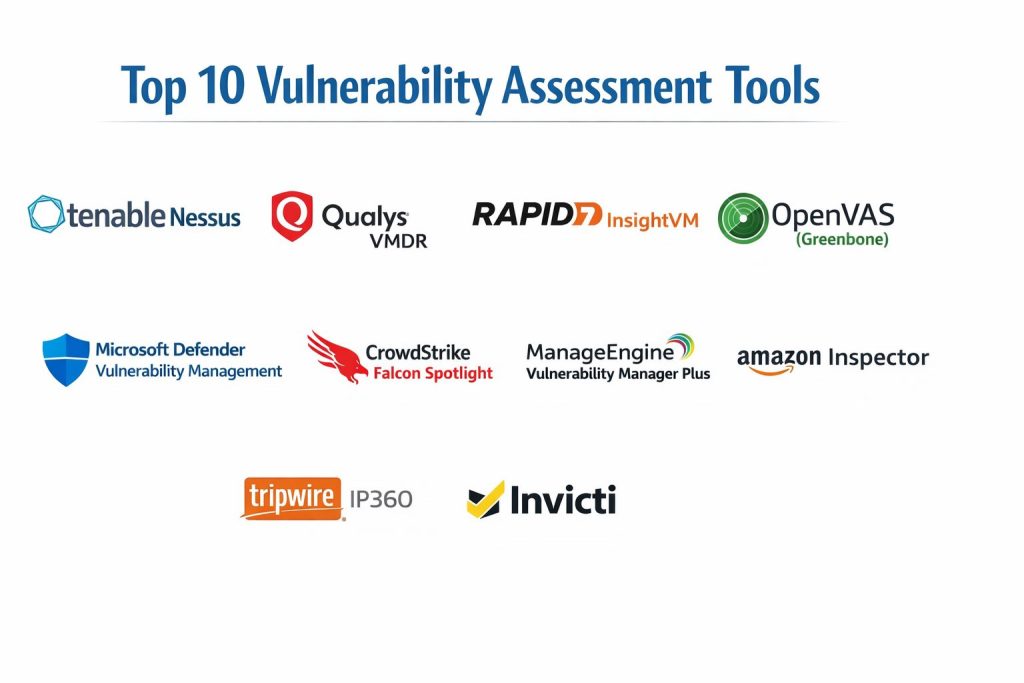
Top 10 Vulnerability Assessment Tools
1 — Tenable Nessus
A widely used vulnerability scanner known for strong coverage and practical scanning workflows. Often used by security teams that need reliable scanning across diverse environments.
Key Features
- Broad vulnerability detection coverage across common platforms
- Flexible scan policies and credentialed scanning options
- Practical reporting for technical teams and audits
- Plugin-based detection that updates frequently
- Supports different scanning approaches for varied network segments
Pros
- Strong depth of detection for many common environments
- Practical for both small teams and larger programs
Cons
- Large programs may need extra process to manage findings at scale
- Tuning is required to reduce noise in complex networks
Platforms / Deployment
Windows / Linux, Self-hosted
Security and Compliance
Not publicly stated
Integrations and Ecosystem
Nessus is commonly used alongside broader vulnerability management and ticketing workflows.
- Exports and workflow handoffs to remediation processes
- Common integration patterns via APIs or connectors (varies)
- Works best with clear asset ownership and scan scope standards
Support and Community
Strong community familiarity and training availability; support tiers vary by licensing.
2 — Qualys VMDR
A cloud-based vulnerability management platform designed for continuous assessment, prioritization, and remediation tracking across large environments.
Key Features
- Cloud-driven vulnerability discovery and management
- Asset inventory and tagging for ownership and reporting
- Prioritization workflows to focus on highest risk
- Scalable scanning approach for large environments
- Reporting and dashboards for remediation governance
Pros
- Strong scalability for large asset footprints
- Good fit for continuous vulnerability programs
Cons
- Can feel complex during initial setup and standardization
- Licensing and modules can increase overall cost
Platforms / Deployment
Web, Cloud
Security and Compliance
Not publicly stated
Integrations and Ecosystem
Often used with IT and security workflows to drive remediation and reporting consistency.
- Common integration with ticketing and patch workflows (varies)
- APIs and automation options depending on plan
- Works well when tagging and ownership models are enforced
Support and Community
Enterprise-oriented support and documentation; community presence varies.
3 — Rapid7 InsightVM
A vulnerability management platform that combines scanning, prioritization, and remediation guidance. Common in teams that want strong reporting and operational workflows.
Key Features
- Vulnerability scanning with prioritization and remediation tracking
- Asset organization for teams and ownership models
- Risk-based views to focus remediation efforts
- Reporting and dashboards for program visibility
- Workflow options to reduce backlog and measure progress
Pros
- Practical dashboards and remediation governance focus
- Works well for teams building repeatable vulnerability operations
Cons
- Requires tuning and consistent asset management for best results
- Some environments may need careful scan planning for performance
Platforms / Deployment
Web, Cloud, Hybrid
Security and Compliance
Not publicly stated
Integrations and Ecosystem
Often paired with ticketing systems and security operations tooling to close findings faster.
- Common integration with ITSM and workflows (varies)
- APIs for automation and reporting pipelines
- Fits well when remediation SLAs are tracked consistently
Support and Community
Solid documentation and vendor support options; community familiarity is strong.
4 — OpenVAS (Greenbone)
A well-known open-source vulnerability scanning approach often used by teams that want flexibility, customization, and lower licensing cost, with the tradeoff of more operational effort.
Key Features
- Network vulnerability scanning with configurable policies
- Flexible deployment and customization options
- Community-driven approach and adaptable workflows
- Useful for labs, internal scanning, and controlled environments
- Can be integrated into broader security processes with effort
Pros
- Strong value for teams comfortable managing scanning infrastructure
- Flexible for custom use cases and controlled environments
Cons
- Operational overhead can be higher than managed platforms
- Reporting and workflow polish may require extra work
Platforms / Deployment
Linux, Self-hosted
Security and Compliance
Not publicly stated
Integrations and Ecosystem
Best for teams that can build their own workflows around scan output and reporting.
- Automation possible through scripts and APIs (varies)
- Works well with standardized scan policies and schedules
- Often used as a component in larger internal toolchains
Support and Community
Community resources are available; formal support depends on vendor options.
5 — Microsoft Defender Vulnerability Management
Vulnerability management integrated closely with endpoint security workflows, designed for organizations that want vulnerability insights tied to endpoint posture and remediation actions.
Key Features
- Endpoint-focused vulnerability visibility and prioritization
- Risk context tied to device exposure and security posture
- Remediation recommendations and tracking workflows
- Strong fit for environments standardized on Microsoft security stack
- Useful for reducing blind spots in endpoint-heavy organizations
Pros
- Strong for endpoint coverage and operational visibility
- Works well when endpoint management is standardized
Cons
- Best value depends on broader Microsoft security adoption
- Non-endpoint assets may need additional tooling for full coverage
Platforms / Deployment
Web, Cloud, Hybrid
Security and Compliance
Not publicly stated
Integrations and Ecosystem
Often integrated into endpoint operations and security workflows to drive remediation quickly.
- Connects to Microsoft security and device management tooling (varies)
- Supports operational remediation alignment for IT teams
- Best outcomes come from clear device ownership and patch routines
Support and Community
Strong documentation and enterprise support; community familiarity is broad.
6 — CrowdStrike Falcon Spotlight
Vulnerability visibility integrated into an endpoint security platform, designed to help teams identify and prioritize vulnerabilities on managed endpoints with operational context.
Key Features
- Endpoint vulnerability visibility tied to real device inventory
- Prioritization support based on exposure and context
- Operational reporting for endpoint remediation planning
- Useful for organizations with large endpoint estates
- Focused on actionable endpoint vulnerability workflows
Pros
- Strong endpoint context and operational visibility
- Useful for reducing uncertainty in endpoint vulnerability posture
Cons
- Best fit when endpoints are already managed in the platform
- Broader infrastructure coverage may require companion tools
Platforms / Deployment
Web, Cloud, Hybrid
Security and Compliance
Not publicly stated
Integrations and Ecosystem
Often fits into endpoint-focused remediation and security operations routines.
- Integrations with workflow and security tooling (varies)
- APIs and automation options depending on plan
- Works best with clear remediation owners and patch windows
Support and Community
Vendor support tiers vary; community adoption is strong in endpoint-focused teams.
7 — ManageEngine Vulnerability Manager Plus
A vulnerability and patch-focused tool aimed at teams that want assessment plus remediation actions in the same operational workflow, often used by IT-driven security programs.
Key Features
- Vulnerability assessment tied closely to patching workflows
- Reporting designed for IT operations and remediation tracking
- Asset-oriented management and visibility patterns
- Useful for organizations wanting straightforward operational control
- Supports repeatable remediation processes with accountability
Pros
- Strong for teams that want assessment and patch workflow alignment
- Practical for IT-led vulnerability reduction programs
Cons
- Feature depth may vary depending on environment complexity
- Larger enterprises may require additional integration and scaling work
Platforms / Deployment
Windows, Self-hosted, Hybrid
Security and Compliance
Not publicly stated
Integrations and Ecosystem
Often fits well with IT operations workflows and remediation ownership structures.
- Common integration with IT workflows (varies)
- Can support routine remediation cycles and reporting
- Best results when patch ownership and schedules are enforced
Support and Community
Documentation and support vary by plan; community presence is moderate.
8 — Amazon Inspector
A cloud-native vulnerability assessment service focused on cloud workloads, commonly used by teams running workloads in Amazon environments.
Key Features
- Cloud workload vulnerability assessment visibility
- Focus on cloud assets and common cloud workload patterns
- Supports continuous assessment for cloud environments
- Helps teams prioritize issues in cloud-hosted resources
- Useful for cloud security hygiene and visibility
Pros
- Strong fit for Amazon-centric cloud environments
- Reduces setup effort for cloud workload assessment
Cons
- Limited value outside Amazon environments
- Broader enterprise vulnerability programs may need multi-environment tools
Platforms / Deployment
Web, Cloud
Security and Compliance
Not publicly stated
Integrations and Ecosystem
Typically used as part of a broader cloud security workflow and remediation process.
- Works with cloud operations and security routines
- Findings can be routed into remediation workflows (varies)
- Best results come from clear cloud ownership and tagging
Support and Community
Vendor documentation is strong; community knowledge is broad for cloud teams.
9 — Tripwire IP360
A vulnerability scanning and management tool often used in environments that value strong asset discovery and reporting for infrastructure-focused programs.
Key Features
- Infrastructure vulnerability scanning and discovery workflows
- Reporting focused on operational remediation and governance
- Useful for networks with complex segmentation needs
- Supports visibility across traditional infrastructure estates
- Helps track remediation progress through structured reporting
Pros
- Practical for infrastructure-heavy environments
- Strong fit for teams needing structured reporting discipline
Cons
- User experience and workflows may feel heavier for smaller teams
- Some modern cloud-native needs may require companion tooling
Platforms / Deployment
Varies / N/A
Security and Compliance
Not publicly stated
Integrations and Ecosystem
Often used alongside broader security and IT processes to drive remediation and audits.
- Integration patterns vary by environment and plan
- Common use in structured infrastructure programs
- Works best with disciplined scanning schedules and ownership
Support and Community
Support tiers vary; community is more specialized than broader platforms.
10 — Invicti
A web application vulnerability scanning platform focused on assessing web apps and APIs for common security weaknesses, often used by AppSec teams and developers.
Key Features
- Web application vulnerability scanning workflows
- Useful for finding common web weaknesses in apps and services
- Supports prioritization and reporting for remediation planning
- Helps integrate security testing into application delivery routines
- Suitable for teams needing repeatable web assessment at scale
Pros
- Strong fit for web-focused vulnerability assessment programs
- Useful for scaling web scanning across multiple applications
Cons
- Not a full replacement for infrastructure vulnerability platforms
- Best results require stable scanning scope and test environments
Platforms / Deployment
Web, Cloud, Hybrid
Security and Compliance
Not publicly stated
Integrations and Ecosystem
Often used by AppSec teams with development workflows and security operations.
- Integrations with Dev workflows and ticketing (varies)
- Supports repeatable assessment across many applications
- Works best with clear app ownership and remediation SLAs
Support and Community
Documentation is typically solid; support tiers vary by plan.
Comparison Table
| Tool Name | Best For | Platform(s) Supported | Deployment | Standout Feature | Public Rating |
|---|---|---|---|---|---|
| Tenable Nessus | Broad infrastructure scanning | Windows, Linux | Self-hosted | Strong scanner coverage and flexible policies | N/A |
| Qualys VMDR | Continuous enterprise vulnerability management | Web | Cloud | Scales well with asset tagging and governance | N/A |
| Rapid7 InsightVM | Operational remediation tracking | Web | Cloud, Hybrid | Practical prioritization and dashboards | N/A |
| OpenVAS (Greenbone) | Flexible open-source scanning | Linux | Self-hosted | Customizable scanning with lower licensing cost | N/A |
| Microsoft Defender Vulnerability Management | Endpoint vulnerability visibility | Web | Cloud, Hybrid | Endpoint context tied to remediation workflows | N/A |
| CrowdStrike Falcon Spotlight | Endpoint vulnerability prioritization | Web | Cloud, Hybrid | Endpoint risk context and operational visibility | N/A |
| ManageEngine Vulnerability Manager Plus | IT-led assessment plus remediation | Windows | Self-hosted, Hybrid | Strong alignment with patch workflows | N/A |
| Amazon Inspector | Cloud workload assessment in Amazon | Web | Cloud | Cloud-native workload vulnerability visibility | N/A |
| Tripwire IP360 | Infrastructure programs needing structured reporting | Varies / N/A | Varies / N/A | Infrastructure scanning with governance focus | N/A |
| Invicti | Web application vulnerability assessment | Web | Cloud, Hybrid | Web scanning at scale for AppSec programs | N/A |
Evaluation and Scoring
Weights
Core features 25 percent
Ease of use 15 percent
Integrations and ecosystem 15 percent
Security and compliance 10 percent
Performance and reliability 10 percent
Support and community 10 percent
Price and value 15 percent
| Tool Name | Core | Ease | Integrations | Security | Performance | Support | Value | Weighted Total |
|---|---|---|---|---|---|---|---|---|
| Tenable Nessus | 9.0 | 7.5 | 8.0 | 6.0 | 8.0 | 8.0 | 7.0 | 7.88 |
| Qualys VMDR | 9.0 | 7.0 | 8.5 | 6.5 | 8.5 | 7.5 | 6.5 | 7.83 |
| Rapid7 InsightVM | 8.5 | 7.5 | 8.0 | 6.0 | 8.0 | 7.5 | 6.5 | 7.60 |
| OpenVAS (Greenbone) | 7.5 | 6.5 | 6.5 | 5.5 | 7.0 | 6.5 | 9.0 | 7.10 |
| Microsoft Defender Vulnerability Management | 8.0 | 8.0 | 8.0 | 6.5 | 8.0 | 8.0 | 7.0 | 7.73 |
| CrowdStrike Falcon Spotlight | 8.0 | 7.5 | 7.5 | 6.5 | 8.0 | 7.5 | 6.5 | 7.45 |
| ManageEngine Vulnerability Manager Plus | 7.5 | 7.5 | 7.0 | 6.0 | 7.5 | 7.0 | 7.5 | 7.28 |
| Amazon Inspector | 7.5 | 8.0 | 7.0 | 6.0 | 8.0 | 7.5 | 7.5 | 7.40 |
| Tripwire IP360 | 7.5 | 6.5 | 7.0 | 6.0 | 7.5 | 7.0 | 6.5 | 7.03 |
| Invicti | 7.5 | 7.5 | 7.5 | 6.0 | 7.5 | 7.0 | 6.5 | 7.23 |
How to interpret the scores
These scores are comparative to help you shortlist, not to declare a universal winner. Weighted totals highlight overall fit across common buyer priorities, but the best choice depends on your environment. Infrastructure-heavy teams often value scan depth and scalability, while endpoint-heavy teams value device context and operational remediation. Web-focused teams should prioritize accurate web scanning and developer workflow fit. Use the table to narrow to a small shortlist, then validate using a controlled pilot on your real assets and remediation process.
Which Vulnerability Assessment Tool Is Right for You
Solo or Freelancer
If you need a practical scanner with broad coverage and you can manage it yourself, Tenable Nessus is often a strong starting point. If budget is tight and you can handle operational setup, OpenVAS (Greenbone) can work well for controlled environments, but you must invest in tuning and reporting discipline. If your focus is web applications, Invicti can be more relevant than an infrastructure scanner, especially when you need repeatable web testing across multiple apps.
SMB
SMBs usually succeed with tools that make remediation simple and repeatable. Rapid7 InsightVM can work well when you want clear dashboards and prioritization for a small team. ManageEngine Vulnerability Manager Plus fits organizations that want vulnerability findings tied to operational remediation routines. If your endpoints are a major risk area, Microsoft Defender Vulnerability Management can provide strong device context when your environment is standardized.
Mid-Market
Mid-market teams often need better ownership, tagging, and remediation governance. Qualys VMDR can work well when you need continuous assessment and structured asset management. Rapid7 InsightVM is also a strong option when you want an operational view of remediation progress across teams. If you have a large endpoint fleet and need vulnerability visibility tied to endpoint controls, CrowdStrike Falcon Spotlight or Microsoft Defender Vulnerability Management can add significant value.
Enterprise
Enterprises usually need scale, governance, and consistent remediation metrics. Qualys VMDR and Rapid7 InsightVM are common fits for ongoing programs with dashboards and team ownership models. Tenable Nessus is widely used for scanning depth, especially when programs require frequent and reliable checks across varied networks. If your enterprise has strong endpoint standardization, Microsoft Defender Vulnerability Management or CrowdStrike Falcon Spotlight can accelerate endpoint remediation outcomes. Tripwire IP360 can fit infrastructure-heavy environments where structured reporting discipline is central.
Budget vs Premium
Budget-focused setups often start with OpenVAS (Greenbone) or a single scanner approach, but operational effort increases. Premium platforms typically offer stronger governance, asset workflows, and integrations that reduce long-term effort. A practical approach is to invest in the tool that best matches your highest-risk area, then expand coverage with companion tooling where necessary.
Feature Depth vs Ease of Use
If you need deep scanning and flexible policies, Tenable Nessus is strong, but you must tune it well. If you want a managed experience and scalable governance, Qualys VMDR can be a better fit, but setup can be heavier. For teams prioritizing operational clarity, Rapid7 InsightVM often feels more straightforward. For endpoint-centric teams, Microsoft Defender Vulnerability Management and CrowdStrike Falcon Spotlight can simplify day-to-day decisions.
Integrations and Scalability
If you plan to measure remediation outcomes, integrations with ticketing, patching, and security operations matter. Platforms like Qualys VMDR and Rapid7 InsightVM are often selected for program scalability and reporting. Endpoint-integrated options scale well when your endpoint coverage is strong, but they may not replace network or web assessment needs. Cloud-specific tools like Amazon Inspector scale well inside their ecosystem and work best when cloud ownership and tagging are enforced.
Security and Compliance Needs
If you have strict compliance requirements, focus on auditability, access control, and governance around how findings flow into remediation. Many product-level compliance claims are not publicly stated, so validate directly with vendors and align your internal controls for scanning credentials, asset access, and reporting retention. In regulated environments, workflow discipline often matters as much as the tool.
Frequently Asked Questions
1. What is the difference between vulnerability scanning and penetration testing
Vulnerability scanning identifies known weaknesses and misconfigurations at scale. Penetration testing is a deeper, manual or semi-manual exercise that validates exploit paths and business impact. Many organizations use both.
2. How often should vulnerability assessments run
A common approach is continuous or frequent scanning for critical assets and regular scanning for the rest. The right frequency depends on how quickly your environment changes and how fast you can remediate.
3. Should I use credentialed scanning
Credentialed scanning usually improves accuracy and coverage because it can inspect system details more deeply. It also requires careful credential handling and access control to avoid operational and security issues.
4. How do I reduce false positives and noise
Use tuning, asset grouping, clear scan policies, and validation steps. Also maintain an exception process with documented rationale, review cycles, and ownership so noise does not become permanent.
5. What matters most for prioritization
Prioritize by exploitability, exposure, asset criticality, and business impact. A long list without prioritization leads to backlog. The best programs focus on the top risks that can be remediated quickly.
6. Can one tool cover everything
Often no. Endpoint-integrated tools are strong for endpoints, cloud-native tools are strong for their cloud ecosystem, and web scanners focus on web risks. Many teams combine tools based on their biggest risk areas.
7. How do I measure success in a vulnerability program
Track remediation time for critical findings, backlog reduction, recurring issue patterns, coverage percentage, and SLA adherence. Also track whether repeat findings decline over time.
8. What are common mistakes teams make
Common mistakes include scanning without ownership, running scans without remediation capacity, ignoring asset inventory quality, and failing to standardize naming and tagging. Another mistake is treating vulnerability management as a one-time activity.
9. What should I integrate with first
Start with ticketing or workflow routing so findings have owners and deadlines. Next, integrate with patch tooling or endpoint management where possible. Finally, integrate reporting into governance dashboards.
10. How do I run a practical pilot
Choose two or three tools, scan the same controlled asset set, compare accuracy and noise, check how easy it is to assign ownership, and test how findings move into remediation. A short pilot reveals operational realities quickly.
Conclusion
A strong vulnerability assessment tool is the one that helps you reduce real risk consistently, not the one that produces the largest report. Tenable Nessus is a practical choice when you want dependable scanning depth across many environments. Qualys VMDR and Rapid7 InsightVM fit programs that need continuous governance, prioritization, and measurable remediation progress across teams. Endpoint-focused options like Microsoft Defender Vulnerability Management and CrowdStrike Falcon Spotlight can improve clarity and speed when endpoint ownership is strong. Amazon Inspector fits cloud teams that need streamlined cloud workload visibility inside the Amazon ecosystem. OpenVAS (Greenbone) can work well for teams that want flexibility and cost control, as long as they accept higher operational effort. Shortlist two or three options, run a pilot on real assets, validate scan accuracy, and confirm that your remediation workflow can actually close findings.