Introduction
Endpoint Protection Platforms (EPP) are security solutions that protect laptops, desktops, servers, and sometimes mobile devices from malware, ransomware, phishing payloads, and other endpoint threats. In simple terms, EPP stops bad files, suspicious behavior, and risky actions before they turn into a full incident. It matters because endpoints are still the easiest entry point for attackers, especially with remote work, unmanaged devices, and fast-moving ransomware groups.
Common use cases include protecting employee laptops, securing point-of-sale or branch devices, hardening servers, reducing malware outbreaks, and enforcing consistent security policies across teams. When selecting an EPP, evaluate threat prevention strength, behavioral detection, response actions, policy control, rollout and device performance impact, reporting visibility, integration with identity and SIEM tools, support quality, and overall cost versus coverage.
Best for: IT teams, security teams, MSPs, and organizations that need consistent endpoint prevention at scale.
Not ideal for: very small teams with minimal devices and no compliance needs, or teams that only need basic antivirus without centralized policy management.
Key Trends in Endpoint Protection Platforms
- More focus on behavior-based prevention to catch fileless and ransomware activity
- Tighter alignment between endpoint protection and incident response workflows
- Stronger policy automation to reduce manual tuning across many device types
- Increased need for visibility into unmanaged or partially managed endpoints
- Greater emphasis on identity-aware protection and access signals
- More demand for lightweight agents that minimize endpoint performance impact
- Broader integration expectations with SIEM, SOAR, ITSM, and identity platforms
- Higher expectations for reporting clarity and executive-ready risk summaries
How We Selected These Tools (Methodology)
- Prioritized broad enterprise adoption and strong track records in endpoint security
- Looked for prevention depth plus practical response actions at the endpoint
- Considered manageability: rollout, policy control, reporting, and maintenance effort
- Assessed ecosystem fit: integrations, APIs, and alignment with common security stacks
- Balanced enterprise and mid-market needs, including MSP-friendly options
- Favored tools with clear operational workflows and mature admin consoles
- Considered typical performance impact and reliability in large deployments
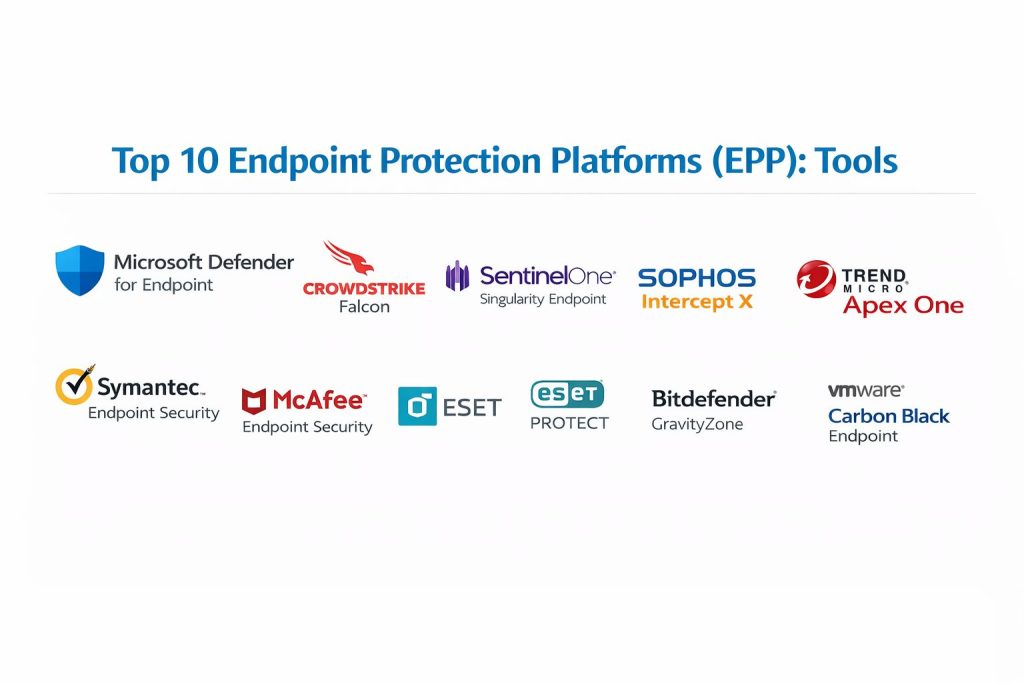
Top 10 Endpoint Protection Platforms
1 — Microsoft Defender for Endpoint
Strong endpoint protection designed to work especially well in Microsoft-centric environments, with centralized management and security visibility.
Key Features
- Next-generation malware and ransomware prevention
- Behavioral detection and attack surface reduction controls
- Device isolation and containment actions
- Centralized policy management and reporting
- Threat hunting style investigations (capabilities vary by plan)
Pros
- Excellent fit for organizations standardized on Microsoft tooling
- Strong operational workflow from alert to action
Cons
- Best value often depends on broader Microsoft licensing structure
- Cross-platform depth may vary by environment and configuration
Platforms / Deployment
Windows / macOS / Linux, Cloud-managed with endpoint agent
Security and Compliance
Security features such as RBAC, audit visibility, and access controls vary by tenant setup. Certifications: Not publicly stated.
Integrations and Ecosystem
Works well in security stacks that rely on Microsoft identity and management, and can connect into wider monitoring workflows.
- Common SIEM and log workflows (varies)
- Identity and access alignment (varies)
- Automation options through platform tooling (varies)
Support and Community
Strong documentation and broad enterprise support options; community knowledge is extensive.
2 — CrowdStrike Falcon
Cloud-delivered endpoint protection focused on strong behavioral prevention, high visibility, and rapid operational response.
Key Features
- Behavioral threat detection and prevention
- Fast containment and remediation actions
- Central cloud console for policy and visibility
- Threat intelligence enrichment (varies by plan)
- Flexible deployment at scale
Pros
- Strong prevention posture with rapid detection-to-action flow
- Scales well across large fleets
Cons
- Total cost can increase with add-on modules
- Requires thoughtful policy tuning to match business workflows
Platforms / Deployment
Windows / macOS / Linux, Cloud-managed with endpoint agent
Security and Compliance
SSO and access controls: Varies by plan. Certifications: Not publicly stated.
Integrations and Ecosystem
Commonly integrated into SOC workflows for alert handling, triage, and investigation.
- SIEM and SOAR connections (varies)
- APIs for automation and enrichment (varies)
- Common identity and ticketing workflows (varies)
Support and Community
Strong enterprise support options; community and partner ecosystem are mature.
3 — SentinelOne Singularity Endpoint
Endpoint protection built around autonomous prevention and fast remediation workflows, often used by teams that want high visibility with strong endpoint actions.
Key Features
- Behavioral AI-driven prevention and detection
- Automated response actions (varies by configuration)
- Device isolation and threat containment
- Central policy control and reporting
- Rollback-style recovery options may be available (varies by plan)
Pros
- Strong combination of prevention plus response actions
- Good operational fit for lean security teams
Cons
- Feature availability can depend on licensing tier
- Tuning is important to reduce noise in busy environments
Platforms / Deployment
Windows / macOS / Linux, Cloud-managed with endpoint agent
Security and Compliance
Access controls and audit features: Varies by plan. Certifications: Not publicly stated.
Integrations and Ecosystem
Often fits well into incident workflows that require automation and rapid containment.
- SIEM ingestion patterns (varies)
- Automation and ticketing workflows (varies)
- API-based integrations (varies)
Support and Community
Good documentation and partner ecosystem; support tiers vary.
4 — Sophos Intercept X
Endpoint protection focused on strong ransomware defenses and practical management, commonly chosen for mid-market and MSP-friendly operations.
Key Features
- Ransomware prevention and exploit mitigation
- Behavioral detection and suspicious activity blocking
- Centralized device policy management
- Web and application controls (varies by plan)
- Useful reporting for IT and security teams
Pros
- Strong ransomware-focused protection approach
- Practical management for mixed environments
Cons
- Advanced capabilities can depend on licensing tier
- Integrations may require planning for larger SOC environments
Platforms / Deployment
Windows / macOS / Linux, Cloud-managed or hybrid options (varies)
Security and Compliance
SSO and access controls: Varies by plan. Certifications: Not publicly stated.
Integrations and Ecosystem
Commonly used with broader security tooling where device policy and protection need to stay simple and effective.
- SIEM workflows (varies)
- MSP and multi-tenant patterns (varies)
- APIs and automation options (varies)
Support and Community
Strong channel and MSP ecosystem; support depends on plan.
5 — Trend Micro Apex One
Endpoint protection platform focused on layered prevention and centralized administration, often used in larger IT environments that want consistent endpoint policy control.
Key Features
- Malware and ransomware prevention
- Behavior monitoring and exploit defense
- Central policy management and reporting
- Device control features (varies by plan)
- Flexible deployment options (varies)
Pros
- Solid coverage for large endpoint fleets
- Mature administrative controls
Cons
- Console complexity can increase with larger deployments
- Some features may require add-ons or tier upgrades
Platforms / Deployment
Windows / macOS, Cloud-managed or on-prem options (varies)
Security and Compliance
Enterprise access controls: Varies. Certifications: Not publicly stated.
Integrations and Ecosystem
Often integrated into enterprise monitoring for centralized alert review and incident workflows.
- SIEM export patterns (varies)
- Ticketing workflows (varies)
- APIs and connectors (varies)
Support and Community
Established enterprise vendor support; community resources are available.
6 — Symantec Endpoint Security
Endpoint protection focused on broad coverage and centralized control, used by organizations that prefer established endpoint platforms with mature policy tools.
Key Features
- Signature and behavior-based prevention
- Policy controls for endpoints and risk reduction
- Centralized reporting and management
- Attack prevention controls (varies)
- Endpoint isolation actions (varies)
Pros
- Mature platform with broad endpoint coverage
- Useful policy controls for structured IT teams
Cons
- Administration can feel complex for small teams
- Feature depth depends on edition and configuration
Platforms / Deployment
Windows / macOS / Linux, Cloud-managed or on-prem options (varies)
Security and Compliance
Certifications: Not publicly stated. Security capabilities vary by deployment mode.
Integrations and Ecosystem
Often used in environments that value structured policies and consistent endpoint controls.
- SIEM workflows (varies)
- Identity and directory alignment (varies)
- APIs/connectors (varies)
Support and Community
Support tiers vary; community knowledge exists but is more enterprise-focused.
7 — McAfee Endpoint Security
Endpoint protection platform designed for centralized prevention and device control in structured IT environments, typically chosen when consistent endpoint policy governance is a priority.
Key Features
- Malware prevention and threat blocking
- Central management for policy enforcement
- Web and device control options (varies)
- Endpoint reporting and alert visibility
- Policy-based risk controls
Pros
- Central policy governance can be strong in mature IT setups
- Useful for standardized endpoint control needs
Cons
- Console and policy planning can require effort
- Some environments may prefer lighter modern agents
Platforms / Deployment
Windows / macOS, Cloud-managed or on-prem options (varies)
Security and Compliance
Certifications: Not publicly stated. Access controls vary by management setup.
Integrations and Ecosystem
Often integrated into broader enterprise tooling where endpoint policies must align with IT governance.
- SIEM ingestion patterns (varies)
- Ticketing workflows (varies)
- APIs and connectors (varies)
Support and Community
Support depends on contract; community is more enterprise and admin-oriented.
8 — ESET PROTECT
Endpoint protection known for lightweight performance and practical centralized management, often favored by SMBs and teams that want strong protection with minimal system impact.
Key Features
- Malware prevention with behavioral detection elements
- Centralized admin console for policy and reporting
- Efficient performance footprint for many device types
- Device control options (varies by plan)
- Practical reporting for IT operations
Pros
- Often considered lightweight and efficient for endpoints
- Strong value for SMB and mid-market environments
Cons
- Advanced SOC-oriented integrations may require additional work
- Feature set varies by plan and bundle
Platforms / Deployment
Windows / macOS / Linux, Cloud-managed or on-prem options (varies)
Security and Compliance
Certifications: Not publicly stated. Security features vary by edition.
Integrations and Ecosystem
Commonly used where simple administration and strong baseline protection are key.
- SIEM workflows (varies)
- Admin automation options (varies)
- Common deployment tooling support (varies)
Support and Community
Good documentation and channel support; community resources are solid.
9 — Bitdefender GravityZone
Endpoint protection platform offering layered prevention, strong management capabilities, and broad coverage for mixed environments.
Key Features
- Multi-layer malware and ransomware prevention
- Behavioral monitoring and risk controls
- Central policy management and reporting
- Endpoint isolation and remediation actions (varies)
- Flexible deployment and admin workflows (varies)
Pros
- Balanced protection and manageability for many organizations
- Strong fit for mixed endpoint environments
Cons
- Feature availability can vary by tier
- Policy design takes effort in complex environments
Platforms / Deployment
Windows / macOS / Linux, Cloud-managed or hybrid options (varies)
Security and Compliance
Certifications: Not publicly stated. Access controls and audit features vary by plan.
Integrations and Ecosystem
Often used with monitoring and operations tooling to streamline triage and policy changes.
- SIEM integrations (varies)
- Automation and API options (varies)
- Multi-tenant patterns for MSPs (varies)
Support and Community
Strong vendor support options; partner ecosystem is mature.
10 — VMware Carbon Black Endpoint
Endpoint protection platform often chosen for deeper endpoint visibility and threat investigation workflows, especially in security-focused environments.
Key Features
- Behavioral detection and threat prevention
- Visibility into endpoint activity for investigation
- Centralized policy control and reporting
- Response actions for containment (varies)
- Useful for teams with SOC-driven workflows
Pros
- Strong visibility for investigation-led security teams
- Good fit when endpoint telemetry matters
Cons
- Onboarding can be more complex than simpler EPP tools
- Value depends on how much investigation capability you truly use
Platforms / Deployment
Windows / macOS / Linux, Cloud-managed or on-prem options (varies)
Security and Compliance
Certifications: Not publicly stated. Access control capabilities vary by deployment.
Integrations and Ecosystem
Often integrated into SOC tooling where endpoint telemetry supports detection and response.
- SIEM and SOAR patterns (varies)
- APIs for automation and enrichment (varies)
- Ticketing and workflow integrations (varies)
Support and Community
Support tiers vary; best fit for teams that can operationalize endpoint telemetry.
Comparison Table
| Tool Name | Best For | Platform(s) Supported | Deployment | Standout Feature | Public Rating |
|---|---|---|---|---|---|
| Microsoft Defender for Endpoint | Microsoft-centric environments | Windows, macOS, Linux | Cloud-managed | Strong ecosystem alignment | N/A |
| CrowdStrike Falcon | Scalable cloud endpoint protection | Windows, macOS, Linux | Cloud-managed | Rapid detection-to-action flow | N/A |
| SentinelOne Singularity Endpoint | Autonomous prevention and response | Windows, macOS, Linux | Cloud-managed | Automated response actions | N/A |
| Sophos Intercept X | Mid-market and MSP-friendly protection | Windows, macOS, Linux | Cloud or hybrid (varies) | Ransomware-focused defenses | N/A |
| Trend Micro Apex One | Centralized enterprise endpoint control | Windows, macOS | Cloud or on-prem (varies) | Mature policy administration | N/A |
| Symantec Endpoint Security | Broad endpoint coverage with policy depth | Windows, macOS, Linux | Cloud or on-prem (varies) | Structured policy controls | N/A |
| McAfee Endpoint Security | Governance-driven endpoint policy control | Windows, macOS | Cloud or on-prem (varies) | Central policy governance | N/A |
| ESET PROTECT | Lightweight protection for SMB | Windows, macOS, Linux | Cloud or on-prem (varies) | Efficient endpoint performance | N/A |
| Bitdefender GravityZone | Mixed environment protection | Windows, macOS, Linux | Cloud or hybrid (varies) | Layered prevention platform | N/A |
| VMware Carbon Black Endpoint | Investigation-led endpoint security | Windows, macOS, Linux | Cloud or on-prem (varies) | Endpoint visibility for SOC workflows | N/A |
Evaluation and Scoring of Endpoint Protection Platforms
Weights
Core features 25 percent
Ease of use 15 percent
Integrations and ecosystem 15 percent
Security and compliance 10 percent
Performance and reliability 10 percent
Support and community 10 percent
Price and value 15 percent
| Tool Name | Core | Ease | Integrations | Security | Performance | Support | Value | Weighted Total |
|---|---|---|---|---|---|---|---|---|
| Microsoft Defender for Endpoint | 9.0 | 8.5 | 9.0 | 8.5 | 8.5 | 8.5 | 8.0 | 8.62 |
| CrowdStrike Falcon | 9.5 | 8.0 | 9.0 | 8.5 | 9.0 | 8.5 | 7.0 | 8.58 |
| SentinelOne Singularity Endpoint | 9.0 | 8.0 | 8.5 | 8.0 | 8.5 | 8.0 | 7.5 | 8.30 |
| Sophos Intercept X | 8.5 | 8.5 | 8.0 | 8.0 | 8.0 | 8.0 | 8.0 | 8.20 |
| Trend Micro Apex One | 8.5 | 7.5 | 8.0 | 8.0 | 8.0 | 7.5 | 7.5 | 7.92 |
| Symantec Endpoint Security | 8.0 | 7.5 | 7.5 | 8.0 | 7.5 | 7.5 | 7.0 | 7.60 |
| McAfee Endpoint Security | 7.5 | 7.0 | 7.5 | 7.5 | 7.5 | 7.0 | 7.0 | 7.30 |
| ESET PROTECT | 8.0 | 8.5 | 7.5 | 7.5 | 8.0 | 7.5 | 8.5 | 7.97 |
| Bitdefender GravityZone | 8.5 | 8.0 | 8.0 | 8.0 | 8.5 | 8.0 | 8.5 | 8.25 |
| VMware Carbon Black Endpoint | 8.5 | 7.0 | 8.5 | 8.0 | 8.0 | 7.5 | 7.0 | 7.85 |
How to interpret the scores
These scores are comparative and meant to help you shortlist options, not declare a single winner. A slightly lower total can still be the best choice if it matches your workflows, device mix, and team capacity. Core and integrations affect long-term fit, while ease affects rollout and day-to-day operations. Value changes based on licensing bundles and how many features you actively use. The best approach is to shortlist two or three tools and test them on a small pilot device group.
Which Endpoint Protection Platform Is Right for You
Solo or Freelancer
If you manage only a few devices, prioritize simplicity, low maintenance, and minimal performance impact. A lightweight, easy-to-manage option is often enough, and you can add stronger response capabilities later if your risk increases.
SMB
SMBs often need centralized control without heavy overhead. Tools that balance prevention strength with straightforward administration usually win. Focus on fast rollout, clear reporting, and predictable policies that IT can manage without a full SOC.
Mid-Market
Mid-market teams benefit from stronger integrations, better visibility, and consistent incident workflows. Choose a tool that supports structured policy management, reliable containment actions, and clean integration into your monitoring and ticketing processes.
Enterprise
Enterprises should prioritize scalability, access control, visibility, and operational maturity. Look for strong role-based access patterns, consistent policy governance, and workflows that fit your SOC operations and compliance expectations.
Budget vs Premium
Budget-focused choices should still meet baseline prevention needs and be manageable at scale. Premium choices typically offer stronger visibility, faster response actions, and more advanced operational workflows, but only pay off when you operationalize them well.
Feature Depth vs Ease of Use
Feature depth helps when your threat profile is high and you need deeper control, but ease matters for rollout success and consistent daily operations. Pick the level your team can run confidently.
Integrations and Scalability
If you rely on SIEM, SOAR, and ITSM workflows, integrations matter as much as detection. Choose a platform that fits your alert routing, investigation flow, and device action automation needs.
Security and Compliance Needs
For strict environments, validate access controls, audit visibility, policy governance, and how endpoint data is handled. If certification claims are unclear, treat them as not publicly stated and confirm directly during vendor evaluation.
Frequently Asked Questions
1. What is the difference between EPP and endpoint detection and response
EPP focuses on preventing threats like malware and ransomware. Endpoint detection and response focuses more on investigating activity and responding to incidents. Many platforms offer both capabilities depending on plan.
2. How long does deployment usually take
Deployment time depends on device count, policy complexity, and existing tooling. Many teams start with a small pilot, then expand in phases once policies and exclusions are validated.
3. Will an EPP slow down user devices
Performance impact varies by agent design and policy settings. Test on different device types and workloads, and monitor CPU, memory, and scan behavior during pilots.
4. What are common rollout mistakes
Skipping the pilot phase, not defining exclusions carefully, and pushing aggressive policies to all devices at once are common mistakes. Another issue is not training IT on alert triage and actions.
5. How do I choose between two top platforms
Compare them using the same pilot group, same policies, and the same reporting needs. Also evaluate operational workflows: alert clarity, containment actions, and how quickly your team can resolve issues.
6. What should I validate for security and compliance
Validate role-based access, audit visibility, policy governance, data handling, and administrative controls. If certifications are not clearly stated, treat them as not publicly stated and request confirmation.
7. Can EPP protect servers as well as laptops
Many platforms support servers, but protection modes and performance tuning can differ. Validate supported operating systems, policy controls, and performance impact for your server workloads.
8. How do integrations help day-to-day operations
Integrations help route alerts to your SIEM or ticketing tools, automate containment actions, and correlate endpoint signals with identity, network, and cloud events. This reduces manual work and speeds response.
9. Is one tool enough for complete endpoint security
EPP is a core layer, but many organizations add email security, identity controls, and network monitoring to reduce entry points. A strong EPP still provides major risk reduction when deployed correctly.
10. What is the safest next step after shortlisting tools
Run a controlled pilot with real users and real devices, then review detection quality, noise level, performance impact, and admin workload. Only expand rollout after policies and workflows are stable.
Conclusion
Endpoint protection works best when it is both strong at prevention and practical to operate every day. A high-scoring platform is not automatically the right platform if your team cannot deploy it smoothly, tune policies, and respond consistently to alerts. Start by mapping your device types, user roles, and risk areas such as remote endpoints and privileged machines. Then shortlist two or three tools that match your environment and run a pilot using the same policies and success criteria. Validate performance impact, alert quality, containment actions, and integration into your monitoring and ticketing workflows. After that, roll out in phases, measure outcomes, and keep policies aligned with how the business actually works.