Introduction
Multi-factor Authentication (MFA) adds an extra verification step on top of a username and password. Instead of trusting only something a user knows, MFA also checks something the user has (like an authenticator app or hardware key) or something the user is (like biometrics). This reduces account takeover risk, protects cloud apps, strengthens remote access, and supports modern identity security. Common use cases include workforce login protection, privileged admin access, VPN and device access, customer account protection, passwordless rollouts, and compliance-driven access control. When evaluating MFA, focus on phishing resistance, user experience, recovery flows, policy controls, device trust, integration depth, availability, logging, admin manageability, and total cost across your user base.
Best for: IT admins, security teams, SaaS companies, regulated organizations, and any business protecting staff logins, admin accounts, and external users.
Not ideal for: very small setups that only need basic app-based codes without central management; in those cases, a standalone authenticator app can be enough, but you lose policy control, auditability, and enterprise-grade recovery workflows.
Key Trends in MFA
- Strong shift toward phishing-resistant methods such as hardware keys and passkeys
- More “risk-based” prompts that challenge only when behavior looks suspicious
- Wider adoption of passwordless sign-in for workforce access
- Better device posture checks and conditional access rules
- Centralized visibility with richer audit logs and SIEM-friendly events
- Stronger admin protections for privileged roles and high-impact actions
- More consistent support for modern standards like FIDO2 and WebAuthn
- Increased focus on account recovery security to prevent social engineering
- Consolidation of MFA into broader identity platforms and SSO suites
- Improvements in user onboarding to reduce helpdesk load and lockouts
How We Selected These Tools (Methodology)
- Preference for tools with broad adoption and proven reliability at scale
- Focus on phishing resistance, policy depth, and admin controls
- Strong weighting on integration coverage across cloud apps, VPNs, and endpoints
- Consideration for user experience, rollout effort, and recovery handling
- Review of ecosystem strength: connectors, standards support, and extensibility
- Fit across segments: small teams, mid-market, and enterprise environments
- Emphasis on operational practicality: monitoring, logs, and troubleshooting
- Comparative scoring based on typical real-world deployment expectations
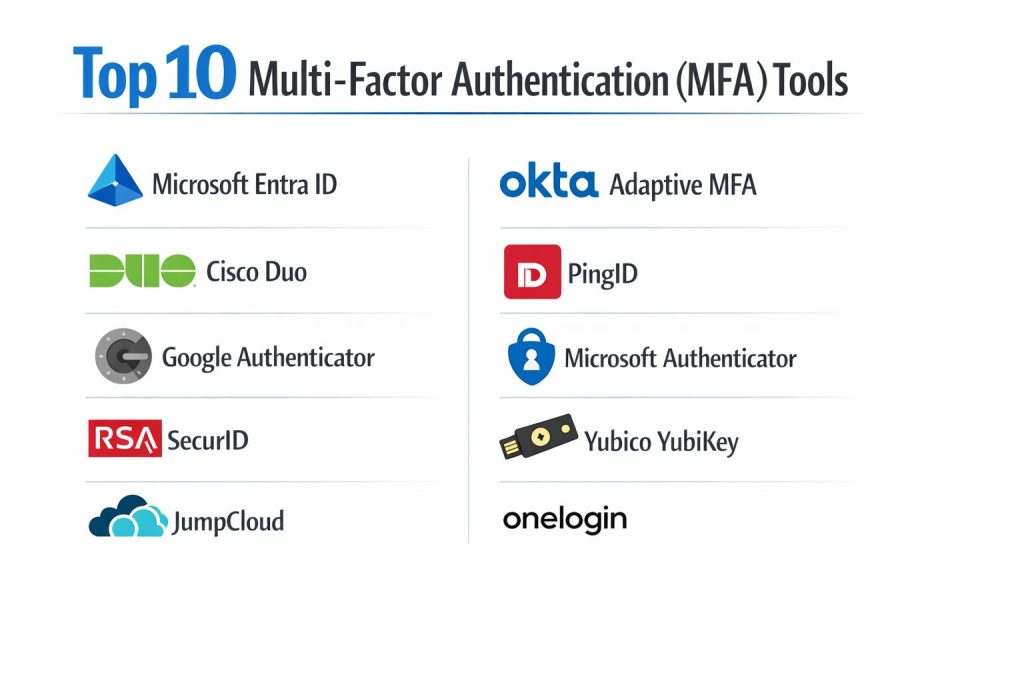
Top 10 Multi-factor Authentication (MFA) Tools
1) Microsoft Entra ID
A widely used enterprise identity platform that includes strong MFA and conditional access capabilities. Common choice for organizations already using Microsoft services and modern cloud app access.
Key Features
- Conditional access policies for risk-based MFA enforcement
- Multiple factors supported, including app prompts and standards-based options
- Strong admin controls for privileged access workflows
- Centralized identity governance patterns (varies by edition)
- Integration patterns for Microsoft ecosystem and many SaaS apps
- Sign-in logs and audit events for investigation workflows
- Device-based access policies when combined with endpoint management (varies)
Pros
- Strong policy depth and broad enterprise adoption
- Works well in Microsoft-centered environments
Cons
- Licensing and feature tiers can be complex
- Best results often require careful policy design and testing
Platforms / Deployment
- Web (admin) / Windows / macOS / iOS / Android
- Cloud
Security & Compliance
- SSO/SAML, MFA, encryption, audit logs, RBAC: Not publicly stated (varies by plan and configuration)
- SOC 2, ISO 27001, GDPR, HIPAA: Not publicly stated
Integrations & Ecosystem
Strong ecosystem coverage for cloud apps and Microsoft-first environments, with broad support for modern identity patterns.
- SSO standards and app integrations: Varies / N/A
- Device and endpoint integrations: Varies / N/A
- SIEM and monitoring integrations: Varies / N/A
- APIs and automation: Varies / N/A
Support & Community
Large enterprise user base, strong documentation, and extensive training content; support tiers vary by agreement.
2) Okta Adaptive MFA
A popular identity platform known for flexible MFA policy controls and broad SaaS integration coverage. Often chosen for mixed app environments and identity-first architectures.
Key Features
- Adaptive prompts based on risk signals and context (capability varies by setup)
- Broad support for common factors and modern standards
- Flexible policies per app, user group, and access context
- Central admin console with reporting and troubleshooting patterns
- Strong integration ecosystem for SaaS applications
- User lifecycle and provisioning patterns when paired with identity services (varies)
- Centralized access management for workforce and external users (varies)
Pros
- Strong ecosystem and flexible policy design
- Good fit for organizations with many SaaS apps
Cons
- Cost can rise with scale and add-on needs
- Implementation quality depends on good identity governance practices
Platforms / Deployment
- Web (admin) / iOS / Android
- Cloud
Security & Compliance
- SSO/SAML, MFA, encryption, audit logs, RBAC: Not publicly stated
- SOC 2, ISO 27001, GDPR, HIPAA: Not publicly stated
Integrations & Ecosystem
Known for wide integration coverage and identity-centric architecture support.
- App integrations and connectors: Varies / N/A
- Directory integrations: Varies / N/A
- Device signals and posture tools: Varies / N/A
- APIs and automation tooling: Varies / N/A
Support & Community
Strong documentation and large community; enterprise support tiers vary by plan.
3) Cisco Duo
A widely deployed MFA tool often praised for straightforward onboarding and strong coverage for workforce access, VPN, and application protection.
Key Features
- Push-based verification and multiple factor options
- Common use for VPN, remote access, and application MFA
- Policy controls that can be tuned by user groups and apps
- Device insights and access checks (capability varies by edition)
- Reporting and admin visibility for authentication events
- Integration patterns for many enterprise apps and access gateways
- Practical rollout controls to reduce user disruption
Pros
- Easy to deploy for many organizations
- Strong fit for remote access and workforce MFA rollouts
Cons
- Advanced posture and conditional features may depend on edition
- Some specialized integrations may require additional planning
Platforms / Deployment
- Web (admin) / iOS / Android
- Cloud
Security & Compliance
- SSO/SAML, MFA, encryption, audit logs, RBAC: Not publicly stated
- SOC 2, ISO 27001, GDPR, HIPAA: Not publicly stated
Integrations & Ecosystem
Commonly integrates with VPNs, gateways, and business applications using standard patterns.
- VPN and network integrations: Varies / N/A
- App and SSO integrations: Varies / N/A
- Directory services: Varies / N/A
- Logging and monitoring exports: Varies / N/A
Support & Community
Strong enterprise adoption, good documentation, and practical admin workflows; support tiers vary.
4) PingID
An MFA solution often used in larger identity programs, especially where enterprises need flexible policies and strong identity platform integration.
Key Features
- Multiple authentication factors including push and standards-based options
- Policy controls aligned to enterprise identity deployments
- Integration with broader identity services and access management (varies)
- Central admin controls and authentication reporting
- Support for modern authentication standards (implementation varies)
- Options for workforce and customer identity flows (varies)
- Tools to support phased rollouts and user enrollment
Pros
- Strong fit for enterprise identity architectures
- Flexible to integrate into broader access management programs
Cons
- Implementation can be more involved than lightweight MFA-only tools
- Cost and packaging can vary by enterprise needs
Platforms / Deployment
- Web (admin) / iOS / Android
- Cloud
Security & Compliance
- SSO/SAML, MFA, encryption, audit logs, RBAC: Not publicly stated
- SOC 2, ISO 27001, GDPR, HIPAA: Not publicly stated
Integrations & Ecosystem
Often deployed as part of broader identity stacks with strong integration capabilities.
- SSO and access management ecosystem: Varies / N/A
- Directory and HR systems: Varies / N/A
- SIEM and audit tooling: Varies / N/A
- APIs and extensibility: Varies / N/A
Support & Community
Enterprise-focused support and documentation; community presence varies by region and use case.
5) Google Authenticator
A simple authenticator app used for time-based one-time codes. Best for individuals or small setups that need basic second-factor codes without central policy management.
Key Features
- Time-based one-time codes for account verification
- Simple enrollment flow for many services
- Works offline once set up
- Lightweight user experience with minimal configuration
- Compatible with many common MFA implementations
- Good fit as a personal or small-team option
- Minimal operational overhead for administrators (because there is little admin control)
Pros
- Very easy to use and widely supported
- No complex setup for basic use cases
Cons
- Limited centralized policy controls and enterprise visibility
- Account recovery depends heavily on each service’s recovery process
Platforms / Deployment
- iOS / Android
- Self-hosted (device app)
Security & Compliance
- SSO/SAML, MFA, encryption, audit logs, RBAC: Varies / N/A
- SOC 2, ISO 27001, GDPR, HIPAA: Not publicly stated
Integrations & Ecosystem
Typically used as a second factor consumed by other systems rather than integrating as a management platform.
- Works with services supporting time-based one-time codes
- Central policy and reporting: Varies / N/A
- Admin automation: Varies / N/A
Support & Community
Large user base and basic documentation; enterprise support is typically not the model.
6) Microsoft Authenticator
An authenticator app that supports verification prompts and code-based methods, often used in Microsoft-centric environments and broader MFA scenarios.
Key Features
- Push-style verification for supported accounts
- Code-based second factor support
- Account and device-based approval flows (capability varies by setup)
- User-friendly onboarding for many Microsoft environments
- Works as part of larger identity flows where supported
- Useful for reducing reliance on SMS in many rollouts
- Supports multiple account profiles (user experience varies)
Pros
- Smooth experience for many Microsoft identity deployments
- Practical for workforce rollouts with app-based verification
Cons
- Central control depends on the identity platform driving authentication
- Device change and recovery flows require planning to reduce helpdesk load
Platforms / Deployment
- iOS / Android
- Self-hosted (device app)
Security & Compliance
- SSO/SAML, MFA, encryption, audit logs, RBAC: Varies / N/A
- SOC 2, ISO 27001, GDPR, HIPAA: Not publicly stated
Integrations & Ecosystem
Most commonly used as a factor inside identity systems rather than as a standalone policy engine.
- Strong alignment with Microsoft Entra ID flows (varies)
- Works in many code-based MFA scenarios
- Admin visibility depends on the upstream identity platform
Support & Community
Strong documentation and wide adoption; support depends on the identity stack used.
7) RSA SecurID
A long-established MFA approach commonly associated with enterprise-grade token-based authentication and strong security programs.
Key Features
- Token-based authentication options for enterprise environments
- Policy controls and admin management workflows (capability varies by edition)
- Often used for protected access and high-risk accounts
- Integration patterns for enterprise access and legacy environments
- Reporting and auditing capabilities (varies)
- Supports staged rollouts for large user bases
- Common fit for regulated and security-focused organizations (implementation dependent)
Pros
- Mature enterprise approach for token-based MFA needs
- Often fits well in environments with legacy constraints
Cons
- Modern user experience may require careful rollout design
- Architecture and integration can be more complex than app-first MFA tools
Platforms / Deployment
- Web (admin) / iOS / Android (varies)
- Cloud / Self-hosted / Hybrid (varies)
Security & Compliance
- SSO/SAML, MFA, encryption, audit logs, RBAC: Not publicly stated
- SOC 2, ISO 27001, GDPR, HIPAA: Not publicly stated
Integrations & Ecosystem
Frequently used in enterprise contexts where access systems and legacy apps require strong authentication controls.
- Integration coverage varies by edition and environment
- Supports common enterprise access patterns (varies)
- Logging exports and audit workflows: Varies / N/A
Support & Community
Enterprise-focused support and established deployment guidance; community presence is more specialized.
8) Yubico YubiKey
A widely known hardware security key approach for phishing-resistant authentication. Often used for high-risk users, admins, and organizations pushing stronger MFA.
Key Features
- Hardware-based authentication for phishing resistance
- Works well for privileged accounts and sensitive access flows
- Can support modern standards-based authentication (varies by configuration)
- Reduces reliance on SMS and easily intercepted factors
- Durable form factor suited for daily workforce use
- Strong fit for passwordless initiatives when supported by the identity platform
- Useful for enforcing higher assurance for critical actions
Pros
- Strong phishing resistance compared to code-based methods
- Good fit for admin protection and high-assurance access
Cons
- Requires hardware distribution and lifecycle management
- Lost key and recovery planning must be handled carefully
Platforms / Deployment
- Windows / macOS / Linux / iOS / Android (varies by connector and device support)
- Self-hosted (hardware factor), used with an identity platform
Security & Compliance
- SSO/SAML, MFA, encryption, audit logs, RBAC: Varies / N/A
- SOC 2, ISO 27001, GDPR, HIPAA: Not publicly stated
Integrations & Ecosystem
Functions as a strong factor within identity and access systems rather than as a policy engine.
- Works with platforms that support hardware key authentication (varies)
- Most benefits come when paired with strong policies and enrollment controls
- Admin visibility depends on the upstream identity system
Support & Community
Strong ecosystem awareness, broad vendor compatibility, and ample deployment guidance; support varies by purchasing model.
9) JumpCloud
A directory and access platform that includes MFA as part of broader identity and device management workflows. Often chosen by small-to-mid teams seeking a unified IT management approach.
Key Features
- Central user directory with access controls (capability varies)
- MFA support integrated with identity workflows
- Useful for mixed device environments with unified admin control (varies)
- Policies for authentication and access (varies by edition)
- Reporting and admin visibility for user access patterns
- Integrations for SaaS apps and device access flows (varies)
- Practical for teams wanting “one console” management
Pros
- Good fit for teams consolidating identity and device access management
- Simplifies admin workflows for smaller IT teams
Cons
- Not always the best fit for very large enterprise identity complexity
- Advanced conditional controls may depend on plan and configuration
Platforms / Deployment
- Web (admin) / Windows / macOS / Linux (agent-based) / iOS / Android (varies)
- Cloud
Security & Compliance
- SSO/SAML, MFA, encryption, audit logs, RBAC: Not publicly stated
- SOC 2, ISO 27001, GDPR, HIPAA: Not publicly stated
Integrations & Ecosystem
Designed to connect identity with device and app access under a unified approach.
- SaaS integrations: Varies / N/A
- Device management and access flows: Varies / N/A
- Directory sync and migration tooling: Varies / N/A
- Audit and logging exports: Varies / N/A
Support & Community
Strong for small-to-mid deployments, with documentation and support tiers that vary by plan.
10) OneLogin
An identity platform that includes MFA and access management capabilities, commonly used by organizations needing centralized control for app access and authentication.
Key Features
- MFA options integrated with access and sign-on workflows
- Policy controls for authentication requirements by user and app
- Broad SaaS integration patterns for workforce access
- Central admin console with reporting and troubleshooting workflows
- Supports common identity standards (implementation varies)
- User onboarding and lifecycle patterns (varies by setup)
- Useful for consolidating access control across many applications
Pros
- Practical for centralized workforce access management
- Good coverage for common SaaS application needs
Cons
- Feature depth and packaging may vary by plan
- Complex environments may require careful identity architecture planning
Platforms / Deployment
- Web (admin) / iOS / Android
- Cloud
Security & Compliance
- SSO/SAML, MFA, encryption, audit logs, RBAC: Not publicly stated
- SOC 2, ISO 27001, GDPR, HIPAA: Not publicly stated
Integrations & Ecosystem
Often selected for app integration breadth and centralized access control.
- SaaS integrations and connectors: Varies / N/A
- Directory and HR connections: Varies / N/A
- APIs and automation patterns: Varies / N/A
- SIEM and logging exports: Varies / N/A
Support & Community
Good documentation and common deployment patterns; enterprise support depends on agreement.
Comparison Table
| Tool Name | Best For | Platform(s) Supported | Deployment | Standout Feature | Public Rating |
|---|---|---|---|---|---|
| Microsoft Entra ID | Enterprise conditional access and workforce identity | Web, Windows, macOS, iOS, Android | Cloud | Policy-driven conditional access | N/A |
| Okta Adaptive MFA | SaaS-heavy environments needing flexible MFA policies | Web, iOS, Android | Cloud | Broad integration ecosystem | N/A |
| Cisco Duo | Fast workforce MFA rollout and VPN coverage | Web, iOS, Android | Cloud | Simple deployment and strong remote access fit | N/A |
| PingID | Enterprise identity programs and flexible MFA | Web, iOS, Android | Cloud | Enterprise identity stack alignment | N/A |
| Google Authenticator | Basic time-based codes without central management | iOS, Android | Self-hosted | Simple offline code generation | N/A |
| Microsoft Authenticator | App-based verification in Microsoft-centric rollouts | iOS, Android | Self-hosted | Push approvals for supported flows | N/A |
| RSA SecurID | Token-oriented enterprise authentication | Web, iOS, Android (varies) | Cloud/Self-hosted/Hybrid (varies) | Mature token-based approach | N/A |
| Yubico YubiKey | Phishing-resistant authentication for high-risk users | Windows, macOS, Linux, iOS, Android (varies) | Self-hosted | Hardware-based phishing resistance | N/A |
| JumpCloud | Unified identity plus access control for small-to-mid teams | Web, Windows, macOS, Linux, iOS, Android (varies) | Cloud | Combined directory and access workflows | N/A |
| OneLogin | Centralized workforce app access with MFA | Web, iOS, Android | Cloud | Centralized access management | N/A |
Evaluation & Scoring
Weights:
- Core features – 25%
- Ease of use – 15%
- Integrations & ecosystem – 15%
- Security & compliance – 10%
- Performance & reliability – 10%
- Support & community – 10%
- Price / value – 15%
| Tool Name | Core (25%) | Ease (15%) | Integrations (15%) | Security (10%) | Performance (10%) | Support (10%) | Value (15%) | Weighted Total (0–10) |
|---|---|---|---|---|---|---|---|---|
| Microsoft Entra ID | 9.2 | 7.8 | 8.8 | 7.5 | 8.7 | 8.2 | 7.2 | 8.29 |
| Okta Adaptive MFA | 8.8 | 8.2 | 9.2 | 7.2 | 8.5 | 8.3 | 6.9 | 8.26 |
| Cisco Duo | 8.2 | 9.0 | 8.4 | 7.0 | 8.6 | 8.2 | 7.4 | 8.22 |
| PingID | 8.4 | 7.8 | 8.5 | 7.2 | 8.4 | 7.8 | 6.8 | 7.91 |
| Google Authenticator | 5.8 | 9.2 | 5.5 | 5.8 | 8.8 | 6.5 | 9.2 | 7.27 |
| Microsoft Authenticator | 6.6 | 8.8 | 6.5 | 6.2 | 8.8 | 7.2 | 8.7 | 7.64 |
| RSA SecurID | 7.8 | 6.8 | 7.4 | 7.4 | 8.2 | 7.4 | 6.2 | 7.29 |
| Yubico YubiKey | 7.6 | 7.5 | 7.6 | 8.8 | 9.0 | 7.6 | 6.8 | 7.69 |
| JumpCloud | 7.4 | 8.3 | 7.4 | 6.8 | 8.3 | 7.5 | 7.6 | 7.70 |
| OneLogin | 7.9 | 8.0 | 8.2 | 7.0 | 8.3 | 7.8 | 6.9 | 7.77 |
How to interpret the scores:
- The totals compare tools within this list, not across every MFA product in the market.
- A higher total suggests broader strength across more deployment scenarios.
- Your best choice depends on your identity stack, user types, and rollout constraints.
- Security scoring here reflects practical assurance and deployability, not formal certifications.
- Always validate with a pilot that includes enrollment, recovery, helpdesk workflows, and logs.
Which MFA Tool Is Right for You?
Solo / Freelancer
If you only need basic protection for personal accounts, a standalone authenticator can be enough. Google Authenticator is simple for code-based MFA. Microsoft Authenticator is useful if you work heavily in Microsoft accounts and want approval prompts in supported flows. If you manage sensitive client environments, consider adding a hardware key like Yubico YubiKey for higher assurance on critical logins.
SMB
Small teams often succeed with Cisco Duo for straightforward rollout and broad workforce coverage, especially when VPN and remote access are involved. JumpCloud can be a strong choice if you want a more unified approach that combines identity and access controls in one place. If your apps are mostly Microsoft-based, Microsoft Entra ID is often practical because it aligns with typical productivity environments and central identity controls.
Mid-Market
Mid-market environments usually benefit from consistent policy controls, strong app coverage, and predictable recovery workflows. Okta Adaptive MFA works well when you have many SaaS applications and want centralized access policies. Microsoft Entra ID is strong where conditional policies and workforce identity controls are key. Cisco Duo remains a good option if remote access and phased rollout simplicity are high priorities.
Enterprise
Enterprises typically choose identity-led platforms with strong controls, governance patterns, and standardization across business units. Microsoft Entra ID and Okta Adaptive MFA are common anchors depending on ecosystem alignment. PingID can fit well in broader enterprise identity architectures. For high-risk roles, add phishing-resistant factors such as Yubico YubiKey for administrators and privileged access flows. RSA SecurID can be relevant where token-based programs and certain enterprise constraints exist.
Budget vs Premium
Budget-first approaches often start with authenticator apps, but they provide limited centralized controls. Premium approaches usually involve an identity platform that enforces policies, collects logs, and supports secure recovery. If you want strong assurance for key roles, investing in hardware keys can reduce phishing risk and strengthen account protection.
Phishing Resistance vs Convenience
Authenticator codes are convenient but more vulnerable to certain phishing techniques. Push prompts can be convenient but require careful policy rules to prevent approval fatigue. Hardware keys provide stronger phishing resistance, especially for privileged users. Many organizations use a layered approach: strong factors for admins and sensitive systems, and flexible factors for general workforce access with clear step-up policies.
Integrations & Scalability
If you rely on many SaaS apps, prioritize a platform with strong integration depth and predictable onboarding. If you need VPN and remote access coverage, ensure the tool supports your access gateways. Validate log exports and troubleshooting workflows early, because operational visibility is often the difference between a smooth rollout and constant lockouts.
Security & Compliance Needs
If formal compliance proof is required, avoid assumptions and treat undisclosed certifications as not publicly stated. Instead, focus on practical controls: strong policies, secure enrollment, protected recovery flows, and audit logs that support investigations. For privileged accounts, phishing-resistant MFA and tighter admin policies usually provide the largest risk reduction.
Frequently Asked Questions (FAQs)
1. What is MFA and why is it important?
MFA requires more than one verification step to sign in. It reduces the risk of account takeover even when passwords are stolen, reused, or guessed.
2. Is SMS-based MFA good enough?
SMS can be better than passwords alone, but it has known risks. Many teams prefer app-based prompts, codes, or hardware keys for stronger protection.
3. What is phishing-resistant MFA?
Phishing-resistant MFA typically relies on methods that cannot be easily replayed by attackers, such as hardware keys and standards-based authentication flows.
4. How do I roll out MFA without overwhelming users?
Start with a phased rollout, use clear enrollment guidance, and enable reasonable grace periods. Test recovery flows and support scripts before full enforcement.
5. What are the most common MFA rollout mistakes?
Weak recovery controls, poor communication, no pilot testing, and inconsistent policies. Another common issue is leaving admin accounts with weaker protection.
6. How do account recovery flows affect MFA security?
Recovery is a major target for social engineering. Strong recovery requires identity verification steps, controlled resets, and auditing of recovery actions.
7. Can I use different MFA methods for different users?
Yes, and many organizations should. High-risk users can require stronger factors, while general users can use simpler methods with step-up rules.
8. How do I choose between an authenticator app and an MFA platform?
Authenticator apps help individuals generate codes or approve prompts. MFA platforms add policies, reporting, integration controls, and admin workflows.
9. What should I validate in an MFA pilot?
Enrollment experience, sign-in success rates, lockout frequency, recovery processes, helpdesk burden, log quality, and integration behavior for key apps.
10. How do I measure success after deployment?
Track reduced account takeover attempts, fewer risky sign-ins, improved audit visibility, and stable user experience with manageable support volume.
Conclusion
MFA is one of the highest-impact security controls because it directly reduces account takeover risk across your workforce and applications. The best tool depends on your identity stack, the types of users you manage, and how much policy control and visibility you need. If you already run a Microsoft-centered environment, Microsoft Entra ID and Microsoft Authenticator often work well together. If you operate across many SaaS apps, Okta Adaptive MFA or OneLogin can be practical choices. For straightforward rollout and VPN coverage, Cisco Duo is a strong option. For higher assurance on privileged roles, phishing-resistant hardware keys like Yubico YubiKey can significantly improve resilience. Shortlist a few tools, run a pilot, validate recovery and logging, and then enforce policies in phases.