Introduction
A Web Application Firewall (WAF) is a security layer that sits in front of your web applications and APIs to help block malicious traffic before it reaches your code. In plain terms, it filters and inspects incoming requests so common attacks like injection attempts, bot abuse, and suspicious payloads are stopped early. This matters because modern apps are exposed through browsers, mobile clients, and APIs, and attackers often target the application layer where business logic and customer data live.
Typical use cases include protecting customer portals and login pages, securing checkout and payment flows, shielding public APIs from abuse, preventing account takeover attempts, and reducing downtime caused by layer-7 attacks. When evaluating WAF platforms, focus on detection quality, false positive control, API protection depth, bot management, ease of tuning rules, deployment flexibility, performance impact, observability and logs, integration with your cloud and CI workflows, support maturity, and overall value.
Best for: security teams, platform engineers, DevOps teams, and enterprises running public apps and APIs that need consistent protection and control.
Not ideal for: internal-only apps with no internet exposure, very small static sites with minimal risk, or teams that cannot maintain basic rule tuning and monitoring.
Key Trends in WAF Platforms
- Stronger API protection expectations, including schema validation, abuse detection, and granular rate limiting
- Bot management becoming a default requirement, not an add-on, especially for login and checkout routes
- More emphasis on “signal quality” to reduce false positives while still blocking sophisticated attacks
- Increased adoption of managed rule sets plus targeted custom rules for business logic endpoints
- Growth of edge-deployed WAF models for lower latency and better absorption of layer-7 floods
- WAF and DDoS protections being bought together as one combined protection layer
- More need for centralized visibility across multi-cloud and hybrid deployments
- Security teams demanding better tuning workflows, safe testing modes, and clearer change auditing
- Integration with CI/CD and infrastructure-as-code becoming common for consistent policy rollouts
- Higher expectations for logs, dashboards, and actionable alerts to shorten incident response time
How We Selected These Tools (Methodology)
- Included widely adopted WAF platforms used across multiple industries and company sizes
- Balanced edge-based WAF options with cloud-native and appliance-style deployments
- Prioritized coverage for both web apps and APIs, not just basic request filtering
- Considered performance posture and ability to handle high traffic without major latency impact
- Evaluated ecosystem fit: integrations, policy automation, and operational workflows
- Considered how practical rule tuning is for real teams with limited time
- Included options that fit enterprises as well as teams that want fast time-to-protection
- Focused on platforms known for reliability, support availability, and long-term viability
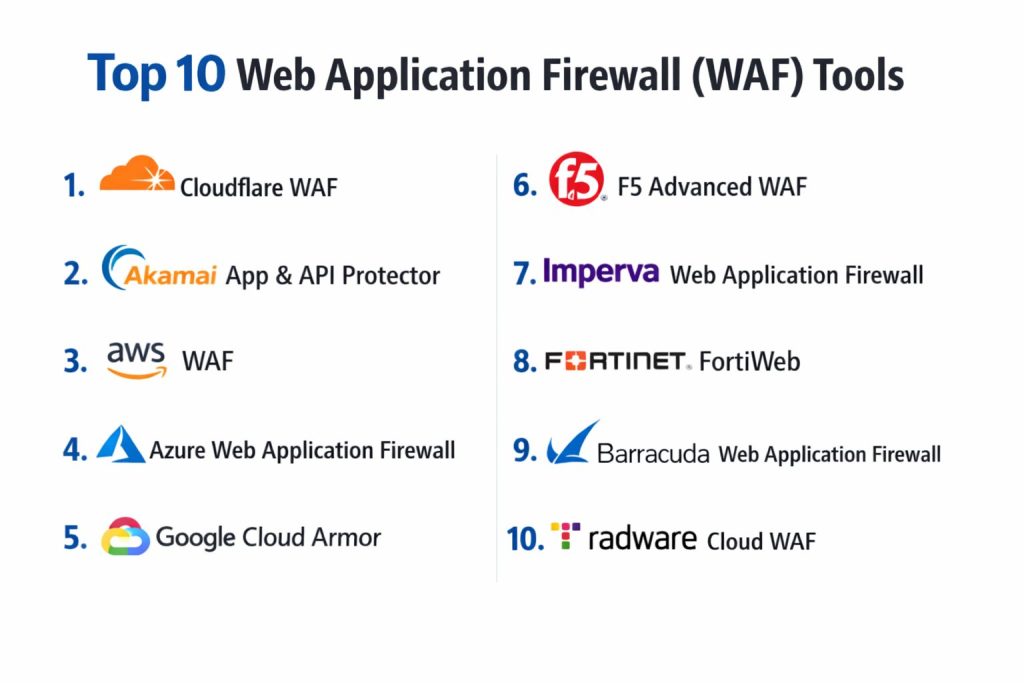
Top 10 Web Application Firewall (WAF) Platforms
1 — Cloudflare WAF
An edge-delivered WAF designed to protect web apps and APIs close to users, with strong performance, fast rollout, and broad visibility across traffic.
Key Features
- Managed rules plus custom rules for targeted protections
- Rate limiting and request control options
- Bot mitigation capabilities (varies by plan)
- Detailed traffic insights and security analytics
- Fast global edge deployment for consistent coverage
- Flexible controls for endpoints and request patterns
Pros
- Quick to deploy and scale for high traffic
- Strong performance profile due to edge execution
Cons
- Deep enterprise governance features vary by plan
- Some advanced controls require careful tuning to avoid blocking legitimate traffic
Platforms / Deployment
Web, Cloud, Edge-delivered
Security and Compliance
Varies / Not publicly stated
Integrations and Ecosystem
Works well when you want protection at the edge and centralized controls for policies and visibility.
- Common integrations with SIEM and logging workflows (varies by setup)
- Policy automation patterns depend on plan and tooling
- Useful fit for teams standardizing security controls across multiple apps
Support and Community
Strong documentation and community visibility; support tiers vary by plan.
2 — Akamai App & API Protector
An edge-focused platform built for high-scale application security, often chosen by large organizations that need performance, resilience, and mature protections.
Key Features
- Edge protection for web applications and APIs
- Managed security rules plus customization options
- Advanced traffic handling for large-scale environments
- Flexible policy controls and tuning workflows
- Visibility and reporting suited to enterprise operations
- Strong edge delivery posture for global audiences
Pros
- Strong fit for high-traffic, global applications
- Mature enterprise operations and security tooling
Cons
- Can require specialized expertise for optimal tuning
- Pricing and packaging can be complex depending on needs
Platforms / Deployment
Web, Cloud, Edge-delivered
Security and Compliance
Varies / Not publicly stated
Integrations and Ecosystem
A strong choice when WAF must live at the edge and integrate with larger enterprise security operations.
- Integration with monitoring and security workflows (varies)
- Supports policy governance patterns in larger environments
- Often used alongside broader edge and delivery services
Support and Community
Enterprise-grade support options; community is strong but often more enterprise-focused.
3 — AWS WAF
A cloud-native WAF designed for applications and APIs hosted on AWS, offering tight integration with AWS services and security workflows.
Key Features
- Managed rule groups plus custom rules
- Rate-based protections and request filtering controls
- Native fit with AWS hosting patterns for apps and APIs
- Central management options for multiple resources (varies)
- Logging and visibility through AWS-native tooling
- Flexible conditions for header, IP, geo, and request patterns
Pros
- Strong fit if most workloads run on AWS
- Good alignment with cloud-native operations and automation
Cons
- Multi-cloud coverage needs additional planning
- Effective tuning still requires careful rule testing and monitoring
Platforms / Deployment
Web, Cloud, AWS-native
Security and Compliance
Varies / Not publicly stated
Integrations and Ecosystem
Best when your infrastructure and observability already live inside AWS.
- Works with AWS-native monitoring and logging patterns
- Integrates with typical AWS application front doors (varies by architecture)
- Automation aligns well with infrastructure-as-code workflows
Support and Community
Strong documentation and broad user base; enterprise support depends on AWS support tier.
4 — Azure Web Application Firewall
A WAF designed for applications hosted in Microsoft Azure, commonly used by organizations standardizing security controls around Azure networking.
Key Features
- Managed rules plus custom rules and exclusions
- Rate limiting and traffic filtering options (varies by setup)
- Strong integration with Azure hosting patterns
- Central management via Azure security and networking tooling
- Logs and monitoring in Azure-native observability workflows
- Common deployment patterns for protecting public-facing apps
Pros
- Good fit for Azure-centric architectures
- Works well with Azure operational tooling and governance patterns
Cons
- Feature depth depends on chosen Azure front door components
- Multi-cloud consistency requires additional tooling and processes
Platforms / Deployment
Web, Cloud, Azure-native
Security and Compliance
Varies / Not publicly stated
Integrations and Ecosystem
Strong option when Azure networking and governance are already standardized in your organization.
- Integrates with Azure monitoring and security operations workflows
- Works with common Azure ingress patterns (varies)
- Supports policy management aligned with Azure resource governance
Support and Community
Large community and documentation; enterprise support depends on Microsoft support plan.
5 — Google Cloud Armor
A cloud-native WAF and protection layer designed for Google Cloud workloads, often chosen for tight alignment with GCP networking and performance.
Key Features
- Configurable security policies for traffic filtering
- Rate limiting and request control options
- Designed for GCP traffic and common deployment patterns
- Visibility through Google Cloud logging and monitoring workflows
- Useful alignment with global load balancing architectures
- Practical for protecting public endpoints hosted on GCP
Pros
- Strong fit for GCP-first deployments
- Good performance posture when paired with GCP networking patterns
Cons
- Multi-cloud environments need broader standardization work
- Tuning and operational workflows depend on team familiarity with GCP
Platforms / Deployment
Web, Cloud, GCP-native
Security and Compliance
Varies / Not publicly stated
Integrations and Ecosystem
Best when your application delivery and observability are centered in Google Cloud.
- Works with GCP logging and monitoring workflows
- Supports automation aligned with infrastructure-as-code patterns
- Common fit for teams using GCP load balancing approaches
Support and Community
Good documentation and ecosystem; enterprise support depends on Google Cloud support tier.
6 — F5 Advanced WAF
A high-control WAF platform commonly used by enterprises that need deep policy options, strong customization, and hybrid deployment flexibility.
Key Features
- Advanced policy controls and rule tuning depth
- API and application protections (capabilities vary by deployment)
- Flexible deployment models for hybrid environments
- Strong governance options for complex application estates
- Mature security tooling for enterprise operations
- Detailed inspection and control for sophisticated use cases
Pros
- Deep control for security teams with complex requirements
- Strong fit for hybrid and enterprise architectures
Cons
- Heavier operational footprint than simpler edge WAF options
- Requires expertise to tune effectively and manage policies at scale
Platforms / Deployment
Web, Cloud / Self-hosted / Hybrid (varies by edition and architecture)
Security and Compliance
Varies / Not publicly stated
Integrations and Ecosystem
Often selected when you need to integrate WAF policy management into broader enterprise controls.
- Fits enterprise security operations and governance workflows
- Integrates into larger networking and application delivery patterns
- Supports automation and policy workflows depending on environment
Support and Community
Strong enterprise support options; community resources exist but are more enterprise-focused.
7 — Imperva Web Application Firewall
A well-known WAF platform used to protect applications and APIs, often chosen for enterprise-grade protections and managed security options.
Key Features
- Managed rules and customizable policies
- Protections for common web application attack patterns
- API security capabilities (varies by plan)
- Visibility and reporting for security operations
- Deployment flexibility depending on environment
- Options for managing policies across multiple apps
Pros
- Strong enterprise presence and security focus
- Useful for organizations wanting managed protection options
Cons
- Cost can be higher for full enterprise feature sets
- Operational complexity can rise in very large environments
Platforms / Deployment
Web, Cloud / Self-hosted / Hybrid (varies by edition and architecture)
Security and Compliance
Varies / Not publicly stated
Integrations and Ecosystem
Commonly used as part of a broader security stack, with emphasis on reporting and operational workflows.
- Integrates with logging and monitoring processes (varies)
- Works alongside broader security controls and review flows
- Practical for centralized policy oversight in larger teams
Support and Community
Enterprise support and services are typically available; community resources vary by region.
8 — Fortinet FortiWeb
A WAF option often used by organizations already invested in Fortinet security ecosystems, with practical deployment options for protecting web apps.
Key Features
- Rule-based protections for common web threats
- Policy tuning controls and traffic filtering options
- Deployment flexibility depending on environment
- Visibility features for monitoring traffic patterns
- Practical fit for organizations standardizing on Fortinet tooling
- Options to align with broader network security strategies
Pros
- Good fit for teams using Fortinet ecosystems
- Practical controls for common WAF needs
Cons
- Ecosystem strength is best when you already use related tooling
- Feature depth and operational experience can vary by deployment approach
Platforms / Deployment
Web, Cloud / Self-hosted / Hybrid (varies by architecture)
Security and Compliance
Varies / Not publicly stated
Integrations and Ecosystem
Often chosen when teams want WAF that fits into an existing security stack and operational model.
- Aligns with common security operations workflows
- Integrations depend on environment and tooling choices
- Works best with clear traffic baselines and tuning discipline
Support and Community
Vendor support options exist; community strength varies by region and customer base.
9 — Barracuda Web Application Firewall
A WAF platform often selected for practical deployment and straightforward protection needs, especially for organizations wanting manageable operations.
Key Features
- Managed rule sets plus customization options
- Traffic filtering and policy controls
- Practical deployment patterns for public applications
- Visibility and logging for operational awareness
- Options that can fit a range of organization sizes
- Focus on usability and deployment practicality
Pros
- Generally approachable for teams that want simpler operations
- Useful for common web application protection requirements
Cons
- Advanced enterprise features may vary by edition
- Large-scale environments may require stronger central governance patterns
Platforms / Deployment
Web, Cloud / Self-hosted / Hybrid (varies by edition and architecture)
Security and Compliance
Varies / Not publicly stated
Integrations and Ecosystem
A practical option when you want standard WAF protections without heavy operational overhead.
- Integrations depend on chosen deployment model
- Works with common monitoring and alerting workflows (varies)
- Suitable for teams standardizing basic application protections
Support and Community
Vendor support options exist; community resources are moderate and vary by use case.
10 — Radware Cloud WAF
A cloud-delivered WAF often used in environments where protection at scale, layered defenses, and operational visibility are important.
Key Features
- Cloud-delivered web application protections
- Managed policies plus tuning options
- Rate limiting and traffic control capabilities
- Visibility features for security operations (varies)
- Strong posture for handling large traffic patterns
- Practical fit for organizations needing scalable defenses
Pros
- Good fit for scalable cloud-delivered protection
- Useful for teams that want managed protection plus control
Cons
- Integration depth depends on your surrounding ecosystem
- Tuning still requires careful monitoring to reduce false positives
Platforms / Deployment
Web, Cloud, Cloud-delivered
Security and Compliance
Varies / Not publicly stated
Integrations and Ecosystem
Often selected as part of a layered web security approach, especially in distributed environments.
- Integrates with common logging and security processes (varies)
- Can complement broader security and response workflows
- Works best with clear policy ownership and change controls
Support and Community
Support tiers vary; documentation is typically available, community visibility is moderate.
Comparison Table
| Tool Name | Best For | Platform(s) Supported | Deployment | Standout Feature | Public Rating |
|---|---|---|---|---|---|
| Cloudflare WAF | Fast edge protection for web and APIs | Web | Cloud | Edge performance and rapid rollout | N/A |
| Akamai App & API Protector | Global high-scale enterprise apps | Web | Cloud | Mature edge security posture | N/A |
| AWS WAF | AWS-hosted apps and APIs | Web | Cloud | Tight AWS ecosystem fit | N/A |
| Azure Web Application Firewall | Azure-centric application delivery | Web | Cloud | Strong Azure governance alignment | N/A |
| Google Cloud Armor | GCP-hosted public services | Web | Cloud | GCP networking-aligned policies | N/A |
| F5 Advanced WAF | Deep control in hybrid enterprises | Web | Cloud / Self-hosted / Hybrid | Advanced policy depth | N/A |
| Imperva Web Application Firewall | Enterprise-grade WAF operations | Web | Cloud / Self-hosted / Hybrid | Strong managed protection options | N/A |
| Fortinet FortiWeb | Fortinet ecosystem customers | Web | Cloud / Self-hosted / Hybrid | Practical fit in Fortinet stacks | N/A |
| Barracuda Web Application Firewall | Manageable WAF operations | Web | Cloud / Self-hosted / Hybrid | Practical deployment approach | N/A |
| Radware Cloud WAF | Scalable cloud-delivered protection | Web | Cloud | Layered defenses at scale | N/A |
Evaluation and Scoring
Weights
Core features 25 percent
Ease of use 15 percent
Integrations and ecosystem 15 percent
Security and compliance 10 percent
Performance and reliability 10 percent
Support and community 10 percent
Price and value 15 percent
| Tool Name | Core | Ease | Integrations | Security | Performance | Support | Value | Weighted Total |
|---|---|---|---|---|---|---|---|---|
| Cloudflare WAF | 8.5 | 8.5 | 8.5 | 8.0 | 9.0 | 8.0 | 8.5 | 8.45 |
| Akamai App & API Protector | 9.0 | 7.0 | 8.5 | 8.5 | 9.0 | 8.5 | 7.0 | 8.22 |
| AWS WAF | 8.0 | 7.5 | 9.0 | 8.0 | 8.5 | 8.0 | 8.0 | 8.12 |
| Azure Web Application Firewall | 8.0 | 7.5 | 8.5 | 8.0 | 8.0 | 8.0 | 8.0 | 8.00 |
| Google Cloud Armor | 7.5 | 7.5 | 8.5 | 8.0 | 8.5 | 7.5 | 8.0 | 7.88 |
| F5 Advanced WAF | 9.0 | 6.5 | 8.0 | 8.5 | 8.5 | 8.0 | 6.5 | 7.90 |
| Imperva Web Application Firewall | 9.0 | 7.0 | 8.0 | 8.5 | 8.5 | 8.0 | 6.5 | 7.97 |
| Fortinet FortiWeb | 8.0 | 7.0 | 7.5 | 8.0 | 8.0 | 7.5 | 7.5 | 7.65 |
| Barracuda Web Application Firewall | 7.5 | 7.5 | 7.5 | 7.5 | 7.5 | 7.5 | 8.0 | 7.58 |
| Radware Cloud WAF | 8.0 | 7.0 | 7.5 | 8.0 | 8.5 | 7.5 | 7.0 | 7.62 |
How to interpret the scores
These scores are comparative and intended to help you shortlist options, not declare a single winner for every environment. A platform with a slightly lower total can still be the best fit if it matches your cloud, traffic patterns, and team skills. Core and integrations tend to influence long-term fit and operational effort, while ease of use affects onboarding and tuning speed. Always validate performance, false positives, and integration requirements with a controlled pilot.
Which WAF Platform Is Right for You
Solo / Freelancer
If you manage a small set of websites and need fast protection without heavy operational work, a cloud-delivered edge WAF is typically the simplest path. Focus on quick deployment, clear dashboards, and easy allowlist controls. Prioritize strong bot controls if you run login pages or ecommerce, because small sites often suffer from automated abuse. Keep rule changes limited and monitor logs to avoid blocking real users.
SMB
SMBs usually need a balance: strong baseline protection, manageable tuning, and predictable costs. Cloudflare WAF is often attractive for speed and rollout simplicity, while AWS WAF or Azure Web Application Firewall can fit well if the business is tightly aligned to a single cloud. If you have a small security team, prioritize managed rules, sensible defaults, and clear visibility so you can respond quickly without complex policy engineering.
Mid-Market
Mid-market teams often run multiple apps, environments, and release cycles, so integration and policy consistency become more important. AWS WAF, Azure Web Application Firewall, and Google Cloud Armor are strong when your workloads mostly live in their respective clouds and you want operational alignment. If you have more varied architectures, consider platforms like Imperva Web Application Firewall or Radware Cloud WAF for broader approaches. Evaluate how policy updates are governed, tested, and rolled out.
Enterprise
Enterprises typically need advanced governance, tuning depth, layered defenses, and strong operational support. Akamai App & API Protector is common in very high-traffic global environments, while F5 Advanced WAF and Imperva Web Application Firewall are often chosen when teams need deeper control or hybrid patterns. Enterprises should emphasize change control, auditability, integration with incident response workflows, and consistent protections across business units and applications.
Budget vs Premium
Budget-focused teams should prefer platforms that reduce operational overhead and deliver strong defaults, especially if staff time is limited. Premium approaches typically pay for deeper control, stronger support, and more tailored security outcomes. The right decision depends on the value of what you protect, the cost of downtime, and the likelihood of targeted attacks against your industry.
Feature Depth vs Ease of Use
If you need deep customization, advanced policies, and more granular controls, enterprise platforms often deliver more depth but require more tuning expertise. If you want quick protection and simple operations, edge-delivered WAF platforms are usually easier. Match the tool to your team’s operational maturity, because the best WAF on paper can fail in practice if nobody can tune and monitor it.
Integrations and Scalability
Cloud-native WAF options often integrate best with their respective cloud services, logs, and infrastructure-as-code patterns. If your environment is multi-cloud or hybrid, pay extra attention to how you unify policies, centralize logs, and standardize response playbooks. Scalability is not only about traffic, it is also about scaling operations: policy ownership, review workflows, and safe rollout patterns.
Security and Compliance Needs
Public compliance claims can be unclear across WAF platforms, so treat anything uncertain as not publicly stated and validate through vendor documentation and legal review. Focus on practical controls you can verify: role-based access, MFA for admin access, audit logs for policy changes, encryption in transit, and strong operational visibility. For regulated environments, ensure your logging retention, access controls, and incident response workflows meet your internal requirements.
Frequently Asked Questions
1. What does a WAF protect against
A WAF helps protect against common application-layer attacks like injection attempts, suspicious request payloads, scanning, and automated abuse. It is not a complete security program, but it is a strong control for reducing common exploit paths.
2. Is a WAF enough for API security
It helps, but API security often needs additional controls like authentication hardening, schema validation, rate limiting by client identity, and monitoring of abuse patterns. A WAF is a key layer, not the only layer.
3. How do I reduce false positives
Start with managed rules in a safe monitoring approach, then add exclusions carefully for known-good patterns. Tighten rules gradually, watch logs daily at first, and document why each exception exists to avoid security drift.
4. Where should I deploy a WAF: edge or cloud-native
Edge deployment can reduce latency impact and absorb more traffic earlier, while cloud-native WAF aligns well with cloud resources and native logging. Choose based on where your ingress lives and how your team operates.
5. What is the biggest mistake teams make with WAFs
Turning on rules and assuming the job is done. WAFs need tuning, monitoring, and periodic review, especially when apps change. Another mistake is not protecting the highest-risk endpoints like login and checkout.
6. How long does a typical WAF rollout take
It varies. A basic rollout can be quick, but getting to stable tuning and low false positives takes time. Plan for phased deployment: monitor, tune, enforce, then expand endpoint coverage.
7. Do WAF platforms impact performance
They can, depending on where the WAF runs and how heavy the inspection is. Edge-delivered options often minimize perceived latency, while deep inspection policies can add overhead. Always validate with real traffic testing.
8. Can I use more than one WAF
Some organizations do layered deployments, but it increases complexity and can create confusing rule interactions. If you stack WAFs, define clear responsibilities for each layer and ensure logs and incident response stay understandable.
9. What should I log and monitor with a WAF
Log blocked requests, high-rate clients, rule triggers on sensitive endpoints, and suspicious patterns like repeated login failures. Monitor changes to policies, spikes in blocked traffic, and anomalies by geography or user agent.
10. How do I run a WAF pilot before committing
Pick two or three platforms, protect the same set of endpoints, and run a controlled test. Compare false positives, ease of tuning, visibility, integration effort, and performance impact using real traffic patterns and real incident scenarios.
Conclusion
A WAF platform is one of the most practical ways to reduce risk for public-facing applications and APIs, but the best choice depends on your environment, team maturity, and the type of threats you face. Edge-delivered platforms can be ideal when you want rapid rollout and strong performance for global users, while cloud-native WAF options often shine when your workloads live primarily in one cloud and you want tight integration with native logging and governance. Enterprise platforms can deliver deeper policy control and broader deployment flexibility, but they typically require more tuning discipline. A smart next step is to shortlist two or three options, pilot them on your highest-risk endpoints, validate false positives and performance, and confirm that logging, access control, and response workflows fit your security operations.