Introduction
Firewall management tools help security and network teams control firewall policies, review rule changes, reduce risk from overly-permissive access, and keep multi-vendor environments consistent. In most organizations, firewalls are not the problem by themselves—policy sprawl, change pressure, unclear ownership, and missing visibility are the real problems. A good firewall management platform brings structure to policy lifecycle: request, risk check, approval, implementation, verification, and audit reporting. It also helps you standardize naming, rule hygiene, and segmentation practices across sites, cloud, and data centers.
Common use cases include centralized rule change workflows, policy compliance reporting, identifying unused or risky rules, accelerating troubleshooting during outages, supporting M&A network consolidation, and preparing for audits with clean evidence. When evaluating a tool, focus on policy depth, change workflow automation, multi-vendor support, visibility and reporting, segmentation and risk analysis, scalability, integration with ITSM and identity systems, operational reliability, and how quickly teams can adopt it.
Best for: network security teams, SOC teams, platform teams, and enterprises managing multiple firewalls, many sites, or frequent rule changes.
Not ideal for: very small environments with one simple firewall and low change frequency where manual processes are already stable and well-documented.
Key Trends in Firewall Management Tools
- Policy automation moving from “ticket-based changes” to “validated changes” with risk checks before commit
- Increased focus on rule hygiene: unused rules, shadowed rules, overly broad objects, and stale temporary access
- More segmentation programs where firewall policy is treated as an asset that must be measured and improved
- Multi-vendor environments growing, so centralized governance becomes more valuable than vendor-specific consoles
- Cloud and hybrid expansion pushing teams to unify policy intent across data center and cloud controls
- More audit pressure to show traceability: who requested, who approved, what changed, and what evidence proves it
- Stronger integrations with ITSM, identity, and CMDB-style inventories to reduce manual data entry
- Higher expectations for role-based workflows so network teams and security teams can share accountability
- Better visualization and reporting to speed up troubleshooting and reduce mean time to restore service
- More interest in “policy as code” patterns, but most teams still need practical guardrails and workflow tools
How We Selected These Tools (Methodology)
- Focused on tools that are widely used for firewall policy governance, orchestration, and compliance workflows
- Prioritized capability for centralized policy control, visibility, and change management at scale
- Considered support for multi-vendor environments and long-term operational fit
- Evaluated reporting, audit readiness, and rule lifecycle controls
- Considered integration flexibility with common enterprise systems used for approvals and tracking
- Looked for products that fit different segments: single-vendor enterprises, multi-vendor enterprises, and mid-sized teams
- Used comparative scoring based on practical operational needs rather than marketing claims
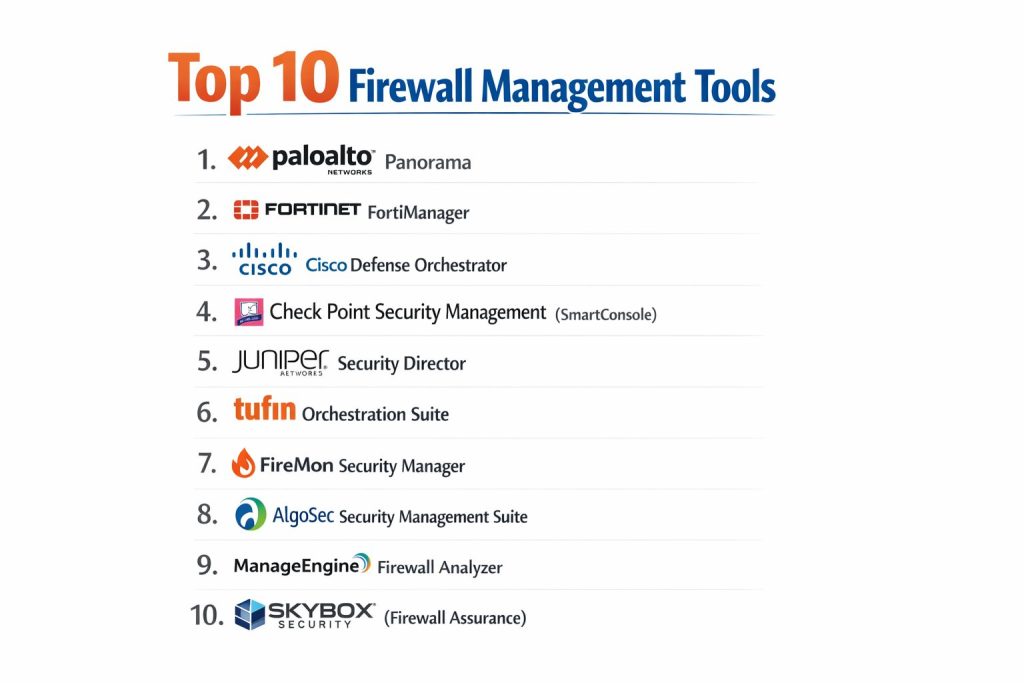
Top 10 Firewall Management Tools
1) Palo Alto Networks Panorama
A centralized management platform designed to manage Palo Alto Networks firewalls across large environments. It is commonly used to standardize policy, manage objects consistently, and scale operations across many devices.
Key Features
- Central policy and object management for many firewalls
- Device group and template approach for consistent configuration patterns
- Policy push workflows with staged changes
- Visibility into policy, objects, and device status in one place
- Operational tooling for managing large, distributed deployments
Pros
- Strong fit when you are standardized on Palo Alto Networks firewalls
- Helps reduce drift and improves consistency across devices
Cons
- Best value is tied to Palo Alto Networks ecosystem
- Multi-vendor governance is limited compared to vendor-neutral suites
Platforms / Deployment
Varies / N/A
Security & Compliance
Not publicly stated
Integrations & Ecosystem
Works best inside the Palo Alto Networks environment and typical enterprise workflows around change approvals and monitoring.
- Integration patterns: Varies / N/A
- Automation hooks: Varies / N/A
- Reporting export options: Varies / N/A
Support & Community
Strong enterprise adoption with broad training availability. Support levels depend on your licensing and support agreement.
2) Fortinet FortiManager
A centralized management tool used to manage Fortinet firewall fleets. It is often chosen for standardizing policy packages, accelerating changes, and managing multi-site deployments.
Key Features
- Central management for firewall policy and objects
- Policy packages for consistent rollouts across sites
- Change workflows with versioning-style controls (implementation dependent)
- Operational visibility across managed devices
- Consolidated administration for large Fortinet environments
Pros
- Strong operational efficiency for Fortinet-first environments
- Useful for standardization across many branches and sites
Cons
- Most valuable when firewalls are primarily Fortinet
- Vendor-neutral governance needs may require additional tooling
Platforms / Deployment
Varies / N/A
Security & Compliance
Not publicly stated
Integrations & Ecosystem
Designed to work closely with Fortinet ecosystem patterns and common enterprise operational tooling.
- Integration patterns: Varies / N/A
- Automation options: Varies / N/A
- Reporting exports: Varies / N/A
Support & Community
Large user base and broad partner ecosystem; support options vary by contract.
3) Cisco Defense Orchestrator
A centralized orchestration approach for Cisco security policy and device operations. It is typically used where Cisco security products are a core part of the environment.
Key Features
- Centralized policy orchestration across supported Cisco controls
- Standardized workflows for policy change and governance
- Central visibility for policy intent and enforcement (scope dependent)
- Operational tools for managing distributed deployments
- Controls to reduce manual duplication across similar sites
Pros
- Good alignment for Cisco-centric security stacks
- Helps reduce operational overhead by centralizing policy actions
Cons
- Best results typically depend on Cisco ecosystem adoption
- Coverage across non-Cisco devices is limited compared to vendor-neutral suites
Platforms / Deployment
Varies / N/A
Security & Compliance
Not publicly stated
Integrations & Ecosystem
Most effective when aligned with Cisco security tooling and enterprise workflows.
- Integration patterns: Varies / N/A
- Automation options: Varies / N/A
- Export and reporting: Varies / N/A
Support & Community
Enterprise support options vary by plan; community and partner ecosystem are strong in Cisco-heavy organizations.
4) Check Point Security Management (SmartConsole)
A centralized management console for Check Point firewall environments. It is typically selected for policy governance, consistent object management, and operational scale across many gateways.
Key Features
- Central policy management and object governance
- Consistent rulebase management across environments
- Tools for policy install and change lifecycle controls
- Visibility into policy structure and configuration standards
- Scales well in Check Point standardized deployments
Pros
- Strong for organizations standardized on Check Point
- Mature tooling for policy governance and operational consistency
Cons
- Vendor-specific scope limits use in multi-vendor governance programs
- Some advanced governance needs may require additional orchestration tooling
Platforms / Deployment
Varies / N/A
Security & Compliance
Not publicly stated
Integrations & Ecosystem
Integrates primarily with Check Point management patterns and enterprise operational workflows.
- Integration patterns: Varies / N/A
- Automation options: Varies / N/A
- Reporting outputs: Varies / N/A
Support & Community
Strong enterprise adoption, well-established training, and support options depending on your contract.
5) Juniper Security Director
A centralized management platform focused on Juniper security device environments. It is used to manage policy and operational tasks across Juniper firewall deployments.
Key Features
- Central policy management for supported Juniper devices
- Consolidated visibility into devices and policy structure
- Standardized configuration deployment workflows
- Operational controls for multi-site environments
- Policy and object consistency patterns across devices
Pros
- Useful for Juniper-standardized environments
- Helps reduce drift and centralize governance
Cons
- Vendor-specific focus reduces value in multi-vendor programs
- Some governance features may be lighter than vendor-neutral suites
Platforms / Deployment
Varies / N/A
Security & Compliance
Not publicly stated
Integrations & Ecosystem
Most effective when paired with Juniper operational patterns and enterprise workflow systems.
- Integration patterns: Varies / N/A
- Automation options: Varies / N/A
- Reporting outputs: Varies / N/A
Support & Community
Support and onboarding vary by plan; adoption is strongest in Juniper-heavy networks.
6) Tufin Orchestration Suite
A vendor-neutral firewall policy orchestration platform often used for governance, rule lifecycle controls, and change automation across multi-vendor environments. It is frequently chosen when audit readiness and segmentation programs are key goals.
Key Features
- Multi-vendor policy visibility and governance workflows
- Automated change workflows with risk-aware checks (implementation dependent)
- Rule cleanup insights and policy optimization support (scope dependent)
- Segmentation and access path analysis patterns (environment dependent)
- Audit-ready reporting and traceability for changes
Pros
- Strong fit for large environments with multiple firewall vendors
- Helps reduce risk by adding structure and validation to changes
Cons
- Setup and adoption can require cross-team process alignment
- Cost and complexity may be high for small environments
Platforms / Deployment
Varies / N/A
Security & Compliance
Not publicly stated
Integrations & Ecosystem
Typically integrates with ITSM workflows and operational systems to manage requests, approvals, and evidence.
- ITSM integration patterns: Varies / N/A
- Identity and directory integration: Varies / N/A
- Reporting exports and dashboards: Varies / N/A
Support & Community
Strong enterprise presence; success improves when teams invest in process design and onboarding.
7) FireMon Security Manager
A firewall policy management platform used for visibility, compliance reporting, and policy governance across multiple firewall vendors. It is often chosen for rule analysis and operational reporting depth.
Key Features
- Policy visibility and analysis across supported vendors
- Rule usage and risk insights (availability depends on environment)
- Compliance reporting and audit support workflows
- Change tracking and governance patterns (implementation dependent)
- Operational dashboards for security and network teams
Pros
- Strong reporting and governance for policy hygiene programs
- Useful for multi-vendor environments needing consistent oversight
Cons
- Full value depends on integration depth and process adoption
- Advanced orchestration may require careful design and tuning
Platforms / Deployment
Varies / N/A
Security & Compliance
Not publicly stated
Integrations & Ecosystem
Commonly used with ITSM, inventory, and operational reporting systems in enterprise environments.
- ITSM workflow alignment: Varies / N/A
- Export and reporting patterns: Varies / N/A
- Multi-vendor device coverage: Varies / N/A
Support & Community
Enterprise-focused support; community resources exist but are smaller than major firewall vendors.
8) AlgoSec Security Management Suite
A firewall automation and policy management platform focused on streamlining rule changes, validating risk, and supporting compliance needs across multi-vendor firewall estates.
Key Features
- Multi-vendor policy management and analysis
- Automated change workflows with validation steps (implementation dependent)
- Policy optimization and cleanup support (scope dependent)
- Segmentation assistance through access analysis patterns
- Audit and compliance reporting with evidence-style outputs
Pros
- Strong fit for organizations with frequent firewall changes
- Helps reduce manual effort and improves consistency in approvals
Cons
- Requires disciplined data and ownership to get best outcomes
- Smaller teams may find it heavy if change volume is low
Platforms / Deployment
Varies / N/A
Security & Compliance
Not publicly stated
Integrations & Ecosystem
Commonly aligned with ITSM processes and enterprise reporting workflows.
- ITSM workflow integration: Varies / N/A
- Directory and identity alignment: Varies / N/A
- Export and reporting patterns: Varies / N/A
Support & Community
Enterprise-style support options; onboarding success depends on change process maturity.
9) ManageEngine Firewall Analyzer
A firewall reporting and analysis tool often used for log analysis, reporting, and compliance-style visibility. It is commonly chosen by mid-sized teams that need structured reports and operational insights without heavy orchestration complexity.
Key Features
- Firewall log analysis and reporting workflows
- Compliance-oriented reports (scope dependent)
- Traffic and policy insight dashboards for troubleshooting
- Alerting patterns based on firewall events (capability depends on setup)
- Useful visibility for multi-device environments
Pros
- Practical reporting approach for teams focused on visibility and audits
- Often easier to adopt than large orchestration platforms
Cons
- Deep orchestration and automation features may be limited
- Multi-vendor governance depth depends on supported device scope
Platforms / Deployment
Varies / N/A
Security & Compliance
Not publicly stated
Integrations & Ecosystem
Typically used alongside operational monitoring and ticket workflows rather than replacing vendor management consoles.
- Export and reporting integrations: Varies / N/A
- Ticket workflow alignment: Varies / N/A
- Alerting and notification patterns: Varies / N/A
Support & Community
Strong mid-market community and documentation; support levels vary by plan.
10) Skybox Security (Firewall Assurance)
A platform often used for firewall policy assurance, risk visibility, and governance across complex environments. It is typically selected when teams want deeper assurance and risk-driven reporting around policy.
Key Features
- Policy assurance and risk insight workflows (scope dependent)
- Visibility across policy and network security posture (environment dependent)
- Support for governance programs focused on reducing exposure
- Reporting that helps prioritize cleanup and policy improvement
- Useful for large environments needing structured oversight
Pros
- Strong for risk-driven policy assurance and governance reporting
- Helpful for security teams aligning policy with exposure reduction goals
Cons
- Deployment and data alignment can take time in complex networks
- Best value is realized with mature governance and operational discipline
Platforms / Deployment
Varies / N/A
Security & Compliance
Not publicly stated
Integrations & Ecosystem
Commonly integrated into enterprise reporting and governance processes.
- Data ingestion patterns: Varies / N/A
- Reporting exports and dashboards: Varies / N/A
- Workflow alignment with approvals: Varies / N/A
Support & Community
Enterprise support orientation; adoption works best when teams define governance goals clearly.
Comparison Table
| Tool Name | Best For | Platform(s) Supported | Deployment | Standout Capability | Public Rating |
|---|---|---|---|---|---|
| Palo Alto Networks Panorama | Palo Alto Networks fleet management | Varies / N/A | Varies / N/A | Central policy and object governance | N/A |
| Fortinet FortiManager | Fortinet fleet standardization | Varies / N/A | Varies / N/A | Policy package consistency across sites | N/A |
| Cisco Defense Orchestrator | Cisco security orchestration | Varies / N/A | Varies / N/A | Centralized policy orchestration for Cisco stack | N/A |
| Check Point Security Management (SmartConsole) | Check Point policy governance | Varies / N/A | Varies / N/A | Mature rulebase management for Check Point | N/A |
| Juniper Security Director | Juniper firewall management | Varies / N/A | Varies / N/A | Central management for Juniper environments | N/A |
| Tufin Orchestration Suite | Multi-vendor governance and change control | Varies / N/A | Varies / N/A | Risk-aware change workflows and segmentation support | N/A |
| FireMon Security Manager | Multi-vendor visibility and compliance reporting | Varies / N/A | Varies / N/A | Policy analytics and governance reporting | N/A |
| AlgoSec Security Management Suite | Automation for frequent change environments | Varies / N/A | Varies / N/A | Change automation with validation patterns | N/A |
| ManageEngine Firewall Analyzer | Reporting and audit visibility | Varies / N/A | Varies / N/A | Log analysis and compliance-style reports | N/A |
| Skybox Security (Firewall Assurance) | Risk-driven policy assurance | Varies / N/A | Varies / N/A | Assurance and exposure-focused reporting | N/A |
Evaluation and Scoring
Scoring model
Each criterion is scored from 1 to 10, then combined into a weighted total from 0 to 10.
Weights used:
- Policy management depth 25%
- Automation and workflow 15%
- Visibility and reporting 15%
- Integrations and ecosystem 15%
- Security and compliance posture 10%
- Scalability and performance 10%
- Value 10%
| Tool Name | Policy (25%) | Automation (15%) | Visibility (15%) | Integrations (15%) | Security (10%) | Scale (10%) | Value (10%) | Weighted Total |
|---|---|---|---|---|---|---|---|---|
| Palo Alto Networks Panorama | 9.5 | 8.5 | 8.5 | 9.0 | 8.5 | 9.0 | 7.5 | 8.78 |
| Fortinet FortiManager | 9.0 | 8.0 | 8.0 | 8.5 | 8.0 | 9.0 | 8.0 | 8.43 |
| Cisco Defense Orchestrator | 8.5 | 8.0 | 8.0 | 8.5 | 8.0 | 8.5 | 7.5 | 8.20 |
| Check Point Security Management (SmartConsole) | 9.0 | 8.0 | 8.5 | 8.5 | 8.5 | 8.5 | 7.5 | 8.45 |
| Juniper Security Director | 8.0 | 7.5 | 7.5 | 7.5 | 7.5 | 8.0 | 7.5 | 7.67 |
| Tufin Orchestration Suite | 9.5 | 9.0 | 9.0 | 8.5 | 8.5 | 8.5 | 7.0 | 8.75 |
| FireMon Security Manager | 9.0 | 8.5 | 9.0 | 8.0 | 8.5 | 8.0 | 7.0 | 8.43 |
| AlgoSec Security Management Suite | 9.0 | 9.0 | 8.5 | 8.5 | 8.0 | 8.0 | 7.5 | 8.50 |
| ManageEngine Firewall Analyzer | 7.5 | 7.0 | 8.5 | 7.0 | 7.0 | 7.5 | 8.5 | 7.55 |
| Skybox Security (Firewall Assurance) | 8.5 | 8.0 | 9.0 | 8.0 | 8.5 | 8.5 | 7.5 | 8.32 |
How to interpret the results:
- The totals compare tools inside this list, not the entire market.
- Vendor-specific managers can score high when you are standardized on that vendor.
- Vendor-neutral suites score well when governance, risk checks, and multi-vendor visibility are priorities.
- Treat the scores as a starting point, then validate using a pilot with your real change workflows and audit needs.
Which Firewall Management Tool Is Right for You?
Solo or Small IT Team
If you manage a small environment but still need strong reporting and visibility, ManageEngine Firewall Analyzer can be a practical starting point. If you already use one vendor heavily, choosing the vendor manager (Panorama, FortiManager, SmartConsole, Security Director, or Cisco Defense Orchestrator) often reduces complexity.
SMB
Most SMBs should choose based on the firewall vendor they already operate. Vendor managers tend to deliver faster adoption because device coverage and workflows are aligned. If you are multi-vendor and changes are frequent, consider a vendor-neutral platform like AlgoSec Security Management Suite or FireMon Security Manager to standardize governance.
Mid-Market
Mid-market teams typically need both control and efficiency. If change volume is high and approvals are strict, AlgoSec Security Management Suite is often a strong fit. If reporting, cleanup, and governance are central goals, FireMon Security Manager can help drive policy hygiene programs. If your environment is multi-vendor and segmentation is a strategic priority, Tufin Orchestration Suite is commonly shortlisted.
Enterprise
Enterprises usually benefit from vendor-neutral governance because firewall estates are often multi-vendor across regions. Tufin Orchestration Suite, AlgoSec Security Management Suite, FireMon Security Manager, and Skybox Security (Firewall Assurance) are typical candidates depending on whether your priority is workflow automation, policy analytics, or risk-driven assurance. Vendor managers still remain important in vendor-standardized zones.
Budget versus Premium
For budget-sensitive teams focused on reporting and audit support, ManageEngine Firewall Analyzer can cover a lot of ground. Premium suites often justify cost when they reduce change lead time, prevent outages, and cut audit preparation time.
Depth versus Ease
Vendor managers are usually easier if you stay within one ecosystem. Vendor-neutral platforms offer deeper cross-environment governance, but require more process alignment to get the full benefit.
Integrations and Scalability
If you need consistent approvals and traceability, prioritize tools that align with your ticketing and workflow systems. If you expect rapid growth, focus on how the platform handles policy standardization, multi-site rollouts, and reporting at scale.
Security and Compliance Needs
If you must show evidence of who requested, approved, and implemented policy changes, choose a tool that supports traceability, consistent reporting, and governance workflows. Where formal compliance claims are not publicly stated, validate through your internal procurement and security review process.
Frequently Asked Questions
1. What is a firewall management tool used for?
It helps teams control firewall policy changes, improve visibility, reduce risky rules, and produce audit-ready reporting. It also reduces manual errors by standardizing processes.
2. Do I need vendor-neutral management if I use only one firewall brand?
Not always. Vendor managers usually work well for single-vendor environments. Vendor-neutral tools become more valuable when you have multiple vendors or strict governance needs.
3. How do these tools reduce outage risk?
They improve change discipline through approvals, validation patterns, and better visibility. Many teams also use them to remove unused rules and reduce overly broad access.
4. What should I test during a pilot?
Test a real policy request from start to finish: request, approval, implementation, verification, rollback readiness, and reporting evidence. Also test reporting accuracy and device coverage.
5. How do integrations typically work?
Most tools align with ticket workflows and reporting exports. Some also connect with identity and inventory systems, but the depth depends on your environment.
6. Can these tools help with compliance audits?
Yes, mainly through reporting, change traceability, and evidence packaging. If a certification detail is not publicly stated, treat it as unknown and validate through official channels.
7. Are these tools only for large enterprises?
No. Mid-sized teams benefit when change volume is high or audits are frequent. Smaller teams benefit when reporting and visibility are pain points.
8. What is the biggest operational mistake teams make?
They automate changes without standardizing ownership, naming, and approval rules. Tools work best when processes are clear and consistent.
9. How do I choose between FireMon, AlgoSec, Tufin, and Skybox?
Choose based on your priority: governance analytics, workflow automation, multi-vendor orchestration, or assurance and risk-driven reporting. A short pilot is the best way to confirm fit.
10. How long does adoption typically take?
It depends on device scope, data quality, and workflow maturity. Teams usually succeed faster when they start with one region or one change workflow, then expand.
Conclusion
Firewall management is not only about controlling devices—it is about controlling change, reducing risk, and keeping policy clean as environments grow. Vendor managers such as Palo Alto Networks Panorama, Fortinet FortiManager, Check Point Security Management (SmartConsole), Cisco Defense Orchestrator, and Juniper Security Director are strong when you are standardized on one ecosystem and need consistent rollouts. Vendor-neutral platforms such as Tufin Orchestration Suite, AlgoSec Security Management Suite, FireMon Security Manager, and Skybox Security (Firewall Assurance) are better when you need cross-vendor governance, risk checks, segmentation support, and audit-ready traceability. A practical next step is to shortlist two or three options, run a pilot using your real change workflow, confirm device coverage, verify reporting accuracy, and ensure teams agree on ownership before scaling broadly.