Introduction
Wi-Fi planning tools help you design, validate, and improve wireless coverage before you install access points and after you go live. In plain language, they turn a building layout and your Wi-Fi goals into a practical plan: where to place access points, what channels and widths to use, how much signal you will get in each area, and where the weak spots will appear. A good plan reduces dead zones, minimizes interference, improves roaming, and prevents costly rework.
These tools are used for offices, hotels, warehouses, hospitals, campuses, and high-density venues. Typical use cases include predictive heatmap design for new sites, capacity planning for high user counts, survey validation after installation, troubleshooting roaming complaints, and refresh planning when you upgrade to newer Wi-Fi generations. When selecting a tool, evaluate predictive modeling quality, survey workflows, RF analytics depth, reporting quality, multi-floor support, ease of use, device support, export options, ecosystem compatibility, support quality, and overall value.
Best for: network engineers, wireless consultants, managed service providers, IT teams rolling out multi-AP networks, and enterprises standardizing Wi-Fi design.
Not ideal for: very small spaces where a single AP is enough, or teams that only need basic signal checks without design, reporting, or capacity planning.
Key Trends in Wi-Fi Planning Tools
- Predictive planning is becoming more capacity-aware, not only coverage-aware, so designs consider client density and airtime limits.
- More teams prefer cloud-based design collaboration to reduce file handoffs and keep a single source of truth.
- Survey workflows are shifting toward faster validation cycles with simpler repeatable templates for multi-site rollouts.
- Interference analysis is more important as environments add more wireless devices and overlapping networks.
- Reporting expectations are rising, especially for compliance-style documentation and stakeholder sign-off.
- Multi-floor and complex building materials modeling is becoming a standard requirement, not a premium feature.
- Planning and operations are getting closer together, with assurance data influencing redesign decisions.
- Tool buyers increasingly value repeatable playbooks: standard channel plans, design rules, and reusable site templates.
How We Selected These Tools (Methodology)
- Chosen for strong recognition among Wi-Fi engineers and wireless service teams.
- Prioritized tools that support both predictive design and validation surveys, or fit clearly as a specialist step.
- Considered practical outcomes: fewer redesign cycles, clearer reporting, and faster rollout readiness.
- Included a mix of enterprise and accessible tools to fit different budgets and team maturity.
- Evaluated ecosystem fit: exporting reports, sharing projects, and aligning with common operational workflows.
- Considered learning curve and how quickly a team can produce consistent designs.
- Included platforms that influence planning via operational insights, where relevant for larger environments.
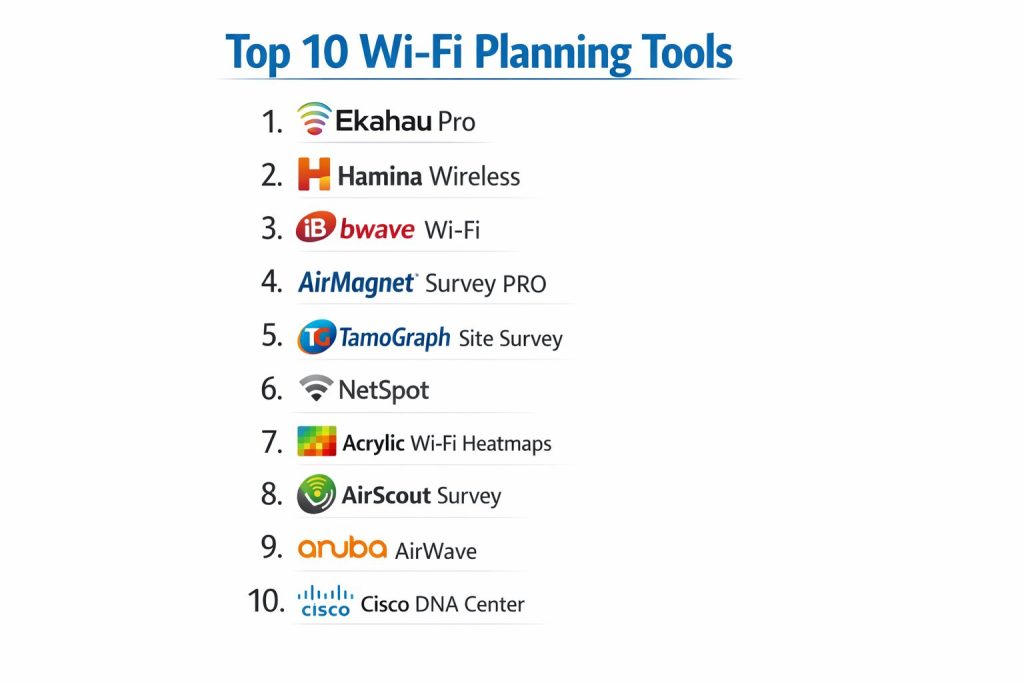
Top 10 Wi-Fi Planning Tools
1 — Ekahau Pro
A widely used wireless design and survey platform for predictive heatmaps, validation surveys, and professional reporting. It is commonly selected when teams need repeatable design standards across many sites.
Key Features
- Predictive Wi-Fi design with heatmaps for coverage planning
- Survey workflows to validate deployments and find weak areas
- Capacity planning support for dense user environments
- Multi-floor design with structured project organization
- Professional reporting for handover and stakeholder approval
Pros
- Strong end-to-end workflow from design to validation
- Trusted for consistent documentation and repeatable rollouts
Cons
- Cost can be high for smaller teams
- Best results require disciplined project standards and practice
Platforms / Deployment
Varies / N/A
Security and Compliance
Not publicly stated
Integrations and Ecosystem
Ekahau Pro is typically used as the central planning workspace, with exports and reports feeding deployment teams and documentation processes. It fits well when you standardize naming, AP models, and survey templates across sites.
- Exportable reports for internal or client delivery
- Repeatable templates for consistent deliverables
- Practical fit for consulting and enterprise rollout teams
Support and Community
Strong training ecosystem and an active professional user base; support tiers vary.
2 — Hamina Wireless
A collaborative Wi-Fi planning approach that emphasizes faster design cycles, team visibility, and scalable multi-site work. It is often considered when teams want modern collaboration and simplified planning workflows.
Key Features
- Collaborative planning workflows that reduce handoffs
- Predictive design support for multi-site planning consistency
- Structured project sharing and design review flows
- Practical capacity-minded planning for real environments
- Reporting outputs designed for clear stakeholder communication
Pros
- Good fit for distributed teams working together
- Helps standardize planning processes across many locations
Cons
- Feature depth varies by workflow needs and expectations
- Some teams may still prefer heavy desktop-style tool control
Platforms / Deployment
Varies / N/A
Security and Compliance
Not publicly stated
Integrations and Ecosystem
Hamina Wireless fits teams that value shared visibility and standardized designs. The best outcomes come when you set common rules for channel strategy, AP placement logic, and acceptance criteria for coverage and capacity.
- Project collaboration for review and sign-off
- Helps reduce version confusion in multi-person workflows
- Useful for repeated designs across similar site types
Support and Community
Growing community presence; support model varies by plan.
3 — iBwave Wi-Fi
A Wi-Fi planning tool often used in environments that require structured documentation, multi-floor layouts, and strong design deliverables. It can be especially relevant where building complexity and formal planning processes matter.
Key Features
- Predictive planning with building-aware layout workflows
- Multi-floor design support for complex facilities
- Structured documentation and reporting workflows
- Design organization suitable for large projects
- Practical fit for enterprise-style planning practices
Pros
- Strong for formal design documentation and multi-floor planning
- Useful when projects require consistent deliverable quality
Cons
- Can feel heavy for very small sites
- Setup and modeling discipline affects accuracy and speed
Platforms / Deployment
Varies / N/A
Security and Compliance
Not publicly stated
Integrations and Ecosystem
iBwave Wi-Fi is often selected when the planning output must be clear and repeatable for installers, auditors, or large stakeholder groups. Teams typically build a standard approach to materials, floor scaling, and validation requirements.
- Strong focus on planning documentation workflows
- Helps create consistent outputs across large projects
- Best used with standardized modeling practices
Support and Community
Professional support options exist; community strength varies by region.
4 — AirMagnet Survey PRO
A survey-focused tool recognized for validation and troubleshooting workflows. It is often used for post-deployment surveys, performance checks, and diagnosing Wi-Fi behavior in real environments.
Key Features
- Validation site surveys for coverage and performance checks
- RF analysis workflows for troubleshooting interference issues
- Reporting outputs for documenting findings and fixes
- Practical survey operation for multi-AP environments
- Useful for ongoing Wi-Fi health checks and remediation
Pros
- Strong for validation and troubleshooting after deployment
- Useful when surveys must be repeatable and defensible
Cons
- Predictive planning depth varies by workflow expectations
- Some features can require experienced operator skills
Platforms / Deployment
Varies / N/A
Security and Compliance
Not publicly stated
Integrations and Ecosystem
AirMagnet Survey PRO is commonly used as part of a broader Wi-Fi lifecycle: design elsewhere, validate here, then feed results back into redesign and operational improvements.
- Reporting helps communicate clear remediation actions
- Fits consulting and enterprise Wi-Fi validation teams
- Best outcomes come from consistent survey routes and baselines
Support and Community
Known among wireless professionals; support tiers vary.
5 — TamoGraph Site Survey
A Wi-Fi survey and planning tool used for both predictive design tasks and on-site validation surveys. It is often selected for practical value, approachable workflows, and the ability to produce meaningful reports.
Key Features
- Predictive planning support for coverage estimation
- Active and passive surveys for real-world validation
- Heatmaps and analytics for quick improvement decisions
- Reporting for communicating findings clearly
- Useful for multi-site rollout validation patterns
Pros
- Strong value for teams that need both planning and surveys
- Often easier to adopt for small to mid-sized teams
Cons
- Some advanced enterprise pipeline features may be limited
- Accuracy and speed depend on disciplined survey process
Platforms / Deployment
Varies / N/A
Security and Compliance
Not publicly stated
Integrations and Ecosystem
TamoGraph works best when you build a repeatable workflow: design baseline, validate, then adjust placement and channel strategy based on measured results.
- Practical reporting for stakeholders and troubleshooting
- Useful for repeated surveys and change tracking
- Good fit for SMB and consultant workflows
Support and Community
Helpful documentation and user community presence; support varies by plan.
6 — NetSpot
A Wi-Fi survey and planning tool often used for smaller environments, quick diagnostics, and simpler planning tasks. It is commonly used when teams need clarity without heavy complexity.
Key Features
- Site survey heatmaps for coverage visibility
- Practical planning workflows for small to mid-sized sites
- Troubleshooting support for signal and channel awareness
- Reporting outputs for communicating improvements
- Useful for quick validation and post-change checks
Pros
- Approachable for smaller teams and quick needs
- Strong value for basic planning and survey workflows
Cons
- May not match advanced enterprise workflow expectations
- Complex multi-floor and high-density planning can be limited
Platforms / Deployment
Varies / N/A
Security and Compliance
Not publicly stated
Integrations and Ecosystem
NetSpot is often used where speed matters: quick surveys, quick heatmaps, quick decisions. It works best when you define clear acceptance targets and avoid over-modeling complex environments.
- Simple reporting for internal use
- Practical for quick checks after network changes
- Good fit for small offices and local troubleshooting
Support and Community
Strong user-facing guides; community strength varies.
7 — Acrylic Wi-Fi Heatmaps
A planning and survey approach that focuses on heatmap creation and practical visualization for coverage and signal behavior. It is often used for accessibility and cost-effective survey reporting.
Key Features
- Heatmaps to visualize signal distribution and weak zones
- Survey workflows for validating coverage and improvements
- Basic RF insight for identifying problematic areas
- Reporting outputs for sharing results with teams
- Useful for smaller deployments and quick assessments
Pros
- Practical heatmap visualization without heavy complexity
- Good value for straightforward coverage checks
Cons
- Advanced capacity planning features may be limited
- Enterprise-level workflow depth varies by requirement
Platforms / Deployment
Varies / N/A
Security and Compliance
Not publicly stated
Integrations and Ecosystem
Acrylic Wi-Fi Heatmaps is typically used as an accessible survey and visualization step. Teams often pair it with a consistent process: baseline survey, changes, then resurvey to confirm improvements.
- Useful for before-and-after comparisons
- Helps communicate fixes clearly to non-specialists
- Works best with consistent survey paths
Support and Community
Documentation is generally available; support tiers vary.
8 — AirScout Survey
A survey-driven tool designed to help validate coverage and troubleshoot Wi-Fi performance in real environments. It is often used by teams that want quick site understanding and clear visualization.
Key Features
- On-site survey workflows for coverage validation
- Heatmap-driven visibility of real signal behavior
- Practical findings that support remediation planning
- Reporting for sharing outcomes and recommendations
- Useful for repeated checks during rollout phases
Pros
- Good for fast survey cycles during deployments
- Helps identify weak areas without heavy complexity
Cons
- Predictive planning depth may vary by workflow needs
- Some environments require more advanced modeling tools
Platforms / Deployment
Varies / N/A
Security and Compliance
Not publicly stated
Integrations and Ecosystem
AirScout Survey is typically used as a practical field tool: measure, map, report, and fix. It works best when your team has standard definitions for acceptable signal and roaming performance.
- Useful for deployment validation checkpoints
- Helps compare results across similar site types
- Good fit for Wi-Fi improvement projects
Support and Community
Support and documentation vary by vendor packaging.
9 — Aruba AirWave
A network management platform that can influence planning by highlighting operational patterns, coverage gaps, and client experience issues. It is most relevant when planning is tightly connected to ongoing Wi-Fi assurance.
Key Features
- Visibility into Wi-Fi operations and client experience trends
- Helps identify weak areas and recurring performance complaints
- Useful for planning refresh priorities across sites
- Reporting for operational insights and stakeholder updates
- Supports standardization through centralized visibility
Pros
- Strong for ongoing improvement planning based on operational signals
- Useful in multi-site environments with recurring Wi-Fi changes
Cons
- Not a pure predictive design tool
- Best value appears when used as part of a managed Wi-Fi lifecycle
Platforms / Deployment
Varies / N/A
Security and Compliance
Not publicly stated
Integrations and Ecosystem
AirWave is typically used to inform planning decisions using real operational data. It helps answer practical questions: where complaints happen, where load concentrates, and where redesign has the biggest impact.
- Operational visibility can guide redesign priorities
- Useful for standardizing Wi-Fi governance across sites
- Best when paired with a planning or survey tool for design execution
Support and Community
Enterprise support options vary; community strength depends on the Aruba ecosystem.
10 — Cisco DNA Center
A network platform that supports planning and optimization decisions by connecting intent, assurance, and operational visibility. It is most relevant where planning is linked to enterprise governance and large-scale Wi-Fi operations.
Key Features
- Centralized visibility that supports planning priorities and optimization
- Helps identify persistent issues that require redesign
- Supports standardization across enterprise deployments
- Reporting for operational health and decision-making
- Practical fit for large environments needing governance
Pros
- Useful for planning changes informed by assurance outcomes
- Fits enterprises that want standardized Wi-Fi lifecycle management
Cons
- Not primarily a standalone predictive planning tool
- Complexity can be high for small teams
Platforms / Deployment
Varies / N/A
Security and Compliance
Not publicly stated
Integrations and Ecosystem
Cisco DNA Center is most valuable when planning is treated as a continuous cycle: observe experience, decide changes, validate results, then standardize. It pairs well with survey tools for field validation.
- Helps prioritize planning work based on operational impact
- Useful for governance-driven environments
- Best when combined with consistent validation surveys and reporting
Support and Community
Strong enterprise ecosystem; support tiers vary by agreement.
Comparison Table
| Tool Name | Best For | Platform(s) Supported | Deployment | Standout Feature | Public Rating |
|---|---|---|---|---|---|
| Ekahau Pro | Predictive design plus validation surveys | Varies / N/A | Varies / N/A | Repeatable professional Wi-Fi planning workflow | N/A |
| Hamina Wireless | Collaborative multi-site Wi-Fi planning | Varies / N/A | Varies / N/A | Team-friendly planning and design review workflows | N/A |
| iBwave Wi-Fi | Multi-floor planning and formal design outputs | Varies / N/A | Varies / N/A | Structured planning documentation for complex sites | N/A |
| AirMagnet Survey PRO | Validation surveys and troubleshooting | Varies / N/A | Varies / N/A | Survey-driven diagnosis and defensible reporting | N/A |
| TamoGraph Site Survey | Planning plus practical survey validation | Varies / N/A | Varies / N/A | Balanced planning and survey capabilities | N/A |
| NetSpot | Simple surveys and small-site planning | Varies / N/A | Varies / N/A | Quick heatmaps for practical improvements | N/A |
| Acrylic Wi-Fi Heatmaps | Heatmap visualization for coverage checks | Varies / N/A | Varies / N/A | Accessible heatmap-driven reporting | N/A |
| AirScout Survey | Fast surveys during rollout cycles | Varies / N/A | Varies / N/A | Rapid on-site validation heatmaps | N/A |
| Aruba AirWave | Operational insights that guide redesign | Varies / N/A | Varies / N/A | Planning informed by ongoing Wi-Fi experience | N/A |
| Cisco DNA Center | Governance-driven planning and optimization | Varies / N/A | Varies / N/A | Enterprise lifecycle approach to Wi-Fi improvement | N/A |
Evaluation and Scoring of Wi-Fi Planning Tools
Weights
Core features 25 percent
Ease of use 15 percent
Integrations and ecosystem 15 percent
Security and compliance 10 percent
Performance and reliability 10 percent
Support and community 10 percent
Price and value 15 percent
| Tool Name | Core | Ease | Integrations | Security | Performance | Support | Value | Weighted Total |
|---|---|---|---|---|---|---|---|---|
| Ekahau Pro | 9.5 | 7.5 | 8.5 | 6.5 | 8.5 | 8.0 | 6.5 | 8.05 |
| Hamina Wireless | 8.5 | 8.5 | 8.0 | 6.5 | 8.0 | 7.5 | 7.5 | 7.92 |
| iBwave Wi-Fi | 8.5 | 7.0 | 8.0 | 6.5 | 8.0 | 7.0 | 6.5 | 7.50 |
| AirMagnet Survey PRO | 8.0 | 7.0 | 7.5 | 6.0 | 7.5 | 7.0 | 6.0 | 7.12 |
| TamoGraph Site Survey | 7.5 | 8.0 | 7.0 | 5.5 | 7.0 | 6.5 | 8.0 | 7.23 |
| NetSpot | 6.5 | 8.5 | 6.0 | 5.0 | 6.5 | 6.5 | 9.0 | 6.95 |
| Acrylic Wi-Fi Heatmaps | 6.5 | 8.0 | 6.0 | 5.0 | 6.5 | 6.0 | 8.5 | 6.75 |
| AirScout Survey | 7.0 | 7.5 | 6.5 | 5.5 | 7.0 | 6.5 | 7.0 | 6.80 |
| Aruba AirWave | 7.5 | 6.5 | 7.5 | 6.5 | 7.5 | 7.5 | 6.0 | 7.03 |
| Cisco DNA Center | 7.5 | 6.0 | 8.5 | 7.0 | 7.5 | 7.5 | 5.5 | 7.08 |
How to interpret the scores
These scores are comparative and help you shortlist tools based on typical planning priorities. A lower total can still be the best choice if it matches your environment and team workflow. Core features and integrations usually decide long-term fit, while ease of use affects rollout speed and consistency. Value changes depending on team size, how often you survey, and whether planning is a continuous lifecycle activity in your organization. Use the scoring as guidance, then validate with a real pilot on one representative site.
Which Wi-Fi Planning Tool Is Right for You
Small office or single floor
If your environment is straightforward and you need quick visibility into coverage and weak zones, tools like NetSpot, Acrylic Wi-Fi Heatmaps, and AirScout Survey can be practical. Focus on repeatable validation surveys and clear reporting so you can make changes confidently without over-complicating the process.
SMB with multiple rooms and moderate density
For small to mid-sized businesses with more APs and more roaming, a balanced approach matters. TamoGraph Site Survey is often a strong fit when you want both planning and validation in one workflow. If you need more formal design and standardization, Ekahau Pro or iBwave Wi-Fi can provide stronger planning discipline.
Multi-floor buildings and complex materials
Multi-floor environments benefit from structured modeling and consistent documentation. Tools that support disciplined design outputs and repeatability become more important, because mistakes cost more when you have multiple floors, stairwells, elevators, and variable wall types.
Warehouses and industrial spaces
Warehouses require special attention to long aisles, reflective surfaces, and moving inventory that changes RF behavior. Validation surveys become critical, because predictive models may not fully reflect real conditions. Consider tools that make repeatable surveys easy and reporting clear for ongoing adjustments.
High-density venues and guest Wi-Fi
High density is a capacity challenge more than a coverage challenge. You need planning that considers channel strategy, AP placement for load distribution, and validation that focuses on client experience. A disciplined design tool paired with consistent post-install checks is usually the strongest approach.
Enterprise multi-site standardization
Enterprises benefit from tools that support repeatability and governance. Ekahau Pro, Hamina Wireless, and iBwave Wi-Fi can support consistent design approaches across many locations. Aruba AirWave and Cisco DNA Center become relevant when you treat Wi-Fi planning as a continuous lifecycle informed by operational experience and recurring issues.
Budget versus premium
Budget-friendly approaches often work well when environments are simpler and teams can standardize survey habits. Premium tools usually pay off when the cost of rework is high, the number of sites is large, or stakeholders need formal deliverables with consistent acceptance criteria.
Ease of use versus feature depth
If your team is small or growing, ease of adoption can be as important as feature depth. If your team is experienced and manages complex buildings, deeper predictive design and stronger reporting can reduce risk and rework.
Security and governance needs
Planning tools often sit inside broader IT governance rather than being the core security control. If security requirements are strict, focus on how projects are shared, how files and reports are controlled, and how planning artifacts are stored and reviewed. When public security details are unclear, treat them as not publicly stated and validate directly during procurement.
Frequently Asked Questions
1. What is the difference between predictive planning and a site survey
Predictive planning estimates coverage based on your floor plan and assumptions. A site survey measures real signal behavior after installation or during troubleshooting. Most teams use both: plan first, then validate.
2. Do I always need a professional planning tool for Wi-Fi
Not always. For very small spaces, a simple survey tool may be enough. As soon as you have multiple APs, roaming expectations, or high density, planning becomes more valuable.
3. What is the most common reason Wi-Fi designs fail
Over-focusing on signal strength and ignoring capacity and interference. A design can look strong on a map but still perform poorly when many clients connect and airtime becomes crowded.
4. How should I validate a new Wi-Fi deployment
Run a consistent survey route, record coverage and problem zones, and compare results to your acceptance targets. Then adjust AP placement, channel strategy, and transmit power in controlled steps.
5. How do I plan Wi-Fi for high-density areas
Think in terms of capacity and airtime, not only coverage. Place APs to distribute load, keep channel plans clean, and validate with real client behavior patterns.
6. Can I rely only on operational dashboards to plan improvements
Dashboards help you find where users suffer, but they do not replace design validation. Use operational insights to prioritize changes, then confirm fixes with surveys and measurable outcomes.
7. What data should I include in planning reports for stakeholders
Include coverage goals, known limitations, recommended AP placement, channel strategy assumptions, and validation results. Clear reporting prevents misunderstandings and supports sign-off.
8. How often should I resurvey a site
Resurvey after major changes: new walls, new tenants, AP replacements, or large configuration shifts. Also resurvey when complaints recur in the same zones, because environments change over time.
9. What should I check first when users complain about roaming
Check whether coverage overlaps correctly, whether transmit power is balanced, and whether channels are congested. Roaming issues often come from inconsistent RF design rather than a single broken AP.
10. How do I choose between a planning-focused tool and a survey-focused tool
If you are designing many new sites, planning depth matters more. If you are validating or troubleshooting many existing sites, survey efficiency matters more. Many teams pair one design-centric tool with one survey-centric workflow.
Conclusion
Wi-Fi planning tools help you avoid guesswork and reduce rework by turning RF design into a repeatable process. The best choice depends on whether you are mostly designing new networks, validating existing deployments, or continuously improving large multi-site environments. Ekahau Pro and iBwave Wi-Fi are often selected when disciplined planning and consistent deliverables matter. Hamina Wireless can fit teams that want collaboration and standardization across many locations. Survey-focused options like AirMagnet Survey PRO, TamoGraph Site Survey, NetSpot, Acrylic Wi-Fi Heatmaps, and AirScout Survey can be strong when validation speed and practical heatmaps are the priority. Aruba AirWave and Cisco DNA Center become important when planning is tied to ongoing operational insights. A smart next step is to shortlist two or three tools, pilot them on one representative site, and validate coverage, capacity expectations, and reporting quality before standardizing.