Introduction
DNS management tools help teams create, update, secure, and monitor DNS records so users and systems can reliably reach applications, websites, APIs, and internal services. In plain terms, DNS is the “address book” of the internet and your private network. If DNS is slow, misconfigured, or attacked, even healthy applications can look “down” to users.
These tools are used for public authoritative DNS (internet-facing domains), private DNS (internal names for apps and services), global traffic steering, failover, and policy control. Real-world use cases include: routing users to the nearest region, zero-downtime failover during outages, managing DNS for thousands of subdomains, split-horizon internal DNS, and controlling risky domains through policy.
When evaluating a DNS management tool, focus on: record management UX, API automation, DNS propagation speed, uptime and redundancy, DDoS resilience, traffic steering and health checks, support for private DNS, role-based access, audit trails, integrations with cloud and CI pipelines, and reporting/observability.
Best for: platform teams, network teams, SRE/DevOps, security teams, SaaS operators, enterprises managing many domains, and organizations that need reliable global routing and controlled DNS changes.
Not ideal for: very small sites with one or two domains and rare changes, where a basic registrar DNS panel may be enough and advanced features would be unused.
Key Trends in DNS Management Tools
- Infrastructure-as-code style DNS changes through APIs and automated pipelines
- Stronger guardrails: approvals, change history, and safer record rollbacks
- More traffic steering and failover features integrated into DNS consoles
- Wider use of private DNS for internal services and multi-cloud environments
- DNS-layer security features bundled into enterprise DNS platforms
- Better observability: query analytics, health checks, and incident correlation
- Growing demand for multi-provider DNS strategies to reduce single-vendor risk
- More policy-based access control for large teams and managed service providers
- Increased focus on DDoS resilience and abuse protection at the DNS edge
- Consolidation of DNS with IP address management and DHCP in enterprise networks
How We Selected These Tools (Methodology)
- Chose tools with strong adoption across cloud, enterprise network, and global DNS operations
- Prioritized reliability patterns: redundant anycast networks or proven enterprise deployments
- Evaluated DNS control depth: record types, zones, automation, and delegation workflows
- Considered traffic management needs: health checks, failover, and routing policies
- Looked for operational controls: RBAC, audit history, approvals, and safe workflows
- Included both cloud-native managed DNS and enterprise DDI-style platforms
- Considered ecosystem strength: integrations, APIs, partner tooling, and documentation quality
- Weighted fit across segments: solo admins, SMB, mid-market, and enterprise requirements
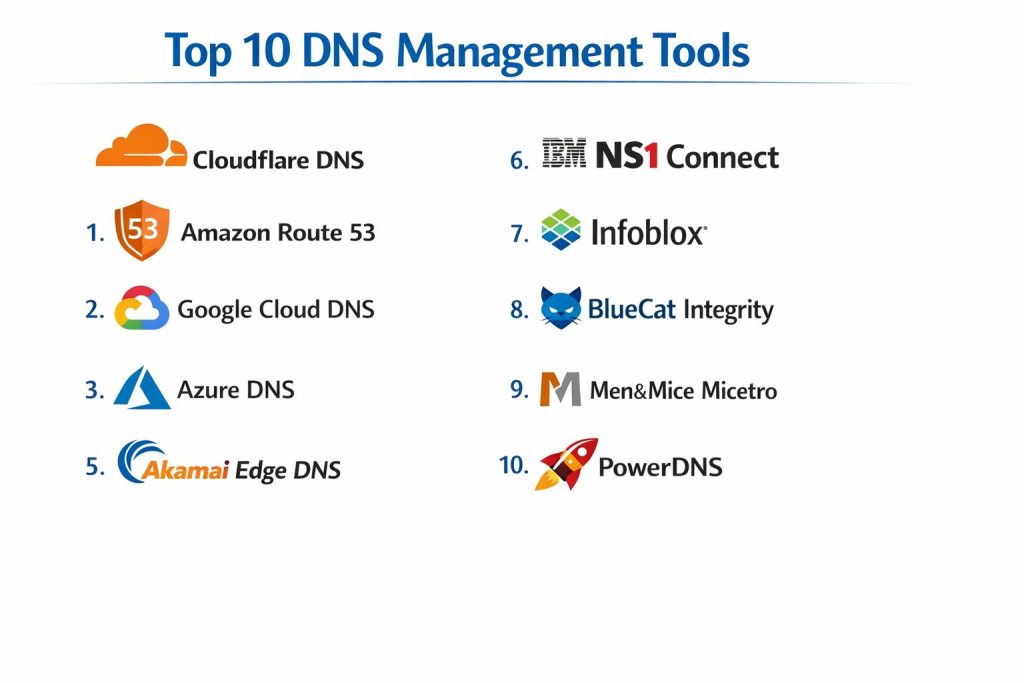
Top 10 DNS Management Tools
1) Cloudflare DNS
A widely used authoritative DNS service with a focus on performance, resilience, and ease of management. Often chosen by teams that want a simple UI plus strong APIs and edge-network benefits.
Key Features
- Authoritative DNS hosting for domains and subdomains
- Fast record editing with common record types supported
- API-first management for automation and pipelines
- Traffic and security capabilities available as part of a broader platform (varies by plan)
- DNS analytics and basic visibility features (varies by plan)
- DNSSEC support (varies by setup)
Pros
- Strong performance and broad adoption for public DNS hosting
- Easy onboarding and friendly UI for day-to-day operations
Cons
- Some advanced enterprise controls depend on plan and contract
- Deep internal DNS and DDI-style needs may require other tools
Platforms / Deployment
- Web
- Cloud
Security & Compliance
- SSO/SAML, MFA, encryption, audit logs, RBAC: Varies / N/A
- SOC 2, ISO 27001, GDPR, HIPAA: Not publicly stated
Integrations & Ecosystem
Commonly integrates with CI/CD workflows and security platforms through APIs and provider tooling.
- API and automation workflows
- Common IaC and DNS automation patterns: Varies / N/A
- Integrations with edge and security services: Varies / N/A
Support & Community
Documentation is strong with a broad user community. Support tiers vary by plan.
2) Amazon Route 53
A cloud-managed authoritative DNS service designed for automation and reliability, commonly used by teams running infrastructure on cloud platforms and needing tight integration with cloud resources.
Key Features
- Hosted zones for authoritative DNS
- Routing policies for traffic steering (policy options vary by use case)
- Health checks and failover patterns (setup dependent)
- API-driven record management suitable for automation
- Private DNS options in cloud environments (varies by configuration)
- DNSSEC support (varies by setup)
Pros
- Strong fit for cloud automation and large-scale operations
- Mature service patterns for routing and failover workflows
Cons
- Best experience typically when your stack is aligned with its ecosystem
- Cost and complexity can grow with many zones and advanced routing features
Platforms / Deployment
- Web
- Cloud
Security & Compliance
- SSO/SAML, MFA, encryption, audit logs, RBAC: Varies / N/A
- SOC 2, ISO 27001, GDPR, HIPAA: Not publicly stated
Integrations & Ecosystem
Commonly used with cloud networking, load balancing, and IaC pipelines.
- API automation and tooling ecosystems
- Infrastructure automation patterns: Varies / N/A
- Integrations across cloud services: Varies / N/A
Support & Community
Strong documentation and a large community. Support depends on your cloud support plan.
3) Google Cloud DNS
A managed authoritative DNS service designed for reliability and automation, often selected by teams using cloud infrastructure and wanting straightforward zone management with API control.
Key Features
- Managed public zones for authoritative DNS
- Private DNS options for internal services (configuration dependent)
- Programmatic management through APIs and automation
- Simple zone and record management at scale
- Logging and visibility options (varies by configuration)
- DNSSEC support (varies by setup)
Pros
- Clean operational model for teams that want managed DNS with automation
- Strong integration potential with cloud-native networking and services
Cons
- Some advanced traffic steering patterns may require additional services
- Best fit is often tied to broader ecosystem alignment
Platforms / Deployment
- Web
- Cloud
Security & Compliance
- SSO/SAML, MFA, encryption, audit logs, RBAC: Varies / N/A
- SOC 2, ISO 27001, GDPR, HIPAA: Not publicly stated
Integrations & Ecosystem
Works well in automated pipelines and cloud operations models.
- API-driven automation
- Common IaC patterns: Varies / N/A
- Ecosystem integrations: Varies / N/A
Support & Community
Documentation is solid, with support tiers depending on your cloud plan.
4) Azure DNS
Overview: A managed authoritative DNS offering designed for teams operating on cloud infrastructure and looking for consistent management patterns with cloud identity and automation workflows.
Key Features
- Public DNS zones and record management
- Private DNS for internal naming patterns (configuration dependent)
- Automation support through APIs and common tooling patterns
- Integration with cloud identity and access management models (varies)
- Record-set management suitable for large environments
- DNSSEC support: Not publicly stated
Pros
- Convenient for teams standardizing on cloud-native tooling
- Good fit for managing public and private DNS in one operational model
Cons
- Some advanced routing and traffic management requires additional components
- Feature depth varies depending on your overall cloud design
Platforms / Deployment
- Web
- Cloud
Security & Compliance
- SSO/SAML, MFA, encryption, audit logs, RBAC: Varies / N/A
- SOC 2, ISO 27001, GDPR, HIPAA: Not publicly stated
Integrations & Ecosystem
Commonly used with cloud networking, identity, and IaC workflows.
- API automation
- IaC patterns: Varies / N/A
- Integrations with cloud services: Varies / N/A
Support & Community
Large community and documentation; enterprise support depends on your plan.
5) Akamai Edge DNS
An enterprise-grade authoritative DNS service often chosen by large organizations that want strong global delivery, resilience, and operational controls across large domain portfolios.
Key Features
- Authoritative DNS designed for global performance and resilience
- Enterprise features for large zone management (varies by contract)
- Traffic steering patterns and advanced routing options (varies)
- Reporting and monitoring capabilities (varies by plan)
- DNS security options and protections (varies by offering)
- DNSSEC support (varies by setup)
Pros
- Strong fit for enterprises with global traffic and strict uptime expectations
- Often supports complex DNS and routing requirements at scale
Cons
- Enterprise pricing and contracting can be complex
- Overkill for small teams with simple DNS needs
Platforms / Deployment
- Web
- Cloud
Security & Compliance
- SSO/SAML, MFA, encryption, audit logs, RBAC: Not publicly stated
- SOC 2, ISO 27001, GDPR, HIPAA: Not publicly stated
Integrations & Ecosystem
Typically integrates with enterprise networking and security operations.
- API and automation: Varies / N/A
- Integrations with edge and security tooling: Varies / N/A
- Enterprise workflow integrations: Varies / N/A
Support & Community
Strong enterprise support options; community size depends on your user base and region.
6) IBM NS1 Connect
A DNS management platform known for traffic steering and automation-friendly workflows, often used by teams that need advanced control over routing decisions and operational safety.
Key Features
- Authoritative DNS hosting and zone management
- Advanced traffic steering and routing logic (capability depends on plan)
- API-first workflows designed for automation
- Monitoring-driven DNS decision patterns (setup dependent)
- Role-based operations for teams managing many domains (varies)
- DNSSEC support (varies by setup)
Pros
- Strong for teams that want programmable traffic steering
- Often fits well in modern, automation-heavy environments
Cons
- Advanced features may increase complexity for small teams
- Best results require clear DNS architecture and operational discipline
Platforms / Deployment
- Web
- Cloud
Security & Compliance
- SSO/SAML, MFA, encryption, audit logs, RBAC: Not publicly stated
- SOC 2, ISO 27001, GDPR, HIPAA: Not publicly stated
Integrations & Ecosystem
Designed to work well with monitoring, automation, and programmable infrastructure patterns.
- API automation workflows
- Integrations with monitoring and traffic systems: Varies / N/A
- IaC patterns: Varies / N/A
Support & Community
Documentation is generally strong. Support options vary by plan and contract.
7) Infoblox
A well-known enterprise DDI-style platform (DNS, DHCP, and IP address management) used by organizations that need centralized control, policy, and governance across large internal networks.
Key Features
- Enterprise DNS with centralized policy and governance
- DHCP and IP address management capabilities (platform dependent)
- Role-based access and operational guardrails (varies by deployment)
- Reporting and visibility for internal DNS operations (varies)
- Automation options through APIs and integrations (varies)
- Integrations with security and network tooling (varies)
Pros
- Strong choice for enterprise internal DNS and governance needs
- Designed for large-scale network operations and control
Cons
- Implementation and licensing can be heavy for smaller teams
- Requires planning and operational maturity to get full value
Platforms / Deployment
- Web / Windows / Linux (varies by edition)
- Cloud / Self-hosted / Hybrid (varies)
Security & Compliance
- SSO/SAML, MFA, encryption, audit logs, RBAC: Not publicly stated
- SOC 2, ISO 27001, GDPR, HIPAA: Not publicly stated
Integrations & Ecosystem
Infoblox commonly sits at the center of enterprise network operations, integrating with security and IT tooling.
- API and automation: Varies / N/A
- Security ecosystem integrations: Varies / N/A
- IT service workflows: Varies / N/A
Support & Community
Enterprise-grade support options are common; community guidance exists but is more enterprise-focused.
8) BlueCat Integrity
An enterprise DNS and IP management platform designed for organizations that need structured change control, governance, and centralized visibility for internal and external DNS operations.
Key Features
- DNS management with governance and workflow controls (varies by setup)
- IP address management functions (platform dependent)
- Change management patterns for safer DNS operations (varies)
- Automation options for repeatable updates (varies)
- Visibility and reporting for operational control (varies)
- Policy-driven access models for large teams (varies)
Pros
- Strong for governance-heavy enterprises and regulated environments
- Useful for reducing risk from manual DNS changes
Cons
- More overhead than lightweight managed DNS services
- Setup and integrations can take time to mature
Platforms / Deployment
- Web / Windows / Linux (varies by edition)
- Cloud / Self-hosted / Hybrid (varies)
Security & Compliance
- SSO/SAML, MFA, encryption, audit logs, RBAC: Not publicly stated
- SOC 2, ISO 27001, GDPR, HIPAA: Not publicly stated
Integrations & Ecosystem
Often integrates into enterprise workflows focused on approvals, automation, and network governance.
- API and automation patterns: Varies / N/A
- Integration with network security and IT tooling: Varies / N/A
- Enterprise change workflows: Varies / N/A
Support & Community
Enterprise support is typical; community size is smaller than mass-market DNS platforms.
9) Men&Mice Micetro
A DNS and IP management solution often used to unify visibility and control across multiple DNS servers and platforms, helpful for teams running mixed environments.
Key Features
- Centralized DNS and IP management visibility across environments (varies)
- Useful for multi-vendor DNS operations and consolidation
- Workflow support for DNS changes and governance patterns (varies)
- Automation and integration options (varies)
- Reporting and inventory-style visibility for IP and DNS assets
- Supports operational consistency across multiple DNS backends (varies)
Pros
- Helpful for teams managing DNS across multiple systems and vendors
- Improves visibility and operational consistency in mixed environments
Cons
- Best value appears in complex environments, not simple setups
- Integration effort depends on your existing DNS landscape
Platforms / Deployment
- Web / Windows / Linux (varies by edition)
- Cloud / Self-hosted / Hybrid (varies)
Security & Compliance
- SSO/SAML, MFA, encryption, audit logs, RBAC: Not publicly stated
- SOC 2, ISO 27001, GDPR, HIPAA: Not publicly stated
Integrations & Ecosystem
Micetro is commonly used as a control layer across multiple DNS systems.
- Multi-vendor DNS management: Varies / N/A
- Automation integrations: Varies / N/A
- Reporting and inventory workflows: Varies / N/A
Support & Community
Support is typically vendor-led with documentation and onboarding resources; community presence varies.
10) PowerDNS
An open-source DNS server ecosystem commonly used by organizations that want more control over authoritative DNS infrastructure and operational customization.
Key Features
- Authoritative DNS server capabilities (setup dependent)
- Flexible backend support for dynamic DNS data sources (varies)
- Strong customization potential for advanced DNS workflows
- Suitable for self-managed DNS environments with engineering support
- Automation-friendly setups when paired with internal tooling (varies)
- Useful for providers and teams building custom DNS platforms
Pros
- High control and flexibility for engineering-driven DNS operations
- Good fit for self-hosted environments and specialized requirements
Cons
- Requires operational expertise and careful management for reliability
- Governance, workflow, and UI capabilities depend on surrounding tooling
Platforms / Deployment
- Linux (others: Varies / N/A)
- Self-hosted
Security & Compliance
- SSO/SAML, MFA, encryption, audit logs, RBAC: Varies / N/A
- SOC 2, ISO 27001, GDPR, HIPAA: Not publicly stated
Integrations & Ecosystem
PowerDNS integrates through configuration, APIs in related components (varies), and custom automation.
- Custom automation and internal tools
- Backend integrations for DNS data: Varies / N/A
- Observability integrations: Varies / N/A
Support & Community
Strong technical community; commercial support options exist but vary by provider and package.
Comparison Table
| Tool Name | Best For | Platform(s) Supported | Deployment | Standout Feature | Public Rating |
|---|---|---|---|---|---|
| Cloudflare DNS | Public authoritative DNS with strong automation | Web | Cloud | Fast, widely adopted DNS management | N/A |
| Amazon Route 53 | Cloud automation and routing patterns | Web | Cloud | Routing policies and health-check workflows | N/A |
| Google Cloud DNS | Managed DNS with API-driven operations | Web | Cloud | Simple, scalable managed zones | N/A |
| Azure DNS | Public and private DNS within cloud operations | Web | Cloud | Cloud-native private DNS patterns | N/A |
| Akamai Edge DNS | Enterprise-scale global DNS reliability | Web | Cloud | Global enterprise delivery and scale | N/A |
| IBM NS1 Connect | Programmable traffic steering | Web | Cloud | Advanced routing logic and automation | N/A |
| Infoblox | Enterprise internal DNS governance and DDI | Varies / N/A | Cloud / Self-hosted / Hybrid | Centralized enterprise network control | N/A |
| BlueCat Integrity | Governance-led DNS and IP operations | Varies / N/A | Cloud / Self-hosted / Hybrid | Change control and structured DNS workflows | N/A |
| Men&Mice Micetro | Unifying multi-vendor DNS operations | Varies / N/A | Cloud / Self-hosted / Hybrid | Centralized control across DNS backends | N/A |
| PowerDNS | Self-managed authoritative DNS flexibility | Linux | Self-hosted | Customizable authoritative DNS platform | N/A |
Evaluation & Scoring of DNS Management Tools
Weights: Core features 25%, Ease of use 15%, Integrations 15%, Security 10%, Performance 10%, Support 10%, Value 15%.
Scores are comparative within this list and reflect typical fit across common DNS operations scenarios.
| Tool Name | Core (25%) | Ease (15%) | Integrations (15%) | Security (10%) | Performance (10%) | Support (10%) | Value (15%) | Weighted Total (0–10) |
|---|---|---|---|---|---|---|---|---|
| Cloudflare DNS | 8.5 | 9.0 | 8.5 | 7.5 | 9.0 | 8.0 | 9.0 | 8.63 |
| Amazon Route 53 | 9.0 | 8.0 | 9.0 | 7.5 | 9.0 | 8.0 | 7.5 | 8.43 |
| Google Cloud DNS | 8.5 | 8.0 | 8.5 | 7.0 | 8.5 | 7.5 | 8.0 | 8.10 |
| Azure DNS | 8.5 | 8.0 | 8.5 | 7.0 | 8.5 | 7.5 | 8.0 | 8.10 |
| Akamai Edge DNS | 9.0 | 7.5 | 8.0 | 7.5 | 9.0 | 8.5 | 6.5 | 8.03 |
| IBM NS1 Connect | 8.5 | 7.5 | 8.5 | 7.0 | 8.5 | 7.5 | 7.0 | 7.93 |
| Infoblox | 9.0 | 7.0 | 8.0 | 8.0 | 8.5 | 8.5 | 6.5 | 7.95 |
| BlueCat Integrity | 8.5 | 7.0 | 7.5 | 8.0 | 8.0 | 8.0 | 6.5 | 7.70 |
| Men&Mice Micetro | 8.0 | 7.5 | 8.0 | 7.5 | 8.0 | 7.5 | 7.0 | 7.70 |
| PowerDNS | 7.5 | 6.5 | 7.5 | 6.5 | 8.0 | 7.0 | 9.0 | 7.45 |
How to interpret these scores:
- A higher total suggests broader strength across typical DNS management needs.
- Ease and value can matter more than advanced features for small teams shipping fast.
- Enterprise platforms often score higher on governance but can cost more in time and setup.
- Self-hosted choices can score high on value, but only if you have operational capacity.
- Use a pilot with your real zones, record volumes, and change workflows to validate fit.
Which DNS Management Tool Is Right for You?
Solo / Freelancer
If you manage a small portfolio of domains and want simple, reliable public DNS, Cloudflare DNS is often easy to adopt, with a clean UI and automation options. If your infrastructure is heavily tied to one cloud provider and you want DNS changes integrated into your deployment workflows, a cloud-native option like Amazon Route 53, Google Cloud DNS, or Azure DNS can reduce friction. If you prefer full control and have engineering comfort with self-hosting, PowerDNS can work well, but only if you can operate it reliably.
SMB
SMBs usually want fast onboarding, clear access controls, and automation. Cloudflare DNS and cloud-native DNS platforms are common choices. If you need traffic steering and stronger routing logic for availability, Amazon Route 53 and IBM NS1 Connect become more relevant. If you are growing quickly and have many internal services, consider whether you need a governance layer such as Men&Mice Micetro to unify visibility across systems.
Mid-Market
Mid-market teams often run mixed environments and need stronger governance without extreme enterprise complexity. IBM NS1 Connect can help where programmable steering and automation are key. If internal DNS governance and IP visibility are pain points, Men&Mice Micetro can unify operations across backends. If you are scaling internal network operations significantly, Infoblox or BlueCat Integrity may be worth evaluating for policy, consistency, and operational safety.
Enterprise
Enterprises typically prioritize governance, auditability, workflow control, and operational resilience. Infoblox and BlueCat Integrity are frequently considered when internal DNS and IP governance must be standardized across many teams. Akamai Edge DNS is often relevant for large public-facing portfolios needing global scale and strict uptime expectations. Many enterprises also adopt a multi-provider DNS approach to reduce single-vendor risk and improve incident resilience.
Budget vs Premium
Budget-first setups often favor Cloudflare DNS or a cloud-native managed DNS service, especially if you already pay for the ecosystem. Premium enterprise setups may justify Akamai Edge DNS, Infoblox, or BlueCat Integrity when governance, scale, and support expectations are strict. PowerDNS can look cost-effective, but it requires operational maturity and monitoring to truly be “cheap” in real life.
Feature Depth vs Ease of Use
If you want the easiest day-to-day DNS changes, managed DNS services tend to win. If you need deeper governance and internal network control, enterprise platforms like Infoblox and BlueCat Integrity usually offer more policy-driven workflows. If you need deep programmability for traffic decisions, IBM NS1 Connect can be a good fit, but it may require stronger operational discipline.
Integrations & Scalability
If your DNS changes happen alongside deployments, prioritize APIs and automation compatibility. Cloud-native DNS platforms typically integrate smoothly into infrastructure pipelines. For mixed environments or multi-provider DNS, Men&Mice Micetro can improve consistency and visibility. For large-scale public DNS portfolios, Akamai Edge DNS can be compelling where global performance and resilience are primary.
Security & Compliance Needs
DNS is a high-impact control plane, so access management and change governance matter. If formal compliance disclosures are not publicly stated, treat them as unknown and validate through procurement. In practice, many organizations rely on RBAC, approval workflows, audit trails, and controlled automation to meet internal security requirements. Enterprises with strict governance often lean toward Infoblox or BlueCat Integrity for structured control and safer operational patterns.
Frequently Asked Questions
1) What is a DNS management tool, and why do I need one?
It centralizes DNS record management, improves reliability, and enables safer changes. It also helps with automation, access control, and operational visibility.
2) Should I use a cloud DNS service or an enterprise DNS platform?
Cloud DNS services are often simpler and faster for public and private zones in cloud environments. Enterprise platforms are better when you need governance, policy, and internal network-wide DNS and IP control.
3) How do teams reduce DNS outage risk?
Use strong access controls, change approvals, and tested rollback steps. Many teams also run health checks and consider multi-provider DNS strategies for critical systems.
4) What should I automate in DNS?
Automate routine record updates, environment-based changes, and validation checks. Keep high-risk changes behind approvals and use dry-run style reviews where possible.
5) What is DNS failover, and when is it useful?
Failover routes traffic away from unhealthy endpoints based on health signals. It is useful for regional outages, maintenance windows, and improving availability during incidents.
6) Do I need private DNS?
If you run internal services and want consistent naming inside your network, private DNS is very helpful. It becomes more important as your internal service count grows.
7) How do I choose between Cloudflare DNS and Amazon Route 53?
Choose based on where your infrastructure lives and what workflows you want. If you want a broad edge platform with easy DNS management, Cloudflare DNS is common. If your deployments and routing logic are tightly cloud-driven, Amazon Route 53 can fit well.
8) When should I consider Infoblox or BlueCat Integrity?
When governance, policy, and internal DNS/IP operations must be standardized across many teams. These tools are commonly evaluated for enterprise-wide network control.
9) Is PowerDNS a good choice for businesses?
It can be, especially for teams that want full control and have strong operational skills. You must invest in monitoring, redundancy, and change processes to keep it reliable.
10) What is the most common reason DNS projects fail?
Lack of process and ownership. DNS changes are often treated as “simple,” but without approvals, testing, and audit trails, a small mistake can cause large outages.
Conclusion
DNS management is not just record editing; it is a reliability and control problem that affects every application and service your users depend on. The right tool depends on your environment, scale, and governance needs. Managed services like Cloudflare DNS and cloud-native options such as Amazon Route 53, Google Cloud DNS, and Azure DNS are strong choices when you want fast setup, automation, and predictable operations. If you need enterprise-wide policy, internal DNS governance, and IP visibility, platforms like Infoblox, BlueCat Integrity, and Men&Mice Micetro can bring structure and safety to complex environments. For teams that want maximum control, PowerDNS can work well, but only with strong operational discipline. Start by shortlisting two or three tools, piloting with real zones and change workflows, validating access control and rollback steps, and then standardizing your DNS operating model.