Introduction
Network Configuration Management tools help you keep device configurations organized, consistent, and recoverable across routers, switches, firewalls, wireless controllers, and other network infrastructure. In plain language, they take backups of running and startup configs, track changes, highlight who changed what, and help you push approved changes safely across many devices.
This category matters because networks change constantly, and small mistakes can cause outages, security gaps, or compliance failures. These tools reduce risk by turning configuration work into a controlled process: detect drift, validate standards, and roll back quickly when something breaks.
Common real-world use cases include: multi-vendor config backups and restore, compliance checks against internal standards, change tracking for audits, mass updates during migrations, and quick recovery after device replacement.
When choosing a tool, evaluate these criteria: device coverage, config backup depth, change detection accuracy, compliance reporting, policy enforcement, workflow approvals, automation safety, vendor integrations, scalability for large environments, and operational visibility.
Best for: network engineers, NOC teams, IT operations, security teams, MSPs, and enterprises managing many network devices across multiple sites.
Not ideal for: very small environments with only a few devices and rare changes; in that case, disciplined manual backups or lightweight automation may be enough.
Key Trends in Network Configuration Management
- More multi-vendor environments, which increases the need for normalized config handling
- Drift detection becoming a must-have for reliability and security
- More automation with guardrails, not blind “push everywhere” changes
- Stronger demand for audit-friendly change trails and approval workflows
- Growing use of source control style practices for network configs
- Integration with ITSM, observability, and incident workflows becoming more common
How We Selected These Tools
- Included tools recognized for configuration backup, change tracking, and compliance reporting
- Balanced traditional NCM suites with automation-first platforms used for config control
- Considered suitability across small teams, mid-sized environments, and large enterprises
- Looked for multi-vendor support signals and practical operational workflows
- Prioritized tools that reduce outage risk with validation, rollbacks, and approvals
- Considered ecosystem strength, support maturity, and real-world adoption patterns
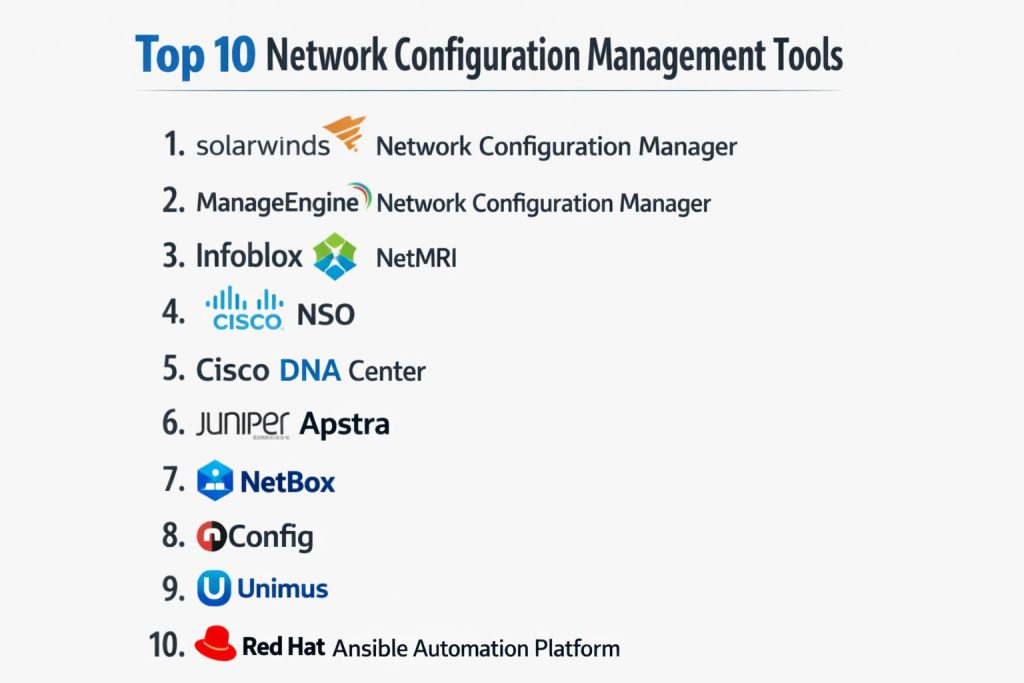
Top 10 Network Configuration Management Tools
1 — SolarWinds Network Configuration Manager
SolarWinds Network Configuration Manager focuses on config backups, change tracking, and compliance checks for network devices. It is commonly used by teams that want a central console for governance and reporting across many devices.
Key Features
- Automated configuration backup with change detection
- Policy and compliance reporting for configuration standards
- Bulk config deployment with controlled workflows
Pros
- Strong reporting and visibility for operational teams
- Practical for large device inventories with repeatable processes
Cons
- Can feel heavy for very small environments
- Best outcomes often require careful setup and tuning
Platforms / Deployment
Windows
Self-hosted
Security & Compliance
Not publicly stated. Availability of SSO, RBAC, audit logs, and encryption: Varies / Not publicly stated.
Integrations & Ecosystem
Typically used alongside monitoring, service management, and alert workflows to connect config changes with incidents.
- IT operations tool integrations: Varies / Not publicly stated
- Exportable reports for audits and reviews
- Extensibility: Varies / Not publicly stated
Support & Community
Established documentation and support options. Community strength varies by customer segment.
2 — ManageEngine Network Configuration Manager
ManageEngine Network Configuration Manager is built for config backup, change management, compliance checks, and multi-vendor device administration. It is often selected by teams that want a structured configuration governance workflow.
Key Features
- Scheduled config backups with version history
- Compliance checks and rule-based drift detection
- Config change workflows with approvals and auditing support
Pros
- Good balance between usability and control
- Works well for teams standardizing configuration processes
Cons
- Some integrations and advanced automation depend on setup
- Reporting depth can vary by environment and device types
Platforms / Deployment
Windows / Linux (Varies / Not publicly stated by deployment choice)
Self-hosted
Security & Compliance
Not publicly stated. Enterprise controls: Varies / Not publicly stated.
Integrations & Ecosystem
Often used with helpdesk, ITSM workflows, and operational reporting.
- Device vendor coverage: Varies / Not publicly stated
- Alerting and ticketing alignment: Varies / Not publicly stated
- API availability: Varies / Not publicly stated
Support & Community
Broad user base and accessible documentation. Support tiers vary.
3 — Infoblox NetMRI
Infoblox NetMRI is designed for network automation tasks focused on configuration, compliance, and change control. It is frequently used where configuration policy, audit trails, and multi-vendor governance are central requirements.
Key Features
- Configuration change tracking with policy compliance checks
- Network automation tasks for controlled updates
- Operational visibility for “what changed” and “why it matters” workflows
Pros
- Strong governance approach for compliance-focused teams
- Useful for multi-vendor environments with many sites
Cons
- May be more than needed for small teams
- Automation success depends on disciplined process design
Platforms / Deployment
Varies / N/A
Self-hosted / Hybrid (Varies / Not publicly stated)
Security & Compliance
Not publicly stated. Compliance certifications and controls: Not publicly stated.
Integrations & Ecosystem
Commonly paired with enterprise network operations processes and reporting workflows.
- Integration options: Varies / Not publicly stated
- APIs and automation hooks: Varies / Not publicly stated
- Reporting export options: Varies / Not publicly stated
Support & Community
Enterprise-oriented support is common. Community footprint varies.
4 — Cisco NSO
Cisco NSO is an orchestration platform used to manage network configuration changes with service models and controlled automation. It is often used in environments where structured automation and configuration consistency are critical.
Key Features
- Model-driven configuration for repeatable service deployment
- Transaction-based changes designed to reduce risk
- Multi-device orchestration with rollback-oriented workflows
Pros
- Strong for standardized services and repeatable configuration patterns
- Fits teams moving toward structured network automation
Cons
- Requires planning, modeling, and skilled implementation
- May be heavy if you only need simple backup and diff
Platforms / Deployment
Linux (Varies / Not publicly stated)
Self-hosted
Security & Compliance
Not publicly stated. Enterprise capabilities depend on environment and configuration.
Integrations & Ecosystem
Often integrated with OSS/BSS, ticketing, and change approval processes in larger orgs.
- Automation ecosystem alignment: Varies / Not publicly stated
- API-driven orchestration patterns
- Vendor coverage depends on device models and adapters: Varies / Not publicly stated
Support & Community
Strong enterprise support availability. Community resources vary by use case.
5 — Cisco DNA Center
Cisco DNA Center is commonly used to manage and automate configuration and policy within Cisco-centric campus networks. It can support configuration consistency and operational workflows where centralized control is preferred.
Key Features
- Centralized policy and configuration workflows for supported devices
- Automation for provisioning and standardization processes
- Operational visibility tied to network intent and changes
Pros
- Strong fit for Cisco-focused environments
- Helps standardize deployments across many sites
Cons
- Best fit is typically within a Cisco-centric ecosystem
- Not a general-purpose multi-vendor config manager for all needs
Platforms / Deployment
Varies / N/A
Hybrid / Self-hosted (Varies / Not publicly stated)
Security & Compliance
Not publicly stated.
Integrations & Ecosystem
Often used with broader network operations workflows where Cisco device coverage is central.
- Ecosystem alignment: Varies / Not publicly stated
- API availability: Varies / Not publicly stated
- Integrations depend on environment: Varies / Not publicly stated
Support & Community
Vendor documentation is typically available. Support experience varies by contract.
6 — Juniper Apstra
Juniper Apstra focuses on intent-based network operations and configuration governance, especially in data center-style environments. It is used where consistency, drift detection, and controlled changes are essential.
Key Features
- Intent-based configuration and validation workflows
- Drift detection with policy-driven governance
- Change control approach designed to reduce operational risk
Pros
- Strong for standardized data center operations
- Helps teams keep configurations aligned to desired state
Cons
- Best value often comes with a well-defined architecture approach
- Fit depends on network scope and device strategy
Platforms / Deployment
Varies / N/A
Self-hosted / Hybrid (Varies / Not publicly stated)
Security & Compliance
Not publicly stated.
Integrations & Ecosystem
Often used as part of a broader data center operations approach with validation and assurance steps.
- Integrations: Varies / Not publicly stated
- Automation hooks: Varies / Not publicly stated
- Export and reporting: Varies / Not publicly stated
Support & Community
Enterprise support is typical. Community resources vary by adoption.
7 — NetBox
NetBox is widely used as a source of truth for network inventory and IP address management, and it can support configuration governance when paired with automation workflows. It is especially valuable when teams want structured data about devices and connections.
Key Features
- Structured inventory and relationships for network assets
- IP address management and documentation governance
- API-first approach for automation-driven configuration workflows
Pros
- Excellent foundation for standardizing network data and workflows
- Strong for teams adopting automation and source-of-truth practices
Cons
- Not a full NCM suite by itself for backups and compliance reporting
- Requires integration with automation to become config-management complete
Platforms / Deployment
Windows / macOS / Linux (Varies / N/A depending on deployment)
Self-hosted
Security & Compliance
Not publicly stated.
Integrations & Ecosystem
Often used with automation tools and operational scripts to drive configuration changes consistently.
- API-driven integrations with automation platforms
- Works well with configuration pipelines: Varies / Not publicly stated
- Extensibility through plugins: Varies / Not publicly stated
Support & Community
Strong community and documentation. Commercial support: Varies / Not publicly stated.
8 — rConfig
rConfig is a configuration management tool often used for config backups, versioning, and change tracking. It is typically selected by teams that want a straightforward approach without a large enterprise suite.
Key Features
- Automated configuration backup and version history
- Change tracking and basic diff visibility
- Device grouping and operational workflows for repeatable tasks
Pros
- Practical starting point for basic NCM needs
- Useful for teams standardizing backups and change visibility
Cons
- Advanced compliance features may be limited by setup
- Ecosystem depth may be smaller than larger suites
Platforms / Deployment
Linux (Varies / N/A)
Self-hosted
Security & Compliance
Not publicly stated.
Integrations & Ecosystem
Often paired with scripts, ticketing workflows, or external reporting depending on the team.
- Integration options: Varies / Not publicly stated
- Automation add-ons: Varies / Not publicly stated
- Reporting depth: Varies / Not publicly stated
Support & Community
Community resources vary. Support options depend on edition and vendor terms.
9 — Unimus
Unimus is a network management tool commonly used for configuration backup, change monitoring, and automated tasks across network devices. It is often chosen by teams that want a simpler, focused configuration platform.
Key Features
- Automated configuration backups and change monitoring
- Bulk configuration changes with safer targeting controls
- Device inventory and configuration search capabilities
Pros
- Focused on practical day-to-day network configuration operations
- Useful for teams that want fast time-to-value
Cons
- Deep enterprise compliance claims: Not publicly stated
- Advanced integrations depend on environment and usage patterns
Platforms / Deployment
Windows / Linux (Varies / Not publicly stated)
Self-hosted
Security & Compliance
Not publicly stated.
Integrations & Ecosystem
Often used with existing network operations processes and internal scripts.
- API availability: Varies / Not publicly stated
- Export/reporting support: Varies / Not publicly stated
- Automation fit depends on team maturity: Varies / Not publicly stated
Support & Community
Documentation is typically available. Community size varies compared to larger platforms.
10 — Red Hat Ansible Automation Platform
Red Hat Ansible Automation Platform is frequently used to manage network configuration changes through automation and playbooks. It fits teams that want repeatable changes, controlled execution, and scalable automation with governance patterns.
Key Features
- Automation workflows for pushing consistent network configs
- Inventory and role-based execution patterns for safer changes
- Extensible approach to multi-vendor network tasks (Varies / Not publicly stated)
Pros
- Strong for repeatable changes and reducing manual error
- Good fit for teams building automation standards across environments
Cons
- Requires discipline in playbook design and testing
- Not a “single console NCM” unless paired with backup and compliance tooling
Platforms / Deployment
Linux (Varies / N/A)
Self-hosted / Hybrid (Varies / Not publicly stated)
Security & Compliance
Not publicly stated. Security capabilities depend on deployment and configuration.
Integrations & Ecosystem
Often paired with source control practices, CI workflows, and operational approvals for controlled changes.
- Automation ecosystem integrations: Varies / Not publicly stated
- Supports structured execution patterns for governance
- Extensibility depends on modules and collections: Varies / Not publicly stated
Support & Community
Strong ecosystem and training availability. Support varies by subscription.
Comparison Table
| Tool Name | Best For | Platform(s) Supported | Deployment | Standout Feature | Public Rating |
|---|---|---|---|---|---|
| SolarWinds Network Configuration Manager | Large device inventories needing governance | Windows | Self-hosted | Compliance reporting and change tracking | N/A |
| ManageEngine Network Configuration Manager | Structured config workflows and control | Windows / Linux (Varies / N/A) | Self-hosted | Backup plus compliance checks | N/A |
| Infoblox NetMRI | Policy-driven configuration governance | Varies / N/A | Self-hosted / Hybrid (Varies / N/A) | Compliance-focused automation patterns | N/A |
| Cisco NSO | Model-driven orchestration at scale | Linux (Varies / N/A) | Self-hosted | Transaction-based config orchestration | N/A |
| Cisco DNA Center | Cisco-centric campus standardization | Varies / N/A | Hybrid / Self-hosted (Varies / N/A) | Centralized policy-driven workflows | N/A |
| Juniper Apstra | Intent-based DC config governance | Varies / N/A | Self-hosted / Hybrid (Varies / N/A) | Drift detection with intent validation | N/A |
| NetBox | Source of truth for automation-driven ops | Windows / macOS / Linux (Varies / N/A) | Self-hosted | Structured network data model | N/A |
| rConfig | Basic NCM backups and visibility | Linux (Varies / N/A) | Self-hosted | Simple backup and diff workflows | N/A |
| Unimus | Practical backup and change monitoring | Windows / Linux (Varies / N/A) | Self-hosted | Fast time-to-value for NCM | N/A |
| Red Hat Ansible Automation Platform | Repeatable config change automation | Linux (Varies / N/A) | Self-hosted / Hybrid (Varies / N/A) | Scalable automation with governance | N/A |
Evaluation & Scoring of Network Configuration Management Tools
This scoring model is a comparative shortlist aid, not a public rating. Use it to narrow options, then validate with a pilot on real devices and real change scenarios. If your environment is mostly single-vendor, you may score vendor-native tools higher on fit. If you are highly multi-vendor, interoperability and normalization matter more. Security scores reflect enterprise expectations, but many product details are not publicly stated, so environment controls remain important. Weighted totals help compare trade-offs across different priorities.
Weights used
Core features 25%
Ease of use 15%
Integrations and ecosystem 15%
Security and compliance 10%
Performance and reliability 10%
Support and community 10%
Price and value 15%
| Tool Name | Core (25%) | Ease (15%) | Integrations (15%) | Security (10%) | Performance (10%) | Support (10%) | Value (15%) | Weighted Total (0–10) |
|---|---|---|---|---|---|---|---|---|
| SolarWinds Network Configuration Manager | 9 | 7 | 7 | 5 | 7 | 7 | 6 | 7.2 |
| ManageEngine Network Configuration Manager | 8 | 7 | 7 | 5 | 7 | 7 | 7 | 7.1 |
| Infoblox NetMRI | 8 | 6 | 7 | 5 | 7 | 6 | 6 | 6.7 |
| Cisco NSO | 9 | 5 | 8 | 5 | 8 | 6 | 5 | 6.9 |
| Cisco DNA Center | 7 | 6 | 6 | 5 | 7 | 6 | 5 | 6.2 |
| Juniper Apstra | 8 | 6 | 6 | 5 | 7 | 6 | 5 | 6.4 |
| NetBox | 6 | 6 | 8 | 5 | 7 | 7 | 9 | 6.9 |
| rConfig | 6 | 6 | 5 | 4 | 6 | 5 | 8 | 5.9 |
| Unimus | 7 | 7 | 5 | 4 | 7 | 5 | 8 | 6.4 |
| Red Hat Ansible Automation Platform | 8 | 6 | 8 | 5 | 8 | 7 | 6 | 7.2 |
Which Network Configuration Management Tool Is Right for You
Solo / Freelancer
If you manage a few sites or lab networks, prioritize simplicity and fast backups. Unimus or rConfig can be practical for basic backup and change visibility. If you are building automation skills, NetBox plus Ansible-style workflows can become a strong long-term approach, but it requires more setup discipline.
SMB
Most SMB teams benefit from an NCM that does backups, diffs, and compliance checks without heavy engineering. ManageEngine Network Configuration Manager is often a solid “structured but approachable” option. SolarWinds Network Configuration Manager fits if you want strong reporting and you have a larger device footprint.
Mid-Market
Mid-market teams usually need governance, approvals, and repeatable multi-site workflows. SolarWinds Network Configuration Manager, ManageEngine Network Configuration Manager, and Infoblox NetMRI can fit well when you must show audit-ready change trails and compliance reporting. If you are moving toward automation, add Red Hat Ansible Automation Platform for controlled change execution.
Enterprise
Enterprises often separate “backup and compliance” from “orchestration and intent.” Cisco NSO and Juniper Apstra are strong when you want standardized configuration services and controlled orchestration. SolarWinds Network Configuration Manager, Infoblox NetMRI, or ManageEngine Network Configuration Manager can support governance and reporting. If your environment is vendor-centered, Cisco DNA Center can be valuable for standardization where it fits.
Budget vs Premium
Budget-first teams usually start with rConfig or Unimus for backup and change visibility, then add automation later. Premium enterprise approaches lean toward orchestration platforms such as Cisco NSO or Juniper Apstra, supported by governance and reporting tools.
Feature Depth vs Ease of Use
For deep governance and reporting, SolarWinds Network Configuration Manager and Infoblox NetMRI are strong candidates. For easier adoption, ManageEngine Network Configuration Manager often feels simpler for day-to-day operations. For automation depth, Red Hat Ansible Automation Platform is powerful but needs testing discipline.
Integrations & Scalability
If you need tight workflows with tickets and change approvals, prioritize tools that fit your operations model and can export audit-friendly change trails. Automation platforms scale well when you standardize inventories and templates, which is where NetBox and Ansible-style workflows can help.
Security & Compliance Needs
If you must satisfy strict audit requirements, focus on change trails, approvals, separation of duties, and controlled access to configuration push actions. Many compliance details are not publicly stated at the product level, so enforce identity and storage controls in your environment.
Frequently Asked Questions (FAQs)
1. What does network configuration management actually cover
It usually covers config backups, change detection, compliance checks, and controlled rollout of approved changes. It also helps with fast recovery when a device fails or a config change causes downtime.
2. Why are config backups not enough by themselves
Backups help restore, but they do not prevent drift or enforce standards. Change tracking and compliance checks reduce the chance of repeated mistakes and hidden risk.
3. How do I choose between an NCM suite and an automation platform
If you need immediate governance and reporting, start with an NCM suite. If you want repeatable change execution at scale, use an automation platform, often alongside backup and audit tooling.
4. What is configuration drift and why is it risky
Drift happens when devices no longer match the approved standard due to manual edits or inconsistent rollouts. It can create outages, security gaps, and troubleshooting delays.
5. How should teams handle approvals and change windows
Use a standard workflow: propose change, review, schedule, implement with a controlled push, validate, and keep a rollback plan. Tools help, but process discipline matters most.
6. Can these tools support multi-vendor networks
Many aim to, but coverage varies by device type and feature depth. Always validate with a pilot using your actual hardware and config patterns.
7. What data should be included in audit trails
At minimum, who changed what, when it changed, what the previous state was, and how it was approved. Exportable reports are useful for reviews and compliance checks.
8. What is the safest way to roll out config changes at scale
Use staged deployment: test on a small set, validate, then expand gradually. Keep pre-change backups and define rollback steps before pushing changes broadly.
9. How do I measure success after implementing an NCM tool
Track reduced outage frequency from config errors, faster recovery time, fewer unapproved changes, and improved consistency across sites. Also measure how quickly audits can be answered.
10. What should I pilot before committing to a tool
Test backups, diff accuracy, compliance checks, bulk changes on a subset, rollback reliability, and how well the tool fits your daily workflows and ticketing process.
Conclusion
Network Configuration Management is about reducing risk and making configuration work repeatable, auditable, and recoverable. The right tool depends on your device mix, team maturity, and how formal your change process needs to be. Suites like SolarWinds Network Configuration Manager and ManageEngine Network Configuration Manager focus on backups, diffs, and compliance reporting, while platforms like Cisco NSO and Juniper Apstra emphasize controlled orchestration and intent-style governance where they fit. NetBox and Red Hat Ansible Automation Platform are strong for teams building structured automation over time. Your best next step is to shortlist two or three tools, run a pilot on real devices, validate change workflows and rollback safety, and confirm that reporting matches your operational and audit needs.