Introduction
Network monitoring tools help you see what is happening across your network in near real time. In simple terms, they watch devices, links, interfaces, traffic flows, and key services so you can detect outages, slowdowns, and unusual behavior before users complain. A good tool turns raw signals (latency, packet loss, bandwidth, errors, device health) into clear alerts and actionable troubleshooting steps.
Common use cases include keeping branch connectivity stable, tracking WAN and ISP performance, monitoring data center switches and routers, validating cloud connectivity, and catching misconfigurations that cause intermittent issues. Buyers should evaluate coverage (SNMP, flows, synthetic tests), alert quality (noise control), dashboards, device discovery, scalability, integrations, security controls, reporting, and operational fit with existing IT workflows.
Best for: network engineers, IT operations teams, SRE teams, managed service providers, and businesses that depend on stable connectivity for apps, VoIP, VPN, and cloud access.
Not ideal for: very small environments with only a few devices and no uptime requirements, or teams that only need basic ping checks without deeper visibility.
Key Trends in Network Monitoring Tools
- More hybrid visibility across on-prem, cloud, and remote user paths
- Better noise reduction using smarter thresholds and dependency mapping
- Wider use of flow and path data to diagnose “slow but not down” incidents
- Higher expectations for quick setup through templates and auto-discovery
- Stronger integration with incident workflows and team collaboration tools
- Greater focus on auditability, access control, and role separation in operations
How We Selected These Tools
- Chosen based on broad recognition, real-world adoption, and long-term credibility
- Prioritized tools that cover core monitoring needs beyond simple uptime checks
- Considered scalability signals for mid-sized to large environments
- Evaluated alerting maturity, dashboard clarity, and troubleshooting usefulness
- Included a balanced mix of enterprise platforms, SMB-friendly options, and open-source choices
- Avoided guessing certifications or public ratings when not clearly known
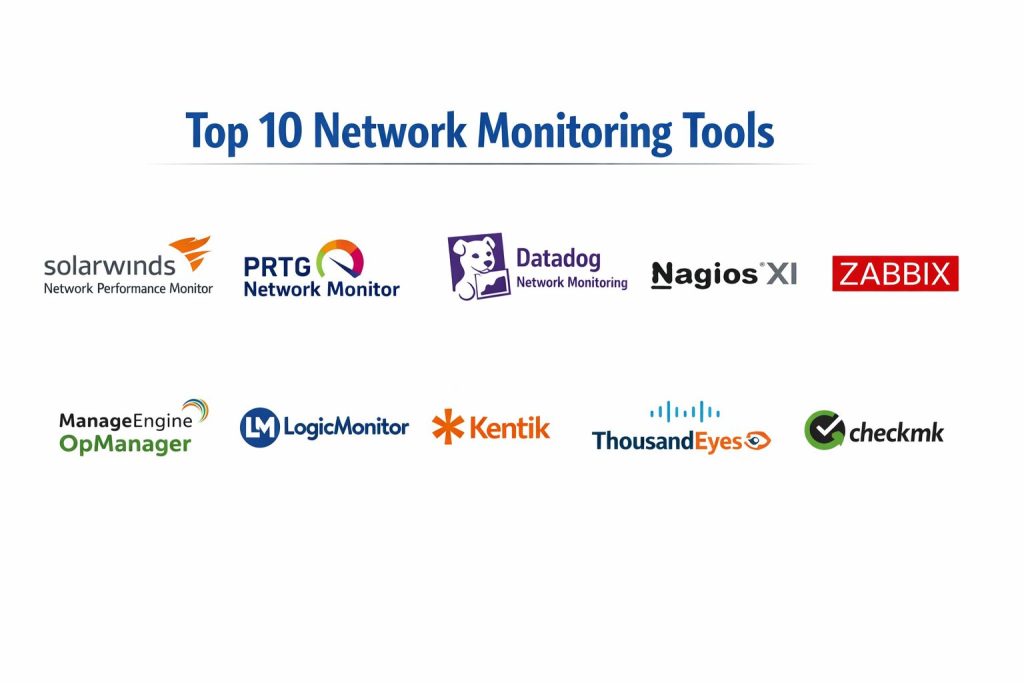
Top 10 Network Monitoring Tools
1 — SolarWinds Network Performance Monitor
SolarWinds Network Performance Monitor is a network-focused platform for device and interface monitoring, alerting, and troubleshooting. It suits teams that want strong SNMP-based visibility with clear dashboards and operational reporting.
Key Features
- Device and interface monitoring with health and performance baselines
- Configurable alerting and escalation patterns
- Network maps and dependency-style views (Varies / N/A by setup)
- Reporting for capacity and availability tracking
Pros
- Strong for traditional network device monitoring at scale
- Useful dashboards and reporting for operations
Cons
- Setup and ongoing tuning can take time in complex environments
- Feature depth may depend on module choices and deployment design
Platforms / Deployment
Varies / N/A
Self-hosted
Security & Compliance
Not publicly stated
Integrations & Ecosystem
Often used alongside ITSM and monitoring stacks where network alerts must create tickets and route to teams.
- Integrations: Varies / N/A
- Extensibility: Varies / N/A
Support & Community
Documentation and support options vary by plan. Community and ecosystem presence is strong.
2 — PRTG Network Monitor
PRTG Network Monitor is known for fast time-to-value and an approachable monitoring model using sensors. It works well for SMB and mid-sized teams that want broad coverage without heavy platform complexity.
Key Features
- Sensor-based monitoring for devices, interfaces, and services
- Flexible alerting with thresholds and notification rules
- Dashboards and maps for shared visibility
- Reports for uptime and performance summaries
Pros
- Straightforward to deploy and expand
- Good breadth for mixed network and service checks
Cons
- Large environments may need careful sensor planning
- Some advanced workflows can require careful tuning
Platforms / Deployment
Varies / N/A
Self-hosted (Varies / N/A)
Security & Compliance
Not publicly stated
Integrations & Ecosystem
PRTG commonly fits environments where teams want monitoring plus practical notifications.
- Common handoffs to ticketing: Varies / N/A
- APIs and automation: Varies / N/A
Support & Community
Strong user community and accessible documentation. Support varies by plan.
3 — Datadog Network Monitoring
Datadog Network Monitoring is typically used when teams want network visibility alongside infrastructure and application monitoring. It suits cloud-first and hybrid teams that value unified dashboards and correlation across layers.
Key Features
- Host and network telemetry correlation (Varies / N/A by setup)
- Network maps and service communication views (Varies / N/A)
- Alerting and tagging for operational routing
- Broad ecosystem alignment with observability workflows
Pros
- Strong correlation when used as part of a wider monitoring stack
- Good fit for hybrid and dynamic environments
Cons
- Cost and complexity can grow with scale and data volume
- Some network teams may still want deeper device-native workflows
Platforms / Deployment
Varies / N/A
Cloud
Security & Compliance
Not publicly stated
Integrations & Ecosystem
Often integrates well where teams standardize on one observability platform across infra, apps, and logs.
- Integrations: Varies / N/A
- Automation: Varies / N/A
Support & Community
Documentation is generally strong. Support tiers vary by plan.
4 — Nagios XI
Nagios XI is a configurable monitoring platform commonly used for uptime checks and infrastructure monitoring. It fits teams that want flexibility and are comfortable operating and customizing a monitoring server.
Key Features
- Plugin-driven checks for network and infrastructure monitoring
- Flexible alerting and notification design
- Dashboards and reporting for operational oversight
- Custom check development via plugins (Varies / N/A)
Pros
- Highly customizable through plugins
- Practical for teams with strong internal monitoring skills
Cons
- Can require more manual setup and maintenance
- User experience may feel less modern than newer platforms
Platforms / Deployment
Varies / N/A
Self-hosted
Security & Compliance
Not publicly stated
Integrations & Ecosystem
Commonly paired with ticketing and messaging workflows depending on how teams run operations.
- Plugins and integrations: Varies / N/A
- Extensibility: Plugin-driven
Support & Community
Community knowledge is broad. Support depends on subscription level.
5 — Zabbix
Zabbix is a widely used open-source monitoring platform that can cover networks, servers, and services. It suits teams that want control, customization, and strong capabilities without vendor lock-in.
Key Features
- Device and interface monitoring with flexible templates
- Alerting with triggers, dependencies, and escalation logic
- Dashboards and reporting for operations
- Extensible collection methods (Varies / N/A)
Pros
- Strong capabilities with high flexibility
- Good value for teams that can run and tune it well
Cons
- Requires effort for tuning, templates, and operational hygiene
- Initial setup can feel complex for smaller teams
Platforms / Deployment
Varies / N/A
Self-hosted
Security & Compliance
Not publicly stated
Integrations & Ecosystem
Often integrated via scripts, APIs, and standard operational tooling depending on team maturity.
- Integrations: Varies / N/A
- Automation: Varies / N/A
Support & Community
Large global community and extensive documentation. Professional support options vary.
6 — ManageEngine OpManager
ManageEngine OpManager is a network monitoring platform aimed at practical operations for enterprises and mid-sized environments. It focuses on device monitoring, alerting, and troubleshooting workflows.
Key Features
- Network device and interface monitoring
- Alerting, escalation, and operational reporting
- Dashboards for NOC-style visibility
- Capacity and availability tracking reports
Pros
- Practical feature set for common network operations
- Good balance of usability and coverage
Cons
- Complex environments still require tuning and thoughtful thresholds
- Some advanced needs may require add-ons or related modules
Platforms / Deployment
Varies / N/A
Self-hosted
Security & Compliance
Not publicly stated
Integrations & Ecosystem
Typically used in environments where alerts should route to IT operations and ticketing workflows.
- Integrations: Varies / N/A
- Extensibility: Varies / N/A
Support & Community
Documentation and support vary by plan. Community presence is moderate to strong.
7 — LogicMonitor
LogicMonitor is a monitoring platform often selected for simplified operations across hybrid infrastructure. It fits teams that want faster onboarding and broad coverage with less self-hosted maintenance.
Key Features
- Automated discovery and monitoring templates (Varies / N/A)
- Unified dashboards for network and infrastructure visibility
- Alerting with tuning and routing workflows
- Reporting for availability and capacity planning
Pros
- Good onboarding experience for many environments
- Useful for hybrid infrastructure visibility
Cons
- Pricing and scaling can vary by usage and scope
- Deep customization may require platform expertise
Platforms / Deployment
Varies / N/A
Cloud
Security & Compliance
Not publicly stated
Integrations & Ecosystem
Often used with ticketing and collaboration tooling to operationalize alerts.
- Integrations: Varies / N/A
- APIs and automation: Varies / N/A
Support & Community
Support and onboarding options vary by plan. Community is active but smaller than open-source ecosystems.
8 — Kentik
Kentik is commonly associated with network observability and traffic-focused monitoring. It suits teams that need deeper visibility into network flows, traffic patterns, and performance behavior across WAN and cloud.
Key Features
- Traffic visibility and flow analytics (Varies / N/A)
- Performance views for network paths and capacity decisions
- Alerting for abnormal traffic behavior (Varies / N/A)
- Useful dashboards for network planning and investigation
Pros
- Strong for understanding traffic and network behavior
- Helpful for capacity planning and anomaly investigation
Cons
- May be too specialized if you only need basic device health checks
- Best value appears when teams actively use flow analytics
Platforms / Deployment
Varies / N/A
Cloud (Varies / N/A)
Security & Compliance
Not publicly stated
Integrations & Ecosystem
Often paired with device monitoring tools when teams want both health and traffic intelligence.
- Integrations: Varies / N/A
- Ecosystem fit: Strong in network operations workflows
Support & Community
Support options vary. Community knowledge is more specialized.
9 — Cisco ThousandEyes
Cisco ThousandEyes is focused on monitoring the user-to-service path, including ISP and internet performance visibility. It suits teams that need to prove where the problem is when outages involve networks outside their direct control.
Key Features
- Path visibility and performance testing (Varies / N/A)
- Monitoring for internet and external dependency issues
- Dashboards for experience and reachability investigation
- Useful evidence for provider escalation workflows
Pros
- Strong for diagnosing “internet path” problems and external dependencies
- Helps reduce blame games between internal teams and providers
Cons
- Not a full replacement for device-level network monitoring
- Value depends on how often external path issues affect your services
Platforms / Deployment
Varies / N/A
Cloud
Security & Compliance
Not publicly stated
Integrations & Ecosystem
Often used with incident management workflows to attach evidence during outages.
- Integrations: Varies / N/A
- Automation: Varies / N/A
Support & Community
Documentation is typically solid. Support varies by agreement.
10 — Checkmk
Checkmk is a monitoring platform used for infrastructure and network monitoring with a focus on efficient operations. It suits teams that want strong monitoring coverage with a structured approach to checks and alerting.
Key Features
- Device and service monitoring with templates (Varies / N/A)
- Alerting and dashboards for operations
- Reporting for uptime and performance summaries
- Extensible checks depending on environment
Pros
- Good balance of depth and operational control
- Often effective for mixed infrastructure estates
Cons
- Setup and tuning still require monitoring discipline
- Some capabilities depend on edition and configuration
Platforms / Deployment
Varies / N/A
Self-hosted (Varies / N/A)
Security & Compliance
Not publicly stated
Integrations & Ecosystem
Commonly integrated into IT operations workflows with routing to tickets and team notifications.
- Integrations: Varies / N/A
- Automation: Varies / N/A
Support & Community
Community and documentation are generally solid. Support depends on edition and plan.
Comparison Table
| Tool Name | Best For | Platform(s) Supported | Deployment | Standout Feature | Public Rating |
|---|---|---|---|---|---|
| SolarWinds Network Performance Monitor | Network device monitoring at scale | Varies / N/A | Self-hosted | Strong SNMP-based operations views | N/A |
| PRTG Network Monitor | Fast setup for SMB and mid-sized IT | Varies / N/A | Self-hosted (Varies / N/A) | Sensor-based coverage model | N/A |
| Datadog Network Monitoring | Unified network plus observability | Varies / N/A | Cloud | Cross-layer correlation | N/A |
| Nagios XI | Plugin-driven customizable monitoring | Varies / N/A | Self-hosted | Flexible check ecosystem | N/A |
| Zabbix | Open-source control and flexibility | Varies / N/A | Self-hosted | Templates and extensibility | N/A |
| ManageEngine OpManager | Practical network ops monitoring | Varies / N/A | Self-hosted | Operations-friendly dashboards | N/A |
| LogicMonitor | Hybrid monitoring with simpler ops | Varies / N/A | Cloud | Faster onboarding patterns | N/A |
| Kentik | Traffic and flow-focused visibility | Varies / N/A | Cloud (Varies / N/A) | Network traffic intelligence | N/A |
| Cisco ThousandEyes | Internet path and external dependency visibility | Varies / N/A | Cloud | Path evidence for escalations | N/A |
| Checkmk | Structured monitoring across estates | Varies / N/A | Self-hosted (Varies / N/A) | Efficient operations approach | N/A |
Evaluation & Scoring of Network Monitoring Tools
This scoring is a comparative framework to help shortlist tools. It reflects relative fit across common network monitoring needs, not an absolute measure of quality. A higher score usually means the tool is easier to adopt broadly across scenarios, but a lower score can still be the best choice for a specialized use case. Use the weighted total to narrow options, then validate with a pilot using real devices, real links, and your actual alerting standards.
Weights used
Core features 25%
Ease of use 15%
Integrations and ecosystem 15%
Security and compliance 10%
Performance and reliability 10%
Support and community 10%
Price and value 15%
| Tool Name | Core (25%) | Ease (15%) | Integrations (15%) | Security (10%) | Performance (10%) | Support (10%) | Value (15%) | Weighted Total (0–10) |
|---|---|---|---|---|---|---|---|---|
| SolarWinds Network Performance Monitor | 9 | 7 | 8 | 6 | 8 | 7 | 6 | 7.50 |
| PRTG Network Monitor | 8 | 8 | 7 | 6 | 7 | 7 | 7 | 7.30 |
| Datadog Network Monitoring | 8 | 8 | 9 | 7 | 8 | 8 | 7 | 7.90 |
| Nagios XI | 7 | 6 | 7 | 5 | 7 | 7 | 7 | 6.65 |
| Zabbix | 8 | 6 | 7 | 5 | 7 | 7 | 9 | 7.20 |
| ManageEngine OpManager | 8 | 7 | 7 | 6 | 7 | 7 | 7 | 7.15 |
| LogicMonitor | 8 | 8 | 8 | 7 | 8 | 8 | 6 | 7.60 |
| Kentik | 7 | 7 | 8 | 6 | 8 | 7 | 6 | 7.00 |
| Cisco ThousandEyes | 7 | 7 | 8 | 7 | 8 | 7 | 6 | 7.10 |
| Checkmk | 7 | 7 | 7 | 5 | 7 | 7 | 8 | 6.95 |
Which Network Monitoring Tool Is Right for You
Solo / Freelancer
If you manage a small environment or offer light monitoring services, choose something that is quick to deploy and easy to explain to clients. PRTG Network Monitor and Checkmk can be practical starting points, while Zabbix is strong if you want flexibility and are comfortable operating it.
SMB
SMBs usually want fast setup, simple dashboards, and reliable alerting without heavy platform work. PRTG Network Monitor and ManageEngine OpManager are often a good fit. If you also want broader infrastructure monitoring, Zabbix can work well with proper templates and disciplined tuning.
Mid-Market
Mid-market teams often need scale plus clean alert routing across teams. SolarWinds Network Performance Monitor and LogicMonitor fit many mid-market operations, while Datadog Network Monitoring is attractive when teams want network visibility tied to broader observability signals.
Enterprise
Enterprises usually need consistent operations, cross-team dashboards, and strong workflow integration. SolarWinds Network Performance Monitor can be strong for device-centric operations, while LogicMonitor and Datadog Network Monitoring can help unify views across hybrid estates. Cisco ThousandEyes adds high value when external path issues and provider escalation are frequent.
Budget vs Premium
For budget-focused environments, Zabbix and Checkmk can deliver strong value if you can run and tune them well. Premium platforms can reduce operational burden, but you should validate scale pricing, alerting noise controls, and team adoption speed.
Feature Depth vs Ease of Use
If ease of use is top priority, PRTG Network Monitor and LogicMonitor are often easier to operationalize. If feature depth and customization matter more, Zabbix and Nagios XI can fit better for teams that want control and have the skills to maintain it.
Integrations and Scalability
If you need clean handoffs into incident workflows, prioritize tools that integrate well with tickets and on-call processes, even if details vary by setup. Datadog Network Monitoring, LogicMonitor, and SolarWinds Network Performance Monitor often fit environments where escalation paths and ownership boundaries matter.
Security and Compliance Needs
Many details are not publicly stated at the tool level, and network monitoring security often depends on how you deploy it. Focus on role-based access, logging, separation of duties, and controlled data access through your infrastructure and operational policies.
Frequently Asked Questions
1. What is the simplest way to start network monitoring
Start with device discovery, basic availability, and interface utilization. Then add alerts for packet loss, latency, and error rates once you confirm baselines.
2. How do I reduce alert noise
Use dependencies, maintenance windows, and threshold tuning. Alert on what impacts users, not every minor metric change.
3. Do I need flow monitoring or is SNMP enough
SNMP is great for health and utilization. Flow data helps explain who is using bandwidth and why performance degrades during peak times.
4. How long does implementation usually take
Small setups can be quick, but meaningful monitoring takes longer because thresholds, ownership, and escalation rules must be tuned to your environment.
5. What should I monitor first for the fastest impact
Uptime, interface errors, WAN latency, packet loss, and core device CPU and memory. These usually reveal the biggest sources of incident impact.
6. Can one tool cover data center, cloud, and remote branches
Some tools can, but coverage varies by deployment and integrations. Many teams use one primary tool plus a specialized tool for traffic or path monitoring.
7. How do I validate a tool before buying
Run a pilot on real devices and real links. Validate alert quality, dashboard clarity, troubleshooting speed, and how easily it fits your incident process.
8. What is the most common reason monitoring projects fail
Teams collect too many metrics without ownership rules. Monitoring succeeds when alerts map to actions and responsible teams.
9. When does Cisco ThousandEyes add the most value
When internet path issues and external dependencies cause outages and you need evidence to escalate with providers or explain user experience problems.
10. What is a practical shortlist approach
Pick two or three tools that match your environment, then pilot them using the same devices and the same success criteria: detection speed, noise level, and troubleshooting clarity.
Conclusion
Network monitoring works best when it fits your real operational workflow, not just your feature wishlist. Some teams need deep device monitoring and structured alerting, where SolarWinds Network Performance Monitor, ManageEngine OpManager, or Checkmk can be practical. Others need hybrid visibility and faster onboarding, where LogicMonitor or Datadog Network Monitoring may align better. If traffic patterns and capacity questions are frequent, Kentik can add important clarity, and if external internet paths cause incidents, Cisco ThousandEyes can reduce guesswork and speed escalations. Shortlist two or three tools, run a pilot with real links and real alert rules, and choose what reduces mean time to detect and resolve issues.