Introduction
Capacity planning tools help teams predict and manage how much infrastructure, cloud spend, and system headroom they need to meet performance and availability goals. In simple terms, they answer questions like: Do we have enough compute, memory, storage, and network capacity for next month’s growth? What happens if traffic spikes? Where will we hit limits first? What should we upgrade, rightsized, or retire?
Capacity planning is not only about preventing outages. It is also about avoiding waste, controlling cost, and making sure teams can ship features without fear. When capacity is managed well, production systems stay stable, cloud bills stay sane, and teams spend less time firefighting. When it is managed poorly, the same organization often sees slow applications, recurring incidents, sudden scaling bills, and rushed purchases that do not fix the real bottleneck.
Real-world use cases are practical and common. Infrastructure teams use capacity planning to forecast hardware needs and avoid last-minute expansion. Cloud teams use it to rightsize resources and prevent cost spikes. SRE and platform teams use it to set safe headroom targets and reduce risk during releases. Business and finance teams use it to connect demand growth to predictable spend, so budgets are proactive instead of reactive.
When evaluating a capacity planning tool, focus on these buyer criteria: quality of telemetry and data coverage, forecasting accuracy, workload modeling, what-if scenarios, automation for rightsizing, visibility across hybrid environments, integration with ticketing and change processes, clarity of recommendations, governance and role controls, and reporting that both engineers and leadership can trust.
Best for: SRE teams, platform engineering, cloud operations, infrastructure and virtualization teams, IT operations leaders, FinOps teams, and managed service providers who need predictable performance and cost outcomes.
Not ideal for: teams with very small and static systems, early-stage projects with minimal production traffic, or organizations that only need basic monitoring without forecasting or planning.
Key Trends in Capacity Planning Tools
Capacity planning is shifting from spreadsheet-heavy forecasting to continuous, data-driven planning that is tightly connected to observability and cost governance. Tools are expected to produce decisions, not just dashboards, and they must explain those decisions in a way that engineers and finance can agree on.
Another strong trend is the blend of performance and cost into one planning conversation. Teams increasingly want to forecast not only whether capacity is enough, but also whether it is efficient. This makes rightsizing, reserved commitments planning, and waste detection a normal part of capacity planning.
Finally, hybrid environments are still real for many organizations. Tools that can unify visibility across data centers, virtualization, and multiple cloud providers tend to be more useful than tools that only cover one environment. Practical planning also requires integrations with incident workflows, ticketing, change controls, and asset systems so the recommendations turn into action.
How We Selected These Tools
This list prioritizes tools that are widely used in real operations, can support forecasting or capacity decision-making, and have proven fit across different team sizes. We also balanced “pure capacity optimization” tools with platforms that deliver capacity planning through strong telemetry, modeling, and reporting.
We focused on tools that can help answer real planning questions: how much headroom exists, what will break first, what should be scaled, what should be rightsized, and what changes will reduce risk while controlling cost. We also considered ecosystem integrations, because capacity planning is only valuable when it becomes part of the operational routine, not a one-time report.
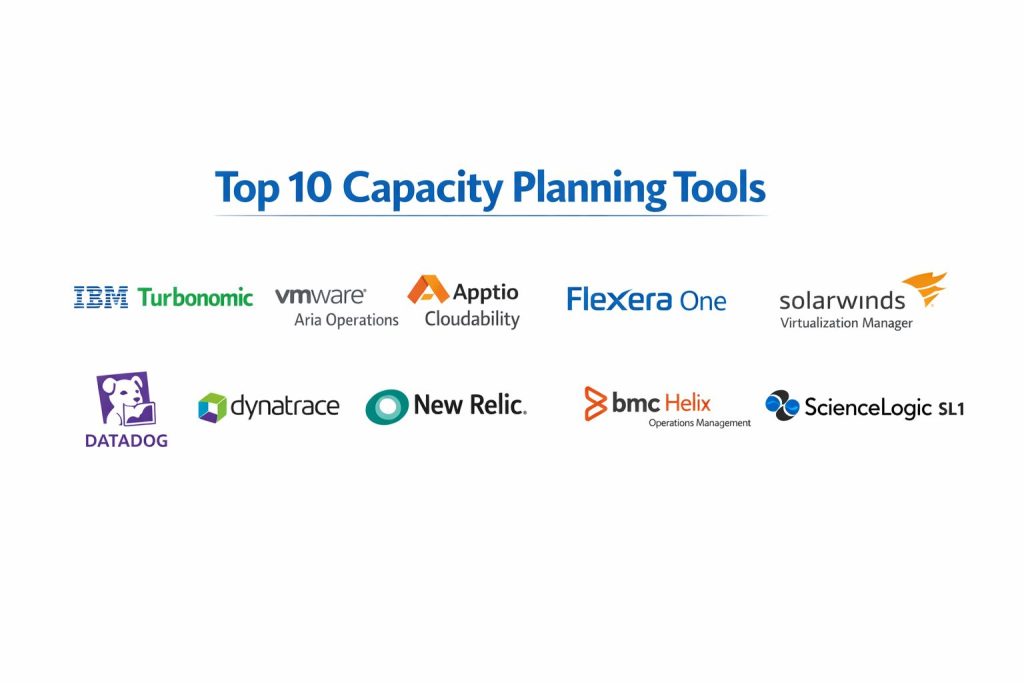
Top 10 Capacity Planning Tools
Tool 1 — IBM Turbonomic
IBM Turbonomic is designed for continuous resource optimization and capacity-aware decision-making across on-prem and cloud environments. It is commonly used to balance performance assurance with cost efficiency through automated recommendations and policy controls.
Key Features
Strong workload-to-resource modeling, rightsizing recommendations, and decision automation options that help teams keep applications performant without chronic overprovisioning. It often focuses on actions that reduce risk while improving utilization.
Pros
Clear optimization focus that aligns well with cost and performance objectives. Useful for teams that want consistent decisions instead of manual guesswork.
Cons
Adoption success depends on good data coverage and clear internal policies. Some teams may need time to trust automation and tune governance.
Platforms / Deployment
Varies / N/A
Security & Compliance
Not publicly stated
Integrations & Ecosystem
Commonly connects to infrastructure platforms and cloud environments to build a model of supply and demand. It is typically used alongside monitoring and ticketing processes so optimization recommendations can be operationalized.
Support & Community
Enterprise-style support is typical, and documentation quality depends on the module and customer plan. Community strength varies compared to developer-first tools.
Tool 2 — VMware Aria Operations
VMware Aria Operations is widely used for performance monitoring and capacity planning in virtualization-heavy environments. It is often chosen when teams want forecasting and capacity analytics tied closely to vSphere and related infrastructure layers.
Key Features
Capacity forecasting, utilization analytics, and planning views for clusters, hosts, and resource pools. Often strong for understanding where constraints form in virtualized environments and what upgrades will actually help.
Pros
Very practical for virtualization capacity planning where VMware is a core platform. Strong visibility for operational teams managing large clusters.
Cons
Best value appears when VMware is central to the environment. Hybrid and multi-cloud planning depth depends on configuration and surrounding toolchain.
Platforms / Deployment
Varies / N/A
Security & Compliance
Not publicly stated
Integrations & Ecosystem
Frequently used with VMware infrastructure layers and can be part of broader IT operations workflows. Integrations depend on environment choices, data sources, and operational processes.
Support & Community
Strong enterprise support patterns and a sizable operator community. Training content is commonly available through enterprise channels and partners.
Tool 3 — Apptio Cloudability
Apptio Cloudability is commonly positioned around cloud cost visibility and governance, and it can support capacity-related planning by connecting usage patterns to spend trends. It is often used by FinOps teams to forecast costs and guide rightsizing decisions.
Key Features
Cost allocation, spend forecasting, and optimization insights that help connect demand growth to predictable cloud spend. Strong for turning usage and billing data into planning conversations.
Pros
Helpful for planning cloud spend and tracking the impact of rightsizing and commitments. Strong fit for finance plus engineering collaboration.
Cons
It is more cost-centric than performance-centric, so some organizations pair it with observability tools for full capacity planning. Depth depends on tagging hygiene and account governance.
Platforms / Deployment
Varies / N/A
Security & Compliance
Not publicly stated
Integrations & Ecosystem
Typically pulls from cloud billing and usage sources and supports reporting and governance workflows. Practical success depends on consistent tagging, ownership mapping, and internal accountability.
Support & Community
Vendor support is important for onboarding and governance setup. Community is more FinOps-oriented than developer-oriented.
Tool 4 — Flexera One
Flexera One is often used for IT asset visibility, cloud cost management, and governance. For capacity planning, it can contribute by improving visibility into inventory, utilization signals, and spend patterns that impact expansion decisions.
Key Features
Asset visibility, optimization insights, and governance controls that help teams make more disciplined decisions about capacity growth and cost control. Useful when planning is tied to licensing and asset management realities.
Pros
Strong for organizations where asset governance and license visibility are critical. Helps unify cost and inventory understanding.
Cons
Capacity planning depth can vary by modules and configuration. Some teams may still need specialized performance modeling elsewhere.
Platforms / Deployment
Varies / N/A
Security & Compliance
Not publicly stated
Integrations & Ecosystem
Often integrates across asset, cloud, and IT management data sources. It can support planning by making capacity decisions consistent with licensing, ownership, and governance structures.
Support & Community
Enterprise support is typical. Community depends on the organization’s ITAM and cloud governance maturity.
Tool 5 — SolarWinds Virtualization Manager
SolarWinds Virtualization Manager is often used to monitor and manage virtualization capacity and performance. It can help teams identify constraints, rebalance workloads, and plan for resource growth.
Key Features
Virtualization monitoring, capacity views, and operational guidance for managing VM density and host utilization. Often used to spot waste, contention, and growth risk.
Pros
Practical for virtualization operations with clear day-to-day value. Can shorten time to identify where capacity is being consumed.
Cons
Best suited for environments where virtualization is a major layer of concern. Broader multi-cloud planning may require additional tools.
Platforms / Deployment
Varies / N/A
Security & Compliance
Not publicly stated
Integrations & Ecosystem
Often used with broader infrastructure monitoring workflows. Planning value increases when the tool is connected to operational routines like change review and remediation tracking.
Support & Community
Well-known operator community and documentation resources. Support quality varies by plan.
Tool 6 — Datadog
Datadog is an observability platform that can support capacity planning by providing deep telemetry across infrastructure, services, and workloads. Teams often use it to identify trends, forecast growth risk, and validate capacity changes through measurable signals.
Key Features
Strong infrastructure and application telemetry, dashboards for trend analysis, and alerting that can be shaped into capacity guardrails. Useful for turning real demand patterns into planning decisions.
Pros
Excellent visibility across modern stacks, which strengthens planning accuracy. Strong ecosystem for integrations and operational workflows.
Cons
Capacity planning features depend on how teams model and report data. Cost and data volume can become a concern without governance.
Platforms / Deployment
Varies / N/A
Security & Compliance
Not publicly stated
Integrations & Ecosystem
Broad integrations across cloud services, containers, databases, and incident workflows. Capacity planning becomes stronger when teams standardize metrics, service ownership, and reporting conventions.
Support & Community
Large community and strong documentation. Support tiers vary by plan and organization size.
Tool 7 — Dynatrace
Dynatrace supports capacity planning through AI-assisted observability, dependency mapping, and performance analytics. It is often used when teams want planning that is strongly connected to real user experience and service health.
Key Features
Service-level visibility, dependency context, and analytics that help teams forecast where growth will cause performance bottlenecks. Useful for connecting capacity changes to business-impacting outcomes.
Pros
Strong context helps capacity planning focus on true constraints, not only resource usage. Useful for complex enterprise systems with many dependencies.
Cons
Value depends on broad deployment coverage and consistent instrumentation. Some teams may find the platform approach heavier than point tools.
Platforms / Deployment
Varies / N/A
Security & Compliance
Not publicly stated
Integrations & Ecosystem
Integrations across infrastructure, application stacks, and operational tooling. Planning is stronger when the platform is used as the shared source of service health truth.
Support & Community
Strong enterprise support model and extensive documentation. Community is active, especially in enterprise observability circles.
Tool 8 — New Relic
New Relic is an observability platform that can help with capacity planning by tracking workload behavior, throughput, and resource trends. Teams often use it to identify growth trajectories and validate whether scaling strategies are working.
Key Features
Telemetry collection across applications and infrastructure, trend monitoring, and dashboards that can be adapted for capacity forecasting and headroom tracking.
Pros
Useful for connecting application demand to infrastructure consumption. Good fit for teams that want a unified observability view.
Cons
Capacity planning maturity depends on how dashboards and models are built. Some organizations may need additional governance to keep data consistent.
Platforms / Deployment
Varies / N/A
Security & Compliance
Not publicly stated
Integrations & Ecosystem
Works across common cloud and application components. Capacity planning benefits most when teams standardize service boundaries, golden signals, and ownership mapping.
Support & Community
Large user base, good documentation, and varied support options. Community strength is solid among developers and operations teams.
Tool 9 — BMC Helix Operations Management
BMC Helix Operations Management is often used in enterprise IT operations to monitor infrastructure health and operational risk. For capacity planning, it can support trend-based planning when used alongside operational processes and reporting.
Key Features
Enterprise operations monitoring capabilities, event correlation, and operational reporting that can help teams identify capacity risk patterns and prioritize remediation.
Pros
Strong fit for enterprise IT operations governance and standardized processes. Useful where planning must align with enterprise change and incident frameworks.
Cons
Capacity planning depth may vary by deployment and modules. It can require more setup and process alignment to extract planning value.
Platforms / Deployment
Varies / N/A
Security & Compliance
Not publicly stated
Integrations & Ecosystem
Often integrates with enterprise IT workflows and service management processes. Capacity planning becomes actionable when recommendations and trends feed into change plans and investment decisions.
Support & Community
Enterprise support is central to success. Community depends on enterprise adoption and internal IT operations maturity.
Tool 10 — ScienceLogic SL1
ScienceLogic SL1 focuses on infrastructure and service visibility, and it can contribute to capacity planning by building a clear picture of what is running, how it performs, and where utilization is trending. It is often used in managed environments where coverage and consistency matter.
Key Features
Discovery and monitoring across infrastructure layers, operational visibility that can support trend analysis, and reporting that helps teams understand growth risk.
Pros
Useful for broad environment visibility, especially in complex or managed setups. Can improve planning accuracy by reducing blind spots.
Cons
Planning outcomes depend on reporting discipline and data consistency. Some teams may pair it with specialized optimization tools for deeper recommendations.
Platforms / Deployment
Varies / N/A
Security & Compliance
Not publicly stated
Integrations & Ecosystem
Integrations commonly support operations workflows and visibility across heterogeneous environments. Planning improves when discovery and ownership data are maintained consistently.
Support & Community
Support tiers vary, and implementation quality matters. Community presence is practical and operations-oriented.
Comparison Table
| Tool Name | Best For | Platform(s) Supported | Deployment | Standout Feature | Public Rating |
|---|---|---|---|---|---|
| IBM Turbonomic | Continuous optimization decisions | Varies / N/A | Varies / N/A | Automated rightsizing logic | N/A |
| VMware Aria Operations | Virtualization capacity planning | Varies / N/A | Varies / N/A | Forecasting for VMware environments | N/A |
| Apptio Cloudability | FinOps cost forecasting | Varies / N/A | Varies / N/A | Cost allocation and spend trends | N/A |
| Flexera One | Asset and governance-led planning | Varies / N/A | Varies / N/A | Asset visibility plus optimization | N/A |
| SolarWinds Virtualization Manager | VM density and host planning | Varies / N/A | Varies / N/A | Virtualization utilization clarity | N/A |
| Datadog | Telemetry-driven capacity guardrails | Varies / N/A | Varies / N/A | Broad observability integrations | N/A |
| Dynatrace | Service-context capacity decisions | Varies / N/A | Varies / N/A | Dependency-aware analytics | N/A |
| New Relic | Demand-to-resource trend planning | Varies / N/A | Varies / N/A | Unified telemetry for services | N/A |
| BMC Helix Operations Management | Enterprise IT operations alignment | Varies / N/A | Varies / N/A | Governance-friendly operations view | N/A |
| ScienceLogic SL1 | Visibility across complex estates | Varies / N/A | Varies / N/A | Discovery-driven environment coverage | N/A |
Evaluation and Scoring of Capacity Planning Tools
Scoring here is comparative and practical, based on typical strengths for capacity planning outcomes. It is not a vendor certification and not an official benchmark. Use it to narrow choices and guide pilots. A lower total does not mean a tool is “bad”; it may simply be better suited to a different environment or planning style.
Weights used: Core features 25%, Ease of use 15%, Integrations and ecosystem 15%, Security and compliance 10%, Performance and reliability 10%, Support and community 10%, Price and value 15%.
| Tool Name | Core (25%) | Ease (15%) | Integrations (15%) | Security (10%) | Performance (10%) | Support (10%) | Value (15%) | Weighted Total |
|---|---|---|---|---|---|---|---|---|
| IBM Turbonomic | 9.0 | 6.5 | 8.0 | 6.0 | 8.0 | 7.5 | 7.0 | 7.65 |
| VMware Aria Operations | 8.5 | 7.0 | 7.5 | 6.0 | 8.0 | 7.5 | 6.5 | 7.50 |
| Apptio Cloudability | 7.5 | 7.0 | 7.5 | 6.0 | 7.0 | 7.0 | 7.5 | 7.25 |
| Flexera One | 7.0 | 6.5 | 7.5 | 6.0 | 7.0 | 7.0 | 7.0 | 6.95 |
| SolarWinds Virtualization Manager | 7.5 | 7.0 | 6.5 | 5.5 | 7.0 | 7.0 | 7.0 | 6.95 |
| Datadog | 7.5 | 7.5 | 9.0 | 6.0 | 8.5 | 8.5 | 6.5 | 7.70 |
| Dynatrace | 8.0 | 7.0 | 8.5 | 6.0 | 8.5 | 8.0 | 6.5 | 7.55 |
| New Relic | 7.5 | 7.5 | 8.0 | 6.0 | 8.0 | 8.0 | 7.0 | 7.55 |
| BMC Helix Operations Management | 7.0 | 6.5 | 7.5 | 6.0 | 7.5 | 7.5 | 6.0 | 6.95 |
| ScienceLogic SL1 | 7.0 | 6.5 | 7.0 | 5.5 | 7.5 | 7.0 | 6.5 | 6.85 |
Which Capacity Planning Tool Is Right for You
Solo / Freelancer
If you are a solo operator or consultant, capacity planning success usually comes from visibility and discipline rather than heavy platforms. Tools that give you strong telemetry and clear trend reporting can be enough, especially if your environments are not massive. In this scenario, Datadog or New Relic can be practical choices when you already need observability. If your work is mostly cloud spend forecasting for clients, Apptio Cloudability can be more aligned with planning outcomes that finance teams care about.
SMB
Small and growing teams need tools that reduce risk without creating operational overhead. The best fit often depends on whether you are cloud-first, virtualization-heavy, or hybrid. VMware Aria Operations and SolarWinds Virtualization Manager are often practical where virtualization is the core layer. If you are cloud-first, Datadog, New Relic, and Cloudability can support capacity planning by connecting demand trends to scaling and cost decisions. The key is to pick a tool that your team will actually use weekly, not only during incidents.
Mid-Market
Mid-market teams usually feel the pain of growth variability, multiple workloads, and rising cost pressure. In this stage, teams benefit from decision support, not just dashboards. IBM Turbonomic can be valuable when you want consistent optimization and rightsizing logic. Dynatrace can help when service dependencies are complex and planning must focus on true bottlenecks. A good approach is to combine accurate telemetry with a decision process that turns findings into scheduled capacity actions.
Enterprise
Enterprise environments often require standardized planning across many teams, plus alignment with governance and change processes. Tools like Dynatrace and BMC Helix Operations Management can support enterprise-scale visibility and process alignment when implemented well. IBM Turbonomic can add value if the organization wants capacity decisions to be consistent and policy-driven. ScienceLogic SL1 can help where discovery and environment coverage are key, especially in large and heterogeneous estates. In enterprise settings, tool success depends heavily on ownership models, onboarding, and how planning fits into budgeting and release cycles.
Budget vs Premium
If budget is tight, consider what you already have. Many organizations already pay for observability, and capacity planning can be built from consistent dashboards, trend reports, and headroom policies. If you want premium capacity outcomes, look for tools that reduce manual analysis and make recommendations explainable, auditable, and repeatable. Premium value is real only when the tool changes behavior, not only when it produces reports.
Feature Depth vs Ease of Use
Optimization-focused tools can be powerful but may require more governance and trust building. Observability platforms may be easier to start with because teams already rely on them, but you may need to design capacity planning views and rules. The best balance is achieved when the tool gives clear forecasts and recommended actions, and the team can validate those actions through transparent data.
Integrations and Scalability
Capacity planning becomes far more effective when it connects to workflow systems. If you can route findings into operational tickets, change requests, and weekly planning reviews, you build consistency. Tools with strong ecosystem integration usually scale better, because they become part of how teams work rather than a separate reporting tool used only by one person.
Security and Compliance Needs
Security and compliance details are often not publicly stated in a single clear format for many platforms, especially when modules vary. In practice, teams should focus on governance controls such as role-based access, auditability of actions, data access policies, and separation of duties for optimization changes. If compliance requirements are strict, validate controls during a pilot and ensure internal security teams approve the data flows.
Frequently Asked Questions (FAQs)
- What is the main difference between monitoring and capacity planning?
Monitoring tells you what is happening now and alerts you when something is wrong. Capacity planning uses trends and models to predict what will happen next, so you can prevent problems and control cost before risk becomes an incident. - Do capacity planning tools help reduce cloud costs?
Many do, especially when they support rightsizing, waste detection, and forecasting. The strongest results come when planning is tied to ownership and governance, so recommendations turn into real changes. - How long does it take to see value after adopting a capacity planning tool?
Teams often see early value once data coverage is stable and dashboards or recommendations are trusted. The bigger gains appear after the organization builds a repeatable weekly planning rhythm and remediation workflow. - What is the most common mistake teams make with capacity planning?
They treat it as a one-time exercise instead of an ongoing process. Capacity planning works best when it is continuous, measured, and connected to release cycles, growth goals, and budget decisions. - Can I do capacity planning without a specialized tool?
Yes, especially for smaller environments. However, as complexity grows, manual planning becomes slower, less accurate, and harder to scale. Tools reduce risk by making trend analysis, forecasting, and governance more repeatable. - How do I validate forecasts from a tool during a pilot?
Compare forecasts to real demand changes over a few cycles, test what-if scenarios against historical spikes, and confirm whether the tool correctly identifies bottlenecks. Also validate that the recommendations make sense for your architecture. - How do these tools handle scaling for containers and modern platforms?
Support varies by platform and configuration. The key is to verify telemetry coverage for your container runtime, orchestration layer, and service metrics, then confirm the tool can translate that data into capacity actions. - What should I track as “capacity headroom” for my services?
Track both resource headroom and performance headroom. Resource headroom includes CPU, memory, storage, and network. Performance headroom includes latency, error rate, queue depth, and saturation signals that reveal true constraints. - How do I decide between an optimization tool and an observability platform?
If you want automated rightsizing decisions and policy-driven actions, optimization tools can help. If you want deep service telemetry and custom planning dashboards, observability platforms can be a strong base. Many mature teams combine both. - What is a simple next step to start capacity planning correctly?
Pick two or three critical services, define clear headroom targets, build a weekly review routine, and run a short pilot using real demand data. Validate the tool’s export, reporting, and governance fit before expanding coverage.
Conclusion
Capacity planning works best when it becomes a routine that links engineering reality to business intent. The right tool helps you forecast growth, protect performance, and control cost without relying on guesswork. However, there is no single universal winner because environments differ: some teams are virtualization-heavy, some are cloud-first, and some must manage complex hybrid estates with strict governance. A smart next step is to shortlist two or three tools that match your environment, run a pilot on a few critical services, validate telemetry coverage and trend accuracy, and confirm that recommendations can flow into real operational work. When planning becomes consistent, incidents and waste both drop.