Introduction
On-call scheduling tools help teams plan, rotate, and manage who is responsible when incidents happen. In plain language, they reduce confusion during outages by making it clear who is on duty, who is backup, how alerts route, and what happens if the first person does not respond. A good on-call system is not only a calendar. It is a reliability workflow that connects schedules, escalations, notifications, runbooks, and incident collaboration so the right people respond fast, with less stress.
Common real-world use cases include keeping production services stable, handling customer-impacting outages, running a 24×7 support rotation, managing weekend coverage, and coordinating cross-team dependencies during major incidents. Buyers should evaluate schedule flexibility, escalation policies, alert routing, shift handoffs, time-off handling, mobile reliability, integrations, reporting, auditability, and how well the tool supports fairness and burnout prevention.
Best for: SRE teams, DevOps teams, NOC teams, IT operations, platform teams, SaaS support teams, and any org that runs services needing reliable after-hours response.
Not ideal for: teams with no after-hours support needs, teams that handle issues only during business hours, or teams that only need a simple shared calendar without alerting or escalation.
Key Trends in On-call Scheduling Tools
- More focus on reducing fatigue through smarter rotations, fair load balancing, and quiet hours
- Stronger incident workflow linkage between schedules, chat collaboration, and post-incident learning
- Faster setup expectations with templates for common rotations and escalation patterns
- Better multi-team coordination, including shared responders and cross-service dependencies
- Increased demand for mobile-first reliability with strong delivery guarantees for alerts
- More analytics around response time, alert noise, and workload distribution
- Wider use of automation to reduce repetitive paging and route issues more accurately
- Greater attention to governance, audit trails, and access controls for large organizations
How We Selected These Tools (Methodology)
- Chosen based on broad adoption and credibility in on-call and incident workflows
- Prioritized schedule depth: rotations, overrides, time off, and escalation behavior
- Considered alert delivery reliability and escalation flexibility
- Looked at ecosystem strength: monitoring, chat, ticketing, and automation integrations
- Included options for different segments: small teams, scaling teams, and enterprise
- Evaluated operational fit: setup time, usability under pressure, and reporting usefulness
- Avoided hard claims not clearly known; used “Not publicly stated” where needed
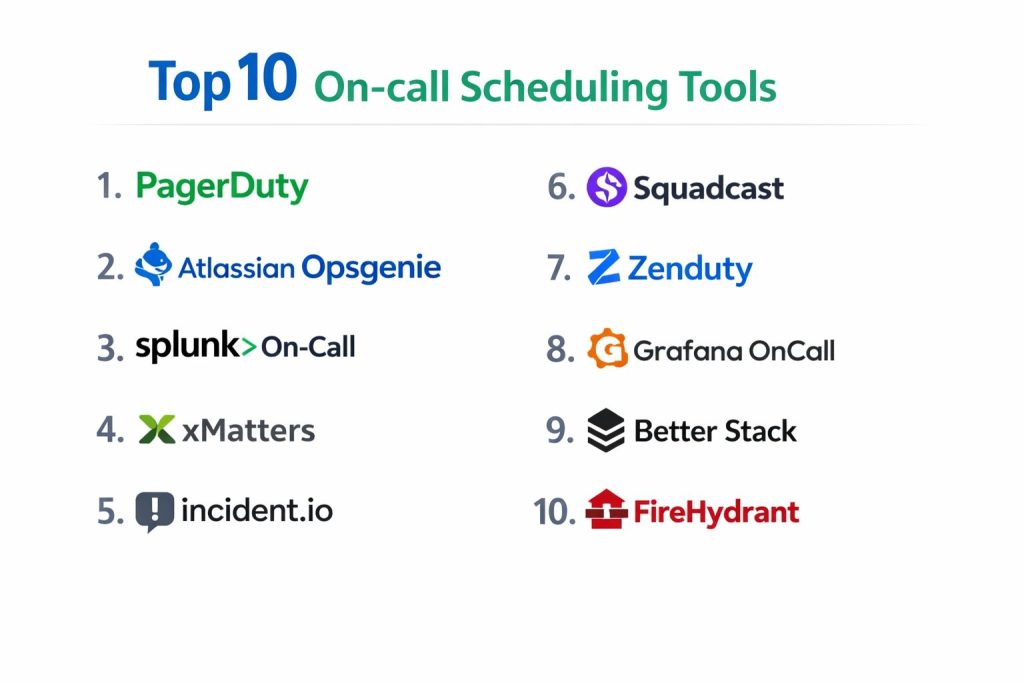
Top 10 On-call Scheduling Tools
Tool 1 — PagerDuty
PagerDuty is a widely used platform for on-call scheduling and incident response. It is typically chosen by teams that want mature escalations, strong alert routing, and a reliable responder experience.
Key Features
- Advanced schedules, rotations, overrides, and escalation policies
- Alert routing with acknowledgement and fallback behaviors
- Reporting for response metrics and operational patterns
Pros
- Strong reliability workflow maturity for serious production support
- Scales well for multi-team, multi-service environments
Cons
- Can feel complex for very small teams
- Cost may rise as teams and integrations expand
Platforms / Deployment
Web / iOS / Android
Cloud
Security & Compliance
Not publicly stated
Integrations & Ecosystem
PagerDuty commonly integrates with monitoring, logging, incident chat, and ticketing tools to automate paging and workflow handoffs.
- Monitoring and observability integrations: Varies / N/A
- Chat and ticketing integrations: Varies / N/A
- API and automation options: Varies / N/A
Support & Community
Strong documentation and enterprise-style support options. Community resources vary by user base and partners.
Tool 2 — Atlassian Opsgenie
Opsgenie is an on-call and alerting tool known for schedule management and escalation workflows. It is often used by teams that already rely on Atlassian tools for service operations.
Key Features
- Rotations, overrides, and escalation rules built around alert workflows
- Notification and routing controls to reduce missed pages
- Team-based separation for services and responder groups
Pros
- Practical on-call scheduling features for growing teams
- Often fits well where Atlassian-based workflows exist
Cons
- Some feature availability may vary by plan and packaging
- Ecosystem depth depends on how your tooling is set up
Platforms / Deployment
Web / iOS / Android
Cloud
Security & Compliance
Not publicly stated
Integrations & Ecosystem
Opsgenie commonly connects to monitoring systems, chat tools, and IT workflows to route alerts and track escalations.
- Integrations with common monitoring tools: Varies / N/A
- Workflow integrations with team collaboration tools: Varies / N/A
- API and webhooks: Varies / N/A
Support & Community
Documentation is generally strong. Support tiers vary by plan and agreement.
Tool 3 — Splunk On-Call
Splunk On-Call focuses on on-call scheduling and alerting, often used by teams that want reliable paging and clear escalation rules with incident response coordination.
Key Features
- Scheduling, rotations, and escalation policies for responders
- Alerting workflows designed to reduce missed notifications
- Team coordination features for incident response execution
Pros
- Good fit for teams that need dependable alert delivery
- Works well when operational workflows are already structured
Cons
- Feature set and packaging may vary by plan
- Some teams may prefer simpler tools for lightweight needs
Platforms / Deployment
Web / iOS / Android
Cloud
Security & Compliance
Not publicly stated
Integrations & Ecosystem
Splunk On-Call typically integrates with monitoring, incident communication, and workflow tools to automate alert routing.
- Monitoring integrations: Varies / N/A
- Collaboration integrations: Varies / N/A
- Automation and APIs: Varies / N/A
Support & Community
Support maturity is generally strong for business customers. Community depth varies.
Tool 4 — xMatters
xMatters is often used for enterprise-grade incident notifications and on-call management, especially where complex routing and structured workflows are needed.
Key Features
- Advanced routing and escalation workflows for critical events
- Scheduling and responder group management for large orgs
- Automation-focused workflows for operational coordination
Pros
- Strong for complex enterprise notification workflows
- Flexible routing patterns for multi-department operations
Cons
- Setup can be heavier for small teams
- May be more than you need for simple rotations
Platforms / Deployment
Web / iOS / Android
Cloud (Varies / N/A for other models)
Security & Compliance
Not publicly stated
Integrations & Ecosystem
xMatters often connects with monitoring, IT operations tools, and collaboration platforms to route and coordinate incident work.
- IT operations integrations: Varies / N/A
- Monitoring integrations: Varies / N/A
- Workflow automation: Varies / N/A
Support & Community
Support is typically oriented toward enterprise environments. Documentation quality varies by workflow complexity.
Tool 5 — incident.io
incident.io is designed around modern incident response collaboration, often pairing incident management with on-call and escalation workflows depending on how teams configure it.
Key Features
- Incident workflow coordination with responder involvement
- Scheduling and escalation patterns: Varies / N/A by setup
- Strong collaboration flow to reduce confusion during incidents
Pros
- Great for teams that want structured incident response habits
- Encourages consistent incident processes across teams
Cons
- Some on-call depth may depend on configuration and plan
- Not every team needs full incident workflow features
Platforms / Deployment
Web
Cloud
Security & Compliance
Not publicly stated
Integrations & Ecosystem
incident.io commonly integrates with chat and operational tooling to coordinate incident response and handoffs.
- Chat workflow integrations: Varies / N/A
- Monitoring and alert sources: Varies / N/A
- Automation hooks: Varies / N/A
Support & Community
Support quality varies by plan. Community is growing, but depth depends on adoption within your industry.
Tool 6 — Squadcast
Squadcast is built for on-call and incident response, often chosen by teams that want a clean scheduling experience, sensible escalations, and practical alert management.
Key Features
- Rotations, overrides, and escalation policies for on-call
- Alert grouping and noise reduction patterns
- Incident workflows for tracking and resolving events
Pros
- Good balance of usability and core on-call capabilities
- Useful for teams that want quick setup without heavy complexity
Cons
- Very large enterprises may need deeper governance tooling
- Some advanced features may vary by plan
Platforms / Deployment
Web / iOS / Android
Cloud
Security & Compliance
Not publicly stated
Integrations & Ecosystem
Squadcast typically supports common alert sources and collaboration workflows to connect incidents to people and actions.
- Monitoring integrations: Varies / N/A
- Collaboration integrations: Varies / N/A
- API and automation: Varies / N/A
Support & Community
Documentation is usually straightforward. Support tiers vary, and community depth is moderate.
Tool 7 — Zenduty
Zenduty is a practical on-call scheduling and incident alerting tool often used by teams that want a direct path to rotations, escalations, and alert response.
Key Features
- On-call schedules with rotations and overrides
- Escalations and notification routing for responders
- Incident tracking for operational visibility
Pros
- Straightforward on-call setup for many teams
- Good for teams that want core features without heavy overhead
Cons
- Enterprise governance features may be limited for some orgs
- Ecosystem depth may vary by region and tool stack
Platforms / Deployment
Web / iOS / Android
Cloud
Security & Compliance
Not publicly stated
Integrations & Ecosystem
Zenduty typically integrates with monitoring tools and team communication workflows to route incidents quickly.
- Monitoring tool integrations: Varies / N/A
- Messaging and workflow integrations: Varies / N/A
- API and webhooks: Varies / N/A
Support & Community
Support varies by plan and customer tier. Community is moderate and depends on local adoption.
Tool 8 — Grafana OnCall
Grafana OnCall is often used by teams in the Grafana ecosystem that want on-call schedules and alert routing aligned with observability workflows.
Key Features
- On-call schedules with routing and escalation patterns
- Close alignment with observability workflows in Grafana ecosystems
- Useful for teams that want to keep alert response near monitoring tools
Pros
- Strong fit for teams already using Grafana for observability
- Practical for building a unified monitoring-to-response loop
Cons
- Some capabilities depend on how you deploy and integrate it
- Feature maturity may vary across versions and setups
Platforms / Deployment
Web
Cloud / Self-hosted (Varies / N/A depending on setup)
Security & Compliance
Not publicly stated
Integrations & Ecosystem
Grafana OnCall typically connects to alert sources and messaging workflows to ensure responders receive actionable notifications.
- Observability integrations: Varies / N/A
- Chat integrations: Varies / N/A
- Automation options: Varies / N/A
Support & Community
Community strength is often good in Grafana ecosystems. Support depends on how it is obtained and deployed.
Tool 9 — Better Stack
Better Stack is often used by teams that want monitoring signals and incident alerting connected to an on-call workflow, with a focus on fast setup and practical response.
Key Features
- Alerting and responder routing connected to service monitoring
- On-call scheduling and escalation patterns: Varies / N/A by plan
- Incident workflow basics for response coordination
Pros
- Good for teams that want a simpler, fast-to-adopt experience
- Works well for smaller teams that need an integrated approach
Cons
- Deep enterprise on-call controls may be limited for some orgs
- Some features may vary by plan and packaging
Platforms / Deployment
Web / iOS / Android (Varies / N/A)
Cloud
Security & Compliance
Not publicly stated
Integrations & Ecosystem
Better Stack commonly integrates with alert sources and operational workflows to connect incidents to responders quickly.
- Monitoring and alert sources: Varies / N/A
- Collaboration workflows: Varies / N/A
- API and automation: Varies / N/A
Support & Community
Documentation is often easy to follow. Support tier depth varies by plan.
Tool 10 — FireHydrant
FireHydrant is commonly positioned around incident response workflows, with on-call coordination and scheduling needs supported based on setup and integrations.
Key Features
- Incident response workflow standardization for teams
- On-call scheduling and responder coordination: Varies / N/A by setup
- Post-incident learning workflows to improve future response
Pros
- Useful for teams that want repeatable incident process discipline
- Helps reduce chaos by standardizing incident steps
Cons
- On-call depth may depend on your exact workflow configuration
- Not every team needs a full incident workflow platform
Platforms / Deployment
Web
Cloud
Security & Compliance
Not publicly stated
Integrations & Ecosystem
FireHydrant typically integrates with alert sources and collaboration tools to coordinate responders during incidents.
- Monitoring and alert sources: Varies / N/A
- Chat and workflow integrations: Varies / N/A
- Automation hooks: Varies / N/A
Support & Community
Support is generally structured for teams running incident programs. Community size varies.
Comparison Table
| Tool Name | Best For | Platform(s) Supported | Deployment | Standout Feature | Public Rating |
|---|---|---|---|---|---|
| PagerDuty | Mature on-call + escalations at scale | Web / iOS / Android | Cloud | Strong escalation workflows | N/A |
| Atlassian Opsgenie | Teams aligned with Atlassian workflows | Web / iOS / Android | Cloud | Practical schedules and routing | N/A |
| Splunk On-Call | Reliable paging and escalation clarity | Web / iOS / Android | Cloud | Alert delivery focus | N/A |
| xMatters | Enterprise notification orchestration | Web / iOS / Android | Cloud (Varies / N/A) | Complex routing flexibility | N/A |
| incident.io | Modern incident workflows with responders | Web | Cloud | Structured incident collaboration | N/A |
| Squadcast | Balanced on-call scheduling and response | Web / iOS / Android | Cloud | Usable on-call workflows | N/A |
| Zenduty | Direct on-call scheduling for teams | Web / iOS / Android | Cloud | Fast setup for rotations | N/A |
| Grafana OnCall | Grafana-centric alert-to-response loop | Web | Cloud / Self-hosted (Varies / N/A) | Monitoring alignment | N/A |
| Better Stack | Integrated monitoring and on-call basics | Web / iOS / Android (Varies / N/A) | Cloud | Simple integrated approach | N/A |
| FireHydrant | Incident process standardization | Web | Cloud | Workflow discipline | N/A |
Evaluation & Scoring of On-call Scheduling Tools
This scoring model is a comparative decision aid. It does not represent public ratings, certifications, or vendor claims. Use it to narrow choices, then validate through a pilot that mirrors your real alerts, your real schedules, and your real escalation rules. If your priority is enterprise governance, you may weight security and auditability higher. If your priority is fast adoption, you may weight ease of use and value higher. Weighted totals help compare overall fit, but the right choice still depends on your incident maturity and team structure.
Weights used
Core features 25%
Ease of use 15%
Integrations and ecosystem 15%
Security and compliance 10%
Performance and reliability 10%
Support and community 10%
Price and value 15%
| Tool Name | Core (25%) | Ease (15%) | Integrations (15%) | Security (10%) | Performance (10%) | Support (10%) | Value (15%) | Weighted Total (0–10) |
|---|---|---|---|---|---|---|---|---|
| PagerDuty | 9 | 7 | 9 | 6 | 9 | 8 | 6 | 7.9 |
| Atlassian Opsgenie | 8 | 8 | 8 | 6 | 8 | 7 | 7 | 7.7 |
| Splunk On-Call | 8 | 7 | 8 | 6 | 8 | 7 | 6 | 7.3 |
| xMatters | 8 | 6 | 8 | 6 | 8 | 7 | 5 | 6.9 |
| incident.io | 7 | 8 | 7 | 5 | 7 | 7 | 6 | 6.9 |
| Squadcast | 7 | 8 | 7 | 5 | 7 | 6 | 7 | 6.9 |
| Zenduty | 7 | 8 | 6 | 5 | 7 | 6 | 7 | 6.8 |
| Grafana OnCall | 7 | 7 | 7 | 5 | 7 | 6 | 8 | 6.9 |
| Better Stack | 6 | 8 | 6 | 5 | 7 | 6 | 8 | 6.8 |
| FireHydrant | 6 | 7 | 7 | 5 | 7 | 6 | 6 | 6.4 |
Which On-call Scheduling Tool Is Right for You?
Solo / Freelancer
If you run a small service or handle occasional after-hours issues, choose something that is easy to set up and easy to maintain. Better Stack can work when you want monitoring signals connected to basic on-call workflows. Zenduty and Squadcast can also fit when you want clear schedules and escalations without heavy overhead. The goal here is clarity and simplicity, not maximum process.
SMB
Small teams benefit from fast setup, good integrations, and flexible overrides for vacations and unexpected absences. Opsgenie, Squadcast, and Zenduty can be good matches depending on your ecosystem. If you are already in Grafana-based monitoring workflows, Grafana OnCall can keep alert-to-response tight and consistent.
Mid-Market
As the number of services grows, you need stronger routing, better analytics, and multi-team separation. PagerDuty and Splunk On-Call tend to fit well when you want predictable escalations and a mature responder experience. xMatters becomes attractive when routing patterns become complex across multiple groups.
Enterprise
Enterprises typically need governance, standard workflows, and predictable execution under pressure. PagerDuty and xMatters often appear in environments where escalation complexity and operational orchestration matter. Splunk On-Call can fit where paging reliability and responder discipline are key. You should also plan the broader controls around identity, access, and auditability because tool-level compliance details are often not publicly stated.
Budget vs Premium
Budget-focused teams usually prioritize ease, speed, and value, often choosing Zenduty, Squadcast, Better Stack, or Grafana OnCall depending on their ecosystem. Premium choices usually prioritize deep escalation control, enterprise support, and multi-team governance, where PagerDuty or xMatters may fit better.
Feature Depth vs Ease of Use
If you want maximum escalation depth and mature workflows, PagerDuty is often a strong baseline. If you want a more straightforward on-call experience, Squadcast, Zenduty, or Opsgenie can feel simpler for day-to-day use. If you want incident collaboration process discipline, incident.io or FireHydrant can help shape habits, though scheduling depth may vary by setup.
Integrations & Scalability
If your alert sources are diverse, pick a tool that routes cleanly and scales across teams. PagerDuty and Opsgenie often work well in mixed stacks. Grafana OnCall can be ideal when Grafana-based observability is central. Always validate integration behavior with real alerts, because “integration exists” is not the same as “integration works exactly how you need.”
Security & Compliance Needs
Many scheduling and on-call tools do not publicly state every compliance detail. If you need strict controls, focus on role-based access, auditability, and how schedules are managed across departments. Also ensure your identity, storage, and operational policies cover incident data, because operational security is a system-wide practice, not only a product feature.
Frequently Asked Questions (FAQs)
1. What is the main difference between on-call scheduling and incident management
On-call scheduling decides who is responsible and how escalations work. Incident management focuses on coordinating response, communication, and learning. Many tools overlap, but your needs may not.
2. How many people do I need to run a reliable rotation
A rotation is more stable when you have enough people to spread load and allow time off. The exact number depends on alert volume and service criticality.
3. How do I reduce alert noise so people do not burn out
Start by tuning alerts, grouping similar events, and routing only actionable pages. Use quiet hours, escalation delays, and clear ownership so alerts go to the right team.
4. What should I test during a pilot
Test real schedules, overrides, time off, escalation chains, mobile delivery, and integrations with your monitoring tools. Also test what happens when someone does not acknowledge.
5. Do these tools replace a shared calendar
They can, but the main value is escalations and alert routing. A shared calendar does not handle acknowledgement, fallback, or incident response coordination.
6. Can I use one tool across multiple departments
Yes, but governance matters. You need consistent naming, team boundaries, access controls, and standardized escalation rules so rotations do not become confusing.
7. What is the most common setup mistake
Teams often copy a rotation pattern without matching it to alert volume and ownership. Another mistake is skipping documentation and handoff routines, which makes escalations chaotic.
8. How do I handle vacations and sudden unavailability
Look for fast overrides, easy swaps, and time-off handling. Also ensure you have backups and clear escalation rules so the rotation does not break.
9. Are integrations more important than features
For many teams, yes. A tool with good schedules is not enough if alerts cannot route correctly from your monitoring sources. Integrations determine whether the tool works in real life.
10. When should I move from a simple tool to an enterprise tool
Move when you have multiple teams, high service count, strict uptime expectations, or repeated incidents where escalations and accountability need stronger structure.
Conclusion
On-call scheduling tools succeed when they remove uncertainty during stressful moments. The best choice depends on your alert volume, team size, and how mature your incident response is. PagerDuty and xMatters often fit complex, multi-team environments where escalation design and orchestration matter. Opsgenie, Squadcast, and Zenduty can work well for teams that want solid scheduling and routing without heavy overhead. Grafana OnCall can be strong when your observability is centered on Grafana, while incident.io and FireHydrant help teams standardize response habits. Shortlist two or three tools, run a pilot using real alerts and real rotations, and validate escalations, integrations, and responder experience before standardizing.