Introduction
Status page tools help organizations communicate service health clearly during outages, degradations, and maintenance. In simple words, they give you a public (or private) page where customers can see what is working, what is not, and what you are doing about it. This reduces support tickets, builds trust, and prevents confusion when something breaks.
A good status page is not only for “big incidents.” It is also useful for planned maintenance, partial outages, third-party dependency failures, and slowdowns that impact only some regions or customers. Modern teams often run many services, APIs, and integrations, so customers want simple, honest updates without chasing support or social channels. A strong status page tool also helps internal teams because it creates a consistent communication workflow, clear ownership, and a timeline you can review later.
Real-world use cases include announcing planned maintenance windows, communicating live incident updates, sharing root-cause summaries after resolution, showing uptime history to customers, and separating component-level impact (for example, login vs payments vs notifications). Buyers should evaluate clarity of the UI, speed of publishing updates, component and subscription features, customization and branding, automation options, reliability of the status page itself, audience targeting (public vs private), multi-region support, and the ability to connect monitoring and incident workflows.
Best for: SaaS companies, e-commerce platforms, fintech apps, internal IT teams, API providers, MSPs, and any product team that wants to reduce support load and communicate transparently during downtime.
Not ideal for: very small projects with no users, internal-only prototypes, or teams that already communicate service health in a single tightly controlled private portal and do not need external subscriptions or public updates.
Key Trends in Status Page Tools
- Status pages are becoming more automated, pulling signal from monitors and incidents to reduce manual posting delays
- Teams are focusing more on subscriber experience, such as clear notifications, language simplicity, and targeted component updates
- Branding and trust signals matter more, with stronger expectations for clean design, custom domains, and consistent communication patterns
- More teams want private or audience-limited status pages for enterprise customers, internal users, or specific regions
- Post-incident reporting is becoming part of the status workflow, not a separate document that customers never see
How We Selected These Tools
We selected these tools based on credibility, common usage patterns, and practical fit for different team sizes. We looked for solutions that can publish reliable updates quickly, support components and historical uptime views, and allow customer subscriptions without friction. We also included a balanced set of options: enterprise-friendly platforms, fast and lightweight modern tools, and self-hosted choices for teams that want full control.
We also considered day-to-day usability, because a status page is most valuable during stressful moments. Tools that make it hard to post an update, manage components, or notify customers tend to fail when you need them most. Finally, we considered integrations and ecosystem fit, because status communication is usually connected to monitoring and incident workflows, even if the connection is manual.
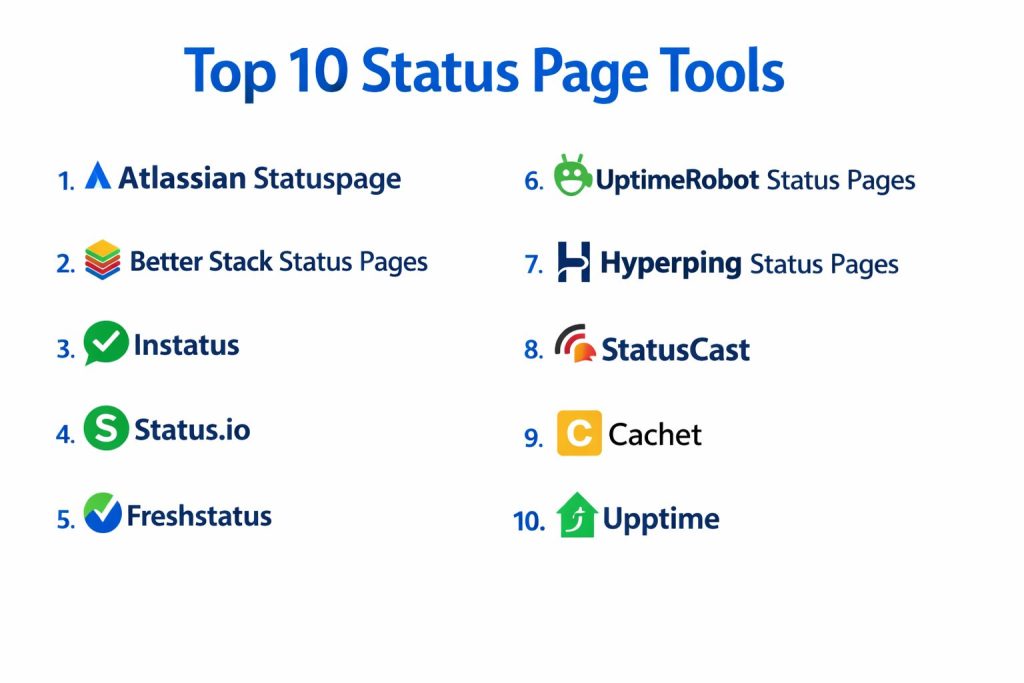
Top 10 Status Page Tools
Tool 1 — Atlassian Statuspage
Atlassian Statuspage is widely adopted by SaaS and IT teams that want a structured, familiar way to publish incident updates, maintenance notices, and uptime history. It is often chosen when teams need a mature product with strong administrative controls and predictable workflows for posting updates across multiple services.
Key features
- Component-based status tracking with subscriptions and incident timelines
- Customization options for branding and structured maintenance communication
Pros
- Strong fit for organizations that need consistent, repeatable communication
- Well-known product that many customers already understand
Cons
- Advanced needs can increase complexity for smaller teams
- Pricing and packaging can be less flexible depending on requirements
Platforms and deployment
Web; cloud
Security and compliance
Not publicly stated
Integrations and ecosystem
Statuspage typically fits into broader operational workflows, where teams connect monitoring signals, incident response processes, and customer communications. Many teams use it alongside internal runbooks and incident tools so updates are consistent, even when multiple teams are responding.
Minimal integration needs can be handled manually, while larger teams often standardize templates, ownership rules, and update cadence to avoid confusion during high-impact incidents.
Support and community
Vendor support and documentation are generally strong for common workflows. Community knowledge is broad because many companies use the tool, which makes onboarding easier for new hires.
Tool 2 — Better Stack Status Pages
Better Stack Status Pages is often chosen by teams that want a modern, clean status page experience and an easy way to communicate incidents and uptime without heavy configuration. It is commonly used by teams that prefer speed, clear design, and an integrated mindset where monitoring and status communication feel like one workflow.
Key features
- Fast setup with modern status page design and subscriber notifications
- Works well when paired with monitoring for quicker incident communication
Pros
- Strong usability under pressure, with quick publishing of updates
- Clean presentation that helps customers understand impact faster
Cons
- Some advanced enterprise governance features may vary by plan
- Deep customization can be limited compared to heavier platforms
Platforms and deployment
Web; cloud
Security and compliance
Not publicly stated
Integrations and ecosystem
This tool is often used in workflows where teams want fewer moving parts: detect, communicate, and close the loop with consistent updates. It fits best when you value simplicity and speed, and when your incident communication can be standardized with a few strong templates.
For many teams, the biggest benefit is lower friction: you can keep status updates frequent and clear without spending time managing complex configurations.
Support and community
Documentation is typically straightforward, and the product experience is designed to reduce training overhead. Support options vary by plan.
Tool 3 — Instatus
Instatus is known for providing quick-to-launch, visually polished status pages. It is popular with SaaS teams that want simple component status, fast incident updates, and subscriber notifications without heavy setup. It is often chosen when branding and user experience are a priority.
Key features
- Simple, fast status page setup with strong visual polish
- Subscriber-focused updates with clean incident timelines
Pros
- Easy for small teams to manage consistently
- Customer-facing design reduces confusion during incidents
Cons
- Some complex workflows may require process discipline outside the tool
- Advanced customization can be limited depending on needs
Platforms and deployment
Web; cloud
Security and compliance
Not publicly stated
Integrations and ecosystem
Instatus typically fits well when you want a lightweight status communication layer that stays easy to maintain. Many teams pair it with monitoring and alerting tools, then use a simple internal process to decide when to publish updates.
The strongest use case is consistent external communication, where clarity matters more than complex internal governance features.
Support and community
Support and documentation are generally designed for quick adoption. Community examples are common among SaaS teams that want simple, reliable customer communication.
Tool 4 — Status.io
Status.io is often used by teams that want a robust status platform with component-level detail, maintenance scheduling, and customer subscriptions. It can be a strong fit for organizations that need structured communication with multiple services and dependencies, including complex operational environments.
Key features
- Component and subsystem status modeling for more detailed communication
- Maintenance windows and incident updates with subscriber notifications
Pros
- Handles more complex service structures well
- Useful for organizations with many components and dependencies
Cons
- Configuration can take time if your service map is large
- Some teams may find it heavier than they need
Platforms and deployment
Web; cloud
Security and compliance
Not publicly stated
Integrations and ecosystem
Status.io is often used where you want detailed status reporting without oversimplifying. It works best when your product has multiple layers and you need customers to understand exactly what is impacted.
Teams often succeed with it when they standardize components, define clear ownership, and maintain a consistent incident update cadence.
Support and community
Documentation and support are oriented toward operational teams. Community usage is solid, especially among services with complex dependency chains.
Tool 5 — Freshstatus
Freshstatus is commonly chosen by teams that want a straightforward, business-friendly status page experience, often aligned with broader support and service workflows. It can be a practical option for teams that already think in terms of service management and customer communication.
Key features
- Simple status updates with component visibility and subscriptions
- Practical maintenance communication and incident posting workflows
Pros
- Easy for support and ops teams to coordinate communications
- Good for teams that want a clean, business-ready status page
Cons
- Deep customization may not meet every brand or enterprise requirement
- Some advanced operational needs may require additional tooling
Platforms and deployment
Web; cloud
Security and compliance
Not publicly stated
Integrations and ecosystem
Freshstatus is often used in environments where service communication is closely tied to customer support. That approach can reduce confusion because customers see consistent messaging across status updates and support responses.
Teams that benefit most are those that want predictable communication patterns and a tool that feels easy to manage day-to-day.
Support and community
Vendor support and onboarding resources are generally oriented toward business users. Community knowledge is available, though it may be smaller than the largest status platforms.
Tool 6 — UptimeRobot Status Pages
UptimeRobot Status Pages is a common choice for teams that want a simple, low-overhead status page connected to basic uptime monitoring. It is especially useful for smaller products that need to publish availability signals and communicate quickly without building a full incident management process.
Key features
- Status pages that can reflect monitor state with minimal setup
- Simple public communication for uptime-focused reporting
Pros
- Very fast to deploy and maintain
- Works well for straightforward uptime communication
Cons
- More complex incident narratives may require manual process discipline
- Advanced component modeling and governance can be limited
Platforms and deployment
Web; cloud
Security and compliance
Not publicly stated
Integrations and ecosystem
UptimeRobot status pages are typically effective when the goal is: show whether a service is up, and keep communication simple. Many teams use it as an early maturity step before moving to heavier tools, especially if their incident volume grows.
The key is to keep your components and monitors aligned so customers see a clear picture instead of mixed signals.
Support and community
Large user base, plenty of basic documentation, and simple workflows. Support varies by plan.
Tool 7 — Hyperping Status Pages
Hyperping Status Pages is often used by teams that want a lightweight, modern status page solution tied to monitoring. It is a practical choice when you want a simple component structure, clean customer experience, and fast updates without heavy operational overhead.
Key features
- Monitoring-connected status pages that support clear communication
- Clean presentation for incident updates and historical visibility
Pros
- Simple workflows that are easy to keep consistent
- Good fit for teams that want speed and clarity
Cons
- Advanced enterprise controls may not match specialized requirements
- Complex multi-team governance may require external processes
Platforms and deployment
Web; cloud
Security and compliance
Not publicly stated
Integrations and ecosystem
Hyperping fits best when your team wants a clean, direct link between monitoring and customer communication. Even if you do not automate everything, you can still use monitoring signals as a guide for posting updates quickly.
Teams often succeed by defining a simple internal rule: when a monitor is down beyond a threshold, publish an initial update, then communicate progress in small, clear steps.
Support and community
Documentation is generally oriented toward fast setup. Community size depends on region and segment, but the product style is designed to reduce complexity.
Tool 8 — StatusCast
StatusCast is commonly used by organizations that want a dedicated communication layer for incidents, maintenance, and uptime visibility. It is often favored when you need a polished status experience and structured incident messaging for customers and stakeholders.
Key features
- Structured incident and maintenance communication with subscriptions
- Component-based visibility and history for stakeholder confidence
Pros
- Strong for consistent external communication and stakeholder updates
- Helpful for teams that want a dedicated status communication platform
Cons
- Some configurations can take time to tune for large service maps
- Feature fit depends on your communication and governance needs
Platforms and deployment
Web; cloud
Security and compliance
Not publicly stated
Integrations and ecosystem
StatusCast fits best when status communication is treated as a product experience, not just an ops task. Teams often use it to standardize how they announce issues, describe impact, and close incidents with a clear final summary.
It can work well for organizations that want predictable messaging, especially when incidents involve multiple internal teams.
Support and community
Support and onboarding resources are typically oriented toward operational communication. Community and public examples exist, though specifics vary by segment.
Tool 9 — Cachet
Cachet is a self-hosted status page platform used by teams that want full control over hosting, data, and customization. It is often chosen when organizations want an internal or external status page without relying on a cloud provider, or when they want deep control over the user experience.
Key features
- Self-hosted status pages with component tracking and incident updates
- Customization control through self-managed deployment and configuration
Pros
- Strong control over data and hosting environment
- Useful for internal status pages or strict hosting requirements
Cons
- Requires engineering time for setup, upgrades, and maintenance
- Reliability depends on how well you run the hosting infrastructure
Platforms and deployment
Web; self-hosted
Security and compliance
Varies / N/A
Integrations and ecosystem
Cachet works best when you are comfortable owning the entire lifecycle: hosting, monitoring integration decisions, authentication, and update processes. Many teams pair it with their monitoring system and create an internal operational checklist for incident posting.
The main benefit is control, but the trade-off is that you must plan for maintenance and operational ownership.
Support and community
Community-driven support and documentation. The strength of support depends on community activity and your in-house skills.
Tool 10 — Upptime
Upptime is a lightweight, developer-friendly approach for building a status page using an automated workflow around uptime checks and reporting. It is often chosen by teams that want a transparent, versioned, low-cost approach and are comfortable managing it as part of a developer workflow.
Key features
- Uptime reporting and status page generation through automated workflows
- History tracking and incident visibility managed through a developer-centric process
Pros
- Very cost-efficient for teams comfortable with developer workflows
- Transparent history and changes are easy to track
Cons
- Requires engineering ownership and setup discipline
- Not ideal for teams that want a fully managed, non-technical workflow
Platforms and deployment
Web; cloud (Varies) / self-managed workflow (Varies)
Security and compliance
Varies / N/A
Integrations and ecosystem
Upptime fits well when your team wants status visibility to be part of engineering operations. It works best for teams that already have strong workflow discipline and want changes tracked consistently.
It is usually most effective for smaller services, developer platforms, and teams that prefer simple automation over complex product configuration.
Support and community
Strong community among developer-focused teams. Support is community-driven, and operational reliability depends on how you implement and maintain the workflow.
Comparison Table
| Tool Name | Best For | Platform(s) Supported | Deployment | Standout Feature | Public Rating |
|---|---|---|---|---|---|
| Atlassian Statuspage | Mature customer-facing status communication | Web | Cloud | Structured component updates and subscriptions | N/A |
| Better Stack Status Pages | Modern design with quick publishing | Web | Cloud | Clean UX and fast incident updates | N/A |
| Instatus | Lightweight, polished public status pages | Web | Cloud | Fast setup with strong presentation | N/A |
| Status.io | Complex component structures and dependency clarity | Web | Cloud | Detailed component modeling | N/A |
| Freshstatus | Business-friendly status communication | Web | Cloud | Simple workflows for support and ops teams | N/A |
| UptimeRobot Status Pages | Basic uptime-focused visibility | Web | Cloud | Low-overhead status pages from monitors | N/A |
| Hyperping Status Pages | Lightweight monitoring-connected status pages | Web | Cloud | Clear and simple incident communication | N/A |
| StatusCast | Dedicated external incident communication | Web | Cloud | Structured status messaging for stakeholders | N/A |
| Cachet | Full control via self-hosting | Web | Self-hosted | Ownership and customization control | N/A |
| Upptime | Developer-centric automated status workflows | Web | Cloud / Self-managed (Varies) | Transparent, workflow-driven status reporting | N/A |
Evaluation and Scoring of Status Page Tools
The scores below are comparative and editorial. They reflect typical strengths, usability patterns, ecosystem maturity, and fit across common scenarios in this category. They are not official vendor scores. A lower score does not mean a tool is “bad,” only that it may be less suitable for certain common needs compared to other options in this same list.
Weights used: Core features 25%, Ease of use 15%, Integrations and ecosystem 15%, Security and compliance 10%, Performance and reliability 10%, Support and community 10%, Price and value 15%.
| Tool Name | Core (25%) | Ease (15%) | Integrations (15%) | Security (10%) | Performance (10%) | Support (10%) | Value (15%) | Weighted Total |
|---|---|---|---|---|---|---|---|---|
| Atlassian Statuspage | 9.0 | 7.5 | 8.5 | 6.0 | 8.0 | 8.5 | 6.5 | 7.84 |
| Better Stack Status Pages | 8.0 | 8.5 | 7.5 | 5.5 | 8.0 | 7.5 | 8.0 | 7.70 |
| Instatus | 7.5 | 8.5 | 6.5 | 5.5 | 7.5 | 7.0 | 8.0 | 7.29 |
| Status.io | 8.5 | 7.0 | 7.5 | 5.5 | 7.5 | 7.5 | 7.0 | 7.46 |
| Freshstatus | 7.5 | 8.0 | 6.5 | 5.5 | 7.5 | 7.0 | 7.5 | 7.18 |
| UptimeRobot Status Pages | 6.5 | 8.5 | 6.0 | 5.0 | 7.0 | 7.0 | 9.0 | 7.07 |
| Hyperping Status Pages | 7.0 | 8.0 | 6.5 | 5.0 | 7.5 | 6.5 | 8.0 | 7.08 |
| StatusCast | 8.0 | 7.5 | 7.0 | 5.5 | 7.5 | 7.0 | 7.0 | 7.30 |
| Cachet | 7.0 | 6.5 | 6.0 | 6.0 | 6.5 | 6.0 | 8.5 | 6.82 |
| Upptime | 6.5 | 6.5 | 6.5 | 5.5 | 6.5 | 6.5 | 9.0 | 6.86 |
How to interpret the scores
These numbers help you compare tools inside this list, not across the entire market. Start by focusing on the criteria that matter most to your workflow: fast publishing, automation, brand control, or self-hosting ownership. If you value simplicity, a slightly lower “core” score can still be the right choice. If you need structured governance and mature workflows, prioritize tools with higher core and support scores.
Which Status Page Tool Is Right for You
Solo or Freelancer
If you run a small product or manage services alone, the biggest risk is inconsistent communication. You need a tool that is easy to keep updated, even when you are busy. UptimeRobot Status Pages can work well if your main goal is to show uptime clearly and keep status simple. Instatus and Hyperping Status Pages can be strong if you want a cleaner customer experience and an easier way to post updates without building a heavy process. If you want the most control and are comfortable with extra responsibility, Cachet or Upptime can work, but only if you are ready to maintain the setup consistently.
SMB
Small and growing teams usually need customer trust and support load reduction. Instatus, Better Stack Status Pages, and Freshstatus can be good fits because they balance usability and professional communication. Many SMB teams succeed by keeping a simple component map, using a consistent update cadence, and avoiding overly technical messages. If your customers are enterprise clients, you may also want better audience targeting and stronger governance, where Atlassian Statuspage or Status.io can become more attractive.
Mid-Market
Mid-market organizations often need more structure: multiple services, multiple teams, and higher expectations for communication quality. Atlassian Statuspage and Status.io can be strong fits when you need repeatable workflows, component granularity, and consistent incident messaging. StatusCast can also fit well for organizations that treat communication as part of service reliability. If your teams move fast and want lower friction, Better Stack Status Pages can still work well, but you should ensure internal ownership and rules are clear so updates stay consistent across teams.
Enterprise
Enterprise needs usually include standardization, governance, and trust at scale. Atlassian Statuspage is often used when enterprises want a mature approach to communication with structured workflows. Status.io can be useful when services are complex and component-level detail matters. Some enterprises also use private or audience-limited pages to share updates with specific customers, regions, or internal groups. If compliance details are unclear, enterprises typically handle security requirements through broader organizational controls, such as SSO for admin access, restricted publishing permissions, and controlled operational processes.
Budget vs Premium
If budget is the main driver, Upptime and Cachet can be cost-efficient choices, but they shift cost into engineering time and operational ownership. For fully managed approaches, UptimeRobot Status Pages can be a practical low-cost entry for basic use cases. Premium options can be justified when they reduce operational risk during major incidents: strong workflows, clear admin controls, and subscriber experiences that reduce ticket spikes. The best choice is the one that reduces total cost of incidents, not only licensing cost.
Feature Depth vs Ease of Use
If you want deep component modeling and structured workflows, Atlassian Statuspage and Status.io offer stronger depth. If you want speed, clarity, and ease under pressure, Instatus, Hyperping Status Pages, and Better Stack Status Pages are often easier to keep consistent. The key question is: will your team actually post updates frequently and clearly? A simpler tool used consistently often beats a complex tool used rarely.
Integrations and Scalability
If you plan to automate updates from monitors or incidents, choose tools that fit your monitoring ecosystem and team workflow. Even without heavy automation, you can scale communication by defining component ownership, update templates, and a clear posting cadence. For larger teams, scaling is less about integrations alone and more about process: who posts, when they post, and how you keep messaging consistent across teams.
Security and Compliance Needs
Many status page tools do not publish a single, simple list of compliance claims for every plan. If that is the case, treat the tool as part of your operational communication layer and secure it with role-based admin access, least-privilege publishing rights, strong authentication, and controlled internal procedures. Also consider the risk of misinformation: the most damaging incidents are often those where customers feel ignored or misled. Security is not only technical; it is also clear, reliable communication.
Frequently Asked Questions
- Do I really need a status page if I already have support chat and email?
Yes, because a status page reduces repeated questions and gives one trusted place for updates. It also helps support teams by letting them point customers to a single source of truth. - What should I post first when an incident starts?
Post a short acknowledgement, the affected components, and what users might experience. Even if details are limited, early clarity builds trust and reduces panic. - How often should I update during an incident?
Use a steady cadence that matches severity. Frequent small updates are better than long silence, especially when customers are impacted and waiting for clarity. - How many components should I create on a status page?
Keep it understandable for customers. Too many components confuse users, while too few hide real impact. Start simple and expand only if customers need more detail. - Should I automate incident posting from monitoring?
Automation can help speed up acknowledgement, but it must be controlled to avoid false alarms. Many teams automate detection but keep human approval for public messaging. - How do subscriptions help reduce support tickets?
Subscriptions notify customers directly so they do not need to contact support for updates. This reduces repeated “is it down” tickets during major incidents. - What is the biggest communication mistake teams make?
They write vague updates or delay acknowledgement. Customers can tolerate downtime better than silence, so clarity and timely updates matter. - Can I run a status page privately for enterprise customers only?
Yes, many teams use private or limited-audience pages for specific customers. Availability depends on tool capabilities and your access-control approach. - How do I write a good final incident update?
Confirm resolution, summarize impact in plain language, and explain what you did to reduce recurrence. Keep it honest and avoid overly technical explanations unless your audience needs it. - When should I choose a self-hosted option over a managed one?
Choose self-hosted when you need full control over hosting, data, and customization, and you have the operational capacity to maintain it reliably. Managed tools reduce maintenance burden and can be easier to keep consistent.
Conclusion
Status page tools are about trust as much as technology. The best choice depends on your team size, how often incidents occur, and how much governance you need around publishing updates. If you need a mature, structured workflow, tools like Atlassian Statuspage or Status.io can provide strong component management and predictable incident communication. If you want fast setup and a clean customer experience, options like Better Stack Status Pages, Instatus, or Hyperping Status Pages can help you publish clear updates with less friction. A practical next step is to shortlist two or three tools, map your components, run a small incident simulation, and confirm that posting updates, notifying subscribers, and closing incidents feels simple and reliable for your team.