✓ Shortlist providers • ✓ Review options • ✓ Take the next step with confidence
Introduction
Incident management tools help teams detect, organize, respond to, and learn from service disruptions. In simple terms, they make sure the right people get alerted at the right time, coordination happens in one place, updates reach stakeholders quickly, and the team captures learnings so the same outage does not repeat.
These tools matter because modern systems are complex and always changing. When something breaks, time is expensive and confusion is common. Without a clear incident process, teams lose minutes on basic steps like “who is on-call,” “who owns this service,” “where is the runbook,” and “how do we keep everyone updated.” Incident tools reduce that chaos by creating a repeatable workflow that works at 2 AM, during launches, and during peak traffic.
Common use cases include handling production outages, responding to security alerts, managing major performance regressions, coordinating multi-team incidents, running post-incident reviews, and tracking action items to prevent repeats. When choosing a tool, evaluate alert routing and noise control, on-call scheduling, escalation rules, service ownership, runbooks, chat or collaboration workflow, stakeholder updates, postmortems, action item tracking, audit visibility, integrations with monitoring and ticketing, and how well the tool fits your team’s operating style.
Best for: SRE and DevOps teams, IT operations, platform engineering, support engineering, security operations, and product teams running critical services across startups, mid-size companies, and enterprises. Not ideal for: very small teams with low uptime expectations, teams with no on-call rotation, or teams that only need simple alert notifications without structured incident coordination.
Key Trends in Incident Management Tools
Incident management is moving from “alert and react” to “coordinate and learn.” Teams want tools that reduce manual steps and keep the incident moving forward even when multiple teams are involved. Another major shift is collaboration-first response, where the incident workflow is driven in the place teams already communicate, while still keeping a clean incident record for audits and learning. Many organizations are also tightening expectations around accountability: service ownership, runbooks, and change context are becoming basic requirements, not “nice to have.” Finally, leaders want measurable outcomes, such as reduced time to acknowledge, reduced time to recover, fewer repeat incidents, and better follow-through on action items.
Key practical shifts you will notice in modern tools include:
More automation around role assignment, timelines, and status updates
Better alert noise reduction so on-call is sustainable
Deeper integration with monitoring, ticketing, and service catalogs
Stronger emphasis on post-incident learning and action tracking
Clearer visibility for stakeholders without distracting responders
How We Selected These Tools
This list focuses on widely used incident management platforms that cover the full lifecycle: alerting and mobilization, coordination and escalation, communication and stakeholder updates, and post-incident learning. We included tools that serve different operating models: traditional enterprise ITSM-led response, modern SRE-led on-call response, and chat-driven incident workflows. We also prioritized ecosystem depth because incident management rarely stands alone and must connect to monitoring, logs, traces, ticketing, and collaboration tools.
We favored tools that support real teams under real pressure, which means predictable escalation behavior, flexible routing, practical on-call scheduling, reliable audit trails, and clear incident records. We also considered adoption signals such as visibility in operational communities and common usage across industries, while avoiding claims that require unverifiable public metrics.
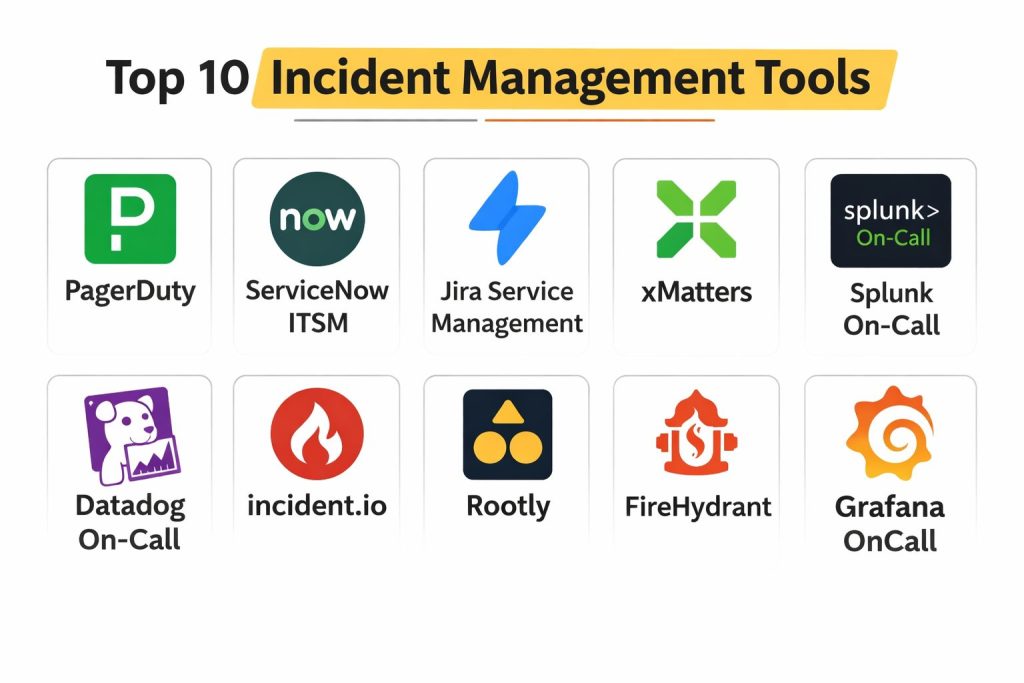
Top 10 Incident Management Tools
Tool 1 — PagerDuty
PagerDuty is a widely adopted incident response platform built around on-call management, alert routing, and fast escalation. It is commonly used by SRE and operations teams that want reliable paging, clear ownership, and strong integrations into monitoring systems.
Key capabilities
On-call scheduling with escalation rules and coverage patterns
Alert routing, deduplication, and noise reduction workflows
Incident mobilization with ownership, roles, and coordination support
Pros
Strong reliability for paging and escalations at scale
Broad integration ecosystem for monitoring and observability tools
Cons
Can feel heavy if you only need basic alerting
Advanced setups often require process maturity to get the best results
Platforms and deployment Web, iOS, Android
Security and compliance Not publicly stated
Integrations and ecosystem PagerDuty commonly connects with monitoring, logs, and tracing tools to turn signals into actionable incidents. It also fits well with ticketing and collaboration workflows when teams want a full operational loop.
Monitoring and observability integrations
Ticketing and workflow tools
Chat and notification channels
Support and community Strong documentation and onboarding resources are common for mature platforms in this category. Support tiers vary by plan, and community knowledge is widely available.
Tool 2 — ServiceNow ITSM
ServiceNow ITSM is a service management platform often used in enterprise environments where incident management must align with ITIL-style processes, approvals, and formal records. It fits organizations that want governance, structured workflows, and integration with broader service management.
Key capabilities
Structured incident workflows with assignments and approvals
Change and problem management connections for root-cause follow-through
Reporting and audit-friendly incident records for governance needs
Pros
Strong for enterprise control, consistency, and compliance workflows
Connects incidents to broader service operations and lifecycle processes
Cons
Can be complex to configure and operate
May be slower for teams that want lightweight, engineer-led response
Platforms and deployment Web
Security and compliance Not publicly stated
Integrations and ecosystem ServiceNow is often the system of record for incidents, changes, and service requests, and it can connect to monitoring systems via integrations or middleware. Many enterprises standardize around it for consistent reporting and cross-team workflows.
Enterprise workflow and approvals
IT operations and service catalog alignment
Connectors to monitoring and alert sources
Support and community Enterprise support is typically strong in this category, with extensive documentation and large partner ecosystems. Community knowledge is broad, especially in enterprise IT operations.
Tool 3 — Jira Service Management
Jira Service Management is commonly used by teams that want incident workflows tied closely to issue tracking and engineering work management. It fits organizations already using Jira-based workflows and wanting incidents, tickets, and post-incident work in a connected loop.
Key capabilities
Incident tracking connected to engineering work items
Workflow automation for triage, assignment, and follow-ups
Service request and operations workflows in one system
Pros
Practical for teams already standardized on Jira
Strong connection between incidents and follow-up tasks
Cons
The best experience depends on how well workflows are designed
Some teams may need additional tooling for advanced on-call needs
Platforms and deployment Web
Security and compliance Not publicly stated
Integrations and ecosystem It commonly integrates with engineering, support, and collaboration workflows so incident response and remediation work stay connected. It also pairs with monitoring sources through integrations.
Issue tracking and workflow automation
Collaboration and notifications
Monitoring-to-ticket pipelines
Support and community Large community, many templates, and strong documentation for common workflows. Support options vary by plan.
Tool 4 — xMatters
xMatters focuses on orchestrating incident response by automating who to notify, what steps to run, and how to coordinate. It fits teams that want structured response flows and cross-team communications, especially when multiple business groups are involved.
Key capabilities
Multi-step notification and escalation workflows
Automated response steps and runbook-style orchestration
Stakeholder communication support for wider audiences
Pros
Strong for complex coordination and structured response
Useful when incidents require multiple teams and approvals
Cons
Setup can be involved for detailed workflows
May be more than needed for smaller engineering teams
Platforms and deployment Web, iOS, Android
Security and compliance Not publicly stated
Integrations and ecosystem xMatters is often used as a response orchestration layer connecting alert sources to people and processes. It fits organizations that want consistent execution rather than ad-hoc response.
Monitoring and alert sources
Collaboration and notification channels
Workflow orchestration patterns
Support and community Documentation and onboarding are typically mature. Support tiers vary by plan and customer needs.
Tool 5 — Splunk On-Call
Splunk On-Call is designed for on-call alerting, incident escalation, and team coordination around operational events. It fits teams that want strong paging and structured incident visibility, especially when already aligned with Splunk-oriented operations.
Key capabilities
On-call schedules with escalations and routing rules
Incident lifecycle tracking from alert to resolution
Mobile-first response features for on-call responders
Pros
Practical on-call workflow for alert-to-response handling
Strong fit for teams that want clear escalation behavior
Cons
Ecosystem fit can depend on your broader tooling choices
Some advanced workflows may require careful configuration
Platforms and deployment Web, iOS, Android
Security and compliance Not publicly stated
Integrations and ecosystem Splunk On-Call typically connects to monitoring and alert sources and helps route signals to the right responders. Integration depth depends on your monitoring and ticketing stack.
Monitoring and alert sources
Collaboration channels
Incident visibility and routing workflows
Support and community Support experience varies by plan. Community knowledge exists, especially among teams operating observability-heavy stacks.
Tool 6 — Datadog On-Call
Datadog On-Call focuses on incident response workflows tightly connected to observability signals. It fits teams that already use Datadog monitoring and want a smoother path from detection to on-call response.
Key capabilities
On-call scheduling and escalation connected to alerting
Faster context handoff from monitors to responders
Incident coordination supported by observability signals
Pros
Strong workflow when Datadog is the primary monitoring system
Reduces context switching from detection to response
Cons
Best fit depends on how much of your stack is already in Datadog
Cross-tool parity depends on your broader incident process
Platforms and deployment Web, iOS, Android
Security and compliance Not publicly stated
Integrations and ecosystem The biggest advantage is linking alert context directly to incident response, which improves speed and reduces confusion. Integration breadth depends on your existing monitoring and workflow tools.
Observability-first incident context
Collaboration channels
Ticketing and workflow hooks
Support and community Datadog-style platforms usually provide strong docs and onboarding guidance. Support tiers vary by plan.
Tool 7 — incident.io
incident.io is designed around running incidents with clear structure and minimal friction. It fits teams that want consistent incident coordination, clean timelines, and fast communication without heavy process overhead.
Key capabilities
Incident coordination with roles, timelines, and tasks
Automated updates and structured incident records
Post-incident reviews and action items to reduce repeat failures
Pros
Keeps incidents organized and easy to follow
Strong for teams that value lightweight but consistent process
Cons
Best results require teams to adopt a consistent response routine
Some organizations may prefer ITSM-style governance instead
Platforms and deployment Web
Security and compliance Not publicly stated
Integrations and ecosystem incident.io is often used alongside monitoring tools and ticketing systems, acting as the coordination layer that keeps everything structured.
Monitoring and alert sources
Chat and collaboration workflows
Ticketing and action tracking
Support and community Documentation and guided onboarding are often central to adoption. Community strength varies by region and user base.
Tool 8 — Rootly
Rootly is built for modern incident workflows that prioritize collaboration, automation, and learning. It fits teams that want faster coordination, consistent post-incident reviews, and strong operational habits without turning incidents into paperwork.
Key capabilities
Structured incident workflows with automation and templates
Postmortems and action items that connect to real follow-up work
Incident metrics for operational improvement
Pros
Strong focus on learning and repeat-incident reduction
Helps teams move from reactive to disciplined response
Cons
Requires teams to follow process consistently to get full value
Best workflow depends on how your team collaborates during incidents
Platforms and deployment Web
Security and compliance Not publicly stated
Integrations and ecosystem Rootly commonly connects incident response to the tools teams already use for communication and remediation work. The goal is to reduce manual coordination while keeping a clean record.
Monitoring and alert sources
Collaboration workflows
Remediation tracking in engineering tools
Support and community Support and onboarding typically focus on helping teams standardize response. Community knowledge is growing, but varies by organization type.
Tool 9 — FireHydrant
FireHydrant is an incident management platform focused on making response repeatable and measurable. It fits teams that want clear incident structures, reliable stakeholder updates, and strong links to service ownership and runbooks.
Key capabilities
Incident response workflows with roles, tasks, and timelines
Stakeholder updates and incident communications support
Post-incident learning with action tracking
Pros
Strong structure for fast, clean incident execution
Good balance between process and speed
Cons
Requires thoughtful setup to match your organization’s incident style
Some teams may already have overlapping tools and need consolidation
Platforms and deployment Web
Security and compliance Not publicly stated
Integrations and ecosystem FireHydrant is often used as the coordination hub while monitoring tools detect the issue and engineering tools deliver the fix. It supports connecting response to ownership and runbooks.
Monitoring and alert sources
Collaboration channels
Ticketing and action item workflows
Support and community Documentation and onboarding are important for matching workflows to team habits. Support tiers vary by plan.
Tool 10 — Grafana OnCall
Grafana OnCall supports on-call scheduling and alert routing in a workflow that pairs well with Grafana-based observability setups. It fits teams that want practical on-call coverage connected to monitoring signals, especially in Grafana-centric environments.
Key capabilities
On-call schedules and escalation routing
Alert handling that connects to observability context
Practical workflows for teams that want control over notifications
Pros
Good fit for Grafana-based monitoring environments
Supports teams that want simple, clear on-call routing
Cons
Best experience depends on your observability stack choices
Some organizations may need additional incident coordination features
Platforms and deployment Web
Security and compliance Not publicly stated
Integrations and ecosystem Grafana OnCall typically fits into an observability-first approach, where the on-call workflow is closely connected to dashboards and alert sources. Integration depends on how your monitoring and alerting are designed.
Grafana-centric observability workflows
Alert sources and notification channels
Team on-call coverage patterns
Support and community Grafana’s community ecosystem is large. Support options vary depending on your plan and deployment approach.
Comparison Table
Tool Name
Best For
Platform(s) Supported
Deployment (Cloud/Self-hosted/Hybrid)
Standout Feature
Public Rating
PagerDuty
On-call and rapid incident response
Web, iOS, Android
Cloud
Reliable paging and escalations
N/A
ServiceNow ITSM
Enterprise ITSM-led incident workflows
Web
Cloud / Hybrid (Varies)
Governance and structured records
N/A
Jira Service Management
Engineering-linked incident workflows
Web
Cloud / Self-hosted (Varies)
Incidents tied to work tracking
N/A
xMatters
Orchestrated response and communications
Web, iOS, Android
Cloud
Workflow-driven notification
N/A
Splunk On-Call
On-call alerting and escalation
Web, iOS, Android
Cloud
Escalation-first on-call
N/A
Datadog On-Call
Observability-linked on-call response
Web, iOS, Android
Cloud
Detection-to-response context
N/A
incident.io
Lightweight structured incident coordination
Web
Cloud
Clear roles, timelines, learning
N/A
Rootly
Automation and learning-driven response
Web
Cloud
Post-incident learning + automation
N/A
FireHydrant
End-to-end response with strong structure
Web
Cloud
Incident process + stakeholder updates
N/A
Grafana OnCall
Grafana-centric on-call routing
Web
Cloud / Self-hosted (Varies)
On-call integrated with observability
N/A
Evaluation and Scoring of Incident Management Tools
The scoring below is comparative and meant to help you shortlist tools faster. It is not an official benchmark and it is not a guarantee of performance in every environment. Use it to understand trade-offs: some tools win on governance, others win on speed and collaboration, and others win when deeply connected to observability. The best approach is to compare your own incident workflow against each tool’s strengths, then validate with a pilot.
Weights: Core features 25%, Ease of use 15%, Integrations and ecosystem 15%, Security and compliance 10%, Performance and reliability 10%, Support and community 10%, Price and value 15%.
Tool Name
Core (25%)
Ease (15%)
Integrations (15%)
Security (10%)
Performance (10%)
Support (10%)
Value (15%)
Weighted Total
PagerDuty
9.2
7.6
9.1
6.5
8.8
8.3
6.8
8.13
ServiceNow ITSM
8.8
6.2
8.6
7.0
8.4
8.5
5.8
7.64
Jira Service Management
8.2
7.4
8.3
6.5
8.0
8.0
7.4
7.87
xMatters
8.0
6.8
8.0
6.2
8.2
7.6
6.8
7.47
Splunk On-Call
7.8
7.0
7.8
6.0
8.0
7.4
7.0
7.34
Datadog On-Call
7.6
7.3
8.2
6.0
8.1
7.6
7.2
7.47
incident.io
7.9
8.2
7.8
6.0
7.8
7.4
7.6
7.71
Rootly
7.8
8.0
7.9
6.0
7.7
7.3
7.4
7.57
FireHydrant
8.0
7.8
7.9
6.0
7.8
7.4
7.2
7.58
Grafana OnCall
7.0
7.4
7.2
5.8
7.4
7.2
8.2
7.28
Which Incident Management Tool Is Right for You
Solo or Freelancer
If you are a solo operator or a very small team, you need something that sets up quickly, keeps noise low, and makes it easy to know who responds when an alert fires. Tools that are lightweight and integrate well with your monitoring are often the best fit. Grafana OnCall can work well for teams centered around Grafana-based monitoring. If you want a more structured incident workflow without heavy enterprise process, incident.io can be a practical choice for clean coordination. For solo teams, the key is not “more features,” it is fewer missed alerts and a simpler on-call routine.
SMB
Small and growing companies need speed, clarity, and repeatability. PagerDuty is often a strong fit when on-call discipline and reliable escalation matter most. Rootly and FireHydrant can be useful when teams want structured collaboration, easy incident records, and strong learning loops without turning incidents into slow approval workflows. Jira Service Management is a good fit if your team already relies heavily on Jira for engineering work and wants incidents and follow-ups in a single connected flow.
Mid-Market
Mid-sized organizations commonly face multi-service incidents, more teams, and higher coordination cost. In this stage, success depends on consistent ownership, clear runbooks, and reliable stakeholder updates. PagerDuty remains strong for paging and escalation. FireHydrant and Rootly can help create consistent incident habits and measurable improvements. If your organization is building a more formal service organization, Jira Service Management can become the backbone for incident tracking and remediation tasks.
Enterprise
Enterprises often need governance, audit visibility, and standard processes across many groups. ServiceNow ITSM is commonly chosen when incident management must align with structured service operations, approvals, and enterprise reporting. xMatters can be valuable when orchestration and cross-team communications are complex and need consistent execution. Many enterprises still combine tools: one system as the record of incidents, another as the on-call escalation layer, and another as the coordination workflow, depending on operating model.
Budget vs Premium
Budget-focused teams usually get the best results when the tool fits their existing ecosystem and reduces time waste. Grafana OnCall can be cost-effective for Grafana-centric teams, while Jira Service Management can be efficient if you already pay for and operate Jira workflows. Premium tools often justify cost when they reduce downtime materially, improve on-call sustainability, and provide strong integration coverage. The smart buying approach is to estimate the cost of downtime and compare it against license cost plus operational efficiency gains.
Feature Depth vs Ease of Use
ServiceNow ITSM and xMatters can offer deep process control, but they may require more design and training. incident.io, Rootly, and FireHydrant are often easier to adopt for engineering-led response when the goal is structure without heavy bureaucracy. PagerDuty is powerful but benefits most when teams configure routing and escalation carefully and keep alert noise under control.
Integrations and Scalability
If you run a modern stack, integrations decide whether incidents move fast or stall. PagerDuty, ServiceNow ITSM, and Jira Service Management often sit at the center of larger ecosystems. Datadog On-Call becomes much stronger when your monitoring signals and dashboards are primarily in Datadog. Grafana OnCall is most effective when Grafana is your main observability surface. Choose the tool that reduces context-switching in your current environment.
Security and Compliance Needs
Many tools do not present a simple single-page public compliance list that applies to all plans and environments. In practice, you should validate identity controls, access roles, audit visibility, and data retention features during vendor evaluation. If your organization has strict requirements, focus on how the tool supports your internal controls: least privilege access, role separation, auditability, and a clean incident record that your governance teams can rely on.
Frequently Asked Questions
1. What is the difference between alerting tools and incident management tools? Alerting tools focus on sending notifications when something crosses a threshold. Incident management tools go further by coordinating people, tracking decisions, managing communications, and capturing learning so the response becomes repeatable.
2. How do I reduce alert noise so on-call does not burn out? Start with deduplication, grouping, and routing by ownership. Then tighten alert rules so only actionable signals page responders, while lower-priority signals create tickets or summaries.
3. Which tool is best for enterprises with strict process and audit needs? ServiceNow ITSM is often chosen when organizations need formal governance and standard incident records across many teams. xMatters can help when orchestration and communications are complex.
4. Which tool is best for engineering-led, fast-moving teams? PagerDuty is strong for reliable on-call and escalation. incident.io, Rootly, and FireHydrant can be excellent when teams want structured coordination and learning without heavy bureaucracy.
5. How long does implementation typically take? It depends on your process maturity and integrations. Lightweight tools can be useful quickly, but a stable setup still needs time to define ownership, routing rules, runbooks, and escalation policies.
6. What should I test during a pilot before adopting a tool? Test real alerts, real ownership routing, escalations, handoffs, incident creation steps, stakeholder updates, and post-incident action tracking. Also test how easily new team members can follow the workflow.
7. Can I use more than one tool, or should I pick one platform? Many teams combine tools: one for on-call paging, one for system-of-record governance, and one for chat-style coordination. The goal is a clean workflow, not a single vendor.
8. How do I connect incidents to long-term fixes so problems do not repeat? Use post-incident reviews that create action items linked to engineering work. Track those actions to completion and review repeat incidents to find patterns in tooling, process, or architecture.
9. What are common mistakes teams make after buying an incident tool? They do not assign service ownership, they keep noisy alerts, and they treat the tool as a “set and forget” purchase. Incident tools work best when teams continuously tune alerts and improve runbooks.
10. How do I choose between an observability-linked on-call tool and a general incident platform? If most signals live in one observability system, an observability-linked on-call tool can reduce friction. If you need cross-team coordination, structured timelines, and learning workflows, a dedicated incident platform can be a better fit.
Conclusion
Incident management tools succeed when they reduce confusion during high-pressure moments and help teams improve after the incident ends. The best choice depends on how you operate: some organizations need governance and a single system of record, while others prioritize fast on-call response and lightweight coordination. Start by mapping your current incident flow from detection to recovery, then shortlist two or three tools that match your operating style. Run a pilot using real alerts and real responders, validate escalation behavior, confirm integrations with your monitoring and ticketing stack, and check that post-incident actions actually get tracked and completed. That practical validation beats feature lists every time.