Introduction
Application Performance Monitoring (APM) helps teams understand how an application behaves in the real world—how fast it responds, where it fails, what users experience, and which services or dependencies are causing slowdowns. In simple words, APM connects the dots between requests, services, databases, queues, third-party APIs, and infrastructure so you can find the real root cause of a problem without guessing.
APM matters because modern applications are distributed: microservices, containers, serverless functions, and third-party dependencies create many possible failure points. When latency increases or errors spike, teams need fast answers: which endpoint, which service, which deployment, which database query, which customer segment, and which code path caused it.
Common use cases include performance tuning for high-traffic APIs, incident troubleshooting for production outages, monitoring release impact after deployments, tracking user experience across web and mobile journeys, and capacity planning for critical services. When evaluating APM tools, buyers should look at tracing depth, metrics coverage, log correlation, alert quality, dashboard usability, OpenTelemetry support, instrumentation effort, scalability, data retention options, multi-cloud visibility, role-based access controls, and overall cost predictability.
Best for: SRE teams, platform engineering, DevOps, backend and full-stack developers, engineering managers, and product teams running business-critical applications.
Not ideal for: very small projects with minimal traffic where simple uptime checks and basic logs are enough, or teams that only need infrastructure monitoring without application-level tracing.
Key Trends in APM
- Shift toward unified observability where traces, metrics, and logs are correlated in one workflow
- Wider adoption of OpenTelemetry to reduce vendor lock-in and standardize instrumentation
- More focus on user experience signals such as real user monitoring and session impact analysis
- Increased use of automation for anomaly detection, smarter alerting, and faster root cause hints
- Stronger expectations for monitoring cloud-native stacks like Kubernetes, serverless, and service meshes
- Growing need for cost control features, sampling strategies, and predictable usage-based pricing
- Increased attention to governance, access control, and auditability (even when vendor details are not publicly stated)
- Deeper dependency mapping to highlight third-party risk and critical downstream services
How We Selected These Tools (Methodology)
- Chosen based on strong market adoption and credibility across multiple industries
- Prioritized tools that cover distributed tracing, service metrics, and dependency visibility
- Considered practicality: time to instrument, ease of onboarding, and daily usability
- Included tools spanning enterprise, mid-market, and cloud-first teams
- Considered ecosystem fit for Kubernetes, major cloud providers, and common CI/CD workflows
- Focused on tools that support scalable ingestion and large environments without excessive complexity
- Avoided claiming certifications, ratings, or pricing details when not clearly known publicly
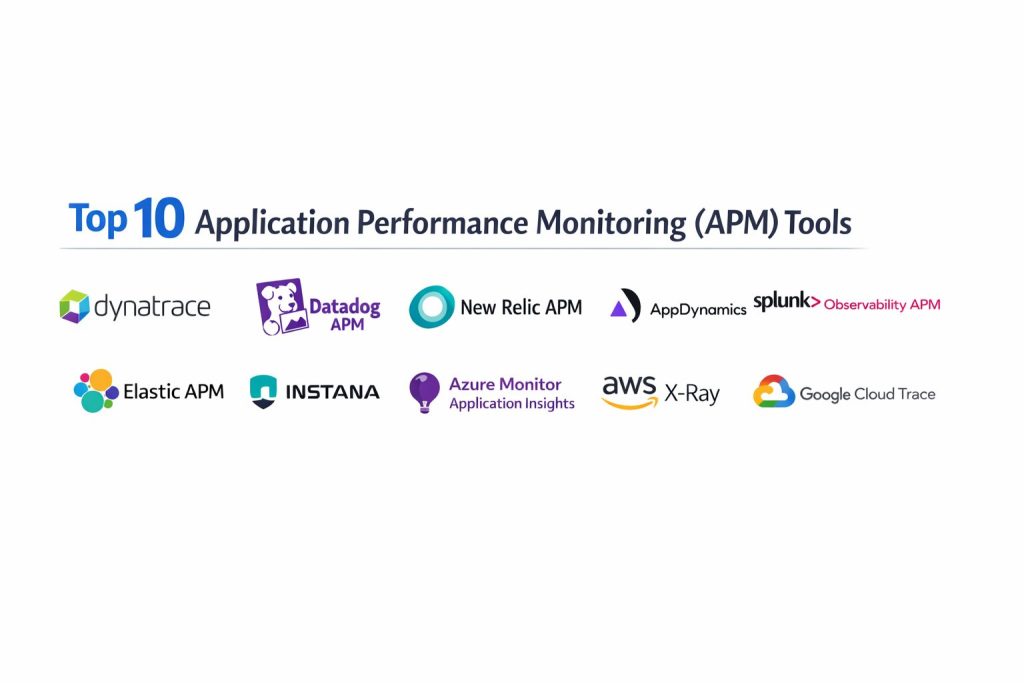
Top 10 Application Performance Monitoring (APM) Tools
1 — Dynatrace
Dynatrace is a full-stack monitoring and observability platform commonly used by large teams that need broad visibility across applications and infrastructure. It is often selected when organizations want consistent monitoring at scale with strong automation options.
Key Features
- Distributed tracing and service dependency mapping for complex environments
- Automated anomaly detection and problem correlation workflows
- Broad coverage across application, infrastructure, and platform layers
Pros
- Strong fit for large environments that need standardized monitoring
- Helps reduce alert noise through correlation-focused workflows
Cons
- Can feel complex to configure for smaller teams with simpler systems
- Cost and usage planning may require careful governance
Platforms / Deployment
Varies / N/A
Security & Compliance
Not publicly stated
Integrations & Ecosystem
Dynatrace commonly fits into enterprise ecosystems where teams need consistent coverage across many services and environments.
- Common cloud and container ecosystem coverage: Varies / N/A
- API and automation support: Varies / Not publicly stated
- Common integrations (CI/CD, ticketing, messaging): Varies / N/A
Support & Community
Generally strong enterprise support expectations, with documentation and enablement resources varying by plan.
2 — Datadog APM
Datadog APM is widely used by cloud-first teams that want fast setup, strong dashboards, and tight workflows across observability signals. It is often chosen by teams that want APM alongside infrastructure monitoring and log correlation.
Key Features
- Distributed tracing with service maps and latency breakdowns
- Correlation workflows across traces, metrics, and logs
- Strong dashboarding and alerting patterns for operational teams
Pros
- Fast time-to-value for many cloud-native environments
- Strong day-to-day usability for engineering and operations teams
Cons
- Costs can grow with scale if governance is weak
- Deep customization may require discipline in tagging and naming
Platforms / Deployment
Varies / N/A
Security & Compliance
Not publicly stated
Integrations & Ecosystem
Datadog often works well in environments with many services, containers, and common cloud tools.
- Integrations catalog and agent ecosystem: Varies / N/A
- OpenTelemetry usage: Varies / Not publicly stated
- APIs for automation and enrichment: Varies / N/A
Support & Community
Strong documentation footprint and broad user community. Support details vary by plan.
3 — New Relic APM
New Relic APM is a long-standing observability platform used for application monitoring, distributed tracing, and operational visibility. It is often chosen by teams looking for broad coverage with flexible analysis workflows.
Key Features
- Application performance visibility with distributed tracing support
- Query and analytics workflows for deep investigation
- Dashboards and alerting for service health and incidents
Pros
- Mature platform with broad adoption across many team sizes
- Useful analysis tooling for troubleshooting and trend discovery
Cons
- Data modeling and configuration can be confusing for new users
- Cost control can require careful sampling and governance
Platforms / Deployment
Varies / N/A
Security & Compliance
Not publicly stated
Integrations & Ecosystem
New Relic is commonly used in mixed stacks with multiple languages and services.
- Language agents and instrumentation options: Varies / N/A
- Integration with cloud and container ecosystems: Varies / N/A
- APIs and automation: Varies / Not publicly stated
Support & Community
Large community and training ecosystem. Support tiers vary by plan.
4 — AppDynamics
AppDynamics is often used in enterprise environments where application monitoring must align with business-critical services and structured operations. It is commonly selected for transaction visibility and enterprise monitoring practices.
Key Features
- Transaction-level monitoring and dependency visibility
- Service health baselining and alerting workflows
- Coverage patterns that fit structured enterprise environments
Pros
- Strong fit for large organizations with standardized operations
- Useful for critical transaction monitoring and service insights
Cons
- Setup and tuning may require dedicated ownership
- Can be heavyweight for small teams and simple architectures
Platforms / Deployment
Varies / N/A
Security & Compliance
Not publicly stated
Integrations & Ecosystem
Often used where enterprise tooling, approvals, and governance are important.
- Common enterprise integration patterns: Varies / N/A
- APIs and extensions: Varies / Not publicly stated
- Cloud and container support: Varies / N/A
Support & Community
Enterprise-oriented support expectations. Documentation and enablement vary by plan.
5 — Splunk Observability APM
Splunk Observability APM is frequently considered by teams that want strong operational workflows and a focus on troubleshooting distributed systems. It is often evaluated in environments that already use Splunk ecosystems.
Key Features
- Distributed tracing with service dependency visibility
- Metrics-driven alerting and investigation workflows
- Focus on operational troubleshooting for complex systems
Pros
- Useful for teams that need strong troubleshooting workflows
- Fits well when operational visibility is a top priority
Cons
- Tool sprawl risk if teams run multiple overlapping observability products
- Pricing and packaging considerations can be complex
Platforms / Deployment
Varies / N/A
Security & Compliance
Not publicly stated
Integrations & Ecosystem
Often fits into environments that value operational workflows and data correlation.
- Integrations with common platforms: Varies / N/A
- APIs and automation: Varies / Not publicly stated
- OpenTelemetry usage: Varies / N/A
Support & Community
Support details vary by plan. Community strength varies by organization and use case.
6 — Elastic APM
Elastic APM is commonly used by teams that run the Elastic Stack and want APM alongside logs and search-based workflows. It is often chosen when teams want more control over data pipelines and storage patterns.
Key Features
- Application tracing and performance analysis within Elastic workflows
- Correlation with logs and searchable operational data
- Flexible deployment patterns depending on stack ownership
Pros
- Strong fit when teams already rely on Elastic for observability workflows
- Useful for teams that want more control over ingestion and data access
Cons
- Setup effort can be higher if you are not already using Elastic Stack
- Feature depth varies by configuration and deployment choices
Platforms / Deployment
Varies / N/A
Security & Compliance
Not publicly stated
Integrations & Ecosystem
Works best when aligned to Elastic-centric pipelines and operational practices.
- Integrations for common languages and platforms: Varies / N/A
- Extensibility through Elastic ecosystem patterns: Varies / N/A
- Data pipeline flexibility: Varies / Not publicly stated
Support & Community
Strong community around Elastic Stack. Support varies by plan and deployment.
7 — Instana
Instana is commonly considered by teams that want automated discovery and fast feedback for dynamic environments. It is often used when applications change frequently and teams need monitoring to keep up.
Key Features
- Automated service discovery and dependency mapping workflows
- Distributed tracing for service-to-service analysis
- Operational alerting patterns for fast incident response
Pros
- Helpful for fast-changing environments where services scale dynamically
- Often reduces manual setup overhead through automation
Cons
- Pricing and packaging details can be hard to forecast without governance
- Some advanced setups require experience to tune correctly
Platforms / Deployment
Varies / N/A
Security & Compliance
Not publicly stated
Integrations & Ecosystem
Often used in containerized and distributed environments with many services.
- Platform and language support: Varies / N/A
- Integration patterns for cloud-native stacks: Varies / N/A
- Automation and APIs: Varies / Not publicly stated
Support & Community
Support and documentation vary by plan. Community scale varies by region and industry.
8 — Azure Monitor Application Insights
Azure Monitor Application Insights is a common choice for teams building on Azure who want application monitoring tightly aligned with Azure services. It is often selected for Azure-centric architectures and operational practices.
Key Features
- Application telemetry and transaction visibility within Azure workflows
- Diagnostics and investigation aligned with Azure operations
- Works well for teams standardizing on Azure monitoring tools
Pros
- Strong fit for Azure-native teams and Azure governance practices
- Convenient integration with common Azure services and workflows
Cons
- Cross-cloud or multi-platform needs may require additional tooling
- Feature depth depends on how teams instrument and structure telemetry
Platforms / Deployment
Varies / N/A
Security & Compliance
Not publicly stated
Integrations & Ecosystem
Works best when your services run primarily on Azure and you want tight operational alignment.
- Azure ecosystem alignment: Varies / N/A
- Instrumentation approach: Varies / Not publicly stated
- APIs and automation: Varies / N/A
Support & Community
Strong documentation ecosystem through Azure learning resources. Support depends on Azure support plans.
9 — AWS X-Ray
AWS X-Ray is used by teams running workloads on AWS who want distributed tracing and service visibility closely aligned with AWS services. It is commonly used for tracing request flows across AWS-managed components.
Key Features
- Distributed tracing across instrumented services
- Service map and latency breakdown for request paths
- Useful for AWS-centric architectures and troubleshooting
Pros
- Natural fit for AWS workloads and AWS service interactions
- Helpful for tracing request paths across distributed services
Cons
- Not designed to be a full observability suite on its own
- Cross-cloud monitoring typically needs additional tooling
Platforms / Deployment
Varies / N/A
Security & Compliance
Not publicly stated
Integrations & Ecosystem
Most valuable when your architecture heavily relies on AWS services and tracing across them matters.
- AWS service alignment: Varies / N/A
- Instrumentation and SDK usage: Varies / Not publicly stated
- Export and correlation patterns: Varies / N/A
Support & Community
Backed by AWS documentation and ecosystem. Support depends on AWS support plans.
10 — Google Cloud Trace
Google Cloud Trace is used by teams running on Google Cloud that want tracing visibility integrated into Google Cloud operations. It is often considered alongside other Google Cloud monitoring tools.
Key Features
- Request tracing for services instrumented in Google Cloud
- Latency analysis for request paths and service behavior
- Fits Google Cloud operational workflows and toolchains
Pros
- Convenient for Google Cloud-first teams
- Useful for tracing and latency visibility for cloud services
Cons
- Not a full APM platform by itself for many teams
- Multi-cloud environments typically need additional tooling
Platforms / Deployment
Varies / N/A
Security & Compliance
Not publicly stated
Integrations & Ecosystem
Best suited when your services and operational practices are centered around Google Cloud.
- Google Cloud ecosystem alignment: Varies / N/A
- Instrumentation approach: Varies / Not publicly stated
- Correlation with other signals: Varies / N/A
Support & Community
Supported through Google Cloud documentation and ecosystem. Support depends on cloud support plans.
Comparison Table
| Tool Name | Best For | Platform(s) Supported | Deployment | Standout Feature | Public Rating |
|---|---|---|---|---|---|
| Dynatrace | Enterprise-scale observability | Varies / N/A | Varies / N/A | Automated correlation workflows | N/A |
| Datadog APM | Cloud-first teams | Varies / N/A | Varies / N/A | Strong trace-metric-log correlation | N/A |
| New Relic APM | Broad APM and analysis | Varies / N/A | Varies / N/A | Flexible investigation workflows | N/A |
| AppDynamics | Structured enterprise monitoring | Varies / N/A | Varies / N/A | Transaction-level visibility | N/A |
| Splunk Observability APM | Operational troubleshooting | Varies / N/A | Varies / N/A | Strong incident workflows | N/A |
| Elastic APM | Elastic-centric observability | Varies / N/A | Varies / N/A | Search-aligned telemetry workflows | N/A |
| Instana | Dynamic service environments | Varies / N/A | Varies / N/A | Automated discovery | N/A |
| Azure Monitor Application Insights | Azure-native monitoring | Varies / N/A | Varies / N/A | Azure-aligned telemetry | N/A |
| AWS X-Ray | AWS tracing needs | Varies / N/A | Varies / N/A | AWS request path tracing | N/A |
| Google Cloud Trace | Google Cloud tracing needs | Varies / N/A | Varies / N/A | Cloud-native tracing | N/A |
Evaluation & Scoring of Application Performance Monitoring (APM) Tools
This scoring model helps you compare tools using a consistent set of criteria. Scores are relative, not absolute, and are meant to help you narrow a shortlist. If your environment is strongly cloud-specific, your integration and value priorities may shift. If your stack is heavily regulated, you may weight governance and access controls more, even when details are not publicly stated. Use the weighted total to identify likely fits, then validate with a small pilot in your environment.
Weights used
Core features 25%
Ease of use 15%
Integrations and ecosystem 15%
Security and compliance 10%
Performance and reliability 10%
Support and community 10%
Price and value 15%
| Tool Name | Core (25%) | Ease (15%) | Integrations (15%) | Security (10%) | Performance (10%) | Support (10%) | Value (15%) | Weighted Total (0–10) |
|---|---|---|---|---|---|---|---|---|
| Dynatrace | 9 | 7 | 8 | 6 | 8 | 7 | 6 | 7.6 |
| Datadog APM | 8 | 8 | 9 | 6 | 8 | 8 | 7 | 7.9 |
| New Relic APM | 8 | 7 | 8 | 6 | 7 | 7 | 7 | 7.4 |
| AppDynamics | 8 | 6 | 7 | 6 | 7 | 7 | 5 | 6.8 |
| Splunk Observability APM | 8 | 6 | 7 | 6 | 7 | 7 | 5 | 6.8 |
| Elastic APM | 7 | 6 | 7 | 5 | 7 | 6 | 7 | 6.6 |
| Instana | 7 | 7 | 7 | 5 | 7 | 6 | 6 | 6.6 |
| Azure Monitor Application Insights | 6 | 7 | 7 | 6 | 7 | 6 | 8 | 6.9 |
| AWS X-Ray | 6 | 7 | 7 | 6 | 7 | 6 | 8 | 6.9 |
| Google Cloud Trace | 6 | 7 | 7 | 6 | 7 | 6 | 8 | 6.9 |
Which Application Performance Monitoring (APM) Tool Is Right for You?
Solo / Freelancer
If you are supporting a small service or a few APIs, focus on ease of setup and clear traces rather than a huge platform. Cloud-native options like Azure Monitor Application Insights, AWS X-Ray, or Google Cloud Trace can be practical if you already live inside that cloud. If you need broader coverage without managing infrastructure, Datadog APM or New Relic APM can be easier to standardize across multiple projects, but cost control becomes important as usage grows.
SMB
SMBs usually need fast onboarding, good dashboards, and dependable alerting. Datadog APM and New Relic APM are common shortlists because they support mixed stacks and provide useful daily workflows. If you already run Elastic for logs and search workflows, Elastic APM can be a natural extension, especially if your team wants more control over how data is stored and accessed.
Mid-Market
Mid-market teams benefit from standardization and strong investigation workflows. Datadog APM can work well when teams want one place for infrastructure, logs, and traces. Dynatrace can be attractive when you want stronger automation and consistent coverage across many services. Instana can fit well when the environment changes frequently and automated discovery helps reduce setup burden.
Enterprise
Enterprises often prioritize governance, consistency, and operational maturity. Dynatrace and AppDynamics are frequently evaluated for enterprise-scale monitoring practices, especially when teams need standardized patterns across many apps. Splunk Observability APM can be compelling when operational troubleshooting and organizational workflows are already aligned with Splunk ecosystems. In large organizations, the real win is not the tool alone—it is the instrumentation standards, ownership model, and incident process you build around it.
Budget vs Premium
Budget-friendly approaches often start with cloud-native tracing tools if your workloads are mostly on one cloud. Premium platforms are usually chosen when teams need cross-service correlation, deeper automation, stronger multi-team workflows, and more standardized operations at scale. The best strategy is to define what must be monitored, sample what can be sampled, and avoid collecting everything without a plan.
Feature Depth vs Ease of Use
If you need deep automation and broad coverage, tools like Dynatrace can stand out. If you value daily usability, dashboards, and quick onboarding, Datadog APM and New Relic APM are often easier for mixed teams. If you primarily need tracing for cloud services, AWS X-Ray, Google Cloud Trace, and Azure Monitor Application Insights can be simpler to operate.
Integrations & Scalability
If your environment spans containers, multiple languages, and many services, prioritize OpenTelemetry alignment, consistent tagging, and service maps that remain readable at scale. Datadog APM, New Relic APM, and Dynatrace are commonly shortlisted for scalability across teams. If your monitoring is anchored to a single cloud, cloud-native tools reduce friction but may limit portability.
Security & Compliance Needs
Many APM capabilities depend on how you configure access, retention, and data handling. If compliance details are not publicly stated, treat governance as a shared responsibility: control who can see production data, limit sensitive fields, set retention policies, and ensure auditability through your identity and platform controls. Regardless of tool choice, enforce consistent instrumentation and data hygiene so traces do not leak secrets.
Frequently Asked Questions (FAQs)
1. What is the difference between APM and observability
APM focuses on application performance, transactions, and tracing. Observability is broader and usually includes metrics, logs, traces, and workflows that connect them to explain what happened and why.
2. Do I need APM if I already have logs
Logs help, but they are often too slow and too noisy for quick root cause analysis. APM adds request tracing and dependency visibility so you can pinpoint the slow component faster.
3. How hard is APM instrumentation
It depends on the languages, frameworks, and deployment model. Some teams can instrument quickly using agents, while others need planned rollouts, sampling rules, and consistent service naming.
4. What should I monitor first
Start with the most important user-facing transactions and APIs. Monitor latency, error rate, throughput, and the dependencies that commonly cause incidents, then expand gradually.
5. How do I avoid alert fatigue
Use fewer alerts tied to real impact, set sensible thresholds, and rely on correlation and anomaly workflows. Always route alerts to the team that can actually fix the issue.
6. Can APM work with microservices and Kubernetes
Yes, but it requires consistent instrumentation, clear service naming, and good context propagation. Without those basics, service maps and traces become confusing quickly.
7. How do I control APM costs
Use sampling, limit high-cardinality tags, and set retention rules. Define what data is necessary for troubleshooting and what can be reduced without losing visibility.
8. Is OpenTelemetry important
It helps standardize instrumentation and can reduce lock-in. It also makes it easier to move data between tools or run multiple backends if needed.
9. How do I choose between cloud-native tracing and a full APM platform
If most workloads live in one cloud and your needs are basic, cloud-native tracing can be sufficient. If you need cross-service correlation, broader analysis, and multi-team workflows, a full platform is usually better.
10. What is the safest way to adopt a new APM tool
Run a pilot on a few critical services, validate trace quality, confirm dashboards and alert workflows, and test cost behavior under real load before expanding to the full environment.
Conclusion
Application Performance Monitoring is most valuable when it turns “something is slow” into a clear answer you can act on: which service, which endpoint, which dependency, and which change introduced the issue. The right tool depends on your environment and operating model. Cloud-native options like Azure Monitor Application Insights, AWS X-Ray, and Google Cloud Trace can be practical when you live in one cloud and need tracing with minimal overhead. Platforms like Datadog APM, New Relic APM, Dynatrace, AppDynamics, Splunk Observability APM, Elastic APM, and Instana can be stronger when you need cross-service correlation, scalable workflows, and consistent monitoring standards across teams. Shortlist two or three tools, run a pilot on real services, validate trace quality, confirm alert noise levels, and check cost behavior before standardizing.