Introduction
Log management tools collect, store, search, and analyze logs from your applications, servers, containers, networks, and cloud services. In simple terms, they help you answer questions like: “What broke?”, “When did it start?”, “Which users were affected?”, and “Where is the error coming from?” Without a proper log system, teams waste time jumping between machines, tailing files, and guessing root causes.
Log management matters because modern systems create massive volumes of data across microservices, APIs, queues, databases, and third-party services. When one small dependency fails, the symptoms can show up far away from the cause. A good log platform makes those signals searchable, correlated, and usable during incidents, audits, performance tuning, and product troubleshooting.
Real-world use cases are everywhere. Engineers use logs to debug production issues and reduce downtime. Security teams use logs for threat investigations and compliance evidence. Support and product teams use logs to diagnose customer problems and detect recurring pain points. Platform teams use logs to monitor releases, verify deployments, and catch regressions early.
Buyers should evaluate these criteria before selecting a tool: ingestion methods (agents, syslog, APIs), indexing and search speed, query language usability, retention and storage cost controls, alerting and dashboards, parsing and enrichment, correlation with metrics and traces, role-based access controls, multi-tenant support, reliability under load, and how well the tool fits your cloud and Kubernetes environment.
Best for: DevOps and SRE teams, platform engineering, backend and full-stack developers, security operations, and organizations that need fast troubleshooting plus long-term visibility across services.
Not ideal for: teams with very small systems and low log volume where basic server logs are enough, or teams that only need short-term debugging and do not need search, alerts, or audit-grade retention.
Key Trends in Log Management Tools
Log management is moving from “store everything and search later” to “make logs instantly useful and cost-controlled.” Teams want smarter filtering, better structure, and less noise. Many organizations are standardizing log formats and adding context so they can search by service, request ID, user ID, region, environment, and release version instead of reading raw text lines.
Another major trend is tighter correlation across logs, metrics, and traces. Logs alone are useful, but during incidents teams want a single path from a slow request to the exact error and the related infrastructure signal. This is why log tools increasingly focus on end-to-end observability workflows, not just storage.
Cost and governance are also rising priorities. Log volume grows quickly in Kubernetes and serverless environments, and costs can surprise teams if retention and indexing are not planned. Modern platforms emphasize routing, sampling, tiered retention, and selective indexing so teams can keep what matters most while staying predictable on budget.
Finally, usability is becoming a differentiator. Faster search, better query assistance, better parsing, and simpler onboarding matter because logs are used under pressure. A tool that is “powerful but hard” can slow down response times when incidents happen.
How We Selected These Tools
We selected tools that are widely used for log collection and analysis across different organization sizes and environments. The list balances enterprise platforms, cloud-native options, and open-source-friendly approaches. We looked at practical capabilities like ingestion flexibility, search and filtering experience, retention controls, alerting support, and how well the tool fits modern architectures such as Kubernetes, managed cloud services, and distributed microservices.
We also considered ecosystem and integration strength because logs rarely live alone. Tools that connect well with common agents, cloud services, and observability workflows tend to reduce friction. Lastly, we considered long-term operational fit: how easy it is to standardize dashboards, train teams, manage access, and keep costs controlled as your log volume grows.
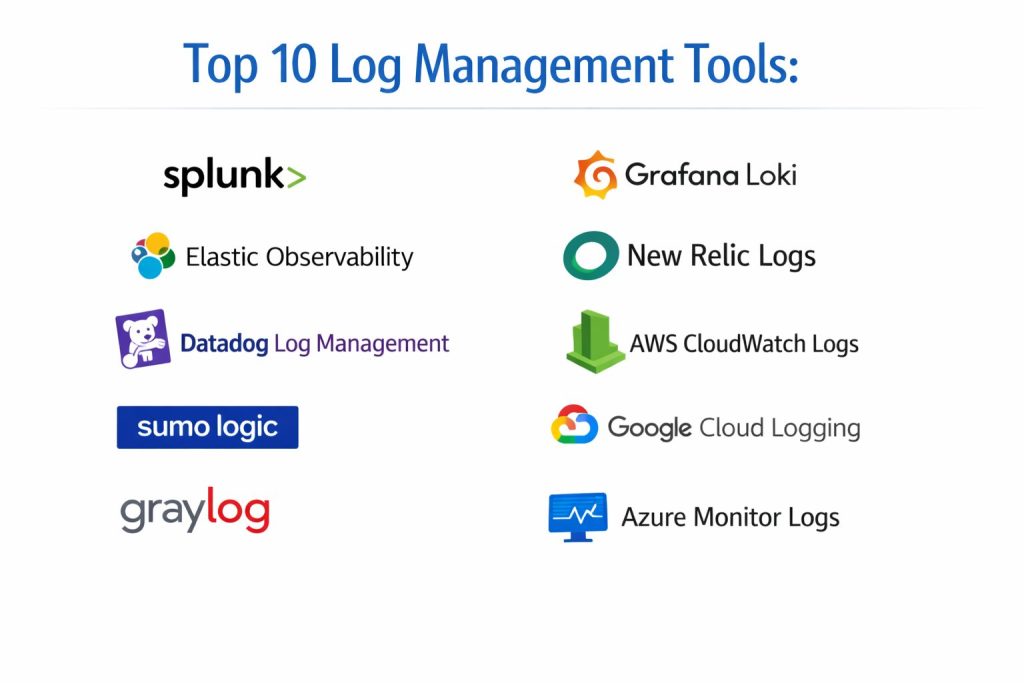
Top 10 Log Management Tools
Tool 1 — Splunk
Splunk is a powerful platform for searching and analyzing machine data, commonly used for large-scale log analytics across IT operations and security teams. It is often chosen when organizations need advanced queries, strong dashboards, and long-term operational workflows around logs.
Key capabilities
Splunk excels at indexing and searching high-volume data, building operational dashboards, creating alerts, and supporting complex investigations. It is often used as a central “single place” for log-driven troubleshooting and audit-style analysis.
Pros
Strong search and analytics depth for complex environments. Mature platform with broad enterprise adoption.
Cons
Pricing and ingestion cost management can be challenging at scale. Onboarding can take time if your data is not standardized.
Platforms and deployment
Cloud / Self-hosted / Hybrid (Varies by plan)
Security and compliance
Not publicly stated. Security controls vary by plan and configuration.
Integrations and ecosystem
Splunk integrates with many log sources through forwarders, syslog, APIs, and vendor integrations. It is commonly used with infrastructure, security tools, and cloud platforms, and it supports extensibility through apps and integrations that enrich data for better investigations.
Support and community
Strong enterprise support options and extensive documentation. Community and ecosystem are large, though best practices often require internal standards and governance.
Tool 2 — Elastic Observability
Elastic Observability is built around the Elastic Stack and is widely used for log search and analytics, often combined with metrics and traces depending on your setup. It is a common choice when teams want flexible indexing, powerful search, and control over deployment.
Key capabilities
Strong full-text search and structured queries, flexible parsing and enrichment, and dashboards that can be tailored to service-level troubleshooting. Many teams value the ability to scale storage and customize pipelines.
Pros
Powerful search capabilities with flexible schema approaches. Good fit for teams that want control and customization.
Cons
Requires careful planning for indexing, storage, and performance tuning. Complexity can grow without strong conventions.
Platforms and deployment
Cloud / Self-hosted / Hybrid (Varies by plan)
Security and compliance
Not publicly stated. Security controls vary by configuration.
Integrations and ecosystem
Elastic commonly integrates with agents and collectors that ship logs from hosts, containers, and cloud services. It supports pipelines for parsing and enrichment so teams can move from raw logs to structured fields that power better search, filtering, and alerting workflows.
Support and community
Large community and documentation base. Support tiers vary by plan, and production success typically improves with strong operational ownership.
Tool 3 — Datadog Log Management
Datadog Log Management is a log platform designed to fit tightly with broader observability workflows. It is often selected by teams that want fast onboarding, a consistent UI, and strong correlation across logs, metrics, and traces.
Key capabilities
Centralized log collection, fast search, flexible parsing, dashboards, and alerting that often aligns well with application monitoring workflows. Many teams adopt it to reduce tool sprawl.
Pros
Strong user experience and fast time-to-value for many teams. Practical correlation across observability signals.
Cons
Cost can increase with high ingestion and long retention. Deep customization may be less flexible than fully self-managed stacks.
Platforms and deployment
Web / Cloud
Security and compliance
Not publicly stated. Security controls vary by plan.
Integrations and ecosystem
Datadog integrates through agents, APIs, and common platform integrations. It is widely used in cloud and Kubernetes environments and is often adopted when teams want consistent tagging across services to make logs filterable by environment, service, and deployment version.
Support and community
Strong documentation and onboarding guidance. Support tiers vary by plan, and community content is broad due to widespread use.
Tool 4 — Sumo Logic
Sumo Logic is a cloud log analytics platform used for operational monitoring and security analytics workflows in many organizations. It is often chosen when teams want managed scalability with strong searching and alerting.
Key capabilities
Cloud-native log collection, structured analysis, dashboards, and alerts. Many teams use it for broad visibility across apps and infrastructure without managing the underlying storage layer.
Pros
Managed scaling reduces infrastructure overhead. Useful for both operational and security-oriented use cases.
Cons
Cost and ingestion planning still matter as volume grows. Query and dashboard conventions require discipline to stay maintainable.
Platforms and deployment
Web / Cloud
Security and compliance
Not publicly stated. Security controls vary by plan.
Integrations and ecosystem
Sumo Logic supports common collection patterns for cloud services, applications, and infrastructure sources. Teams often standardize metadata and parsing so they can reuse dashboards and alerts across environments.
Support and community
Documentation and vendor support are available. Community depth varies, but the platform is widely used in managed observability setups.
Tool 5 — Graylog
Graylog is a popular log management platform often used by teams that want a self-hosted or controlled environment while still providing a central search and alerting experience. It is common in environments where governance and deployment control matter.
Key capabilities
Centralized log ingestion, searchable storage, stream-based routing, dashboards, and alerting. Many teams use it to structure logs into meaningful streams and reduce noise.
Pros
Good control over deployment and data handling. Strong for teams that prefer self-managed tooling.
Cons
Scaling and long-term retention planning are your responsibility. Requires operational ownership for tuning and reliability.
Platforms and deployment
Self-hosted (Varies / N/A for exact platform details by setup)
Security and compliance
Not publicly stated. Security controls vary by configuration.
Integrations and ecosystem
Graylog commonly ingests logs via syslog and collectors and can be used with structured log formats to improve search and routing. Teams often adopt it when they want to own their log infrastructure while still providing a usable interface for developers and operations.
Support and community
Active community and documentation. Support options vary by plan, and production stability improves with strong monitoring and maintenance practices.
Tool 6 — Grafana Loki
Grafana Loki is a log aggregation system designed to work well with cloud-native environments and the Grafana ecosystem. It is often chosen when teams want cost-aware log storage with simple correlation to dashboards and metrics.
Key capabilities
Efficient log indexing approach, label-based filtering, and practical use in Kubernetes environments. Often used alongside Grafana dashboards to connect logs to service views.
Pros
Good fit for cloud-native stacks and Kubernetes. Often cost-effective when configured well.
Cons
Query experience and labeling strategy require good conventions. Advanced analytics may require additional tooling.
Platforms and deployment
Self-hosted / Cloud (Varies by setup)
Security and compliance
Not publicly stated. Security controls vary by configuration.
Integrations and ecosystem
Loki commonly ingests logs through agents and collectors and is frequently paired with Grafana dashboards. Many teams rely on consistent labeling and metadata to make logs searchable by service, namespace, and environment.
Support and community
Strong open community due to Grafana ecosystem usage. Support depends on your deployment approach and chosen service model.
Tool 7 — New Relic Logs
New Relic Logs is a log platform that often fits into an application performance monitoring workflow. It is typically used by teams that want logs alongside performance signals and faster root-cause workflows.
Key capabilities
Central log search, parsing, dashboards, and alerting with strong alignment to application monitoring. Many teams value reduced context switching when troubleshooting incidents.
Pros
Good experience for correlating logs with application behavior. Practical onboarding for teams already using related monitoring tools.
Cons
Cost planning matters as ingestion grows. Some advanced log-only workflows may feel less specialized than dedicated log platforms.
Platforms and deployment
Web / Cloud
Security and compliance
Not publicly stated. Security controls vary by plan.
Integrations and ecosystem
New Relic commonly integrates through agents and APIs, and teams often rely on consistent application tagging to connect logs to services, deployments, and environments for faster investigations.
Support and community
Documentation and vendor support are available. Community content is strong due to widespread adoption in application monitoring use cases.
Tool 8 — AWS CloudWatch Logs
AWS CloudWatch Logs is a managed log service designed for AWS environments. It is often used as the default log destination for AWS-native services and is practical for teams that want straightforward logging inside AWS without managing infrastructure.
Key capabilities
Native integration with AWS services, log storage and retrieval, filtering patterns, and alerting workflows depending on setup. Useful for operational debugging and service-level monitoring within AWS.
Pros
Natural fit for AWS workloads with minimal setup overhead. Works well for AWS service logs and basic operational needs.
Cons
Cross-cloud and multi-platform workflows can require extra effort. Deep analytics and complex investigations may be harder than specialized platforms.
Platforms and deployment
Web / Cloud
Security and compliance
Not publicly stated. Security controls vary by configuration.
Integrations and ecosystem
CloudWatch Logs integrates directly with many AWS services and is often used as the first stage of logging before exporting or centralizing data into a broader observability platform. Teams commonly standardize log groups and naming to keep discovery and filtering manageable.
Support and community
Strong documentation and broad community knowledge due to large AWS usage. Support depends on your AWS support plan.
Tool 9 — Google Cloud Logging
Google Cloud Logging is a managed logging service designed for Google Cloud environments. It is often used for centralized logging across GCP services and workloads, especially when teams want integrated dashboards and native service visibility.
Key capabilities
Managed collection and storage for GCP logs, filtering and searching, and operational workflows for troubleshooting within GCP environments. Useful for platform teams managing multiple services.
Pros
Easy integration with GCP services. Managed nature reduces infrastructure burden.
Cons
Multi-cloud and deep custom analytics may require additional tools. Cost planning remains important at scale.
Platforms and deployment
Web / Cloud
Security and compliance
Not publicly stated. Security controls vary by configuration.
Integrations and ecosystem
Google Cloud Logging integrates with many GCP services and is often used with standardized labels and resource metadata to filter logs by project, service, and environment. Many teams export selected logs to other systems for broader analytics or long retention.
Support and community
Good documentation and common usage patterns across GCP projects. Support depends on your Google Cloud support plan.
Tool 10 — Azure Monitor Logs
Azure Monitor Logs is a logging and analytics capability used across Azure environments. It is typically used to centralize operational logs and query them for troubleshooting, monitoring, and platform health analysis.
Key capabilities
Central log storage, query-based analysis, dashboards, and alerting workflows depending on configuration. Useful for Azure workloads and teams standardizing on Azure monitoring tooling.
Pros
Strong fit for Azure-native environments. Useful for centralized operational visibility.
Cons
Multi-cloud and deep log analytics across mixed environments may require extra planning. Query and workspace governance can be complex at scale.
Platforms and deployment
Web / Cloud
Security and compliance
Not publicly stated. Security controls vary by configuration.
Integrations and ecosystem
Azure Monitor Logs is commonly used with Azure services and monitoring workflows. Teams often standardize workspace structure, naming, and access policies to keep data manageable and ensure the right teams can access the right logs.
Support and community
Extensive documentation and many community examples. Support depends on your Azure support plan and organizational setup.
Comparison Table
| Tool Name | Best For | Platforms Supported | Deployment | Standout Feature | Public Rating |
|---|---|---|---|---|---|
| Splunk | Enterprise log analytics and investigations | Varies / N/A | Cloud / Self-hosted / Hybrid | Advanced search and operational workflows | N/A |
| Elastic Observability | Customizable log search with strong flexibility | Varies / N/A | Cloud / Self-hosted / Hybrid | Flexible indexing and powerful search | N/A |
| Datadog Log Management | Fast onboarding and unified observability | Web | Cloud | Correlation across logs and monitoring signals | N/A |
| Sumo Logic | Managed log analytics for ops and security | Web | Cloud | Cloud-native scale with dashboards and alerts | N/A |
| Graylog | Controlled self-managed log centralization | Varies / N/A | Self-hosted | Stream-based routing and practical control | N/A |
| Grafana Loki | Cloud-native logs with cost-aware design | Varies / N/A | Cloud / Self-hosted | Label-based logging aligned to dashboards | N/A |
| New Relic Logs | Application-centric troubleshooting workflows | Web | Cloud | Logs aligned to application monitoring context | N/A |
| AWS CloudWatch Logs | AWS-native logging and service integration | Web | Cloud | Deep AWS service integration | N/A |
| Google Cloud Logging | GCP-native centralized logging | Web | Cloud | Native GCP resource-aware logging | N/A |
| Azure Monitor Logs | Azure-native operational log analytics | Web | Cloud | Central query-based Azure monitoring workflows | N/A |
Evaluation and Scoring of Log Management Tools
These scores are comparative and editorial, intended to help you narrow down options based on typical strengths and common adoption patterns. They are not official vendor ratings, and they should be interpreted as “fit indicators” rather than absolute truth. A lower score does not mean a tool is bad; it may simply mean it is specialized for a different environment or workflow. Use the scoring to shortlist, then validate with a pilot using your real log sources, your retention needs, and your incident response process.
Weights used: Core features 25%, Ease of use 15%, Integrations and ecosystem 15%, Security and compliance 10%, Performance and reliability 10%, Support and community 10%, Price and value 15%.
| Tool Name | Core (25%) | Ease (15%) | Integrations (15%) | Security (10%) | Performance (10%) | Support (10%) | Value (15%) | Weighted Total |
|---|---|---|---|---|---|---|---|---|
| Splunk | 9.5 | 6.5 | 9.0 | 6.5 | 8.5 | 8.5 | 6.0 | 7.95 |
| Elastic Observability | 9.0 | 6.5 | 8.5 | 6.0 | 8.0 | 7.5 | 7.5 | 7.73 |
| Datadog Log Management | 8.5 | 8.5 | 8.5 | 6.0 | 8.0 | 8.5 | 7.0 | 7.83 |
| Sumo Logic | 8.0 | 7.5 | 8.0 | 6.0 | 7.5 | 7.5 | 7.0 | 7.38 |
| Graylog | 7.5 | 6.5 | 7.0 | 6.0 | 7.0 | 6.5 | 8.0 | 7.05 |
| Grafana Loki | 7.5 | 6.5 | 7.5 | 5.5 | 7.5 | 7.5 | 8.5 | 7.35 |
| New Relic Logs | 8.0 | 8.0 | 8.0 | 6.0 | 7.5 | 8.0 | 7.0 | 7.55 |
| AWS CloudWatch Logs | 7.0 | 7.5 | 8.5 | 5.5 | 7.5 | 8.0 | 8.0 | 7.48 |
| Google Cloud Logging | 7.0 | 7.5 | 8.0 | 5.5 | 7.5 | 7.5 | 8.0 | 7.35 |
| Azure Monitor Logs | 7.5 | 7.0 | 8.0 | 5.5 | 7.5 | 7.5 | 7.5 | 7.33 |
Which Log Management Tool Is Right for You
Solo / Freelancer
If you are a solo developer or consultant, you need fast setup, predictable cost, and simple search. A lightweight approach often works best: Grafana Loki can be practical if you already use Grafana dashboards and want a straightforward log store. If you are fully on one cloud, the native option like AWS CloudWatch Logs, Google Cloud Logging, or Azure Monitor Logs can be enough for many projects because it reduces setup steps. If you need deep searching and dashboards but want to stay flexible, Elastic Observability can work well, but only if you can manage the operational overhead.
SMB
Small and growing teams typically need quick visibility without spending months on tooling. Datadog Log Management and New Relic Logs can be strong fits when you want faster onboarding, consistent workflows, and correlation with monitoring signals. If you want more control and self-hosting, Graylog can work well, especially when governance and data location matter. The best SMB choice is often the one that reduces operational burden while still giving clean search, alerting, and dashboards for daily incidents.
Mid-Market
Mid-market teams often hit “log scale pain” where volume grows and costs rise. Here you need retention strategy, parsing discipline, and consistent tagging. Elastic Observability can be strong if you want custom pipelines and deeper control, but you need operational ownership. Splunk can be a fit when the organization needs advanced investigations and strong internal governance. Sumo Logic can work well when you want managed scaling and stable operations, as long as you plan ingestion and retention carefully.
Enterprise
Enterprise environments need standardization, access control, audit workflows, and cross-team consistency. Splunk is commonly selected when logs support both operations and security investigation workflows. Elastic Observability can be strong where enterprises want control and have platform teams to run it at scale. Enterprises also frequently use cloud-native services as ingestion layers and then route selected logs into centralized platforms for long-term analysis, governance, and incident response workflows.
Budget vs Premium
Budget-focused teams should prioritize predictable retention and selective indexing. Grafana Loki and Graylog can be cost-effective when managed well, but they require operational effort. Cloud-native options can start cheap but become expensive if you keep everything for too long. Premium platforms often justify cost through faster investigations, better workflows, and fewer hours lost during incidents, but only if your team uses the features consistently.
Feature Depth vs Ease of Use
If you want deep analytics and powerful investigations, Splunk and Elastic Observability often lead, but they demand structure and governance. If you want faster daily usability and lower friction, Datadog Log Management and New Relic Logs can be easier for many teams. The right choice depends on whether your organization values maximum flexibility or faster adoption and simpler workflows.
Integrations & Scalability
If your environment is heavily cloud-native, cloud services plus strong tagging can simplify life. If you operate across multiple clouds, many accounts, or many clusters, you should prioritize centralized ingestion rules, consistent metadata, and integration coverage. Elastic Observability and Splunk are often used for broad multi-environment centralization, while Datadog and New Relic can reduce tool sprawl by combining logs with monitoring signals.
Security & Compliance Needs
If your organization requires strict access separation, audit trails, and controlled data handling, focus on governance first: naming standards, retention policy, access roles, and data routing. Many tool compliance details are not publicly stated in a simple checklist form, so your practical controls matter: encryption in storage layers, controlled access, secure collectors, and clear operational ownership. The best tool is the one your organization can operate safely and consistently, not the one with the longest feature list.
Frequently Asked Questions
- What is the difference between log management and monitoring?
Monitoring usually focuses on metrics and alerts for known signals, while log management focuses on searchable event details and context. In real incidents, teams often use both: metrics to detect the problem, logs to explain it. - Should I centralize all logs or only important logs?
Centralizing everything can be expensive and noisy. A smarter approach is to centralize what you must keep for troubleshooting and audits, and apply routing or sampling for high-volume debug logs. - How do I reduce log costs without losing visibility?
Use consistent log levels, reduce verbose debug output in production, and keep longer retention only for critical sources. Also add structure and tags so you can index what matters and keep the rest in cheaper storage tiers if available. - Do I need structured logging or is plain text enough?
Plain text can work for small systems, but structured logs make searching and correlation much easier. If you include fields like service, environment, request ID, and user ID, you usually cut investigation time significantly. - How do logs connect with metrics and traces?
Logs explain what happened, metrics show how the system behaved, and traces show the path of requests across services. Correlating them helps teams move from “symptom” to “root cause” faster. - What is a common mistake when setting up log alerts?
Alerting on every error message creates noise and alert fatigue. Better alerts focus on patterns: spikes in error rate, repeated failures for the same endpoint, or errors combined with latency increases. - Is a cloud-native logging tool enough for production systems?
For many teams, yes, especially if you are mostly on one cloud and your troubleshooting needs are moderate. If you need deep cross-system investigations, longer retention, or advanced analytics, you may need a more specialized platform. - How long should I retain logs?
Retention depends on your incident response needs, regulatory requirements, and storage budget. Many teams keep short retention for high-volume logs and longer retention only for security, audit, and critical system events. - How do I migrate from one log tool to another safely?
Run both systems in parallel for a period, validate parsing and dashboards, and confirm alert behavior. Migrations fail when teams move ingestion without matching tags, fields, and queries that people rely on. - What should I test in a pilot before choosing a tool?
Test ingestion from your real sources, search speed, dashboard clarity, alert accuracy, retention controls, and access permissions. Also test incident workflows: can your team find root cause quickly under pressure?
Conclusion
Log management becomes valuable when it reduces investigation time, improves incident response, and gives teams confidence during changes and outages. The best tool is not a single universal winner because different environments need different strengths. Cloud-first teams may benefit from native services that integrate quickly, while multi-team organizations may need deeper search, governance, and long-term analytics. A practical next step is to shortlist two or three tools that match your environment, then run a pilot with real logs from production-like workloads. Validate search speed, parsing quality, retention cost, access control, and alert usefulness. When you test with real incidents and real queries, you pick a tool that truly fits your workflow.