Introduction
Changelog and release notes tools help product teams publish updates in a clear, structured way so users understand what changed, why it matters, and how to use it. In simple terms, these tools turn your internal shipping work into customer-friendly announcements, often with a public changelog page, in-app widgets, and email-style notifications. They matter because shipping fast is not enough—customers also need trust, clarity, and a consistent place to learn what’s new.
Common use cases include announcing new features, documenting improvements and fixes, sharing deprecations, and creating an update feed that support and sales can reference. Buyers should evaluate ease of publishing, tagging and categories, audience targeting, embeddable widgets, integrations with product and support tools, workflow approvals, analytics on views and clicks, search and filters, brand customization, and governance controls.
Best for: product managers, growth teams, customer success, support, and marketing teams who ship regularly and want a reliable update channel.
Not ideal for: teams that ship rarely or only need internal engineering change logs; in that case, your repository release pages or internal docs may be enough.
Key Trends in Changelog & Release Notes Tools
- More focus on “audience targeting” so different users see different updates
- More in-app delivery options so updates are seen inside the product
- Stronger workflows for approvals, drafts, and consistent writing style
- Better analytics to understand what updates users actually read
- More integrations to auto-pull content from issue trackers and release pipelines
- Higher expectations for branding so changelogs match the product experience
How We Selected These Tools (Methodology)
- Chose tools that are widely used for customer-facing changelogs and updates
- Prioritized practical publishing workflows and ease of adoption
- Considered delivery channels like widgets, portals, and notifications
- Looked for integration depth with common product and support stacks
- Included a mix of dedicated SaaS tools and a credible self-hosted option
- Scored tools comparatively based on typical real-world product team needs
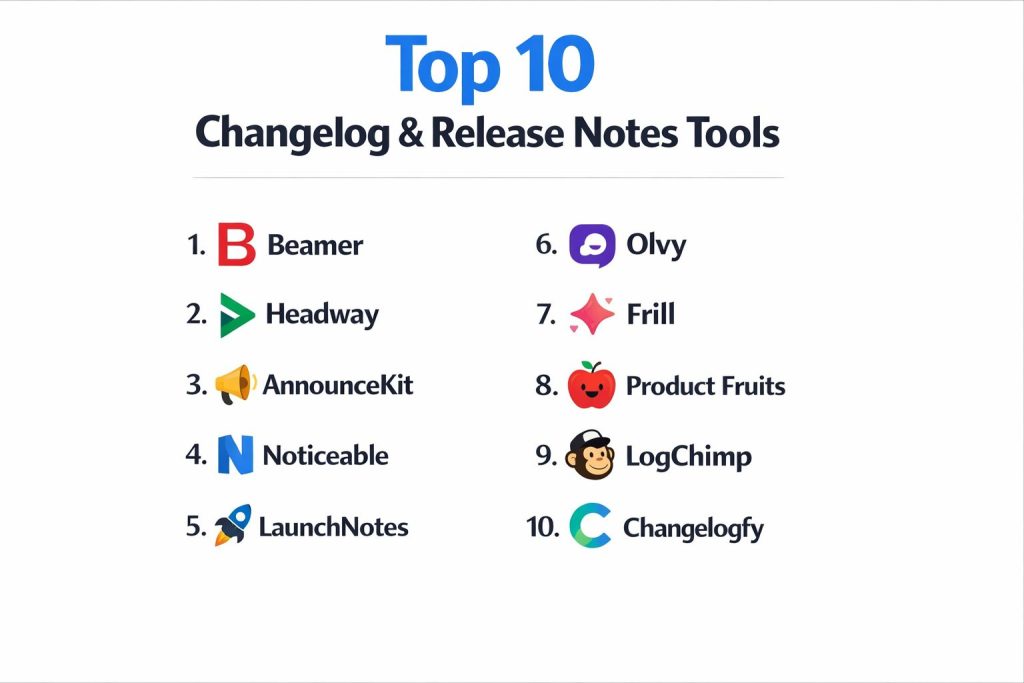
Top 10 Changelog & Release Notes Tools
1 — Beamer
Beamer is built for sharing product updates through a changelog and in-app announcements. It fits teams that want a fast way to publish updates and drive feature awareness without heavy setup.
Key Features
- Public changelog page with categories and search
- In-app widget for announcements and updates
- Basic analytics to track engagement
Pros
- Quick to launch and easy for non-technical teams
- Strong in-app visibility for updates
Cons
- Advanced governance controls may vary by plan
- Deep customization can require extra effort
Platforms / Deployment
Web
Cloud
Security & Compliance
Not publicly stated
Integrations & Ecosystem
Works best when connected to your product stack for smoother publishing.
- Common integrations: Varies / N/A
- Embedding options: Widget and page embeds
Support & Community
Documentation is generally straightforward. Support depth varies by plan.
2 — Headway
Headway focuses on a clean changelog page and an embeddable widget. It suits teams that want a simple, reliable way to publish updates with minimal overhead.
Key Features
- Changelog page with filters and categories
- Embeddable widget for in-product visibility
- Subscriber notifications (Varies / N/A)
Pros
- Simple publishing workflow
- Low complexity to maintain
Cons
- Advanced targeting may be limited
- Some integrations may require manual steps
Platforms / Deployment
Web
Cloud
Security & Compliance
Not publicly stated
Integrations & Ecosystem
Most value comes from using it as a consistent public “single source” for updates.
- Embed support: Yes
- Workflow extensions: Varies / N/A
Support & Community
Strong ease-of-use for small teams. Support varies by tier.
3 — AnnounceKit
AnnounceKit is designed for product announcements, release notes, and notifications. It fits teams that want announcements delivered via widgets and a hosted changelog.
Key Features
- Hosted release notes and announcement pages
- In-app announcements via widgets and popups
- Targeting options (Varies / N/A)
Pros
- Good for customer-facing announcements
- Flexible delivery inside the product
Cons
- Analytics depth may vary by plan
- Advanced styling may take time
Platforms / Deployment
Web
Cloud
Security & Compliance
Not publicly stated
Integrations & Ecosystem
Commonly used alongside support and product tools, depending on workflow.
- Embed and widget support
- Integration breadth: Varies / N/A
Support & Community
Documentation is practical. Support quality varies by plan.
4 — Noticeable
Noticeable is a release notes and changelog platform focused on speed, clarity, and branding. It suits teams that want a polished updates hub with strong presentation.
Key Features
- Branded changelog portal with categories
- Notifications for new posts (Varies / N/A)
- Collaboration workflow for drafts (Varies / N/A)
Pros
- Clean, professional output for customers
- Good fit for consistent release note publishing
Cons
- Deep integrations depend on plan and setup
- Some advanced targeting features may be limited
Platforms / Deployment
Web
Cloud
Security & Compliance
Not publicly stated
Integrations & Ecosystem
Often used as a central updates page plus embedded components.
- Embeds: Yes
- API availability: Varies / N/A
Support & Community
Generally easy to adopt. Support maturity varies by tier.
5 — LaunchNotes
LaunchNotes is built for product communication, release notes, and customer-facing updates. It fits teams that want structured releases with collaboration and segmentation.
Key Features
- Release notes publishing with structured organization
- Segmentation and targeting (Varies / N/A)
- Analytics and engagement tracking (Varies / N/A)
Pros
- Good for teams with frequent releases
- Helpful for coordinating product, CS, and marketing
Cons
- Setup and workflow design can take time
- Some features are plan-dependent
Platforms / Deployment
Web
Cloud
Security & Compliance
Not publicly stated
Integrations & Ecosystem
Best when connected to issue tracking and customer tools for smoother workflows.
- Integration breadth: Varies / N/A
- Workflow automation: Varies / N/A
Support & Community
Designed for product teams with structured processes. Support varies by tier.
6 — Olvy
Olvy combines release notes and customer feedback workflows, aiming to close the loop between what users ask for and what gets shipped. It fits teams that want a single place to manage communication and insights.
Key Features
- Release notes with public visibility options
- Feedback collection and organization (Varies / N/A)
- Engagement tracking (Varies / N/A)
Pros
- Strong “feedback to release note” connection
- Useful for product-led teams and startups
Cons
- If you only need release notes, it may be more than required
- Some advanced reporting may vary by plan
Platforms / Deployment
Web
Cloud
Security & Compliance
Not publicly stated
Integrations & Ecosystem
Often sits between product, support, and roadmap workflows.
- Common integrations: Varies / N/A
- Embedding: Varies / N/A
Support & Community
Good onboarding for small teams. Support depth varies by plan.
7 — Frill
Frill is known for combining roadmaps, feedback, and changelogs, helping teams communicate product direction and shipped updates in one ecosystem.
Key Features
- Changelog publishing with categories
- Roadmap and feedback modules (Varies / N/A)
- User engagement tools (Varies / N/A)
Pros
- Great when roadmap + updates must be connected
- Helps reduce scattered product communications
Cons
- Not necessary if you only want a basic changelog
- Advanced workflows can add complexity
Platforms / Deployment
Web
Cloud
Security & Compliance
Not publicly stated
Integrations & Ecosystem
Useful when paired with your product feedback and planning tools.
- Embeds and sharing options
- Integration depth: Varies / N/A
Support & Community
Documentation is practical for product teams. Support varies by plan.
8 — Product Fruits
Product Fruits is mainly a user onboarding and adoption platform that includes a changelog capability. It fits teams that want release notes tied directly to in-app guidance and product education.
Key Features
- Changelog and “what’s new” style components (Varies / N/A)
- In-app guidance tools that complement updates
- Adoption-oriented analytics (Varies / N/A)
Pros
- Strong for in-app communication and adoption
- Helpful when release notes need “how to use it” guidance
Cons
- Overkill if you only need a changelog page
- Best value comes from using multiple modules
Platforms / Deployment
Web
Cloud
Security & Compliance
Not publicly stated
Integrations & Ecosystem
Often paired with analytics and product experience stacks.
- Embedding and in-app delivery
- Integration breadth: Varies / N/A
Support & Community
Onboarding resources are typically solid. Support varies by plan.
9 — LogChimp
LogChimp is a self-hosted option for teams that want a changelog they fully control. It suits engineering-led organizations with compliance, hosting, or customization requirements.
Key Features
- Self-hosted changelog with categories and posts
- Control over hosting, data, and customization
- Developer-friendly setup for internal ownership
Pros
- Full control and predictable governance
- Good option when you cannot rely on hosted SaaS
Cons
- Requires hosting, maintenance, and upgrades
- Fewer “out of the box” growth features than SaaS tools
Platforms / Deployment
Web
Self-hosted
Security & Compliance
Not publicly stated (depends on how you host and secure it)
Integrations & Ecosystem
Works best when you integrate it into your internal workflow through conventions and automation.
- Integration approach: DIY via your stack
- Embedding: Varies / N/A
Support & Community
Community support depends on open-source activity. Documentation quality varies.
10 — Changelogfy
Changelogfy is focused on publishing changelogs quickly with a clean layout and simple workflows. It fits teams that want an easy hosted release notes tool without heavy complexity.
Key Features
- Hosted changelog page with structured posts
- Subscriber updates (Varies / N/A)
- Branding controls (Varies / N/A)
Pros
- Lightweight and quick to adopt
- Good for consistent release note cadence
Cons
- Advanced targeting and analytics may be limited
- Integration depth depends on plan
Platforms / Deployment
Web
Cloud
Security & Compliance
Not publicly stated
Integrations & Ecosystem
Typically used as a standalone updates hub with embedding into product pages.
- Embeds: Yes
- API support: Varies / N/A
Support & Community
Easy to learn. Support features vary by tier.
Comparison Table
| Tool Name | Best For | Platform(s) Supported | Deployment | Standout Feature | Public Rating |
|---|---|---|---|---|---|
| Beamer | In-app announcements + changelog | Web | Cloud | In-app update widget | N/A |
| Headway | Simple changelog + widget | Web | Cloud | Lightweight publishing | N/A |
| AnnounceKit | Release notes + announcements | Web | Cloud | Widget-based announcements | N/A |
| Noticeable | Branded release notes hub | Web | Cloud | Polished changelog portal | N/A |
| LaunchNotes | Structured product communications | Web | Cloud | Segmentation and workflow support | N/A |
| Olvy | Release notes + feedback loop | Web | Cloud | Feedback-to-release connection | N/A |
| Frill | Roadmap + feedback + changelog | Web | Cloud | Unified product communication | N/A |
| Product Fruits | Adoption + updates in-app | Web | Cloud | Updates tied to onboarding | N/A |
| LogChimp | Full control and self-hosting | Web | Self-hosted | Ownership and customization | N/A |
| Changelogfy | Lightweight hosted changelog | Web | Cloud | Quick setup and publishing | N/A |
Evaluation & Scoring of Changelog & Release Notes Tools
Weights used
Core features 25%
Ease of use 15%
Integrations and ecosystem 15%
Security and compliance 10%
Performance and reliability 10%
Support and community 10%
Price and value 15%
| Tool Name | Core (25%) | Ease (15%) | Integrations (15%) | Security (10%) | Performance (10%) | Support (10%) | Value (15%) | Weighted Total (0–10) |
|---|---|---|---|---|---|---|---|---|
| Beamer | 8 | 8 | 7 | 5 | 8 | 7 | 7 | 7.4 |
| Headway | 7 | 9 | 6 | 5 | 8 | 7 | 8 | 7.3 |
| AnnounceKit | 8 | 8 | 7 | 5 | 8 | 7 | 7 | 7.4 |
| Noticeable | 8 | 8 | 6 | 5 | 8 | 7 | 7 | 7.2 |
| LaunchNotes | 9 | 7 | 7 | 5 | 8 | 7 | 6 | 7.4 |
| Olvy | 8 | 7 | 7 | 5 | 8 | 7 | 7 | 7.2 |
| Frill | 8 | 7 | 6 | 5 | 8 | 7 | 7 | 7.0 |
| Product Fruits | 7 | 7 | 7 | 5 | 8 | 7 | 6 | 6.9 |
| LogChimp | 6 | 6 | 5 | 6 | 7 | 5 | 8 | 6.3 |
| Changelogfy | 7 | 8 | 6 | 5 | 8 | 6 | 7 | 6.9 |
How to read these scores
The weighted total helps you compare tools for typical product update workflows. Higher scores usually indicate broader fit across publishing, delivery, and usability. If you need strict hosting control, you may weight security and governance higher. If you need in-app adoption, you may weight delivery features higher. Always validate with a small pilot using your real update cadence and your real stack.
Which Changelog & Release Notes Tool Is Right for You
Solo / Freelancer
Choose a lightweight hosted tool that you can publish with minimal effort. Headway and Changelogfy are good fits when you want speed and simplicity. If you want stronger in-app visibility, Beamer can work well.
SMB
Beamer, AnnounceKit, and Noticeable are good options if you want a branded updates hub plus in-product delivery. If your team also wants roadmap and feedback in the same place, Frill becomes more attractive.
Mid-Market
LaunchNotes works well when releases need structured collaboration across product, CS, and marketing. Olvy also fits mid-market teams that want feedback and shipped updates connected.
Enterprise
Enterprises often care about process consistency and governance. LaunchNotes is often a strong candidate for structured workflows. If hosting control is a must, LogChimp can be considered, but plan for internal ownership and maintenance.
Budget vs Premium
If cost sensitivity is high, choose a simpler hosted tool and keep your process disciplined. If you can invest more, prioritize segmentation, delivery channels, and analytics so updates become a growth and retention lever.
Feature Depth vs Ease of Use
Headway and Changelogfy lean toward ease. LaunchNotes leans toward structured communication depth. Beamer and AnnounceKit balance publishing with in-app delivery.
Integrations & Scalability
If you publish directly from your release pipeline or issue tracker, choose tools with smoother integration patterns. If integrations are limited, ensure your team has a clear manual workflow that stays consistent.
Security & Compliance Needs
Many vendors do not publicly state compliance details. If you need strict governance, focus on internal controls around access, approvals, and content ownership, and consider self-hosting only when required.
Frequently Asked Questions (FAQs)
1. What is the difference between a changelog and release notes
A changelog is usually a running list of updates. Release notes are more curated, explaining the “why” and “how to use it” so customers understand impact.
2. Should updates be shown inside the product
Yes for most SaaS products. In-app delivery increases visibility and helps users discover features at the right moment.
3. How often should we publish updates
Publish on a consistent cadence your team can maintain. Even small weekly or biweekly posts build trust when written clearly.
4. What is the biggest mistake teams make with release notes
Writing notes like internal engineering logs. Customers want outcomes, impact, and simple guidance, not ticket language.
5. Do we need segmentation and targeting
If you have multiple personas or plans, targeting helps avoid confusion. It lets you show the right updates to the right users.
6. How do we measure success for release notes
Track views, clicks, and adoption of announced features. Also watch support volume and feedback quality after announcements.
7. Can we replace release notes with social media posts
Social posts help, but they are not a reliable archive. A changelog hub becomes your searchable source of truth.
8. How do we keep release notes consistent across writers
Use a template, keep notes short, and define standard tags like New, Improved, Fixed, and Deprecated.
9. When should we consider self-hosting
Consider it when you need full control over hosting, content governance, or internal compliance requirements, and you have resources to maintain it.
10. What should we pilot before choosing a tool
Test writing speed, approvals, embedding, notifications, analytics, and how easily you can connect it to your current workflow.
Conclusion
A good changelog and release notes process is a customer communication system, not just a publishing page. The right tool depends on how often you ship, how you want updates delivered, and how much structure your team needs. If you want speed and simplicity, start with lightweight tools like Headway or Changelogfy. If you want strong in-app visibility, Beamer or AnnounceKit can help users notice what’s new. If you need cross-team coordination and segmentation, LaunchNotes is usually a stronger fit. If hosting control matters most, LogChimp offers ownership but requires maintenance. Shortlist two or three tools, run a small pilot, validate embeds and workflow, then standardize.