Introduction
Release management tools help teams plan, control, and deliver software releases safely and repeatedly. In simple words, they bring structure to “what goes live, when it goes live, and how we prove it is safe to go live.” They connect planning, change approvals, deployment steps, testing signals, and rollback actions into one release flow so teams can reduce risk and avoid last-minute surprises.
These tools matter because modern software delivery has many moving parts: multiple teams, microservices, frequent changes, and strict expectations around stability. A good release tool helps you coordinate releases across applications, automate repeatable steps, and create clear visibility for everyone from engineers to business owners.
Common use cases include coordinated enterprise releases across many apps, controlled deployments with approvals, release calendars and blackout windows, audit-ready release evidence, and automated rollbacks when something fails. Key buyer criteria include workflow fit, orchestration depth, approvals and governance, pipeline integrations, environment management, reporting, reliability, access control, change traceability, and support quality.
Best for: DevOps teams, release managers, platform teams, ITSM teams, and engineering leaders who need predictable, low-risk releases.
Not ideal for: very small projects that deploy rarely and can manage releases with basic checklists, or teams that only need a simple CI job trigger without cross-team coordination.
Key Trends in Release Management Tools
- More release orchestration across many services, not just one application
- Stronger approval workflows and audit evidence, especially in regulated environments
- Better visibility into “release health” using test results, incident signals, and deployment metrics
- More reuse of release templates to standardize how teams deliver changes
- Increased focus on progressive delivery patterns such as canary and phased rollouts
- Closer alignment between release workflows and ITSM change processes
How We Selected These Tools (Methodology)
- Looked for proven adoption in real production delivery pipelines
- Prioritized orchestration strength, governance controls, and release visibility
- Included a mix of ITSM-driven, DevOps-driven, and enterprise-scale tools
- Considered integration breadth with CI, repositories, cloud platforms, and ticketing
- Evaluated usability for both engineers and release managers
- Favored tools that support repeatable templates and multi-environment delivery
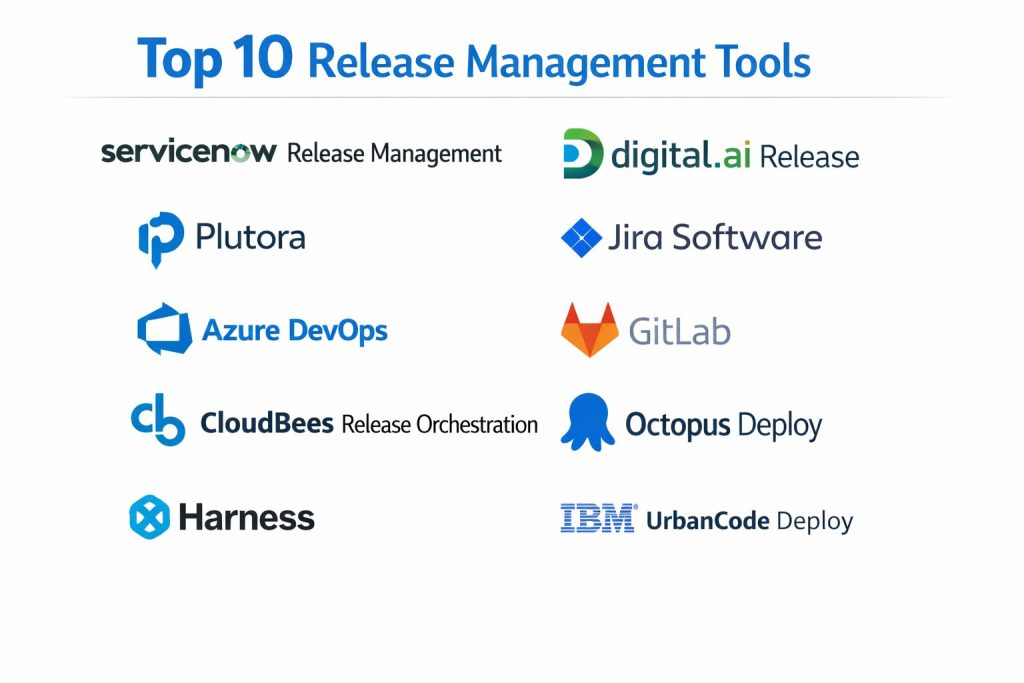
Top 10 Release Management Tools
1 — ServiceNow Release Management
ServiceNow Release Management is commonly used in ITSM-driven organizations that want releases aligned to change control, approvals, and service visibility. It fits teams that need strong governance, scheduling, and traceability.
Key Features
- Release planning, calendars, and governance workflows
- Change management alignment for approvals and audit trails
- Visibility for stakeholders across services and teams
Pros
- Strong fit for organizations with ITSM-centric processes
- Good traceability and control for compliance-heavy environments
Cons
- Implementation can require process design and configuration effort
- Engineering teams may prefer a separate delivery tool for deep deployment automation
Platforms / Deployment
Web
Cloud
Security & Compliance
Varies / Not publicly stated
Integrations & Ecosystem
Works well when your release process must connect tickets, changes, and service operations.
- Common integrations include CI/CD tools, CMDB processes, and incident workflows
- APIs and connectors: Varies / Not publicly stated
Support & Community
Enterprise support is typically strong. Community resources depend on your ServiceNow ecosystem and partner network.
2 — Digital.ai Release
Digital.ai Release focuses on release orchestration across multiple tools and environments. It suits enterprises that need standardized release pipelines with strong visibility and repeatability.
Key Features
- Release orchestration across teams and toolchains
- Templates to standardize release workflows
- Dashboards for release status and stage gating
Pros
- Good for coordinating large releases across many systems
- Strong templating for repeatable delivery patterns
Cons
- Setup may require time to model real workflows
- Best value appears when used broadly across teams, not only one project
Platforms / Deployment
Web
Cloud / Self-hosted / Hybrid
Security & Compliance
Not publicly stated
Integrations & Ecosystem
Designed to connect many CI/CD and infrastructure tools into one orchestrated release flow.
- CI servers, repositories, ticketing tools: Varies / N/A
- Extensibility via plugins and APIs: Varies / Not publicly stated
Support & Community
Typically enterprise-oriented support. Community strength varies.
3 — Plutora
Plutora is a release management platform aimed at enterprise visibility, planning, and governance. It is often chosen when release calendars, dependency mapping, and audit traceability are top priorities.
Key Features
- Release calendars and planning with enterprise visibility
- Dependency tracking across teams and applications
- Governance controls for controlled releases
Pros
- Strong planning and coordination for complex release environments
- Useful for reducing conflicts across shared environments
Cons
- Can feel heavyweight for small teams
- Needs good data discipline to keep release information accurate
Platforms / Deployment
Web
Cloud
Security & Compliance
Not publicly stated
Integrations & Ecosystem
Often used alongside DevOps tools to provide portfolio-level release coordination.
- Integrations with CI/CD and ITSM: Varies / Not publicly stated
- Reporting and visibility features: Varies / N/A
Support & Community
Enterprise support focus. Community resources vary.
4 — Jira Software
Jira Software supports release tracking through versions, issues, and workflow visibility. It suits teams that want release planning tied directly to agile delivery work.
Key Features
- Version and release tracking linked to work items
- Workflow automation for release readiness steps
- Visibility across teams via boards and reports
Pros
- Strong alignment between delivery work and release tracking
- Widely adopted, so onboarding is often easier
Cons
- Orchestration depth depends on integrations and your delivery stack
- Release governance may require additional tooling for approvals and evidence
Platforms / Deployment
Web
Cloud / Self-hosted
Security & Compliance
Varies / Not publicly stated
Integrations & Ecosystem
Works well as the planning layer that connects to build and deployment systems.
- Integrates with many CI/CD tools and chat systems: Varies / N/A
- Marketplace extensions: Varies / N/A
Support & Community
Large community and extensive documentation. Support varies by plan.
5 — Azure DevOps
Azure DevOps provides planning, pipelines, and release workflows in a single ecosystem. It suits teams that want an integrated approach from work tracking to deployments.
Key Features
- Pipelines for build and deployment workflows
- Release coordination using environments and approvals (Varies / N/A)
- Work items and traceability across code, build, and release
Pros
- Strong “one platform” approach for teams already in the ecosystem
- Practical integrations across repositories, builds, and deployments
Cons
- Complex setups may require careful template and permission design
- Some organizations prefer separate best-of-breed orchestration tooling
Platforms / Deployment
Web
Cloud / Self-hosted
Security & Compliance
Varies / Not publicly stated
Integrations & Ecosystem
Often used as a complete delivery pipeline stack with extensions where needed.
- Integrates with cloud services and testing tools: Varies / N/A
- APIs and extensions: Varies / N/A
Support & Community
Strong documentation and wide usage. Support depends on subscription.
6 — GitLab
GitLab combines source control, CI/CD, and deployment workflows in one platform. It suits teams that want release workflows tied closely to code changes and automated pipelines.
Key Features
- CI/CD pipelines integrated with repositories
- Release tracking features connected to tags and deployments (Varies / N/A)
- Role-based access and project-level governance controls
Pros
- Strong developer experience with integrated delivery workflows
- Good standardization when many teams use one platform
Cons
- Advanced release governance may require process design and policy setup
- Some features depend on edition and configuration choices
Platforms / Deployment
Web
Cloud / Self-hosted
Security & Compliance
Varies / Not publicly stated
Integrations & Ecosystem
Works well as a unified platform or as a pipeline engine connected to other systems.
- Integrates with cloud, Kubernetes, and testing tools: Varies / N/A
- Extensibility and APIs: Varies / N/A
Support & Community
Large community and strong documentation. Support varies by tier.
7 — CloudBees Release Orchestration
CloudBees Release Orchestration is designed for enterprise-grade orchestration and governance around releases. It suits organizations coordinating multiple pipelines, applications, and environments.
Key Features
- Orchestration across multiple delivery tools and teams
- Templates and reusable workflows for standardization
- Governance controls and release visibility dashboards
Pros
- Strong for large-scale coordination across many teams
- Useful for standardizing delivery practices across projects
Cons
- Can require dedicated rollout planning and training
- Best value appears when integrated across the organization
Platforms / Deployment
Web
Cloud / Self-hosted / Hybrid
Security & Compliance
Not publicly stated
Integrations & Ecosystem
Often used as an orchestration layer above existing CI/CD pipelines.
- Integrates with CI tools, ticketing systems, and deployment targets: Varies / N/A
- Plugins and APIs: Varies / Not publicly stated
Support & Community
Enterprise support focus. Community resources vary.
8 — Octopus Deploy
Octopus Deploy focuses on repeatable deployments, environment management, and controlled releases. It suits teams that want consistent promotion from development to production with good visibility.
Key Features
- Environment and release promotion workflows
- Deployment automation with reusable templates
- Approvals and controlled rollouts (Varies / N/A)
Pros
- Strong for repeatable deployments across multiple environments
- Clear release and deployment visibility for teams
Cons
- Best fit when your deployment model aligns with its patterns
- Complex enterprise governance may require additional process layers
Platforms / Deployment
Web
Cloud / Self-hosted
Security & Compliance
Not publicly stated
Integrations & Ecosystem
Fits well with CI pipelines where build produces artifacts and Octopus manages release promotion.
- Integrates with CI tools and cloud platforms: Varies / N/A
- Deployment targets and scripts: Varies / N/A
Support & Community
Good documentation and active community. Support varies by tier.
9 — Harness
Harness provides a delivery platform that emphasizes automation, controlled releases, and deployment safety practices. It suits teams that want strong release governance and modern delivery controls.
Key Features
- Deployment automation across environments and services
- Governance workflows and approvals (Varies / N/A)
- Visibility into deployments and release outcomes
Pros
- Strong for teams investing in controlled delivery at scale
- Helpful for reducing release risk through standardized workflows
Cons
- Requires thoughtful setup to match real team workflows
- Some advanced capabilities depend on product configuration choices
Platforms / Deployment
Web
Cloud / Hybrid
Security & Compliance
Not publicly stated
Integrations & Ecosystem
Designed to connect with CI, infrastructure, and observability tooling to guide safer releases.
- Integrates with cloud and Kubernetes ecosystems: Varies / N/A
- APIs and connectors: Varies / Not publicly stated
Support & Community
Enterprise support focus with growing community resources.
10 — IBM UrbanCode Deploy
IBM UrbanCode Deploy supports application release automation with strong enterprise deployment needs. It suits organizations managing complex deployments across many systems and environments.
Key Features
- Application deployment automation across environments
- Repeatable processes and deployment orchestration
- Support for complex enterprise deployment patterns
Pros
- Strong fit for enterprise environments with complex deployments
- Useful for standardizing deployment procedures across teams
Cons
- Can feel heavy for smaller teams or simple applications
- Rollout and onboarding may require specialist support
Platforms / Deployment
Web
Self-hosted / Hybrid
Security & Compliance
Not publicly stated
Integrations & Ecosystem
Often used in enterprise stacks with existing CI and change workflows.
- Integrates with CI pipelines and enterprise systems: Varies / N/A
- Automation and plugins: Varies / N/A
Support & Community
Enterprise support is available. Community strength varies by user base.
Comparison Table
| Tool Name | Best For | Platform(s) Supported | Deployment | Standout Feature | Public Rating |
|---|---|---|---|---|---|
| ServiceNow Release Management | ITSM-driven release governance | Web | Cloud | Change-aligned release control | N/A |
| Digital.ai Release | Cross-tool release orchestration | Web | Cloud / Self-hosted / Hybrid | Standardized release templates | N/A |
| Plutora | Enterprise release planning visibility | Web | Cloud | Dependency and calendar coordination | N/A |
| Jira Software | Release tracking tied to work items | Web | Cloud / Self-hosted | Work-to-release traceability | N/A |
| Azure DevOps | Integrated planning and delivery | Web | Cloud / Self-hosted | Unified pipelines and tracking | N/A |
| GitLab | Code-to-release integrated workflows | Web | Cloud / Self-hosted | Integrated CI/CD platform | N/A |
| CloudBees Release Orchestration | Enterprise orchestration at scale | Web | Cloud / Self-hosted / Hybrid | Multi-pipeline coordination | N/A |
| Octopus Deploy | Repeatable release promotion | Web | Cloud / Self-hosted | Environment-based releases | N/A |
| Harness | Standardized controlled delivery | Web | Cloud / Hybrid | Safer release workflow controls | N/A |
| IBM UrbanCode Deploy | Enterprise deployment automation | Web | Self-hosted / Hybrid | Complex enterprise deployments | N/A |
Evaluation & Scoring of Release Management Tools
The scores below are a comparative framework to help you shortlist tools. They are not public ratings, and they should be adjusted based on your own priorities. A higher weighted total usually means broader fit across more scenarios, not a universal winner. If your organization is ITSM-first, you may weight governance higher. If you are engineering-first, you may weight orchestration and integrations higher. Use this table to narrow choices, then validate with a small pilot release using real environments and approvals.
Weights used
Core features 25%
Ease of use 15%
Integrations and ecosystem 15%
Security and compliance 10%
Performance and reliability 10%
Support and community 10%
Price and value 15%
| Tool Name | Core (25%) | Ease (15%) | Integrations (15%) | Security (10%) | Performance (10%) | Support (10%) | Value (15%) | Weighted Total (0–10) |
|---|---|---|---|---|---|---|---|---|
| ServiceNow Release Management | 8 | 6 | 8 | 7 | 8 | 7 | 6 | 7.2 |
| Digital.ai Release | 9 | 6 | 8 | 6 | 8 | 7 | 6 | 7.3 |
| Plutora | 8 | 6 | 7 | 6 | 7 | 6 | 6 | 6.8 |
| Jira Software | 7 | 8 | 8 | 6 | 7 | 8 | 8 | 7.6 |
| Azure DevOps | 8 | 7 | 8 | 6 | 8 | 7 | 7 | 7.4 |
| GitLab | 8 | 7 | 8 | 6 | 8 | 8 | 7 | 7.5 |
| CloudBees Release Orchestration | 9 | 6 | 8 | 6 | 8 | 7 | 6 | 7.3 |
| Octopus Deploy | 8 | 8 | 7 | 5 | 8 | 7 | 7 | 7.4 |
| Harness | 8 | 6 | 8 | 6 | 8 | 7 | 6 | 7.1 |
| IBM UrbanCode Deploy | 8 | 5 | 7 | 6 | 8 | 6 | 5 | 6.6 |
Which Release Management Tool Is Right for You
Solo / Freelancer
If you are mostly shipping your own work, you may not need heavy release governance. Jira Software plus a simple pipeline stack can be enough, and Octopus Deploy can help if you manage multiple environments. The main goal is repeatability, not complex approvals.
SMB
SMBs usually need dependable releases without excessive overhead. GitLab or Azure DevOps can provide a practical end-to-end flow, while Octopus Deploy helps when deployments need structured promotion and visibility. Choose the option that matches your existing repo and pipeline habits.
Mid-Market
Mid-market teams often need coordination across multiple services and teams. Digital.ai Release or CloudBees Release Orchestration can add orchestration and standardization on top of existing tools. If release planning conflicts are common, Plutora can help provide calendar visibility and dependency awareness.
Enterprise
Enterprises typically require governance, approvals, and audit readiness. ServiceNow Release Management is a strong fit when release workflows must align with change processes. For large orchestration needs across many pipelines and environments, Digital.ai Release or CloudBees Release Orchestration are strong candidates. IBM UrbanCode Deploy fits environments with complex deployment patterns and strong standardization needs.
Budget vs Premium
Budget-focused teams often get solid results using GitLab, Azure DevOps, Jira Software, and Octopus Deploy depending on workflow. Premium enterprise platforms are most valuable when you need cross-team orchestration, governance, and reporting at scale, and you plan to standardize across many groups.
Feature Depth vs Ease of Use
If ease and everyday usability are top priority, Jira Software and Octopus Deploy can feel more straightforward. If orchestration depth is the main need, Digital.ai Release and CloudBees Release Orchestration provide stronger enterprise coordination patterns.
Integrations & Scalability
If you must connect many tools and teams, prioritize integration breadth and templates. Digital.ai Release and CloudBees Release Orchestration are built for orchestration across toolchains. GitLab and Azure DevOps work well when you want fewer moving parts by consolidating workflows.
Security & Compliance Needs
If releases require strict approvals, evidence, and change alignment, ServiceNow Release Management is often a strong fit. For engineering-led governance, ensure the tool supports access controls, audit trails, and separation of duties in your environment, because public compliance details vary by product and plan.
Frequently Asked Questions (FAQs)
1. What is the main difference between release management and deployment automation
Release management coordinates the full release lifecycle, including planning, approvals, and readiness. Deployment automation focuses on executing the technical deployment steps reliably.
2. Which tool is best if my company already uses ITSM processes
ServiceNow Release Management is often a strong match because it aligns releases with change workflows and stakeholder governance.
3. Do I need a dedicated release tool if I already have CI/CD
Not always. If CI/CD is enough for your scale, you may only need lightweight release tracking. If multiple teams and approvals are involved, a release tool adds coordination and visibility.
4. How do I avoid release delays caused by dependencies
Use a tool that supports release calendars and dependency visibility, then enforce clear ownership and readiness checks. Planning discipline is as important as tooling.
5. What is a practical way to start improving release management
Start with a pilot release flow for one product. Define one template, add approvals, connect test signals, and measure release time and rollback success.
6. How do these tools help with compliance and audits
They can centralize approvals, release evidence, and traceability. However, compliance outcomes still depend on your processes, access controls, and governance practices.
7. What are common mistakes teams make with release tools
Over-engineering workflows, skipping templates, ignoring environment naming discipline, and failing to connect releases to real quality signals like tests and incidents.
8. Can these tools support multi-environment promotion
Many can, but the implementation approach differs. Tools like Octopus Deploy are often chosen specifically for environment promotion workflows.
9. How do I choose between an all-in-one platform and an orchestration layer
Choose all-in-one if you want fewer tools and simpler operations. Choose orchestration if you already have multiple pipelines and need coordination without replacing everything.
10. What should I measure to know if release management improved
Track lead time to production, failed release rate, rollback time, change approval cycle time, and how often releases are delayed due to missing readiness checks.
Conclusion
Release management tools reduce delivery risk by making releases predictable, visible, and repeatable across teams and environments. The best choice depends on how your organization works. If you need strong governance and change alignment, ServiceNow Release Management can be a strong fit. If you want enterprise orchestration across many pipelines, Digital.ai Release or CloudBees Release Orchestration can help standardize releases. If you prefer integrated delivery from planning to pipelines, GitLab and Azure DevOps can simplify the toolchain. Start by shortlisting two or three options, running a pilot release with real approvals and environments, and validating integrations, reporting, and rollback readiness before scaling.