Introduction
Secrets management tools help teams store, rotate, and control access to sensitive values like API keys, database passwords, certificates, and encryption keys. Instead of hardcoding secrets in code or saving them in plain text files, these tools keep secrets in a protected vault and deliver them to applications safely when needed. This reduces leak risk, improves auditing, and makes access rules easier to enforce.
Common use cases include securing application configs, protecting CI and deployment pipelines, rotating database credentials, managing cloud service keys, and enforcing least-privilege access for teams. When selecting a tool, focus on access control depth, rotation options, audit logs, integrations with cloud and CI systems, encryption approach, reliability, multi-environment support, ease of onboarding, and operational overhead.
Best for: DevOps, SRE, platform teams, security teams, and engineering teams managing multiple apps, environments, and pipelines.
Not ideal for: very small setups with no automation needs, or teams that only need local password storage without shared access control and audit requirements.
Key Trends in Secrets Management
- More demand for automated rotation and short-lived credentials
- Stronger controls for pipeline secrets and build-time access boundaries
- Wider use of policy-based access and service identity integration
- More focus on audit visibility and approval-based workflows
- Tighter integration with cloud-native services and container platforms
- Increasing preference for simplifying operations without losing control
How We Selected These Tools (Methodology)
- Chosen for strong adoption and credibility in production environments
- Balanced mix of cloud-native, enterprise, and developer-first options
- Focused on access control, auditing, and secret delivery workflows
- Considered integration breadth with cloud, CI, and runtime platforms
- Considered operational burden, usability, and scale readiness
- Avoided guessing ratings or compliance claims when not clearly known
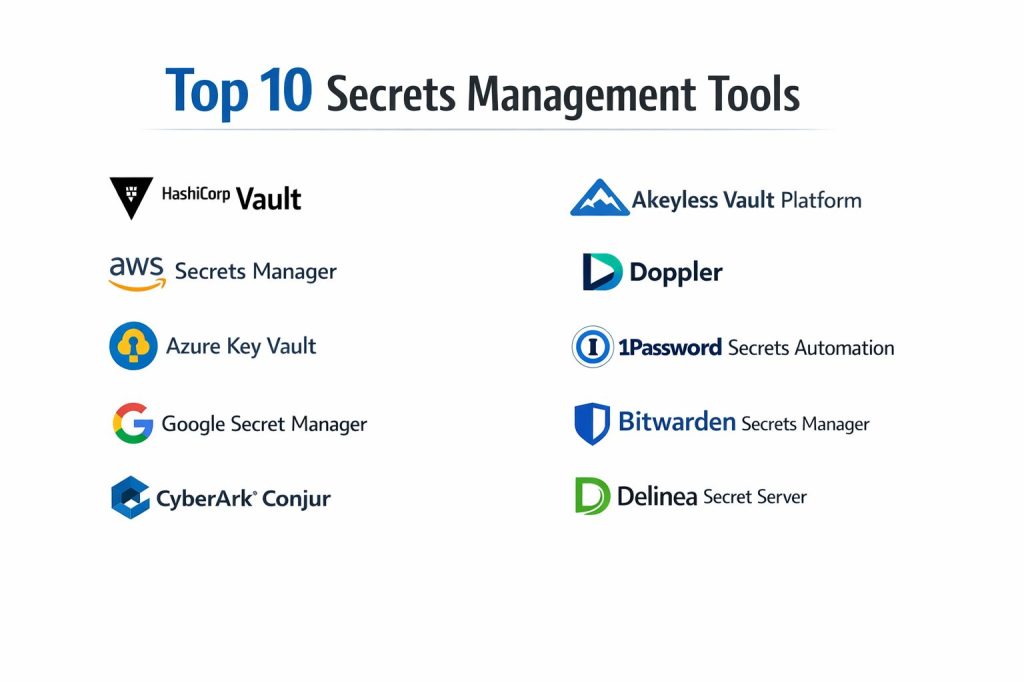
Top 10 Secrets Management Tools
1 — HashiCorp Vault
HashiCorp Vault is a vault-style platform for storing secrets, controlling access with policies, and issuing dynamic credentials in many environments. It is widely used by platform and security teams who want strong control and flexibility.
Key Features
- Policy-based access control with detailed permissions
- Dynamic secrets and credential leasing for safer runtime access
- Audit logging and integrations for enterprise workflows
Pros
- Strong flexibility across environments and platforms
- Very capable for advanced security and platform engineering needs
Cons
- Operational setup can be complex for smaller teams
- Requires clear governance to avoid misconfiguration risks
Platforms / Deployment
Windows / macOS / Linux
Cloud / Self-hosted / Hybrid (Varies / N/A)
Security & Compliance
Supports common controls like encryption, access policies, and audit logs. Compliance claims: Not publicly stated.
Integrations & Ecosystem
Works well in platform pipelines where identity, policies, and automation are central.
- Kubernetes and container workflows
- CI pipeline integrations
- Broad ecosystem through plugins and APIs
Support & Community
Strong community. Support tiers vary by plan. Documentation is widely available.
2 — AWS Secrets Manager
AWS Secrets Manager is a managed cloud service for storing and rotating secrets in AWS environments. It fits teams that are primarily building and running workloads on AWS.
Key Features
- Managed secret storage with access control through cloud policies
- Rotation workflows for supported secret types (Varies / N/A)
- Tight integration with AWS runtime services
Pros
- Low operational overhead for AWS-first teams
- Smooth integration with common AWS services
Cons
- Best fit when your workloads are mainly on AWS
- Cross-cloud portability depends on your architecture
Platforms / Deployment
Web
Cloud
Security & Compliance
Encryption, access policies, and audit capabilities: Varies / N/A. Compliance claims: Not publicly stated.
Integrations & Ecosystem
Works best when your identity and deployment stack is already AWS-based.
- AWS IAM-based access patterns
- Common AWS compute and database integrations
- SDK and automation ecosystem
Support & Community
Strong documentation and enterprise support through AWS plans.
3 — Azure Key Vault
Azure Key Vault is a cloud service for managing secrets and keys within Azure ecosystems. It is commonly used by teams running Microsoft-centric workloads and identity systems.
Key Features
- Central storage for secrets and cryptographic keys
- Identity and access control through Azure policies
- Integration with Azure services for secret delivery
Pros
- Strong fit for Azure-first organizations
- Simple adoption for Microsoft-based stacks
Cons
- Best value when most workloads live in Azure
- Cross-environment workflows may need extra tooling
Platforms / Deployment
Web
Cloud
Security & Compliance
Encryption, access control, and audit support: Varies / N/A. Compliance claims: Not publicly stated.
Integrations & Ecosystem
Designed to work smoothly across Azure identity, compute, and governance tooling.
- Azure identity-based access
- Azure service integrations
- Automation via SDK and infrastructure workflows
Support & Community
Strong vendor support and documentation ecosystem.
4 — Google Secret Manager
Google Secret Manager is a managed service for storing and accessing secrets in Google Cloud environments. It is best for teams building cloud-native systems on Google Cloud.
Key Features
- Managed storage with fine-grained access control
- Versioning and controlled secret rollout patterns
- Integration with Google Cloud runtime services
Pros
- Low operational overhead for Google Cloud users
- Clean integration with Google Cloud tooling
Cons
- Best fit for Google Cloud-first architectures
- Multi-cloud usage may require additional patterns
Platforms / Deployment
Web
Cloud
Security & Compliance
Access control and auditing: Varies / N/A. Compliance claims: Not publicly stated.
Integrations & Ecosystem
Works best as part of a broader Google Cloud identity and deployment flow.
- Google Cloud identity-based access
- Runtime integrations across services
- SDK and automation options
Support & Community
Strong documentation. Support depends on Google Cloud plan.
5 — CyberArk Conjur
CyberArk Conjur focuses on securing secrets for applications and infrastructure, often in enterprise environments that need strict governance. It is commonly evaluated by security-led organizations.
Key Features
- Policy-driven secret access for machines and applications
- Strong governance and auditing patterns
- Useful for pipeline and runtime secret controls
Pros
- Good fit for enterprise governance needs
- Strong focus on access control and security workflows
Cons
- Can feel heavy for small teams
- Setup and policy management may require specialist skills
Platforms / Deployment
Windows / Linux (Varies / N/A)
Self-hosted / Hybrid (Varies / N/A)
Security & Compliance
Policy controls and auditing emphasis. Compliance claims: Not publicly stated.
Integrations & Ecosystem
Often used in regulated pipelines where approvals and auditing matter.
- CI and deployment pipeline patterns
- Runtime secret delivery approaches
- Integration depth varies by environment
Support & Community
Enterprise support is typically available. Community strength: Varies / N/A.
6 — Akeyless Vault Platform
Akeyless Vault Platform is designed to reduce operational overhead while providing vault-like controls. It is often considered by teams that want centralized secrets with simpler operations.
Key Features
- Centralized secrets and access control workflows
- Automation options for rotation and access policies (Varies / N/A)
- Multi-environment delivery patterns
Pros
- Useful for teams wanting less self-managed complexity
- Designed for modern platform workflows
Cons
- Fit depends on your identity and environment setup
- Some details depend on plan and configuration
Platforms / Deployment
Web / Windows / macOS / Linux (Varies / N/A)
Cloud / Hybrid (Varies / N/A)
Security & Compliance
Common controls like encryption and access policies. Compliance claims: Not publicly stated.
Integrations & Ecosystem
Often adopted where teams want broad coverage across environments.
- CI pipeline integrations
- Runtime integrations and automation
- API-based extensions
Support & Community
Support tiers vary. Documentation quality: Varies / N/A.
7 — Doppler
Doppler is a developer-first secrets and configuration platform that emphasizes ease of use and team workflows. It is commonly used to centralize app secrets across environments with minimal friction.
Key Features
- Environment-based secret management and syncing
- Team access control and workflow-friendly sharing
- Simple integrations for CI and deployment
Pros
- Fast onboarding for developers and small teams
- Good fit for multi-environment application workflows
Cons
- Advanced enterprise governance may require evaluation
- Feature depth depends on plan and scale
Platforms / Deployment
Web / Windows / macOS / Linux (Varies / N/A)
Cloud
Security & Compliance
Not publicly stated.
Integrations & Ecosystem
Designed to plug into developer workflows without heavy platform overhead.
- CI pipeline integrations
- Deployment tool integrations
- Automation through APIs and tooling
Support & Community
Support and onboarding resources vary by plan.
8 — 1Password Secrets Automation
1Password Secrets Automation extends secrets management into developer workflows while leveraging a familiar team password manager foundation. It is often used where teams already use 1Password.
Key Features
- Developer-focused secret access workflows
- Team management and access controls
- Automation support for secret delivery (Varies / N/A)
Pros
- Easy adoption for teams already using 1Password
- Familiar user experience for team-based access
Cons
- Best fit depends on existing 1Password adoption
- Deep platform automation should be validated for your pipeline
Platforms / Deployment
Web / Windows / macOS / Linux / iOS / Android (Varies / N/A)
Cloud
Security & Compliance
Not publicly stated.
Integrations & Ecosystem
Often used to bridge human and machine secret workflows in one place.
- Developer tooling integrations
- CI workflow options (Varies / N/A)
- Automation via supported interfaces
Support & Community
Strong user community. Support tiers vary by plan.
9 — Bitwarden Secrets Manager
Bitwarden Secrets Manager is a secrets product from a well-known credential management ecosystem. It is often evaluated by teams wanting cost-friendly options and familiar admin workflows.
Key Features
- Central secret storage with controlled team access
- Practical organization features for apps and environments
- Workflow support that fits developer teams (Varies / N/A)
Pros
- Familiar ecosystem for teams already using Bitwarden
- Generally approachable for smaller teams
Cons
- Advanced enterprise feature depth should be validated
- Integration breadth depends on plan and setup
Platforms / Deployment
Web / Windows / macOS / Linux (Varies / N/A)
Cloud / Self-hosted (Varies / N/A)
Security & Compliance
Not publicly stated.
Integrations & Ecosystem
Often used where teams want an approachable secrets layer for pipelines.
- CI and automation usage patterns
- API access for integration
- Ecosystem depth: Varies / N/A
Support & Community
Active community and documentation. Support varies by plan.
10 — Delinea Secret Server
Delinea Secret Server is a long-standing enterprise secrets platform often used in IT and security operations environments. It fits teams that need governance, auditing, and centralized control.
Key Features
- Centralized secret vaulting with governance workflows
- Access control and auditing for operational teams
- Policy and approval style workflows (Varies / N/A)
Pros
- Strong fit for enterprise operations and governance needs
- Useful for centralized management across many teams
Cons
- Can be heavier than developer-first tools
- Implementation effort varies by organization size
Platforms / Deployment
Windows (Varies / N/A)
Cloud / Self-hosted / Hybrid (Varies / N/A)
Security & Compliance
Not publicly stated.
Integrations & Ecosystem
Often used where governance, approvals, and auditability are priorities.
- Directory and identity integration patterns (Varies / N/A)
- Automation and API usage (Varies / N/A)
- Operational integrations depend on environment
Support & Community
Enterprise support is commonly available. Community strength: Varies / N/A.
Comparison Table
| Tool Name | Best For | Platform(s) Supported | Deployment | Standout Feature | Public Rating |
|---|---|---|---|---|---|
| HashiCorp Vault | Platform teams needing deep control | Windows / macOS / Linux | Cloud / Self-hosted / Hybrid (Varies / N/A) | Dynamic secrets and policies | N/A |
| AWS Secrets Manager | AWS-first teams | Web | Cloud | Managed rotation patterns | N/A |
| Azure Key Vault | Microsoft and Azure ecosystems | Web | Cloud | Azure identity integration | N/A |
| Google Secret Manager | Google Cloud workloads | Web | Cloud | Versioned secret management | N/A |
| CyberArk Conjur | Enterprise governance for app secrets | Windows / Linux (Varies / N/A) | Self-hosted / Hybrid (Varies / N/A) | Policy-driven machine access | N/A |
| Akeyless Vault Platform | Lower ops overhead vault approach | Varies / N/A | Cloud / Hybrid (Varies / N/A) | Simplified centralized secret delivery | N/A |
| Doppler | Developer-first secret workflows | Varies / N/A | Cloud | Easy environment syncing | N/A |
| 1Password Secrets Automation | Teams already using 1Password | Varies / N/A | Cloud | Human and machine secret workflows | N/A |
| Bitwarden Secrets Manager | Cost-friendly team secret storage | Varies / N/A | Cloud / Self-hosted (Varies / N/A) | Familiar admin ecosystem | N/A |
| Delinea Secret Server | Enterprise operations and governance | Windows (Varies / N/A) | Cloud / Self-hosted / Hybrid (Varies / N/A) | Governance and audit workflows | N/A |
Evaluation and Scoring of Secrets Management Tools
This scoring is a comparative guide to help you shortlist tools based on typical production needs. It is not a public rating, and you should adjust weights if your environment is highly regulated or heavily cloud-specific. Use the weighted total to narrow options, then confirm with a pilot that tests identity integration, secret delivery, rotation, and auditing.
Weights used
Core features 25%
Ease of use 15%
Integrations and ecosystem 15%
Security and compliance 20%
Performance and reliability 10%
Support and community 5%
Price and value 10%
| Tool Name | Core (25%) | Ease (15%) | Integrations (15%) | Security (20%) | Performance (10%) | Support (5%) | Value (10%) | Weighted Total (0–10) |
|---|---|---|---|---|---|---|---|---|
| HashiCorp Vault | 9 | 6 | 9 | 8 | 8 | 4 | 7 | 7.9 |
| AWS Secrets Manager | 8 | 8 | 8 | 7 | 9 | 4 | 6 | 7.7 |
| Azure Key Vault | 8 | 8 | 8 | 7 | 9 | 4 | 6 | 7.7 |
| Google Secret Manager | 8 | 8 | 8 | 7 | 9 | 4 | 6 | 7.7 |
| CyberArk Conjur | 8 | 5 | 7 | 8 | 7 | 3 | 5 | 6.8 |
| Akeyless Vault Platform | 8 | 7 | 7 | 7 | 8 | 3 | 6 | 7.1 |
| Doppler | 7 | 9 | 7 | 6 | 8 | 3 | 7 | 7.3 |
| 1Password Secrets Automation | 7 | 8 | 6 | 6 | 8 | 3 | 7 | 6.9 |
| Bitwarden Secrets Manager | 7 | 8 | 6 | 6 | 8 | 3 | 8 | 7.0 |
| Delinea Secret Server | 8 | 6 | 7 | 7 | 7 | 3 | 5 | 6.8 |
Which Secrets Management Tool Is Right for You
Solo or Freelancer
If you want something simple for app secrets across environments, Doppler or Bitwarden Secrets Manager can be easier to start with. If you need strong control and can handle more setup, HashiCorp Vault can work, but it usually needs more time and discipline.
SMB
SMBs often want fast onboarding and clear team controls. Doppler, Bitwarden Secrets Manager, or 1Password Secrets Automation can reduce friction. If you are fully on one cloud, the matching cloud tool can be simpler to operate.
Mid-Market
Mid-market teams often prioritize standardization and predictable handoffs across CI and runtime platforms. HashiCorp Vault becomes attractive for centralized policies. Akeyless Vault Platform may fit if you want a vault-like approach with less operational overhead.
Enterprise
Enterprises often need governance, auditing, and policy-driven controls across many teams. HashiCorp Vault, CyberArk Conjur, and Delinea Secret Server are commonly evaluated for these needs. Cloud services can still be used, but governance and access patterns must be carefully designed.
Budget vs Premium
Budget-focused teams often start with Doppler or Bitwarden Secrets Manager for speed. Premium stacks often combine a vault-style tool with strong identity and governance practices.
Feature Depth vs Ease of Use
For maximum depth and control, HashiCorp Vault is a common choice. For easier adoption and faster setup, Doppler or cloud-native services often reduce operational burden.
Integrations and Scalability
If you have many pipelines, services, and environments, prioritize tools with stable automation and clear policy control. Vault-style tools tend to scale well with the right platform practices. Cloud-native services scale well inside their cloud ecosystems.
Security and Compliance Needs
If you need strict auditing and approvals, focus on policy controls, access boundaries, and operational governance. Many compliance details are not publicly stated, so validate required controls through pilot testing and internal security review.
Frequently Asked Questions
1. What is the difference between secrets management and a password manager
Secrets management is built for applications and automation, not just humans. It focuses on controlled delivery to systems, rotation, and auditability across environments.
2. Should we store secrets in environment variables
Environment variables can work, but they are often copied, logged, or exposed accidentally. A dedicated secrets tool reduces leak risk and improves control.
3. How often should secrets be rotated
Rotation frequency depends on risk and operational needs. Many teams rotate high-risk secrets more often and use short-lived credentials when possible.
4. Do cloud secret managers replace vault-style tools
They can for cloud-first teams, especially when workloads stay inside one cloud. Vault-style tools become more useful when you need cross-environment policies and dynamic secrets.
5. How do we avoid secrets leaking in CI pipelines
Use least-privilege access, minimize secret scope, avoid printing secrets in logs, and use temporary credentials where possible. Also validate masking behavior in your CI tool.
6. What should we check in a pilot test
Test identity integration, access policies, audit logs, rotation workflows, runtime delivery, failure behavior, and how developers actually use it day to day.
7. Can these tools manage certificates and encryption keys
Some tools support keys and certificate workflows, but capability varies. Validate whether you need separate key management or certificate lifecycle tooling.
8. What is the biggest mistake teams make with secrets tools
Treating it like storage only. The real value comes from access policies, rotation, auditing, and consistent operational rules.
9. How do we migrate secrets safely from an old system
Plan phased migration, run parallel reads, rotate credentials after cutover, and keep rollback options. Also audit all pipelines and services that depend on the secrets.
10. Which tool is best if we use multiple clouds
Vault-style tools like HashiCorp Vault or Akeyless Vault Platform are often considered for multi-environment needs. Still, the best choice depends on identity design and operational maturity.
Conclusion
Secrets management is a core building block for secure software delivery because it reduces the risk of credential leaks and helps teams control access consistently. The right tool depends on your environment and operating model. Cloud-native options work well when most workloads live in one cloud and you want lower operational effort. Vault-style platforms are stronger when you need fine-grained policies, dynamic credentials, and consistent controls across multiple environments. Enterprise governance tools are useful when approvals, auditing, and central oversight matter most. The best next step is to shortlist two or three tools, run a pilot with real CI pipelines and real workloads, and validate identity integration, audit logging, rotation behavior, and team usability before standardizing.