Introduction
Integrated Development Environments, commonly known as IDEs, are software applications that provide developers with a unified workspace to write, edit, test, debug, and manage code efficiently. Instead of switching between multiple standalone tools, programmers can complete the full development lifecycle within a single interface designed to improve productivity, accuracy, and collaboration.
The importance of IDEs continues to grow as software systems become more complex, distributed, and automation-driven. Modern development now involves cloud services, containers, artificial intelligence assistance, and continuous delivery pipelines, making powerful development environments essential for individuals and teams. IDEs are widely used for application development, web platforms, enterprise systems, data engineering, and embedded programming across industries.
Common real-world uses include building web and mobile applications, managing enterprise software projects, debugging production issues, creating APIs, and developing automation scripts. Buyers typically evaluate language support, debugging depth, performance, extension ecosystem, collaboration capability, security controls, usability, scalability, and long-term maintainability.
Best for developers, software engineers, DevOps teams, data professionals, and technical organizations of all sizes that build or maintain software systems.
Not ideal for users who only need simple text editing, documentation writing, or minimal scripting where a lightweight editor would be sufficient.
Key Trends in Integrated Development Environments
- Rapid adoption of AI-assisted code completion, refactoring, and debugging
- Growth of cloud-hosted and browser-based development workspaces
- Built-in container, Kubernetes, and remote execution support
- Stronger integration with version control and collaboration workflows
- Security scanning and dependency analysis integrated into coding flow
- Language-agnostic environments supporting polyglot development
- Performance optimization for large codebases and monorepos
- Extension marketplaces expanding customization possibilities
- Increased automation for testing, building, and deployment pipelines
- Focus on developer experience, onboarding speed, and usability
How These Tools Were Selected
- Broad recognition and sustained developer adoption
- Comprehensive coding, debugging, and testing capabilities
- Stability and performance in real production environments
- Evidence of enterprise readiness and security awareness
- Integration flexibility with modern development ecosystems
- Suitability for beginners, professionals, and large teams
- Availability of documentation, tutorials, and community support
- Balanced mix of open, commercial, desktop, and cloud environments
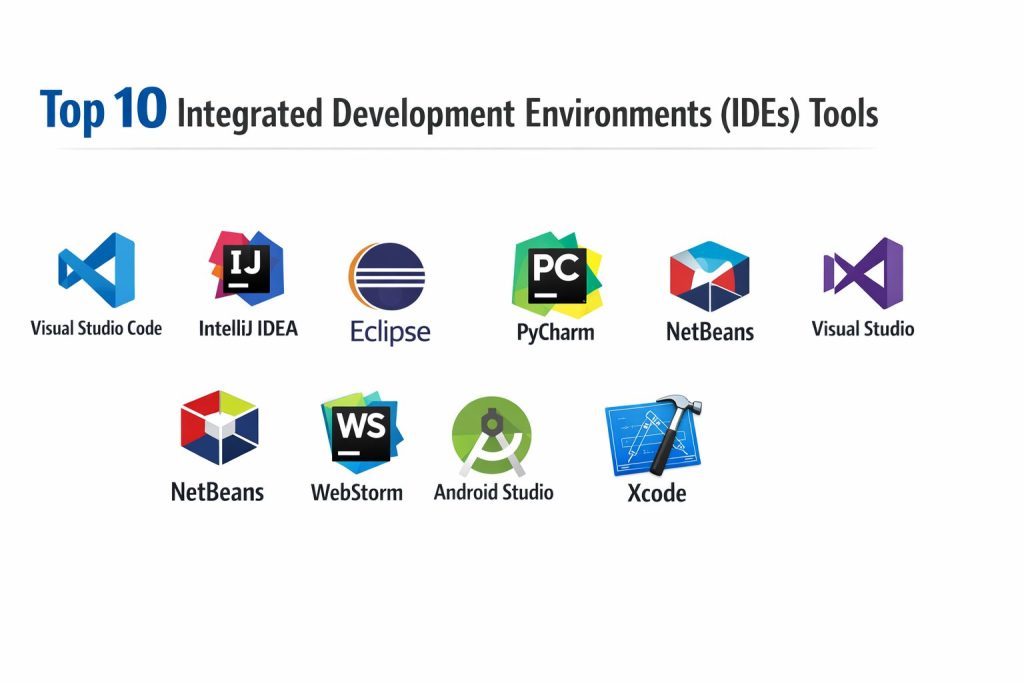
Top 10 Integrated Development Environments
1 — Visual Studio Code
Widely adopted development environment known for flexibility, extensions, and strong multi-language support.
Key Features
- Intelligent code completion and debugging
- Extensive extension marketplace
- Integrated terminal and version control
- Remote and container development support
- Customizable interface and workflows
Pros
- Lightweight yet powerful
- Strong community ecosystem
Cons
- Heavy reliance on extensions
- Advanced configuration may be complex
Platforms / Deployment
Windows, macOS, Linux — Self-hosted
Security & Compliance
Not publicly stated
Integrations & Ecosystem
- Source control systems
- Cloud services
- Container platforms
Support & Community
Large global developer community and extensive learning resources.
2 — IntelliJ IDEA
Professional environment designed primarily for JVM-based development with deep code intelligence.
Key Features
- Advanced code analysis and refactoring
- Built-in testing and debugging tools
- Framework-aware development assistance
- Version control integration
- Plugin ecosystem
Pros
- Excellent productivity features
- Strong language intelligence
Cons
- Resource intensive
- Commercial licensing for full edition
Platforms / Deployment
Windows, macOS, Linux — Self-hosted
Security & Compliance
Not publicly stated
Integrations & Ecosystem
- Build automation tools
- Framework integrations
- Plugin extensions
Support & Community
Comprehensive documentation and active professional community.
3 — Eclipse
Long-standing open development platform supporting many programming languages and enterprise tools.
Key Features
- Modular plugin architecture
- Java and enterprise tooling
- Debugging and testing support
- Workspace management
- Cross-platform compatibility
Pros
- Free and extensible
- Mature ecosystem
Cons
- Interface complexity
- Performance can vary
Platforms / Deployment
Windows, macOS, Linux — Self-hosted
Security & Compliance
Not publicly stated
Integrations & Ecosystem
- Enterprise frameworks
- Build tools
- Version control plugins
Support & Community
Large historical community and extensive documentation.
4 — PyCharm
Focused development environment tailored for Python programming and data workflows.
Key Features
- Smart Python code completion
- Integrated debugging and testing
- Virtual environment management
- Database tooling
- Framework support
Pros
- Optimized for Python productivity
- Strong debugging experience
Cons
- Heavy memory usage
- Full features require paid edition
Platforms / Deployment
Windows, macOS, Linux — Self-hosted
Security & Compliance
Not publicly stated
Integrations & Ecosystem
- Data science libraries
- Web frameworks
- Version control systems
Support & Community
Active Python developer community and learning material.
5 — Visual Studio
Comprehensive development suite for enterprise, desktop, cloud, and game development.
Key Features
- Advanced debugging and profiling
- Integrated testing framework
- GUI and application designers
- Cloud development tooling
- Strong language support
Pros
- Enterprise-grade capabilities
- Deep debugging tools
Cons
- Large installation size
- Primarily optimized for specific ecosystems
Platforms / Deployment
Windows — Self-hosted
Security & Compliance
Not publicly stated
Integrations & Ecosystem
- Cloud services
- Source control
- Extension marketplace
Support & Community
Extensive enterprise documentation and support ecosystem.
6 — NetBeans
Open development environment supporting multiple languages and modular applications.
Key Features
- Built-in project management
- GUI development tools
- Code analysis and debugging
- Plugin architecture
- Cross-platform operation
Pros
- Free and open
- Easy setup for beginners
Cons
- Smaller ecosystem
- Slower innovation pace
Platforms / Deployment
Windows, macOS, Linux — Self-hosted
Security & Compliance
Not publicly stated
Integrations & Ecosystem
- Build systems
- Version control
- Language plugins
Support & Community
Stable community with long-term support resources.
7 — WebStorm
Specialized environment for modern web and JavaScript development.
Key Features
- Intelligent JavaScript tooling
- Framework awareness
- Built-in debugging
- Testing integration
- Version control support
Pros
- Excellent for front-end workflows
- Strong productivity automation
Cons
- Paid licensing
- Narrower language focus
Platforms / Deployment
Windows, macOS, Linux — Self-hosted
Security & Compliance
Not publicly stated
Integrations & Ecosystem
- Web frameworks
- Package managers
- Build tools
Support & Community
Strong professional user base and documentation.
8 — Android Studio
Development environment designed for building mobile applications on Android platforms.
Key Features
- Visual layout editor
- Emulator and testing tools
- Performance profiling
- Code analysis
- Build automation
Pros
- Official mobile development tooling
- Deep device testing support
Cons
- Resource intensive
- Platform-specific focus
Platforms / Deployment
Windows, macOS, Linux — Self-hosted
Security & Compliance
Not publicly stated
Integrations & Ecosystem
- Mobile SDK tools
- Testing frameworks
- Deployment services
Support & Community
Extensive tutorials and developer documentation.
9 — Xcode
Development environment for building applications across Apple platforms.
Key Features
- Interface design tools
- Integrated debugging
- Performance analysis
- Simulator testing
- Source control support
Pros
- Optimized platform integration
- Strong performance tools
Cons
- Limited to specific operating system
- Platform-restricted development
Platforms / Deployment
macOS — Self-hosted
Security & Compliance
Not publicly stated
Integrations & Ecosystem
- Platform SDKs
- Testing tools
- Distribution services
Support & Community
Active developer community and official learning resources.
10 — Code::Blocks
Lightweight open development environment suited for compiled language programming.
Key Features
- Fast performance
- Compiler integration
- Debugging tools
- Plugin support
- Simple interface
Pros
- Minimal system requirements
- Free and open
Cons
- Limited modern features
- Smaller ecosystem
Platforms / Deployment
Windows, macOS, Linux — Self-hosted
Security & Compliance
Not publicly stated
Integrations & Ecosystem
- Compiler toolchains
- Debugging plugins
- Build utilities
Support & Community
Smaller but dedicated community support.
Comparison Table
| Tool Name | Best For | Platforms | Deployment | Standout Feature | Public Rating |
|---|---|---|---|---|---|
| Visual Studio Code | Multi-language development | Desktop | Self-hosted | Extension ecosystem | N/A |
| IntelliJ IDEA | JVM development | Desktop | Self-hosted | Deep code intelligence | N/A |
| Eclipse | Enterprise Java | Desktop | Self-hosted | Plugin architecture | N/A |
| PyCharm | Python projects | Desktop | Self-hosted | Python productivity | N/A |
| Visual Studio | Enterprise apps | Windows | Self-hosted | Advanced debugging | N/A |
| NetBeans | General development | Desktop | Self-hosted | Built-in project tools | N/A |
| WebStorm | Web apps | Desktop | Self-hosted | JavaScript intelligence | N/A |
| Android Studio | Mobile apps | Desktop | Self-hosted | Device emulator | N/A |
| Xcode | Apple apps | macOS | Self-hosted | Platform integration | N/A |
| Code::Blocks | Lightweight coding | Desktop | Self-hosted | Fast performance | N/A |
Evaluation & Scoring
| Tool | Core | Ease | Integrations | Security | Performance | Support | Value | Total |
|---|---|---|---|---|---|---|---|---|
| Visual Studio Code | 9 | 9 | 9 | 6 | 8 | 9 | 10 | 8.9 |
| IntelliJ IDEA | 10 | 7 | 9 | 6 | 8 | 9 | 7 | 8.5 |
| Eclipse | 8 | 6 | 8 | 6 | 7 | 8 | 9 | 7.6 |
| PyCharm | 9 | 8 | 8 | 6 | 8 | 9 | 7 | 8.2 |
| Visual Studio | 10 | 7 | 9 | 7 | 8 | 9 | 7 | 8.6 |
| NetBeans | 7 | 7 | 7 | 6 | 7 | 8 | 9 | 7.4 |
| WebStorm | 9 | 8 | 8 | 6 | 8 | 8 | 7 | 8.1 |
| Android Studio | 9 | 7 | 8 | 6 | 7 | 8 | 8 | 8.0 |
| Xcode | 9 | 7 | 7 | 6 | 8 | 8 | 8 | 7.9 |
| Code::Blocks | 6 | 8 | 6 | 5 | 8 | 7 | 9 | 7.1 |
Scores indicate comparative balance across capability, usability, and ecosystem strength.
Higher totals reflect broader productivity across varied development scenarios.
Teams should prioritize alignment with language, platform, and workflow needs.
Security, integration depth, and scalability become more critical at larger scale.
Which Integrated Development Environment Is Right for You
Solo developers often benefit from lightweight, flexible environments with strong extensions.
Small teams typically prioritize usability, collaboration, and quick onboarding.
Mid-size organizations require scalable integrations, testing automation, and performance stability.
Enterprises focus on governance, security validation, and long-term maintainability.
Budget considerations influence open versus commercial tooling decisions.
Ease of learning must be balanced with advanced productivity capabilities.
Integration readiness supports automation, deployment, and collaboration growth.
Security and compliance validation becomes essential in regulated environments.
Frequently Asked Questions
1. What is an Integrated Development Environment?
It is a unified software workspace where developers write, test, debug, and manage code using built-in tools that improve productivity and consistency.
2. Are IDEs better than simple code editors?
IDEs provide deeper debugging, automation, and integration features, while simple editors are lighter but less comprehensive.
3. Do all IDEs support multiple programming languages?
Some are multi-language, while others specialize in specific ecosystems or platforms.
4. How important are extensions and plugins?
They expand functionality, integrate workflows, and adapt the environment to project needs.
5. Can IDEs improve developer productivity?
Yes, through automation, intelligent suggestions, debugging tools, and integrated testing.
6. Are cloud-based development environments common?
They are growing, especially for collaboration and remote development scenarios.
7. What security features should teams review?
Access control, dependency scanning, and secure integrations are commonly evaluated.
8. Is switching IDEs difficult?
Migration requires workflow adjustment but is usually manageable with planning.
9. Which IDE is best for beginners?
Tools with simple interfaces, tutorials, and strong community support are easiest to learn.
10. Do enterprises standardize on one IDE?
Many organizations allow multiple tools but define governance and integration standards.
Conclusion
Selecting the right Integrated Development Environment requires balancing productivity, performance, ecosystem compatibility, and long-term scalability. Some IDEs excel in flexibility and community extensions, while others provide deep enterprise tooling or platform-specific optimization. The most effective choice depends on programming language focus, deployment targets, collaboration needs, and available resources rather than popularity alone. Organizations should evaluate real workflow alignment, test performance on existing systems, and confirm integration with build, security, and deployment pipelines. Running a small pilot with shortlisted options helps teams make confident, low-risk decisions that support efficient development and sustainable software delivery over time.