Introduction
Source Code Management (SCM) tools help teams store, track, review, and control changes to code over time. In simple terms, SCM is the “single source of truth” for your software: it records who changed what, why it changed, and how to safely merge changes without breaking the main codebase. A good SCM setup reduces conflicts, protects critical branches, improves collaboration, and makes releases more predictable.
Common use cases include managing feature branches for product teams, running code reviews for quality control, enforcing approvals for regulated environments, supporting CI pipelines for fast testing, and maintaining multiple versions of the same product for customers or regions. Buyers should evaluate repository performance for large monorepos, branching and merge workflows, access control and auditability, code review quality, CI integrations, developer experience, governance features, self-hosting options, admin visibility, and overall cost and operational effort.
Best for: engineering teams of any size that ship software and need reliable collaboration, change control, and review workflows.
Not ideal for: very small projects that never change or teams doing only document edits where basic file sharing is enough.
Key Trends in Source Code Management Tools
- Stronger push toward “secure by default” workflows with protected branches and required reviews
- Better support for monorepos and large binary assets through smarter storage patterns
- More automation around policy enforcement, approvals, and merge checks
- Tighter integration with CI pipelines, issue tracking, and artifact systems
- More focus on developer experience to reduce friction in reviews and merges
- Growing expectation of audit readiness, even if compliance details are not publicly stated
- More teams adopting hybrid setups: cloud for speed, self-hosted for control
- Increased use of pull request style collaboration across many organizations
How We Selected These Tools (Methodology)
- Chosen based on broad adoption, credibility, and long-term presence in real engineering teams
- Included a balanced mix of cloud platforms and self-hosted options
- Prioritized practical SCM workflows: branching, merging, review, permissions, and visibility
- Considered ecosystem fit: CI, issue tracking, IDE integrations, and automation hooks
- Considered scalability signals: suitability for larger repos and multi-team environments
- Avoided making claims about certifications, ratings, or pricing when not clearly known
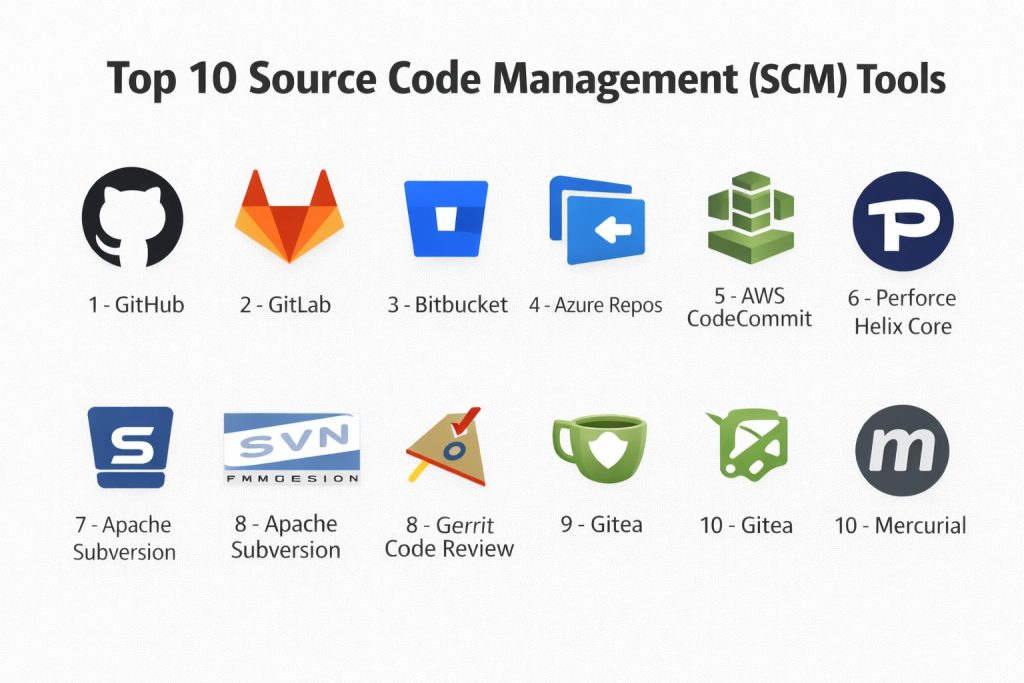
Top 10 Source Code Management (SCM) Tools
1 — GitHub
GitHub is a widely used code hosting and collaboration platform built around Git. It fits teams that want strong pull request workflows, broad ecosystem support, and smooth developer onboarding.
Key Features
- Pull requests with review workflows and merge controls
- Repository hosting with collaboration and access management
- Automation hooks and ecosystem integrations (Varies / N/A)
Pros
- Very familiar workflow for many developers
- Large ecosystem and wide tool compatibility
Cons
- Deep governance needs may require careful configuration
- Some enterprise requirements: Varies / Not publicly stated
Platforms / Deployment
Web (Varies / N/A), Windows / macOS / Linux clients (Varies / N/A)
Cloud / Hybrid (Varies / N/A)
Security & Compliance
Not publicly stated
Integrations & Ecosystem
GitHub commonly connects to CI systems, issue trackers, and IDE tooling for end-to-end workflows.
- CI tooling integration: Varies / N/A
- Webhooks and APIs: Varies / N/A
- Marketplace extensions: Varies / N/A
Support & Community
Strong documentation and broad community knowledge. Support tiers vary by plan.
2 — GitLab
GitLab combines SCM with a broader software delivery platform approach. It suits teams that want tight alignment between repos, CI workflows, and governance under one product umbrella.
Key Features
- Merge requests with approvals and policy controls
- Built-in CI workflow alignment (Varies / N/A)
- Admin and project visibility features (Varies / N/A)
Pros
- Convenient for teams that prefer one integrated platform
- Flexible workflows for teams with structured governance
Cons
- Platform depth can increase admin complexity
- Performance and scaling depend on setup (Varies / N/A)
Platforms / Deployment
Web, Windows / macOS / Linux clients (Varies / N/A)
Cloud / Self-hosted / Hybrid (Varies / N/A)
Security & Compliance
Not publicly stated
Integrations & Ecosystem
Often used with common CI patterns and developer tools, depending on how teams standardize.
- APIs and automation: Varies / N/A
- Issue tracking alignment: Varies / N/A
- Runner-based build ecosystems: Varies / N/A
Support & Community
Strong docs and a large community. Support tiers vary by plan.
3 — Bitbucket
Bitbucket is a Git-based SCM platform often chosen by teams already using related product ecosystems for planning and collaboration. It fits teams that want predictable PR workflows and connected tooling.
Key Features
- Pull request workflow with review and merge controls
- Access management and branch protections (Varies / N/A)
- Ecosystem tie-ins (Varies / N/A)
Pros
- Works well for teams that prefer integrated project tooling
- Practical PR-based workflows for many teams
Cons
- Some features depend on the chosen ecosystem and plan
- Advanced governance detail: Not publicly stated
Platforms / Deployment
Web (Varies / N/A)
Cloud / Self-hosted (Varies / N/A)
Security & Compliance
Not publicly stated
Integrations & Ecosystem
Commonly integrates with CI tooling, issue tracking, and team collaboration tools depending on setup.
- CI integrations: Varies / N/A
- Webhooks and APIs: Varies / N/A
- App ecosystem: Varies / N/A
Support & Community
Good documentation and a solid user community. Support varies by plan.
4 — Azure Repos
Azure Repos provides Git repositories and related collaboration features in a broader engineering platform environment. It suits teams that already use Microsoft-centric dev tooling.
Key Features
- Git repos with PR workflows and review controls
- Policy enforcement options for branches (Varies / N/A)
- Alignment with enterprise engineering workflows (Varies / N/A)
Pros
- Convenient for teams using Microsoft engineering environments
- Works well for structured approval workflows
Cons
- Best value often appears when used within the broader ecosystem
- Feature breadth varies by usage patterns (Varies / N/A)
Platforms / Deployment
Web (Varies / N/A)
Cloud / Hybrid (Varies / N/A)
Security & Compliance
Not publicly stated
Integrations & Ecosystem
Often used with CI pipelines, work tracking, and enterprise identity patterns in the same ecosystem.
- CI alignment: Varies / N/A
- APIs and hooks: Varies / N/A
- IDE integration: Varies / N/A
Support & Community
Strong enterprise adoption and documentation. Support varies by plan.
5 — AWS CodeCommit
AWS CodeCommit is a managed source control service designed for teams using AWS environments. It fits organizations that want SCM close to their cloud infrastructure patterns.
Key Features
- Managed Git repositories (Varies / N/A)
- IAM-based access patterns (Varies / N/A)
- Integration patterns within AWS workflows (Varies / N/A)
Pros
- Can simplify access control when teams already use AWS identity patterns
- Useful for teams centralizing within AWS tooling
Cons
- Ecosystem preferences may limit tool flexibility
- Feature depth compared to full platforms: Varies / N/A
Platforms / Deployment
Web (Varies / N/A)
Cloud
Security & Compliance
Not publicly stated
Integrations & Ecosystem
Typically integrated with AWS build, deployment, and monitoring workflows depending on the stack.
- APIs and automation: Varies / N/A
- CI connections: Varies / N/A
- Hooks: Varies / N/A
Support & Community
Documentation is available; community depth varies compared to broader SCM platforms.
6 — Perforce Helix Core
Perforce Helix Core is widely used for large-scale repositories and workflows involving big assets. It is common in game development and teams that manage heavy binaries alongside code.
Key Features
- Scales for large repos and large files (Varies / N/A)
- Strong access control and centralized workflows (Varies / N/A)
- Supports structured change and review practices (Varies / N/A)
Pros
- Strong fit for large assets and high-scale teams
- Useful where strict control and performance are critical
Cons
- Requires admin effort and process discipline
- Learning curve can be higher for Git-first teams
Platforms / Deployment
Windows / macOS / Linux
Self-hosted / Hybrid (Varies / N/A)
Security & Compliance
Not publicly stated
Integrations & Ecosystem
Commonly integrated with build systems, game pipelines, and asset workflows.
- Toolchain integrations: Varies / N/A
- Automation: Varies / N/A
- Workspace tooling: Varies / N/A
Support & Community
Professional support is commonly used. Community size varies by industry segment.
7 — Apache Subversion
Apache Subversion is a centralized version control system still used in many legacy environments. It fits teams that prefer centralized workflows or maintain long-running systems built around SVN patterns.
Key Features
- Centralized repository model
- Straightforward access control concepts (Varies / N/A)
- Works well for certain legacy processes
Pros
- Simple conceptual model for centralized control
- Stable for teams with existing SVN workflows
Cons
- Less flexible than modern Git-based branching patterns
- Modern ecosystem momentum is lower for new teams
Platforms / Deployment
Windows / macOS / Linux
Self-hosted
Security & Compliance
Not publicly stated
Integrations & Ecosystem
SVN can integrate with CI and build tools, but options depend on environment and tooling choices.
- CI integration: Varies / N/A
- Hooks: Varies / N/A
- Client tools: Varies / N/A
Support & Community
Well-documented and stable. Community is smaller than Git-first ecosystems.
8 — Gerrit Code Review
Gerrit is a code review system built for review-first workflows. It fits teams that want strict review gates and structured change submission, often in large engineering environments.
Key Features
- Review-centric workflow with gated merges
- Fine-grained review controls (Varies / N/A)
- Strong fit for structured engineering processes
Pros
- Excellent when reviews must be enforced consistently
- Useful for teams with disciplined change management
Cons
- Workflow is different from typical PR tools and can feel rigid
- Setup and maintenance require expertise
Platforms / Deployment
Web (Varies / N/A)
Self-hosted
Security & Compliance
Not publicly stated
Integrations & Ecosystem
Often integrated with CI checks and automation to enforce policy before merges.
- CI hooks: Varies / N/A
- Automation: Varies / N/A
- Identity integration: Varies / N/A
Support & Community
Community exists but is more specialized. Support depends on internal ownership or vendors.
9 — Gitea
Gitea is a lightweight, self-hosted Git service. It fits teams that want simple Git hosting under their own control with minimal infrastructure overhead.
Key Features
- Self-hosted Git repository hosting
- Basic collaboration features (Varies / N/A)
- Lightweight operational footprint (Varies / N/A)
Pros
- Practical for small teams that want self-hosting and simplicity
- Lower operational complexity compared to larger platforms
Cons
- Advanced enterprise governance varies by setup
- Ecosystem breadth may be smaller than major platforms
Platforms / Deployment
Windows / macOS / Linux
Self-hosted
Security & Compliance
Not publicly stated
Integrations & Ecosystem
Often integrated through webhooks and standard Git workflows, depending on team needs.
- Webhooks: Varies / N/A
- APIs: Varies / N/A
- Plugins or extensions: Varies / N/A
Support & Community
Active community for a self-hosted tool. Support depends on internal ownership.
10 — Mercurial
Mercurial is a distributed version control system similar in purpose to Git. It fits teams that already use Mercurial workflows or prefer its approach in certain environments.
Key Features
- Distributed version control workflow
- Fast operations for many common tasks (Varies / N/A)
- Flexible branching patterns (Varies / N/A)
Pros
- Solid DVCS option for teams already standardized on it
- Can be efficient in certain workflows
Cons
- Smaller mainstream ecosystem compared to Git-based tooling
- Hiring familiarity may be lower for many teams
Platforms / Deployment
Windows / macOS / Linux
Self-hosted
Security & Compliance
Not publicly stated
Integrations & Ecosystem
Integration depends on the hosting approach and the broader toolchain used.
- Hosting options: Varies / N/A
- CI integration: Varies / N/A
- Extensions: Varies / N/A
Support & Community
Community exists but is smaller than Git-first ecosystems. Documentation is available.
Comparison Table
| Tool Name | Best For | Platform(s) Supported | Deployment | Standout Feature | Public Rating |
|---|---|---|---|---|---|
| GitHub | PR-based collaboration at scale | Varies / N/A | Cloud / Hybrid (Varies / N/A) | Broad ecosystem adoption | N/A |
| GitLab | Integrated repo and delivery workflows | Varies / N/A | Cloud / Self-hosted / Hybrid (Varies / N/A) | Unified platform approach | N/A |
| Bitbucket | Teams aligned with connected tooling | Varies / N/A | Cloud / Self-hosted (Varies / N/A) | Practical PR workflows | N/A |
| Azure Repos | Microsoft-centric engineering teams | Varies / N/A | Cloud / Hybrid (Varies / N/A) | Policy-driven repo workflows | N/A |
| AWS CodeCommit | AWS-centric repo hosting | Varies / N/A | Cloud | AWS identity alignment (Varies / N/A) | N/A |
| Perforce Helix Core | Large repos and large assets | Windows / macOS / Linux | Self-hosted / Hybrid (Varies / N/A) | High-scale performance patterns | N/A |
| Apache Subversion | Centralized legacy workflows | Windows / macOS / Linux | Self-hosted | Centralized VCS model | N/A |
| Gerrit Code Review | Review-first gated merges | Varies / N/A | Self-hosted | Enforced review workflows | N/A |
| Gitea | Lightweight self-hosted Git | Windows / macOS / Linux | Self-hosted | Simple self-hosting footprint | N/A |
| Mercurial | DVCS alternative workflows | Windows / macOS / Linux | Self-hosted | DVCS approach outside Git | N/A |
Evaluation & Scoring of Source Code Management Tools
The scores below are a comparative framework to help shortlist options. A higher weighted total usually indicates broader fit across many common scenarios, not a universal winner. If your team prioritizes strict review gating, large binary assets, or tight cloud alignment, you may want to adjust the criteria weights internally. Use the table to narrow down candidates, then validate with a small pilot that includes your real repo size, branch strategy, access rules, and CI checks.
Weights used
Core features 25%
Ease of use 15%
Integrations and ecosystem 15%
Security and compliance 10%
Performance and reliability 10%
Support and community 10%
Price and value 15%
| Tool Name | Core (25%) | Ease (15%) | Integrations (15%) | Security (10%) | Performance (10%) | Support (10%) | Value (15%) | Weighted Total (0–10) |
|---|---|---|---|---|---|---|---|---|
| GitHub | 9 | 8 | 10 | 6 | 8 | 9 | 8 | 8.6 |
| GitLab | 9 | 7 | 9 | 6 | 8 | 8 | 7 | 8.1 |
| Azure Repos | 8 | 7 | 8 | 6 | 8 | 7 | 7 | 7.6 |
| Bitbucket | 8 | 7 | 8 | 6 | 7 | 7 | 7 | 7.4 |
| Perforce Helix Core | 9 | 6 | 7 | 6 | 9 | 7 | 6 | 7.4 |
| AWS CodeCommit | 7 | 7 | 7 | 6 | 7 | 6 | 7 | 6.9 |
| Gerrit Code Review | 7 | 5 | 6 | 6 | 7 | 6 | 7 | 6.4 |
| Gitea | 6 | 7 | 6 | 5 | 6 | 6 | 9 | 6.4 |
| Apache Subversion | 6 | 6 | 5 | 5 | 6 | 6 | 8 | 6.0 |
| Mercurial | 6 | 6 | 5 | 5 | 6 | 5 | 7 | 5.8 |
Which Source Code Management Tool Is Right for You
Solo / Freelancer
If you want fast setup and broad compatibility, GitHub is a common choice. If you want to host your own repos with minimal overhead, Gitea is a practical self-hosted option. If you are building small projects with a simple workflow, prioritize ease of use and reliable backups over complex governance.
SMB
SMBs often need predictable reviews, branch protections, and straightforward integrations. GitHub, GitLab, and Bitbucket are common shortlists. If you want a single platform feel with repo and delivery workflow alignment, GitLab is often evaluated. If your team already uses Microsoft-centric engineering workflows, Azure Repos can reduce friction.
Mid-Market
Mid-market teams typically need stronger governance and repeatable workflows across multiple squads. GitHub and GitLab are common anchors, with Azure Repos as a strong option in Microsoft-heavy environments. If your repos include big binaries or game assets, Perforce Helix Core is often worth evaluating early.
Enterprise
Enterprises usually care about audit readiness, role-based access control patterns, approvals, and predictable policy enforcement. GitHub and GitLab are common standards depending on platform strategy, while Azure Repos often fits Microsoft-centered organizations. Gerrit Code Review can be a fit when strict review gating is required and teams accept a review-first workflow.
Budget vs Premium
If you want cost-efficient value with reasonable control, start with Gitea for self-hosting or consider widely adopted cloud options with careful plan selection. Premium setups usually invest in governance, admin tooling, and performance scaling rather than relying on default settings.
Feature Depth vs Ease of Use
For most teams, ease of use drives adoption. GitHub typically wins on familiarity and onboarding. GitLab can win when teams want a unified platform approach. Gerrit can win on strict review gating, but it trades off familiarity.
Integrations & Scalability
If integrations matter most, prioritize the platforms that best match your CI and planning workflow. For scale, test your largest repos and busiest merge periods in a pilot. For large assets, evaluate Perforce Helix Core early.
Security & Compliance Needs
Many compliance details are not publicly stated for SCM tools in a way that is safe to summarize without verification. In practice, strong controls come from identity management, branch protections, required reviews, least-privilege access, and audit-friendly workflows, plus how your organization configures and governs the platform.
Frequently Asked Questions (FAQs)
1. What is the difference between SCM and Git
SCM is the broader practice and tooling for managing code changes. Git is one version control system used inside many SCM platforms.
2. Do all teams need pull requests and code reviews
Most teams benefit from reviews, but the strictness depends on risk. High-risk services usually require stronger review gates than internal tools.
3. What is the biggest mistake when choosing an SCM tool
Choosing based on popularity without testing your real repo size, branch strategy, and CI checks. A small pilot avoids painful migrations later.
4. How do we reduce merge conflicts
Keep branches short-lived, merge frequently, and enforce consistent formatting and modular code boundaries. Tool choice helps, but habits matter more.
5. Can we host SCM ourselves
Yes, many teams self-host for control. Self-hosting adds admin work, upgrades, backups, and security responsibilities.
6. How should we think about access control
Use least privilege, protect critical branches, and require reviews. For sensitive code, add stronger approval rules and audit-ready workflows.
7. What should we evaluate for scalability
Test peak activity: large PRs, many concurrent merges, and big repos. Measure performance, search speed, and reliability during busy periods.
8. What are common CI integration needs
Most teams want automatic tests on PRs, required status checks before merge, and clear visibility into failures. Exact integrations vary by stack.
9. How hard is it to migrate between tools
Migration can be time-consuming due to permissions, review history, CI wiring, and developer habits. Plan a phased cutover and validate mirrors.
10. When should we consider Perforce instead of Git platforms
Consider Perforce Helix Core when you manage very large assets, very large repos, or workflows that benefit from centralized control patterns.
Conclusion
A good SCM tool is not only a place to store code. It becomes the workflow engine for how your team reviews changes, protects critical branches, and ships safely. GitHub and GitLab are common anchors because they support collaboration and automation at scale, while Bitbucket and Azure Repos often fit teams aligned to their surrounding ecosystems. AWS CodeCommit can work for AWS-centered environments, and Perforce Helix Core is worth serious attention when large assets and performance constraints dominate. The right next step is to shortlist two or three options, run a pilot on a real repository, validate review rules and CI checks, and confirm admin effort before standardizing.