Introduction
CI/CD tools help development teams automate the process of building, testing, and deploying software so that new features and fixes reach users faster and with fewer errors. Continuous integration focuses on merging and validating code changes frequently, while continuous delivery and deployment ensure reliable release of applications into staging or production environments.
Modern software delivery depends heavily on automation, scalability, and integration across cloud platforms, containers, and security pipelines. Organizations now treat CI/CD not just as a developer convenience but as a core operational capability that improves release speed, system stability, and collaboration between development, operations, and security teams.
Common real-world uses include automated testing pipelines, cloud-native deployments, microservices delivery, infrastructure automation, and secure release governance. Buyers typically evaluate pipeline flexibility, scalability, integration ecosystem, security controls, ease of setup, performance reliability, pricing structure, and long-term maintainability.
Best for engineering teams, DevOps professionals, platform teams, startups, and enterprises building modern applications.
Not ideal for very small projects with infrequent releases or teams relying entirely on manual deployment workflows.
Key Trends in CI/CD Tools
- Increasing adoption of cloud-native and container-first pipelines
- Built-in security scanning and policy enforcement during builds
- AI-assisted pipeline optimization and failure prediction
- Git-based workflows becoming the default automation trigger
- Infrastructure automation tightly integrated with delivery pipelines
- Expansion of reusable pipeline templates and shared components
- Stronger compliance visibility and audit tracking for enterprises
- Hybrid deployment support across cloud and on-prem environments
- Performance improvements through parallel and distributed builds
- Growing focus on developer experience and simplified configuration
How These Tools Were Selected
- Strong global usage across startups and enterprises
- Reliable automation across build, test, and deployment stages
- Proven scalability for cloud-native and container workloads
- Security and governance capabilities suitable for production use
- Rich integrations with version control, cloud, and monitoring tools
- Flexibility for different team sizes and architectures
- Active documentation, ecosystem maturity, and community adoption
- Balanced inclusion of open and commercial solutions
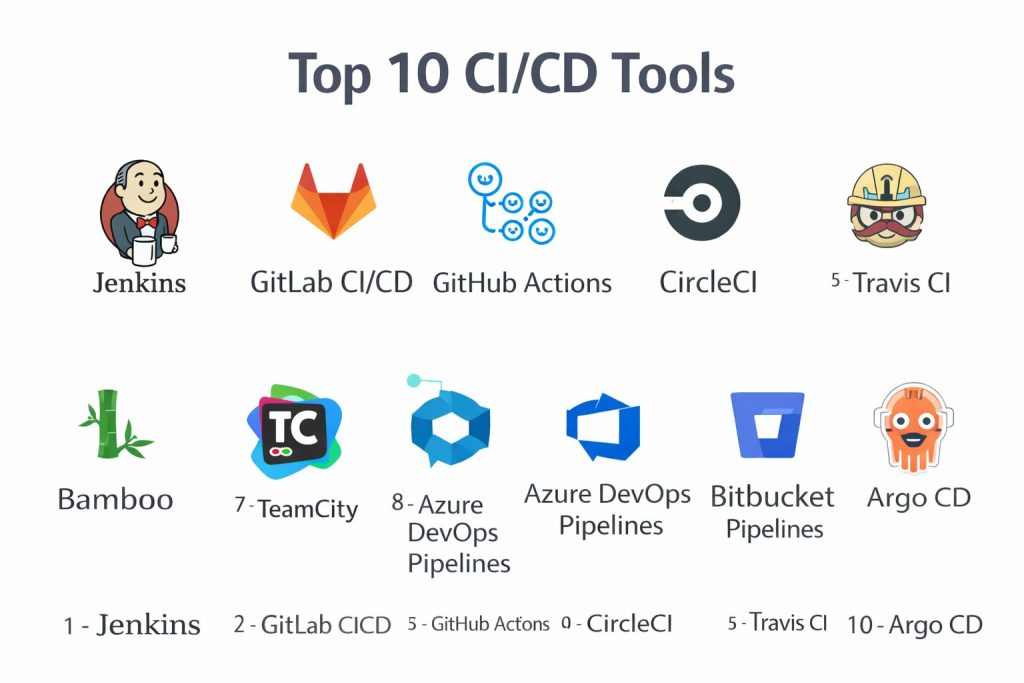
Top 10 CI/CD Tools
1 — Jenkins
Widely used automation server enabling flexible pipeline creation and deep customization for many deployment scenarios.
Key Features
- Pipeline automation with extensive plugin ecosystem
- Distributed build execution
- Integration with major version control systems
- Scripted and declarative pipeline support
- Strong community extensions
Pros
- Highly customizable
- Large community support
Cons
- Complex setup and maintenance
- User interface can feel outdated
Platforms / Deployment
Windows, macOS, Linux — Self-hosted
Security & Compliance
Role-based access and authentication available; other certifications not publicly stated
Integrations & Ecosystem
- Source control platforms
- Cloud providers
- Container tooling
Support & Community
Very large global community with extensive documentation.
2 — GitLab CI/CD
Integrated DevOps platform combining source control, pipelines, security scanning, and deployment automation in one environment.
Key Features
- Built-in CI/CD pipelines
- Security and compliance scanning
- Container and Kubernetes support
- Merge request automation
- Monitoring visibility
Pros
- Unified platform experience
- Strong cloud-native workflow
Cons
- Resource intensive for self-hosting
- Advanced features tied to premium tiers
Platforms / Deployment
Web, Linux — Cloud or Self-hosted
Security & Compliance
Access controls and audit capabilities available; certifications vary
Integrations & Ecosystem
- Kubernetes integration
- Package registries
- API automation
Support & Community
Active enterprise support and strong open community.
3 — GitHub Actions
Automation platform embedded within source control workflows for building, testing, and deploying applications.
Key Features
- Event-driven workflow automation
- Hosted and self-hosted runners
- Marketplace of reusable actions
- Container and cloud deployment support
- Secrets management
Pros
- Native integration with repositories
- Easy pipeline creation
Cons
- Complex workflows can become hard to manage
- Usage costs scale with execution time
Platforms / Deployment
Web, Linux, Windows, macOS — Cloud or Self-hosted runners
Security & Compliance
Access controls and encryption available; certifications not publicly stated
Integrations & Ecosystem
- Cloud providers
- Container registries
- Marketplace actions
Support & Community
Large developer community and strong documentation.
4 — CircleCI
Cloud-focused CI/CD platform designed for speed, scalability, and modern containerized applications.
Key Features
- Parallel job execution
- Container-native pipelines
- Caching for faster builds
- Flexible configuration
- Insights and reporting
Pros
- Fast execution performance
- Scales easily for teams
Cons
- Pricing can increase with usage
- Advanced configuration learning curve
Platforms / Deployment
Cloud or Self-hosted
Security & Compliance
Security controls available; formal certifications vary
Integrations & Ecosystem
- Version control systems
- Cloud deployment targets
- Container platforms
Support & Community
Commercial support with active documentation.
5 — Travis CI
Hosted automation service historically popular for open-source and lightweight deployment pipelines.
Key Features
- Simple configuration
- Hosted build environments
- Multi-language support
- Automated testing workflows
- Deployment scripting
Pros
- Easy onboarding
- Good for small projects
Cons
- Limited scalability for large enterprises
- Slower innovation compared to competitors
Platforms / Deployment
Cloud
Security & Compliance
Not publicly stated
Integrations & Ecosystem
- Source control platforms
- Deployment services
- Package managers
Support & Community
Moderate community presence and documentation.
6 — Bamboo
Automation server focused on integration with enterprise development and issue-tracking ecosystems.
Key Features
- Build and deployment pipelines
- Permission management
- Environment configuration
- Release tracking
- Integration with project management
Pros
- Strong enterprise workflow alignment
- Clear deployment visibility
Cons
- Commercial licensing
- Smaller ecosystem than open tools
Platforms / Deployment
Windows, Linux — Self-hosted
Security & Compliance
Access control features available; certifications not publicly stated
Integrations & Ecosystem
- Issue tracking systems
- Source control repositories
- Deployment environments
Support & Community
Enterprise documentation and vendor support.
7 — TeamCity
Build management and CI/CD server designed for flexibility, performance, and enterprise-grade automation.
Key Features
- Advanced build configuration
- Parallel execution
- Test reporting
- Pipeline visualization
- Plugin extensions
Pros
- Strong performance
- Mature enterprise capabilities
Cons
- Licensing cost
- Requires infrastructure management
Platforms / Deployment
Windows, Linux — Self-hosted
Security & Compliance
Authentication and permissions supported; certifications not publicly stated
Integrations & Ecosystem
- Version control
- Cloud services
- Build tools
Support & Community
Commercial support with active user base.
8 — Azure DevOps Pipelines
Cloud-based automation service integrated with development planning, repositories, and deployment workflows.
Key Features
- Multi-platform pipeline execution
- Infrastructure deployment automation
- Built-in testing support
- Release management
- Cloud scalability
Pros
- Deep ecosystem integration
- Strong enterprise governance
Cons
- Complex configuration for beginners
- Best suited to specific cloud environments
Platforms / Deployment
Cloud or Self-hosted agents
Security & Compliance
Enterprise security controls available; certifications vary
Integrations & Ecosystem
- Cloud services
- Package feeds
- Monitoring tools
Support & Community
Enterprise support and strong documentation.
9 — Bitbucket Pipelines
CI/CD capability embedded within repository hosting for streamlined development workflows.
Key Features
- Integrated pipeline configuration
- Container-based execution
- Deployment automation
- Environment variables management
- Simple setup
Pros
- Tight repository integration
- Easy configuration
Cons
- Limited advanced scalability
- Smaller ecosystem
Platforms / Deployment
Cloud
Security & Compliance
Not publicly stated
Integrations & Ecosystem
- Cloud deployment
- Issue tracking
- Container services
Support & Community
Vendor documentation and moderate community usage.
10 — Argo CD
Declarative delivery tool focused on Kubernetes-native continuous deployment using Git-based workflows.
Key Features
- Git-driven deployment model
- Kubernetes synchronization
- Rollback and version tracking
- Visualization dashboard
- Automation policies
Pros
- Strong cloud-native alignment
- Reliable deployment consistency
Cons
- Kubernetes knowledge required
- Focused primarily on deployment rather than full CI
Platforms / Deployment
Linux, Kubernetes — Self-hosted
Security & Compliance
Access control available; certifications not publicly stated
Integrations & Ecosystem
- Kubernetes ecosystems
- Git repositories
- Monitoring tools
Support & Community
Active open community and documentation.
Comparison Table
| Tool Name | Best For | Platforms | Deployment | Standout Feature | Public Rating |
|---|---|---|---|---|---|
| Jenkins | Custom automation | Desktop | Self-hosted | Plugin ecosystem | N/A |
| GitLab CI/CD | Unified DevOps | Web | Hybrid | Built-in security | N/A |
| GitHub Actions | Repo automation | Web | Hybrid | Event workflows | N/A |
| CircleCI | Fast pipelines | Cloud | Hybrid | Parallel builds | N/A |
| Travis CI | Small projects | Cloud | Cloud | Simple setup | N/A |
| Bamboo | Enterprise teams | Desktop | Self-hosted | Release tracking | N/A |
| TeamCity | Build management | Desktop | Self-hosted | Performance | N/A |
| Azure Pipelines | Cloud delivery | Web | Hybrid | Ecosystem depth | N/A |
| Bitbucket Pipelines | Repo CI | Cloud | Cloud | Easy config | N/A |
| Argo CD | Kubernetes CD | Linux | Self-hosted | GitOps delivery | N/A |
Evaluation & Scoring
| Tool | Core | Ease | Integrations | Security | Performance | Support | Value | Total |
|---|---|---|---|---|---|---|---|---|
| Jenkins | 9 | 5 | 9 | 6 | 8 | 9 | 9 | 8.1 |
| GitLab | 9 | 7 | 9 | 8 | 8 | 8 | 8 | 8.4 |
| GitHub Actions | 8 | 8 | 9 | 7 | 8 | 8 | 8 | 8.2 |
| CircleCI | 8 | 7 | 8 | 7 | 9 | 8 | 7 | 8.0 |
| Travis CI | 6 | 8 | 6 | 5 | 6 | 6 | 7 | 6.6 |
| Bamboo | 7 | 6 | 7 | 7 | 7 | 7 | 6 | 6.9 |
| TeamCity | 8 | 6 | 8 | 7 | 8 | 7 | 6 | 7.4 |
| Azure Pipelines | 9 | 6 | 9 | 8 | 8 | 8 | 7 | 8.1 |
| Bitbucket | 7 | 8 | 7 | 6 | 7 | 7 | 7 | 7.2 |
| Argo CD | 8 | 6 | 8 | 7 | 8 | 7 | 8 | 7.8 |
Scores are comparative and help highlight relative strengths rather than absolute rankings.
Higher totals indicate balanced capability across automation, integration, and reliability.
Real-world selection should prioritize architecture fit, team expertise, and governance needs.
Security, scalability, and ecosystem maturity matter most for enterprise environments.
Which Tool Is Right for You
Solo developers benefit from simple hosted automation.
Small teams prefer integrated repository pipelines.
Growing organizations need scalable cloud execution.
Enterprises prioritize governance, security, and visibility.
Budget constraints influence hosted versus self-managed choices.
Ease of use must balance with customization depth.
Integration capability supports long-term platform strategy.
Security validation is essential for production delivery.
Frequently Asked Questions
1. What is the main purpose of CI/CD tools?
They automate building, testing, and deploying software so releases become faster, safer, and more reliable.
2. Are CI/CD tools only for large enterprises?
No, teams of all sizes use them to improve development speed and consistency.
3. Do CI/CD pipelines require cloud infrastructure?
They can run in cloud, on-premises, or hybrid environments depending on organizational needs.
4. How long does implementation usually take?
Basic pipelines may take hours, while enterprise automation can require weeks of planning.
5. Are security scans part of CI/CD?
Many modern tools include automated security testing within pipelines.
6. Can CI/CD support microservices?
Yes, automation is especially valuable for complex distributed architectures.
7. What skills are required to manage CI/CD?
Knowledge of scripting, containers, cloud platforms, and version control is commonly needed.
8. Is migration between tools difficult?
Migration effort depends on pipeline complexity and integration dependencies.
9. Do CI/CD tools improve software quality?
Automated testing and validation significantly reduce release risk.
10. What is the biggest mistake when adopting CI/CD?
Implementing automation without proper testing strategy or governance planning.
Conclusion
CI/CD tools play a central role in modern software delivery by enabling rapid, reliable, and repeatable release processes. The right choice depends on development scale, infrastructure strategy, security expectations, and team expertise rather than popularity alone. Some platforms provide deep customization and control, while others focus on simplicity and cloud-native speed. Organizations should evaluate workflow compatibility, integration depth, and operational overhead before committing. Running pilot pipelines, validating security controls, and measuring performance in real environments helps ensure long-term success. A thoughtful selection ultimately improves collaboration, accelerates innovation, and strengthens overall software reliability.