Introduction
Automated testing tools help teams verify software quality without repeating the same manual checks every release. In simple terms, these tools run scripted tests that click through screens, call APIs, validate data, and confirm that the product still works after changes. They matter because modern software ships fast, and even small changes can break critical flows like login, checkout, payments, or key APIs. Automation reduces release risk, improves confidence, and frees QA teams to focus on exploratory testing and higher-value validation.
Common use cases include regression testing for web apps, cross-browser validation, mobile app testing across devices, continuous testing in CI pipelines, smoke tests before deployments, and test reporting for auditability. When selecting a tool, evaluate test reliability, debugging speed, language support, CI integration, cross-browser and device coverage, scalability, maintenance effort, reporting, team skill fit, security expectations, and total cost.
Best for: QA engineers, SDETs, developers, and DevOps teams in startups through enterprises who need repeatable checks across releases.
Not ideal for: teams that ship rarely, products with very small surface area, or situations where exploratory testing is the primary value and automation would be fragile or too expensive to maintain.
Key Trends in Automated Testing Tools
- More focus on stable selectors, auto-waits, and flake reduction to improve trust in test results
- Stronger alignment with CI pipelines so tests run on every change, not only before releases
- More emphasis on parallel execution and cloud grids to shorten feedback cycles
- Shift toward developer-friendly tooling and code-first workflows for speed and collaboration
- Better test observability with richer logs, traces, screenshots, and video for debugging
- Growing need for secure testing practices in regulated environments and sensitive apps
How We Selected These Tools (Methodology)
- Chosen based on broad adoption, credibility, and sustained usage in real teams
- Balanced coverage across browser automation, mobile automation, and cloud test execution
- Considered reliability signals like wait strategies, debugging clarity, and test stability patterns
- Evaluated ecosystem fit: CI integration, reporting, plugins, and community support
- Included tools suitable for multiple team sizes, from solo projects to enterprise programs
- Avoided making claims about certifications, pricing, or public ratings when not clearly known
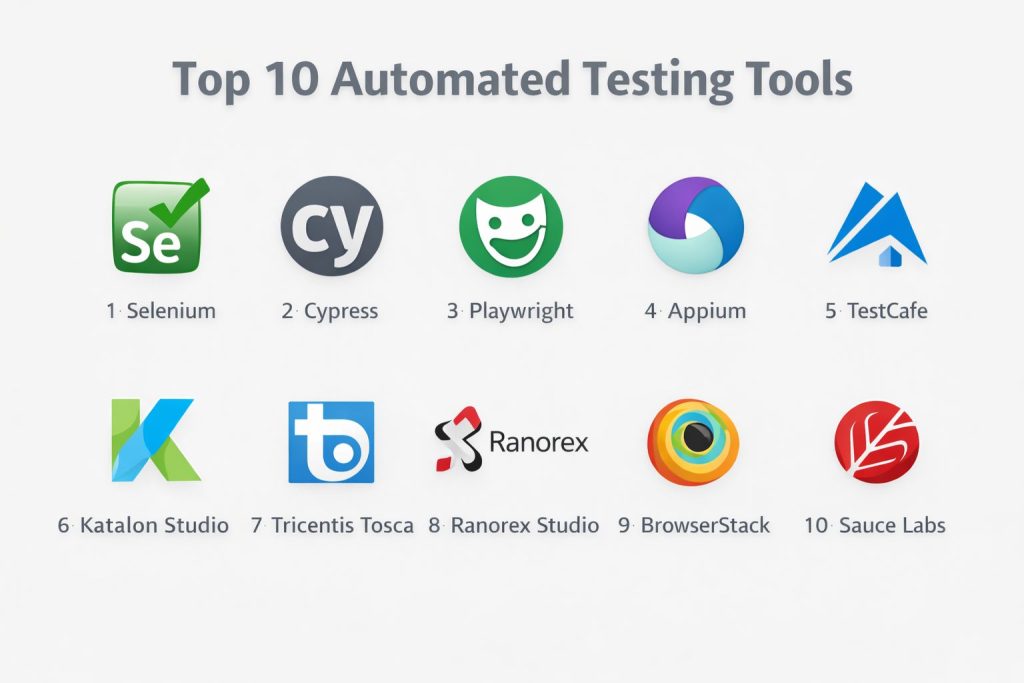
Top 10 Automated Testing Tools
1 — Selenium
Selenium is a widely used browser automation framework for testing web applications. It is a common choice for teams that need flexible, language-friendly automation with broad ecosystem support.
Key Features
- Cross-browser automation using standard browser drivers
- Large ecosystem for frameworks, reporting, and grid execution
- Works well for advanced customization and complex pipelines
Pros
- Very flexible for different languages and test architectures
- Strong community knowledge and long-term industry adoption
Cons
- Requires more setup and framework decisions than newer tools
- Flaky tests can occur if waits and selectors are not engineered well
Platforms / Deployment
Windows / macOS / Linux
Self-hosted
Security & Compliance
Not publicly stated
Integrations & Ecosystem
Selenium fits almost any engineering stack because it can be wrapped into custom frameworks and CI workflows.
- Works with common CI tools and build pipelines
- Grid execution patterns for scaling runs
- Reporting and framework add-ons: Varies / N/A
Support & Community
Very strong community, broad documentation footprint, and long-term learning resources.
2 — Cypress
Cypress is a developer-friendly testing tool focused on modern web apps, with strong debugging and a smooth local workflow. It is often chosen for teams that want fast feedback and easier troubleshooting.
Key Features
- Fast local test runs with strong debugging experience
- Clear test runner visibility during development
- Useful patterns for UI testing of modern web apps
Pros
- Great developer experience for writing and debugging tests
- Strong feedback loop for frontend teams
Cons
- Some advanced cross-environment patterns may require extra planning
- Team fit depends on your application architecture and needs
Platforms / Deployment
Windows / macOS / Linux
Self-hosted
Security & Compliance
Not publicly stated
Integrations & Ecosystem
Cypress commonly plugs into CI pipelines and team workflows where fast UI confidence is required.
- CI execution support and pipeline-friendly runs
- Common frontend ecosystem compatibility
- Plugin and reporting options: Varies / N/A
Support & Community
Strong community adoption in frontend testing, with many practical examples and learning resources.
3 — Playwright
Playwright is a modern browser automation framework designed for reliable cross-browser testing. It is well suited for teams that want stable automation, good tooling, and strong control over browser contexts.
Key Features
- Cross-browser automation with modern reliability features
- Strong isolation using browser contexts for clean test state
- Good debugging options for complex UI failures
Pros
- Often reduces flakiness with built-in waiting patterns
- Strong fit for scalable cross-browser automation
Cons
- Requires engineering discipline for selectors and test design
- Teams must still plan test data and environment strategy
Platforms / Deployment
Windows / macOS / Linux
Self-hosted
Security & Compliance
Not publicly stated
Integrations & Ecosystem
Playwright fits well into CI pipelines and can be used with common reporting strategies.
- Works with standard CI and version control workflows
- Supports parallelization patterns in many setups
- Extensibility and tooling: Varies / N/A
Support & Community
Growing community and strong documentation quality. Support depends on your internal team model.
4 — Appium
Appium is a well-known mobile automation framework for testing native, hybrid, and mobile web apps. It is often used when teams need cross-platform mobile automation without being locked into a single vendor.
Key Features
- Mobile automation for Android and iOS workflows
- Works with common test frameworks across languages
- Flexible integration into device labs and CI pipelines
Pros
- Strong choice for cross-platform mobile testing strategies
- Works in varied environments and infrastructure setups
Cons
- Mobile automation can be slower and more environment-sensitive
- Setup and maintenance can be demanding for device-heavy coverage
Platforms / Deployment
Windows / macOS / Linux
Self-hosted
Security & Compliance
Not publicly stated
Integrations & Ecosystem
Appium commonly integrates with device farms and CI to provide repeatable mobile coverage.
- Works with device lab strategies and cloud device providers
- Fits into standard CI execution patterns
- Reporting and frameworks: Varies / N/A
Support & Community
Large community and many examples, but success depends heavily on device strategy and test discipline.
5 — TestCafe
TestCafe is a web testing tool designed to simplify browser automation setup. It can be a good fit for teams that want a simpler path to UI automation without building a large framework.
Key Features
- Simplified approach to running browser tests
- Useful abstractions for common UI automation tasks
- Practical for teams that want predictable setup and execution
Pros
- Easier initial setup than some driver-based approaches
- Can be productive for small to mid-sized UI test suites
Cons
- Ecosystem depth may be smaller than the largest frameworks
- Advanced edge cases may require careful handling
Platforms / Deployment
Windows / macOS / Linux
Self-hosted
Security & Compliance
Not publicly stated
Integrations & Ecosystem
TestCafe can be placed into CI pipelines and shared team workflows with standard reporting add-ons.
- CI execution patterns supported
- Works with common browsers in typical setups
- Extensibility: Varies / N/A
Support & Community
Moderate community and documentation presence. Team adoption depends on internal preferences.
6 — Katalon Studio
Katalon Studio is a test automation platform that combines UI and API testing features with a more guided workflow. It suits teams that want quicker onboarding and structured test management.
Key Features
- Combines UI testing and API testing in one platform
- Structured approach for organizing and running test suites
- Reporting and test management features built into the platform
Pros
- Faster ramp-up for teams that prefer guided tooling
- Useful for mixed QA teams with varied coding skills
Cons
- Flexibility may be lower than fully code-first frameworks
- Scaling strategies depend on how your team uses the platform
Platforms / Deployment
Windows / macOS / Linux
Self-hosted
Security & Compliance
Not publicly stated
Integrations & Ecosystem
Katalon commonly integrates into CI pipelines and broader QA workflows through standard connectors and plugins.
- CI execution support: Varies / N/A
- Reporting and dashboard patterns: Varies / N/A
- Extensibility options: Varies / N/A
Support & Community
Documentation and onboarding tend to be structured. Support tiers vary. Community strength is moderate.
7 — Tricentis Tosca
Tricentis Tosca is often used in enterprise environments where teams need scalable test management and model-based automation patterns. It is commonly considered for large programs with complex business flows.
Key Features
- Enterprise-oriented automation approach for broad application coverage
- Strong focus on managing large suites and business workflows
- Designed for scaling automation across teams and projects
Pros
- Good fit for enterprise test programs with governance needs
- Useful when teams need standardized automation practices
Cons
- Adoption may require training and process alignment
- Tooling can be heavy for small teams and simple products
Platforms / Deployment
Windows (Varies / N/A depending on components)
Hybrid / Self-hosted (Varies / N/A)
Security & Compliance
Not publicly stated
Integrations & Ecosystem
Typically used with enterprise CI, test management practices, and broader QA governance tooling.
- Integrates into enterprise workflows: Varies / N/A
- Reporting and management patterns: Varies / N/A
- Ecosystem connectors: Varies / N/A
Support & Community
Enterprise support options are common, but details vary. Community presence is smaller than open frameworks.
8 — Ranorex Studio
Ranorex Studio is a test automation tool often used for UI testing where teams want a structured environment. It can be a practical choice for organizations that value guided automation development.
Key Features
- UI automation workflows for desktop and web scenarios (Varies / N/A)
- Tools designed to support test authoring and maintenance
- Reporting support for test runs (Varies / N/A)
Pros
- Helpful for teams that prefer tool-guided automation
- Can reduce initial framework-building effort
Cons
- Platform constraints may apply depending on your environment
- Long-term scaling depends on how suites and standards are managed
Platforms / Deployment
Windows
Self-hosted
Security & Compliance
Not publicly stated
Integrations & Ecosystem
Often used with CI and reporting systems depending on organizational setup.
- CI integration patterns: Varies / N/A
- Reporting exports: Varies / N/A
- Plugin ecosystem: Varies / N/A
Support & Community
Support is typically vendor-driven. Community size varies by region and industry.
9 — BrowserStack
BrowserStack is a cloud testing platform that provides access to real browsers and devices for automated and manual testing. It suits teams that need broad coverage without maintaining their own device and browser labs.
Key Features
- Cloud access to cross-browser and real-device environments
- Parallel execution options for faster feedback cycles
- Useful debugging artifacts depending on plan (Varies / N/A)
Pros
- Reduces infrastructure burden for browser and device coverage
- Helpful for teams needing broad environment validation quickly
Cons
- Cloud execution cost can grow with scale and parallelism
- Results depend on network conditions and test stability practices
Platforms / Deployment
Web
Cloud
Security & Compliance
Not publicly stated
Integrations & Ecosystem
Often paired with Selenium, Playwright, Cypress, and mobile frameworks to execute tests at scale in the cloud.
- Supports CI execution patterns and triggers
- Works with common automation frameworks
- Reporting integrations: Varies / N/A
Support & Community
Vendor support is a key part of the offering. Community knowledge exists, but tooling is platform-specific.
10 — Sauce Labs
Sauce Labs is a cloud testing platform designed for cross-browser and device testing at scale. It is often used by teams that want centralized test execution, visibility, and scalable infrastructure.
Key Features
- Cloud browser and device infrastructure for automated testing
- Parallel execution to shorten feedback cycles
- Test visibility and debugging artifacts (Varies / N/A)
Pros
- Strong fit for teams that need scalable test infrastructure
- Reduces operational overhead for maintaining test labs
Cons
- Cloud costs can increase as coverage and parallel runs expand
- Requires solid test design to minimize flakiness
Platforms / Deployment
Web
Cloud
Security & Compliance
Not publicly stated
Integrations & Ecosystem
Commonly used as an execution layer for Selenium, Appium, and other automation approaches.
- Works with common CI systems
- Supports major automation frameworks
- API and reporting options: Varies / N/A
Support & Community
Vendor support is central to success. Community guidance exists but varies by toolchain and team maturity.
Comparison Table
| Tool Name | Best For | Platform(s) Supported | Deployment | Standout Feature | Public Rating |
|---|---|---|---|---|---|
| Selenium | Flexible web automation frameworks | Windows / macOS / Linux | Self-hosted | Broad ecosystem and adoption | N/A |
| Cypress | Fast developer-friendly web UI testing | Windows / macOS / Linux | Self-hosted | Debugging and quick feedback | N/A |
| Playwright | Reliable cross-browser automation | Windows / macOS / Linux | Self-hosted | Browser context isolation | N/A |
| Appium | Cross-platform mobile automation | Windows / macOS / Linux | Self-hosted | Mobile testing flexibility | N/A |
| TestCafe | Simpler web automation setup | Windows / macOS / Linux | Self-hosted | Reduced driver complexity | N/A |
| Katalon Studio | Guided automation for UI and API | Windows / macOS / Linux | Self-hosted | Structured test workflows | N/A |
| Tricentis Tosca | Enterprise-scale automation programs | Windows (Varies / N/A) | Hybrid / Self-hosted (Varies / N/A) | Governance-friendly scaling | N/A |
| Ranorex Studio | Tool-guided UI automation | Windows | Self-hosted | Structured authoring approach | N/A |
| BrowserStack | Cloud browsers and real devices | Web | Cloud | Lab-free environment coverage | N/A |
| Sauce Labs | Scalable cloud test execution | Web | Cloud | Centralized execution layer | N/A |
Evaluation & Scoring of Automated Testing Tools
This scoring model is a comparative framework to support shortlisting. It reflects typical team needs for reliability, maintainability, and scale. A higher weighted total suggests broader fit across more scenarios, not a universal winner. If your priority is only web UI, you may weight browser reliability higher. If you are mobile-first, you may weight device coverage and execution infrastructure higher. Use these scores to narrow choices, then validate with a pilot test suite in your own environment.
Weights used
Core features 25%
Ease of use 15%
Integrations and ecosystem 15%
Security and compliance 10%
Performance and reliability 10%
Support and community 10%
Price and value 15%
| Tool Name | Core (25%) | Ease (15%) | Integrations (15%) | Security (10%) | Performance (10%) | Support (10%) | Value (15%) | Weighted Total (0–10) |
|---|---|---|---|---|---|---|---|---|
| Playwright | 9 | 8 | 8 | 5 | 8 | 8 | 9 | 8.2 |
| Selenium | 9 | 6 | 9 | 5 | 7 | 9 | 8 | 7.9 |
| Cypress | 8 | 8 | 8 | 5 | 7 | 8 | 8 | 7.7 |
| BrowserStack | 8 | 7 | 8 | 6 | 8 | 7 | 7 | 7.5 |
| Sauce Labs | 8 | 7 | 8 | 6 | 8 | 7 | 7 | 7.5 |
| Appium | 8 | 6 | 8 | 5 | 6 | 8 | 8 | 7.2 |
| Katalon Studio | 7 | 7 | 7 | 5 | 7 | 7 | 7 | 6.9 |
| TestCafe | 7 | 7 | 6 | 5 | 7 | 6 | 8 | 6.8 |
| Tricentis Tosca | 8 | 6 | 7 | 6 | 7 | 7 | 5 | 6.7 |
| Ranorex Studio | 7 | 6 | 6 | 5 | 7 | 6 | 6 | 6.3 |
Which Automated Testing Tool Is Right for You
Solo / Freelancer
If you want a practical, code-first approach with strong reliability, Playwright is a solid default for web UI automation. If you prefer a simpler local workflow and tight feedback while developing, Cypress can be a good match. If you must cover many browsers and environments without owning infrastructure, BrowserStack can act as the execution layer.
SMB
For small teams shipping frequently, prioritize stable tests and fast debugging. Playwright plus a clean CI setup is a strong foundation. Selenium still works well if your team already has skills and frameworks in place. If mobile testing matters, Appium is a common option when you need cross-platform coverage.
Mid-Market
Mid-market teams often need scaling, parallel runs, and better reporting. Playwright or Selenium for core automation plus BrowserStack or Sauce Labs for scalable execution is a common path. If QA teams have mixed technical skill levels, Katalon Studio can help standardize workflows and reduce onboarding time.
Enterprise
Enterprises typically care about governance, standardization, and broad coverage across apps and teams. Selenium remains common due to flexibility and ecosystem maturity. Tricentis Tosca can make sense when you need enterprise-scale test management patterns. Cloud execution platforms like Sauce Labs and BrowserStack help reduce lab maintenance and accelerate parallel runs.
Budget vs Premium
Budget-focused teams often choose Playwright, Cypress, Selenium, and Appium in self-hosted setups, investing more in engineering discipline than in platform spend. Premium approaches usually add cloud execution to reduce infrastructure burden and accelerate test cycles.
Feature Depth vs Ease of Use
If your team wants maximum control and customization, Selenium is strong but needs more framework work. If you want reliability and modern patterns with good tooling, Playwright is a strong balance. If you want fast onboarding with more guided workflows, Katalon Studio or Ranorex Studio can be easier for certain teams.
Integrations & Scalability
If CI integration and parallelism are core needs, prioritize tools that fit your pipeline cleanly and produce good debug artifacts. Cloud platforms help with environment breadth, but stable test design remains the biggest driver of scalability.
Security & Compliance Needs
Many security and compliance details are not publicly stated for these tools and platforms in a way that fits every buyer scenario. In practice, teams should focus on access controls, test data handling, secrets management in CI, environment isolation, and auditability of test changes and results.
Frequently Asked Questions
1. What is the easiest automated testing tool to start with
For many web teams, Cypress feels approachable for quick setup and debugging. Playwright is also a strong starting point when you want cross-browser reliability and scalable patterns.
2. Which tool is best for cross-browser web automation
Selenium and Playwright are common choices for cross-browser coverage. Cloud platforms like BrowserStack and Sauce Labs can expand environment coverage without maintaining your own lab.
3. Which tool should I choose for mobile automation
Appium is a common option for cross-platform mobile automation. Success depends on device strategy, app stability, and disciplined test design.
4. How do I reduce flaky tests
Use stable selectors, avoid timing assumptions, build reliable waits, and control test data. Also keep tests small, independent, and easy to debug.
5. How many tests should be automated first
Start with high-value flows like login, checkout, critical APIs, and key regression paths. Then expand based on failure patterns and business risk.
6. Should developers or QA write automation
Both can succeed. The best model depends on team structure, skills, and ownership. What matters most is consistent standards, review, and maintenance time.
7. How do these tools fit into CI pipelines
Most teams run smoke tests on every change and deeper regression suites on a schedule or before releases. Parallel execution is often used to keep feedback fast.
8. What is the biggest cost in test automation
Maintenance, not initial writing. As the product changes, tests must be updated. Poorly designed suites become slow, flaky, and expensive to keep alive.
9. Is cloud testing always better than self-hosted labs
Cloud testing reduces infrastructure burden and expands environment access, but it can increase cost at scale. Many teams use a hybrid approach based on needs.
10. How do I switch from one tool to another safely
Run both in parallel for a short period, migrate high-value tests first, standardize selectors and data handling, and validate reporting and CI behavior before full cutover.
Conclusion
Automated testing tools help you ship faster with confidence, but the right choice depends on your product, team skills, and coverage goals. Playwright is a strong modern option for reliable web automation, Selenium remains powerful when you need deep flexibility, and Cypress can be excellent when developer feedback speed is the priority. For mobile automation, Appium is a common choice, while BrowserStack and Sauce Labs reduce the burden of managing browsers and devices by providing scalable cloud execution. A practical next step is to shortlist two or three tools, build a small pilot suite for your most critical flows, validate stability in CI, and confirm that debugging, reporting, and long-term maintenance match your team’s capacity.