Introduction
Load testing tools help organizations measure how applications, websites, and digital services behave under expected and peak user demand. These tools simulate real traffic, identify bottlenecks, and reveal performance risks before real users experience slowdowns or failures. In simple terms, they ensure systems remain fast, stable, and reliable when usage grows.
Performance reliability has become critical as businesses depend on always-available digital platforms, cloud-native architectures, APIs, and real-time user experiences. Even short outages can impact revenue, reputation, and customer trust. Load testing is now a core part of quality engineering, DevOps pipelines, and release validation strategies.
Common use cases include testing web applications before launch, validating API scalability, ensuring cloud infrastructure readiness, preparing for seasonal traffic spikes, and verifying system stability after major updates. Buyers typically evaluate scalability, ease of scripting, reporting depth, cloud execution support, CI/CD integration, protocol coverage, cost efficiency, collaboration features, and security handling.
Best for QA engineers, DevOps teams, SREs, developers, and technology leaders responsible for performance and reliability across startups, enterprises, and digital platforms.
Not ideal for teams running very small internal tools with minimal traffic where simple monitoring or manual testing is sufficient.
Key Trends in Load Testing Tools
- Shift toward cloud-native and distributed load generation
- Deeper integration with CI/CD and automated release pipelines
- Increased focus on API and microservices performance validation
- Real-time analytics dashboards for rapid troubleshooting
- AI-assisted anomaly detection and bottleneck identification
- Support for hybrid infrastructure and containerized workloads
- Pay-as-you-use pricing aligned with testing frequency
- Security-aware testing for authentication and encrypted traffic
- Collaboration features for cross-team performance visibility
- Continuous performance testing embedded in DevOps workflows
How These Tools Were Selected
- Strong adoption across engineering and QA communities
- Capability to simulate realistic traffic at scale
- Stability and reliability in production-like testing
- Integration readiness with automation and pipelines
- Visibility through reporting, analytics, and insights
- Coverage across open-source, commercial, and cloud solutions
- Suitability for both small teams and enterprise environments
- Active documentation, support, and user ecosystems
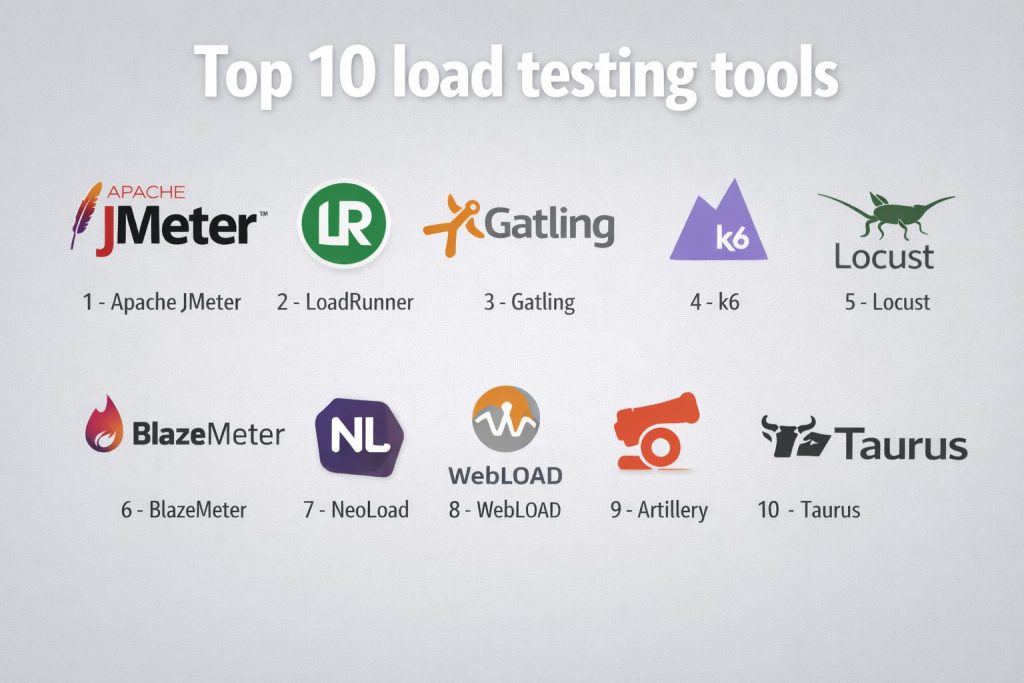
Top 10 Load Testing Tools
1 — Apache JMeter
Widely used open performance testing platform designed for web, API, and protocol-level testing across environments.
Key Features
- Scriptable load simulation across multiple protocols
- Distributed testing capability
- Extensive plugin ecosystem
- Detailed performance reporting
- Command-line automation support
Pros
- Free and highly flexible
- Large community knowledge base
Cons
- User interface complexity
- Requires tuning for very large scale
Platforms / Deployment
Windows, macOS, Linux — Self-hosted
Security & Compliance
Not publicly stated
Integrations & Ecosystem
- CI/CD pipeline execution
- Plugin extensions
- Monitoring integrations
Support & Community
Extensive global community and documentation resources.
2 — LoadRunner
Enterprise-grade performance testing suite designed for large-scale application and infrastructure validation.
Key Features
- Broad protocol coverage
- Advanced analytics and reporting
- Scalable load generation
- Script recording and replay
- Enterprise collaboration features
Pros
- High scalability
- Rich diagnostic insights
Cons
- Premium licensing cost
- Complex setup for beginners
Platforms / Deployment
Windows, Linux — Cloud or Self-hosted
Security & Compliance
Not publicly stated
Integrations & Ecosystem
- CI/CD connectivity
- Monitoring tools
- Enterprise systems
Support & Community
Professional enterprise support and structured training.
3 — Gatling
Developer-focused load testing framework emphasizing performance automation and scripting efficiency.
Key Features
- Code-based test scripting
- High-performance engine
- Detailed HTML reporting
- Continuous testing support
- Scalable execution
Pros
- Strong for automation workflows
- Efficient resource usage
Cons
- Requires programming knowledge
- Limited GUI interaction
Platforms / Deployment
Windows, macOS, Linux — Cloud or Self-hosted
Security & Compliance
Not publicly stated
Integrations & Ecosystem
- CI/CD automation
- Version control workflows
- Metrics monitoring
Support & Community
Active developer community and documentation.
4 — k6
Modern performance testing tool designed for scripting, automation, and cloud-scale execution.
Key Features
- JavaScript-based scripting
- Cloud execution capability
- Real-time metrics visualization
- API and web testing support
- CI/CD integration
Pros
- Developer friendly
- Scales easily in cloud environments
Cons
- Advanced features may require paid tiers
- Limited legacy protocol support
Platforms / Deployment
Windows, macOS, Linux — Cloud or Self-hosted
Security & Compliance
Not publicly stated
Integrations & Ecosystem
- Automation pipelines
- Observability platforms
- Cloud execution services
Support & Community
Growing community with strong documentation.
5 — Locust
Open-source load testing framework focused on simplicity and Python-based scripting.
Key Features
- Python test scenario creation
- Distributed load generation
- Real-time web interface
- Extensible architecture
- Lightweight execution
Pros
- Easy to customize
- Suitable for developer workflows
Cons
- Requires coding knowledge
- Limited built-in analytics depth
Platforms / Deployment
Windows, macOS, Linux — Self-hosted
Security & Compliance
Not publicly stated
Integrations & Ecosystem
- CI/CD usage
- Monitoring export
- Custom extensions
Support & Community
Active open-source contributor base.
6 — BlazeMeter
Cloud-based performance testing platform supporting large-scale and continuous testing strategies.
Key Features
- Cloud load generation
- Real-time reporting dashboards
- Script compatibility with common tools
- API testing support
- Continuous testing workflows
Pros
- Scales without infrastructure setup
- Strong analytics visibility
Cons
- Subscription pricing
- Internet dependency for execution
Platforms / Deployment
Cloud
Security & Compliance
Not publicly stated
Integrations & Ecosystem
- CI/CD pipelines
- Monitoring tools
- Collaboration dashboards
Support & Community
Commercial support and onboarding resources.
7 — NeoLoad
Performance testing solution built for enterprise automation and fast test creation.
Key Features
- Visual test design
- Automated test maintenance
- Real-time monitoring
- CI/CD integration
- Scalable load generation
Pros
- Faster scripting compared to code tools
- Enterprise-ready reporting
Cons
- Licensing cost
- Learning curve for advanced usage
Platforms / Deployment
Windows, Linux — Cloud or Self-hosted
Security & Compliance
Not publicly stated
Integrations & Ecosystem
- DevOps toolchains
- Monitoring systems
- Collaboration workflows
Support & Community
Professional support and structured documentation.
8 — WebLOAD
Load testing platform focused on enterprise web and API performance validation.
Key Features
- JavaScript scripting
- Cloud and on-prem execution
- Advanced analytics
- Distributed load simulation
- Integration readiness
Pros
- Strong enterprise scalability
- Detailed reporting
Cons
- Commercial pricing
- Smaller community presence
Platforms / Deployment
Windows — Cloud or Self-hosted
Security & Compliance
Not publicly stated
Integrations & Ecosystem
- Monitoring integrations
- Automation pipelines
- Reporting tools
Support & Community
Vendor support and documentation resources.
9 — Artillery
Lightweight load testing toolkit designed for modern APIs and microservices.
Key Features
- YAML-based scripting
- Real-time metrics output
- Cloud execution support
- CI/CD friendly
- Scalable scenario testing
Pros
- Simple configuration
- Good for API testing
Cons
- Limited enterprise analytics
- Smaller ecosystem
Platforms / Deployment
Windows, macOS, Linux — Cloud or Self-hosted
Security & Compliance
Not publicly stated
Integrations & Ecosystem
- Automation pipelines
- Observability exports
- Cloud execution
Support & Community
Growing open-source community.
10 — Taurus
Automation-focused performance testing framework that simplifies complex scripting workflows.
Key Features
- Unified configuration format
- Integration with multiple engines
- CI/CD optimization
- Reporting automation
- Scenario orchestration
Pros
- Simplifies test management
- Flexible execution options
Cons
- Depends on underlying tools
- Advanced setup knowledge required
Platforms / Deployment
Windows, macOS, Linux — Self-hosted
Security & Compliance
Not publicly stated
Integrations & Ecosystem
- Pipeline automation
- Monitoring tools
- Multi-engine support
Support & Community
Open-source documentation and contributors.
Comparison Table
| Tool Name | Best For | Platforms | Deployment | Standout Feature | Public Rating |
|---|---|---|---|---|---|
| Apache JMeter | Open testing | Desktop | Self-hosted | Protocol flexibility | N/A |
| LoadRunner | Enterprise scale | Desktop | Hybrid | Deep analytics | N/A |
| Gatling | Developer automation | Desktop | Hybrid | Code-driven tests | N/A |
| k6 | Cloud performance | Desktop | Hybrid | JavaScript scripting | N/A |
| Locust | Python workflows | Desktop | Self-hosted | Simple scaling | N/A |
| BlazeMeter | Cloud execution | Cloud | Cloud | Continuous testing | N/A |
| NeoLoad | Enterprise automation | Desktop | Hybrid | Visual scripting | N/A |
| WebLOAD | Web performance | Desktop | Hybrid | Advanced analytics | N/A |
| Artillery | API testing | Desktop | Hybrid | YAML scenarios | N/A |
| Taurus | Test orchestration | Desktop | Self-hosted | Multi-engine control | N/A |
Evaluation & Scoring
| Tool | Core | Ease | Integrations | Security | Performance | Support | Value | Total |
|---|---|---|---|---|---|---|---|---|
| Apache JMeter | 9 | 6 | 8 | 5 | 8 | 9 | 10 | 8.2 |
| LoadRunner | 10 | 6 | 9 | 6 | 9 | 8 | 6 | 8.3 |
| Gatling | 8 | 7 | 8 | 5 | 8 | 8 | 8 | 7.9 |
| k6 | 8 | 8 | 9 | 5 | 8 | 8 | 8 | 8.1 |
| Locust | 7 | 8 | 7 | 5 | 7 | 7 | 9 | 7.6 |
| BlazeMeter | 9 | 8 | 9 | 6 | 9 | 8 | 7 | 8.4 |
| NeoLoad | 9 | 8 | 9 | 6 | 8 | 8 | 7 | 8.2 |
| WebLOAD | 8 | 7 | 8 | 6 | 8 | 7 | 7 | 7.7 |
| Artillery | 7 | 8 | 7 | 5 | 7 | 7 | 9 | 7.6 |
| Taurus | 8 | 7 | 8 | 5 | 7 | 7 | 8 | 7.6 |
Scores are comparative indicators rather than guarantees.
Higher totals suggest balanced capability across criteria.
Teams should align tool choice with workload complexity and automation maturity.
Security and scalability matter more in enterprise environments.
Which Load Testing Tool Is Right for You
Freelancers or small teams often prefer open and flexible solutions.
Growing teams benefit from automation-friendly and scalable tools.
Mid-size organizations need integration depth and reporting clarity.
Enterprises require analytics, governance, and large-scale execution.
Budget considerations influence open versus commercial adoption.
Ease of scripting must balance with long-term scalability.
Integration readiness supports DevOps maturity.
Security validation becomes critical for production systems.
Frequently Asked Questions
1. What is the main purpose of load testing tools?
They simulate user traffic to measure performance, stability, and scalability before real users access the system.
2. Are open-source tools reliable for production testing?
Yes, many organizations successfully use them, though enterprise features may require additional setup.
3. How often should load testing be performed?
Ideally before major releases, infrastructure changes, or expected traffic increases.
4. Can load testing be automated in pipelines?
Most modern tools integrate with CI/CD to enable continuous performance validation.
5. Do cloud-based tools replace on-premise testing?
They complement it by providing scalable load generation without local infrastructure limits.
6. Is coding required for load testing?
Some tools require scripting, while others provide visual or low-code approaches.
7. What risks are identified through load testing?
Bottlenecks, slow response times, crashes, and resource exhaustion can all be discovered early.
8. How long does a typical load test take?
Duration depends on scenario complexity, traffic volume, and analysis depth.
9. Can load testing improve user experience?
Yes, identifying performance issues before release directly improves reliability and satisfaction.
10. What should teams evaluate before choosing a tool?
Scalability, automation support, reporting quality, integration readiness, and long-term cost.
Conclusion
Selecting the right load testing tool is a strategic decision that directly impacts application reliability, customer satisfaction, and operational confidence. Each platform offers different strengths, from open flexibility and developer-friendly scripting to enterprise-grade analytics and cloud scalability. The most effective approach is to align the tool with real workload patterns, team expertise, automation maturity, and long-term performance goals. Running controlled pilot tests, validating integration with delivery pipelines, and confirming reporting clarity can significantly reduce risk. A thoughtful evaluation ensures consistent performance, smoother releases, and resilient digital experiences that scale with growing user demand.