Introduction
Operating systems form the foundation of every computing device, managing hardware resources, running applications, securing data, and enabling user interaction through graphical or command-based interfaces. From personal computers and enterprise servers to mobile devices and embedded systems, operating systems determine how efficiently technology performs daily tasks.
The growing demand for cloud computing, cybersecurity, virtualization, remote collaboration, and cross-platform development has made operating system selection more strategic than ever. Businesses, developers, and individual users now evaluate stability, compatibility, security controls, ecosystem strength, performance efficiency, licensing flexibility, update reliability, and long-term scalability before choosing a platform.
Common use cases include enterprise infrastructure management, software development environments, personal productivity, mobile computing, virtualization hosting, and embedded device control.
Best for organizations, developers, students, enterprises, and everyday users who depend on stable and secure computing environments.
Not ideal for extremely lightweight devices or single-purpose systems where a full operating system would introduce unnecessary complexity.
Key Trends in Operating Systems
- Stronger built-in security protections and access controls
- Growth of cloud-integrated and hybrid computing environments
- Expansion of containerization and virtualization support
- Increasing automation for updates and system maintenance
- Cross-device synchronization across desktop and mobile
- Performance optimization for modern processors and GPUs
- Rising importance of privacy and data governance controls
- Wider adoption of open-source platforms in enterprises
- Seamless developer tooling and package management ecosystems
- Energy efficiency improvements for mobile and portable devices
How These Tools Were Selected
- Broad global adoption across personal and enterprise environments
- Stable performance and long-term reliability in production use
- Comprehensive hardware and software compatibility
- Evidence of ongoing maintenance and ecosystem investment
- Availability of security controls and governance capabilities
- Strong developer, enterprise, or consumer support communities
- Balanced inclusion of commercial and open-source systems
- Suitability across desktops, servers, and mobile environments
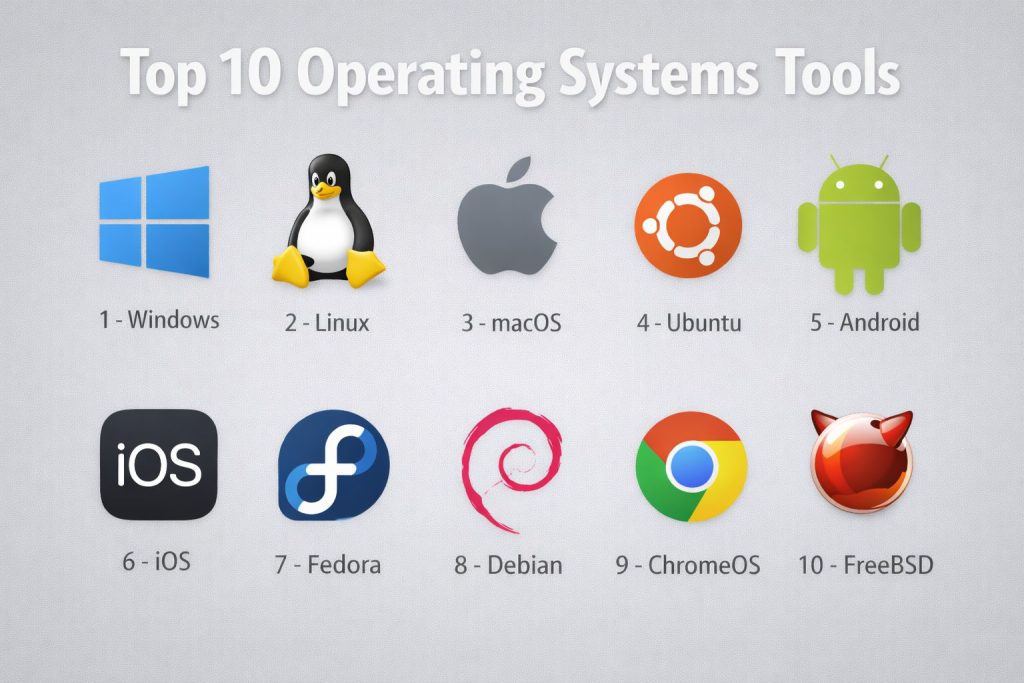
Top 10 Operating Systems
1 — Windows
Widely used desktop and enterprise operating system supporting productivity, development, and business applications.
Key Features
- Extensive software compatibility
- Graphical user interface and accessibility tools
- Enterprise management and policy controls
- Integrated security protections
- Broad hardware driver support
Pros
- Familiar user experience
- Strong enterprise ecosystem
Cons
- Licensing cost
- Resource intensive on older hardware
Platforms / Deployment
Desktop and server environments — Self-hosted
Security & Compliance
Includes authentication, encryption, and policy management. Other certifications not publicly stated.
Integrations & Ecosystem
- Enterprise directory services
- Productivity applications
- Developer frameworks
Support & Community
Extensive documentation, enterprise support tiers, and global user base.
2 — Linux
Open-source operating system family widely used for servers, development, and cloud infrastructure.
Key Features
- Open and customizable architecture
- Strong command-line tooling
- Package management systems
- Container and virtualization support
- High stability for servers
Pros
- No licensing cost for many distributions
- Strong security reputation
Cons
- Learning curve for beginners
- Application compatibility varies
Platforms / Deployment
Desktop, server, and embedded — Self-hosted
Security & Compliance
Security controls available; certifications vary by distribution and are not publicly stated.
Integrations & Ecosystem
- Cloud platforms
- Development toolchains
- Container orchestration
Support & Community
Large global open-source community and enterprise vendor support options.
3 — macOS
Desktop operating system designed for integrated hardware and creative workflows.
Key Features
- Optimized performance with dedicated hardware
- Polished graphical interface
- Built-in creative and productivity tools
- Unix-based foundation for development
- Seamless ecosystem synchronization
Pros
- Stable and user-friendly
- Strong creative software support
Cons
- Limited hardware flexibility
- Premium device cost
Platforms / Deployment
Desktop and laptop devices — Self-hosted
Security & Compliance
Includes encryption and access protections. Additional compliance details not publicly stated.
Integrations & Ecosystem
- Mobile device synchronization
- Creative software ecosystem
- Development frameworks
Support & Community
Comprehensive vendor documentation and active user community.
4 — Ubuntu
Popular Linux distribution focused on usability for desktops, servers, and cloud deployments.
Key Features
- User-friendly interface
- Regular security updates
- Strong package repositories
- Cloud and container readiness
- Long-term support releases
Pros
- Beginner-friendly Linux experience
- Widely supported in cloud environments
Cons
- Some proprietary software limitations
- Performance varies by configuration
Platforms / Deployment
Desktop and server — Self-hosted
Security & Compliance
Security maintenance provided; formal certifications not publicly stated.
Integrations & Ecosystem
- Cloud infrastructure
- Developer tooling
- Container platforms
Support & Community
Strong community forums and optional enterprise support.
5 — Android
Mobile operating system powering smartphones, tablets, and embedded devices.
Key Features
- Touch-optimized interface
- Large application ecosystem
- Customization by device manufacturers
- Integrated cloud services
- Broad hardware compatibility
Pros
- Wide device availability
- Flexible customization
Cons
- Fragmented update cycles
- Security varies by manufacturer
Platforms / Deployment
Mobile and embedded — Self-hosted
Security & Compliance
Includes sandboxing and permissions; broader compliance varies and is not publicly stated.
Integrations & Ecosystem
- Mobile applications
- Cloud synchronization
- Developer SDKs
Support & Community
Massive global developer and user community.
6 — iOS
Mobile operating system designed for performance, privacy, and controlled ecosystem integration.
Key Features
- Optimized hardware performance
- Strict application review process
- Integrated privacy protections
- Seamless ecosystem connectivity
- Consistent software updates
Pros
- Strong security posture
- Smooth user experience
Cons
- Limited customization
- Restricted app distribution model
Platforms / Deployment
Mobile devices — Self-hosted
Security & Compliance
Includes encryption and privacy controls; other certifications not publicly stated.
Integrations & Ecosystem
- Mobile services
- Cloud synchronization
- Developer frameworks
Support & Community
Vendor support and active developer ecosystem.
7 — Fedora
Community-driven Linux distribution known for modern features and developer focus.
Key Features
- Latest open-source technologies
- Strong security defaults
- Developer-friendly tooling
- Container support
- Rapid release cycle
Pros
- Cutting-edge innovation
- Strong community backing
Cons
- Shorter support lifecycle
- Less enterprise stability than long-term distributions
Platforms / Deployment
Desktop and server — Self-hosted
Security & Compliance
Security controls available; certifications not publicly stated.
Integrations & Ecosystem
- Developer environments
- Container platforms
- Open-source tooling
Support & Community
Active contributor community and documentation.
8 — Debian
Stable Linux distribution widely used for servers and infrastructure reliability.
Key Features
- Highly stable release model
- Large software repository
- Strong package management
- Community governance
- Broad hardware compatibility
Pros
- Reliable long-term stability
- Free and open ecosystem
Cons
- Older software versions
- Less beginner-friendly interface
Platforms / Deployment
Desktop and server — Self-hosted
Security & Compliance
Security maintenance available; certifications not publicly stated.
Integrations & Ecosystem
- Server infrastructure
- Development environments
- Open-source applications
Support & Community
Long-standing global community and documentation.
9 — ChromeOS
Lightweight operating system focused on web applications and cloud integration.
Key Features
- Fast boot and performance
- Web-centric application model
- Automatic updates
- Built-in security protections
- Simple device management
Pros
- Easy to use
- Low hardware requirements
Cons
- Limited offline capability
- Dependent on web ecosystem
Platforms / Deployment
Laptop and desktop devices — Self-hosted
Security & Compliance
Includes sandboxing and verified boot; broader certifications not publicly stated.
Integrations & Ecosystem
- Cloud productivity tools
- Web applications
- Mobile app compatibility
Support & Community
Vendor documentation and education-sector adoption.
10 — FreeBSD
Unix-like operating system recognized for performance, networking, and stability.
Key Features
- Advanced networking stack
- High system reliability
- Open-source licensing
- Strong server performance
- Customizable architecture
Pros
- Efficient resource usage
- Trusted in infrastructure environments
Cons
- Smaller desktop ecosystem
- Limited commercial software
Platforms / Deployment
Server and desktop — Self-hosted
Security & Compliance
Security features available; certifications not publicly stated.
Integrations & Ecosystem
- Networking infrastructure
- Server deployments
- Open-source tools
Support & Community
Dedicated technical community and documentation.
Comparison Table
| Tool Name | Best For | Platforms | Deployment | Standout Feature | Public Rating |
|---|---|---|---|---|---|
| Windows | Enterprise desktop | Desktop/server | Self-hosted | Broad compatibility | N/A |
| Linux | Servers and cloud | Multi-platform | Self-hosted | Open customization | N/A |
| macOS | Creative work | Desktop | Self-hosted | Hardware optimization | N/A |
| Ubuntu | User-friendly Linux | Desktop/server | Self-hosted | Ease of use | N/A |
| Android | Mobile devices | Mobile | Self-hosted | App ecosystem | N/A |
| iOS | Secure mobile | Mobile | Self-hosted | Privacy controls | N/A |
| Fedora | Developers | Desktop/server | Self-hosted | Latest technologies | N/A |
| Debian | Stable servers | Desktop/server | Self-hosted | Reliability | N/A |
| ChromeOS | Cloud computing | Laptop/desktop | Self-hosted | Lightweight design | N/A |
| FreeBSD | Networking servers | Server/desktop | Self-hosted | Performance | N/A |
Evaluation & Scoring
| Tool | Core | Ease | Integrations | Security | Performance | Support | Value | Total |
|---|---|---|---|---|---|---|---|---|
| Windows | 9 | 9 | 9 | 8 | 8 | 9 | 7 | 8.6 |
| Linux | 9 | 6 | 9 | 9 | 9 | 8 | 10 | 8.8 |
| macOS | 8 | 9 | 8 | 8 | 8 | 8 | 7 | 8.2 |
| Ubuntu | 8 | 8 | 8 | 8 | 8 | 8 | 9 | 8.3 |
| Android | 8 | 9 | 8 | 7 | 8 | 8 | 9 | 8.2 |
| iOS | 8 | 9 | 8 | 9 | 9 | 8 | 7 | 8.4 |
| Fedora | 8 | 7 | 8 | 8 | 8 | 7 | 9 | 8.0 |
| Debian | 8 | 6 | 8 | 9 | 9 | 7 | 10 | 8.2 |
| ChromeOS | 7 | 9 | 7 | 8 | 8 | 8 | 9 | 8.0 |
| FreeBSD | 8 | 5 | 7 | 9 | 9 | 7 | 9 | 7.9 |
Scores are comparative indicators rather than absolute measurements.
Higher totals suggest balanced capability across usability, security, and ecosystem strength.
Selection should align with workload requirements, hardware environment, and support expectations.
Enterprise environments typically prioritize security, stability, and integration depth over ease of use.
Frequently Asked Questions
1. What is the main role of an operating system?
It manages hardware resources, runs applications, provides security, and enables user interaction with computing devices.
2. Which operating system is best for beginners?
Systems with graphical interfaces and simple setup processes are generally easier for new users to learn.
3. Are open-source operating systems secure?
Many open-source platforms provide strong security controls, though configuration and maintenance remain important.
4. Do mobile operating systems differ from desktop ones?
Yes, mobile systems prioritize touch interaction, battery efficiency, and application sandboxing.
5. Can one computer run multiple operating systems?
Yes, through virtualization or dual-boot configuration depending on hardware support.
6. How often should operating systems be updated?
Regular updates are recommended to maintain security, stability, and compatibility.
7. What factors matter most for enterprises?
Security controls, long-term support, integration capability, and centralized management are critical.
8. Is cloud integration important in modern systems?
Yes, synchronization, remote access, and distributed computing rely heavily on cloud connectivity.
9. Are lightweight operating systems useful?
They are valuable for older hardware, education environments, and web-focused workflows.
10. How should organizations choose an operating system?
They should evaluate workload needs, security requirements, compatibility, cost, and long-term support.
Conclusion
Selecting the right operating system is a strategic decision that affects productivity, security, scalability, and long-term technology planning. Each platform offers distinct strengths, from enterprise compatibility and open customization to mobile efficiency and cloud integration. The best choice depends on workload requirements, technical expertise, hardware environment, and support expectations rather than popularity alone. Organizations and individuals should evaluate real-world use cases, test performance in controlled scenarios, and confirm compatibility with existing tools before final adoption. A careful, needs-driven approach ensures the chosen operating system delivers stability, efficiency, and sustainable value over time.