Introduction
Container platforms help teams run, scale, secure, and manage containers reliably across development, testing, and production. They provide scheduling, service discovery, scaling, networking, storage integration, and operational controls so containerized applications stay stable even when traffic, deployments, and infrastructure change. In modern environments, containers are used not only for microservices but also for batch jobs, APIs, event-driven workloads, and platform engineering standards.
It matters now because organizations want faster releases, better portability across environments, and more consistent operations. Teams also expect policy-based security, automation, and integration with CI/CD and observability. The best container platform is the one that matches your architecture, team skills, and compliance needs.
Real-world use cases:
- Running microservices and APIs with autoscaling
- Standardizing deployment across teams using platform templates
- Hosting internal developer platforms and self-service workflows
- Running data processing and batch jobs consistently
- Hybrid and multi-cloud deployment strategies
What buyers should evaluate:
- Cluster reliability, upgrades, and day-2 operations
- Networking, ingress, service discovery, and traffic management
- Storage integration, persistence patterns, and backup readiness
- Security controls like RBAC, policies, secrets management, and auditability
- Multi-cluster management and fleet governance
- Observability integration for logs, metrics, traces, and alerts
- CI/CD compatibility and GitOps workflow support
- Cost visibility and operational efficiency
- Ecosystem maturity and availability of skilled talent
- Support model, documentation quality, and community strength
Mandatory guidance
Best for: platform engineering teams, DevOps/SRE teams, cloud engineers, and software teams building containerized applications that need scalable, repeatable deployment and operations across on-prem, cloud, or hybrid environments.
Not ideal for: very small teams running one or two simple services where managed PaaS is easier, organizations without operational ownership for upgrades and security, or workloads that do not benefit from container orchestration complexity.
Key Trends in Container Platforms
- Rapid growth of platform engineering and internal developer platforms built on container platforms.
- Wider adoption of GitOps for controlled, auditable deployments and environment consistency.
- Stronger focus on supply chain security and policy enforcement across build and runtime (implementation varies).
- Increased use of multi-cluster and fleet management for resilience and regional scaling.
- Rising expectations for zero-downtime upgrades and predictable day-2 operations.
- More emphasis on cost visibility and rightsizing for clusters, nodes, and workloads.
- Growth of service mesh and advanced traffic management patterns (adoption varies).
- More hybrid patterns where containers run across edge, on-prem, and multiple clouds.
- Better support for stateful workloads with improved storage drivers and backup workflows (varies).
- Automation expansion through policy engines, templates, and self-service workflows for developers.
How We Selected These Tools
- Selected based on real-world adoption across enterprise, mid-market, and developer communities.
- Included major managed Kubernetes offerings for cloud-first teams.
- Included enterprise platforms that emphasize security, governance, and support.
- Included tools that simplify cluster lifecycle, multi-cluster governance, and operations.
- Considered fit across on-prem, hybrid, and multi-cloud deployment patterns.
- Valued ecosystem maturity, operational tooling, and integration patterns.
- Kept security and compliance claims conservative and used “Not publicly stated” when uncertain.
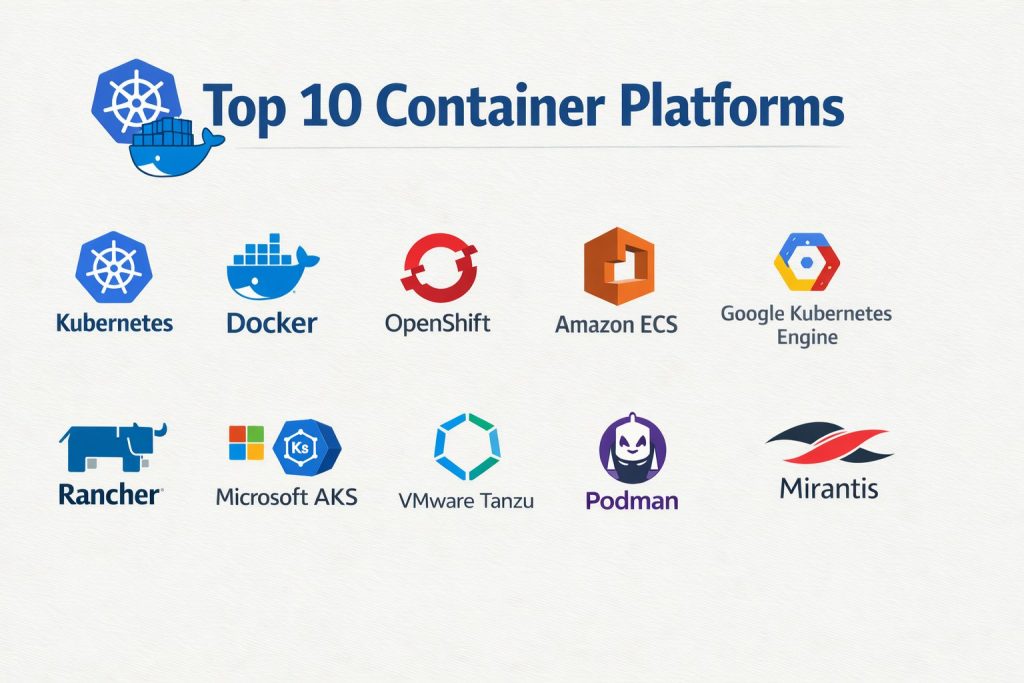
Top 10 Container Platforms
Tool 1 — Kubernetes
Overview: Kubernetes is the most widely used container orchestration system for scheduling and managing containers at scale. It provides a standard control plane for deployments, scaling, service discovery, and workload automation across many environments.
Key Features
- Declarative workload management with deployments, jobs, and autoscaling
- Service discovery, load balancing patterns, and networking integration (varies)
- Storage integration through container storage interfaces (environment dependent)
- Strong RBAC and namespace-based multi-tenancy patterns
- Extensible control plane with operators and custom resources
- Large ecosystem for observability, CI/CD, and policy enforcement
- Supports multi-cluster patterns through ecosystem tooling
Pros
- Strong portability and ecosystem maturity across vendors and clouds
- Flexible for many workload types and deployment patterns
- Large talent pool and extensive community resources
Cons
- Operational complexity requires disciplined day-2 management
- Security depends on correct configuration and governance
- Ecosystem choices can be overwhelming without standards
Platforms / Deployment
Varies / N/A
Security & Compliance
Not publicly stated
Integrations & Ecosystem
Kubernetes is the center of a large ecosystem that connects build pipelines, observability, security, and networking tooling.
- CI/CD and GitOps tooling (varies)
- Observability integrations for logs/metrics/traces (varies)
- Policy enforcement tools and admission control patterns (varies)
- Ingress controllers and traffic management options (varies)
- Operators for databases, messaging, and platform services (varies)
Support & Community
Extremely strong community with wide documentation and training resources. Support depends on distribution or vendor packaging used.
Tool 2 — Red Hat OpenShift
Overview: Red Hat OpenShift is an enterprise container platform built around Kubernetes with added developer workflows, security defaults, and operational tooling. It is commonly used by organizations that want strong governance and a supported enterprise platform.
Key Features
- Enterprise Kubernetes with integrated operational tooling
- Built-in routing and platform services (capabilities vary by setup)
- Role-based access and policy-focused operational patterns
- Developer workflows for building and deploying applications (varies)
- Cluster lifecycle management and upgrade tooling (environment dependent)
- Multi-tenant patterns and governance controls
- Enterprise support model and ecosystem integrations
Pros
- Strong enterprise features and governance-focused defaults
- Good fit for regulated or process-heavy environments
- Supported platform approach reduces ecosystem uncertainty
Cons
- Can be more complex and costly than simpler managed options
- Requires planning for platform standardization and operations
- Best results depend on adopting platform practices consistently
Platforms / Deployment
Varies / N/A
Security & Compliance
Not publicly stated
Integrations & Ecosystem
Often integrates tightly with enterprise identity, automation, and observability approaches.
- Enterprise identity integration patterns (varies)
- CI/CD and GitOps workflows (varies)
- Observability stack integrations (varies)
- Policy and governance tooling (varies)
- Operator ecosystem and certified integrations (varies)
Support & Community
Strong enterprise support and professional ecosystem. Community is large, but many organizations rely on vendor-backed guidance for production.
Tool 3 — Amazon EKS
Overview: Amazon EKS is a managed Kubernetes service designed to reduce control plane management overhead. It is commonly chosen by AWS-centric teams that want Kubernetes with managed components and deep integration into AWS infrastructure.
Key Features
- Managed control plane for Kubernetes clusters
- Integration with cloud networking and load balancing patterns (varies)
- Identity and access integration patterns (environment dependent)
- Autoscaling and node management options (varies)
- Storage integration with managed cloud volumes (environment dependent)
- Observability integrations through ecosystem tooling (varies)
- Supports multi-cluster strategies using AWS tooling (varies)
Pros
- Reduces control plane operational burden for teams
- Strong fit for AWS-native infrastructure and services
- Good scalability patterns when configured properly
Cons
- Vendor ecosystem alignment can create lock-in
- Cost optimization requires careful design and monitoring
- Some advanced features depend on additional tooling choices
Platforms / Deployment
Cloud
Security & Compliance
Not publicly stated
Integrations & Ecosystem
Best for teams already standardized on AWS services and operational practices.
- Cloud networking and ingress patterns (varies)
- Cloud storage and persistence options (varies)
- IAM integration patterns (varies)
- Observability and monitoring integrations (varies)
- CI/CD and GitOps ecosystem tooling (varies)
Support & Community
Strong cloud ecosystem knowledge base. Support depends on cloud support plan and internal platform maturity.
Tool 4 — Google Kubernetes Engine
Overview: Google Kubernetes Engine is a managed Kubernetes service known for strong Kubernetes alignment and cluster operations support. It is often used by teams that want managed Kubernetes with a focus on reliability and developer-friendly workflows.
Key Features
- Managed Kubernetes control plane and cluster operations
- Autoscaling and upgrade management options (varies)
- Networking integration with cloud load balancing (varies)
- Storage integration with cloud persistence patterns (environment dependent)
- Strong integration with cloud-native tooling (varies)
- Supports cluster governance patterns through cloud tooling (varies)
- Fits well for cloud-first platform teams
Pros
- Strong managed operations model for Kubernetes clusters
- Good fit for teams that want reduced upgrade and control plane effort
- Works well for scalable cloud-native application patterns
Cons
- Cloud-centric approach may not match on-prem heavy teams
- Costs can grow without disciplined rightsizing
- Advanced setups require strong platform engineering practices
Platforms / Deployment
Cloud
Security & Compliance
Not publicly stated
Integrations & Ecosystem
Often paired with cloud-native observability and networking workflows.
- Cloud networking and ingress options (varies)
- Identity integration patterns (varies)
- Cloud storage services integration (varies)
- Observability tooling integration (varies)
- CI/CD ecosystem support (varies)
Support & Community
Strong community and training ecosystem for Kubernetes. Vendor support depends on service tier and enterprise requirements.
Tool 5 — Azure Kubernetes Service
Overview: Azure Kubernetes Service is a managed Kubernetes platform designed for Azure-centric environments. It’s often chosen by organizations that use Microsoft ecosystems and want Kubernetes integrated into their cloud operations and identity patterns.
Key Features
- Managed Kubernetes control plane and cluster operations
- Azure networking integration patterns (environment dependent)
- Identity and access integration aligned to Azure workflows (varies)
- Scaling and node management tooling (varies)
- Cloud storage integration and persistence patterns (varies)
- Works well with Microsoft cloud operational tooling (varies)
- Supports governance patterns through ecosystem tooling (varies)
Pros
- Strong fit for Microsoft and Azure-heavy organizations
- Reduces operational burden for Kubernetes control plane
- Good for hybrid strategies when Azure is the central hub
Cons
- Cloud alignment can increase vendor dependency
- Cost and scaling require careful planning and monitoring
- Advanced governance and security need disciplined setup
Platforms / Deployment
Cloud
Security & Compliance
Not publicly stated
Integrations & Ecosystem
Works best when combined with Azure operational and identity ecosystems.
- Identity integration patterns (varies)
- Azure networking and ingress options (varies)
- Storage and persistence integration (varies)
- Observability stack integrations (varies)
- CI/CD and GitOps tooling support (varies)
Support & Community
Strong enterprise support options. Community resources are broad; successful operations depend on platform maturity and governance.
Tool 6 — Docker
Overview: Docker provides container tooling and packaging workflows, and in many organizations it remains the entry point for building and running containers. It is best for local development, simple deployments, and teams standardizing container images.
Key Features
- Container image build and packaging workflows
- Local container runtime and developer workflows
- Image distribution patterns using registries (environment dependent)
- Compose-style multi-container workflows for development (varies)
- Supports standard container formats and runtime patterns
- Useful for CI workflows and reproducible builds
- Often paired with orchestration platforms for production
Pros
- Developer-friendly workflows and fast onboarding
- Strong ecosystem and standardization around container images
- Very useful for local testing and CI pipelines
Cons
- Not a full orchestration platform for large production clusters by itself
- Production readiness depends on pairing with orchestration and governance
- Operational controls vary by environment and tooling
Platforms / Deployment
Windows / macOS / Linux
Self-hosted (local desktop)
Security & Compliance
Not publicly stated
Integrations & Ecosystem
Docker fits into build pipelines and image distribution workflows used by many container platforms.
- CI pipelines and build automation (varies)
- Container registries and image scanning ecosystems (varies)
- Developer tooling integration (varies)
- Works with orchestration platforms for deployment (varies)
- Ecosystem of extensions and community tooling (varies)
Support & Community
Very large developer community with broad learning resources. Support varies by product edition and organizational use.
Tool 7 — Rancher
Overview: Rancher is a platform for managing Kubernetes clusters across environments, often used for multi-cluster governance and operations. It is commonly chosen by teams that run Kubernetes on-prem and want centralized management.
Key Features
- Centralized multi-cluster Kubernetes management
- Cluster lifecycle operations and governance patterns (varies)
- Unified access control and operational consistency workflows
- Helps standardize policies across clusters (setup dependent)
- Supports hybrid and on-prem Kubernetes management
- Works with multiple Kubernetes distributions (varies)
- Improves visibility and control for cluster fleets
Pros
- Strong for multi-cluster and hybrid Kubernetes operations
- Helps standardize cluster governance across environments
- Practical for organizations running Kubernetes outside a single cloud
Cons
- Adds another platform layer that must be operated carefully
- Feature depth depends on environment and setup choices
- Teams still need Kubernetes fundamentals for success
Platforms / Deployment
Varies / N/A
Security & Compliance
Not publicly stated
Integrations & Ecosystem
Often used as an operational control plane for Kubernetes fleets in mixed environments.
- Integrates with Kubernetes distributions (varies)
- Identity integration patterns (varies)
- Observability and monitoring integrations (varies)
- Policy and governance tooling (varies)
- Works with CI/CD and GitOps workflows (varies)
Support & Community
Active community and enterprise support availability. Onboarding success improves when organizations standardize cluster templates and policies.
Tool 8 — VMware Tanzu Kubernetes Grid
Overview: VMware Tanzu Kubernetes Grid is designed for organizations standardizing Kubernetes within VMware-centric infrastructure. It’s commonly used where VMware is the core virtualization layer and Kubernetes must align with that operational model.
Key Features
- Kubernetes platform aligned to VMware infrastructure patterns
- Cluster lifecycle management and standardization (varies)
- Integrates with virtualization operations and workflows (setup dependent)
- Supports hybrid deployment patterns in VMware environments
- Governance patterns for enterprise operations (environment dependent)
- Works with ecosystem tools for observability and CI/CD (varies)
- Helps unify container and virtualization operations
Pros
- Strong fit for VMware-centric organizations
- Helps integrate Kubernetes into existing operational practices
- Useful for standardized enterprise platform approaches
Cons
- Less attractive if you are not heavily invested in VMware
- Complexity increases if teams run many parallel platform stacks
- Costs and licensing depend on environment and edition
Platforms / Deployment
Varies / N/A
Security & Compliance
Not publicly stated
Integrations & Ecosystem
Often integrated into VMware-first operations and enterprise platforms.
- VMware infrastructure integrations (varies)
- Identity and access patterns (varies)
- Observability integrations (varies)
- CI/CD and GitOps tooling (varies)
- Works with Kubernetes ecosystem tooling (varies)
Support & Community
Enterprise support options exist; community is moderate. Best outcomes come from aligning platform governance with existing VMware practices.
Tool 9 — OpenStack Magnum
Overview: OpenStack Magnum provides container orchestration services within OpenStack environments. It is often considered by organizations running OpenStack who want Kubernetes-style orchestration integrated into their private cloud.
Key Features
- Container orchestration support within OpenStack environments
- Cluster provisioning and lifecycle workflows (environment dependent)
- Integrates with OpenStack compute, networking, and storage patterns
- Useful for private cloud standardization strategies
- Supports governance patterns aligned with OpenStack operations
- Helps consolidate infrastructure under private cloud management
- Works best where OpenStack is already a strong foundation
Pros
- Practical for OpenStack-based private cloud organizations
- Enables container orchestration integrated with private cloud services
- Supports consistent operations for private cloud environments
Cons
- Niche compared to mainstream managed Kubernetes services
- Requires OpenStack expertise and operational maturity
- Ecosystem adoption is smaller than major Kubernetes services
Platforms / Deployment
Varies / N/A
Security & Compliance
Not publicly stated
Integrations & Ecosystem
Integrates into OpenStack-driven operations and private cloud workflows.
- OpenStack service integrations (varies)
- Networking and identity patterns (varies)
- Storage and persistence integration (varies)
- Observability tooling integration (varies)
- Works with Kubernetes ecosystem patterns (varies)
Support & Community
Community depends on OpenStack ecosystem adoption. Support varies by OpenStack distribution and organizational maturity.
Tool 10 — Nomad
Overview: Nomad is a scheduler used for running containerized and non-containerized workloads. It is often chosen by teams that want a simpler operational model and a unified scheduler for services, batch jobs, and system workloads.
Key Features
- Scheduling for containers and other workload types
- Simpler operational footprint compared to some orchestrators (varies by use case)
- Supports service workloads and batch jobs in one platform
- Integrates with common service discovery patterns (environment dependent)
- Works well for teams wanting straightforward cluster management
- Supports multi-region patterns (setup dependent)
- Useful for mixed workload environments beyond containers
Pros
- Often simpler to operate for certain deployment styles
- Useful for mixed workloads and batch job scheduling
- Good fit when teams want a clean, unified scheduler
Cons
- Ecosystem and integrations differ from Kubernetes-first tooling
- Some platform features may require extra components
- Hiring and community familiarity can be smaller than Kubernetes
Platforms / Deployment
Varies / N/A
Security & Compliance
Not publicly stated
Integrations & Ecosystem
Nomad is often used with complementary tools for service discovery, secrets, and operational workflows.
- Service discovery integrations (varies)
- Policy and identity patterns (varies)
- Observability integrations (varies)
- Automation and API usage (varies)
- Fits into infrastructure automation workflows (varies)
Support & Community
Community is active, but smaller than Kubernetes. Support depends on vendor plans; operational success improves with standard job templates and governance.
Comparison Table
| Tool Name | Best For | Platform(s) Supported | Deployment | Standout Feature | Public Rating |
|---|---|---|---|---|---|
| Kubernetes | Standard container orchestration at scale | Varies / N/A | Varies / N/A | Extensible ecosystem and portability | N/A |
| Red Hat OpenShift | Enterprise Kubernetes with governance | Varies / N/A | Varies / N/A | Enterprise platform tooling and defaults | N/A |
| Amazon EKS | Managed Kubernetes for AWS teams | Varies / N/A | Cloud | Managed control plane on AWS | N/A |
| Google Kubernetes Engine | Managed Kubernetes for Google Cloud | Varies / N/A | Cloud | Strong managed operations model | N/A |
| Azure Kubernetes Service | Managed Kubernetes for Azure teams | Varies / N/A | Cloud | Microsoft ecosystem alignment | N/A |
| Docker | Container build and local workflows | Windows / macOS / Linux | Self-hosted | Image build and developer standardization | N/A |
| Rancher | Multi-cluster Kubernetes management | Varies / N/A | Varies / N/A | Fleet governance across clusters | N/A |
| VMware Tanzu Kubernetes Grid | Kubernetes for VMware-centric orgs | Varies / N/A | Varies / N/A | Aligns Kubernetes with VMware operations | N/A |
| OpenStack Magnum | Kubernetes-style orchestration in OpenStack | Varies / N/A | Varies / N/A | Private cloud container orchestration | N/A |
| Nomad | Mixed workload scheduling beyond containers | Varies / N/A | Varies / N/A | Simple scheduler for services and jobs | N/A |
Evaluation & Scoring of Container Platforms
Weights:
- Core features – 25%
- Ease of use – 15%
- Integrations & ecosystem – 15%
- Security & compliance – 10%
- Performance & reliability – 10%
- Support & community – 10%
- Price / value – 15%
| Tool Name | Core (25%) | Ease (15%) | Integrations (15%) | Security (10%) | Performance (10%) | Support (10%) | Value (15%) | Weighted Total (0–10) |
|---|---|---|---|---|---|---|---|---|
| Kubernetes | 9.0 | 6.5 | 9.5 | 6.5 | 8.5 | 9.0 | 8.0 | 8.33 |
| Red Hat OpenShift | 8.8 | 7.0 | 8.8 | 6.5 | 8.2 | 8.0 | 6.8 | 7.86 |
| Amazon EKS | 8.5 | 7.5 | 8.5 | 6.5 | 8.5 | 7.8 | 7.0 | 7.86 |
| Google Kubernetes Engine | 8.5 | 7.7 | 8.3 | 6.5 | 8.5 | 7.6 | 7.0 | 7.84 |
| Azure Kubernetes Service | 8.3 | 7.6 | 8.2 | 6.5 | 8.3 | 7.6 | 7.0 | 7.74 |
| Docker | 7.0 | 8.8 | 8.0 | 6.0 | 7.5 | 9.0 | 8.5 | 7.86 |
| Rancher | 7.8 | 7.2 | 8.0 | 6.0 | 7.8 | 7.5 | 7.5 | 7.55 |
| VMware Tanzu Kubernetes Grid | 7.8 | 6.8 | 7.8 | 6.5 | 7.8 | 7.2 | 6.5 | 7.33 |
| OpenStack Magnum | 6.8 | 6.5 | 6.8 | 6.0 | 7.0 | 6.2 | 7.0 | 6.69 |
| Nomad | 7.2 | 7.8 | 7.0 | 6.0 | 7.8 | 7.0 | 7.8 | 7.35 |
How to use the scores:
- Use the table to shortlist based on your top priorities, not as an absolute ranking.
- If you need maximum flexibility and ecosystem depth, Core and Integrations matter most.
- If your team is small, Ease and Value often drive long-term success more than feature depth.
- Close scores should be resolved by a short pilot using real workloads and upgrade scenarios.
- Your best choice is the platform you can operate safely and consistently over time.
Which Tool Is Right for You?
Solo / Freelancer
- Docker is typically the most practical starting point for local development and simple container workflows.
- If you truly need orchestration, lightweight use of Kubernetes can work, but only if you are ready to learn cluster basics and operational habits.
- Nomad can be attractive if you prefer a simpler scheduler model and run mixed workloads.
SMB
- Amazon EKS, Google Kubernetes Engine, or Azure Kubernetes Service are strong choices when you want managed Kubernetes with reduced control plane work.
- Rancher is useful if you run multiple clusters on-prem or across environments and need central governance.
- Docker remains essential for build workflows, but production usually requires an orchestrator.
Mid-Market
- Choose a managed Kubernetes service if you want consistent operations and cloud alignment: Amazon EKS, Google Kubernetes Engine, or Azure Kubernetes Service.
- If you need enterprise governance and standardized platform controls, Red Hat OpenShift is often a strong option.
- If virtualization is central, VMware Tanzu Kubernetes Grid can align Kubernetes with existing VMware operations.
Enterprise
- Red Hat OpenShift is often selected where governance, support, and standardized platform engineering are required.
- Managed Kubernetes can still be enterprise-ready, but requires strong guardrails: Amazon EKS, Google Kubernetes Engine, and Azure Kubernetes Service.
- Kubernetes as a core standard works best when supported by consistent policies, templates, and strong operational ownership across clusters.
Budget vs Premium
- If you want the lowest tooling cost, Kubernetes and Docker can be cost-effective, but operational time becomes the hidden cost.
- Premium platforms like Red Hat OpenShift or VMware-aligned stacks can cost more, but can reduce operational risk in certain environments.
- The best budget choice is usually the one that reduces incidents and upgrade pain, not the one with the lowest license cost.
Feature Depth vs Ease of Use
- Kubernetes offers maximum flexibility, but is more complex to operate without strong standards.
- Managed services improve ease by reducing control plane operations, but still require day-2 discipline.
- Nomad can be simpler for some teams, but ecosystem depth differs from Kubernetes-centric tooling.
Integrations & Scalability
- If you need ecosystem depth and long-term portability, Kubernetes-based options dominate.
- If you need fleet governance across many clusters, Rancher is often helpful.
- If you run private cloud with OpenStack, OpenStack Magnum can be a fit, but it is more niche.
Security & Compliance Needs
When compliance claims are not publicly stated, rely on operational controls:
- Strong RBAC, least privilege, and audit-friendly workflows
- Secure secrets handling and controlled access to registries
- Policy enforcement for images and runtime behavior
- Regular patching, upgrades, and controlled change processes
- Clear ownership of cluster security responsibilities
Frequently Asked Questions
What is the difference between Docker and Kubernetes?
Docker is commonly used to build and run containers, especially in local development and CI workflows. Kubernetes is used to orchestrate containers across clusters, handling scheduling, scaling, service discovery, and operational management.
Do I need a container platform for every application?
No. If an application is simple and stable, a managed app service or traditional VM deployment may be easier. Container platforms are most useful when you need repeatable deployments, scaling, and consistent operations across many services.
How do managed Kubernetes services reduce operational burden?
They typically manage the control plane and provide integrated upgrade and cluster tooling. You still need to manage workloads, policies, networking choices, and day-2 operations like monitoring and access control.
What are common mistakes teams make with container platforms?
Skipping governance, ignoring upgrade planning, and letting clusters grow without standard templates are common mistakes. Teams also underestimate networking and security complexity, which becomes painful later.
Can container platforms run stateful workloads reliably?
Yes, but it requires correct storage integration, backup planning, and careful operations. The success depends on your storage layer, how you design persistence, and how you test restore and failover workflows.
How do I control cost in container platforms?
Use rightsizing, autoscaling, and clear limits/requests for workloads. Track unused resources, control node sprawl, and standardize environments so you do not over-provision out of fear of outages.
Is multi-cluster management really necessary?
Not always. If you run one cluster, you may not need it. But as you add regions, business units, or environments, fleet governance becomes important for consistency, security, and operational control.
How important is GitOps for containers?
GitOps helps make deployments auditable and consistent by treating configuration as a controlled source of truth. It reduces manual changes, improves rollback confidence, and supports standardization across environments.
How do I choose between OpenShift and managed Kubernetes?
Choose OpenShift if you want a more opinionated enterprise platform with governance and support alignment. Choose managed Kubernetes if you want flexibility and you already have strong internal standards for policies, CI/CD, and operations.
What should I pilot before standardizing on a platform?
Pilot a real workload with upgrades, scaling, monitoring, and access controls. Validate how networking and storage behave, test rollback workflows, and confirm that your team can operate the platform reliably.
Conclusion
Container platforms are not just a runtime choice—they define how your teams ship software, manage risk, and scale operations. Kubernetes is the dominant standard for portability and ecosystem depth, but it demands consistent governance and day-2 discipline. Managed services like Amazon EKS, Google Kubernetes Engine, and Azure Kubernetes Service reduce control plane work and can speed adoption, especially for cloud-first teams. Enterprise platforms like Red Hat OpenShift and VMware Tanzu Kubernetes Grid can simplify governance for large organizations that need standardized controls. Docker remains essential for building and packaging images, while Rancher helps with fleet operations across many clusters. Shortlist two or three options, run a pilot that includes upgrades and security controls, then choose the platform your team can operate confidently.