Introduction
Secure file transfer clients are specialized applications designed to move data safely between systems using encrypted protocols such as SFTP and FTPS. These tools protect sensitive information during transmission, support authentication controls, and provide reliable mechanisms for uploading, downloading, and synchronizing files across servers, cloud environments, and enterprise infrastructure.
In 2026 and beyond, secure transfer technology plays a critical role in cybersecurity, compliance, DevOps automation, and distributed work environments. Organizations increasingly exchange confidential documents, backups, logs, and application artifacts across hybrid and multi-cloud systems, making encrypted transfer clients essential for preventing interception, tampering, or unauthorized access.
Typical real-world uses include secure partner data exchange, website and server management, automated DevOps deployments, regulated document transfer, and remote backup synchronization.
Key evaluation factors generally include:
- Protocol support across SFTP, FTPS, SCP, and related standards
- Encryption strength and authentication controls
- Automation, scripting, and scheduling capabilities
- Cross-platform compatibility and usability
- Integration with cloud storage, CI/CD, and enterprise systems
- Logging, auditing, and compliance readiness
- Performance with large or high-volume transfers
- Licensing flexibility and long-term operational cost
Best for: IT administrators, DevOps engineers, security teams, managed service providers, and enterprises that must move sensitive files safely across networks.
Not ideal for: casual file sharing, lightweight collaboration, or environments where encrypted browser-based sharing platforms already meet requirements.
Key Trends in Secure File Transfer Clients
- Expansion of zero-trust security models and identity-based access
- Stronger encryption defaults and modern cipher enforcement
- Multi-factor authentication becoming standard
- Automation through scripting, APIs, and CI/CD pipelines
- Hybrid cloud and on-premise interoperability
- Centralized logging and audit visibility for compliance
- Managed file transfer convergence with enterprise governance
- Performance optimization for very large datasets
- Containerized and headless transfer workflows
- Increased regulatory scrutiny across finance, healthcare, and government
How These Tools Were Selected
- Broad recognition and sustained industry adoption
- Reliable implementation of secure transfer protocols
- Stability, performance, and scalability in production use
- Availability across operating systems and enterprise environments
- Automation, scripting, or integration capabilities
- Evidence of ongoing maintenance and vendor or community support
- Suitability ranging from individual administrators to enterprises
- Security-focused feature sets aligned with modern compliance expectations
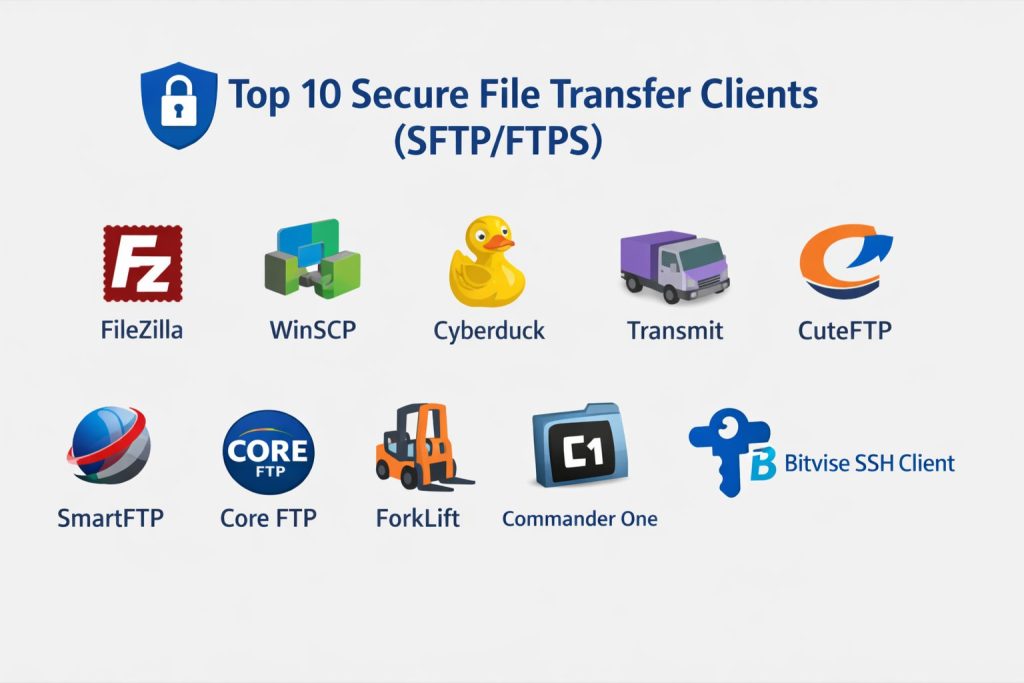
Top 10 Secure File Transfer Clients (SFTP/FTPS)
#1 — FileZilla
A widely used cross-platform secure file transfer client supporting SFTP and FTPS with a familiar graphical interface suited to individuals and administrators.
Key Features
- Support for SFTP, FTPS, and FTP
- Drag-and-drop file management
- Site manager with credential storage
- Transfer queue and resume capability
- Directory comparison and synchronization
Pros
- Easy to learn and deploy
- Broad platform compatibility
Cons
- Limited enterprise governance controls
- Advanced automation features are minimal
Platforms / Deployment
Windows / macOS / Linux — Self-hosted
Security & Compliance
Encryption in transit supported; additional compliance details not publicly stated
Integrations & Ecosystem
Commonly used alongside web hosting, servers, and development workflows with import/export configuration support.
Support & Community
Large global user community and extensive documentation.
#2 — WinSCP
A Windows-focused secure transfer client offering strong automation, scripting, and integration capabilities for administrative workflows.
Key Features
- Native SFTP, SCP, and FTPS support
- Command-line automation and scripting
- Directory synchronization
- Session logging and auditing
- Integration with Windows environments
Pros
- Excellent automation support
- Free and lightweight
Cons
- Windows-only interface
- Limited graphical modernity
Platforms / Deployment
Windows — Self-hosted
Security & Compliance
Encryption and key-based authentication supported; broader certifications not publicly stated
Integrations & Ecosystem
Works with scripts, task schedulers, and enterprise automation pipelines.
Support & Community
Strong documentation and long-standing community adoption.
#3 — Cyberduck
A user-friendly secure transfer client supporting SFTP, FTPS, and multiple cloud storage services with a modern interface.
Key Features
- Multi-protocol and cloud storage support
- Bookmark-based connection management
- File encryption options
- External editor integration
- Transfer history tracking
Pros
- Clean interface design
- Cloud storage compatibility
Cons
- Fewer enterprise automation features
- Performance varies with large transfers
Platforms / Deployment
Windows / macOS — Self-hosted
Security & Compliance
Encryption supported; certifications not publicly stated
Integrations & Ecosystem
Connects to common cloud storage providers and external editors.
Support & Community
Active user base with documentation resources.
#4 — Transmit
A premium secure file transfer client focused on performance, usability, and macOS-centric workflows.
Key Features
- High-speed transfer engine
- SFTP and FTPS protocol support
- File synchronization tools
- Built-in file preview
- Cloud storage connectivity
Pros
- Polished user experience
- Fast transfer performance
Cons
- macOS-only
- Paid licensing required
Platforms / Deployment
macOS — Self-hosted
Security & Compliance
Encryption supported; additional compliance information not publicly stated
Integrations & Ecosystem
Works with cloud storage and local development environments.
Support & Community
Commercial support with active user community.
#5 — CuteFTP
A long-standing secure transfer client used in enterprise and administrative environments for reliable encrypted transfers.
Key Features
- SFTP and FTPS connectivity
- Automation and scheduling
- Backup and synchronization
- Transfer integrity verification
- Scriptable workflows
Pros
- Mature enterprise functionality
- Reliable automation features
Cons
- Windows-centric
- Interface feels dated
Platforms / Deployment
Windows — Self-hosted
Security & Compliance
Encryption and authentication supported; certifications not publicly stated
Integrations & Ecosystem
Supports scripted automation and enterprise transfer workflows.
Support & Community
Commercial documentation and support availability.
#6 — SmartFTP
A professional-grade Windows secure transfer client offering automation, scheduling, and multi-protocol connectivity.
Key Features
- SFTP, FTPS, and cloud connectivity
- Automated transfer scheduling
- Multi-connection management
- File integrity verification
- Remote editing support
Pros
- Strong automation and scheduling
- Broad protocol compatibility
Cons
- Windows-only
- Licensing cost for full features
Platforms / Deployment
Windows — Self-hosted
Security & Compliance
Encryption supported; certifications not publicly stated
Integrations & Ecosystem
Integrates with cloud storage and enterprise scripting workflows.
Support & Community
Commercial support plus documentation resources.
#7 — Core FTP
A lightweight Windows secure transfer client delivering encrypted transfers and automation in a compact package.
Key Features
- SFTP, FTPS, and HTTPS transfers
- Scheduled transfers
- Compression and encryption
- Resume and integrity checking
- Command-line support
Pros
- Lightweight and fast
- Automation included
Cons
- Windows-only
- Limited modern interface
Platforms / Deployment
Windows — Self-hosted
Security & Compliance
Encryption supported; certifications not publicly stated
Integrations & Ecosystem
Supports scripting and scheduled task automation.
Support & Community
Moderate documentation and user base.
#8 — ForkLift
A dual-pane macOS file manager with integrated secure transfer capabilities for SFTP and FTPS workflows.
Key Features
- Dual-pane file navigation
- Remote server mounting
- Sync and batch rename tools
- Archive handling
- Preview and search features
Pros
- Strong productivity workflow
- Seamless macOS integration
Cons
- macOS-only
- Limited enterprise governance
Platforms / Deployment
macOS — Self-hosted
Security & Compliance
Encryption supported; compliance details not publicly stated
Integrations & Ecosystem
Works with remote servers and local file workflows.
Support & Community
Active macOS user community and documentation.
#9 — Commander One
A macOS file manager with secure transfer support and extensibility through plugins and cloud integrations.
Key Features
- Dual-panel interface
- SFTP and FTPS connectivity
- Cloud service mounting
- Archive browsing
- File operations and search
Pros
- Integrated file management
- Plugin-based extensibility
Cons
- macOS-only
- Advanced automation limited
Platforms / Deployment
macOS — Self-hosted
Security & Compliance
Encryption supported; certifications not publicly stated
Integrations & Ecosystem
Plugin ecosystem and cloud storage connectivity.
Support & Community
Documentation available with active user adoption.
#10 — Bitvise SSH Client
A Windows secure shell and SFTP client emphasizing strong encryption, tunneling, and authentication controls.
Key Features
- Advanced SSH and SFTP support
- Port forwarding and tunneling
- Public-key authentication
- Terminal and scripting features
- Session configuration management
Pros
- Strong security configuration
- Free for personal use
Cons
- Windows-only
- Interface complexity for beginners
Platforms / Deployment
Windows — Self-hosted
Security & Compliance
Strong encryption and authentication supported; certifications not publicly stated
Integrations & Ecosystem
Works with SSH infrastructure, scripts, and administrative tooling.
Support & Community
Documentation available with technical user community.
Comparison Table
| Tool Name | Best For | Platforms | Deployment | Standout Feature | Public Rating |
|---|---|---|---|---|---|
| FileZilla | General use | Multi-platform | Self-hosted | Ease of use | N/A |
| WinSCP | Automation | Windows | Self-hosted | Scripting support | N/A |
| Cyberduck | Cloud transfers | Desktop | Self-hosted | Cloud integration | N/A |
| Transmit | macOS professionals | macOS | Self-hosted | High performance | N/A |
| CuteFTP | Enterprise automation | Windows | Self-hosted | Scheduling | N/A |
| SmartFTP | Managed transfers | Windows | Self-hosted | Multi-connection automation | N/A |
| Core FTP | Lightweight automation | Windows | Self-hosted | Scheduled transfers | N/A |
| ForkLift | macOS productivity | macOS | Self-hosted | Dual-pane workflow | N/A |
| Commander One | macOS file management | macOS | Self-hosted | Plugin extensibility | N/A |
| Bitvise SSH Client | Secure tunneling | Windows | Self-hosted | SSH security controls | N/A |
Evaluation & Scoring
| Tool Name | Core | Ease | Integrations | Security | Performance | Support | Value | Weighted Total |
|---|---|---|---|---|---|---|---|---|
| FileZilla | 8 | 9 | 7 | 7 | 8 | 8 | 9 | 8.1 |
| WinSCP | 9 | 7 | 8 | 8 | 8 | 8 | 9 | 8.3 |
| Cyberduck | 8 | 8 | 8 | 7 | 7 | 7 | 8 | 7.8 |
| Transmit | 8 | 9 | 7 | 7 | 9 | 8 | 7 | 8.0 |
| CuteFTP | 8 | 7 | 7 | 8 | 8 | 7 | 7 | 7.6 |
| SmartFTP | 8 | 7 | 8 | 8 | 8 | 7 | 7 | 7.7 |
| Core FTP | 7 | 7 | 7 | 7 | 8 | 6 | 8 | 7.2 |
| ForkLift | 7 | 8 | 6 | 7 | 7 | 7 | 7 | 7.1 |
| Commander One | 7 | 8 | 7 | 7 | 7 | 7 | 7 | 7.2 |
| Bitvise SSH Client | 9 | 6 | 7 | 9 | 8 | 7 | 8 | 8.0 |
Scores are comparative within this category rather than absolute benchmarks. Higher totals indicate broader enterprise readiness and long-term operational value, while mid-range scores may still represent excellent niche suitability. Security-focused environments should prioritize encryption strength and authentication controls, whereas usability-focused teams may value simplicity more. Pilot testing in real infrastructure remains the most reliable validation method.
Frequently Asked Questions
What protocols do secure file transfer clients support?
Most tools support SFTP and FTPS, with some also including SCP, HTTPS, or SSH tunneling.
Are these tools suitable for enterprise compliance?
They can support encrypted transfer and logging, but full compliance depends on configuration and organizational controls.
Do secure transfer clients support automation?
Many include scripting, scheduling, or command-line functionality for automated workflows.
Is cloud integration available?
Some clients connect directly to cloud storage or hybrid infrastructure environments.
How important is encryption strength?
Strong encryption is critical for protecting sensitive data during transmission across untrusted networks.
Can large files be transferred reliably?
Yes, most clients support resume, integrity checks, and optimized transfer handling for large datasets.
Do these tools require installation?
Most are desktop applications, though some support portable or scripted execution modes.
What authentication methods are common?
Password, public-key authentication, and sometimes multi-factor authentication are supported.
Can teams share configurations?
Some tools allow exporting session settings or centralized management through scripts.
When should managed file transfer platforms be considered instead?
Organizations needing governance, auditing, and compliance reporting at scale may require enterprise managed transfer solutions.
Conclusion
Secure file transfer clients remain essential infrastructure for protecting sensitive data movement across servers, cloud platforms, and enterprise environments. As cybersecurity expectations grow and hybrid work expands, encrypted protocols, automation, and strong authentication have become baseline requirements rather than optional features. The best choice depends on operational scale, security posture, platform preference, and workflow complexity. Individual administrators may prioritize simplicity and cost efficiency, while enterprises often require automation, logging, and governance controls. A practical next step is to shortlist two or three suitable clients, validate them within real network conditions, confirm security configurations, and ensure they integrate smoothly with existing infrastructure before committing to long-term deployment.