Introduction
Storage management tools help teams monitor, provision, protect, optimize, and troubleshoot storage across on-prem, hybrid, and cloud environments. In practical terms, they make sure your storage is fast enough for workloads, reliable enough for business continuity, and efficient enough to control cost. Modern environments now deal with mixed storage types like SAN, NAS, object storage, hyperconverged systems, and cloud volumes—so visibility and automation matter more than ever.
Real-world use cases:
- Capacity planning and forecasting for growing data needs
- Monitoring performance bottlenecks affecting apps and databases
- Automated provisioning for VMs, containers, and file services
- Backup, replication, and disaster recovery readiness
- Policy-based governance for retention, tiering, and access
What buyers should evaluate:
- Centralized visibility across arrays, clusters, and cloud volumes
- Provisioning workflows and policy automation
- Performance analytics (latency, IOPS, throughput) and root-cause insights
- Integration with virtualization and container platforms
- Data protection features (snapshots, replication, backup hooks)
- Role-based access, auditing, and operational governance
- Scalability for multi-site and multi-team usage
- Alerting quality and noise reduction
- Reporting for compliance and management
- Total cost including licensing, operations time, and vendor lock-in risk
Mandatory guidance
Best for: infrastructure teams, storage admins, SRE/ops teams, virtualization admins, and IT managers running on-prem or hybrid storage who need reliable monitoring, provisioning, automation, and data protection coordination.
Not ideal for: very small environments with a single storage device and minimal growth, teams that only use fully managed cloud storage with limited customization needs, or organizations that are not ready to standardize operational processes.
Key Trends in Storage Management Tools
- More policy-based automation for provisioning, snapshots, and tiering to reduce manual work.
- Growth of hybrid visibility, where teams want unified views of on-prem and cloud storage behavior.
- Stronger observability-style analytics: correlating storage latency with app and VM impact.
- Increased adoption of predictive capacity planning, using trend analysis rather than reactive upgrades.
- Wider use of API-first operations and Infrastructure as Code patterns for storage workflows.
- Higher expectations for ransomware resilience, immutability patterns, and rapid restore workflows (implementation varies).
- Consolidation around platform ecosystems that integrate compute, virtualization, and storage management.
- Movement toward simplified operations with guided remediation and smarter alerting.
- More demand for multi-vendor support to reduce lock-in and simplify heterogeneous environments.
- Continued pressure to improve cost efficiency through compression, dedupe, tiering, and workload placement.
How We Selected These Tools
- Chosen based on real-world adoption in enterprise and mid-market environments.
- Included a mix of storage vendor platforms and cross-platform management options.
- Prioritized tools that support monitoring, provisioning, analytics, and lifecycle management.
- Considered fit for on-prem, hybrid, and virtualization-heavy environments.
- Looked for tools with strong automation and integration capability.
- Factored in signals of operational reliability and maintainability at scale.
- Valued tools that reduce downtime risk through health insights and remediation workflows.
- Kept security/compliance claims conservative; used Not publicly stated when uncertain.
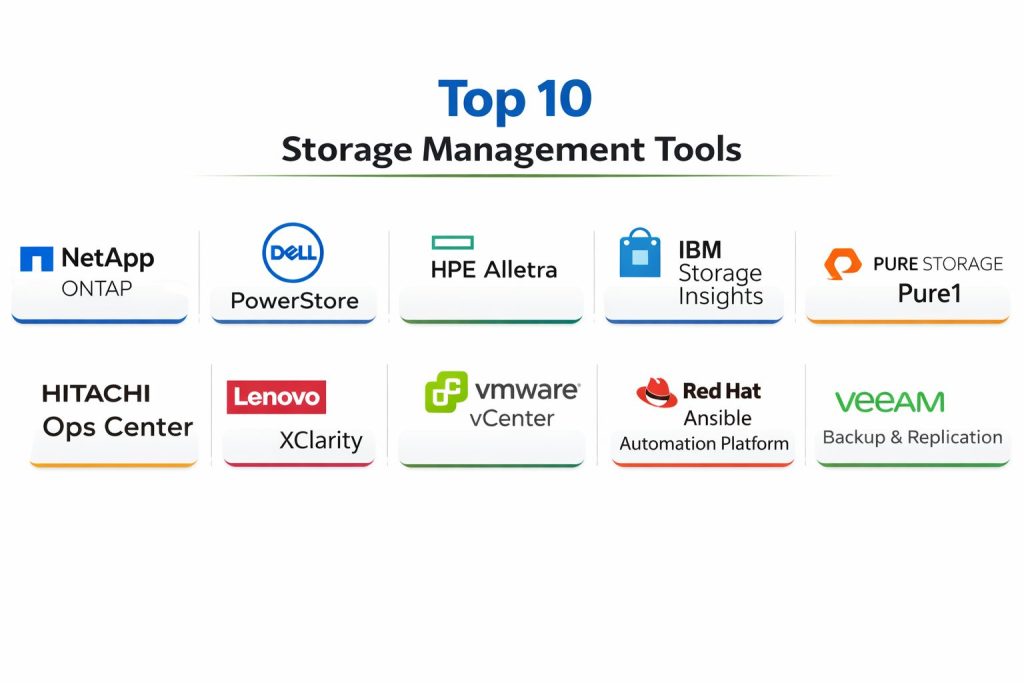
Top 10 Storage Management Tools
1 — NetApp ONTAP
NetApp ONTAP is a storage operating environment used for managing NAS and SAN storage with strong data services. It is commonly selected by organizations that want mature snapshot workflows, replication, and storage efficiency features.
Key Features
- Centralized storage management for file and block workflows
- Snapshot and replication-driven data protection patterns
- Storage efficiency features for optimizing capacity (varies by setup)
- Policy-based management for provisioning and lifecycle controls
- Performance monitoring and workload visibility (capability varies)
- Multi-site management patterns (environment dependent)
- Mature ecosystem support around enterprise storage operations
Pros
- Strong operational model for snapshots and replication workflows
- Reliable for structured enterprise storage environments
- Works well when standardizing storage processes across teams
Cons
- Can require skilled administrators for best outcomes
- Full ecosystem benefits may increase cost and complexity
- Multi-tool environments may need integration planning
Platforms / Deployment
Varies / N/A
Security & Compliance
Not publicly stated
Integrations & Ecosystem
Commonly used with virtualization, backup, and enterprise IT workflows, depending on architecture.
- Virtualization integration patterns (environment dependent)
- API and automation support (varies)
- Backup ecosystem integration (varies)
- Monitoring and reporting workflows (varies)
- Multi-site replication workflows (setup dependent)
Support & Community
Strong enterprise support ecosystem. Community resources exist, but practical success often depends on internal runbooks and vendor support tiers.
2 — Dell PowerStore
Dell PowerStore is a modern storage platform designed for simplified management and scalable performance. It is often chosen by teams that want streamlined operations, virtualization integration, and enterprise storage features.
Key Features
- Centralized provisioning and management for storage resources
- Health monitoring and performance visibility workflows
- Scale and workload handling for mixed enterprise environments
- Snapshot and replication patterns (setup dependent)
- Virtualization-aligned workflows (environment dependent)
- Automation hooks and operational tooling (varies)
- Lifecycle and update management patterns (deployment dependent)
Pros
- Designed for simplified day-to-day storage operations
- Good fit for virtualization-heavy environments
- Strong vendor ecosystem for enterprise support
Cons
- Works best when aligned to the same vendor ecosystem
- Feature depth can vary based on licensing and configuration
- Cross-vendor environments may need extra tooling
Platforms / Deployment
Varies / N/A
Security & Compliance
Not publicly stated
Integrations & Ecosystem
Typically integrated into enterprise storage environments with virtualization and backup coordination.
- Virtualization ecosystem workflows (varies)
- Automation and API patterns (varies)
- Backup and replication integration (setup dependent)
- Monitoring and reporting options (varies)
- Multi-site architecture support (environment dependent)
Support & Community
Vendor-led enterprise support is a common strength. Community content is moderate; internal operational discipline remains important.
3 — HPE Alletra
HPE Alletra is built to simplify storage operations with modern management workflows. It is often used by organizations seeking streamlined provisioning and performance management for critical workloads.
Key Features
- Centralized management for storage lifecycle operations
- Provisioning workflows designed to reduce manual steps
- Performance monitoring and workload insights (varies)
- Data protection patterns using snapshots/replication (setup dependent)
- Automation and operational templates (environment dependent)
- Scalable architecture patterns (deployment dependent)
- Reporting and alerting for storage health (varies)
Pros
- Focus on simplifying storage operations at scale
- Good fit for standardized, repeatable workflows
- Strong option for teams modernizing legacy storage processes
Cons
- Best outcomes often depend on ecosystem alignment
- Cross-vendor visibility may require additional tools
- Advanced automation requires planning and governance
Platforms / Deployment
Varies / N/A
Security & Compliance
Not publicly stated
Integrations & Ecosystem
Often integrated with enterprise compute and virtualization workflows depending on deployment.
- Virtualization integration patterns (varies)
- Automation and API use (varies)
- Backup ecosystem support (setup dependent)
- Health analytics and reporting workflows (varies)
- Multi-site deployment patterns (environment dependent)
Support & Community
Strong enterprise support options. Documentation and onboarding depend on the environment and chosen support tier.
4 — IBM Storage Insights
IBM Storage Insights focuses on monitoring and analytics for storage environments. It is commonly used to improve visibility, track capacity and performance, and support operational planning.
Key Features
- Storage monitoring and health visibility across environments (scope varies)
- Capacity planning and forecasting workflows
- Performance analytics to identify trends and bottlenecks
- Reporting and alerting for operational response
- Inventory and asset visibility patterns (environment dependent)
- Workflow support for issue investigation and triage
- Multi-environment insights for planning decisions
Pros
- Useful for teams that need clearer storage visibility and planning
- Helps reduce surprises through trend and capacity monitoring
- Supports standardized reporting for stakeholders
Cons
- Functionality depends on supported environment coverage
- May not replace vendor-native provisioning tools
- Deep automation may require complementary platforms
Platforms / Deployment
Varies / N/A
Security & Compliance
Not publicly stated
Integrations & Ecosystem
Often used alongside storage platforms and operational tooling for monitoring-centric workflows.
- Multi-vendor monitoring coverage (varies)
- Alerting and reporting workflows (varies)
- API and export capabilities (varies)
- Integration with operational processes (environment dependent)
- Complements vendor-native management tools
Support & Community
Vendor support exists; community footprint is moderate. Practical value increases with good alert policies and ownership rules.
5 — Pure Storage Pure1
Pure Storage Pure1 provides management and visibility for Pure Storage environments, focusing on monitoring, performance insights, and operational simplicity. It is commonly used by teams that want clean operations and predictable storage performance.
Key Features
- Central monitoring and health insights for storage environments
- Performance visibility with trend analysis (varies)
- Capacity planning and forecasting patterns
- Operational workflows to simplify administration (environment dependent)
- Alerting and issue visibility for faster response
- Data services visibility aligned to storage architecture
- Reporting for operational and management use
Pros
- Strong operational visibility for supported environments
- Clean workflows that can reduce admin overhead
- Helpful for proactive capacity and performance planning
Cons
- Most valuable when primarily using the same vendor ecosystem
- Cross-vendor coverage may require other tools
- Advanced workflows depend on environment and features used
Platforms / Deployment
Varies / N/A
Security & Compliance
Not publicly stated
Integrations & Ecosystem
Typically used as a management layer around storage environments and IT workflows.
- Integration patterns with operational processes (varies)
- Alerting and reporting workflows (varies)
- Automation support (environment dependent)
- Complements backup and DR tooling (setup dependent)
- Works best in standardized storage environments
Support & Community
Strong vendor support. Community resources exist, but operational success depends on correct alert tuning and ownership.
6 — Hitachi Ops Center
Hitachi Ops Center provides management and automation for Hitachi storage environments, helping teams monitor health, manage provisioning, and align storage performance with workload needs.
Key Features
- Centralized management for storage provisioning and operations
- Performance monitoring and workload insights (varies)
- Automation capabilities for repeatable administration tasks
- Health analytics and alerting workflows
- Reporting for capacity, performance, and usage patterns
- Supports operational standardization across environments
- Helps improve troubleshooting and response consistency
Pros
- Useful for teams standardizing storage operations at scale
- Strong when aligned to supported storage platforms
- Helps reduce manual work through repeatable workflows
Cons
- Best value depends on supported ecosystem fit
- Multi-vendor environments may need additional tooling
- Automation maturity depends on governance and implementation
Platforms / Deployment
Varies / N/A
Security & Compliance
Not publicly stated
Integrations & Ecosystem
Often fits into structured enterprise storage operations and monitoring processes.
- Automation and API usage (varies)
- Monitoring and reporting integrations (varies)
- Backup and DR coordination patterns (setup dependent)
- Operational process integration (environment dependent)
- Complements vendor-native storage capabilities
Support & Community
Enterprise support is a key strength. Documentation is typically solid; community presence varies by region.
Tool 7 — Lenovo XClarity
Lenovo XClarity is primarily an infrastructure management platform that can support storage-adjacent operations in Lenovo environments. It’s commonly used for centralized visibility and lifecycle management in Lenovo infrastructure stacks.
Key Features
- Centralized infrastructure visibility and management workflows
- Lifecycle and firmware management patterns (environment dependent)
- Inventory tracking and operational reporting
- Policy-based management capabilities (varies)
- Integration support for automation and operations (workflow dependent)
- Useful for standardizing infrastructure management practices
- Supports cross-team visibility for operations
Pros
- Helpful for teams operating Lenovo infrastructure at scale
- Supports consistent lifecycle and operational maintenance workflows
- Can simplify visibility and inventory management
Cons
- Storage-specific depth depends on environment and integration scope
- Multi-vendor storage teams may need specialized platforms
- Some advanced workflows require careful implementation
Platforms / Deployment
Varies / N/A
Security & Compliance
Not publicly stated
Integrations & Ecosystem
Commonly used with infrastructure operations and management workflows depending on the Lenovo stack.
- Automation integrations (varies)
- Inventory and reporting exports (varies)
- Operational workflow alignment (environment dependent)
- Works best in standardized infrastructure environments
- Complements vendor platform tooling
Support & Community
Vendor support is typical. Community content exists but is more infrastructure-focused than storage-specific.
8 — VMware vCenter
VMware vCenter is a central management platform for VMware virtualization environments. While not a storage-only tool, it plays a major role in storage operations where storage is tightly coupled with virtualization, datastore management, and performance troubleshooting.
Key Features
- Central management for virtual infrastructure and datastores
- Visibility into storage performance impact on VMs (workflow dependent)
- Policy-based VM and datastore operations (environment dependent)
- Integration with storage features through virtualization workflows (varies)
- Monitoring and operational controls for capacity and utilization
- Works as an operational hub for virtualization-led storage management
- Supports automation patterns within virtual infrastructure workflows
Pros
- Very practical for virtualization-centric storage management
- Helps correlate VM performance with storage behavior
- Strong operational standardization for VMware-based environments
Cons
- Not a full replacement for dedicated storage platform management
- Storage feature depth depends on connected storage and configuration
- Cross-platform storage visibility may require additional tools
Platforms / Deployment
Varies / N/A
Security & Compliance
Not publicly stated
Integrations & Ecosystem
Often acts as the operational hub when storage management is driven by virtualization practices.
- Storage integrations through virtualization stack (varies)
- Automation and scripting workflows (varies)
- Monitoring tool integrations (varies)
- Backup and DR coordination patterns (setup dependent)
- Fits well in standardized VMware environments
Support & Community
Large user community and broad enterprise support options. Many teams rely on established operational patterns and runbooks.
9 — Red Hat Ansible Automation Platform
Red Hat Ansible Automation Platform is used to automate infrastructure operations, including storage provisioning, configuration, and repetitive tasks. It is most valuable when teams want storage workflows to be repeatable, auditable, and scalable.
Key Features
- Automation for provisioning and configuration tasks (environment dependent)
- Repeatable runbooks for storage operations and compliance routines
- Integrates with many infrastructure platforms via modules (coverage varies)
- Supports standardization across teams and environments
- Helps reduce manual errors and inconsistent workflows
- Useful for change control and operational governance patterns
- Works well with Infrastructure as Code operational approaches
Pros
- Strong for building repeatable, scalable storage operations
- Reduces manual work and operational inconsistency
- Useful for teams standardizing change and automation practices
Cons
- Requires planning, skills, and governance to avoid automation sprawl
- Not a monitoring-first tool; usually paired with observability
- Coverage depends on available modules and integrations
Platforms / Deployment
Varies / N/A
Security & Compliance
Not publicly stated
Integrations & Ecosystem
Used as an automation layer across infrastructure, including storage, depending on environment support.
- Automation modules for infrastructure platforms (varies)
- API-based integrations (varies)
- Works with version control and change workflows (environment dependent)
- Integrates into operational pipelines and runbooks
- Complements monitoring and vendor management tools
Support & Community
Strong community and enterprise support options. Best results come with clear standards, code review, and controlled change processes.
10 — Veeam Backup & Replication
Veeam Backup & Replication focuses on data protection and recovery workflows. While it is not a traditional storage array manager, it plays a critical role in storage management strategy by protecting workloads, enabling restore workflows, and supporting operational resilience.
Key Features
- Backup workflows aligned with virtualization and workload protection
- Replication patterns for recovery and continuity planning
- Restore options for operational recovery scenarios (workflow dependent)
- Reporting and monitoring for backup health and status
- Helps reduce downtime risk through structured recovery workflows
- Supports policy-driven protection strategies (varies by setup)
- Useful for resilience planning across environments
Pros
- Strong practical value for recovery readiness and operational resilience
- Helps standardize protection and restore processes
- Widely used in many IT environments, supporting consistent practices
Cons
- Not a full storage provisioning or array management platform
- Workflow depth depends on environment and backup architecture
- Some advanced scenarios require careful design and testing
Platforms / Deployment
Varies / N/A
Security & Compliance
Not publicly stated
Integrations & Ecosystem
Commonly integrated into IT operations where backup and recovery are part of storage strategy.
- Virtualization integration patterns (varies)
- Storage and snapshot workflows (setup dependent)
- Reporting and alerting workflows (varies)
- Operational runbooks and recovery testing practices
- Complements primary storage management tools
Support & Community
Strong user community and ecosystem knowledge. Support quality depends on plan and environment complexity; recovery success depends on testing discipline.
Comparison Table
| Tool Name | Best For | Platform(s) Supported | Deployment | Standout Feature | Public Rating |
|---|---|---|---|---|---|
| NetApp ONTAP | Enterprise storage operations with data services | Varies / N/A | Varies / N/A | Snapshot and replication-driven workflows | N/A |
| Dell PowerStore | Modern enterprise storage with simplified ops | Varies / N/A | Varies / N/A | Streamlined provisioning and management | N/A |
| HPE Alletra | Modernized storage operations and performance | Varies / N/A | Varies / N/A | Simplified operations and lifecycle patterns | N/A |
| IBM Storage Insights | Monitoring and analytics for storage planning | Varies / N/A | Varies / N/A | Visibility and capacity forecasting | N/A |
| Pure Storage Pure1 | Operational visibility for supported storage stacks | Varies / N/A | Varies / N/A | Clean monitoring and proactive insights | N/A |
| Hitachi Ops Center | Storage operations and automation for ecosystems | Varies / N/A | Varies / N/A | Operational standardization and automation | N/A |
| Lenovo XClarity | Infrastructure visibility and lifecycle control | Varies / N/A | Varies / N/A | Centralized lifecycle management | N/A |
| VMware vCenter | Virtualization-led datastore and storage ops | Varies / N/A | Varies / N/A | VM-to-storage performance correlation | N/A |
| Red Hat Ansible Automation Platform | Automated, repeatable storage operations | Varies / N/A | Varies / N/A | Runbook-driven automation at scale | N/A |
| Veeam Backup & Replication | Data protection and recovery workflows | Varies / N/A | Varies / N/A | Practical backup and restore readiness | N/A |
Evaluation & Scoring of Storage Management Tools
Weights:
- Core features – 25%
- Ease of use – 15%
- Integrations & ecosystem – 15%
- Security & compliance – 10%
- Performance & reliability – 10%
- Support & community – 10%
- Price / value – 15%
| Tool Name | Core (25%) | Ease (15%) | Integrations (15%) | Security (10%) | Performance (10%) | Support (10%) | Value (15%) | Weighted Total (0–10) |
|---|---|---|---|---|---|---|---|---|
| NetApp ONTAP | 8.5 | 7.0 | 8.0 | 6.0 | 8.0 | 7.5 | 6.5 | 7.55 |
| Dell PowerStore | 8.0 | 7.5 | 7.5 | 6.0 | 8.0 | 7.0 | 6.5 | 7.33 |
| HPE Alletra | 7.8 | 7.5 | 7.3 | 6.0 | 7.8 | 7.0 | 6.5 | 7.21 |
| IBM Storage Insights | 7.5 | 8.0 | 7.0 | 6.0 | 7.5 | 7.0 | 7.0 | 7.20 |
| Pure Storage Pure1 | 7.8 | 8.2 | 7.2 | 6.0 | 7.8 | 7.0 | 6.8 | 7.33 |
| Hitachi Ops Center | 7.8 | 7.2 | 7.2 | 6.0 | 7.8 | 7.0 | 6.5 | 7.18 |
| Lenovo XClarity | 6.8 | 7.5 | 6.8 | 6.0 | 7.0 | 6.5 | 7.0 | 6.88 |
| VMware vCenter | 7.5 | 7.8 | 8.2 | 6.5 | 7.8 | 8.0 | 7.0 | 7.55 |
| Red Hat Ansible Automation Platform | 7.5 | 6.8 | 8.5 | 6.5 | 7.5 | 7.5 | 7.2 | 7.41 |
| Veeam Backup & Replication | 7.8 | 7.8 | 8.0 | 6.5 | 7.8 | 8.2 | 7.5 | 7.73 |
How to use the scores:
- Treat this as a shortlisting tool, not a final verdict.
- If you manage complex environments, prioritize Core, Integrations, and Performance.
- If your team is small, emphasize Ease and Value to reduce operational burden.
- Tools that score similarly should be tested in a small pilot with real workloads.
- Your best option is the one that reduces incidents, improves predictability, and fits your process maturity.
Which Tool Is Right for You?
Solo / Freelancer
Storage management is usually minimal at this level. If you run labs or small environments, focus on operational simplicity and clarity.
- VMware vCenter can be helpful if your world is VM-centric and you want straightforward datastore visibility.
- IBM Storage Insights can help if you need monitoring-style visibility more than provisioning depth.
- Red Hat Ansible Automation Platform is useful only if you already automate infrastructure and want repeatable storage tasks.
SMB
SMBs often need reliability and visibility without building a large storage team.
- Pure Storage Pure1 and IBM Storage Insights are practical where monitoring and proactive planning are priorities.
- Veeam Backup & Replication is critical if backup and restore readiness drives your risk posture.
- If you run VMware broadly, VMware vCenter becomes a central control point for storage-related operations.
Mid-Market
Mid-market teams typically deal with multiple workloads, multiple sites, and growing capacity demands.
- NetApp ONTAP, Dell PowerStore, and HPE Alletra are common anchors when standardizing enterprise storage operations.
- Red Hat Ansible Automation Platform helps when provisioning and change workflows must be repeatable and scalable.
- Add monitoring and planning tools like IBM Storage Insights to reduce surprises and improve forecasting discipline.
Enterprise
Enterprises need predictable operations, integration, and governance across many teams and sites.
- Use a platform anchor such as NetApp ONTAP or Dell PowerStore or HPE Alletra based on your storage strategy and ecosystem fit.
- Add a strong operations layer like Hitachi Ops Center where automation and standardization are key.
- Use VMware vCenter if virtualization is the operational hub for storage consumption and performance analysis.
- Treat Veeam Backup & Replication as a resilience foundation when recovery readiness is non-negotiable.
Budget vs Premium
- If budget is tight, prioritize tools that reduce operational time: IBM Storage Insights, VMware vCenter, and Veeam Backup & Replication often provide broad day-to-day value.
- Premium storage platforms are worth it when downtime risk is high and performance predictability matters more than license cost.
Feature Depth vs Ease of Use
- For deep storage platform management, vendor tools like NetApp ONTAP, Dell PowerStore, and HPE Alletra typically offer stronger platform-aligned capabilities.
- For operational simplicity and fast visibility, monitoring-focused tools like IBM Storage Insights and ecosystem tools like Pure Storage Pure1 can feel more straightforward.
Integrations & Scalability
- If you require automation and repeatability, Red Hat Ansible Automation Platform helps turn workflows into controlled runbooks.
- If virtualization is central, VMware vCenter is often the main integration point for storage consumption and performance impact.
- For large multi-site environments, prioritize tools that support standardized policies and consistent reporting.
Security & Compliance Needs
If compliance details are not publicly stated, focus on operational controls:
- Strong identity management, least privilege access, and audited admin actions
- Encryption and secure storage practices at the platform and environment level
- Standardized backup, restore testing, and immutable retention patterns where applicable
- Controlled export and access processes to reduce accidental data exposure
Frequently Asked Questions
What does a storage management tool actually do?
It provides visibility into capacity and performance, helps provision storage resources, supports health monitoring, and improves operational response. Many tools also assist with reporting, lifecycle tasks, and standardization across teams.
Do I need storage management if I am mostly in the cloud?
If you use fully managed cloud storage with minimal customization, you may need less tooling. But hybrid environments, regulated workloads, and performance-sensitive apps often benefit from stronger visibility, governance, and automation patterns.
How do I choose between a vendor tool and a cross-vendor tool?
Vendor tools often give deeper control over that vendor’s platform, while cross-vendor tools provide wider visibility. Many organizations use both: vendor tools for provisioning and cross-vendor tools for monitoring and planning.
What are the most common mistakes teams make?
They underestimate capacity growth, ignore alert quality, skip recovery testing, and fail to define ownership for incidents. Another common issue is buying a tool without standardizing naming, reporting, and operational processes.
How do I measure storage performance in a practical way?
Focus on latency, IOPS, throughput, and workload impact. Then validate with application behavior: slow queries, VM stalls, and backup windows overrunning. Use consistent baselines so you can spot trend drift early.
How important is automation for storage operations?
Automation reduces manual errors and speeds provisioning, especially in fast-moving environments. It becomes essential when you manage multiple sites, many workloads, or frequent change events that would overwhelm manual operations.
Can these tools help with ransomware recovery?
They can support better recovery readiness through snapshots, replication patterns, and restore workflows, depending on your environment. The real success factor is disciplined backup design, immutable retention where applicable, and regular restore testing.
How long does implementation usually take?
Basic monitoring and reporting can be set up quickly, while deeper automation, policy design, and multi-site standardization take longer. Implementation time depends on environment complexity, governance maturity, and integration scope.
How do I reduce alert noise from storage monitoring?
Tune thresholds, define ownership, and use alert policies aligned to service impact. Prioritize alerts that map to workload performance or capacity risk, and suppress notifications that do not require action.
What should I pilot before committing to a tool?
Test with your real workloads and real operational scenarios: provisioning, failover/restore, capacity forecasting accuracy, performance troubleshooting, and reporting quality. A short pilot quickly reveals whether the tool improves daily operations.
Conclusion
Storage management tools are most valuable when they reduce uncertainty: you see capacity risk early, you understand performance bottlenecks clearly, and you can apply consistent policies across teams and sites. The “best” tool depends on how your environment is built. If your organization relies on a specific storage platform, vendor tools like NetApp ONTAP, Dell PowerStore, or HPE Alletra can provide deeper control. If visibility and planning are the biggest pain, IBM Storage Insights or Pure Storage Pure1 can help simplify decision-making. For operational resilience, Veeam Backup & Replication strengthens recovery readiness. The smart next step is to shortlist two or three tools, run a small pilot using real workloads, and validate integrations, reporting quality, and operational fit.