Introduction
Cloud backup tools protect your data by copying it to a secure location that can be restored after accidental deletion, ransomware, hardware failure, or major outages. In simple terms, they help you answer two questions with confidence: Can we get our data back? and How fast can we recover? This matters for every business because data lives across laptops, servers, SaaS apps, databases, virtual machines, and cloud services—often spread across multiple teams.
Real-world use cases include:
- Recovering from ransomware by restoring clean copies of critical workloads
- Protecting cloud workloads such as virtual machines, databases, and storage
- Backing up SaaS data (email, files, collaboration content) to reduce vendor lock-in risk
- Meeting internal governance rules for retention, legal hold, and audit readiness
- Supporting disaster recovery planning with repeatable restore testing
What buyers should evaluate before choosing:
- Workload coverage (VMs, databases, file servers, endpoints, SaaS, cloud-native)
- Recovery targets (RPO/RTO expectations) and restore flexibility (file, VM, app, point-in-time)
- Immutability and ransomware resilience (where supported)
- Encryption and access controls (how keys, roles, and audit trails are handled)
- Storage choices and cost model (capacity, egress, retention, tiering)
- Operational complexity (setup, monitoring, policy management, reporting)
- Reliability at scale (large environments, frequent backups, many locations)
- Integration into your ecosystem (identity, ticketing, monitoring, cloud services)
- Reporting, compliance needs, and retention policies
- Support quality and the strength of the user community
Mandatory guidance
Best for: IT admins, security teams, platform teams, MSPs, and organizations of all sizes that need dependable recovery for business-critical systems, cloud workloads, and distributed teams.
Not ideal for: teams with minimal data risk tolerance needs (small non-critical personal projects), or organizations that only need simple file sync rather than true backup with retention, immutability, and tested recovery.
Key Trends in Cloud Backup Tools
- Ransomware resilience is now a baseline expectation, including stronger immutability patterns and recovery validation.
- More organizations demand “backup as part of security,” with alerting, anomaly signals, and recovery workflows that reduce downtime.
- Hybrid environments are the norm, so tools must cover on-prem, cloud, and SaaS in one policy model.
- Backup data is increasingly treated as a governed asset with retention, legal hold, and audit-friendly reporting.
- Cost control is becoming a top driver, pushing smarter tiering, deduplication, and retention lifecycle management.
- More teams want predictable restores through testing, automation, and runbook-style recovery steps.
- Identity integration matters more, with stronger access control patterns and separation of duties for recovery operations.
- “Cloud-native” backups for cloud workloads are growing, especially where teams want simpler operational ownership inside cloud platforms.
- MSP and multi-tenant management needs are increasing due to distributed IT operations and managed services models.
- Interoperability is rising in importance, so customers expect clean integrations with cloud services, monitoring, and ticketing.
How We Selected These Tools
- Included tools with strong mindshare across enterprise, mid-market, and SMB use cases.
- Balanced cloud-native services with broader platforms that protect hybrid estates.
- Looked for solid workload coverage, restore flexibility, and operational reliability signals.
- Favored tools that fit modern expectations like ransomware resilience and governance features (where publicly clear).
- Considered ecosystem fit: integrations, automation, and how well the tool aligns with common IT operations practices.
- Ensured the list covers multiple buyer profiles: small IT teams, large IT organizations, and cloud-first teams.
- Considered support and community strength as a practical factor in successful rollout.
- Avoided claiming certifications or ratings when unclear; used “Not publicly stated” or “N/A” instead.
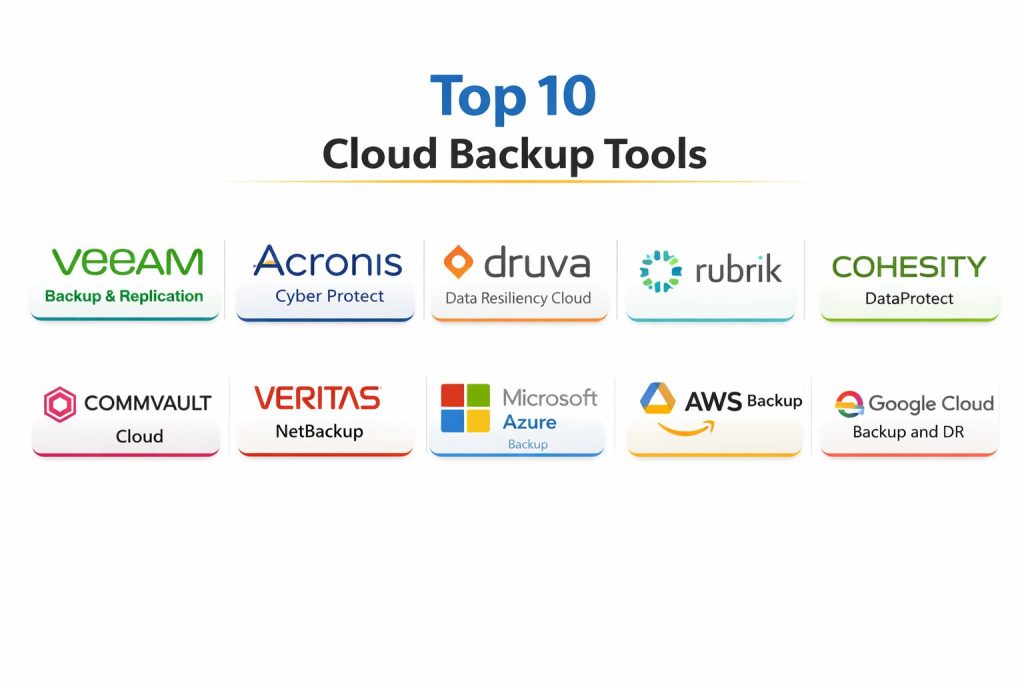
Top 10 Cloud Backup Tools
1 — Veeam Backup & Replication
Veeam Backup & Replication is widely used for protecting virtualized and hybrid environments, with strong backup and recovery workflows that many IT teams standardize on. It is often chosen when reliability, restore flexibility, and operational control matter.
Key Features
- Policy-based backup and restore workflows for common infrastructure patterns
- Granular restore options that support different recovery scenarios
- Operational tooling for scheduling, monitoring, and job management
- Storage efficiency capabilities that help manage long retention windows
- Support for building structured backup repositories and recovery plans
- Automation options that can reduce manual administration
- Broad ecosystem compatibility in typical enterprise environments
Pros
- Strong fit for teams that need dependable restore workflows and control
- Mature operational model that many admins are familiar with
- Works well in environments that value predictable governance
Cons
- Can become complex at scale without clean standards and ownership
- Costs and architecture choices can vary widely by environment
- Some cloud-first teams may prefer simpler cloud-native services
Platforms / Deployment
Windows (management and core components vary by architecture)
Hybrid / Self-hosted (implementation dependent)
Security & Compliance
Common controls like encryption, RBAC, and audit logging are typically part of enterprise backup operations; exact details by edition: Not publicly stated.
Integrations & Ecosystem
Often used with virtualization platforms, storage targets, and monitoring workflows in IT operations.
- Integrations with common virtualization ecosystems (environment dependent)
- Storage and repository integrations (implementation dependent)
- Automation hooks through scripting and APIs (availability dependent)
- Monitoring and alerting integrations (implementation dependent)
- Ecosystem of partners and add-ons (varies)
Support & Community
Strong documentation footprint and a large admin community. Support experience varies by plan, partner, and region.
2 — Acronis Cyber Protect
Acronis Cyber Protect blends backup with broader endpoint-focused protection patterns, often appealing to teams that want a simpler approach for endpoints and mixed environments. It is frequently considered by SMBs and MSP-style operations.
Key Features
- Endpoint backup workflows suitable for distributed devices
- Central policy management across protected machines (scope dependent)
- Recovery options designed for operational speed in common incidents
- Management capabilities aligned to IT admin workflows
- Support for building repeatable backup schedules and retention
- Reporting and administrative visibility (capability dependent)
- Focus on practical protection for smaller and mixed estates
Pros
- Often easier to adopt for endpoint-heavy environments
- Useful for teams that want a consolidated protection workflow
- Practical for MSP-like operations and multi-customer scenarios (where used that way)
Cons
- Feature depth for large enterprise environments may vary by deployment
- Some advanced hybrid scenarios may require careful architecture planning
- Capabilities differ by edition and setup
Platforms / Deployment
Windows / macOS (coverage varies by workload)
Cloud / Hybrid (deployment dependent)
Security & Compliance
Not publicly stated
Integrations & Ecosystem
Typically fits into endpoint management and IT operations workflows.
- Identity and access integration patterns (environment dependent)
- Monitoring and alerting workflows (implementation dependent)
- Scripting/automation possibilities (capability dependent)
- Storage target options (deployment dependent)
- MSP ecosystem tooling (varies)
Support & Community
Good coverage for SMB audiences and MSP communities. Support quality can depend on plan and region.
3 — Druva Data Resiliency Cloud
Druva Data Resiliency Cloud is a SaaS-first backup platform often used for protecting endpoints, cloud workloads, and enterprise data with centralized management. It appeals to teams that want reduced infrastructure overhead and cloud-operated simplicity.
Key Features
- SaaS-based management that reduces on-prem infrastructure burden
- Centralized policies for backups and retention (scope dependent)
- Coverage patterns for distributed endpoints and common enterprise data
- Operational reporting and visibility for backup posture
- Restore workflows designed for incident response scenarios
- Scalable architecture aligned to cloud operations
- Governance-oriented features depending on chosen modules
Pros
- Strong fit for distributed organizations that want simpler operations
- Reduces the need to manage backup infrastructure directly
- Centralized control helps standardize policies across teams
Cons
- SaaS model may not fit organizations with strict data residency constraints
- Cost model depends on retention and data growth patterns
- Some environments prefer self-managed control for certain workloads
Platforms / Deployment
Web / Windows / macOS (coverage varies by workload)
Cloud
Security & Compliance
Not publicly stated
Integrations & Ecosystem
Often fits well in cloud-forward IT operations with centralized policy control.
- Integration with common identity workflows (environment dependent)
- Reporting and administration integrations (implementation dependent)
- API-based extensions (availability dependent)
- Cloud workload alignment (deployment dependent)
- Ecosystem partnerships (varies)
Support & Community
Generally strong onboarding for SaaS-style operations. Community and partner ecosystem varies by region.
4 — Rubrik
Rubrik is commonly positioned for enterprise data protection with a focus on operational simplicity and modern recovery workflows. It is typically evaluated by teams that need strong governance, visibility, and recovery readiness across critical systems.
Key Features
- Policy-based backup workflows designed for operational consistency
- Recovery processes aligned to incident response and business continuity
- Centralized management for backup posture and administrative control
- Scalable approach for larger environments (implementation dependent)
- Support for structuring retention policies across workloads
- Reporting and visibility for governance and operations
- Ecosystem alignment for enterprise IT environments
Pros
- Strong enterprise fit where recovery readiness and governance are priorities
- Simplifies operations for teams standardizing backup policy models
- Often used in larger environments with structured IT processes
Cons
- May be premium-priced compared to SMB-first options
- Architecture choices and rollout require careful planning
- Feature scope varies by modules and deployment needs
Platforms / Deployment
Web / Windows (administration patterns vary)
Cloud / Hybrid (deployment dependent)
Security & Compliance
Not publicly stated
Integrations & Ecosystem
Designed to fit enterprise ecosystems and common IT management workflows.
- Identity integration patterns (environment dependent)
- Monitoring and ticketing workflows (implementation dependent)
- API and automation options (availability dependent)
- Cloud workload ecosystem alignment (varies)
- Partner ecosystem for larger environments (varies)
Support & Community
Enterprise-oriented support options are common. Community is strong in enterprise IT circles; experience varies by plan.
5 — Cohesity DataProtect
Cohesity DataProtect is positioned for enterprise backup and recovery across large-scale environments. It is often considered when organizations want consolidated data protection with an emphasis on scalability and operational management.
Key Features
- Centralized backup policy management across large environments
- Scalable operations for many workloads and locations (implementation dependent)
- Restore workflows designed for business continuity scenarios
- Reporting for visibility into backup operations and posture
- Support for structured retention policies and storage efficiency patterns
- Administrative controls for IT operations teams
- Ecosystem compatibility across common enterprise environments
Pros
- Good fit for scale-focused teams consolidating backup operations
- Helps standardize backup policies and operational reporting
- Commonly evaluated in enterprise modernization projects
Cons
- Best outcomes require strong architecture and ownership clarity
- Can be more complex than smaller, endpoint-first tools
- Pricing and feature scope vary by deployment
Platforms / Deployment
Web / Windows (administration patterns vary)
Hybrid
Security & Compliance
Not publicly stated
Integrations & Ecosystem
Commonly integrated into enterprise monitoring and operational workflows.
- Identity integration approaches (environment dependent)
- Monitoring and alerting workflows (implementation dependent)
- API-based automation (availability dependent)
- Storage ecosystem options (deployment dependent)
- Partner integrations (varies)
Support & Community
Strong enterprise focus with structured support. Community presence varies by region and partner network.
6 — Commvault Cloud
Commvault Cloud is known for broad workload coverage and enterprise-grade backup management patterns. It is often chosen by organizations that need deep flexibility, complex retention policies, and strong operational customization.
Key Features
- Broad workload protection patterns across mixed environments
- Flexible policy models for retention and recovery workflows
- Administrative controls suited for complex IT organizations
- Reporting and governance-friendly visibility (capability dependent)
- Automation support for repeatable backup operations (availability dependent)
- Scalable architecture for large environments (implementation dependent)
- Strong ecosystem alignment in enterprise backup scenarios
Pros
- Very flexible for complex enterprise requirements
- Broad workload coverage helps consolidate tools
- Strong fit for teams with mature IT operations
Cons
- Can be complex to deploy without experienced ownership
- Learning curve may be higher for smaller teams
- Feature depth depends on modules and chosen architecture
Platforms / Deployment
Windows / Linux (varies by components)
Cloud / Hybrid (deployment dependent)
Security & Compliance
Not publicly stated
Integrations & Ecosystem
Often used in large environments that depend on standardized operations and integrations.
- Identity integration approaches (environment dependent)
- Automation through scripting/APIs (availability dependent)
- Storage and cloud ecosystem integrations (deployment dependent)
- Monitoring and reporting workflows (implementation dependent)
- Partner ecosystem and professional services (varies)
Support & Community
Strong enterprise support presence and long-standing market community. Success often improves with experienced administrators and clear standards.
7 — Veritas NetBackup
Veritas NetBackup is an established enterprise backup platform used in many large organizations. It is often selected for complex environments that need mature backup operations and structured governance.
Key Features
- Mature backup and recovery workflows for large IT environments
- Central policy management and administrative tooling
- Support for structured retention and recovery requirements
- Reporting and operational visibility features (capability dependent)
- Architecture options for scale (implementation dependent)
- Compatibility patterns for enterprise ecosystems
- Long-running operational model many enterprises understand
Pros
- Proven in many large and complex enterprise deployments
- Strong fit for organizations that value mature operational processes
- Useful for standardized governance-driven backup programs
Cons
- Can feel heavy for small teams that want simpler management
- Modernization may require careful planning depending on environment
- Cost and complexity can vary by architecture and workload coverage
Platforms / Deployment
Windows / Linux (varies by components)
Hybrid / Self-hosted (deployment dependent)
Security & Compliance
Not publicly stated
Integrations & Ecosystem
Typically integrated into enterprise operational tooling and infrastructure ecosystems.
- Identity and access patterns (environment dependent)
- Monitoring and ticketing workflows (implementation dependent)
- Automation options (availability dependent)
- Cloud integration patterns (deployment dependent)
- Partner ecosystem support (varies)
Support & Community
Enterprise-focused support is common. Community knowledge exists due to long market presence; experience varies by plan and region.
Tool 8 — Microsoft Azure Backup
Microsoft Azure Backup is a cloud service used to protect workloads in Microsoft-centric environments, especially those already operating in Azure. It is often chosen for simplicity and tighter alignment with Azure services.
Key Features
- Cloud-based backup management aligned to Azure operations
- Policy-driven scheduling and retention (scope dependent)
- Restore workflows suited for common infrastructure recovery needs
- Integration patterns that fit Azure-native workloads
- Reduced infrastructure overhead compared to self-managed backup servers
- Administrative visibility through cloud management workflows
- Practical for teams standardizing on Microsoft cloud services
Pros
- Good fit for Azure-first teams wanting simple operational ownership
- Reduces the burden of managing backup infrastructure
- Integrates naturally with Azure-focused workflows
Cons
- Best fit is often Microsoft/Azure-centric environments
- Cross-cloud coverage may require additional tools or strategy
- Cost control depends on retention and storage patterns
Platforms / Deployment
Web
Cloud
Security & Compliance
Not publicly stated
Integrations & Ecosystem
Designed to fit Microsoft cloud ecosystems and typical cloud operations patterns.
- Integration with Azure workload ecosystem (deployment dependent)
- Identity and access alignment (environment dependent)
- Monitoring and governance workflows (implementation dependent)
- Automation possibilities through cloud tooling (availability dependent)
- Fits well with Microsoft-centric operational standards
Support & Community
Strong general cloud documentation ecosystem and broad community usage. Support depends on cloud support plan and organization setup.
9 — AWS Backup
AWS Backup is a managed service for backing up AWS resources with centralized policies. It is typically chosen by teams that want cloud-native simplicity for AWS workloads and consistent backup governance inside AWS.
Key Features
- Central policy management for supported AWS resources (scope dependent)
- Automated backup scheduling and lifecycle handling (capability dependent)
- Restore workflows aligned to AWS operational practices
- Centralized visibility into backup posture for AWS workloads
- Helps standardize backup policy across AWS accounts (implementation dependent)
- Designed for cloud operations teams managing AWS environments
- Reduces tooling overhead by using managed service patterns
Pros
- Strong fit for AWS-first organizations and cloud operations teams
- Simplifies policy standardization for AWS workloads
- Reduces infrastructure management compared to self-hosted options
Cons
- Primarily focused on AWS ecosystem needs
- Multi-cloud strategies may require additional tooling
- Cost management depends on retention and storage lifecycle planning
Platforms / Deployment
Web
Cloud
Security & Compliance
Not publicly stated
Integrations & Ecosystem
Fits naturally into AWS operations and governance workflows.
- Integration with AWS services (scope dependent)
- Identity and access alignment through AWS patterns (environment dependent)
- Monitoring and alerting workflows (implementation dependent)
- Automation with cloud tooling (availability dependent)
- Multi-account governance patterns (implementation dependent)
Support & Community
Strong cloud community footprint and documentation ecosystem. Support depends on cloud support plan and organizational maturity.
10 — Google Cloud Backup and DR
Google Cloud Backup and DR is designed for protecting workloads in Google Cloud environments, typically targeting teams that want managed recovery patterns and centralized governance for supported workloads.
Key Features
- Centralized backup and recovery management for supported environments
- Policy-based scheduling and retention control (scope dependent)
- Restore workflows aligned to business continuity planning
- Designed for cloud-first operational patterns
- Administrative visibility for governance and readiness
- Reduced infrastructure overhead compared to self-managed backup stacks
- Useful for teams standardizing on Google Cloud operations
Pros
- Good fit for Google Cloud-focused environments
- Helps simplify governance for supported backup workflows
- Managed model can reduce operational overhead
Cons
- Most valuable when your core workloads are aligned to Google Cloud
- Multi-cloud environments may require additional strategy
- Feature scope depends on workload types and deployment design
Platforms / Deployment
Web
Cloud
Security & Compliance
Not publicly stated
Integrations & Ecosystem
Typically aligns with Google Cloud operational tooling and supported service patterns.
- Integration with Google Cloud ecosystem (scope dependent)
- Identity and access alignment through cloud controls (environment dependent)
- Monitoring workflows (implementation dependent)
- Automation possibilities through cloud tooling (availability dependent)
- Governance patterns for cloud operations (implementation dependent)
Support & Community
Cloud documentation and community usage are solid. Support depends on cloud support plan and implementation approach.
Comparison Table
| Tool Name | Best For | Platform(s) Supported | Deployment | Standout Feature | Public Rating |
|---|---|---|---|---|---|
| Veeam Backup & Replication | Hybrid backup with strong restore flexibility | Windows | Hybrid / Self-hosted | Mature recovery workflows | N/A |
| Acronis Cyber Protect | Endpoint-heavy environments and SMB operations | Windows / macOS | Cloud / Hybrid | Practical endpoint protection workflows | N/A |
| Druva Data Resiliency Cloud | SaaS-first backup for distributed organizations | Web / Windows / macOS | Cloud | Centralized cloud-operated management | N/A |
| Rubrik | Enterprise backup with governance focus | Web / Windows | Cloud / Hybrid | Policy-driven operational simplicity | N/A |
| Cohesity DataProtect | Consolidated backup at scale | Web / Windows | Hybrid | Scale-oriented consolidation approach | N/A |
| Commvault Cloud | Broad enterprise workload coverage | Windows / Linux | Cloud / Hybrid | Flexible enterprise policy model | N/A |
| Veritas NetBackup | Mature enterprise backup programs | Windows / Linux | Hybrid / Self-hosted | Established enterprise operations model | N/A |
| Microsoft Azure Backup | Azure-first backup for Microsoft cloud workloads | Web | Cloud | Tight Azure operational alignment | N/A |
| AWS Backup | Cloud-native backup for AWS workloads | Web | Cloud | Centralized AWS policy management | N/A |
| Google Cloud Backup and DR | Google Cloud-aligned backup and recovery | Web | Cloud | Managed cloud recovery workflows | N/A |
Evaluation & Scoring of Cloud Backup Tools
Scoring model: each criterion uses a 1–10 score, then weighted totals are calculated on a 0–10 scale. These scores are comparative to help you shortlist tools by typical strengths; they are not public ratings.
Weights
- Core features – 25%
- Ease of use – 15%
- Integrations & ecosystem – 15%
- Security & compliance – 10%
- Performance & reliability – 10%
- Support & community – 10%
- Price / value – 15%
| Tool Name | Core (25%) | Ease (15%) | Integrations (15%) | Security (10%) | Performance (10%) | Support (10%) | Value (15%) | Weighted Total (0–10) |
|---|---|---|---|---|---|---|---|---|
| Veeam Backup & Replication | 9.0 | 7.5 | 8.5 | 7.5 | 8.5 | 8.0 | 7.5 | 8.18 |
| Acronis Cyber Protect | 8.0 | 8.0 | 7.5 | 7.5 | 7.5 | 7.5 | 8.0 | 7.78 |
| Druva Data Resiliency Cloud | 8.5 | 8.5 | 8.0 | 7.5 | 8.0 | 8.0 | 7.5 | 8.07 |
| Rubrik | 9.0 | 8.0 | 8.0 | 8.0 | 8.5 | 8.0 | 6.5 | 8.08 |
| Cohesity DataProtect | 8.5 | 7.5 | 8.0 | 7.5 | 8.5 | 7.5 | 6.5 | 7.78 |
| Commvault Cloud | 9.0 | 7.0 | 8.5 | 7.5 | 8.5 | 7.5 | 6.5 | 7.90 |
| Veritas NetBackup | 8.5 | 6.5 | 8.0 | 7.5 | 8.5 | 7.0 | 6.0 | 7.50 |
| Microsoft Azure Backup | 7.5 | 8.0 | 7.5 | 7.5 | 7.5 | 7.5 | 8.0 | 7.65 |
| AWS Backup | 7.5 | 7.5 | 7.5 | 7.5 | 7.5 | 7.0 | 8.0 | 7.53 |
| Google Cloud Backup and DR | 7.5 | 7.0 | 7.0 | 7.5 | 7.5 | 7.0 | 7.5 | 7.30 |
How to interpret the scores:
- If you care most about recovery outcomes, prioritize Core and Performance.
- If your team is small, Ease and Value often drive success more than maximum feature depth.
- If your environment is mixed, Integrations becomes a deciding factor.
- Close totals usually mean the real difference will show up during a pilot with your real workloads and retention needs.
Which Cloud Backup Tool Is Right for You?
Solo / Freelancer
- If your needs are simple, choose a tool that is easy to operate and does not demand constant tuning.
- A SaaS-first approach like Druva Data Resiliency Cloud can reduce management overhead if your environment fits its supported scope.
- If you mostly operate in one cloud, AWS Backup or Microsoft Azure Backup can be straightforward because the operational model stays inside the same ecosystem.
SMB
- SMBs typically win with simplicity and clear restore workflows. Acronis Cyber Protect can work well for endpoint-heavy teams, while Veeam Backup & Replication is strong for hybrid infrastructure if you can manage the setup.
- If you are cloud-first on one provider, cloud-native services can reduce complexity, but keep an eye on retention costs.
Mid-Market
- Mid-market teams often need consistency across more workloads. Veeam Backup & Replication and Commvault Cloud are common considerations for broader coverage and stronger policy controls.
- If governance and standardization are priorities, Rubrik and Cohesity DataProtect are often evaluated for centralized control and operational visibility.
Enterprise
- Enterprises benefit from tools that handle scale, complexity, and governance. Rubrik, Cohesity DataProtect, Commvault Cloud, and Veritas NetBackup can fit enterprise needs, but rollout success depends heavily on clear ownership, standards, and recovery testing discipline.
- Use separation of duties for backup administration and recovery operations to reduce risk.
Budget vs Premium
- Budget-friendly choices are not only about license cost; they are about operational time and storage growth.
- Cloud-native services can reduce infrastructure overhead but may shift costs into storage and retention.
- Premium platforms can pay off when they reduce outages, speed recovery, and standardize operations across business units.
Feature Depth vs Ease of Use
- Tools like Commvault Cloud and Veritas NetBackup can suit complex requirements but often need experienced administrators.
- SaaS-first or cloud-native services often feel simpler day-to-day, but they may not cover every workload in a mixed estate.
- Pick the tool your team can operate consistently during a real incident, not just during normal weeks.
Integrations & Scalability
- Hybrid estates need strong integration patterns and automation. Veeam Backup & Replication, Rubrik, and Cohesity DataProtect can be strong fits when you must connect to broader operations tooling.
- Cloud-first organizations often prefer AWS Backup, Microsoft Azure Backup, or Google Cloud Backup and DR for tighter ecosystem alignment.
- Always confirm how restores work across accounts, regions, and permission boundaries.
Security & Compliance Needs
- Many backup products do not publish every security detail in a simple checklist format. If you have strict requirements, design security at the operational layer: strong identity controls, separate admin roles, encrypted storage, protected credentials, and tested recovery access.
- Run restore tests with least-privilege accounts so you can prove recovery works without over-permissioning.
Frequently Asked Questions
- What is the difference between backup and disaster recovery?
Backup focuses on copying and restoring data. Disaster recovery focuses on restoring entire services and operations, including dependencies, runbooks, and recovery time targets. Many organizations use backup as a foundation and add DR planning on top.
- How do I choose the right retention period?
Start with business needs and risk. Critical systems often need longer retention and more frequent restore points. Balance retention against storage costs, legal needs, and how quickly you must recover from corruption or ransomware.
- What should I test during a backup pilot?
Test restore speed, restore success rate, and operational effort. Include a file-level restore, a full workload restore, and a point-in-time restore. Also test access controls to ensure recovery is possible during an incident.
- Do cloud-native backup services cover everything I need?
They can be excellent for workloads inside a single cloud ecosystem. However, if you also run on-prem systems, endpoints, or SaaS applications, you may need additional coverage or a broader platform.
- How can I reduce ransomware risk in backup systems?
Use strong identity controls, limit admin permissions, isolate backup credentials, and enforce protected storage patterns where available. Most importantly, run regular restore tests so you know recovery works under pressure.
- What is the most common reason restores fail?
Inconsistent ownership and untested recovery. Backups may be running, but restore permissions, missing dependencies, or unclear runbooks can block recovery. Regular drills and documented recovery steps prevent surprises.
- How do I manage backup costs as data grows?
Control retention, use tiering where available, reduce unnecessary backups, and enforce clear data lifecycle rules. Track growth trends monthly and align backup scope with business value, not habit.
- Is it safe to back up sensitive data to the cloud?
It can be, if you use encryption, strong access controls, and secure key management practices. Also ensure only approved roles can delete or alter backup policies, and audit recovery actions through governance processes.
- Can I use more than one backup tool?
Yes, but tool sprawl increases cost and operational confusion. Use multiple tools only when there is a clear reason, such as separate regulatory boundaries or distinct workload needs that one tool cannot cover reliably.
- What is a simple rollout plan for a new backup tool?
Start with critical workloads, define clear RPO/RTO targets, set retention policies, and run restore tests before expanding. Document ownership, escalation paths, and recovery steps, then scale to additional systems in phases.
Conclusion
Cloud backup is not just a storage decision; it is a recovery decision. The best tool is the one that restores your most important workloads quickly, reliably, and repeatedly under real incident conditions. Start by defining recovery targets, then shortlist two or three tools that match your workload mix: hybrid infrastructure, cloud-native resources, endpoints, and governance needs. Run a pilot with real data, real retention settings, and real access controls. Test restores weekly during the pilot, not just backups. Finally, choose the platform your team can operate calmly during a crisis, with clear roles, clean reporting, and predictable costs.