Introduction
Disaster Recovery (DR) tools help organizations restore systems and data after incidents like ransomware, accidental deletion, hardware failure, outages, or natural disasters. In simple terms, DR tools reduce downtime by keeping backups, replicas, or recoverable copies of critical workloads so business operations can return to normal quickly.
DR matters today because modern businesses run on always-on digital services and cloud platforms, and even a short outage can cause revenue loss, reputational damage, and compliance risk. The best DR approach is not only about backups—it is also about clean recovery, tested runbooks, and predictable failover.
Real-world use cases:
- Recovering from ransomware and restoring clean data fast
- Failing over production applications during data center outages
- Protecting virtual machines, databases, and file systems across sites
- Recovering SaaS and endpoint data after accidental deletion
- Ensuring business continuity for critical customer-facing systems
What buyers should evaluate before choosing:
- Recovery objectives: RPO (data loss window) and RTO (time to restore)
- Workload coverage: VMs, databases, containers, endpoints, cloud workloads
- Replication vs backup support and how recovery is executed
- Immutability, malware detection, and clean restore capabilities
- Automation for failover, failback, and orchestration
- Integration with identity, monitoring, and ticketing tools
- Reporting, audit readiness, and test frequency support
- Scalability for data growth and multi-site/multi-cloud needs
- Operational simplicity: setup, policy management, and troubleshooting
- Total cost including storage, licensing, and ongoing operations
Mandatory guidance
Best for: IT teams, infrastructure managers, DR coordinators, cloud architects, security teams, and enterprises/SMBs that need predictable recovery, tested procedures, and protection from ransomware and outages.
Not ideal for: very small setups with non-critical workloads, teams that only need basic file sync, or organizations that do not have the discipline to test recovery regularly (because an untested DR plan often fails during real incidents).
Key Trends in Disaster Recovery (DR) Tools
- Stronger focus on ransomware resilience: immutability, isolated storage, and clean recovery workflows
- More automation for failover/failback and orchestration instead of manual runbooks
- Increasing adoption of cloud-based DR for cost efficiency and faster setup
- Growth of hybrid DR combining on-prem performance with cloud recovery flexibility
- Greater use of continuous replication for low RPO needs in critical systems
- More emphasis on recovery testing and compliance-ready reporting
- Broader coverage across SaaS, endpoints, VMs, and cloud-native workloads
- Higher expectations for zero-trust style access controls and audit trails
- More demand for policy-based management to reduce operational effort
- Better integration with monitoring, SIEM, and incident response processes
How We Selected These Tools
- Included tools with strong adoption across enterprise and SMB environments
- Balanced the list across backup-first DR and replication-first DR approaches
- Considered support for hybrid and multi-cloud recovery patterns
- Looked for strong operational features: orchestration, testing, reporting, and role separation
- Favored tools known for reliability in large environments and common workloads
- Included major cloud-provider DR options for cloud-centric teams
- Considered ecosystem maturity and practical integration paths
- Avoided guessing certifications or ratings; used “Not publicly stated” or “N/A” when unsure
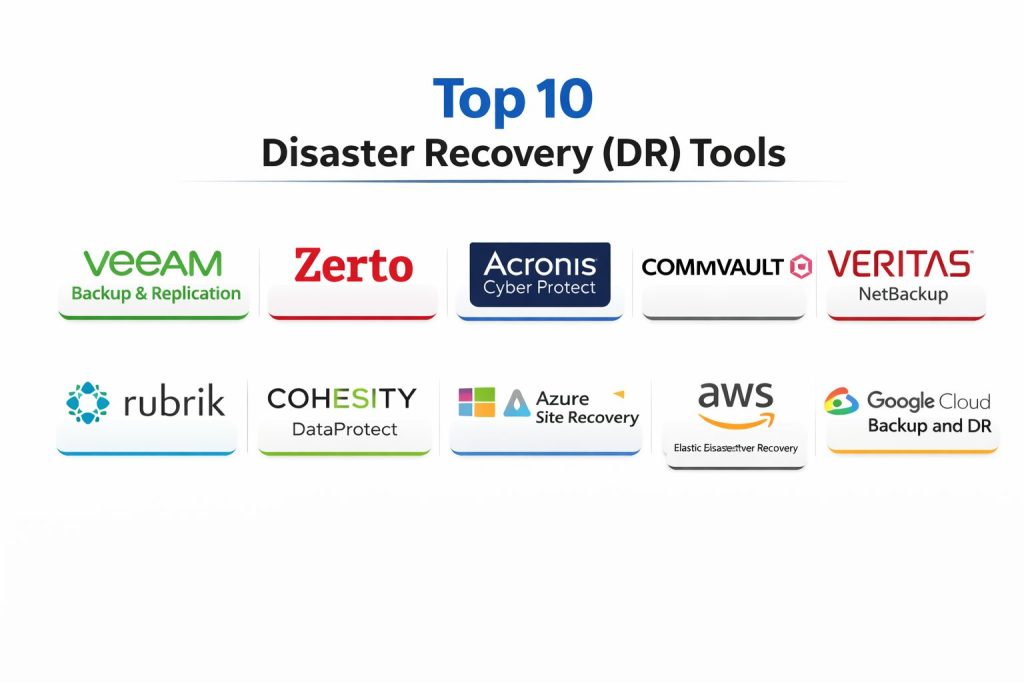
Top 10 Disaster Recovery (DR) Tools
1 — Veeam Backup & Replication
Veeam Backup & Replication is a widely used platform for backup, recovery, and replication across virtualized and mixed environments. It is often chosen when teams want dependable restores, flexible storage targets, and strong operational control.
Key Features
- VM backup and recovery workflows commonly used in enterprise environments
- Replication options for faster recovery where supported by design
- Flexible storage and repository options for different recovery tiers
- Restore options that support faster validation and recovery workflows
- Reporting and job monitoring for operational visibility
- Automation support through APIs and scripting patterns (varies)
- Supports building structured DR policies for different workload classes
Pros
- Strong fit for teams standardizing backup and recovery operations
- Reliable restore workflows when practices are consistent
- Broad ecosystem support in many environments
Cons
- DR success depends on storage design and recovery testing discipline
- Advanced DR orchestration may require additional planning or components
- Complexity grows with large multi-site environments
Platforms / Deployment
Windows (commonly), and infrastructure support varies by environment
Self-hosted / Hybrid (varies by design)
Security & Compliance
Not publicly stated
Integrations & Ecosystem
Designed to fit into common infrastructure stacks and operational workflows.
- Common storage targets and repository integrations (varies)
- Monitoring and reporting integrations (varies)
- APIs/scripting for automation (varies)
- Backup copy workflows for offsite protection
- Works alongside security controls for ransomware defense
Support & Community
Strong community adoption with plenty of operational guidance. Support depends on licensing tier and partner ecosystem.
2 — Zerto
Zerto is known for replication-led disaster recovery designed for low RPO and fast failover. It is often used when organizations need continuous data protection style behavior for critical workloads.
Key Features
- Continuous replication style workflows for low RPO designs
- Orchestrated failover and failback to reduce manual effort
- Testing workflows that help validate recovery without major disruption
- Protection grouping for applications and multi-VM recovery coordination
- Monitoring and reporting for DR readiness and recovery actions
- Supports hybrid recovery patterns depending on design
- Designed for fast recovery scenarios in DR planning
Pros
- Strong fit for low downtime and low data loss requirements
- Orchestration reduces manual steps during stressful incidents
- Testing capabilities encourage regular DR validation
Cons
- Typically positioned for more critical workloads rather than basic backup needs
- Costs can be higher depending on environment size and design
- Requires careful planning for networking and recovery sequencing
Platforms / Deployment
Varies / N/A (depends on environment and supported platforms)
Hybrid (varies)
Security & Compliance
Not publicly stated
Integrations & Ecosystem
Often used within larger DR and virtualization/cloud stacks.
- Works with virtualization and cloud recovery designs (varies)
- DR orchestration workflows for grouped applications
- Monitoring and alerting hooks (varies)
- Reporting outputs for DR governance
- Integrates into operational processes via tooling and runbooks
Support & Community
Commonly used in enterprise DR programs. Support varies by plan; professional services may help with complex designs.
3 — Acronis Cyber Protect
Acronis Cyber Protect combines backup and recovery with security-oriented features in a single platform. It is often selected by teams that want endpoint and workload protection with a simple operational experience.
Key Features
- Backup and recovery workflows across endpoints and workloads (varies)
- Security-focused features aligned to cyber recovery needs (varies)
- Central policy management for backup and protection operations
- Support for remote and distributed environments
- Recovery tooling designed for operational simplicity
- Reporting and visibility into backup status and health
- Useful for organizations with many endpoints and remote users
Pros
- Practical for SMB and distributed teams needing centralized protection
- Combines backup and security-style recovery concepts in one place
- Useful for standardizing endpoint recovery operations
Cons
- Feature depth may vary by workload type and licensing tier
- Larger enterprises may require deeper orchestration patterns
- DR readiness still depends on testing and clean restore discipline
Platforms / Deployment
Windows / macOS (endpoint focus), other support varies / N/A
Cloud / Self-hosted / Hybrid (varies)
Security & Compliance
Not publicly stated
Integrations & Ecosystem
Commonly fits into endpoint and SMB-focused IT environments.
- Endpoint management style workflows (varies)
- Reporting and alerting integrations (varies)
- Policy automation options (varies)
- Recovery workflows aligned to cyber incidents
- Works best with structured access controls and storage strategy
Support & Community
Strong in SMB and managed environments; community and documentation are widely available. Support depends on tier.
4 — Commvault
Commvault is an enterprise-grade data protection platform used for backup, recovery, and data management at scale. It is typically chosen for complex environments with many systems, strict governance needs, and long retention requirements.
Key Features
- Broad workload coverage across enterprise infrastructure (varies)
- Centralized policy and lifecycle management for data protection
- Reporting and compliance-style visibility for governance needs
- Automation and orchestration options for recovery operations (varies)
- Flexible storage integration patterns for multi-tier recovery
- Supports large-scale operations with role-based processes
- Strong fit for organizations with complex retention and recovery needs
Pros
- Suitable for large, complex enterprises with varied workloads
- Strong governance and reporting capabilities for DR readiness
- Scales well when properly designed and operated
Cons
- Can be complex to deploy and manage without strong process discipline
- Cost and operations overhead can be higher than simpler tools
- Best outcomes often require careful architecture and tuning
Platforms / Deployment
Varies / N/A
Self-hosted / Hybrid (varies)
Security & Compliance
Not publicly stated
Integrations & Ecosystem
Designed to integrate into enterprise storage, compute, and governance ecosystems.
- Storage and archive integrations (varies)
- Reporting and audit workflows (varies)
- Automation interfaces (varies)
- Broad workload connectors (varies)
- Works well with enterprise identity and access patterns
Support & Community
Strong enterprise support options. Community content exists, but many deployments rely on formal training and partner guidance.
5 — Veritas NetBackup
Veritas NetBackup is a long-standing enterprise backup and recovery platform known for scale and operational maturity. It is often used in environments that value proven data protection processes and broad workload coverage.
Key Features
- Enterprise backup and recovery operations at scale
- Policy-driven management for large environments
- Support for multi-site and distributed protection patterns (varies)
- Reporting and compliance visibility (varies)
- Storage integration across common enterprise stacks (varies)
- Operational controls suited to large teams and shared responsibility
- Designed for long retention and large data volumes
Pros
- Mature enterprise platform used in large production environments
- Works well when standardized policies and processes are enforced
- Strong fit for large-scale backup operations
Cons
- Complexity can be high for smaller teams
- May require specialized skills to manage at scale
- Some modern cloud-native DR approaches may need additional planning
Platforms / Deployment
Varies / N/A
Self-hosted / Hybrid (varies)
Security & Compliance
Not publicly stated
Integrations & Ecosystem
Often integrated into enterprise backup, storage, and governance environments.
- Storage integrations (varies)
- Automation and operational tooling hooks (varies)
- Reporting and auditing workflows (varies)
- Workload connectors (varies)
- Compatible with structured DR operational processes
Support & Community
Enterprise-oriented support ecosystem. Documentation is mature; many teams rely on established operational playbooks.
6 — Rubrik
Rubrik is a modern data management and recovery platform often associated with ransomware resilience and simplified operations. It is commonly chosen when teams want strong recovery outcomes with operational simplicity.
Key Features
- Policy-driven backup and recovery workflows (varies)
- Emphasis on operational simplicity and faster administration
- Recovery and retention controls designed for governance
- Features aligned to ransomware resilience goals (varies)
- Reporting and visibility into protection posture
- Works across different workloads depending on design
- Designed to reduce operational burden for IT teams
Pros
- Strong fit for teams that want simpler administration at scale
- Often aligned with ransomware recovery planning and governance
- Practical for policy-based management across many systems
Cons
- Feature scope can depend on workload type and deployment model
- Costs can be significant for very large data volumes
- Integration depth varies depending on ecosystem needs
Platforms / Deployment
Varies / N/A
Cloud / Self-hosted / Hybrid (varies)
Security & Compliance
Not publicly stated
Integrations & Ecosystem
Often fits into modern IT stacks that emphasize policy, governance, and rapid recovery.
- Workload coverage integrations (varies)
- Reporting and operational visibility hooks (varies)
- Role-based processes in IT teams (workflow dependent)
- Storage and recovery ecosystem connectivity (varies)
- Fits well with incident response runbooks
Support & Community
Strong enterprise presence and vendor support. Community content exists, but many teams adopt via structured rollout and best practices.
7 — Cohesity DataProtect
Cohesity DataProtect focuses on modern data protection with consolidation and simplified management. It is often used when organizations want to reduce tool sprawl and centralize backup and recovery operations.
Key Features
- Consolidated backup and recovery management approach (varies)
- Policy-based protection across supported workloads
- Reporting and monitoring for protection health
- Scale-out design patterns suited to growing data needs (varies)
- Helps standardize retention and governance operations
- Supports multi-site patterns depending on design
- Designed to simplify day-to-day backup administration
Pros
- Useful for consolidating backup operations and reducing complexity
- Policy-driven workflows can reduce manual errors
- Works well for organizations scaling data protection needs
Cons
- Feature support depends on workload types and environment
- Larger deployments require careful architecture planning
- Governance outcomes still require regular DR testing
Platforms / Deployment
Varies / N/A
Self-hosted / Hybrid (varies)
Security & Compliance
Not publicly stated
Integrations & Ecosystem
Designed to support centralized data protection for modern environments.
- Workload connectors (varies)
- Reporting and operational tools integrations (varies)
- Automation hooks (varies)
- Storage ecosystem alignment (varies)
- Fits into DR governance and testing cycles
Support & Community
Enterprise-focused support with training options. Community presence is good, and many teams follow standardized deployment patterns.
8 — Azure Site Recovery
Azure Site Recovery helps orchestrate disaster recovery for workloads into Azure, supporting failover and recovery planning. It is commonly used by teams with Microsoft-centric infrastructure and cloud-first DR goals.
Key Features
- DR orchestration into Azure for supported workloads (varies)
- Failover and failback workflows designed for operational control
- Support for DR testing and recovery plans (varies)
- Monitoring and health visibility for protected resources
- Useful for hybrid DR strategies centered on Azure
- Integrates with broader Azure operational tooling (varies)
- Helps reduce need for a secondary physical DR site in some designs
Pros
- Practical for Azure-centric teams seeking cloud-based DR
- Can reduce DR infrastructure overhead with cloud recovery patterns
- Orchestration helps standardize recovery steps
Cons
- Best fit is for Azure-aligned recovery strategies
- Coverage and capabilities depend on workload type and architecture
- Requires clear network and identity planning for successful failover
Platforms / Deployment
Varies / N/A
Cloud / Hybrid (varies)
Security & Compliance
Not publicly stated
Integrations & Ecosystem
Typically used inside the Azure ecosystem and aligned operational toolchains.
- Integrates with Azure monitoring and governance patterns (varies)
- Supports runbook-style recovery planning (varies)
- Identity and access patterns via cloud controls (varies)
- Works best with standardized cloud landing zone practices
- Fits into incident response and continuity procedures
Support & Community
Strong documentation and ecosystem learning resources. Enterprise support depends on cloud support plan.
9 — AWS Elastic Disaster Recovery
AWS Elastic Disaster Recovery is designed to help recover workloads into AWS with a focus on minimizing downtime and data loss for supported systems. It is often chosen by organizations that want AWS as their recovery destination.
Key Features
- Recovery into AWS for supported workloads (varies)
- Orchestration patterns designed for faster recovery execution
- Testing workflows to validate DR readiness (varies)
- Helps reduce need for a secondary physical DR location
- Monitoring and operational visibility (varies)
- Works best when paired with structured cloud operations
- Useful for hybrid and cloud recovery designs centered on AWS
Pros
- Strong option for AWS-first DR strategies
- Can lower DR infrastructure cost compared to traditional secondary sites
- Encourages more regular DR testing through cloud-based workflows
Cons
- Best value appears when AWS is the chosen recovery destination
- Capability depends on workload type and architecture
- Requires good cloud networking and access planning
Platforms / Deployment
Varies / N/A
Cloud / Hybrid (varies)
Security & Compliance
Not publicly stated
Integrations & Ecosystem
Fits into AWS operational and governance patterns when teams have standardized cloud practices.
- Monitoring and alerting integrations (varies)
- Identity and access integration patterns (varies)
- Recovery plan automation (workflow-dependent)
- Works alongside storage and backup strategies
- Aligns with incident response and DR runbooks
Support & Community
Backed by AWS ecosystem documentation and support options. Success depends on clear architecture and operational readiness.
10 — Google Cloud Backup and DR
Google Cloud Backup and DR supports disaster recovery and backup patterns for workloads aligned to Google Cloud. It is often considered by organizations that run critical systems on Google Cloud or prefer Google Cloud as a recovery target.
Key Features
- Backup and recovery patterns aligned to Google Cloud (varies)
- DR support for workloads depending on architecture (varies)
- Centralized management and policy workflows (varies)
- Monitoring and reporting for protection health (varies)
- Supports building cloud-based continuity approaches
- Useful for organizations standardizing DR on Google Cloud
- Designed to support recovery planning and operational consistency
Pros
- Suitable for Google Cloud-aligned environments
- Can simplify DR planning when cloud is the recovery destination
- Helps teams move toward more testable DR patterns
Cons
- Best fit is for Google Cloud-centric or hybrid designs
- Workload coverage varies by architecture and integration approach
- Requires strong cloud governance and network planning
Platforms / Deployment
Varies / N/A
Cloud / Hybrid (varies)
Security & Compliance
Not publicly stated
Integrations & Ecosystem
Typically integrates into Google Cloud operations and governance workflows.
- Monitoring and operations integrations (varies)
- Identity and access patterns (varies)
- Policy-based protection workflows (varies)
- Works alongside broader backup and retention strategies
- Fits into business continuity procedures and testing cycles
Support & Community
Support depends on cloud support plan. Documentation and ecosystem resources are available, and adoption works best with clear cloud operating practices.
Comparison Table
| Tool Name | Best For | Platform(s) Supported | Deployment | Standout Feature | Public Rating |
|---|---|---|---|---|---|
| Veeam Backup & Replication | Backup + recovery standardization across environments | Varies / N/A | Self-hosted / Hybrid | Mature restore workflows | N/A |
| Zerto | Low RPO and fast orchestrated DR | Varies / N/A | Hybrid | Replication-led DR orchestration | N/A |
| Acronis Cyber Protect | Endpoint + workload protection with simple operations | Varies / N/A | Cloud / Self-hosted / Hybrid | Unified protection approach | N/A |
| Commvault | Enterprise-scale data protection and governance | Varies / N/A | Self-hosted / Hybrid | Policy and governance depth | N/A |
| Veritas NetBackup | Large-scale enterprise backup operations | Varies / N/A | Self-hosted / Hybrid | Proven enterprise scale | N/A |
| Rubrik | Modern policy-based recovery and operational simplicity | Varies / N/A | Cloud / Self-hosted / Hybrid | Simplified recovery operations | N/A |
| Cohesity DataProtect | Consolidated data protection management | Varies / N/A | Self-hosted / Hybrid | Consolidation and scale-out patterns | N/A |
| Azure Site Recovery | Cloud-based DR into Azure | Varies / N/A | Cloud / Hybrid | Azure-oriented DR orchestration | N/A |
| AWS Elastic Disaster Recovery | DR recovery into AWS | Varies / N/A | Cloud / Hybrid | AWS recovery destination workflows | N/A |
| Google Cloud Backup and DR | DR patterns aligned to Google Cloud | Varies / N/A | Cloud / Hybrid | Google Cloud-aligned DR workflows | N/A |
Evaluation & Scoring of Disaster Recovery (DR) Tools
Each criterion is scored from 1 to 10, then multiplied by its weight to produce a weighted total from 0 to 10. These scores are comparative guidance to help shortlist tools based on typical strengths, not guaranteed outcomes in every environment.
Weights:
- Core features – 25%
- Ease of use – 15%
- Integrations & ecosystem – 15%
- Security & compliance – 10%
- Performance & reliability – 10%
- Support & community – 10%
- Price / value – 15%
| Tool Name | Core (25%) | Ease (15%) | Integrations (15%) | Security (10%) | Performance (10%) | Support (10%) | Value (15%) | Weighted Total (0–10) |
|---|---|---|---|---|---|---|---|---|
| Veeam Backup & Replication | 8.5 | 7.5 | 8.0 | 6.0 | 8.5 | 8.5 | 8.0 | 7.97 |
| Zerto | 8.5 | 7.0 | 7.5 | 6.0 | 8.5 | 7.5 | 7.0 | 7.58 |
| Acronis Cyber Protect | 7.5 | 8.0 | 7.0 | 6.0 | 7.5 | 7.5 | 8.0 | 7.45 |
| Commvault | 9.0 | 6.5 | 8.5 | 6.0 | 8.5 | 7.5 | 6.5 | 7.70 |
| Veritas NetBackup | 8.5 | 6.5 | 8.0 | 6.0 | 8.5 | 7.5 | 6.5 | 7.43 |
| Rubrik | 8.5 | 7.5 | 7.5 | 6.0 | 8.0 | 7.5 | 6.5 | 7.48 |
| Cohesity DataProtect | 8.0 | 7.0 | 7.5 | 6.0 | 8.0 | 7.0 | 6.5 | 7.20 |
| Azure Site Recovery | 7.5 | 7.5 | 7.5 | 6.0 | 7.5 | 7.5 | 8.0 | 7.45 |
| AWS Elastic Disaster Recovery | 7.5 | 7.0 | 7.5 | 6.0 | 7.5 | 7.5 | 8.0 | 7.33 |
| Google Cloud Backup and DR | 7.0 | 7.0 | 7.0 | 6.0 | 7.0 | 7.0 | 7.5 | 6.98 |
How to use the scores:
- Treat them as a shortlist guide, then validate with a pilot using your real workloads.
- If your target is ultra-low downtime, prioritize Core + Performance, and validate orchestration and testing.
- If your team is small, Ease + Value often matter more than maximum depth.
- If security risk is high, prioritize immutability, access control design, and tested clean recovery.
Which Tool Is Right for You?
Solo / Freelancer
- If you mainly need basic protection for a few devices, a simpler backup approach may be enough, but DR tooling becomes useful when downtime matters.
- For individual consultants supporting clients, choose tools that are easy to manage and report on, such as endpoint-friendly platforms.
- Avoid complex replication-led DR unless you support critical systems that require very low downtime.
SMB
- If you run virtualized servers and need dependable restores, Veeam Backup & Replication is often a practical backbone.
- If ransomware is a major concern, prioritize immutability and clean restore discipline, and choose a tool that fits your operations.
- Cloud-based DR like Azure Site Recovery or AWS Elastic Disaster Recovery can reduce the need for a second site when designed properly.
Mid-Market
- Mid-market teams often benefit from a mix of backup plus targeted replication for the most critical apps.
- If you need low RPO/RTO for specific systems, Zerto can fit well when orchestration and testing are priorities.
- Tools like Rubrik or Cohesity DataProtect can help simplify operations and reduce tool sprawl.
Enterprise
- Enterprises usually need governance, reporting, and role separation, plus long retention and multi-site complexity.
- Commvault and Veritas NetBackup are often aligned to large-scale governance-driven environments.
- Many enterprises also adopt cloud-based DR options for specific workloads to reduce secondary-site costs.
Budget vs Premium
- Budget-focused teams should prioritize operational simplicity and testability rather than buying too many features.
- Premium tools pay off when they reduce downtime risk, automate recovery steps, and improve compliance readiness.
- The most expensive failure is an untested DR plan, so invest in testing discipline no matter the tool.
Feature Depth vs Ease of Use
- If your team needs advanced policies, reporting, and complex workload coverage, enterprise platforms can fit well.
- If your team is small, choose a tool that is easier to operate and encourages consistent recovery testing.
- Replication-led approaches require more design discipline but can improve RTO and reduce downtime.
Integrations & Scalability
- If you need strong ecosystem fit, evaluate how each tool integrates with your monitoring, identity, and ticketing processes.
- At scale, automation and predictable policies matter more than single-feature checklists.
- Make sure the tool supports your growth plan: more data, more apps, more sites, and more cloud workloads.
Security & Compliance Needs
- Many vendors do not publicly state every compliance detail, so validate based on your governance needs.
- Focus on immutability, access controls, separation of duties, audit trails, and clean restore testing.
- Your operational controls and tested runbooks are often more important than checkbox claims.
Frequently Asked Questions
What is the difference between backup and disaster recovery?
Backup focuses on storing recoverable copies of data. Disaster recovery includes backup plus the full recovery plan: orchestration, failover steps, testing, and restoring services quickly with clear RTO/RPO goals.
How do I choose the right RPO and RTO?
Start with business impact: how much data loss is acceptable and how long systems can be down. Critical revenue systems usually need lower RPO/RTO, while internal systems may tolerate longer recovery windows.
How often should disaster recovery testing be done?
At minimum, test regularly enough to catch drift in systems and processes. Many teams run smaller tests frequently and full failover-style tests on a scheduled cadence aligned to risk and compliance needs.
Which tools are best for ransomware recovery?
Focus on immutability, strong access control design, and the ability to validate clean recovery. A tool alone is not enough—clean restore processes and isolated recovery environments matter most.
Is cloud-based DR always cheaper than a second data center?
It can be, but it depends on storage, replication frequency, data egress, and how often you test. Cloud DR often reduces upfront hardware costs, but costs must be modeled with real usage patterns.
Can I use more than one DR tool in the same organization?
Yes, and many enterprises do. The key is to avoid overlapping confusion by clearly defining which tool protects which workloads, and standardizing runbooks and testing across teams.
What are common DR mistakes teams make?
The biggest mistakes are not testing, unclear RTO/RPO, poor access control, and not documenting dependencies. Another common issue is relying on backups that are not isolated from ransomware risk.
How do DR tools handle application dependencies during recovery?
Some tools support orchestration and recovery grouping, while others rely on external runbooks. Always map dependencies like identity, DNS, databases, and networking before assuming a failover will work.
What should I monitor to know if my DR posture is healthy?
Track backup job success rates, replication lag, storage capacity, test results, and time-to-restore. Also monitor changes in infrastructure that can break recovery, such as network updates or identity changes.
How do I decide between replication-led DR and backup-led DR?
Replication-led DR is better for very low downtime and low data loss goals, but it needs more design discipline. Backup-led DR can be simpler and cheaper, but recovery may take longer depending on restore size and complexity.
Conclusion
Disaster Recovery tools protect your business from the moments that hurt most: ransomware, outages, human errors, and infrastructure failures. However, the best tool is not the one with the longest feature list—it is the one your team can operate consistently and test regularly. Start by defining your RPO and RTO for each system class, then shortlist two or three tools that match your workloads and recovery destination. Run a small pilot that includes recovery testing, access controls, reporting, and real restore time measurement. Finally, document dependencies and enforce a repeatable testing cadence. A tested, predictable recovery process is the real goal.