Introduction
Mobile Device Management (MDM) software helps organizations secure, configure, monitor, and manage mobile devices used for work. This includes smartphones, tablets, and sometimes laptops—especially when the same platform also supports broader endpoint management. In simple terms, MDM gives IT teams a central way to enforce policies, push settings, control apps, and protect company data if devices are lost, stolen, or used in unsafe ways.
MDM matters now because work is increasingly mobile and distributed. Companies also face higher risks from insecure apps, unmanaged BYOD devices, phishing, and data leakage. A modern MDM program helps teams move faster without compromising security, while keeping device fleets consistent and supportable.
Real-world use cases:
- Enrolling and configuring corporate devices for new hires in minutes
- Enforcing passcodes, encryption, and OS update policies for compliance
- Deploying business apps and restricting risky app installs
- Enabling secure email and file access with conditional access rules
- Remotely locking/wiping lost devices to prevent data exposure
What buyers should evaluate before choosing:
- Enrollment options (company-owned, BYOD, zero-touch where supported)
- Policy depth (passcode, encryption, OS updates, restrictions)
- App management (distribution, updates, blocking, managed apps)
- Identity integration (SSO, conditional access patterns)
- Reporting and visibility (device health, compliance posture, alerts)
- Support for iOS, Android, Windows, macOS (based on your fleet)
- Multi-tenant and role-based administration for larger teams
- Automation and APIs for scale (workflows, scripts, integrations)
- Security controls (remote wipe, data separation, threat signals)
- Total cost (licenses, add-ons, training, operational effort)
Mandatory guidance
Best for: IT admins, security teams, compliance-driven organizations, schools, healthcare providers, retail chains, logistics teams, and any business managing many mobile devices across multiple locations. This also suits SMBs that want easy onboarding and consistent policies without a heavy IT footprint.
Not ideal for: teams with very few devices and no sensitive data, organizations that only need basic password rules without app control, or environments where device ownership is entirely personal and strict management would harm employee adoption (in such cases, lighter policy approaches may fit better).
Key Trends in Mobile Device Management (MDM)
- More focus on zero-trust access where device compliance affects app and data access decisions.
- Growth of unified endpoint management approaches that manage mobile plus laptops from one console.
- Stronger emphasis on BYOD privacy with clear separation between work and personal data.
- More reliance on automated enrollment and out-of-box provisioning for faster onboarding.
- Increased need for app governance, including blocking risky apps and enforcing managed app use.
- Better use of device risk signals and security integrations to respond faster to threats.
- Higher expectations for self-service (password reset, device actions, simple requests) to reduce helpdesk load.
- Demand for granular admin roles and auditability as teams and policies scale.
- More adoption of policy-as-code style automation via APIs and workflow tooling.
- Rising pressure to demonstrate compliance through reports, dashboards, and evidence trails.
How We Selected These Tools
- Selected tools with strong adoption across enterprise, mid-market, and SMB environments.
- Prioritized solutions with solid coverage for iOS and Android, plus broader endpoint support where relevant.
- Considered policy depth, app management strength, and real-world operational usability.
- Included options that fit Apple-focused fleets, mixed-device fleets, and frontline workforces.
- Looked at ecosystem strength: identity integrations, security tools, and admin automation patterns.
- Considered scalability and multi-site administration needs.
- Factored in onboarding speed and the availability of training/support resources.
- Avoided claiming certifications and ratings unless clearly known; used “Not publicly stated” or “N/A” when uncertain.
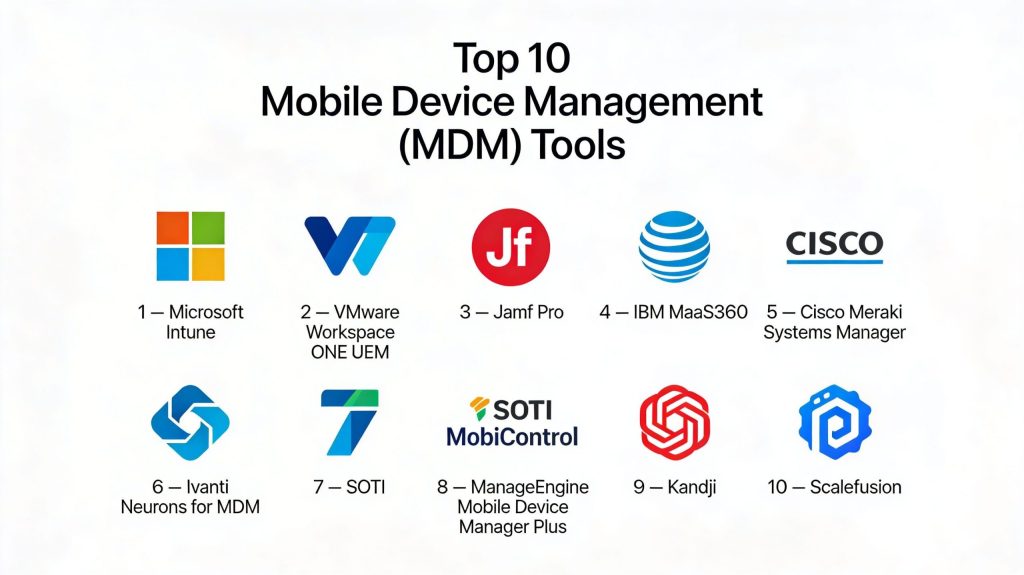
Top 10 Mobile Device Management (MDM) Tools
1 — Microsoft Intune
Microsoft Intune is widely used for managing mobile devices and endpoints in organizations that rely on Microsoft identity and productivity tools. It’s commonly chosen for mixed fleets where policy enforcement and conditional access patterns are important.
Key Features
- Device enrollment and compliance policy management across common platforms
- App deployment, updates, and managed app controls
- Policy-based access patterns tied to identity and device compliance
- Centralized configuration profiles and restrictions management
- Reporting and alerting for compliance and device posture
- Automation options via integrations and administrative workflows
- Works well when combined with broader endpoint management needs
Pros
- Strong fit for Microsoft-centric environments and identity-driven security
- Scales well for organizations standardizing compliance enforcement
- Good balance of policy control and admin workflows for mixed fleets
Cons
- Some advanced workflows may require careful design to avoid policy complexity
- Admin experience can feel complex for very small teams
- Feature availability can vary by platform and licensing scope
Platforms / Deployment
iOS / Android / Windows / macOS
Cloud
Security & Compliance
SSO/SAML: Not publicly stated
MFA: Not publicly stated
Encryption: Not publicly stated
Audit logs: Not publicly stated
RBAC: Not publicly stated
SOC 2 / ISO 27001: Not publicly stated
Integrations & Ecosystem
Intune is commonly integrated with identity and security stacks, especially where device compliance influences access decisions.
- Identity provider and directory integrations (environment-dependent)
- Conditional access style patterns (environment-dependent)
- Security tooling integrations (varies by stack)
- APIs and automation options (varies)
- Endpoint and productivity ecosystem integrations (varies)
Support & Community
Strong documentation ecosystem and large admin community. Enterprise support options depend on organization licensing and support plans.
2 — VMware Workspace ONE UEM
VMware Workspace ONE UEM is built for unified management across mobile devices and endpoints, with strong enterprise features for policy control and device lifecycle management.
Key Features
- Unified management for mobile and endpoints in a single console
- Strong configuration profiles, restrictions, and compliance workflows
- App management, distribution, and update controls
- Device provisioning and lifecycle automation patterns
- Reporting dashboards and operational visibility
- Role-based administration for larger IT teams
- Works well for large fleets and multi-site operations
Pros
- Strong enterprise-grade UEM capabilities for mixed fleets
- Good fit for organizations needing deep admin segmentation and control
- Mature feature set for lifecycle and large-scale policy enforcement
Cons
- Can be heavy for small teams that want very simple management
- Deployment design needs planning to avoid policy sprawl
- Cost and licensing structure may be a factor for SMBs
Platforms / Deployment
iOS / Android / Windows / macOS
Cloud / Hybrid (varies)
Security & Compliance
Not publicly stated
Integrations & Ecosystem
Workspace ONE UEM is typically used with identity, security, and endpoint ecosystems in larger organizations.
- Identity integrations (environment-dependent)
- App ecosystem integrations (varies)
- Security and posture signal integrations (varies)
- Automation and APIs (varies)
- Endpoint ecosystem integrations (varies)
Support & Community
Strong enterprise support options and professional services ecosystem. Community resources are solid, especially in enterprise IT circles.
3 — Jamf Pro
Jamf Pro is a leading choice for organizations with Apple-first fleets. It focuses on strong management for macOS, iOS, and iPadOS, with tooling built around Apple admin workflows.
Key Features
- Apple-focused device enrollment and configuration management
- App deployment and update management for Apple ecosystems
- Policy enforcement and compliance-style workflows for Apple devices
- Inventory, reporting, and device lifecycle visibility
- Scripting and automation patterns for macOS management
- Admin workflows designed around Apple IT practices
- Strong support for Apple-centric operational needs
Pros
- Excellent fit for Apple-heavy environments, especially education and enterprises
- Strong Apple admin workflows and ecosystem maturity
- Useful automation capabilities for macOS device management
Cons
- Less ideal as a single tool if you have a heavily mixed device fleet
- Advanced workflows can require Apple admin expertise
- Some organizations still add another tool for non-Apple endpoints
Platforms / Deployment
iOS / iPadOS / macOS
Cloud (varies) / Self-hosted (varies)
Security & Compliance
Not publicly stated
Integrations & Ecosystem
Jamf Pro commonly integrates with identity and productivity environments, and it fits well in Apple-focused security workflows.
- Identity and directory integrations (environment-dependent)
- Security tooling integrations for Apple fleets (varies)
- Apple ecosystem app and deployment workflows (varies)
- Automation and scripting workflows (varies)
- Inventory and asset workflows (varies)
Support & Community
Strong Apple admin community, extensive documentation, and training resources. Enterprise support availability depends on plan.
4 — IBM MaaS360
IBM MaaS360 is used for device management and security policy enforcement across mobile platforms, with broader endpoint management capabilities depending on plan and deployment choices.
Key Features
- Multi-platform device enrollment and policy management
- App distribution and management workflows
- Compliance monitoring and device posture tracking
- Reporting dashboards and operational visibility
- Policy automation patterns for large fleets
- Admin role separation for teams managing multiple business units
- Works well in regulated environments when configured properly
Pros
- Practical for organizations needing multi-platform management
- Good policy depth for common compliance needs
- Enterprise-oriented reporting and admin segmentation
Cons
- Admin experience may take time to tune for your exact workflows
- Some capabilities depend on licensing and environment setup
- Ecosystem integration depth varies by organization stack
Platforms / Deployment
iOS / Android / Windows / macOS (varies)
Cloud
Security & Compliance
Not publicly stated
Integrations & Ecosystem
MaaS360 is typically used with identity and broader security tooling depending on enterprise stack.
- Identity integrations (environment-dependent)
- Security tool integrations (varies)
- App ecosystem integrations (varies)
- Automation options (varies)
- Reporting and audit workflows (varies)
Support & Community
Enterprise support options available; community resources vary by region and customer base. Documentation is generally strong.
5 — Cisco Meraki Systems Manager
Cisco Meraki Systems Manager is commonly chosen by organizations that already use Meraki for networking and want a simpler, centralized approach to device visibility and control.
Key Features
- Device enrollment and policy enforcement for common platforms
- App management and deployment workflows (varies by platform)
- Inventory and device visibility in a unified console
- Location and device tracking features (capability varies by setup)
- Remote actions like lock and wipe (workflow dependent)
- Works well in distributed, multi-site environments
- Often used by IT teams wanting simpler operations
Pros
- Simple management experience for many organizations
- Fits well for distributed teams and multi-site operations
- Strong value when already invested in Meraki ecosystem
Cons
- May be less deep than specialized enterprise UEM tools for complex cases
- Some advanced policy depth may vary by platform
- Larger enterprises may require additional tooling for complex compliance
Platforms / Deployment
iOS / Android / Windows / macOS (varies)
Cloud
Security & Compliance
Not publicly stated
Integrations & Ecosystem
Often used in environments where IT also manages networks and devices as one operational surface.
- Meraki ecosystem connections (environment-dependent)
- Identity integrations (varies)
- App deployment workflows (varies)
- Monitoring and reporting integrations (varies)
- APIs and automation (varies)
Support & Community
Solid documentation and strong IT community adoption. Support is typically structured around customer plans.
6 — Ivanti Neurons for MDM
Ivanti Neurons for MDM is used for managing mobile devices in organizations that want security-oriented policy control and device lifecycle management, often as part of a broader endpoint management approach.
Key Features
- Device enrollment, configuration, and policy enforcement workflows
- App deployment and management controls
- Compliance checks and device posture visibility
- Admin role-based controls for scaled operations
- Automation patterns for repetitive fleet tasks
- Reporting and operational dashboards
- Works well for organizations managing multiple device types
Pros
- Strong fit for organizations wanting security-focused management
- Supports scalable administration patterns
- Useful for teams that want broader endpoint management alignment
Cons
- Can require careful setup to align policies with real workflows
- Some capabilities may depend on plan and environment configuration
- Training may be needed for teams new to the Ivanti ecosystem
Platforms / Deployment
iOS / Android / Windows (varies) / macOS (varies)
Cloud / Hybrid (varies)
Security & Compliance
Not publicly stated
Integrations & Ecosystem
Commonly used where endpoint and service management ecosystems are already present.
- Identity integrations (environment-dependent)
- Endpoint ecosystem integrations (varies)
- Automation and APIs (varies)
- Security tooling integrations (varies)
- Reporting/export workflows (varies)
Support & Community
Support options vary by plan, with stronger enterprise pathways available. Community resources exist, but depth depends on regional adoption.
7 — SOTI MobiControl
SOTI MobiControl is widely used in frontline and industrial environments where rugged devices, kiosks, and specialized Android deployments are common. It focuses on operational control for device fleets in the field.
Key Features
- Strong support for Android and specialized device fleet management
- Kiosk/lockdown modes for single-purpose device deployments
- Remote support and device troubleshooting workflows
- App deployment and controlled update management
- Inventory management and device visibility for field operations
- Policy enforcement suited for distributed device fleets
- Practical tools for logistics, retail, and field teams
Pros
- Excellent fit for frontline, kiosk, and rugged device deployments
- Strong remote support capabilities for field troubleshooting
- Good operational tooling for large distributed device fleets
Cons
- May be more specialized than needed for typical office-only fleets
- Mixed fleet support depends on device types and deployment goals
- Policy design still requires planning for consistent operations
Platforms / Deployment
Android / iOS (varies) / Windows (varies)
Cloud / Self-hosted (varies)
Security & Compliance
Not publicly stated
Integrations & Ecosystem
SOTI MobiControl often fits into operational stacks where device uptime and remote support matter.
- Helpdesk and ticketing integrations (varies)
- Device diagnostics workflows (varies)
- App deployment ecosystems (varies)
- APIs and automation (varies)
- Hardware vendor ecosystem connections (varies)
Support & Community
Strong in industries that use managed device fleets. Documentation and support are practical for operational environments.
8 — ManageEngine Mobile Device Manager Plus
ManageEngine Mobile Device Manager Plus is commonly adopted by SMBs and mid-market teams that want straightforward device management, policy enforcement, and app control without heavy complexity.
Key Features
- Device enrollment and policy management for common mobile platforms
- App management for deployment, updates, and restrictions
- Compliance monitoring with reporting and alerts
- Remote actions such as lock, wipe, and device commands
- Inventory and device tracking workflows
- Admin-friendly console for day-to-day operations
- Good fit for teams building basic-to-advanced MDM maturity
Pros
- Strong value for SMBs needing practical MDM quickly
- Generally approachable admin experience for small IT teams
- Covers core MDM needs without requiring deep specialization
Cons
- Some advanced enterprise scenarios may require deeper UEM capabilities
- Feature depth may vary by platform and deployment style
- Large global enterprises may need more complex admin segmentation
Platforms / Deployment
iOS / Android / Windows (varies) / macOS (varies)
Cloud / Self-hosted (varies)
Security & Compliance
Not publicly stated
Integrations & Ecosystem
Often used alongside broader IT management tools, especially in cost-sensitive environments.
- Directory and identity integrations (environment-dependent)
- Ticketing and IT ops integrations (varies)
- Automation options (varies)
- Reporting exports (varies)
- App ecosystem workflows (varies)
Support & Community
Good documentation and wide SMB adoption. Support tiers vary by plan, with practical onboarding resources available.
9 — Kandji
Kandji focuses on Apple device management with an emphasis on automation and modern admin workflows. It’s often chosen by teams that want a clean Apple management experience and strong policy consistency.
Key Features
- Apple-first device management workflows for macOS and iOS ecosystems
- Automated configuration and enforcement patterns
- App deployment and update workflows for Apple fleets
- Security posture and compliance-oriented policy enforcement
- Reporting and device inventory visibility
- Workflow automation to reduce repetitive admin tasks
- Good fit for growing teams scaling Apple fleet operations
Pros
- Strong Apple management experience with automation focus
- Helps standardize device setup and reduce manual configuration
- Great for teams scaling Apple fleets without building heavy internal tooling
Cons
- Primarily Apple-focused, so mixed fleets may require additional tooling
- Advanced compliance needs depend on configuration and environment
- Smaller community footprint than the largest legacy platforms
Platforms / Deployment
iOS / iPadOS / macOS
Cloud
Security & Compliance
Not publicly stated
Integrations & Ecosystem
Kandji commonly fits into modern identity-driven environments for Apple fleets.
- Identity integrations (environment-dependent)
- Security tooling connections (varies)
- Apple ecosystem app workflows (varies)
- Automation capabilities (varies)
- Inventory and asset workflows (varies)
Support & Community
Generally strong onboarding resources and modern documentation. Community size is smaller than older Apple admin ecosystems, but growing.
10 — Scalefusion
Scalefusion is commonly used for MDM and kiosk-style device management, especially for Android fleets and business devices used by frontline teams. It focuses on practical device control and simplified administration.
Key Features
- Device enrollment and policy enforcement for business devices
- Kiosk and lockdown modes for single-purpose deployments
- App management and controlled update workflows
- Remote actions and device troubleshooting tools
- Inventory and device tracking dashboards
- Useful for multi-location teams managing many devices
- Supports operational use cases like retail, delivery, and field services
Pros
- Strong for kiosk and frontline device deployments
- Admin-friendly for teams that need quick operational control
- Good value for organizations managing large Android fleets
Cons
- Mixed-fleet enterprise complexity may need more advanced UEM capabilities
- Some advanced controls depend on platform and deployment design
- Reporting depth varies by plan and usage patterns
Platforms / Deployment
Android / iOS (varies) / Windows (varies) / macOS (varies)
Cloud
Security & Compliance
Not publicly stated
Integrations & Ecosystem
Often used in operational stacks where device standardization and uptime are key.
- App ecosystem workflows (varies)
- Identity and directory integrations (varies)
- API and automation options (varies)
- Hardware and device vendor ecosystem alignment (varies)
- Reporting/export workflows (varies)
Support & Community
Practical documentation and support suited for operational deployments. Community resources exist, with strength depending on region and industry.
Comparison Table
| Tool Name | Best For | Platform(s) Supported | Deployment | Standout Feature | Public Rating |
|---|---|---|---|---|---|
| Microsoft Intune | Microsoft-centric identity and mixed fleets | iOS / Android / Windows / macOS | Cloud | Compliance-driven access patterns | N/A |
| VMware Workspace ONE UEM | Enterprise UEM and large fleets | iOS / Android / Windows / macOS | Cloud / Hybrid (varies) | Unified fleet management depth | N/A |
| Jamf Pro | Apple-first organizations | iOS / iPadOS / macOS | Cloud (varies) / Self-hosted (varies) | Best-in-class Apple workflows | N/A |
| IBM MaaS360 | Multi-platform MDM in enterprise contexts | iOS / Android / Windows / macOS (varies) | Cloud | Enterprise policy + reporting | N/A |
| Cisco Meraki Systems Manager | Simple MDM for distributed teams | iOS / Android / Windows / macOS (varies) | Cloud | Easy ops in Meraki environments | N/A |
| Ivanti Neurons for MDM | Security-focused mobile management | iOS / Android / Windows (varies) / macOS (varies) | Cloud / Hybrid (varies) | Policy control at scale | N/A |
| SOTI MobiControl | Rugged, kiosk, and frontline fleets | Android / iOS (varies) / Windows (varies) | Cloud / Self-hosted (varies) | Field operations + remote support | N/A |
| ManageEngine Mobile Device Manager Plus | SMB-friendly MDM and app control | iOS / Android / Windows (varies) / macOS (varies) | Cloud / Self-hosted (varies) | Practical all-round MDM value | N/A |
| Kandji | Modern Apple device management | iOS / iPadOS / macOS | Cloud | Automated Apple policy enforcement | N/A |
| Scalefusion | Kiosk and frontline device control | Android / iOS (varies) / Windows (varies) / macOS (varies) | Cloud | Kiosk and lockdown simplicity | N/A |
Evaluation & Scoring of Mobile Device Management (MDM)
Scoring model and weights:
- Core features – 25%
- Ease of use – 15%
- Integrations & ecosystem – 15%
- Security & compliance – 10%
- Performance & reliability – 10%
- Support & community – 10%
- Price / value – 15%
| Tool Name | Core (25%) | Ease (15%) | Integrations (15%) | Security (10%) | Performance (10%) | Support (10%) | Value (15%) | Weighted Total (0–10) |
|---|---|---|---|---|---|---|---|---|
| Microsoft Intune | 9.0 | 7.5 | 9.0 | 7.5 | 8.5 | 8.5 | 8.0 | 8.47 |
| VMware Workspace ONE UEM | 9.2 | 7.0 | 8.8 | 7.5 | 8.6 | 8.0 | 7.3 | 8.23 |
| Jamf Pro | 8.8 | 8.0 | 8.0 | 7.0 | 8.2 | 8.5 | 7.2 | 8.03 |
| IBM MaaS360 | 8.4 | 7.2 | 7.8 | 7.2 | 8.0 | 7.8 | 7.6 | 7.79 |
| Cisco Meraki Systems Manager | 7.8 | 8.2 | 7.2 | 6.8 | 7.8 | 7.6 | 8.0 | 7.70 |
| Ivanti Neurons for MDM | 8.2 | 7.0 | 7.8 | 7.2 | 8.0 | 7.4 | 7.2 | 7.65 |
| SOTI MobiControl | 8.0 | 7.6 | 7.2 | 7.0 | 8.2 | 7.6 | 7.4 | 7.66 |
| ManageEngine Mobile Device Manager Plus | 7.8 | 8.2 | 7.0 | 6.8 | 7.6 | 7.4 | 8.4 | 7.73 |
| Kandji | 7.9 | 8.4 | 7.1 | 6.8 | 7.8 | 7.6 | 7.8 | 7.68 |
| Scalefusion | 7.6 | 8.1 | 6.8 | 6.6 | 7.6 | 7.2 | 8.2 | 7.54 |
How to interpret the scores:
- These scores are comparative to help you shortlist tools based on typical strengths.
- If you manage large fleets, prioritize Core, Integrations, and Performance over ease.
- If you are SMB, Ease and Value can matter more than maximum depth.
- Treat close scores as a sign to run a pilot rather than debating minor differences.
- Always validate the final shortlist against your real device mix and policy needs.
Which Mobile Device Management (MDM) Tool Is Right for You?
Solo / Freelancer
Most solo users do not need full MDM unless they manage devices for clients or a small distributed team. If you do:
- Choose ManageEngine Mobile Device Manager Plus if you want practical device control with approachable admin workflows.
- Choose Microsoft Intune if you already operate in a Microsoft identity environment and want policy-driven access.
- Choose Scalefusion if your work involves kiosk or dedicated-device scenarios.
SMB
SMBs need quick enrollment, simple policies, and reliable app distribution without heavy overhead.
- Microsoft Intune fits well if your productivity and identity stack is Microsoft-based.
- ManageEngine Mobile Device Manager Plus is strong when budget and simplicity matter.
- Cisco Meraki Systems Manager can be attractive for distributed teams, especially with existing Meraki operations.
Mid-Market
Mid-market teams often need better role separation, stronger reporting, and scalable operations.
- VMware Workspace ONE UEM works well for unified management across diverse endpoints.
- IBM MaaS360 is a practical choice for multi-platform management with enterprise patterns.
- Jamf Pro or Kandji is ideal if Apple devices are a large portion of the fleet.
Enterprise
Enterprises care about standardization, auditability, and identity-driven security controls.
- Microsoft Intune is strong for compliance-based access patterns in Microsoft-centric environments.
- VMware Workspace ONE UEM is a strong pick for large mixed fleets needing deep UEM coverage.
- Ivanti Neurons for MDM can fit well where endpoint management ecosystems and service operations are mature.
Budget vs Premium
- Budget-focused teams often do best with ManageEngine Mobile Device Manager Plus or Scalefusion when the goal is straightforward device control.
- Premium enterprise needs often favor Microsoft Intune, VMware Workspace ONE UEM, or Jamf Pro depending on platform mix and governance needs.
- The best ROI usually comes from reducing helpdesk load and preventing security incidents, not just cutting license cost.
Feature Depth vs Ease of Use
- For deep enterprise controls and broad fleet governance: VMware Workspace ONE UEM and Microsoft Intune.
- For easier onboarding and simpler daily admin: Cisco Meraki Systems Manager, ManageEngine Mobile Device Manager Plus, and Scalefusion.
- For Apple-focused ease and strong Apple workflows: Jamf Pro and Kandji.
Integrations & Scalability
- If you rely heavily on identity, conditional access patterns, and standardized policies, prioritize Microsoft Intune or VMware Workspace ONE UEM.
- If your environment is operational and multi-site with frontline devices, consider SOTI MobiControl and Scalefusion.
- If you need multi-business-unit governance, look for strong RBAC, reporting, and workflow automation capabilities (feature depth varies by plan).
Security & Compliance Needs
Many MDM tools do not publicly list every certification detail in a consistent way across regions and plans. For strict security:
- Focus on device encryption enforcement, strong passcode rules, and remote wipe capabilities.
- Use identity enforcement so only compliant devices access business apps and data.
- Require clear separation of work vs personal data for BYOD where possible.
- Ensure audit-friendly reporting, admin role separation, and consistent policy templates.
Frequently Asked Questions
- What is the difference between MDM and UEM?
MDM focuses mainly on managing mobile devices like phones and tablets. UEM typically expands the same management model to include laptops and other endpoints. Many modern platforms offer both, but feature depth can vary by plan and platform.
- Can MDM work for BYOD without invading employee privacy?
Yes, if the tool supports clear separation between work and personal data. Strong BYOD setups focus on managing work apps and corporate access policies while minimizing control over personal content. Exact privacy controls vary by platform and configuration.
- What are the most common mistakes during MDM rollout?
Common mistakes include unclear device ownership rules, too many policies at once, poor communication to employees, and weak enrollment workflows. Start with a small policy set, pilot with a real user group, then scale once support friction drops.
- How long does MDM implementation usually take?
Small deployments can be set up quickly, but a stable rollout often takes longer due to testing and policy tuning. Most of the time is spent aligning policies with real workflows, training admins, and ensuring app deployment works reliably across devices.
- How do I choose the right enrollment approach?
It depends on whether devices are company-owned or personal. Company-owned devices can use stronger management and automated provisioning, while BYOD usually requires privacy-friendly controls and limited scope. Your choice should match legal, HR, and user adoption needs.
- Does MDM replace mobile security tools?
MDM enforces device policies and can reduce risk, but it may not replace broader security programs. Many organizations combine MDM with identity controls and security monitoring. The exact mix depends on threat level and regulatory needs.
- What should I enforce first for security?
Start with passcode rules, encryption, screen lock timing, OS update policies, and remote wipe capability. Then add app controls, risky app restrictions, and compliance-based access patterns once core stability is proven.
- How do I handle app distribution and updates safely?
Use managed app deployment where possible and test updates with a pilot group before broad rollout. Keep a rollback plan, define which apps are mandatory, and avoid uncontrolled installs for high-risk roles. The best approach depends on platform behavior.
- How do I measure success after rollout?
Track enrollment rate, device compliance rate, reduction in helpdesk tickets, app deployment success, and incident response speed for lost devices. Also measure user experience through feedback, because adoption issues often show up as policy bypass attempts.
- When should we consider switching MDM tools?
Consider switching if your platform cannot support your device mix, lacks needed reporting and admin roles, or becomes too complex and costly to operate. Before switching, run a controlled pilot and map policies carefully to avoid downtime and rework.
Conclusion
A good Mobile Device Management program is not just about pushing settings to phones—it is about creating a reliable, repeatable way to keep devices secure while letting people work without friction. The “best” MDM depends on your device mix, ownership model, identity stack, and how strict your compliance needs are. Start by listing your must-have requirements: enrollment type, app control, reporting, and remote actions. Then shortlist two or three tools and run a pilot with real users, real apps, and real policies. Validate enrollment speed, policy stability, support effort, and reporting clarity before rolling out broadly.