Introduction
The landscape of customer service has shifted fundamentally from reactive “call handling” to proactive “experience orchestration.” Contact Center Platform (often referred to as CCaaS—Contact Center as a Service) is no longer just a digital switchboard. It is an AI-powered hub that unifies voice, digital messaging, and automation into a single, cohesive journey. These platforms utilize advanced Natural Language Processing (NLP) and Large Language Models (LLMs) to understand intent, sentiment, and context in real-time, allowing businesses to resolve issues before a customer even picks up the phone.
As global enterprises prioritize hyper-personalization, the contact center has become the primary source of first-party data. Modern platforms leverage this data to provide agents with “next-best-action” guidance, while simultaneously powering self-service bots that feel indistinguishable from human interaction. For industries like healthcare and finance, these tools now integrate deep biometric verification and sovereign cloud security to ensure that every interaction is as secure as it is seamless.
Real-world use cases include:
- Predictive Service Recovery: Automatically detecting a shipping delay and triggering an AI outbound call or SMS to offer a discount before the customer complains.
- Voice Biometric Authentication: Verifying a bank customer’s identity through their unique voice print, eliminating the need for “security questions.”
- Real-time Translation: Enabling a support agent in London to assist a customer in Tokyo through live, AI-generated speech-to-speech translation.
- Sentiment-Based Routing: Detecting high frustration in a chat session and instantly escalating the interaction to a senior “retention specialist” agent.
- Automated After-Call Work (ACW): AI summarizing a 15-minute complex technical call into a concise CRM entry in under two seconds.
Buyers should evaluate these criteria:
- AI Native Architecture: Is AI an “add-on” or is the entire platform built on a neural engine for real-time transcription and assist?
- True Omnichannel Integration: Can an agent see a customer’s history across WhatsApp, Email, Voice, and TikTok in a single timeline?
- Uptime and Reliability: Does the provider offer a “five-nines” (99.999%) Service Level Agreement (SLA) backed by financial penalties?
- Global Reach: Does the platform have local data residency and carrier relationships in all the countries where you operate?
- Workforce Engagement Management (WEM): Are tools for scheduling, coaching, and gamification built-in or requiring a third party?
- Low-Code Customization: Can non-technical managers build complex IVR flows using a visual drag-and-drop editor?
- CRM Depth: How deeply does the platform sync with Salesforce, Microsoft Dynamics, or ServiceNow (e.g., data dipping and screen pops)?
- Compliance and Security: Does it meet the specific requirements for HIPAA, PCI-DSS Level 1, and GDPR?
- Scalability: Can the platform support a sudden burst from 50 agents to 5,000 during a seasonal peak?
- Total Cost of Ownership (TCO): Beyond the per-seat license, what are the costs for long-distance minutes, AI tokens, and professional services?
Best for: Enterprises requiring a unified view of the customer, high-volume support teams, and organizations looking to reduce costs through AI-driven self-service.
Not ideal for: Small offices that only need a basic phone line, or teams that only communicate internally without any external customer-facing requirements.
Key Trends in Contact Center Platforms
- Generative AI Agent Assist: Real-time “co-pilots” that listen to live calls and suggest relevant knowledge base articles or draft email replies for the agent.
- Voice-to-Digital Deflection: Smart IVRs that offer callers the option to move a phone wait to a rich-media WhatsApp or SMS conversation.
- The Death of Traditional IVR: Shift toward “Natural Language IVR” where customers speak naturally (e.g., “I’m calling about the leak under my sink”) instead of pressing numbers.
- Sovereign Cloud Deployments: Increased demand for platforms that keep customer data strictly within specific national borders to meet data privacy laws.
- Predictive Staffing: AI models that analyze social media trends and weather patterns to predict call volume spikes and automatically adjust agent schedules.
- Video-as-a-Standard: High-definition video support is becoming standard for technical support, allowing customers to show agents physical hardware issues via mobile cameras.
- Hyper-Personalized Self-Service: Bots that recognize the customer’s identity immediately and say, “Welcome back, Sarah. Are you calling about the blue shoes you ordered yesterday?”
- Biometric Security Integration: The use of facial and voice recognition as the primary gatekeeper for sensitive account changes.
How We Selected These Tools (Methodology)
To identify the leading platforms, we applied a rigorous evaluation framework focused on enterprise-scale performance:
- Feature Maturity: We prioritized platforms that have successfully moved past “Beta” AI features into production-grade LLM integrations.
- Reliability Metrics: Only providers with documented high-availability architecture and global points of presence were considered.
- User Experience (UX): We evaluated the “agent desktop” to ensure it reduces cognitive load rather than adding complexity.
- Ecosystem Breadth: We looked for platforms with a robust marketplace of pre-built integrations for CRM and ERP systems.
- Security Posture: Selection was weighted toward tools with end-to-end encryption and comprehensive compliance certifications.
- Market Momentum: We considered analyst reports and user growth trends in the 2025–2026 fiscal years.
- Customer Support Quality: We analyzed the availability of 24/7 technical assistance and dedicated success management.
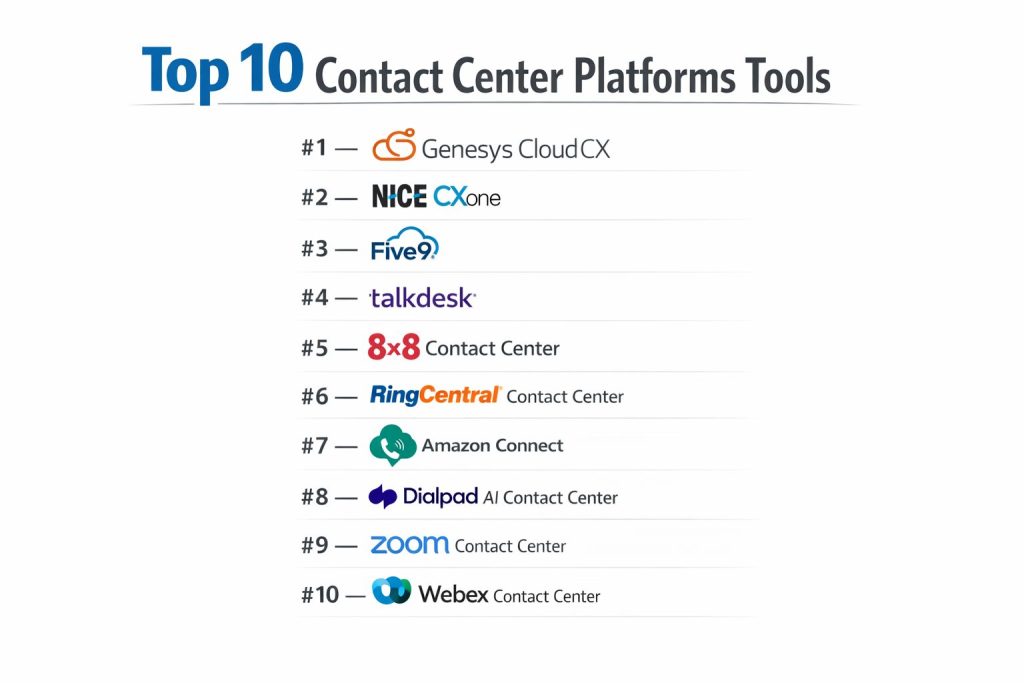
Top 10 Contact Center Platforms
#1 — Genesys Cloud CX
Genesys Cloud CX is a leading all-in-one cloud contact center platform designed for experience orchestration. It is renowned for its ability to handle massive global scales while maintaining a unified interface for agents and supervisors.
Key Features
- Experience Orchestration: A unified engine that coordinates every touchpoint across the customer journey.
- Native AI Copilot: Built-in generative AI that provides real-time summaries and suggested responses.
- Predictive Routing: Uses machine learning to match customers with the agent most likely to achieve a positive outcome.
- Workforce Engagement Management (WEM): Comprehensive tools for forecasting, scheduling, and agent performance tracking.
- Architect Flow Builder: A powerful, visual low-code environment for designing complex omnichannel interactions.
- Global Voice Footprint: Native telephony services in over 100 countries with high-fidelity voice quality.
Pros
- Innovation Pace: Extremely frequent feature updates (often weekly) that keep the platform at the cutting edge.
- Unified Desktop: Agents never have to switch tabs to handle voice, chat, email, or social media.
Cons
- Complexity: The sheer depth of the platform can be overwhelming for smaller organizations without dedicated admins.
- Pricing Transparency: Costs can escalate quickly once advanced AI modules and long-distance minutes are added.
Platforms / Deployment
- Cloud (AWS / Azure / Google Cloud)
- Web Browser / Desktop App / Mobile App
Security & Compliance
- Encryption: AES-256 at rest and TLS 1.2+ in transit.
- Compliance: SOC 2, HIPAA, PCI-DSS, GDPR, ISO 27001.
Integrations & Ecosystem
- Deep, native integrations with Salesforce, Microsoft Dynamics, and ServiceNow.
- The Genesys AppFoundry features over 400 third-party applications.
Support & Community
Genesys provides tiered support levels, including a dedicated Technical Account Manager for “Premium” customers and a highly active community forum.
#2 — NICE CXone
NICE CXone is a robust, enterprise-grade platform known for its industry-leading workforce optimization and AI-driven insights. It is particularly strong in complex environments that require deep analytics.
Key Features
- Enlighten AI: A specialized AI engine that measures sentiment and agent behavior on every single interaction.
- CXone Mpower: A 2026-focused orchestration layer that integrates generative AI across the entire customer lifecycle.
- Advanced WFO: The most sophisticated workforce optimization suite in the industry for large-scale staffing.
- Smart Self-Service: Advanced conversational bots that can handle complex transactions without human intervention.
- Interaction Analytics: Automated 100% call and text recording analysis to identify trends and compliance risks.
Pros
- Analytics Leadership: Provides the most detailed data on agent performance and customer sentiment in the market.
- Scalability: Built to support tens of thousands of agents with mission-critical stability.
Cons
- Learning Curve: Requires significant training for supervisors to master the advanced reporting and analytics tools.
- Setup Time: Deployment for complex global organizations can take several months.
Platforms / Deployment
- Cloud-native (Multi-cloud)
- Web Browser / Mobile
Security & Compliance
- Encryption: End-to-end encryption for all media and data.
- Compliance: FedRAMP, HIPAA, PCI-DSS Level 1, GDPR.
Integrations & Ecosystem
- Massive partner ecosystem with over 150 pre-built CRM and business app connectors.
Support & Community
Offers 24/7 global support and an extensive “NICE University” for professional certification and training.
#3 — Five9
Five9 is a pioneer in the cloud contact center space, recognized for its “Intelligent Cloud Contact Center” approach. It is highly valued for its blended inbound and outbound capabilities.
Key Features
- Intelligent Virtual Agents (IVA): High-end AI bots that use natural language to resolve routine inquiries.
- Agent Assist: Real-time guidance that surfaces relevant information during a live call.
- Blended Inbound/Outbound: Allows agents to switch seamlessly between handling support calls and performing sales outreach.
- Workflow Automation: Connects the contact center to back-office systems to automate follow-up tasks.
- Management Console: A unified administrative interface for managing users, queues, and AI settings.
Pros
- Ease of Implementation: Known for a faster rollout compared to other large-scale enterprise competitors.
- Reliability: Boasts a 99.999% uptime record, making it a “workhorse” for high-volume centers.
Cons
- UI Modernity: While functional, the administrative interface is sometimes described as less “polished” than newer competitors.
- Customization Limits: Some very specific niche workflows may require professional services to implement.
Platforms / Deployment
- Cloud
- Desktop / Browser-based
Security & Compliance
- Encryption: Standard enterprise-grade encryption.
- Compliance: SOC 2, HIPAA, PCI-DSS, GDPR.
Integrations & Ecosystem
- Strong partnerships with Salesforce, Zendesk, and Oracle.
Support & Community
Five9 is frequently praised for its high-touch customer success and technical support teams.
#4 — Talkdesk
Talkdesk is a modern, cloud-native platform that focuses on “Experience Communications.” It is known for its sleek user interface and industry-specific solutions (e.g., Talkdesk for Healthcare).
Key Features
- Talkdesk Copilot: An AI assistant that provides live transcription and automated wrap-up summaries.
- Industry Experience Clouds: Tailored versions of the platform with pre-built workflows for Banking, Retail, and Healthcare.
- AppConnect: A one-click integration marketplace that allows users to add new tools in seconds.
- Studio: A visual, low-code tool for building customer journeys across voice and digital channels.
- Guardian: A built-in security tool that uses AI to detect anomalous agent behavior or potential data leaks.
Pros
- User Interface: Widely considered to have the most intuitive and modern “Agent Desktop” in the category.
- Deployment Speed: Designed for rapid onboarding, often going live in weeks rather than months.
Cons
- Feature Depth in WFM: While improving, its native workforce management is sometimes seen as less mature than NICE or Genesys.
- Premium Pricing: Advanced AI features and industry-specific clouds come at a significant price premium.
Platforms / Deployment
- Cloud (AWS)
- Web Browser / Desktop / Mobile
Security & Compliance
- Encryption: AES-256 and secure WebRTC.
- Compliance: SOC 2 Type II, HIPAA, PCI-DSS, ISO 27001.
Integrations & Ecosystem
- Highly extensible with over 80 “AppConnect” partners.
Support & Community
Talkdesk Academy provides extensive training, and the company offers dedicated success managers for larger accounts.
#5 — 8×8 Contact Center
8×8 Contact Center is a unified platform that combines Contact Center (CCaaS) with Unified Communications (UCaaS) like team chat and video meetings into a single solution.
Key Features
- XCaaS (Experience Communications as a Service): A single platform for both internal employee communication and external customer service.
- Expert Connect: Allows agents to instantly find and message subject matter experts within the company to help solve a customer issue.
- Global Reach: Unmetered calling to 48 countries included in many standard plans.
- Real-time Analytics: Unified reporting across voice, chat, and meetings.
- Speech Analytics: Automatically transcribes and analyzes 100% of calls for quality assurance.
Pros
- Cost Efficiency: Combining phone, video, and contact center into one license can significantly reduce total software spend.
- Global Presence: One of the best options for companies with a highly distributed international workforce.
Cons
- Advanced AI: Historically slightly behind competitors like Dialpad or Genesys in generative AI “agent assist” depth.
- Mobile App: Some users report that the mobile experience is less stable than the desktop version.
Platforms / Deployment
- Cloud
- Desktop / Mobile / Web
Security & Compliance
- Encryption: End-to-end encryption for video and voice.
- Compliance: HIPAA, FISMA, GDPR, PCI-DSS.
Integrations & Ecosystem
- Deep integration with Microsoft Teams and major CRMs like Salesforce.
Support & Community
Provides 24/7 global support with a strong emphasis on reliability and uptime.
#6 — RingCentral Contact Center
RingCentral Contact Center (often powered in partnership with NICE) provides a world-class contact center solution integrated into the world’s most popular business phone system.
Key Features
- Omnichannel Routing: Supports over 30 digital channels including WhatsApp, Apple Business Chat, and social media.
- RingSense AI: A 2026 AI layer that provides conversational intelligence and automated coaching.
- Unified Interface: Allows users to switch between team messaging and the contact center agent desktop in one click.
- Smart Routing: Uses historical data to route customers based on their specific needs and agent skills.
- Visual IVR: Enables customers to navigate menus on their mobile screen rather than listening to audio prompts.
Pros
- Integration Synergy: Ideal for companies already using RingCentral for their office phones and meetings.
- Feature Richness: Benefits from one of the most comprehensive feature sets in the market.
Cons
- Licensing Complexity: The relationship between RingCentral and its underlying technology partners can lead to complex billing.
- Support Consistency: User feedback on support quality can vary depending on the tier of service.
Platforms / Deployment
- Cloud
- Desktop / Mobile / Web
Security & Compliance
- Encryption: Robust encryption across all communication layers.
- Compliance: SOC 2, HIPAA, HITRUST, GDPR.
Integrations & Ecosystem
- Over 300 integrations, including the best-in-class Microsoft Teams “Direct Routing” experience.
Support & Community
Large community and extensive knowledge base, backed by 24/7 technical support.
#7 — Amazon Connect
Amazon Connect is an AWS-native contact center that has disrupted the market with its “pay-as-you-go” pricing model and deep machine learning capabilities.
Key Features
- Contact Lens: Real-time and historical speech and text analytics with automated sentiment detection.
- Amazon Lex: The same AI engine that powers Alexa, used here to create highly conversational bots.
- Amazon Connect Cases: A built-in issue tracking system that allows agents to manage customer problems without a full CRM.
- Usage-Based Pricing: You only pay for the minutes and features you actually use, with no per-seat monthly fee.
- Amazon Q in Connect: A generative AI assistant that provides agents with instant answers to customer questions.
Pros
- Cost Predictability: Exceptional for businesses with seasonal fluctuations (pay zero when agents aren’t logged in).
- AWS Integration: If your data is already in AWS, the speed of integration and data movement is unparalleled.
Cons
- Technical Complexity: Requires AWS-certified engineers or professional services to set up and customize advanced flows.
- Interface Design: The out-of-the-box UI is functional but significantly less “elegant” than Talkdesk or Zoom.
Platforms / Deployment
- Cloud (AWS Native)
- Web Browser
Security & Compliance
- Encryption: Full KMS integration for data at rest and TLS for data in transit.
- Compliance: FedRAMP, HIPAA, PCI-DSS, SOC 1/2/3.
Integrations & Ecosystem
- Works natively with the entire AWS ecosystem (Lambda, S3, Kinesis).
Support & Community
Standard AWS support tiers apply. Large ecosystem of AWS certified consulting partners for hire.
#8 — Dialpad AI Contact Center
Dialpad is a “mobile-first” platform that has differentiated itself by building its own proprietary AI engine (DialpadGPT) rather than relying solely on third-party models.
Key Features
- DialpadGPT: A purpose-built LLM designed specifically for business conversations, offering highly accurate real-time transcription.
- AI CSAT: Automatically calculates customer satisfaction scores for 100% of calls by analyzing sentiment, eliminating the need for surveys.
- Live Coaching: “Battle cards” that pop up on the agent’s screen when specific keywords are mentioned (e.g., a competitor’s name).
- AI Recaps: Automated, high-quality summaries of every call delivered instantly to the agent’s inbox.
- Simplified Admin: A modern, consumer-grade management interface that allows for changes to be made in seconds.
Pros
- AI Accuracy: Because they own the AI stack, their transcription and sentiment analysis are often more accurate and faster than competitors.
- Setup Speed: One of the fastest platforms to deploy, often usable within minutes of signing up.
Cons
- Advanced Routing: While great for most businesses, it may lack the hyper-complex routing logic required by massive BPO (Business Process Outsourcing) centers.
- Digital Depth: Historically stronger in voice than in complex social media/digital messaging orchestration.
Platforms / Deployment
- Cloud-native (Google Cloud / AWS)
- Desktop / Mobile / Web
Security & Compliance
- Encryption: 256-bit AES encryption.
- Compliance: SOC 2 Type II, HIPAA, GDPR.
Integrations & Ecosystem
- Strong integrations with Google Workspace, Microsoft 365, and Salesforce.
Support & Community
Provides 24/7 support with a focus on simplicity and self-service documentation.
#9 — Zoom Contact Center
Zoom Contact Center has seen explosive growth by leveraging the familiarity of the Zoom interface to provide a video-first omnichannel solution.
Key Features
- Video-First Architecture: Built specifically to handle high-definition video support interactions as easily as voice calls.
- Zoom AI Companion: Provides automated call summaries and highlights within the familiar Zoom UI.
- Unified Agent Desktop: Agents use the same application for their internal meetings and their customer support tasks.
- Visual Flow Designer: A drag-and-drop tool that makes it easy for non-IT staff to manage call queues and routing.
- Virtual Agent: Integrated conversational AI that can handle routine tasks across chat and voice.
Pros
- User Familiarity: Minimal training is required because almost every agent is already comfortable using the Zoom interface.
- Rapid Innovation: Zoom is aggressively adding enterprise features, quickly closing the gap with legacy players.
Cons
- Ecosystem Maturity: As a newer entrant, it has fewer niche third-party integrations compared to Genesys or NICE.
- Reporting Depth: Some enterprise users may find the advanced analytics less “deep” than NICE CXone.
Platforms / Deployment
- Cloud
- Desktop / Mobile / Web
Security & Compliance
- Encryption: 256-bit AES encryption and optional end-to-end encryption.
- Compliance: SOC 2, HIPAA, FedRAMP (Moderate).
Integrations & Ecosystem
- Growing marketplace of integrations, with a primary focus on Salesforce and Zendesk.
Support & Community
Leverages Zoom’s global support infrastructure with 24/7 availability for enterprise customers.
#10 — Webex Contact Center
Cisco’s Webex Contact Center is a secure, reliable, and enterprise-grade platform that is a top choice for organizations already invested in the Cisco hardware and security ecosystem.
Key Features
- Webex Connect: A powerful enterprise CPaaS (Communications Platform as a Service) layer for advanced digital messaging.
- AI-Driven Wrap-ups: Automatically generates a summary of the call and identifies the “reason for calling” for the CRM.
- Background Noise Removal: Uses Cisco’s industry-leading audio AI to remove distractions from the agent’s environment.
- Low-Code Customization: Highly flexible environment for building unique agent and customer experiences.
- Unified Management: The “Control Hub” provides a single pane of glass for managing all Cisco collaboration tools.
Pros
- Security & Reliability: Backed by Cisco’s global infrastructure, it is one of the most trusted brands in enterprise networking.
- Hardware Synergy: Integrates perfectly with Cisco IP phones and headsets for a superior audio experience.
Cons
- Complex Pricing: Understanding the various tiers and “Webex Connect” add-ons can be difficult for buyers.
- Legacy Perception: While the cloud platform is modern, some perceive it as more complex than “cloud-only” startups.
Platforms / Deployment
- Cloud (Cisco Infrastructure)
- Desktop / Web / Mobile
Security & Compliance
- Encryption: Built-in hardware-level security and high-end data encryption.
- Compliance: SOC 2, HIPAA, PCI-DSS, ISO 27001.
Integrations & Ecosystem
- Deep integration with Microsoft Teams, Salesforce, and Cisco’s own massive enterprise hardware portfolio.
Support & Community
World-class enterprise support and a vast network of global resellers and system integrators.
Comparison Table (Top 10)
| Tool Name | Best For | Platform(s) Supported | Deployment | Standout Feature | Public Rating |
| Genesys Cloud CX | Enterprise Orchestration | Win, Mac, Web | Cloud | AI Copilot Summaries | 4.7/5 |
| NICE CXone | Deep Analytics/Insights | Win, Mac, Web | Cloud | Enlighten AI Sentiment | 4.6/5 |
| Five9 | Blended Inbound/Outbound | Win, Mac, Web | Cloud | Intelligent Virtual Agents | 4.5/5 |
| Talkdesk | Industry-Specific CX | Win, Mac, Web | Cloud | Industry Experience Clouds | 4.6/5 |
| 8×8 Contact Center | Unified UCaaS + CCaaS | Win, Mac, Mob | Cloud | Global Unmetered Calling | 4.3/5 |
| RingCentral Contact Center | Integrated Office Phone | Win, Mac, Mob | Cloud | RingSense Conversational AI | 4.4/5 |
| Amazon Connect | Usage-Based Scaling | Web | Cloud | Pay-as-you-go Pricing | 4.2/5 |
| Dialpad AI Contact Center | AI Accuracy/Simplicity | Win, Mac, Mob | Cloud | Native DialpadGPT LLM | 4.7/5 |
| Zoom Contact Center | Video-First Support | Win, Mac, Mob | Cloud | Native Video Orchestration | 4.5/5 |
| Webex Contact Center | Security & Hardware | Win, Mac, Web | Cloud | Noise Removal AI | 4.4/5 |
Evaluation & Scoring of Contact Center Platforms
The scoring reflects market demand for AI integration, security, and the move toward consolidated communications.
| Tool Name | Core (25%) | Ease (15%) | Integrations (15%) | Security (10%) | Performance (10%) | Support (10%) | Value (15%) | Weighted Total |
| Genesys Cloud CX | 10 | 7 | 10 | 9 | 10 | 9 | 7 | 8.85 |
| NICE CXone | 10 | 5 | 9 | 10 | 10 | 9 | 6 | 8.35 |
| Five9 | 9 | 7 | 9 | 9 | 9 | 9 | 8 | 8.55 |
| Talkdesk | 9 | 10 | 9 | 9 | 9 | 8 | 7 | 8.70 |
| 8×8 Contact Center | 8 | 8 | 8 | 9 | 8 | 8 | 9 | 8.25 |
| RingCentral Contact Center | 9 | 8 | 9 | 9 | 9 | 8 | 8 | 8.55 |
| Amazon Connect | 8 | 4 | 10 | 10 | 10 | 7 | 10 | 8.15 |
| Dialpad AI Contact Center | 9 | 10 | 9 | 8 | 9 | 9 | 9 | 9.10 |
| Zoom Contact Center | 8 | 10 | 7 | 9 | 9 | 9 | 9 | 8.60 |
| Webex Contact Center | 9 | 7 | 9 | 10 | 10 | 9 | 7 | 8.60 |
Scoring Interpretation:
- 9.0+: Elite performance; leads the market in AI innovation and user adoption.
- 8.5–8.9: Strong enterprise contenders with a balance of features and stability.
- 8.0–8.4: High-quality specialist tools or platforms with specific niche advantages (e.g., cost or security).
Which Contact Center Platform Is Right for You?
Solo / Small Business
If you are running a very small team and need a simple, AI-powered solution, Dialpad AI Contact Center is often the best choice due to its speed of setup and included AI features. Zoom Contact Center is also a strong contender if you already use Zoom for your meetings.
SMB
Growing businesses that need more formal routing and reporting but want to avoid technical complexity should look at Talkdesk or RingCentral Contact Center. These offer a great balance of advanced features and user-friendly interfaces.
Mid-Market
For companies with 100–500 agents who require blended sales and support, Five9 is a reliable “workhorse” with excellent uptime and deep CRM integrations.
Enterprise
Global organizations with thousands of agents and complex compliance needs should prioritize Genesys Cloud CX or NICE CXone. These platforms offer the “Experience Orchestration” and deep analytics necessary to manage large-scale operations.
Budget vs Premium
- Budget: Amazon Connect (Pay-as-you-go) is the most cost-effective for seasonal businesses.
- Premium: NICE CXone and Genesys Cloud CX are the premium choices for those who need the absolute highest level of analytics and control.
Integrations & Scalability
If your company is an “AWS shop,” Amazon Connect is the natural choice. If you are deeply integrated with Cisco hardware, Webex Contact Center provides the best native experience.
Security & Compliance Needs
Organizations in highly regulated sectors like Government or Banking should prioritize Webex Contact Center or NICE CXone for their extensive FedRAMP and high-level security certifications.
Frequently Asked Questions (FAQs)
What is CCaaS?
CCaaS stands for Contact Center as a Service. It is a cloud-based software model that allows companies to manage their customer service and sales communications (voice, chat, email) over the internet without needing physical on-premise hardware.
How does AI improve contact center agent performance?
AI acts as a “co-pilot,” providing real-time coaching, automatically summarizing calls, and surfacing relevant knowledge base articles. This reduces the agent’s manual workload and allows them to focus on the human side of the conversation.
What is the average cost per seat for a contact center platform?
Professional-tier licenses typically range from $75 to $150 per agent per month. However, additional costs for AI usage tokens, telephony minutes, and premium integrations can increase this total.
Can I keep my existing phone numbers when I move to a new platform?
Yes. All major CCaaS providers support “porting,” which is the process of moving your existing phone numbers from your current carrier to the new platform’s network.
What is “Sentiment Analysis” in a contact center context?
Sentiment Analysis uses AI to listen to the tone and words of a conversation in real-time. It can alert a supervisor if a customer is getting frustrated or detect if an agent is successfully calming a situation.
Is a high-speed internet connection required for agents?
Yes. Because these platforms are cloud-native and often use video or high-definition voice, agents (especially those working from home) typically need at least 25-50 Mbps download speeds and low “latency” for clear communication.
What is the difference between UCaaS and CCaaS?
UCaaS (Unified Communications) is for internal business communication (meetings, office phones). CCaaS (Contact Center) is specifically for customer-facing communication and includes features like call queues, IVRs, and detailed agent analytics.
How does “Predictive Routing” work?
Predictive Routing uses historical data to match a specific customer with the agent who has the best track record for that specific problem or customer personality type, rather than just sending the call to the next available person.
Does my platform need to be HIPAA compliant?
If you handle “Protected Health Information” (PHI) in the United States, your contact center platform must be HIPAA compliant. Most enterprise-grade providers offer a Business Associate Agreement (BAA) to guarantee this.
Can these platforms handle social media messages?
Yes. Modern omnichannel platforms integrate directly with platforms like WhatsApp, Facebook Messenger, and Instagram, allowing agents to reply to social media messages directly from the same inbox they use for phone calls.
Conclusion
The selection of a Contact Center Platform is a strategic decision that affects both operational efficiency and long-term customer loyalty. While Genesys Cloud CX and NICE CXone lead the market in enterprise power, newer entrants like Dialpad and Zoom have redefined expectations for ease of use and AI native functionality. For organizations seeking maximum cost flexibility, the usage-based model of Amazon Connect remains a powerful alternative.
Ultimately, the most successful implementations are those that view the contact center as an integrated part of the broader customer experience (CX) ecosystem, rather than an isolated silo of communication.