Introduction
A Configuration Management Database (CMDB) is a centralized repository that stores information about an organization’s IT environment. In plain English, it is the “digital map” of every hardware component, software license, cloud instance, and virtual service owned by a company. More importantly, it tracks the relationships between these elements—mapping how a specific server supports a specific database, which in turn supports a critical customer-facing application.
The CMDB has evolved from a static inventory list into a dynamic “Service Graph.” As enterprises manage a hyper-complex mix of serverless architectures, microservices, and multi-cloud environments, a traditional manual CMDB is no longer viable. Modern CMDBs now utilize real-time automated discovery and AI-driven reconciliation to maintain a “Single Source of Truth.” Without an accurate CMDB, IT teams face catastrophic risks during change management, extended downtime during incidents, and massive financial waste in cloud over-provisioning.
Real-world use cases include:
- Incident Management: Instantly identifying which business services are affected when a specific network switch fails.
- Change Management: Assessing the “blast radius” of a software patch before it is deployed to production.
- Compliance & Auditing: Providing a verifiable trail of asset configurations and software versions for regulatory bodies.
- FinOps Optimization: Tracking idle cloud resources and mapping them back to specific cost centers for budget accountability.
- Vulnerability Management: Quickly identifying every device in the network running a specific, newly discovered high-risk software version.
Key Evaluation Criteria for Buyers:
- Automated Discovery: The ability to scan the network (and cloud APIs) to find assets without manual entry.
- Relationship Mapping: How effectively the tool visualizes dependencies between Configuration Items (CIs).
- Data Reconciliation: Sophisticated logic to handle conflicting data from different sources (e.g., vCenter vs. AWS).
- Scalability: The capacity to handle millions of CIs and high-frequency updates from CI/CD pipelines.
- Security & Access Control: Fine-grained permissions (RBAC) to ensure only authorized personnel see sensitive infrastructure details.
- Cloud-Native Support: Deep integration with ephemeral resources like Kubernetes pods and Lambda functions.
- Integrations: Compatibility with existing ITSM, ITOM, and security orchestration (SOAR) tools.
- Ease of Maintenance: The amount of administrative overhead required to keep the data clean and relevant.
Best for: Large enterprises with complex IT estates, regulated industries (Finance, Healthcare), and DevOps-centric organizations requiring automated service mapping.
Not ideal for: Small businesses with fewer than 50 employees or very simple “single-office” network setups where a basic asset tracker or spreadsheet suffices.
Key Trends in CMDB Software
The landscape of configuration management is defined by intelligence, speed, and environmental accountability.
- AIOps-Driven Reconciliation: Machine learning models now automatically resolve “data drift” and anomalies by comparing live telemetry with historical configuration states.
- Service Graph Evolution: Moving away from flat tables to graph databases that can visualize millions of interconnected dependencies in a 3D interface.
- Shift-Left Discovery: Integration directly into CI/CD pipelines, where new assets are “discovered” and registered in the CMDB before they are even deployed to production.
- Sustainability & Carbon Tracking: Modern CMDBs now track the energy consumption and carbon footprint of individual servers and cloud regions as part of ESG reporting.
- Ephemeral Asset Intelligence: Specialized logic for tracking “short-lived” resources like containers that may only exist for minutes but need to be recorded for compliance.
- FinOps-CMDB Convergence: Direct mapping of real-time cloud costs to specific Configuration Items to give a complete “cost-to-serve” view for every business service.
- Self-Healing Infrastructure: CMDBs that trigger automated “remediation” scripts when they detect a CI has moved out of its desired, compliant state.
- Digital Twin Synchronization: Utilizing the CMDB as the backbone for digital twins in manufacturing and IoT-heavy industries.
How We Selected These Tools (Methodology)
Our selection process for the top 10 CMDB tools followed a rigorous analysis of market capability and enterprise requirements:
- Market Mindshare: We evaluated tools with significant presence in the Gartner Magic Quadrant and high user adoption in the Fortune 500.
- Automated Discovery Maturity: Priority was given to vendors whose discovery engines can span across on-premise, hybrid, and multi-cloud environments natively.
- Modern Integration Patterns: We analyzed how well these tools connect to 2026 standards like OpenTelemetry and various Cloud Service Providers (CSPs).
- Graph Visualization Capabilities: We favored tools that offer intuitive, interactive dependency maps over simple list-based views.
- Security Posture: Evaluation of native security features including SSO, MFA, and localized data hosting (GDPR/HIPAA compliance).
- Customer Feedback & Reliability: Analysis of real-world performance signals, focusing on stability during large-scale discovery scans.
- Innovation Velocity: Assessment of recent feature releases, specifically focusing on the integration of Generative AI for data cleaning and querying.
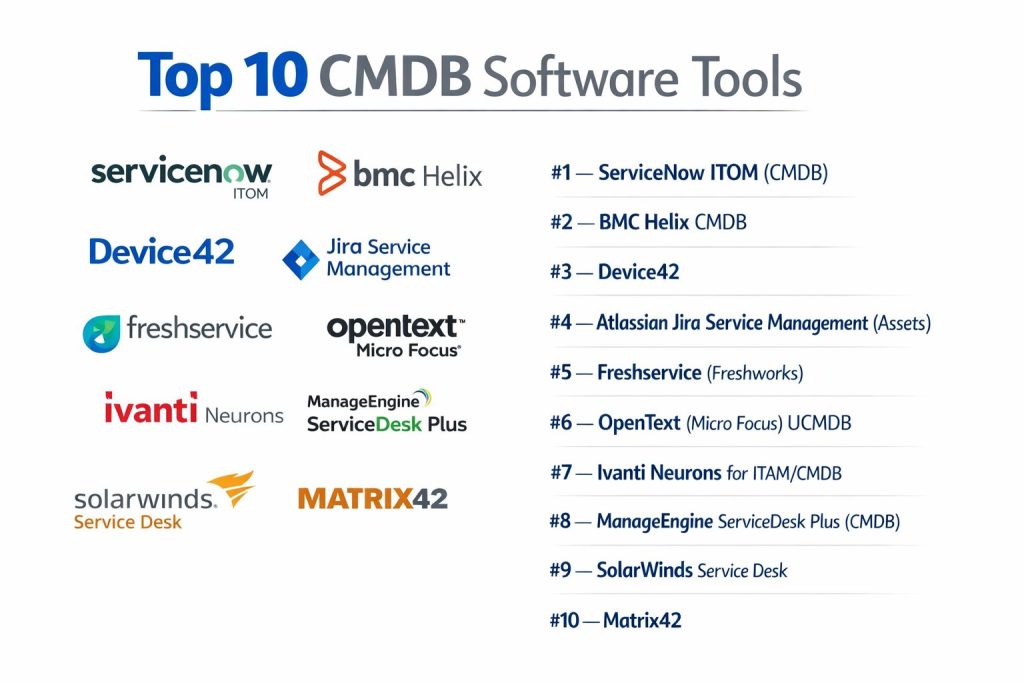
Top 10 CMDB Software Tools
#1 — ServiceNow ITOM (CMDB)
Often considered the “Gold Standard” of enterprise IT management. ServiceNow’s CMDB is a highly scalable, service-aware repository that acts as the foundation for the entire ServiceNow platform.
Key Features
- Service Graph Connectors: Pre-built, certified integrations that ensure data from third-party tools (like SCCM or AWS) is ingested in a standard format.
- Multisource CMDB: Provides a complete audit trail of where every piece of data came from and which source is currently trusted.
- Agentless & Agent-Based Discovery: Flexible scanning options to find assets in secure zones or across diverse cloud regions.
- Health Dashboards: Real-time visibility into the “correctness,” “compliance,” and “completeness” of your configuration data.
- Service Mapping: Automatically correlates infrastructure CIs with high-level business services (e.g., “The Payroll App”).
- AI Data Reconciliation: Uses machine learning to identify and fix duplicate records and ghost assets.
Pros
- Unmatched Ecosystem: Deeply integrated with the world’s leading ITSM and HR platform.
- Enterprise Scalability: Built to handle tens of millions of Configuration Items without performance lag.
Cons
- Cost: Extremely high licensing fees; often requires specialized (and expensive) consultants for implementation.
- Complexity: The platform is so vast that it can take years for a team to achieve full mastery.
Platforms / Deployment
- Web / iOS / Android
- Cloud (SaaS)
Security & Compliance
- SSO/SAML, MFA, High-Level Encryption (at rest/in transit), Domain Separation.
- SOC 2 Type II, ISO 27001, HIPAA, FedRAMP High, GDPR.
Integrations & Ecosystem
ServiceNow is a massive hub. It integrates with virtually everything in the enterprise stack via its IntegrationHub.
- AWS / Azure / GCP
- Microsoft SCCM & Intune
- Jira & GitHub
- Splunk & SolarWinds
Support & Community
Industry-leading support, “Now Learning” certification paths, and a global community of thousands of developers and architects.
#2 — BMC Helix CMDB
A veteran in the space, BMC Helix offers a modernized, cloud-native CMDB that specializes in large-scale data reconciliation and multi-cloud management.
Key Features
- Dynamic Dependency Mapping: Visualizes real-time relationships between CIs to simplify root cause analysis.
- Single Pane of Glass: Aggregates data from multiple sources into a unified, reconciled view.
- REST API-First Design: Easy for developers to programmatically update or query the CMDB from custom apps.
- Automated Data Normalization: Ensures that names, versions, and categories are consistent across the entire database.
- Integrated Discovery: Native scanning capabilities for both modern cloud and legacy mainframe environments.
- Change Impact Simulation: Allows users to “preview” the impact of a change before it is executed.
Pros
- High Performance: Excellent at processing high volumes of changes from automated sources.
- Mature Reconciliation: Some of the most robust “trust” logic in the industry for resolving conflicting data.
Cons
- Legacy Baggage: While the cloud version is modern, users often report remnants of older, clunkier UI elements.
- Admin Intensive: Requires dedicated staff to maintain the discovery schedules and normalization rules.
Platforms / Deployment
- Web / Windows / macOS / Linux
- Cloud / Hybrid / On-Premise
Security & Compliance
- SSO, MFA, RBAC, Data Encryption.
- SOC 2, ISO 27001, HIPAA, GDPR.
Integrations & Ecosystem
BMC Helix is built for massive heterogeneous environments.
- Microsoft Azure & 365
- AWS & Google Cloud
- Ansible & Puppet
- Dynatrace
Support & Community
Strong enterprise support with global reach. Extensive documentation and a long-standing user community.
#3 — Device42
A highly specialized CMDB and IT Asset Management tool that excels in hybrid infrastructure discovery and data center visualization.
Key Features
- Auto-Discovery: Powerful agentless discovery for physical, virtual, and cloud assets.
- Application Dependency Mapping (ADM): Automatically discovers which applications are talking to each other across the network.
- Rack & Room Visualization: Provides 3D maps of data center racks, showing exactly where physical servers are located.
- Software Asset Management (SAM): Tracks license usage and compliance directly within the CMDB context.
- Cloud Migration Planning: Uses CMDB data to provide “right-sizing” recommendations for moving to the cloud.
- IP Address Management (IPAM): Integrated tool to manage the entire IP lifecycle within the same database.
Pros
- Time-to-Value: Often much faster to deploy and populate than “Big 4” suites like ServiceNow.
- Visibility: Best-in-class for teams that still maintain a significant physical data center footprint.
Cons
- Narrower Scope: Focuses more on “Infrastructure” than high-level “Business Services” compared to ServiceNow.
- UI Customization: Less flexible in terms of creating custom forms and workflows.
Platforms / Deployment
- Web / Windows / Linux
- Self-hosted / Virtual Appliance / Hybrid
Security & Compliance
- MFA, SSO, Audit Logs, Encrypted Credentials.
- SOC 2, ISO 27001 (Not publicly stated for all modules).
Integrations & Ecosystem
Device42 acts as a specialized data source for other ITSM platforms.
- Jira & Confluence
- ServiceNow & Freshservice
- PagerDuty
- Puppet & Chef
Support & Community
Excellent technical support and a library of “Ready-to-use” discovery scripts.
#4 — Atlassian Jira Service Management (Assets)
Formerly known as Insight, “Assets” is the native CMDB for Jira Service Management. It is built specifically for teams that want their CMDB data to live alongside their development and support tickets.
Key Features
- Object-Oriented Design: Unlike table-based CMDBs, Assets allows you to define custom object types for anything (e.g., Employees, Facilities, Software).
- Native Jira Integration: Link CIs directly to Jira tickets, giving agents instant context on the affected hardware or service.
- Automation Engine: Use Jira’s powerful automation to trigger actions based on CI status changes (e.g., “Alert Security if Laptop is marked Stolen”).
- Discovery App: A lightweight agent/agentless discovery tool included with the Premium and Enterprise tiers.
- Graphical Dependency View: Visualizes how objects are linked within the Jira interface.
- Importer Tools: Robust tools to pull data from CSV, JSON, or external APIs like AWS and SCCM.
Pros
- Integrated Workflow: Perfect for DevOps teams; devs never have to leave Jira to see asset data.
- Cost-Effective: Included in JSM Premium/Enterprise plans, making it much cheaper than standalone CMDBs.
Cons
- Scalability Limits: Can become slower when handling millions of highly complex CI relationships.
- Discovery Depth: The native discovery tool is less “aggressive” than specialized tools like Device42 or ServiceNow.
Platforms / Deployment
- Web / Windows / macOS / iOS / Android
- Cloud / Data Center (Self-hosted)
Security & Compliance
- SSO, MFA, Atlassian Access.
- SOC 2, ISO 27001, GDPR, HIPAA (Enterprise).
Integrations & Ecosystem
Leverages the massive Atlassian Marketplace.
- AWS / Azure / GCP
- Slack & Microsoft Teams
- Adobe Substance (via custom API)
- Sentry & Datadog
Support & Community
Massive community of Jira admins. Extensive documentation and professional support tiers available.
#5 — Freshservice (Freshworks)
A modern, user-friendly ITSM suite that includes a clean and efficient CMDB designed for mid-market and scaling enterprise companies.
Key Features
- Auto-Discovery Probe: A lightweight tool to scan the network and populate the CMDB automatically.
- Contract & License Management: Tracks expiration dates and renewal costs directly within the CI record.
- Relationship Mapping: Simple, drag-and-drop visualization of CI dependencies.
- Mobile Asset Management: Use the mobile app to scan barcodes and update asset status in the field.
- Timeline View: See a historical log of every change, incident, and update associated with a specific asset.
- SaaS Management: Specialized tools to discover and track shadow IT and hidden SaaS subscriptions.
Pros
- Ease of Use: The most intuitive UI on the list; requires minimal training for new staff.
- Affordability: Provides enterprise-grade features at a price point accessible to mid-sized firms.
Cons
- Advanced Logic: Lacks some of the ultra-complex reconciliation logic found in BMC or ServiceNow.
- Customization: While flexible, it doesn’t offer the deep “build-your-own-app” capability of larger platforms.
Platforms / Deployment
- Web / iOS / Android
- Cloud (SaaS)
Security & Compliance
- SSO/SAML, 2FA, Data Encryption (SSL), Audit Logs.
- ISO 27001, SOC 2 Type II, GDPR, HIPAA.
Integrations & Ecosystem
Freshworks has a growing marketplace of “Freshworks Apps.”
- Slack & Microsoft Teams
- Microsoft Intune & Jamf
- Jira & GitHub
- Google Workspace
Support & Community
Excellent 24/7 email and phone support. Active community and a well-structured knowledge base.
#6 — OpenText (Micro Focus) UCMDB
The Universal CMDB (UCMDB) is a highly mature, high-performance configuration management engine designed for the world’s largest and most complex multi-cloud enterprises.
Key Features
- Multi-Cloud Discovery: Deep native support for AWS, Azure, Google Cloud, and Oracle Cloud.
- Federated CMDB: The ability to link multiple CMDBs together to create a unified view without moving all data into one database.
- Service Mapping: Advanced algorithms to automatically build maps of complex business services.
- Compliance Content: Pre-built reports for various regulatory standards (e.g., PCI-DSS, SOX).
- REST API: High-speed API for integration with modern DevOps toolchains.
- Browser-Based UI: A modernized “Universal Discovery” interface for easier administration.
Pros
- Technical Depth: One of the most powerful discovery engines ever built.
- Flexibility: Can handle the most obscure legacy hardware alongside modern serverless functions.
Cons
- High Barrier to Entry: Requires significant technical expertise to configure correctly.
- Resource Intensive: The software itself requires significant server resources for on-premise deployments.
Platforms / Deployment
- Web / Windows / Linux
- Cloud / On-Premise / SaaS
Security & Compliance
- SSO, MFA, FIPS 140-2 compliance options.
- SOC 2, ISO 27001, GDPR.
Integrations & Ecosystem
Designed to be the “central brain” of an enterprise IT ecosystem.
- ServiceNow (via integration)
- IBM Netcool
- Microsoft SCCM
- Chef / Puppet
Support & Community
Strong corporate support with dedicated account managers for large contracts.
#7 — Ivanti Neurons for ITAM/CMDB
Ivanti Neurons leverages AI and “Hyper-Automation” to discover, manage, and secure assets from the edge to the data center.
Key Features
- Self-Healing Discovery: “Self-healing” bots that automatically detect and fix common configuration errors on end-user devices.
- Asset Spend Intelligence: Combines CMDB data with financial data to show the true cost of asset ownership.
- Edge-to-Cloud Visibility: Specifically designed to handle the explosion of IoT and edge devices in modern networks.
- Real-time Reconciliation: Processes data streams to ensure the CMDB is updated the second a change occurs.
- Security Posture Mapping: Links CI data with vulnerability scans to prioritize patching for critical assets.
- Intuitive Dashboards: Highly visual reports that can be customized for executives or technical teams.
Pros
- Proactive Management: Moves beyond “tracking” into “automated fixing” of asset issues.
- Strong Security Tie-in: The best tool on the list for organizations that want to merge CMDB with Cyber Asset Attack Surface Management (CAASM).
Cons
- Consolidation Chaos: Ivanti has acquired many companies; users sometimes report that integration between modules can still feel a bit disjointed.
- Learning Curve: Managing the “Neurons” automation platform requires specialized training.
Platforms / Deployment
- Web / Windows / macOS / iOS / Android
- Cloud / Hybrid
Security & Compliance
- MFA, SSO, RBAC, Encryption.
- SOC 2, ISO 27001, GDPR, HIPAA.
Integrations & Ecosystem
Integrates with the broader Ivanti portfolio and external IT standards.
- Microsoft Intune
- Jamf
- Splunk
- Okta
Support & Community
Professional services and a global partner network for implementation and support.
#8 — ManageEngine ServiceDesk Plus (CMDB)
A robust and affordable CMDB module integrated into one of the world’s most popular IT help desk solutions. Ideal for SMBs and mid-market companies.
Key Features
- Automated Discovery: Scans Windows, Linux, Mac, and network devices (SNMP) with ease.
- Impact Analysis Map: A visual map that shows the relationships between CIs and potential failure points.
- Integration with Change Management: Automatically updates CI states when a change request is completed.
- Software Asset Management: Deep tracking of license usage, prohibited software, and compliance alerts.
- Mobile App: Scan and track assets via a mobile device.
- History Tracking: Detailed logs of every movement or change made to a specific CI over its lifecycle.
Pros
- Unbeatable Value: Offers a very high feature-to-price ratio compared to enterprise rivals.
- Unified Suite: Everything (Tickets, Assets, Projects, CMDB) lives in one database.
Cons
- Cloud Discovery: While improving, its native discovery of deep cloud services (like Kubernetes) is less mature than ServiceNow.
- Scalability: Best suited for companies with fewer than 50,000 assets; performance can dip at the ultra-high end.
Platforms / Deployment
- Web / Windows / Linux / iOS / Android
- Cloud / On-Premise
Security & Compliance
- 2FA, SSO, AES Encryption.
- SOC 2, ISO 27001, GDPR, HIPAA.
Integrations & Ecosystem
Deeply integrated with the Zoho/ManageEngine ecosystem.
- Desktop Central (Endpoint Mgmt)
- OpManager (Monitoring)
- AD360 (Identity Mgmt)
- Zoho Analytics
Support & Community
Very active forums and a wealth of “How-to” videos on YouTube. Global support available.
#9 — SolarWinds Service Desk
A cloud-native CMDB that leverages SolarWinds’ legendary network discovery heritage to provide a highly accurate view of the IT estate.
Key Features
- Discovery Scanner: Automatically finds every IP-connected device on the network and categorizes it.
- Software Inventory: Tracks every installed application across the environment for license compliance.
- Relationship Visualization: Clean, clear maps of how infrastructure supports services.
- Risk Management: Identifies assets that are past their end-of-life or end-of-warranty.
- Integration with Orion: Seamlessly pulls monitoring data from the SolarWinds Orion platform into the CMDB.
- Contract Management: Links vendor contracts and SLAs directly to the relevant assets.
Pros
- Network Heritage: The best tool for discovering complex network hardware (switches, routers, firewalls).
- Fast Setup: The cloud-native design allows teams to start discovering assets within hours.
Cons
- Historical Baggage: Some enterprises remain cautious due to past security incidents, though SolarWinds has significantly overhauled its security posture since.
- Limited Cloud Depth: Not as deep into “Cloud-Native” (e.g., serverless) as the top-tier SaaS providers.
Platforms / Deployment
- Web / iOS / Android
- Cloud (SaaS)
Security & Compliance
- “Secure by Design” architecture, MFA, SSO.
- SOC 2 Type II, ISO 27001, GDPR.
Integrations & Ecosystem
Connects natively to the broader SolarWinds observability stack.
- SolarWinds Orion
- Microsoft Intune
- Slack
- Jira
Support & Community
Excellent customer success programs and a very active community (THWACK).
#10 — Matrix42
A European powerhouse in Enterprise Service Management that offers a highly compliant and secure CMDB, particularly popular in DACH regions.
Key Features
- Unified Endpoint Management: Bridges the gap between traditional CMDB and device management.
- Automated Service Mapping: Intelligent algorithms to discover and map application dependencies.
- License & Cloud Spend Integration: Shows the financial impact of assets directly in the CMDB record.
- Compliance Control: Specifically designed to meet rigorous European data protection standards.
- Self-Service Integration: Allows employees to request hardware which is then automatically tracked in the CMDB.
- Clean UI: A modern, tile-based interface that is easy to navigate.
Pros
- High Compliance: The top choice for organizations that need to meet strict GDPR and localized European security requirements.
- Asset Lifecycle Focus: Exceptional at managing the “Cradle to Grave” lifecycle of hardware.
Cons
- Market Presence: Smaller footprint in the North American market compared to ServiceNow or Ivanti.
- Ecosystem Size: Fewer third-party community-built plugins available in English.
Platforms / Deployment
- Web / Windows / iOS / Android
- Cloud / On-Premise / Hybrid
Security & Compliance
- SSO, MFA, German-hosted data options.
- ISO 27001, SOC 2, GDPR (Highly optimized).
Integrations & Ecosystem
Strong integrations with European enterprise standards.
- Microsoft 365 / Azure
- SAP
- Baramundi
- Empirum
Support & Community
Professional support with a strong emphasis on European business hours. Good documentation.
Comparison Table (Top 10)
| Tool Name | Best For | Platform(s) Supported | Deployment | Standout Feature | Public Rating |
| ServiceNow ITOM | Enterprise Ecosystem | Web, iOS, Android | Cloud | Service Graph Connectors | 4.8 / 5 |
| BMC Helix CMDB | Complex Multi-Cloud | Web, Win, Linux | Hybrid | Dynamic Dep. Mapping | 4.5 / 5 |
| Device42 | Data Center/Hybrid | Web, Win, Linux | Virtual App | 3D Rack Visualization | 4.7 / 5 |
| JSM Assets | Jira/DevOps Teams | Web, Win, Mac | Cloud/Self | Object-Oriented Design | 4.6 / 5 |
| Freshservice | Mid-Market/Ease | Web, iOS, Android | Cloud | User-Friendly UI | 4.6 / 5 |
| OpenText UCMDB | Technical Depth | Web, Win, Linux | Hybrid | Federated CMDB | 4.3 / 5 |
| Ivanti Neurons | Security & Edge | Web, Win, Mac | Cloud | Self-Healing Discovery | 4.4 / 5 |
| ServiceDesk Plus | Value/Affordability | Web, Win, Linux | Hybrid | Impact Analysis Map | 4.4 / 5 |
| SolarWinds SD | Network-Heavy IT | Web, iOS, Android | Cloud | Orion Integration | 4.2 / 5 |
| Matrix42 | EU Compliance | Web, Win, iOS | Hybrid | Unified Endpoint Mgmt | 4.3 / 5 |
Evaluation & Scoring of CMDB Software
The following model uses a weighted calculation to determine the “best-fit” tool for modern enterprise configuration management.
| Tool Name | Core (25%) | Ease (15%) | Int. (15%) | Sec. (10%) | Perf. (10%) | Supp. (10%) | Value (15%) | Total (0-10) |
| ServiceNow ITOM | 10 | 3 | 10 | 10 | 10 | 10 | 5 | 8.10 |
| BMC Helix CMDB | 9 | 5 | 9 | 9 | 9 | 9 | 6 | 7.70 |
| Device42 | 9 | 8 | 8 | 8 | 9 | 8 | 9 | 8.45 |
| JSM Assets | 7 | 8 | 10 | 9 | 7 | 9 | 10 | 8.40 |
| Freshservice | 8 | 10 | 8 | 9 | 8 | 9 | 9 | 8.55 |
| OpenText UCMDB | 10 | 3 | 8 | 9 | 9 | 9 | 6 | 7.45 |
| Ivanti Neurons | 9 | 6 | 8 | 10 | 9 | 8 | 7 | 7.85 |
| ServiceDesk Plus | 7 | 8 | 7 | 9 | 8 | 9 | 10 | 8.15 |
| SolarWinds SD | 7 | 8 | 7 | 8 | 8 | 8 | 8 | 7.55 |
| Matrix42 | 8 | 7 | 8 | 10 | 8 | 8 | 7 | 7.80 |
How to interpret these scores:
- Weighted Total: Scores above 8.0 represent tools that offer the best balance of power, security, and ROI.
- Core (25%): Focuses on the strength of the discovery engine and relationship mapping.
- Security (10%): A “10” indicates superior compliance for high-security industries (e.g., FedRAMP).
- Value (15%): A “10” indicates the highest feature-per-dollar ratio (e.g., Jira Assets).
Which CMDB Software Tool Is Right for You?
Solo / Freelancer
CMDB is generally an enterprise-tier requirement. However, if you are a freelance IT consultant managing assets for multiple small clients, Jira Service Management (Assets) or the free tier of ManageEngine ServiceDesk Plus are the only logical options to keep your overhead low.
SMB
For small-to-medium businesses, Freshservice is the clear winner. It removes the technical complexity of setting up a CMDB while still providing the essential relationship maps and discovery tools needed to pass an IT audit.
Mid-Market
Companies with 500–2,000 employees should look closely at Device42 or ManageEngine. Device42 provides exceptional visibility into infrastructure, which is usually the primary concern for mid-sized IT teams managing hybrid setups.
Enterprise
For global 2000 organizations, ServiceNow ITOM is the industry standard. Despite its cost, its ability to act as the “Common Service Data Model” (CSDM) for HR, Security, and IT makes it an indispensable asset. OpenText UCMDB is a strong alternative for ultra-technical teams that require high-performance discovery over a fancy UI.
Budget vs Premium
- Budget: Atlassian JSM Assets (if you already use Jira) or ServiceDesk Plus.
- Premium: ServiceNow and Ivanti Neurons.
Feature Depth vs Ease of Use
- Feature Depth: OpenText UCMDB and ServiceNow have the deepest technical capabilities.
- Ease of Use: Freshservice and Trello (though Trello is not a CMDB, JSM Assets is the closest easy-to-use professional equivalent).
Integrations & Scalability
If your focus is DevOps and you need to integrate CMDB into your code pipeline, Atlassian Assets is the native choice. If you need to scale to 100+ locations globally, ServiceNow is the safest bet.
Security & Compliance Needs
Organizations requiring strict European data residency should prioritize Matrix42. For US Federal agencies, ServiceNow‘s FedRAMP-High certification is the primary differentiator.
Frequently Asked Questions (FAQs)
What is the difference between an Asset Tracker and a CMDB?
An asset tracker follows the financial lifecycle of an item (purchase date, cost, depreciation). A CMDB tracks the operational lifecycle and relationships (how a server supports an app, its current configuration, and incident history).
Why do most CMDB projects fail?
CMDB projects fail primarily due to “over-scoping.” Teams try to track too many details (like monitor serial numbers) manually. Successful projects focus on automated discovery of critical business services first.
Can I build a CMDB in Excel?
While possible for 10–20 items, Excel is not a CMDB. It cannot visualize relationships, lacks automated discovery, and doesn’t provide an audit trail of changes, making it useless for modern incident management.
What is a “Configuration Item” (CI)?
A CI is any component that needs to be managed to deliver an IT service. This includes hardware (servers), software (applications), documentation (SLAs), and even people (support teams).
How often should discovery scans run?
Discovery should be “continuous” or “event-driven.” Instead of weekly scans, modern tools update the CMDB the moment a cloud API or an agent reports a change in the environment.
Does a CMDB help with cybersecurity?
Yes. A CMDB helps identify unauthorized devices on the network and tells you exactly which “high-value targets” (e.g., database servers) are unpatched or vulnerable.
What is “Data Drift”?
Data drift occurs when the actual state of a server or application in the real world deviates from the “approved” state documented in the CMDB. Modern CMDBs use AI to alert admins when drift occurs.
What is a Federated CMDB?
A Federated CMDB allows you to keep data in its original source (like a cloud portal) but provides a single interface to view and report on it as if it were in one database.
Is CMDB necessary for a 100% cloud environment?
Yes. While cloud providers have their own portals, a CMDB aggregates data across multiple clouds (AWS + Azure) and maps those resources to your internal business services and cost centers.
What is the ROI of a CMDB?
ROI comes from reduced MTTR (Mean Time To Repair), fewer failed changes, and “Found Money” by identifying and shutting down unused cloud resources or redundant software licenses.
Conclusion
The CMDB is the heartbeat of a modern IT organization. It has shifted from being a “nice-to-have” database to a critical “Service Graph” that powers AI-driven operations and FinOps efficiency. For most organizations, ServiceNow remains the peak of capability, while Freshservice and Jira Assets offer the most accessible paths to success.
Successful configuration management is no longer about manual data entry; it is about choosing a tool with a powerful automated discovery engine and sophisticated reconciliation logic.