Introduction
IT Service Management (ITSM) has transitioned from a reactive “help desk” function to a proactive, AI-orchestrated pillar of the modern enterprise. At its core, ITSM is a set of policies, processes, and tools that govern how IT services are designed, delivered, and supported. However, the current landscape has seen the traditional ITIL (Information Technology Infrastructure Library) framework merge with AIOps and Enterprise Service Management (ESM), allowing organizations to manage not just IT hardware and software, but the entire flow of value across departments like HR, Legal, and Facilities.
The significance of ITSM is rooted in the “Autonomous Service Desk.” As organizations grapple with complex hybrid-cloud environments and decentralized workforces, the ability to resolve issues without human intervention has become the primary metric for success. Modern ITSM platforms now function as the central nervous system of a business, utilizing predictive analytics to identify system failures before they occur and leveraging generative AI to provide personalized, instant support to employees.
Real-world use cases include:
- Autonomous Incident Resolution: Using AI agents to automatically diagnose and patch software vulnerabilities or reset credentials without a Tier 1 technician.
- Unified Enterprise Service Management (ESM): Scaling IT workflows to HR for employee onboarding or to Facilities for office maintenance requests.
- Predictive Asset Management: Leveraging IoT and AI to forecast when hardware assets (like servers or laptops) will fail and triggering proactive replacement cycles.
- Compliance Orchestration: Automatically generating evidence trails for audits such as SOC 2, NIS2, or GDPR through integrated change management logs.
- Agile Change Management: Synchronizing IT operations with DevOps pipelines to ensure that fast-paced software releases do not disrupt system stability.
What buyers should evaluate (Criteria):
- AIOps & Agentic AI Capabilities: The maturity of native AI agents and their ability to perform multi-step resolutions autonomously.
- ESM Scalability: How easily the platform can be adapted by non-technical departments without requiring heavy coding.
- CMDB Accuracy & Service Mapping: The effectiveness of the Configuration Management Database in visualizing dependencies across hybrid-cloud stacks.
- Security & Compliance Frameworks: Native support for global standards like ISO 27001:2022, NIS2, and local data residency requirements.
- Integration Density: The depth of pre-built connectors for tools like Slack, Jira, Azure, AWS, and SAP.
- User Experience (UX) and Self-Service: The intuitiveness of the employee portal and the effectiveness of conversational AI interfaces.
- Reporting & Value Analytics: Advanced dashboards that measure “Value Realization” rather than just “Ticket Volume.”
- Cost of Ownership: Total expenditure including licensing, professional services, and the administrative burden required for maintenance.
Best for: IT Directors, CIOs, and Service Desk Managers who need to centralize operational control, reduce manual labor through automation, and align IT delivery with broader business goals.
Not ideal for: Ultra-small businesses with under 10 employees who can manage requests through simple shared mailboxes or basic messaging apps; for these users, the overhead of an ITSM tool may exceed its utility.
Key Trends in ITSM
The ITSM sector is defined by the shift from “Human-Assisted” to “Machine-Orchestrated” service delivery.
- Agentic AI & Tier 0 Support: The “Self-Service Portal” has evolved into an “AI Agent” that doesn’t just provide links to articles but actually performs the work (e.g., configuring a VPN, granting folder access).
- Sustainability & Green ITAM: IT Asset Management (ITAM) now includes sustainability tracking, calculating the carbon footprint of the hardware lifecycle and optimizing for energy efficiency.
- Total Experience (TX): A move toward unifying Employee Experience (EX) and Customer Experience (CX) into a single, seamless interaction model driven by a shared service platform.
- Zero-Trust ITSM: Security is no longer an “integration” but a core component of the workflow; for example, every “Change Request” now triggers an automatic security posture scan.
- Shift-Left-to-Zero: The goal is no longer just to “Shift Left” (moving work to lower-cost tiers) but to “Shift to Zero” (eliminating the need for the ticket entirely through self-healing systems).
- Hyper-Personalized Knowledge: Generative AI creates “just-in-time” knowledge articles tailored to the specific technical level and context of the person asking the question.
- Low-Code/No-Code Governance: Empowering departmental leads to build their own service workflows while maintaining strict IT oversight and data security.
- Observability Integration: The blurring of lines between monitoring tools and ITSM, where performance data directly opens and resolves “Self-Healing” tickets.
How We Selected These Tools (Methodology)
Our selection of the top 10 ITSM platforms follows a weighted evaluation of market performance and technical innovation:
- ITIL 4 Alignment: We verified that each tool provides comprehensive support for core ITIL practices (Incident, Problem, Change, Request, Asset).
- AI Maturity Index: We assessed the “Now-readiness” of their AI features—prioritizing those that offer autonomous action over simple chatbots.
- Enterprise Versatility: Preference was given to platforms that can successfully transition into Enterprise Service Management (ESM) for HR and beyond.
- Scalability & Performance: We analyzed how these tools handle high-volume ticket environments and complex, multi-cloud CMDB requirements.
- Market Sentiment & Reliability: Evaluation included user satisfaction data, platform uptime history, and the strength of the vendor’s roadmap.
- Ease of Implementation: We balanced “Power” with “Time-to-Value,” ensuring that even complex tools have streamlined paths to initial deployment.
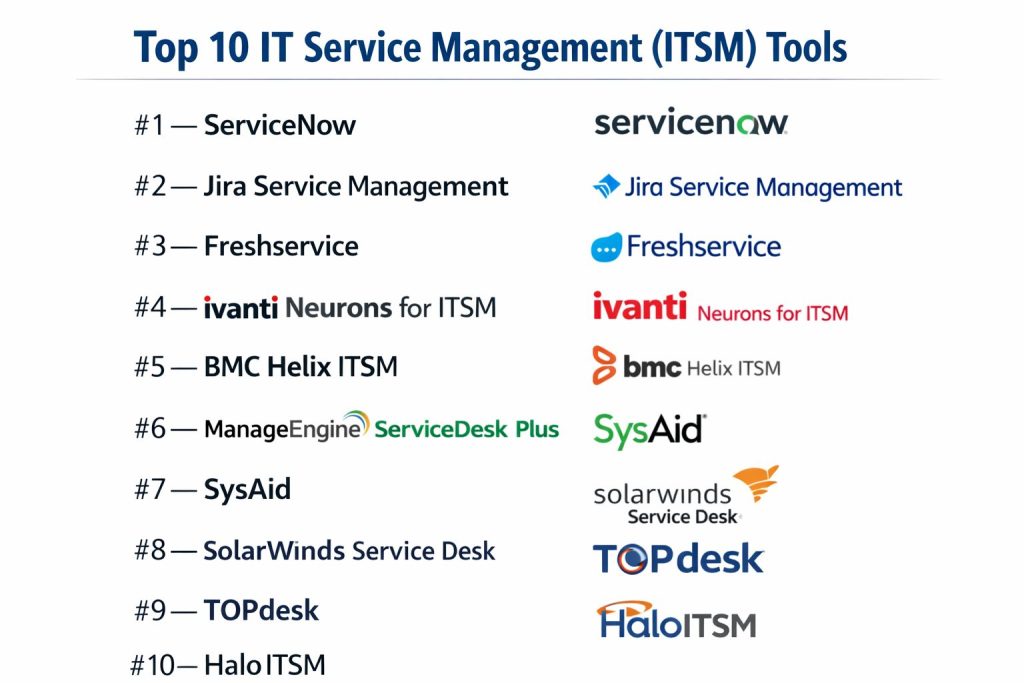
Top 10 IT Service Management (ITSM) Tools
#1 — ServiceNow
The undisputed market leader for enterprise ITSM. ServiceNow is a high-powered platform that transforms manual IT processes into digital workflows across the entire organization.
Key Features
- Now Assist AI: Generative AI that summarizes incidents, generates resolution notes, and powers conversational virtual agents.
- Service Graph CMDB: A multi-layered database that maps complex dependencies between IT assets and business services.
- Service Operations Workspace: A unified interface for agents that combines IT Service Management with IT Operations Management (ITOM).
- App Engine: A low-code platform that allows enterprises to build custom apps on top of the ServiceNow data model.
- Predictive Intelligence: Machine learning that automatically categorizes and routes tickets to the correct teams based on historical patterns.
- Enterprise Service Management: Pre-built modules for HR Service Delivery, Legal Operations, and Workplace Service Management.
Pros
- Ultimate Scalability: Built to handle the requirements of the world’s largest and most complex organizations.
- Vast Ecosystem: A massive marketplace of integrations and a global pool of certified developers.
Cons
- Cost: Generally the most expensive option on the market, often requiring significant budget for both licensing and implementation.
- Complexity: Can be overwhelming for smaller teams; requires dedicated internal resources to manage and optimize.
Platforms / Deployment
- Web / iOS / Android / Desktop (via Electron)
- Cloud / FedRAMP / On-premise (High-security Gov tiers)
Security & Compliance
- SSO/SAML, Enterprise Key Management (EKM), Data Sovereignty controls.
- SOC 1/2/3, ISO 27001, HIPAA, PCI DSS, FedRAMP High.
Integrations & Ecosystem
ServiceNow connects with virtually every enterprise application via its “IntegrationHub.”
- Microsoft Azure & 365
- AWS & Google Cloud
- Salesforce
- Slack & Microsoft Teams
Support & Community
Industry-leading support, “Now Learning” certification paths, and a global community of users and partners.
#2 — Jira Service Management
An Agile-focused ITSM solution from Atlassian that bridges the gap between IT operations and software development teams.
Key Features
- DevOps Integration: Deep native links with Jira Software, Bitbucket, and GitHub for seamless incident-to-code tracking.
- Opsgenie Integration: High-velocity alerting and on-call scheduling included directly in the platform.
- Form Builder: A powerful, low-code tool to create customized service desk portals and request forms.
- Asset & Configuration Management: Integrated tracking of hardware, software, and cloud resources.
- Atlassian Intelligence: AI features for ticket summarization, automated categorization, and virtual agent responses.
- Change Management: Collaborative change flows that allow developers to see the impact of code releases on service stability.
Pros
- High Velocity: Known for fast implementation and a user-friendly interface that teams actually enjoy using.
- Unified Platform: Ideal for organizations already using the Atlassian suite (Jira, Confluence).
Cons
- Advanced CMDB: While improved, its CMDB depth still trails ServiceNow for extremely complex infrastructure.
- Add-on Dependency: Some advanced functionalities require third-party apps from the Atlassian Marketplace.
Platforms / Deployment
- Web / macOS / Windows / iOS / Android
- Cloud / Data Center (Self-managed)
Security & Compliance
- SSO, MFA, Atlassian Access.
- SOC 2/3, ISO 27001, HIPAA, GDPR.
Integrations & Ecosystem
Access to over 5,000+ apps in the Atlassian Marketplace.
- Slack & MS Teams
- Zoom
- ServiceNow (via connectors)
- Jenkins & CircleCI
Support & Community
Extensive online documentation, Atlassian Community forums, and a global network of “Solution Partners.”
#3 — Freshservice
A modern, cloud-native ITSM platform focused on ease of use, consumer-grade UX, and intelligent automation for mid-market and enterprise teams.
Key Features
- Freddy AI: An advanced AI suite that assists agents with responses and provides self-service bots for end users.
- Service Catalog: A visually appealing, Amazon-style portal for users to request IT services and hardware.
- Orchestration Center: A no-code workflow engine for automating tasks across 3rd-party apps (like Active Directory or Zoom).
- Project Management: Integrated project tracking that allows teams to move from incident resolution to project execution seamlessly.
- SaaS Management: Built-in tools to track SaaS usage, manage renewals, and identify “shadow IT.”
- Gamification: Mechanics that encourage agent productivity and high performance through “badges” and leaderboards.
Pros
- User Experience: Consistently ranked as one of the most intuitive and visually pleasing platforms in the category.
- Quick ROI: Faster deployment cycles compared to traditional enterprise legacy tools.
Cons
- Complexity Caps: While expanding, some very niche ITIL requirements may require workarounds.
- Reporting: High-level executive reporting can be less customizable than “heavy” enterprise competitors.
Platforms / Deployment
- Web / iOS / Android
- Cloud (SaaS)
Security & Compliance
- 2FA, SSO, Custom SSL, Data encryption at rest and in transit.
- SOC 2 Type II, ISO 27001, HIPAA, GDPR.
Integrations & Ecosystem
The Freshworks Marketplace offers 1,000+ integrations.
- G-Suite & Microsoft 365
- Slack & Teams
- Jira & GitHub
- TeamViewer
Support & Community
24/7 email and phone support, a dedicated knowledge base, and a growing community of “Freshservice Champions.”
#4 — Ivanti Neurons for ITSM
A high-performance platform known for its “Hyper-automation” capabilities, allowing IT teams to heal devices and resolve issues before they are reported.
Key Features
- Self-Healing Agents: Automated bots that reside on endpoints to detect and fix issues (like disk space or driver errors) autonomously.
- Predictive Service: Uses machine learning to identify trends and suggest changes to prevent recurring incidents.
- Voice Automation: Integrates with phone systems to provide automated, voice-driven support and password resets.
- Integrated ITAM: Deep synergy between service management and asset management for full lifecycle tracking.
- No-Code Workflow Designer: A visual drag-and-drop tool to automate complex cross-departmental processes.
- Dashboards & Real-time Insights: Advanced analytics that provide visibility into the “Health Score” of the entire IT environment.
Pros
- Automation Prowess: Excellent for organizations looking to reduce human-led Tier 1 and Tier 2 support.
- Asset Centricity: Strongest integration between ITSM and Hardware/Software asset management.
Cons
- Learning Curve: Setting up the advanced “Neurons” automation can require specialized training.
- Interface: The UI is powerful but can feel more “technical” than Freshservice or Jira.
Platforms / Deployment
- Web / Windows / iOS / Android
- Cloud / On-premise / Hybrid
Security & Compliance
- SSO/SAML, 2FA, Granular role-based access control (RBAC).
- SOC 2, ISO 27001, Common Criteria.
Integrations & Ecosystem
Strong native connectors for infrastructure and security tools.
- Microsoft Endpoint Manager
- Splunk
- Okta
- Tanium
Support & Community
Professional services for implementation, an extensive customer portal, and tiered support options.
#5 — BMC Helix ITSM
An enterprise-grade, “cognitive” service management platform built for the era of hybrid-cloud and multi-cloud operations.
Key Features
- Cognitive Automation: AI that automatically classifies tickets and provides smart “next-best-action” suggestions to agents.
- Multi-Cloud Discovery: Automatically discovers and maps services across AWS, Azure, and on-premise data centers.
- Smart IT Interface: A persona-based UI that adapts to the specific needs of the agent or the end user.
- Release & Deployment Management: Comprehensive tools for managing large-scale software and hardware rollouts.
- Digital Workplace: A unified portal for employees to access services, knowledge, and collaborative tools.
- Service Level Management: Granular tracking and reporting of SLAs across complex, multi-vendor environments.
Pros
- Deep ITIL Maturity: One of the most mature implementations of the ITIL framework in the market.
- Multi-Cloud Expertise: Exceptional at managing assets in complex, distributed architectures.
Cons
- Heavyweight: Similar to ServiceNow, it requires significant administrative expertise to maintain.
- Pricing: Enterprise-level pricing that may be out of reach for small and mid-sized businesses.
Platforms / Deployment
- Web / iOS / Android
- Cloud (SaaS) / Hybrid / On-premise
Security & Compliance
- SSO, MFA, Federal-grade security certifications.
- SOC 2, ISO 27001, HIPAA, FedRAMP Moderate/High.
Integrations & Ecosystem
BMC Helix integrates with 100+ enterprise applications.
- Microsoft 365
- Slack
- Jenkins
- Dynatrace
Support & Community
Global support network, “BMC Academy” for training, and an active developer community.
#6 — ManageEngine ServiceDesk Plus
A highly popular, cost-effective ITSM suite used by over 100,000 organizations worldwide to streamline service operations and asset management.
Key Features
- Zia AI Assistant: A built-in AI assistant that can summarize tickets, suggest solutions, and automate routine tasks.
- Unified Service Management: Native modules for ITSM, ITAM, and ITOM in a single console.
- Custom Request Lifecycle: A visual builder to define and enforce specific processes for different types of requests.
- Asset Discovery: Scans the network to automatically populate the CMDB with hardware and software data.
- Problem & Change Management: Tools to investigate root causes and manage risks during system updates.
- ESM Portals: Allows non-IT departments (like HR and Finance) to spin up their own service desks quickly.
Pros
- Value for Money: One of the most feature-rich tools available at a mid-market price point.
- Ease of Deployment: Known for being relatively easy to set up and configure compared to legacy enterprise tools.
Cons
- UI Modernity: While improving, the interface can feel slightly dated compared to “cleaner” SaaS startups.
- Depth of AI: The AI features are effective but may lack the “agentic” autonomy found in ServiceNow or Ivanti.
Platforms / Deployment
- Web / Windows / Linux / iOS / Android
- Cloud / On-premise
Security & Compliance
- 2FA, SSO, Encryption at rest.
- ISO 27001, GDPR, HIPAA.
Integrations & Ecosystem
Excellent native integration with the broader Zoho/ManageEngine suite.
- Desktop Central (Endpoint Management)
- OpManager (Monitoring)
- AD360 (Active Directory)
- Slack & Teams
Support & Community
24/5 or 24/7 support depending on the tier, a huge user forum, and regular “User Group” meetups.
#7 — SysAid
An adaptable ITSM platform that emphasizes automation and simplicity, designed specifically to scale with the needs of mid-sized organizations.
Key Features
- Service Automation: Built-in tools for automating repetitive tasks like password resets and software installations.
- BI & Analytics: Native business intelligence that helps IT leaders visualize team performance and service trends.
- Integrated Asset Management: Tracks asset lifecycle and performance directly within the service desk interface.
- Patch Management: Automatically deploys patches to hardware assets to maintain security and performance.
- Workflow Designer: A drag-and-drop tool to create custom workflows for IT and business services.
- Mobile App for Agents: A robust mobile experience that allows agents to manage tickets and assets on the go.
Pros
- Adaptability: Highly flexible and easy to customize without needing extensive programming knowledge.
- Automation First: Strong focus on reducing manual labor through “one-click” automation.
Cons
- Enterprise Scaling: May lack some of the extreme “mega-enterprise” features found in ServiceNow or BMC.
- Third-party Marketplace: A smaller ecosystem of community-built extensions compared to Jira or ServiceNow.
Platforms / Deployment
- Web / Windows / iOS / Android
- Cloud / On-premise
Security & Compliance
- SSO/SAML, 2FA, Data isolation.
- SOC 2 Type II, ISO 27001, HIPAA.
Integrations & Ecosystem
Integrates with common IT and business tools.
- Microsoft 365 & Azure
- TeamViewer & LogMeIn
- Slack
- Zapier
Support & Community
Dedicated customer success managers, a comprehensive knowledge base, and an active online community.
#8 — SolarWinds Service Desk
A streamlined, cloud-based ITSM platform that provides essential service management and asset tracking with a focus on reliability and uptime.
Key Features
- Incident & Problem Management: Standard ITIL-aligned tools for capturing and resolving issues.
- Risk Detection: AI that scans incoming tickets to identify potential “Major Incidents” before they escalate.
- CMDB & Asset Management: Automatically discovers assets and maps their relationships for impact analysis.
- Service Portal: A clean, easy-to-use interface for employees to submit requests and search for help.
- Benchmark Analytics: Compares your service desk performance against industry averages to identify gaps.
- Change Management Board: Tools for visual planning and approval of system changes.
Pros
- Reliability: Backed by the robust SolarWinds monitoring ecosystem.
- Simplicity: Focuses on “doing the basics exceptionally well” without unnecessary feature bloat.
Cons
- Advanced Automation: Lacks some of the deep “hyper-automation” or “agentic AI” found in top-tier competitors.
- Extensibility: Fewer options for building non-IT custom applications compared to ServiceNow.
Platforms / Deployment
- Web / iOS / Android
- Cloud (SaaS)
Security & Compliance
- SSO, MFA, Secure Software Development Lifecycle (SDLC).
- SOC 2 Type II, ISO 27001.
Integrations & Ecosystem
Deep integration with the SolarWinds ITOM suite.
- SolarWinds Observability
- Orion Platform
- Slack & MS Teams
- Jira
Support & Community
Thwack community (one of the largest IT forums), 24/7 technical support, and comprehensive training.
#9 — TOPdesk
A user-friendly ITSM platform from Europe that prioritizes “Self-Service” and “Knowledge-Centered Service” (KCS) to help teams work more efficiently.
Key Features
- Self-Service Portal: An award-winning interface that makes it easy for end users to find their own solutions.
- Knowledge Management: Strong emphasis on the KCS methodology to ensure articles are always up-to-date.
- Collaboration Tools: Native features for sharing information between departments like IT and Facilities.
- Resource Management: Visual planning tools to manage team capacity and workload.
- Incident Management: Simple, intuitive ticket logging and tracking for agents.
- Standardized Best Practices: Ships with pre-configured templates based on decades of ITSM experience.
Pros
- Ease of Use: One of the fastest platforms for teams to learn and master.
- Service Excellence: Highly rated for its customer support and “partnership” approach to implementation.
Cons
- High-End Features: May lack the advanced predictive AI and orchestration found in ServiceNow or Ivanti.
- Reporting Complexity: Building complex, multi-layered custom reports can sometimes be less intuitive.
Platforms / Deployment
- Web / iOS / Android
- Cloud (SaaS) / On-premise
Security & Compliance
- SSO, 2FA, Regular penetration testing.
- ISO 27001, GDPR (Very strong focus as a European vendor).
Integrations & Ecosystem
Offers a “Marketplace” for connecting with other professional tools.
- Microsoft 365
- Slack
- Power BI
- Exact (ERP)
Support & Community
Local support in multiple languages, “TOPdesk Academy,” and a very friendly user community.
#10 — HaloITSM
One of the fastest-growing ITSM platforms, known for its extremely modern interface, high customizability, and all-inclusive feature set.
Key Features
- Modern UI/UX: A fast, single-page application interface that feels like a modern consumer app.
- Unlimited Customization: Allows users to modify almost every field, workflow, and portal element without code.
- All-Inclusive Licensing: One simple price that usually includes all features (Asset, Change, CMDB, etc.).
- Agentic AI Integration: Early adoption of AI features that summarize complex ticket histories and draft responses.
- Multi-Tenant Capability: Excellent for large organizations with multiple distinct business units or subsidiaries.
- Direct SQL Access (on-prem): For teams that want to perform deep data analysis on their own databases.
Pros
- Flexibility: Frequently chosen by organizations that find traditional tools too “rigid” or “boxed-in.”
- Value: Exceptional feature set for the price, often undercutting ServiceNow and BMC significantly.
Cons
- Brand Awareness: A newer player compared to the “Old Guard,” though growing rapidly.
- Ecosystem Size: Smaller partner and consultant network compared to the Atlassian or ServiceNow ecosystems.
Platforms / Deployment
- Web / Windows / iOS / Android
- Cloud / On-premise
Security & Compliance
- 2FA, SSO, Database encryption.
- ISO 27001, GDPR, Cyber Essentials.
Integrations & Ecosystem
Very open API and a large list of native, “one-click” integrations.
- Microsoft Teams & Slack
- Azure AD
- SolarWinds & Datadog
- Zapier
Support & Community
Direct access to experts, a transparent roadmap, and highly responsive customer service.
Comparison Table (Top 10)
| Tool Name | Best For | Platform(s) Supported | Deployment | Standout Feature | Public Rating |
| ServiceNow | Global Enterprise | Web, iOS, Android | Cloud/Hybrid | Now Assist GenAI | 4.8 / 5 |
| Jira Service Mgmt | DevOps-led IT | Web, Mac, Win, iOS | Cloud/Self | Atlassian Synergy | 4.6 / 5 |
| Freshservice | Mid-market UX | Web, iOS, Android | Cloud | Freddy AI Assistant | 4.7 / 5 |
| Ivanti Neurons | Hyper-automation | Web, Win, iOS, Android | Cloud/On-prem | Self-Healing Bots | 4.4 / 5 |
| BMC Helix | Multi-cloud Ops | Web, iOS, Android | Cloud/Hybrid | Cognitive Automation | 4.3 / 5 |
| ManageEngine | Cost-Value SMB | Web, Win, Lin, iOS | Cloud/On-prem | Zia AI & ESM | 4.5 / 5 |
| SysAid | Service Automation | Web, Win, iOS, Android | Cloud/On-prem | Patch Management | 4.4 / 5 |
| SolarWinds | IT Reliability | Web, iOS, Android | Cloud | Risk Discovery | 4.2 / 5 |
| TOPdesk | Ease of Use | Web, iOS, Android | Cloud/On-prem | Knowledge Portal | 4.6 / 5 |
| HaloITSM | Customizability | Web, Win, iOS, Android | Cloud/On-prem | All-inclusive Pricing | 4.8 / 5 |
Evaluation & Scoring of ITSM Tools
The following scoring model evaluates these tools based on their enterprise performance levels.
| Tool Name | Core (25%) | AI (15%) | ESM (15%) | Sec. (10%) | UX (10%) | Integr. (10%) | Value (15%) | Weighted Total |
| ServiceNow | 10 | 10 | 10 | 10 | 8 | 10 | 5 | 9.05 |
| Jira Service Mgmt | 9 | 8 | 9 | 9 | 9 | 10 | 9 | 8.90 |
| Freshservice | 8 | 9 | 8 | 8 | 10 | 9 | 8 | 8.45 |
| Ivanti Neurons | 9 | 9 | 7 | 9 | 7 | 8 | 7 | 8.05 |
| BMC Helix | 10 | 9 | 8 | 10 | 7 | 9 | 6 | 8.40 |
| ManageEngine | 8 | 7 | 9 | 8 | 7 | 8 | 10 | 8.15 |
| SysAid | 8 | 7 | 7 | 8 | 8 | 7 | 9 | 7.75 |
| SolarWinds | 8 | 6 | 6 | 9 | 8 | 8 | 8 | 7.55 |
| TOPdesk | 7 | 6 | 8 | 9 | 10 | 8 | 8 | 7.75 |
| HaloITSM | 9 | 8 | 9 | 8 | 10 | 9 | 9 | 8.90 |
How to interpret these scores:
- Weighted Total: Scores above 8.5 represent world-class solutions for a wide range of needs.
- Core (25%): Measures the robustness of ITIL practice implementation.
- ESM (15%): Measures how easily the tool expands to non-IT departments.
Which ITSM Tool Is Right for You?
Enterprise Level (1,000+ Employees)
If your organization has extreme complexity, high compliance requirements (e.g., FedRAMP), and a large budget, ServiceNow remains the primary choice. For those in heavy industrial or multi-cloud environments, BMC Helix is a powerful alternative.
High-Growth & DevOps Teams
For companies where the development team and IT operations must work as one, Jira Service Management is the industry standard. It provides the best velocity and cost-efficiency for modern digital businesses.
Mid-Market & UX Focused
If you want a tool that users will actually love, with a “consumer-grade” interface and smart AI assistance, Freshservice and HaloITSM are the current leaders in design and modern functionality.
Cost-Conscious & SMB
ManageEngine ServiceDesk Plus provides the best “bang for your buck,” offering a full ITIL suite that is much more affordable and easier to set up than the high-end enterprise giants.
Industry-Specific Needs
- European Organizations: TOPdesk and HaloITSM offer excellent alignment with GDPR and localized support.
- Manufacturing/Asset Heavy: Ivanti Neurons provides the strongest link between service desks and physical device health.
- Public Sector/Education: SysAid and TOPdesk are frequently cited for their ease of departmental collaboration.
Frequently Asked Questions (FAQs)
What is the difference between ITSM and a Help Desk?
A Help Desk is a subset of ITSM focused primarily on “fixing what’s broken” (Incident Management). ITSM is a broader framework that includes planning, designing, delivering, and managing the entire lifecycle of IT services, including Change, Asset, and Problem management.
Is ITIL 4 still relevant?
Yes, but it has evolved. While the core principles of ITIL 4 (value streams, practices) remain foundational, they are now implemented using Agile, DevOps, and AI-driven automation rather than the rigid, manual processes of the past.
Can I use ITSM tools for HR or Facilities?
Absolutely. This is known as Enterprise Service Management (ESM). Modern tools like ServiceNow, Jira SM, and Freshservice have pre-built templates specifically for non-IT workflows like employee onboarding or office repair requests.
How does AI improve the Service Desk?
AI can summarize long ticket threads, suggest the best solution to an agent, categorize incoming requests, and even resolve simple issues (like password resets) automatically through conversational interfaces.
What is a CMDB?
A Configuration Management Database (CMDB) is a repository that acts as a “source of truth” for all your IT assets (Configuration Items or CIs) and, most importantly, the relationships between them.
Do these tools work for remote and hybrid teams?
Yes. Most platforms are cloud-native and accessible via mobile apps, allowing IT agents to support a distributed workforce from anywhere in the world.
What is “Shift-Left” in ITSM?
“Shift-Left” is the practice of moving problem-solving closer to the end user. This starts with self-service (Level 0), then simple agent fixes (Level 1), and only escalates to specialists (Level 2/3) when absolutely necessary.
How much do these tools typically cost?
Costs vary wildly. SMB-focused tools can start at $20–$50 per agent per month, while Enterprise solutions like ServiceNow can cost $100+ per agent plus significant implementation fees.
What is the average implementation time?
A simple tool like Trello or Freshservice can be live in days. A full-scale ServiceNow or BMC implementation typically takes 3 to 9 months depending on the complexity and customization required.
What is NIS2 and why does it matter for ITSM?
NIS2 is a major EU cybersecurity directive. Many ITSM tools have integrated features to help organizations comply by providing automated incident reporting, risk management logs, and evidence of “due diligence.”
Conclusion
The selection of an ITSM tool is a strategic decision that affects the productivity of every employee in the organization. While ServiceNow remains the heavyweight champion for global enterprise scale, the rise of Jira Service Management and HaloITSM has provided powerful, modern alternatives for teams prioritizing speed and flexibility.
The most successful implementations are those that focus on “User Experience” and “Automation First.” By choosing a tool that aligns with your team’s technical maturity and business goals, you can move from “reacting to problems” to “delivering value.”