Introduction
Video conferencing software has transitioned from a secondary communication tool to the fundamental “digital office”. These platforms facilitate real-time audio, video, and data exchange across geographical boundaries, enabling hybrid teams to collaborate as if they were in the same room. With the integration of “Spatial Audio,” “Neural Noise Suppression,” and “Agentic AI,” modern tools do more than transmit video; they activey manage meeting outcomes by drafting summaries, tracking action items, and providing real-time language translation.
In the current landscape, the value of video conferencing is defined by its ability to provide a frictionless experience regardless of hardware or network constraints. As 5G and satellite internet become global standards, the expectation for 4K video and zero-latency communication has become the baseline. Organizations now prioritize “Meeting Interoperability”—the ability to join a Microsoft Teams call from a Zoom Room or a Google Meet link from a Webex device—tearing down the “walled gardens” of previous years.
Real-world use cases include:
- Hybrid Team Synchronization: Daily stand-ups and brainstorming sessions for distributed workforces.
- Global Sales & Client Success: High-stakes presentations with integrated CRM data overlays.
- Telehealth & Virtual Care: Secure, HIPAA-compliant consultations between doctors and patients.
- Large-Scale Virtual Events: Webinars and digital conferences hosting up to 100,000 view-only participants.
- Remote Education: Interactive classrooms with digital whiteboards, breakout rooms, and student engagement tracking.
What buyers should evaluate (Criteria):
- Audio/Video Fidelity: Support for HD/4K resolution and AI-driven background noise removal.
- AI Assistance: Capabilities like automated transcription, meeting summaries, and speaker identification.
- Security Framework: Presence of End-to-End Encryption (E2EE), SSO, and regional data residency.
- Interoperability: How easily the tool connects with hardware and competing meeting platforms.
- Participant Capacity: Maximum limits for active video participants and view-only attendees.
- Browser vs. App Performance: The stability of the “no-download” experience for external guests.
- Collaboration Suite: Native integration of whiteboards, polls, and co-editing of documents.
Best for: Businesses of all sizes looking to bridge the gap between remote and in-office staff while maintaining high security and productivity standards.
Not ideal for: Very small, non-professional groups where free, consumer-grade social apps (like WhatsApp or FaceTime) provide sufficient functionality without the cost or complexity of enterprise tools.
Key Trends in Video Conferencing Software
The 2026 video conferencing market is dominated by three major themes: AI Orchestration, Universal Interoperability, and Immersive Hardware.
- AI Meeting Companions: Native AI agents now listen to calls to automatically extract deadlines, update project boards (like Jira or Monday.com), and draft follow-up emails.
- Universal Join: Platforms are moving toward open standards, allowing users to join any meeting link from any hardware without needing to switch accounts or applications.
- Spatial Audio & Studio Lighting: Software now uses neural filters to simulate professional studio lighting and spatial audio that makes voices sound like they are coming from their specific position on the screen.
- Real-Time Speech-to-Speech Translation: High-fidelity, low-latency translation allows participants to speak their native language while others hear a translated voice-over in real-time.
- Sustainable Connectivity: Advanced codecs allow for high-quality video even on low-bandwidth connections, reducing the carbon footprint associated with high-data streaming.
- Meeting Sentiment Analysis: Enterprise tools provide managers with post-meeting data on “engagement levels” and “talk-to-listen ratios” to improve meeting culture.
- Virtual Command Centers: Integration of AR/VR where users can “walk” into a virtual conference room using a headset or professional display.
How We Selected These Tools (Methodology)
Our ranking of the top 10 video conferencing tools is based on an objective scoring model that accounts for the technological shifts:
- Connection Stability: We analyzed performance benchmarks on inconsistent 4G/5G networks and varied hardware.
- AI Feature Integration: We prioritized tools that use AI to solve practical problems (summaries, noise cancellation) rather than just aesthetic ones.
- Security & Compliance: Only tools meeting global standards like SOC 2, ISO 27001, and GDPR were considered for the top spots.
- Ecosystem Breadth: We evaluated how well each tool integrates with the broader productivity stack (Office 365, Google Workspace, Salesforce).
- Guest Experience: A heavy weight was placed on the “Zero-Install” joining experience for external clients and vendors.
- Cost-to-Value Ratio: We compared features available in free tiers vs. the per-user cost of premium enterprise versions.
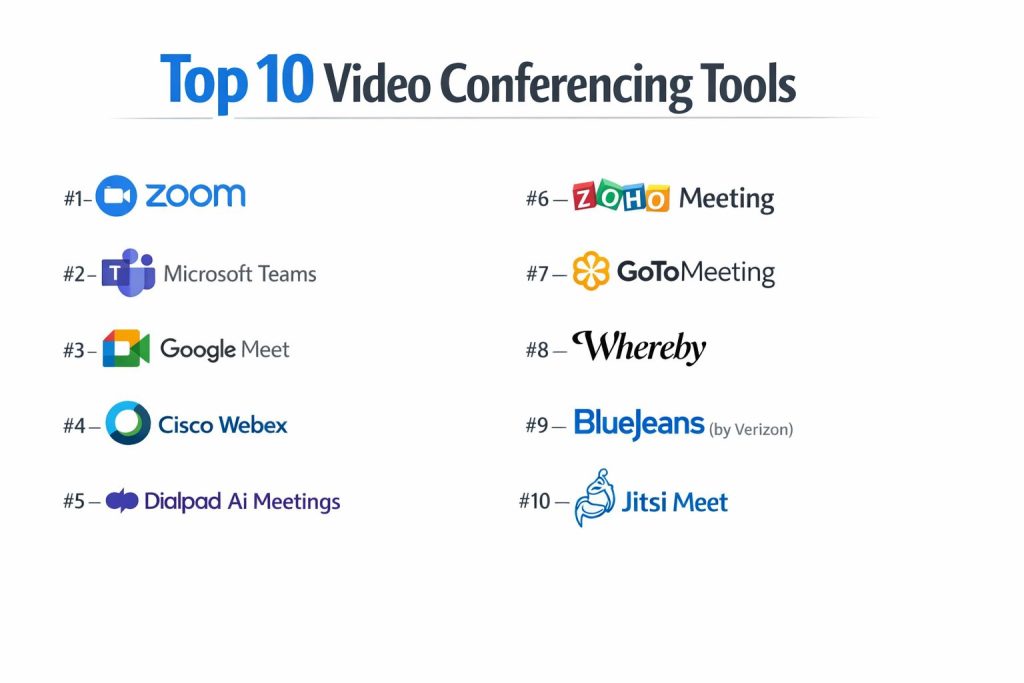
Top 10 Video Conferencing Tools
#1 — Zoom
The industry titan that redefined video calls. Zoom remains the most reliable and feature-rich platform for teams that need consistent performance at scale.
Key Features
- AI Companion: Automatically generates meeting summaries, identifies action items, and drafts follow-up messages.
- Zoom Rooms: Seamless integration with physical conference room hardware for hybrid “One-Touch” join experiences.
- Workvivo Integration: A built-in employee engagement platform that blends social communication with video calls.
- Breakout Rooms: Sophisticated sub-group management for large workshops and training sessions.
- High-Fidelity Audio/Video: Industry-leading compression that maintains quality on low-bandwidth connections.
- Zoom Events: A full-scale platform for hosting multi-day virtual summits with ticketing and networking.
Pros
- Unmatched Reliability: Generally the best performance under poor network conditions.
- Ease of Use: A familiar interface that almost every professional already knows how to navigate.
Cons
- Free Tier Limits: The 40-minute limit on group calls is a significant hurdle for small teams on a budget.
- Security History: While now highly secure, some enterprises still carry legacy concerns regarding past “Zoom-bombing” issues.
Platforms / Deployment
- Web / Windows / macOS / iOS / Android / Linux
- Cloud
Security & Compliance
- AES-256 GCM Encryption, E2EE, SSO, MFA.
- SOC 2 Type II, HIPAA, GDPR, FedRAMP (Zoom for Government).
Integrations & Ecosystem
Zoom App Marketplace offers 1,000+ integrations.
- Slack & Microsoft Teams
- Salesforce & HubSpot
- Google Calendar & Outlook
Support & Community
Comprehensive 24/7 global support, “Zoom Learning Center,” and a massive user community.
#2 — Microsoft Teams
The ultimate communication hub for organizations already invested in the Microsoft 365 ecosystem. It combines chat, video, and deep file collaboration.
Key Features
- Microsoft 365 Integration: Edit Word, Excel, or PowerPoint files directly inside a meeting window.
- Copilot in Teams: AI that can recap meetings you missed and answer questions about the discussion in real-time.
- Together Mode: A unique view that places all participants in a shared virtual background (like a lecture hall).
- Live Captions & Translation: Real-time subtitles in over 30 languages.
- Mesh for Teams: Immersive 3D avatars and virtual spaces for a “metaverse” style meeting experience.
- Advanced Webinars: Support for up to 10,000 attendees with managed Q&A and registration pages.
Pros
- Cost-Effective: Often included in existing M365 subscriptions, making it “free” for many enterprises.
- Security Sovereignty: Deep integration with Azure Active Directory for total control over user access.
Cons
- Resource Intensive: The desktop application can be slow and consume significant RAM.
- Interface Complexity: The “all-in-one” nature makes it more complex to navigate than a pure video tool.
Platforms / Deployment
- Web / Windows / macOS / iOS / Android / Linux
- Cloud
Security & Compliance
- SSO, MFA, E2EE (optional), Data Loss Prevention (DLP).
- SOC 2, ISO 27001, HIPAA, FedRAMP High.
Integrations & Ecosystem
Deepest integration within the Microsoft stack and hundreds of third-party apps.
- Outlook & SharePoint
- GitHub & Jira
- Salesforce
Support & Community
Enterprise-grade support through Microsoft, extensive documentation, and a global partner network.
#3 — Google Meet
The simplest, browser-first video conferencing solution. Google Meet is designed for speed and seamless integration with Google Workspace.
Key Features
- Zero-Install Join: Runs entirely in the browser with no plugins required for any participant.
- Gemini AI: Provides “Studio Look” (lighting enhancement), “Studio Sound,” and automated note-taking.
- Companion Mode: Use a second screen to join a meeting (for chat/polls) without creating audio feedback.
- YouTube Live Streaming: Directly stream meetings to YouTube for public or internal broadcasts.
- Noise Cancellation: Advanced cloud-based filtering that removes dogs barking or keyboard typing.
- Polls & Q&A: Native engagement tools built directly into the sidebar.
Pros
- Extreme Simplicity: The fastest way to get a meeting started; minimal training required.
- Reliability: Leverages Google’s global infrastructure for high uptime and security.
Cons
- Feature Depth: Lacks some of the more advanced host controls and webinar features found in Zoom.
- Performance on Large Calls: Can sometimes lag in the browser if there are more than 50 active video feeds.
Platforms / Deployment
- Web / iOS / Android
- Cloud
Security & Compliance
- Encrypted in transit and at rest, 2FA, Security Keys.
- SOC 2, ISO 27001, HIPAA, GDPR.
Integrations & Ecosystem
Fully integrated into the Google Workspace suite.
- Google Calendar & Drive
- Slack
- Miro
Support & Community
Standard Workspace support tiers, Google Cloud community forums, and comprehensive help docs.
#4 — Cisco Webex
The “Gold Standard” for enterprise and government security. Webex is known for its high-end hardware and robust meeting management.
Key Features
- Webex AI Codec: Delivers high-quality audio even with 90% packet loss on the network.
- Slido Integration: The world’s best polling and Q&A platform is built natively into every meeting.
- Move to Mobile: Transition a call from a desktop to a mobile device (or car via Apple CarPlay) without dropping.
- Real-time Translation: AI-powered translation for 100+ languages.
- Vidcast: Native video messaging for asynchronous updates that don’t require a live meeting.
- Enterprise Hardware: Best-in-class range of cameras, boards, and headsets designed specifically for the software.
Pros
- Security First: Often the only tool cleared for use in highly regulated sectors (Defense, Finance).
- Audio Quality: Superior noise cancellation and audio clarity compared to most competitors.
Cons
- Cost: Can be significantly more expensive for large-scale deployments than Teams or Meet.
- User Experience: The interface has improved but can still feel more technical than “modern” SaaS tools.
Platforms / Deployment
- Web / Windows / macOS / iOS / Android
- Cloud / Hybrid
Security & Compliance
- E2EE by default, Zero-Trust security model.
- FedRAMP Authorized, SOC 2, ISO 27001, HIPAA, GDPR.
Integrations & Ecosystem
Webex App Hub connects with most enterprise software.
- Salesforce
- Microsoft Teams (Interop)
- Box & Dropbox
Support & Community
24/7 global support, dedicated account managers for enterprise, and extensive hardware support.
#5 — Dialpad Ai Meetings
An AI-first communication platform that focuses on “intelligence” and high-fidelity audio, making it a favorite for sales and support teams.
Key Features
- Built-in Dialpad Ai: Real-time transcription that identifies “sentiment” and “keywords” as people speak.
- Action Item Extraction: Automatically lists tasks mentioned during the call for the post-meeting recap.
- No-PIN Meetings: Users join via a URL; the software recognizes the host automatically.
- Dolby Voice: Integration with Dolby technology for the most natural-sounding spatial audio.
- Mobile-First Design: A highly optimized mobile app for professionals on the move.
- Global Voice Network: Reliable PSTN calling combined with HD video conferencing.
Pros
- Intelligence: The best real-time transcription and analysis of any tool on this list.
- Audio Clarity: Significant focus on voice quality, reducing listener fatigue.
Cons
- Market Awareness: Less “standardized” than Zoom/Teams, meaning guests may be less familiar with it.
- Integration Depth: While good, it has a smaller third-party ecosystem than Microsoft or Google.
Platforms / Deployment
- Web / Windows / macOS / iOS / Android
- Cloud
Security & Compliance
- SSO, MFA, AES-256 Encryption.
- SOC 2 Type II, HIPAA, GDPR, ISO 27001.
Integrations & Ecosystem
Focuses on sales and productivity stacks.
- Salesforce & HubSpot
- Slack
- Zendesk
Support & Community
Live chat support, dedicated Enterprise CSMs, and a strong online knowledge base.
#6 — Zoho Meeting
A budget-friendly, highly secure browser-based tool that is perfect for SMBs and organizations already using the Zoho suite.
Key Features
- Browser-Centric: No desktop application required; works perfectly in Chrome, Firefox, and Safari.
- Webinar Support: Includes Q&A, polls, and “Raise Hand” for up to 5,000 attendees at a lower cost than rivals.
- Embeddable Meetings: Place your meeting or webinar registration directly on your company website.
- Co-Hosting: Multiple hosts can manage participants and present simultaneously.
- Cloud Recording: Store and share meeting recordings directly from the Zoho cloud.
- Moderator Controls: Lock meetings to prevent uninvited guests and manage participant audio/video.
Pros
- Price: One of the most affordable professional-grade tools on the market.
- Privacy: Zoho is famous for its “No-Ads, No-Tracking” policy across all its products.
Cons
- Advanced Features: Lacks some of the more “experimental” AI features found in Zoom or Dialpad.
- Interface: Functional but lacks the “polish” of more expensive competitors.
Platforms / Deployment
- Web / iOS / Android
- Cloud
Security & Compliance
- TLS 1.2, AES-256 bit encryption, SSO.
- SOC 2, HIPAA, GDPR, ISO 27001.
Integrations & Ecosystem
Natively integrated with the entire Zoho ecosystem (50+ apps).
- Zoho CRM & Zoho Projects
- Slack
- Google Calendar
Support & Community
Email and phone support, comprehensive user guides, and an active Zoho user community.
#7 — GoTo Meeting
A veteran in the space that remains a reliable choice for professional organizations needing rock-solid stability and “Commuter Mode.”
Key Features
- Commuter Mode: A specialized mobile interface for joining calls safely while walking or driving.
- Smart Assistant: Uses AI to identify action items and provide meeting highlights.
- Unlimited Cloud Recording: No limits on the number of meetings you can save to their cloud.
- Drawing Tools: Annotate shared screens in real-time to highlight specific data points.
- Transcription: High-accuracy automated transcription for all recorded calls.
- Diagnostic Dashboard: Allows users to troubleshoot their own internet connection mid-call.
Pros
- Reliability: Extremely stable audio, especially for dial-in users.
- Security: A long-standing reputation for professional-grade privacy and control.
Cons
- No Free Plan: Unlike Zoom or Google, there is no indefinite free version for small teams.
- Collaboration: Lacks native, multi-user whiteboards found in more modern platforms.
Platforms / Deployment
- Web / Windows / macOS / iOS / Android
- Cloud
Security & Compliance
- SSO, MFA, AES-256 Encryption.
- SOC 2 Type II, HIPAA, GDPR.
Integrations & Ecosystem
Connects with major business applications.
- Slack
- Salesforce
- Office 365
Support & Community
24/7 global phone support and a robust online help center.
#8 — Whereby
The “Designer’s Choice.” Whereby focuses on beautiful meeting rooms, privacy, and the absolute easiest joining experience for guests.
Key Features
- Personalized URLs: Every meeting room has a permanent, easy-to-remember name.
- Branded Rooms: Fully customize the background, colors, and logo of your meeting space.
- Embedded Whiteboards: Native Miro integration for collaborative brainstorming.
- No Downloads: Guests join with a single click in their browser; no accounts or apps required.
- Picture-in-Picture: Allows users to keep the video feed visible while working in other browser tabs.
- EU-Based Privacy: Strictly adheres to European privacy standards by default.
Pros
- UX Design: The most aesthetically pleasing and least “corporate” feeling tool on the list.
- Guest Friction: Zero friction for external participants who aren’t tech-savvy.
Cons
- Enterprise Power: Lacks the “mass-scale” features of Teams or Zoom (e.g., 1,000+ person calls).
- Cost: The “Pro” and “Business” tiers can be pricey relative to the feature count.
Platforms / Deployment
- Web / iOS / Android
- Cloud
Security & Compliance
- GDPR Compliant, E2EE (for small rooms), ISO 27001.
Integrations & Ecosystem
Focuses on creative and lightweight tools.
- Miro & Trello
- Google Drive
- Slack
Support & Community
Excellent self-help documentation and email support.
#9 — BlueJeans (by Verizon)
A platform designed for high-fidelity audio and interactive events, often used by marketing teams for virtual town halls.
Key Features
- Dolby Voice: Built-in spatial audio that separates voices and reduces background noise.
- Smart Meetings: Post-meeting highlights that allow users to “skim” a 1-hour call in 5 minutes.
- Command Center: Real-time analytics for IT teams to monitor call quality across the organization.
- BlueJeans Events: Host large-scale interactive broadcasts with up to 150,000 attendees.
- Breakout Sessions: Allows for separate sub-discussions within a large event.
- Accessible Meetings: Support for closed captioning and screen readers for inclusive collaboration.
Pros
- Audio Engineering: Widely considered to have the best “natural” audio quality in the industry.
- Event Management: Exceptional tools for managing “Stage” vs “Audience” during webinars.
Cons
- User Interface: Can feel slightly dated compared to Google Meet or Whereby.
- Integration Speed: Third-party app updates sometimes lag behind Zoom.
Platforms / Deployment
- Web / Windows / macOS / iOS / Android
- Cloud
Security & Compliance
- SOC 2, SOC 3, HIPAA, GDPR.
Integrations & Ecosystem
Strong focus on unified communications.
- Microsoft Teams & Slack
- Salesforce
- Facebook Live
Support & Community
Enterprise-grade “BlueJeans University” for training and global customer success teams.
#10 — Jitsi Meet
The world’s leading open-source video conferencing tool. Jitsi is the choice for privacy advocates and teams that want to host their own infrastructure.
Key Features
- 100% Open Source: Total transparency and the ability to customize the code to your needs.
- Self-Hosting: Can be installed on your own servers for total data sovereignty.
- No Account Required: Anyone can create a room name and start a meeting instantly.
- Etherpad Integration: Real-time collaborative note-taking built directly into the interface.
- YouTube Streaming: Native support for streaming calls directly to a public audience.
- High-Level Encryption: Support for hop-by-hop encryption and E2EE.
Pros
- Privacy: Since you can host it yourself, no third-party company ever sees your data.
- Free: The public version is completely free with no time limits or participant caps.
Cons
- Support: No official “Help Desk”; you rely on community forums and your own IT team.
- Stability: The public servers can occasionally be less reliable than commercial platforms.
Platforms / Deployment
- Web / iOS / Android / Self-Hosted
- Cloud / On-Premise
Security & Compliance
- E2EE, Open Source Auditability.
- GDPR (when self-hosted and configured correctly).
Integrations & Ecosystem
Extensible via API; natively integrates with open-source tools.
- Matrix & Rocket.Chat
- Google Calendar (via plugin)
- Slack
Support & Community
Massive developer community on GitHub and community forums.
Comparison Table (Top 10)
| Tool Name | Best For | Platform(s) Supported | Deployment | Standout Feature | Public Rating |
| Zoom | Hybrid Teams | Web, Win, Mac, iOS, Android | Cloud | AI Companion | 4.8 / 5 |
| Microsoft Teams | M365 Users | Web, Win, Mac, iOS, Android | Cloud | Deep M365 Integration | 4.4 / 5 |
| Google Meet | Simplicity | Web, iOS, Android | Cloud | Zero-Install Browser | 4.4 / 5 |
| Cisco Webex | High Security | Web, Win, Mac, iOS, Android | Cloud/Hybrid | Slido Native Polling | 4.0 / 5 |
| Dialpad Ai | AI Transcription | Web, Win, Mac, iOS, Android | Cloud | Real-time AI Sentiment | 3.9 / 5 |
| Zoho Meeting | Budget SMBs | Web, iOS, Android | Cloud | Web-based Webinars | 3.9 / 5 |
| GoTo Meeting | Mobile Users | Web, Win, Mac, iOS, Android | Cloud | Commuter Mode | 3.6 / 5 |
| Whereby | Creative Guests | Web, iOS, Android | Cloud | Custom Branded Rooms | 4.6 / 5 |
| BlueJeans | Audio Quality | Web, Win, Mac, iOS, Android | Cloud | Dolby Voice Audio | 4.1 / 5 |
| Jitsi Meet | Privacy/Devs | Web, iOS, Android, Self-Host | Cloud/Self | 100% Open Source | 4.3 / 5 |
Evaluation & Scoring of Video Conferencing Tools
This scoring model reflects the performance requirements for professional communication.
| Tool Name | Perf. (25%) | Ease (15%) | AI (15%) | Sec. (15%) | Interop (10%) | Supp. (10%) | Value (10%) | Weighted Total |
| Zoom | 10 | 9 | 10 | 8 | 9 | 10 | 7 | 9.15 |
| Microsoft Teams | 8 | 6 | 10 | 10 | 8 | 10 | 10 | 8.80 |
| Google Meet | 9 | 10 | 9 | 9 | 8 | 8 | 9 | 8.95 |
| Cisco Webex | 10 | 6 | 8 | 10 | 10 | 10 | 6 | 8.60 |
| Dialpad Ai | 9 | 8 | 10 | 9 | 7 | 9 | 7 | 8.65 |
| Zoho Meeting | 8 | 9 | 6 | 9 | 7 | 8 | 10 | 8.15 |
| GoTo Meeting | 9 | 8 | 8 | 9 | 7 | 9 | 7 | 8.35 |
| Whereby | 8 | 10 | 7 | 8 | 7 | 7 | 7 | 7.95 |
| BlueJeans | 9 | 7 | 8 | 9 | 8 | 9 | 7 | 8.35 |
| Jitsi Meet | 7 | 9 | 5 | 10 | 7 | 4 | 10 | 7.40 |
Scoring Guide:
- Weighted Total: Market leaders score above 8.5.
- Perf. (25%): Stability on poor networks and video/audio sync quality.
- AI (15%): Usefulness of native AI in everyday workflows.
- Value (10%): Feature set relative to price.
Which Video Conferencing Tool Is Right for You?
Freelancers & Solo Professionals
Google Meet (free) or Whereby are the best options. They require no installation and offer professional, simple interfaces for client calls without the “enterprise” overhead.
Small to Medium Businesses (SMBs)
Zoho Meeting offers the best value for organizations that need professional webinar and meeting tools on a tight budget. If your team is remote-first and tech-heavy, Zoom remains the benchmark for productivity.
Enterprise & Corporate
Microsoft Teams is often the default choice for its security and cost-integration with Office 365. For those requiring “Best-in-Class” boardroom hardware, Cisco Webex is the preferred solution.
Security-Conscious / Government
Cisco Webex and Jitsi Meet (self-hosted) are the leading choices. Webex provides the certifications (FedRAMP), while Jitsi provides the code transparency and infrastructure control.
Budget vs Premium
- Budget: Jitsi Meet (Free) or Zoho Meeting (starts at $2/user).
- Premium: Dialpad Ai and Cisco Webex command higher prices for specialized AI and hardware capabilities.
Ease of Use vs Customization
- Ease of Use: Google Meet wins for participants; Whereby wins for aesthetics.
- Customization: Jitsi Meet is the only tool that allows you to change the actual core software.
Frequently Asked Questions (FAQs)
Why is there a 40-minute limit on free Zoom calls?
This is a standard “freemium” strategy designed to encourage organizations to move to paid plans for business continuity. Google Meet and Webex have similar limits (usually 60 minutes) on their free tiers.
Can I join a Teams meeting if I don’t have a Microsoft account?
Yes. You can join via the web browser as a guest. You only need to enter your name to be admitted to the “waiting room” by the host.
What is “Spatial Audio” and do I need it?
Spatial audio simulates 3D sound, making voices sound like they are coming from the direction of the person’s video on your screen. It reduces “meeting fatigue” by helping your brain distinguish between different speakers more naturally.
Is my data being used to train AI models?
Most enterprise-grade tools (Zoom, Microsoft, Google) have strict policies that do not use your private meeting data or recordings to train their public AI models without explicit consent. Check your admin settings to confirm.
Do these tools work on slow internet?
Yes, but performance varies. Zoom and Webex have the most advanced “codecs” (compression technology) that can keep audio clear even when the video quality drops significantly due to low bandwidth.
Can I record a meeting without the participants knowing?
Legally and technically, most professional tools will announce “Recording has started” or show a bright red indicator to all participants to ensure transparency and compliance with privacy laws like GDPR.
What is a “Meeting Room Connector”?
This is a software bridge that allows legacy hardware (like old Cisco or Polycom units) to connect to modern cloud platforms like Zoom or Teams.
Do I need a 4K camera for these tools?
Not necessarily. Most platforms compress video to 720p or 1080p to save bandwidth. A 4K camera is only beneficial if you are using “Digital Zoom” or if the platform supports “Ultra HD” mode (usually an enterprise setting).
How do I stop “Zoom-bombing”?
Use a “Waiting Room,” require a meeting password, and never share your meeting link publicly on social media. Modern tools have these features enabled by default in 2026.
Can these tools integrate with my CRM?
Yes. Platforms like Dialpad, Zoom, and Teams can pull up a client’s history from Salesforce or HubSpot the moment they join the call, allowing sales teams to have context-aware conversations.
Conclusion
The video conferencing market is no longer about just “seeing each other.” It is about a unified intelligence layer that sits on top of every conversation. For most users, Google Meet and Zoom provide the best balance of speed and features. However, for organizations seeking deep productivity integration, Microsoft Teams is unbeatable.
When choosing, focus first on the “Guest Experience”—if your clients struggle to join your calls, the most advanced AI features won’t save the meeting.