Introduction
Survey software tools are digital platforms designed to collect, aggregate, and analyze feedback from specific audiences. These tools have moved beyond simple data collection to become “Feedback Intelligence Systems.” They leverage advanced sentiment analysis, predictive modeling, and conversational interfaces to bridge the gap between raw data and actionable business strategy. Whether used for market research, employee engagement, or customer satisfaction, modern survey tools are essential for maintaining a pulse on rapidly shifting global sentiments.
The relevance of survey software is anchored in the “Participation Economy,” where consumers and employees expect their voices to be heard in real-time. Organizations now use these platforms to perform high-frequency “pulse” checks, replacing the traditional, exhaustive annual survey with continuous, bite-sized interactions. Integration with AI allows these platforms to not only collect data but also to suggest strategic pivots based on the nuances of respondent feedback.
Real-world use cases include:
- Customer Experience (CX): Measuring Net Promoter Scores (NPS) and Customer Satisfaction (CSAT) at various touchpoints in the buyer journey.
- Employee Voice (VoE): Conducting anonymous engagement surveys and exit interviews to improve retention and culture.
- Market Research: Testing new product concepts, pricing sensitivity, and brand awareness with global target panels.
- Academic & Scientific Research: Collecting structured data for longitudinal studies with rigorous logic and validation rules.
- Event Feedback: Gathering real-time reactions from attendees during or immediately following virtual and physical conferences.
What buyers should evaluate (Criteria):
- Logic Sophistication: Ability to handle complex skip logic, branching, and piping (inserting previous answers into new questions).
- Respondent Experience: How engaging the interface is—mobile responsiveness and “conversational” UI are critical for high completion rates.
- AI & Analytics: Features like automated thematic grouping, sentiment analysis of open-ended text, and predictive churn modeling.
- Distribution Channels: Versatility in reaching audiences via email, SMS, web intercepts, QR codes, and social media.
- Data Security: Compliance with global standards like GDPR, CCPA, and industry-specific ones like HIPAA for medical data.
- Sample Accessibility: Whether the platform provides a built-in audience panel for rent to reach specific demographics quickly.
- Integration Depth: How seamlessly the survey data flows into CRMs (Salesforce), BI tools (Tableau), and internal communication hubs (Slack).
- White-Labeling: The extent to which the tool can be branded to look exactly like a native part of your own company’s ecosystem.
Best for: CX professionals, HR leaders, product managers, and marketing researchers who need high-quality data to justify strategic decisions.
Not ideal for: One-off personal events like “potluck sign-ups” or very basic polls where free, lightweight tools like Google Forms or social media native polls are more than sufficient.
Key Trends in Survey Software
The survey landscape is defined by “Conversational Intelligence” and “Zero-Friction Feedback.”
- Generative AI Survey Builders: Users can now type a single prompt like “Create a 5-question survey for churned SaaS users,” and the AI generates the logic, questions, and themes automatically.
- Voice-to-Data Surveys: Increased adoption of voice-activated surveys for hands-free environments (like retail or healthcare), using NLP to transcribe and analyze tone.
- Hyper-Personalization: Surveys that dynamically adjust not just the questions, but the visual theme and language based on the respondent’s profile or previous behavior.
- Blockchain for Privacy: Implementation of zero-knowledge proofs to guarantee absolute anonymity in sensitive employee or political surveys.
- In-Moment Micro-Surveys: Transition from long-form questionnaires to 1-2 question “micro-interactions” embedded directly into mobile apps or websites.
- Predictive Response Modeling: AI that predicts which segments are likely to drop off and adjusts the survey length or incentive in real-time to maximize completion.
- Synthesized Sentiment Analysis: Platforms that can “read” between the lines of text responses to detect sarcasm, urgency, or specific emotional states.
- Environmental Contextualization: Using IoT data (location, weather, time) to trigger surveys exactly when a respondent is in the best position to provide accurate feedback.
How We Selected These Tools (Methodology)
Our selection is based on a balanced scoring of technical capability and user accessibility:
- Completion Rate Benchmarks: We prioritized tools that consistently show higher-than-average respondent completion rates due to superior UI.
- AI Integration Maturity: We looked for platforms where AI is used for deep analysis and survey construction, not just as a basic chatbot.
- Enterprise-Grade Governance: Evaluation of tools based on their ability to handle thousands of users and strict data residency requirements.
- Breadth of Use Cases: Preference was given to “Swiss Army Knife” tools that can handle everything from a quick poll to a massive market research study.
- Market Position: We analyzed a mix of “household names” and disruptive newcomers that are redefining survey interactions.
- Vendor Stability: Assessment of the vendor’s roadmap and financial health to ensure long-term support for enterprise clients.
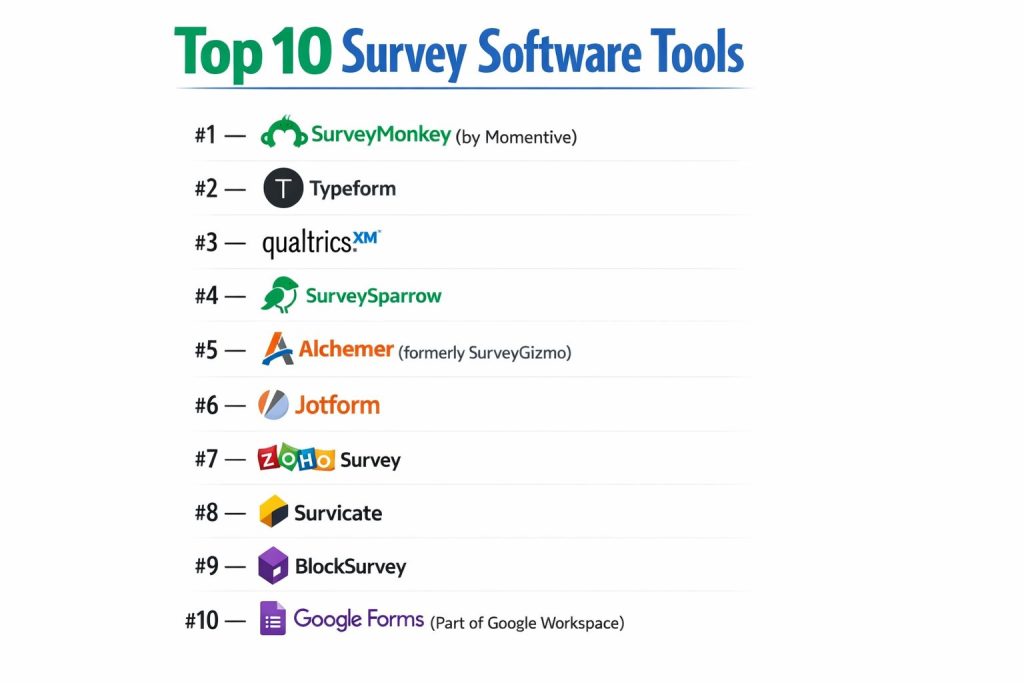
Top 10 Survey Software Tools
#1 — SurveyMonkey (by Momentive)
The industry standard for online surveys, known for its massive template library and ease of use. It remains the most recognized name in the space.
Key Features
- Question Bank: Thousands of pre-written, certified questions to ensure data validity.
- SurveyMonkey Genius: An AI-powered assistant that scores your survey for potential bias and completion success.
- Advanced Branching: Sophisticated logic that routes users based on multiple previous answers.
- Global Audience Panel: Instant access to millions of respondents across 100+ countries for market research.
- Multi-Channel Delivery: Native tools for email, SMS, web-link, and social media distribution.
- Enterprise Admin Dashboard: Centralized control for managing hundreds of users and brand assets.
Pros
- Unmatched Reliability: A stable, feature-rich platform that everyone knows how to use.
- Massive Integration List: Connects with virtually every major SaaS tool on the market.
Cons
- Cost at Scale: The price increases significantly as you move into enterprise tiers with advanced logic.
- UI Fatigue: Because it’s so common, some respondents find the standard SurveyMonkey look less “exciting” than newer tools.
Platforms / Deployment
- Web / iOS / Android
- Cloud
Security & Compliance
- SSO/SAML, HIPAA, SOC 2, ISO 27001, GDPR.
Integrations & Ecosystem
Over 100+ native integrations.
- Salesforce & Microsoft Dynamics
- Slack & Microsoft Teams
- HubSpot & Mailchimp
Support & Community
24/7 email and phone support for higher tiers, plus a vast library of “Survey Science” resources.
#2 — Typeform
A design-first platform that pioneered the “one question at a time” conversational interface. It is the gold standard for respondent engagement.
Key Features
- Conversational UI: High-quality visual design that makes surveys feel like a human conversation.
- VideoAsk Integration: Allows for video-based questions and responses, adding a personal touch.
- Generative AI Builder: Drafts beautiful surveys and logic flows from a simple text description.
- Logic Jumps: Visual logic builder that makes complex branching easy to map out.
- Interactive Ending Screens: Custom redirect paths based on how the user answered the survey.
- Embeddable Designs: Seamlessly integrates into websites with zero “iframe” clunkiness.
Pros
- Highest Completion Rates: The superior UX significantly reduces respondent drop-off.
- Aesthetic Mastery: Best-in-class branding options for luxury or design-conscious brands.
Cons
- Data Limitations: Not as powerful as Qualtrics or Alchemer for heavy-duty statistical analysis.
- Price Per Response: Can be expensive for high-volume pulse surveys compared to standard form builders.
Platforms / Deployment
- Web / iOS / Android
- Cloud
Security & Compliance
- 2FA, SSO, GDPR, SOC 2 Type II.
Integrations & Ecosystem
Extensive connectivity via “Connect” marketplace.
- Google Sheets & Airtable
- Slack
- Zapier (Thousands of triggers)
Support & Community
Strong self-service help center and active community of “Typeform Partners.”
#3 — Qualtrics (XM)
The enterprise heavyweight for “Experience Management.” It is designed for large-scale research and organizations that need deep analytical power.
Key Features
- Stats iQ: Automated statistical analysis (regression, correlation) built directly into the dashboard.
- Text iQ: Advanced NLP that automatically categorizes open-ended comments and identifies sentiment.
- Predictive Churn Modeling: Predicts which customers are at risk based on their survey responses.
- Hierarchical Dashboards: Role-based views so a CEO sees different data than a store manager.
- Expert Review: AI that checks for data quality and identifies “garbage” responses (like bots).
- Cross-Channel XM: Combines survey data with operational data (O-data) from your ERP/CRM.
Pros
- Unlimited Power: If you can dream of a research methodology, Qualtrics can likely execute it.
- Academic Rigor: The preferred choice for universities and clinical researchers.
Cons
- Cost: Extremely expensive; typically requires a five-figure annual commitment.
- Complexity: Requires specialized training or a dedicated administrator to maximize its value.
Platforms / Deployment
- Web / iOS / Android
- Cloud
Security & Compliance
- FedRAMP, HIPAA, HITRUST, SOC 2, GDPR.
Integrations & Ecosystem
Deep enterprise integrations.
- SAP (Owner/Partner ecosystem)
- Salesforce
- Adobe Experience Cloud
Support & Community
Dedicated success managers, “Qualtrics Basecamp” training, and global professional services.
#4 — SurveySparrow
A platform that focuses on multi-channel “omni-surveys,” using a chat-like interface to drive continuous feedback loops.
Key Features
- Chat-Style Surveys: Highly interactive, mobile-optimized surveys that look like a messaging app.
- Offline Surveys: A dedicated app for collecting data in remote locations without internet.
- NPS & CSAT Automation: Built-in workflows to trigger surveys after specific customer actions.
- 360-Degree Feedback: Specialized modules for employee performance and growth reviews.
- Executive Dashboards: Real-time visualization of feedback trends across different departments.
- Recurring Surveys: Automates the “pulse” check by sending surveys on a set schedule.
Pros
- Multi-Channel King: Excellent at reaching users via WhatsApp, Slack, and SMS.
- Modern Feel: A great middle ground between the design of Typeform and the power of SurveyMonkey.
Cons
- Feature Depth: Some of the advanced logic features are less mature than enterprise competitors.
- Reporting: While good, it lacks the deep statistical tools of Qualtrics.
Platforms / Deployment
- Web / iOS / Android
- Cloud / Offline App
Security & Compliance
- 2FA, SSO, GDPR, SOC 2.
Integrations & Ecosystem
- HubSpot
- Zendesk
- Freshdesk
- Zapier
Support & Community
24/5 live chat support and a growing template library for varied industries.
#5 — Alchemer (formerly SurveyGizmo)
A tool built for those who need enterprise-grade logic and reporting without the massive price tag or complexity of Qualtrics.
Key Features
- Advanced Logic & Piping: Includes complex features like “Action” logic (triggering an email or API call based on a response).
- Offline Data Collection: Robust mobile app for field research and trade shows.
- Custom Scripting: Allows technical users to write JavaScript to extend survey functionality.
- Closed-Loop Feedback: Tools for “root cause analysis” and following up on negative responses.
- Panel Services: Integrated access to target audiences for rapid market testing.
- Data Visualizer: High-level reporting that allows for deep filtering and cross-tabulation.
Pros
- Best Logic-to-Price Ratio: Offers very high-end features at a mid-market price.
- Flexibility: One of the most “hackable” tools for custom enterprise workflows.
Cons
- Interface: The builder can feel slightly dated compared to Typeform or SurveySparrow.
- Learning Curve: While not as hard as Qualtrics, it still takes time to master.
Platforms / Deployment
- Web / iOS / Android
- Cloud
Security & Compliance
- SOC 2 Type II, ISO 27001, GDPR, HIPAA.
Integrations & Ecosystem
- Salesforce (Deep integration)
- Microsoft Dynamics
- Tableau
- Webhooks
Support & Community
Industry-leading phone support and a highly detailed documentation portal.
#6 — Jotform
Originally a form builder, Jotform has evolved into a powerful survey tool that excels at data collection and integration with business processes.
Key Features
- Jotform Tables: A powerful spreadsheet-like interface for managing and analyzing survey data.
- PDF Editor: Automatically turns survey responses into professional, branded PDF reports.
- Conditional Logic: Reliable rules for showing/hiding questions based on user input.
- 10,000+ Templates: The largest library of templates in the industry.
- Payment Integration: Allows you to collect fees or donations within the survey flow.
- Jotform Signed: Native e-signature integration for legal-bound feedback.
Pros
- Workflow King: Best for teams that need surveys to trigger specific business actions (like generating an invoice).
- Ease of Use: Drag-and-drop builder that requires zero technical knowledge.
Cons
- Advanced Research: Lacks some of the “survey science” tools found in SurveyMonkey or Qualtrics.
- Design Control: While good, it’s not as visually “slick” as Typeform.
Platforms / Deployment
- Web / iOS / Android
- Cloud / Enterprise (On-Prem available)
Security & Compliance
- PCI DSS Level 1, HIPAA, GDPR, SOC 2.
Integrations & Ecosystem
Direct integrations with 150+ apps.
- Google Workspace
- PayPal & Stripe
- Dropbox & Box
- Salesforce
Support & Community
24/7 support and an massive ecosystem of user-contributed forms.
#7 — Zoho Survey
Part of the Zoho suite, this tool is best for organizations already using Zoho CRM, offering tight integration and excellent value.
Key Features
- Zoho CRM Integration: Automatically maps survey responses to customer profiles in the CRM.
- Multi-Language Support: Easily translate surveys into 30+ languages for global reach.
- Offline App: Collect responses at kiosks or events without an internet connection.
- Domain Mapping: Host surveys on your own custom domain for a seamless brand experience.
- Scoring & Logic: Assign points to answers to create quizzes or lead-scoring surveys.
- Real-time Reporting: Instant charts and graphs as soon as a response is submitted.
Pros
- Unbeatable Value: One of the most affordable tools for the feature set it provides.
- Seamless Ecosystem: If you use Zoho, this is the most logical choice.
Cons
- Siloed UI: The interface feels very much like a “Zoho app,” which might not suit everyone.
- Analytics: Good for standard business use, but not for advanced academic research.
Platforms / Deployment
- Web / iOS / Android
- Cloud
Security & Compliance
- 2FA, SSO, GDPR, ISO 27001.
Integrations & Ecosystem
Deeply integrated with the Zoho suite.
- Zoho CRM, Campaigns, and Analytics
- Slack
- Google Drive
Support & Community
Solid 24/5 support and a wide network of Zoho implementation partners.
#8 — Survicate
A tool specialized for “in-product” and website surveys, focusing on gathering feedback from users while they are actively using your service.
Key Features
- Targeted Web Intercepts: Show surveys to specific users based on their behavior (e.g., “Time on Page”).
- In-App Mobile Surveys: Native SDKs for iOS and Android to collect feedback inside your app.
- AI Feedback Hub: Aggregates and categorizes qualitative feedback from multiple sources.
- NPS/CSAT Microsurveys: Highly optimized, 1-click surveys for email and website.
- Response Tagging: Automatically tag responses based on keywords for easy filtering.
- Identified Responses: Syncs with your backend to know exactly which user gave which feedback.
Pros
- Behavioral Targeting: The best tool for asking the “right person at the right time.”
- Ease of Implementation: Very fast to set up on websites via a simple tracking code.
Cons
- Niche Focus: Not designed for long, academic-style research questionnaires.
- Limited Logic: Logic is focused on the user journey rather than complex question branching.
Platforms / Deployment
- Web / iOS / Android
- Cloud
Security & Compliance
- GDPR, SOC 2.
Integrations & Ecosystem
- HubSpot (Premier Partner)
- Intercom
- Mixpanel & Amplitude
- Segment
Support & Community
Responsive live chat support and specialized “CSAT/NPS Playbooks.”
#9 — BlockSurvey
A privacy-first survey tool that uses blockchain technology to ensure absolute data ownership and anonymity for respondents.
Key Features
- End-to-End Encryption: Only the survey creator can access the data; even BlockSurvey cannot see it.
- Decentralized Identity: Uses Stacks/Bitcoin blockchain for secure, anonymous login.
- AI Survey Assistant: Helps generate questions while maintaining a focus on privacy-safe language.
- Zero-Knowledge Proofs: Allows for demographic verification without revealing specific user identities.
- No Trackers: Guaranteed zero tracking or third-party cookies for respondents.
- Customizable Branding: High-quality themes that don’t compromise security.
Pros
- Maximum Trust: The only choice for highly sensitive topics (whistleblowing, health, politics).
- Modern Stack: Appeals to the privacy-conscious and Web3-native audiences.
Cons
- Integrations: Fewer native integrations with legacy enterprise tools like Salesforce.
- Mainstream Awareness: Some traditional enterprise IT departments may be unfamiliar with the blockchain-based model.
Platforms / Deployment
- Web
- Cloud (Decentralized)
Security & Compliance
- AES-256 Encryption, Blockchain-based security, GDPR compliant.
Support & Community
Email support and a very active community on Discord and decentralized web forums.
#10 — Google Forms (Part of Google Workspace)
The world’s most popular free survey tool. It is simple, fast, and integrates perfectly with Google Sheets for data analysis.
Key Features
- Seamless Sheets Integration: Data is funneled into a spreadsheet in real-time for instant analysis.
- Collaborative Building: Multiple team members can edit the survey simultaneously, just like a Google Doc.
- Auto-Generated Summaries: Basic pie charts and bar graphs are created automatically.
- Add-on Ecosystem: Third-party “Add-ons” for timers, form limiters, and notifications.
- File Uploads: Easily collect resumes, photos, or documents from respondents.
- Dynamic Branching: Basic page-level logic (e.g., “Go to section based on answer”).
Pros
- 100% Free: No response limits or hidden fees for basic use.
- Zero Learning Curve: If you have a Google account, you already know how to use it.
Cons
- Basic Features: Lacks advanced logic, professional branding, and specialized research tools.
- Reporting: Very rudimentary; you will almost certainly need to move data to Sheets/Excel for analysis.
Platforms / Deployment
- Web / iOS / Android
- Cloud
Security & Compliance
- Google Cloud Security, SOC 2, ISO 27001, GDPR.
Integrations & Ecosystem
Native to Google Workspace.
- Google Sheets
- Google Drive
- Zapier (for everything else)
Support & Community
Standard Google Help Center and a massive global user base providing endless tutorials.
Comparison Table (Top 10)
| Tool Name | Best For | Platform(s) Supported | Deployment | Standout Feature | Public Rating |
| SurveyMonkey | All-Purpose Research | Web, iOS, Android | Cloud | Question Bank | 4.6 / 5 |
| Typeform | Respondent UX | Web, iOS, Android | Cloud | Conversational UI | 4.7 / 5 |
| Qualtrics | Enterprise XM | Web, iOS, Android | Cloud | Stats iQ Analytics | 4.5 / 5 |
| SurveySparrow | Omni-Channel Chat | Web, iOS, Android | Cloud/Offline | Chat-Style Surveys | 4.4 / 5 |
| Alchemer | Advanced Logic | Web, iOS, Android | Cloud | Custom Scripting | 4.4 / 5 |
| Jotform | Workflow/Process | Web, iOS, Android | Cloud/On-Prem | 10k+ Templates | 4.7 / 5 |
| Zoho Survey | Zoho Users | Web, iOS, Android | Cloud | CRM Integration | 4.4 / 5 |
| Survicate | In-Product Feedback | Web, iOS, Android | Cloud | Web Intercepts | 4.6 / 5 |
| BlockSurvey | Privacy/Security | Web | Decentralized | E2E Encryption | 4.8 / 5 |
| Google Forms | Budget/Simple | Web, iOS, Android | Cloud | Sheets Ecosystem | 4.1 / 5 |
Evaluation & Scoring of Survey Software Tools
The following scoring model evaluates these tools based on their performance levels and feature sets.
| Tool Name | Core (25%) | Ease (15%) | Int. (15%) | Sec. (10%) | Perf. (10%) | Supp. (10%) | Value (15%) | Weighted Total |
| SurveyMonkey | 9 | 9 | 10 | 9 | 9 | 9 | 7 | 8.85 |
| Typeform | 8 | 10 | 8 | 8 | 9 | 8 | 7 | 8.15 |
| Qualtrics | 10 | 4 | 10 | 10 | 10 | 10 | 5 | 8.40 |
| SurveySparrow | 8 | 9 | 8 | 8 | 9 | 8 | 8 | 8.20 |
| Alchemer | 10 | 6 | 9 | 9 | 9 | 10 | 8 | 8.70 |
| Jotform | 8 | 10 | 9 | 9 | 9 | 8 | 9 | 8.75 |
| Zoho Survey | 7 | 9 | 9 | 8 | 8 | 8 | 10 | 8.30 |
| Survicate | 7 | 9 | 9 | 8 | 10 | 8 | 8 | 8.20 |
| BlockSurvey | 6 | 8 | 5 | 10 | 9 | 7 | 8 | 7.30 |
| Google Forms | 5 | 10 | 7 | 8 | 10 | 5 | 10 | 7.60 |
Which Survey Software Tool Is Right for You?
Solo / Small Business
If you are just starting and budget is the primary concern, Google Forms is the clear winner. However, if you want to look more professional and capture higher completion rates, the free tiers of Typeform or Jotform provide a much better experience.
Marketing & Growth Teams
Typeform is the gold standard for lead generation and brand surveys. If you need to survey people while they are actually on your website or using your app, Survicate is a more specialized and effective choice.
HR & People Ops
For internal employee engagement, SurveySparrow is excellent due to its 360-degree feedback modules and Slack/WhatsApp integrations. If you are a very large company, Qualtrics offers the most robust “Employee Experience” platform with attrition prediction.
Academic & Market Researchers
If your survey requires complex logic, statistical validation, and academic-level reporting, Alchemer provides the best balance of power and cost. For those with unlimited budgets and the need for massive data sets, Qualtrics remains the benchmark.
Budget vs Premium
- Budget: Zoho Survey and Jotform offer the most “pro” features for the lowest monthly cost.
- Premium: Qualtrics and SurveyMonkey Enterprise are high-cost, high-service investments.
Feature Depth vs Ease of Use
- Feature Depth: Alchemer and Qualtrics (Highest depth, more technical).
- Ease of Use: Google Forms and Typeform (Highest ease, low friction).
Security & Privacy Focus
For organizations handling highly sensitive medical or financial data, BlockSurvey (for anonymity) and Smartsheet or Qualtrics (for government/HIPAA compliance) are the safest bets.
Frequently Asked Questions (FAQs)
What is the average response rate for online surveys?
Standard email surveys typically see a 5–15% response rate. However, conversational tools like Typeform or in-app surveys like Survicate often achieve 30–50% because they are less intrusive and easier to complete.
Can I white-label these surveys with my own branding?
Yes, most paid plans on platforms like SurveyMonkey, Typeform, and Zoho Survey allow you to remove their logo, add your own, and even use your own custom URL (e.g., https://www.google.com/search?q=feedback.yourcompany.com).
Is AI really useful for survey creation?
Yes. AI helps in three ways: generating valid questions to avoid bias, automatically summarizing thousands of text responses into themes, and predicting which questions are causing users to quit.
How do I collect survey responses if people don’t have internet?
Tools like SurveySparrow, Zoho Survey, and Alchemer have dedicated “Offline Apps” that store responses on a tablet or phone and sync them once you are back online.
What is “skip logic”?
Skip logic allows you to send a respondent to a specific future question or section based on their current answer. For example, if someone says they “don’t own a car,” the survey can skip all questions about car maintenance.
Do these tools work with Salesforce?
Most top-tier tools (SurveyMonkey, Qualtrics, Alchemer, Jotform) have native Salesforce integrations that can update customer records or create new leads based on survey answers.
What is the difference between a “Form” and a “Survey”?
Forms are usually for data entry (like a job application). Surveys are for data analysis (measuring feelings, opinions, or trends). While the tools are similar, “Survey” tools have better reporting and logic features.
Are there limits on how many responses I can collect?
Yes. Most “Free” plans limit you to 10–100 responses. Paid plans usually have tiers (e.g., 1,000, 10,000, or Unlimited). Always check the “Response Limit” before choosing a plan.
Can I buy an audience to take my survey?
Yes, platforms like SurveyMonkey and Qualtrics have built-in “Panels.” You can pay a fee per respondent to have people of a specific age, job title, or location take your survey.
Is my data safe on these platforms?
For professional use, ensure your provider is SOC 2 Type II compliant. If you are in Europe, you must ensure the tool is GDPR compliant and offers data residency in the EU if required.
Conclusion
The “right” survey tool depends entirely on your balance of design, data depth, and budget. For general business use and high adoption, SurveyMonkey and Jotform lead the pack. If your brand relies on a premium user experience, Typeform is essential. For those entering the world of deep, predictive data science, the investment in Qualtrics or Alchemer will yield the most significant long-term results.