Introduction
In the current professional landscape, finding the right talent has become a high-stakes challenge. At its most basic level, an Applicant Tracking System (ATS) is a software application designed to handle a company’s recruitment needs digitally. Think of it as a central hub that collects and organizes candidate information, making it easier for hiring teams to sift through thousands of applications to find the perfect fit. Instead of messy spreadsheets and endless email chains, an ATS provides a structured way to manage the entire journey from job posting to the final offer letter.
The importance of a modern ATS goes beyond simple organization. Today, these tools act as the “engine room” of a company’s growth. They help eliminate the common problem where great candidates get lost in a “resume black hole” because of poor communication. By automating the technical and administrative parts of hiring, these systems allow recruiters to focus on what really matters: building human connections and making smart hiring decisions.
Real-World Use Cases
- High-Volume Hiring: Managing hundreds of applications for a single retail or entry-level role.
- Specialized Sourcing: Tracking niche technical experts for engineering or medical positions.
- Collaborative Interviewing: Sharing candidate notes and scorecards across different departments instantly.
- Compliance Tracking: Automatically keeping records of hiring decisions to meet legal and labor requirements.
- Diversity Initiatives: Using data to identify and remove bias in the early stages of the recruitment funnel.
What Buyers Should Evaluate
When choosing a tool, consider these criteria:
- User Experience: Is the interface intuitive for both recruiters and busy hiring managers?
- AI Capabilities: Does it offer smart resume parsing and candidate matching that actually works?
- Automation Depth: Can it handle interview scheduling and follow-up emails automatically?
- Integration Ecosystem: Does it connect with your payroll (HRIS) and job boards like LinkedIn?
- Candidate Experience: Is the application process fast and mobile-friendly for the applicant?
- Reporting and Analytics: Can you easily see your “time-to-hire” and “cost-per-hire” metrics?
- Data Security: Does it provide robust encryption and compliance with privacy laws like GDPR?
- Scalability: Can the system grow as your company’s hiring needs expand?
Best for: Growing startups, mid-sized companies, and large enterprises that need to professionalize their hiring process and attract top-tier talent.
Not ideal for: Very small teams with only one or two occasional hires per year, or businesses that prefer a purely manual, high-touch paper process.
Key Trends in Applicant Tracking Systems
- Generative AI for Content: Modern systems now help recruiters write better job descriptions and personalized outreach messages in seconds using built-in AI.
- Predictive Talent Analytics: Instead of just looking at past data, new tools use algorithms to predict which candidates are most likely to succeed in a specific company culture.
- Video Interview Integration: Many platforms now have built-in video tools, allowing for one-way or live interviews without needing a separate subscription.
- Candidate Relationship Management (CRM): The best systems now treat candidates like customers, nurturing “passive” talent who might not be ready to apply today but could be perfect next year.
- Bias Detection and Mitigation: Modern software includes features that “blind” certain parts of a resume (like names or schools) to help ensure a fair evaluation based purely on skills.
- Mobile-First Everything: With more job seekers applying on their phones, top-tier systems prioritize a “one-click” mobile application experience.
- Self-Service Scheduling: Candidates can now pick their own interview times from a recruiter’s synced calendar, removing the back-and-forth of email scheduling.
- Unified HR Ecosystems: There is a major shift toward “all-in-one” platforms where the ATS, payroll, and performance management live in a single digital home.
How We Selected These Tools (Methodology)
To identify the leading tools in this category, we applied a consistent evaluation logic based on the following factors:
- Market Adoption: We looked for systems that are trusted by leading companies and have a proven track record.
- Ease of Implementation: We prioritized tools that don’t require months of technical setup to get started.
- Feature Completeness: Only tools that cover the full lifecycle—from sourcing to onboarding—were included.
- Candidate-First Design: We heavily weighted how easy and respectful the tool is to the person actually applying for the job.
- Security Posture: We evaluated tools based on their commitment to data privacy and modern security certifications.
- Integration Breadth: A high value was placed on how well these tools play with other common business software like Slack, Gmail, and specialized HR tools.
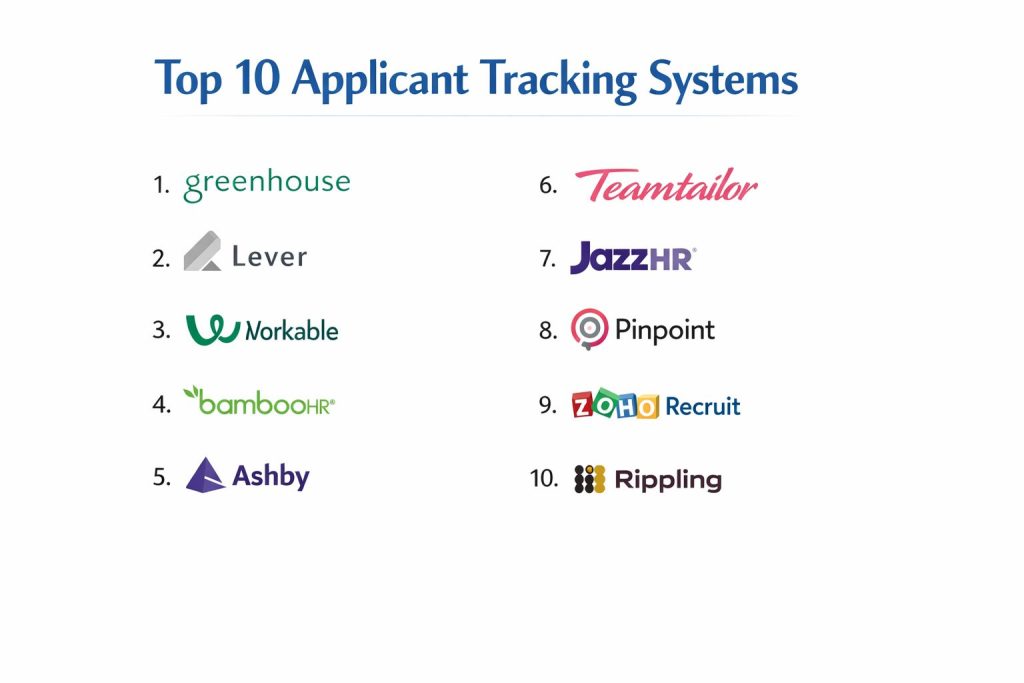
Top 10 Applicant Tracking Systems
1. Greenhouse
A high-end recruitment platform designed for mid-sized to large enterprises that value structured, data-driven hiring and collaborative team workflows.
Key Features
- Structured Interviewing: Tools to ensure every candidate is asked the same set of questions for a fair evaluation.
- Scorecards: Digital forms that allow interviewers to rate specific skills and traits instantly.
- Automated Tasks: Set up workflows to automatically trigger emails or background checks at certain stages.
- Advanced Reporting: Deep insights into every stage of the hiring funnel to find bottlenecks.
- Candidate Experience Tools: Branded career pages and automated status updates to keep applicants engaged.
Pros
- Exceptional for teams that want a highly organized and consistent hiring process.
- Incredible library of 400+ third-party integrations.
- Strong focus on diversity and inclusion throughout the software.
Cons
- Can be overwhelming for very small teams due to its depth.
- The pricing is on the higher end and often requires a custom quote.
Platforms / Deployment
- Web / iOS / Android
- Cloud
Security & Compliance
- SSO/SAML, MFA, and SOC 2 Type II compliance.
- GDPR and ISO 27001 certified.
Integrations & Ecosystem
Greenhouse is famous for its open API and massive integration marketplace. It connects seamlessly with the tools your team already uses.
- Slack and Microsoft Teams for internal notifications.
- LinkedIn, Indeed, and specialized job boards.
- Checkr for background checks and various HRIS systems.
Support & Community
Offers a robust help center, dedicated account managers for larger tiers, and a very active community of recruitment professionals.
2. Lever
A hybrid ATS and CRM tool that focuses on “proactive” sourcing. It is designed for companies that don’t just wait for applicants but go out and find talent.
Key Features
- Nurture Campaigns: Automated email sequences to keep in touch with potential future hires.
- Chrome Extension: One-click sourcing from LinkedIn and other professional sites directly into your pipeline.
- Visual Pipeline: A clean, drag-and-drop interface that shows exactly where every candidate stands.
- Collaborative Hiring: Easy @mentions and internal notes to keep the whole team on the same page.
- Interview Easy-Booking: Integrated scheduling that syncs with Google and Outlook calendars.
Pros
- Excellent for “passive” candidate management.
- The interface is widely considered one of the cleanest and most modern in the industry.
- Combines recruitment and relationship management in one tool.
Cons
- Some users find the reporting features less customizable than Greenhouse.
- The CRM features can be an extra cost depending on the plan.
Platforms / Deployment
- Web / iOS / Android
- Cloud
Security & Compliance
- SOC 2 Type II, GDPR, and ISO 27001 compliant.
Integrations & Ecosystem
Lever emphasizes “connectivity,” ensuring that your sourcing data flows smoothly into your hiring pipeline.
- Deep integration with LinkedIn Recruiter.
- Connects with Slack, Zoom, and various testing platforms.
- Robust API for custom business needs.
Support & Community
Known for “Lever Academy,” a comprehensive training site, along with 24/5 chat support and dedicated success managers.
3. Workable
A user-friendly ATS that focuses on speed and automation. It is a favorite for small to mid-sized businesses that need to get a job live and start seeing resumes fast.
Key Features
- AI Candidate Matching: Automatically identifies and highlights the best resumes based on your job description.
- One-Click Job Posting: Distribute your job to over 200 sites simultaneously.
- Built-in Sourcing: A database of 400 million profiles to help you find candidates that haven’t applied yet.
- Mobile App: A fully functional mobile experience for hiring managers to approve candidates on the go.
- Video Interviews: Native support for both live and pre-recorded video assessments.
Pros
- Very easy to set up; you can be live and hiring within a few hours.
- Excellent value for money, especially for growing companies.
- Built-in tools for assessments and video interviews mean fewer separate subscriptions.
Cons
- Less “deep” customization compared to enterprise-tier tools.
- Advanced features like AI sourcing can become expensive at scale.
Platforms / Deployment
- Web / iOS / Android
- Cloud
Security & Compliance
- SOC 2 and GDPR compliant.
Integrations & Ecosystem
Workable is built to be a standalone powerhouse but integrates well with essential productivity apps.
- Google Workspace and Microsoft 365.
- DocuSign for offer letters.
- Integration with major background check providers.
Support & Community
Provides 24/7 email and phone support for higher tiers and a highly regarded recruitment blog with free templates.
4. BambooHR
Primarily an HRIS platform, BambooHR includes a powerful ATS module designed for mid-sized businesses that want their hiring and employee management in one place.
Key Features
- Unified Data: Once a candidate is hired, their data automatically populates their employee profile.
- Mobile Hiring App: Simple, clean app for managers to review resumes and leave feedback.
- Customizable Lead Forms: Create simple application pages that match your brand.
- Offer Letters: Built-in electronic signature support for fast, paperless hiring.
- Collaborative Messaging: Keep candidate communication inside the platform for a full audit trail.
Pros
- Perfect if you are already using or looking for a full HR suite.
- Extremely high user satisfaction due to its simple, “human” design.
- Great for small to mid-market companies that don’t need “NASA-level” complexity.
Cons
- The ATS is part of a larger suite, which may be more than you need if you only want a standalone recruiter tool.
- Lacks some of the advanced AI sourcing found in specialized competitors.
Platforms / Deployment
- Web / iOS / Android
- Cloud
Security & Compliance
- SOC 2, HIPAA, and GDPR compliant.
Integrations & Ecosystem
While it has its own suite, BambooHR maintains an “Open Marketplace” for third-party tools.
- Integration with various payroll providers.
- Connects with popular performance management tools.
- Slack integration for team updates.
Support & Community
Known for exceptional customer service and “BambooHR University” for training.
5. Ashby
A modern, high-growth ATS designed for tech-forward companies that are obsessed with efficiency, speed, and deep data analytics.
Key Features
- Unified Recruiting Operations: Combines ATS, CRM, and advanced analytics in one high-performance interface.
- Hyper-Fast UI: Designed for power users who need to move between candidates and tasks without loading screens.
- Automated Scheduling: Handles complex panel interviews and time-zone coordination automatically.
- Custom Reporting: Build complex data visualizations without needing a separate data scientist.
- Advanced Sourcing: Integrated tools to find and track candidates across the web.
Pros
- The fastest interface on the market, saving recruiters hours of “clicking time.”
- Best-in-class reporting for teams that live by their hiring metrics.
- Consolidates multiple tools into one, often reducing the total “tech stack” cost.
Cons
- Might be “too much” for smaller companies with simple hiring needs.
- Steeper learning curve for those used to more traditional, slower systems.
Platforms / Deployment
- Web
- Cloud
Security & Compliance
- SOC 2 Type II and GDPR compliant.
Integrations & Ecosystem
Ashby is built to sit at the center of a modern tech stack.
- Deep Slack and Gmail/Outlook integration.
- Connects with modern HRIS platforms like Rippling and HiBob.
- Direct integration with major sourcing and testing platforms.
Support & Community
Provides dedicated implementation support and has a strong reputation among “RecOps” (Recruiting Operations) professionals.
6. Teamtailor
An ATS that places a massive emphasis on “Employer Branding” and the candidate experience. It is designed to help you build a career site that candidates actually love to visit.
Key Features
- Career Site Builder: A drag-and-drop tool to create beautiful, high-converting career pages without coding.
- Candidate Chat: Built-in messaging to talk to applicants in real-time.
- AI Co-Pilot: Assists with screening and summarizing candidate profiles.
- Employee Advocacy: Tools to help your existing staff share jobs easily on their own social media.
- Smart Pipelines: Automatically move candidates between stages based on their activity.
Pros
- The best tool for companies that want to look “cool” and professional to applicants.
- Very intuitive for hiring managers who are not “HR pros.”
- High levels of automation for repetitive tasks.
Cons
- Reporting is good but not as “deep” as Ashby or Greenhouse.
- Some enterprise-level permission settings can feel a bit limited.
Platforms / Deployment
- Web / iOS / Android
- Cloud
Security & Compliance
- GDPR compliant and SOC 2 ready.
Integrations & Ecosystem
Focused on the “creative” side of hiring, Teamtailor integrates with tools that help you market your roles.
- Social media platform integrations.
- Video tool connections (Zoom, Google Meet).
- Support for major testing and background check providers.
Support & Community
Excellent live chat support and a very proactive approach to customer feedback.
7. JazzHR
An affordable, powerful ATS designed specifically for small businesses and growing teams that need to replace manual processes with professional automation.
Key Features
- Job Board Syndication: Post to all the major boards with one click.
- Candidate Ranking: Quickly score and rank applicants to find the top 10% faster.
- Collaborative Evaluation: Easy-to-use tools for teams to share feedback.
- Custom Workflows: Design a hiring process that matches how your business actually works.
- Digital Onboarding: Transition new hires into the company with paperless document signing.
Pros
- One of the most cost-effective professional tools on the market.
- Very easy for beginners to learn; no “manual” required.
- US-based support is highly rated for responsiveness.
Cons
- The user interface feels a bit “dated” compared to newer tools like Ashby.
- Limited advanced AI features compared to higher-end competitors.
Platforms / Deployment
- Web
- Cloud
Security & Compliance
- SOC 2 and GDPR compliant.
Integrations & Ecosystem
JazzHR focuses on the “SMB essentials” when it comes to integrations.
- Quickbooks and other small-business tools.
- LinkedIn and Indeed.
- Seamless connection to various payroll and HR platforms.
Support & Community
Dedicated US-based support team and an extensive library of webinars and training materials.
8. Pinpoint
An ATS built for in-house talent teams that want to reduce their reliance on external agencies. It combines recruitment software with powerful marketing tools.
Key Features
- Recruitment Marketing: Built-in tools to help you run targeted ads for your open roles.
- Blind Hiring: Features to remove identifying information from resumes to reduce bias.
- Employee Referrals: A dedicated portal for your team to recommend friends and track their bonuses.
- Onboarding Portal: A branded experience for new hires before they even start their first day.
- Unlimited Support: Every plan includes a dedicated success manager.
Pros
- Excellent for companies looking to build a long-term “talent brand.”
- The pricing model is very transparent and inclusive.
- Powerful automation for the “offer-to-onboard” transition.
Cons
- Might be overkill for companies that only hire a few people a year.
- Smaller third-party integration marketplace than Greenhouse.
Platforms / Deployment
- Web
- Cloud
Security & Compliance
- ISO 27001, SOC 2, and GDPR compliant.
Integrations & Ecosystem
Pinpoint focuses on high-quality, deep integrations rather than just quantity.
- Integrates with major HRIS like Workday and Oracle.
- Microsoft Teams and Slack for collaboration.
- Native integration with various assessment tools.
Support & Community
Widely praised for having some of the best customer support in the industry, including hands-on onboarding assistance.
9. Zoho Recruit
A highly flexible, CRM-style ATS that is part of the massive Zoho ecosystem. It is perfect for staffing agencies and businesses that manage a high volume of candidates.
Key Features
- Source Tracking: See exactly which job board or social site is bringing in your best hires.
- Resume Parsing: Advanced extraction of data from any document format.
- Zia AI: A digital assistant that helps match candidates to jobs and predicts hiring success.
- Custom Portal: Create a dedicated area for candidates to track their own applications.
- Omnichannel Communication: Text, email, and call candidates directly from the platform.
Pros
- Incredible flexibility; you can customize almost every field and workflow.
- Very affordable, with a generous free tier for tiny teams.
- Deep integration with the rest of the Zoho suite (CRM, Books, People).
Cons
- Because it is so customizable, it can take longer to “set up” perfectly.
- The interface can feel a bit cluttered due to the number of features.
Platforms / Deployment
- Web / iOS / Android
- Cloud
Security & Compliance
- SOC 2 Type II, ISO 27001, and HIPAA compliant.
Integrations & Ecosystem
Being part of Zoho means it has built-in connections to dozens of other business apps.
- Full Zoho ecosystem integration.
- Google Workspace and Microsoft 365.
- Over 50 different job board integrations.
Support & Community
Global 24/5 support and a massive community of users across the world.
10. Rippling
Rippling is a “Workforce Platform” that includes an ATS as part of its unified system for HR, IT, and Finance. It is designed for companies that want everything in one place.
Key Features
- One-Click Hiring: When you click “Hire,” Rippling automatically sets up their payroll, computer, and software access.
- Unified Pipeline: See candidate data right alongside your headcount budgets and finance plans.
- Automated Job Posting: Syndication to 25,000+ job boards.
- Workflow Automations: Create “recipes” like “If a candidate is moved to ‘Offer,’ send a Slack alert to the IT team.”
- Global Hiring: Built-in support for hiring and paying people in almost any country.
Pros
- The ultimate time-saver for operations and IT teams.
- Eliminates the “data silos” between recruitment and the rest of the business.
- Extremely modern, fast, and easy-to-use interface.
Cons
- You generally have to use the core Rippling platform to get the most value out of the ATS.
- Can be more expensive than a standalone tool if you don’t need the IT/Finance features.
Platforms / Deployment
- Web / iOS / Android
- Cloud
Security & Compliance
- SOC 2 Type II, GDPR, and ISO 27001 compliant.
Integrations & Ecosystem
Rippling is designed to be the “source of truth” for your whole company.
- Over 500+ integrations including Slack, Zoom, and AWS.
- Direct sync with your finance and accounting software.
- Automated provisioning for hundreds of SaaS apps.
Support & Community
Excellent online documentation and fast, professional support via chat and email.
Comparison Table (Top 10)
| Tool Name | Best For | Platform(s) Supported | Deployment | Standout Feature | Public Rating |
| Greenhouse | Structured Enterprise Hiring | Web, iOS, Android | Cloud | 400+ Integrations | N/A |
| Lever | Proactive Sourcing & CRM | Web, iOS, Android | Cloud | Chrome Sourcing Tool | N/A |
| Workable | Rapid SMB Growth | Web, iOS, Android | Cloud | AI Candidate Matching | N/A |
| BambooHR | Integrated HR & Hiring | Web, iOS, Android | Cloud | Employee Record Sync | N/A |
| Ashby | High-Growth Tech Teams | Web | Cloud | Deep Analytics Engine | N/A |
| Teamtailor | Employer Branding | Web, iOS, Android | Cloud | Career Site Builder | N/A |
| JazzHR | Affordable SMB Hiring | Web | Cloud | Workflow Simplicity | N/A |
| Pinpoint | In-House Marketing | Web | Cloud | Recruitment Marketing | N/A |
| Zoho Recruit | Agency & CRM Focus | Web, iOS, Android | Cloud | Omnichannel Comms | N/A |
| Rippling | All-in-One Operations | Web, iOS, Android | Cloud | Automated Provisioning | N/A |
Evaluation & Scoring of Applicant Tracking Systems
The scoring below is based on a comparative analysis of how these tools perform for their target audience. Scores are out of 10.
| Tool Name | Core (25%) | Ease (15%) | Integrations (15%) | Security (10%) | Performance (10%) | Support (10%) | Value (15%) | Weighted Total |
| Greenhouse | 10 | 6 | 10 | 9 | 9 | 8 | 6 | 8.4 |
| Lever | 9 | 8 | 9 | 9 | 9 | 8 | 7 | 8.5 |
| Workable | 8 | 9 | 8 | 8 | 8 | 8 | 9 | 8.2 |
| BambooHR | 7 | 10 | 7 | 9 | 9 | 9 | 8 | 8.3 |
| Ashby | 9 | 7 | 8 | 8 | 10 | 9 | 7 | 8.2 |
| Teamtailor | 8 | 9 | 8 | 8 | 8 | 9 | 8 | 8.2 |
| JazzHR | 7 | 9 | 7 | 8 | 8 | 8 | 10 | 8.0 |
| Pinpoint | 9 | 8 | 8 | 9 | 8 | 10 | 8 | 8.6 |
| Zoho Recruit | 9 | 6 | 9 | 9 | 8 | 7 | 10 | 8.2 |
| Rippling | 9 | 9 | 10 | 9 | 9 | 8 | 7 | 8.8 |
How to Interpret These Scores
- Core features: The depth of the recruiting pipeline and automation.
- Ease of use: How quickly a non-technical person can start using the tool.
- Weighted Total: A high score indicates a robust, reliable tool. Note that a tool with an 8.0 might be better for a small business than a 9.0 enterprise tool.
Which Applicant Tracking System Tool Is Right for You?
Solo / Freelancer
If you are a solo recruiter or a very small startup, Zoho Recruit (which has a free tier) or JazzHR are excellent places to start. They provide professional features without a massive financial commitment.
SMB
For small to mid-sized businesses that want to look professional, Workable is often the top choice due to its speed of setup. If you already need a way to manage employees and payroll, the BambooHR ATS module is highly recommended.
Mid-Market
Companies that are hiring 50+ people a year should look at Lever or Teamtailor. These tools offer the right balance of sophisticated sourcing and beautiful employer branding to attract talent in a competitive market.
Enterprise
Large-scale organizations with complex hiring needs should prioritize Greenhouse or Pinpoint. These systems offer the deep reporting, security, and structured workflows required for global teams.
Budget vs Premium
- Budget: JazzHR and Zoho Recruit offer the best “bang for your buck.”
- Premium: Ashby and Greenhouse are high-performance tools that command a higher price for their advanced analytics and speed.
Feature Depth vs Ease of Use
- Deep Tools: Ashby and Greenhouse have the most features but require more time to master.
- Easy Tools: Teamtailor and Workable are designed so that anyone can pick them up in minutes.
Frequently Asked Questions (FAQs)
Does an ATS automatically reject resumes?
An ATS doesn’t “reject” people on its own. It uses filters (like years of experience or specific skills) to help recruiters find the best matches. A human almost always makes the final decision, but the software helps them see the most relevant resumes first.
How much does an ATS typically cost?
Pricing varies wildly based on your company size and hiring volume. Some tools start around $100 per month, while enterprise systems can cost tens of thousands of dollars per year. Most vendors now use a subscription model.
Can an ATS help with diversity hiring?
Yes. Many modern systems have “blind hiring” features that hide names, photos, or graduation dates. This helps teams focus on the skills and experience of the candidate rather than unconscious biases.
What is “Resume Parsing”?
This is the technology that automatically reads a resume (PDF or Word) and extracts the contact info, work history, and skills into a standardized digital profile. This saves recruiters from manual data entry.
Is an ATS different from an HRIS?
Yes. An ATS is for the “recruitment phase” (hiring someone). An HRIS (Human Resources Information System) is for the “employee phase” (managing payroll, benefits, and performance after they are hired).
Do I still need LinkedIn if I have an ATS?
Yes. LinkedIn is a place where you find candidates; the ATS is the place where you manage the process once they have applied or been sourced. Most top-tier ATS tools integrate directly with LinkedIn.
How long does it take to implement a new ATS?
Simple tools like Workable or JazzHR can be set up in a day. Enterprise systems like Greenhouse or Pinpoint usually take 4 to 8 weeks to fully configure and train the team.
Can candidates see the notes recruiters write about them?
No. Internal notes and scorecards are private to the hiring team. However, it is always best practice to keep notes professional and focused on job-related qualifications.
Is my data safe in a cloud-based ATS?
Most leading providers use bank-level encryption and are SOC 2 compliant. This means they are regularly audited by third parties to ensure they follow strict security and privacy standards.
Will an ATS work for remote hiring?
Absolutely. Modern systems are built for remote-first workflows, with integrated video interviewing, digital offer letters, and collaboration tools that work from anywhere in the world.
Conclusion
The “right” Applicant Tracking System is the one that your team will actually use. If the tool is too complex, hiring managers will ignore it; if it’s too simple, your recruiters will struggle to find top talent. For most growing companies, a tool like Workable or Lever provides the perfect middle ground. If you are an operationally heavy business, Rippling offers a level of automation that is hard to beat.