Introduction
Payroll software is a specialized digital tool designed to automate the process of paying an organization’s employees. In simple terms, it takes the manual math out of payday. Instead of calculating taxes, insurance deductions, and hourly wages on a spreadsheet, these platforms pull data from attendance records and tax tables to generate accurate paychecks and direct deposits. It is the bridge between a company’s bank account and its workforce, ensuring that the right amount of money reaches the right person at exactly the right time.
The role of payroll software has evolved from a basic calculator to a strategic asset. With the rise of remote and global work, the complexity of paying people across different tax jurisdictions and countries has skyrocketed. Organizations now face stricter reporting requirements and a demand for faster, real-time access to wages. Modern payroll systems are no longer isolated “silos”; they are deeply integrated into the entire business ecosystem, feeding data into accounting software, human resource management systems (HRMS), and even financial planning tools.
Real-World Use Cases
- Statutory Compliance: Automatically calculating and filing taxes like TDS, PF, and ESI without human intervention.
- On-Demand Pay: Allowing employees to access a portion of their earned wages before the official payday to help with unexpected expenses.
- Global Hiring: Paying international contractors in their local currency while remaining compliant with local labor laws.
- Audit Preparedness: Generating instant, error-free reports for tax season or internal financial reviews.
- Benefit Administration: Managing health insurance premiums and retirement contributions directly from the gross salary.
What Buyers Should Evaluate
- Compliance Coverage: Does the tool automatically update for local, state, and federal tax changes?
- Ease of Integration: Can it talk to your existing accounting and time-tracking software?
- Employee Self-Service (ESS): Can staff download their own payslips and view tax forms without asking HR?
- Scaling Capability: Will the software stay affordable as your team grows from 10 to 500 people?
- Security Standards: Does it use multi-factor authentication (MFA) and high-level encryption for sensitive bank data?
- Direct Deposit Speed: Does it offer same-day or next-day deposits?
- Support Quality: Is there a live person available to help if a payroll run hits a snag?
- Pricing Transparency: Are there hidden fees for tax filings or adding new employees?
Best for: Small to mid-sized businesses (SMBs), growing startups, and large enterprises looking to reduce manual administrative overhead and eliminate payroll errors.
Not ideal for: Solo freelancers without employees or very small family businesses where the cost of a subscription outweighs the time saved on manual checks.
Key Trends in Payroll Software
- AI-Driven Anomaly Detection: Modern systems now use machine learning to scan payroll runs for “ghost employees,” duplicate entries, or unusual salary spikes before the money is sent.
- Earned Wage Access (EWA): There is a massive shift toward “pay-on-demand,” where employees can draw their earnings as they work, rather than waiting for a monthly or bi-weekly cycle.
- Blockchain for Transparency: Some high-end platforms are exploring immutable ledgers to record transactions, providing an unchangeable audit trail that builds trust and simplifies reporting.
- Hyper-Automation of Taxes: Many tools have reached a stage where they not only calculate taxes but also automatically file them with government portals in one click.
- Global Employer of Record (EOR) Integration: Payroll software is increasingly merging with EOR services, allowing companies to hire and pay anyone globally without setting up a legal entity in that country.
- Interactive Digital Payslips: Static PDF payslips are being replaced by interactive dashboards where employees can visualize their tax deductions and simulate future net pay based on bonus projections.
- Voice-Activated Payroll Queries: AI assistants within these platforms now allow HR managers to ask questions like “What was the total tax liability for Q3?” and get an instant verbal or visual response.
- Zero-Entry Onboarding: New hires can now upload their own bank and tax details via mobile, which flows directly into the payroll engine without HR needing to type a single character.
How We Selected These Tools (Methodology)
To determine the top tools in this category, we evaluated dozens of providers based on their performance in a high-stakes business environment. Our selection logic included the following points:
- Market Share and Reputation: We prioritized tools that have a proven track record of processing high volumes of transactions without major outages.
- Compliance Reliability: A major weight was given to tools that demonstrate “set-and-forget” compliance, specifically those that update tax tables automatically.
- User Experience (UX): We looked for platforms that don’t require an accounting degree to navigate. The interface must be intuitive for both admins and employees.
- Integration Density: The selected tools must offer native connections or robust APIs for common tools like QuickBooks, Slack, and biometric attendance hardware.
- Mobile Accessibility: Mobile-first access is critical. We evaluated the quality of the employee-facing apps.
- Customer Support Tiers: We looked for vendors that offer reliable help when a critical payment issue arises.
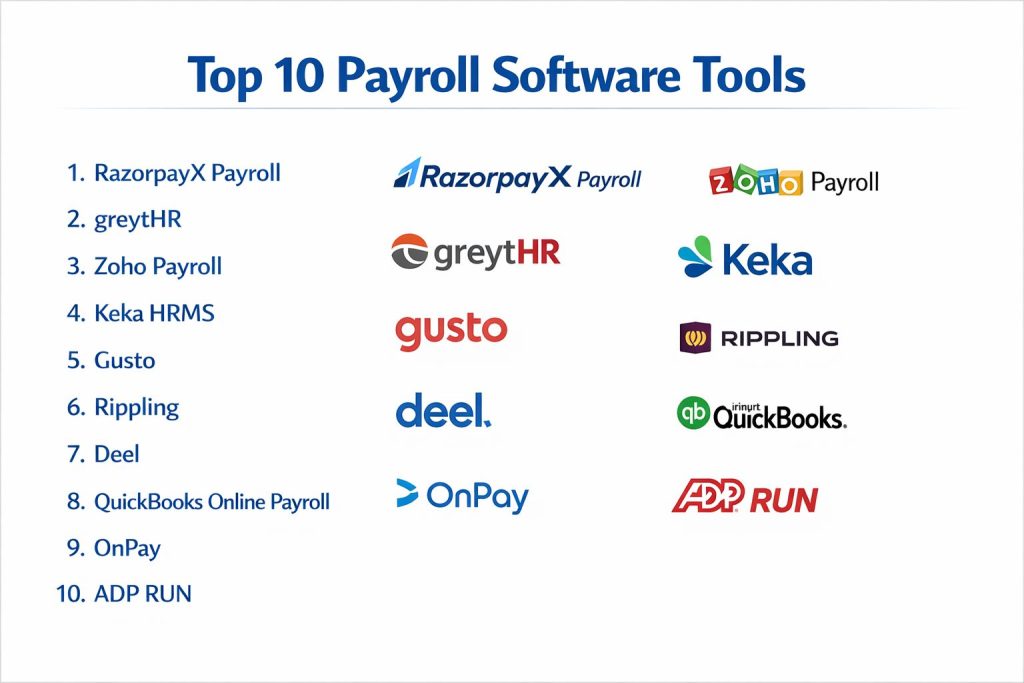
Top 10 Payroll Software Tools
1. RazorpayX Payroll
A highly automated payroll and compliance platform built for modern startups and SMEs. It focuses on a “one-click” experience that combines salary disbursements with statutory filings.
Key Features
- Fully Automated Compliance: One of the few tools that handles both the calculation and the payment of TDS, PF, and PT.
- Instant Salary Transfers: Uses its own banking infrastructure to settle salaries instantly without traditional bank delays.
- Integrated HRMS: Includes leave and attendance tracking that feeds directly into the payroll engine.
- WhatsApp Integration: Employees can receive payslips and submit reimbursement claims directly through WhatsApp.
- Contractor Payments: Seamlessly handles payments and tax deductions for both full-time staff and freelancers.
Pros
- Eliminates the need for a separate tax consultant for most standard filings.
- Extremely fast setup process, often taking less than an hour for small teams.
Cons
- Primarily optimized for Indian business regulations; not a global-first solution.
- The deep integration with Razorpay banking might feel restrictive for companies with established corporate bank accounts elsewhere.
Platforms / Deployment
- Web / iOS / Android
- Cloud
Security & Compliance
- MFA, AES-256 encryption.
- ISO 27001 (Parent company certification).
Integrations & Ecosystem
RazorpayX Payroll is designed to live within a tech-heavy startup ecosystem. It offers a clean API for those who want to build custom workflows.
- Native integration with Zoho Books and Tally.
- Connects with Slack for notifications.
- Direct bank API integrations for seamless funding.
Support & Community
Offers live chat support and an extensive knowledge base. The community is largely centered around the Indian startup ecosystem.
2. greytHR
A veteran in the HR and payroll space, greytHR offers a comprehensive suite for small to large businesses, known for its rock-solid compliance engine and modular approach.
Key Features
- Flexible Salary Structures: Supports complex configurations including various allowances, deductions, and bonuses.
- Multi-State Compliance: Specialized in handling different professional tax rules across various Indian states.
- PayNow Integration: A direct-to-bank feature that allows for batch processing of salaries through partnered banks.
- Advanced ESS: A robust portal where employees can manage tax declarations and view investment proofs.
- Comprehensive Reporting: Over 100+ pre-built reports for finance and HR auditing.
Pros
- Highly reliable compliance tracking with decades of experience in the market.
- Very scalable, handling everything from a 10-person office to a 10,000-person enterprise.
Cons
- The interface can feel a bit traditional compared to newer, “flashy” startup tools.
- Can be complex to set up initially due to the sheer number of configuration options.
Platforms / Deployment
- Web / iOS / Android
- Cloud
Security & Compliance
- SSO/SAML support, audit logs.
- GDPR compliant.
Integrations & Ecosystem
greytHR is built to be a central HR hub. It connects with most standard accounting software and biometric attendance hardware.
- Certified integrations with SAP and Oracle.
- Support for most major biometric clock-in machines.
- API access for custom data exports.
Support & Community
Provides dedicated account managers for enterprise clients and an active online user community.
3. Zoho Payroll
Part of the massive Zoho ecosystem, this tool is ideal for companies already using Zoho Books or Zoho People. it provides a clean, cloud-native payroll experience.
Key Features
- Ecosystem Sync: Changes in Zoho People (like a new hire) automatically reflect in Zoho Payroll.
- Auto-Generated Tax Forms: Automatically populates Form 16 and other tax documents for year-end.
- Simplified Onboarding: A checklist-driven approach to getting employees into the system correctly.
- Affordability: One of the most cost-effective options for small teams looking for professional features.
- Direct Bank Payouts: Supports direct deposit through several major banking partners.
Pros
- Seamless data flow if you are already in the Zoho environment.
- Transparent, per-employee pricing with no hidden surprises.
Cons
- Lacks some of the ultra-advanced “AI” features seen in competitors.
- International payroll capabilities are currently limited compared to global-first giants.
Platforms / Deployment
- Web / iOS / Android
- Cloud
Security & Compliance
- MFA, RBAC (Role-Based Access Control).
- SOC 2 Type II, ISO 27001.
Integrations & Ecosystem
The primary strength is the “Zoho Suite” integration. Everything from accounting to CRM can be connected.
- Direct sync with Zoho Books and Zoho Expense.
- Integrates with Zapier for connecting to third-party tools.
- Support for various payment gateways.
Support & Community
Excellent documentation and 24/5 support. The “Zoho Community” is one of the largest in the SaaS world.
4. Keka HRMS
An employee-centric platform that prioritizes user experience. Keka combines modern design with a powerful payroll engine that focuses on employee engagement.
Key Features
- Unified Dashboard: Combines performance, attendance, and payroll in a single view.
- Configurable Workflows: Allows for complex approval chains for salary hikes or bonuses.
- Asset Management Integration: Can automatically deduct costs for lost or damaged company equipment from payroll.
- Rich Analytics: Visual charts showing salary trends and cost-to-company (CTC) breakdowns.
- Mobile Punching: GPS-enabled attendance that automatically calculates overtime for the payroll cycle.
Pros
- Very high adoption rate among employees due to the clean, modern app.
- Excellent for companies that want a “one-stop-shop” for all HR activities.
Cons
- Can be more expensive than standalone payroll tools.
- The vast feature set might be overwhelming for a very small business.
Platforms / Deployment
- Web / iOS / Android
- Cloud
Security & Compliance
- SSO, MFA, audit trails.
- ISO 27001.
Integrations & Ecosystem
Keka focuses on creating a “closed-loop” HR experience but offers integrations for finance teams.
- Standard accounting integrations (QuickBooks, Tally).
- API support for enterprise resource planning (ERP) connections.
- Biometric and GPS attendance hooks.
Support & Community
Known for strong onboarding support and a responsive helpdesk.
5. Gusto
A leading choice for small businesses and tech startups in the US market, known for its extremely friendly UI and automated tax filing across all 50 states.
Key Features
- AutoPilot Payroll: Once set up, the system can run payroll automatically on a schedule without manual clicks.
- Automated Tax Filings: Handles local, state, and federal taxes with a guarantee of accuracy.
- Integrated Benefits: Allows small businesses to offer health insurance and 401(k) plans that sync with pay.
- Contractor Self-Onboarding: Contractors enter their own tax and bank information, saving admin time.
- Pay-on-Demand: Includes features like Gusto Wallet for employees to access funds early.
Pros
- Arguably the most “user-friendly” payroll tool ever designed.
- Excellent at handling the complexities of US multi-state payroll.
Cons
- Pricing can scale quickly if you need advanced HR features.
- Limited international presence outside of the US market.
Platforms / Deployment
- Web / iOS / Android
- Cloud
Security & Compliance
- SSO, MFA, Encryption at rest.
- SOC 2 Type II compliant.
Integrations & Ecosystem
Gusto has a massive marketplace of apps it connects with, particularly for the US small business market.
- Certified QuickBooks and Xero integration.
- Connects with time-tracking tools like TSheets.
- Integrates with Clover and other POS systems.
Support & Community
Highly rated customer support and a very helpful blog for small business owners.
6. Rippling
A revolutionary “Workforce Platform” that combines HR, IT, and Finance. It can automate payroll, device management, and app access in a single motion.
Key Features
- Global Payroll & EOR: Pay employees and contractors in 160+ countries in local currencies.
- Unified Data Model: Updating an employee’s salary in HR instantly updates payroll and accounting.
- IT Automation: Can automatically buy and ship a laptop to a new hire when they are added to payroll.
- Compliance Guardrails: Automatically flags and fixes compliance issues (like incorrect tax classifications).
- Expense Management: Corporate cards and expense reimbursements are built directly into the payroll flow.
Pros
- Incredible automation power; can automate almost every repetitive HR/IT task.
- Excellent for fast-growing companies that need to hire globally.
Cons
- The pricing can be complex due to its modular “choose your features” nature.
- Might be “too much software” for a local business with simple needs.
Platforms / Deployment
- Web / iOS / Android
- Cloud
Security & Compliance
- SSO/SAML, MFA, RBAC.
- SOC 2, GDPR, HIPAA (where applicable).
Integrations & Ecosystem
Rippling boasts over 500+ native integrations, making it one of the best-connected tools in the world.
- Deep hooks into AWS, Google Workspace, and Slack.
- Instant sync with NetSuite and Sage.
- Automates access to hundreds of SaaS apps based on payroll status.
Support & Community
Extensive help center and dedicated enterprise-level support managers.
7. Deel
Originally a platform for global contractor payments, Deel has expanded into a full-scale global payroll and HR solution for distributed teams.
Key Features
- Global Entity Support: Deel owns entities in 100+ countries, allowing you to hire employees legally without your own local office.
- Multi-Currency Payments: Pay your team in 120+ currencies, including options for crypto.
- Automated Compliance: Generates localized contracts and handles local tax filings automatically.
- Deel Card: A physical card for employees to spend their earnings instantly.
- Immigration Services: Built-in visa and relocation support that integrates with the payroll profile.
Pros
- The gold standard for companies with a fully remote, international workforce.
- Simplifies the “headache” of international legalities and tax codes.
Cons
- Can be expensive for purely local teams that don’t need international features.
- Some advanced “Core HR” features are still evolving compared to legacy systems.
Platforms / Deployment
- Web / iOS / Android
- Cloud
Security & Compliance
- SSO, MFA, AES-256.
- SOC 2 Type II, GDPR, CCPA.
Integrations & Ecosystem
Deel is built for the “Remote Work” era and connects with the tools distributed teams use.
- Integrates with Slack for approval notifications.
- Direct sync with Ashby and Greenhouse (ATRs).
- Hooks into QuickBooks and Xero for global expense tracking.
Support & Community
Global 24/7 support to accommodate all time zones.
8. QuickBooks Online Payroll
A natural extension for businesses already using QuickBooks for their accounting. It provides a seamless flow from payroll to the general ledger.
Key Features
- Auto-Sync to Books: Every payroll run is automatically recorded in your accounting reports.
- Same-Day Direct Deposit: Available on higher-tier plans to keep employees happy.
- Automated Tax Filing: QuickBooks handles the filing of state and federal taxes.
- Time Tracking Integration: Employees can track time via QuickBooks Time (formerly TSheets), which flows into pay.
- HR Support Center: Provides access to HR advisors for compliance questions.
Pros
- Eliminates manual bookkeeping entries for payroll.
- A trusted, established name with very high reliability.
Cons
- The interface can feel “accountant-heavy” and less modern than Gusto.
- Customer support can sometimes have long wait times during tax season.
Platforms / Deployment
- Web / iOS / Android
- Cloud
Security & Compliance
- MFA, SSO.
- SOC 2, ISO 27001.
Integrations & Ecosystem
Tightly coupled with the Intuit ecosystem but open to other major business tools.
- Native integration with QuickBooks Desktop and Online.
- Connects with various POS systems and bank feeds.
- Supports hundreds of third-party apps via the Intuit App Store.
Support & Community
Massive community of accountants and pros. Phone and chat support available.
9. OnPay
A straightforward, “no-nonsense” payroll tool that is particularly popular with small businesses that need niche features like agriculture or clergy payroll.
Key Features
- Unlimited Monthly Runs: Unlike some competitors, OnPay doesn’t charge per payroll run.
- Full Tax Filing: Handles all federal, state, and local taxes at no extra cost.
- Industry-Specific Modules: Specialized support for nonprofits, farms, and restaurants (including tip credit).
- Employee Self-Service: A clean portal for employees to download W-2s and payslips.
- Simplified Onboarding: Automated new hire reporting to state agencies.
Pros
- Very transparent, flat-rate pricing.
- Excellent customer service that is often cited as the best for small businesses.
Cons
- Lacks the heavy automation and IT features of a tool like Rippling.
- Not suitable for international payroll needs.
Platforms / Deployment
- Web / iOS / Android
- Cloud
Security & Compliance
- MFA, audit logs.
- Not publicly stated (beyond standard SSL/Encryption).
Integrations & Ecosystem
Focuses on the core tools a small business owner needs.
- Integration with QuickBooks, Xero, and FreshBooks.
- Connects with When I Work and Deputy for scheduling.
- Supports various 401(k) and workers’ comp providers.
Support & Community
Award-winning support team based in the US.
10. ADP RUN
The small business offering from ADP, the largest payroll company in the world. It provides enterprise-grade reliability in a package scaled for smaller teams.
Key Features
- AI-Enhanced Payroll: Uses historical data to flag potential errors before you approve the run.
- Built-in HR Tools: Includes background checks and job posting capabilities.
- Compliance Alerts: Real-time notifications about changes in labor laws that affect your business.
- Scalability: When your company grows too big for RUN, you can easily migrate to ADP Workforce Now.
- Flexible Pay Options: Supports paper checks, direct deposits, and prepaid debit cards.
Pros
- Backed by the most comprehensive compliance team in the industry.
- Offers features that smaller competitors often lack, like background checks.
Cons
- Pricing is often quote-based and can be higher than “low-cost” cloud competitors.
- The interface can be complex due to the sheer volume of features available.
Platforms / Deployment
- Web / iOS / Android
- Cloud
Security & Compliance
- MFA, SSO, encryption at rest.
- SOC 2 Type II, ISO 27001, GDPR.
Integrations & Ecosystem
ADP has a massive marketplace and can integrate with almost any enterprise ERP.
- Integration with most major accounting packages.
- API support for custom HR/Finance connections.
- Proprietary ADP Marketplace with hundreds of specialized apps.
Support & Community
24/7 support is available on most plans. Massive professional resources for HR managers.
Comparison Table (Top 10)
| Tool Name | Best For | Platform(s) Supported | Deployment | Standout Feature | Public Rating |
| RazorpayX Payroll | Startups in India | Web, iOS, Android | Cloud | One-click compliance filing | N/A |
| greytHR | Mid-size Indian firms | Web, iOS, Android | Cloud | Highly flexible salary structures | N/A |
| Zoho Payroll | Zoho Ecosystem users | Web, iOS, Android | Cloud | Deep sync with Zoho Books | N/A |
| Keka HRMS | Employee Experience | Web, iOS, Android | Cloud | Unified HR + Payroll UI | N/A |
| Gusto | US Small Businesses | Web, iOS, Android | Cloud | Automated 50-state tax filing | N/A |
| Rippling | High-growth Global firms | Web, iOS, Android | Cloud | IT + HR + Payroll automation | N/A |
| Deel | International Remote Teams | Web, iOS, Android | Cloud | Global entity / EOR support | N/A |
| QuickBooks Payroll | Existing QB users | Web, iOS, Android | Cloud | General Ledger auto-sync | N/A |
| OnPay | Simple Small Biz | Web, iOS, Android | Cloud | Flat-rate industry modules | N/A |
| ADP RUN | Enterprise-grade Small Biz | Web, iOS, Android | Cloud | AI error detection engine | N/A |
Evaluation & Scoring of Payroll Software
The scoring below evaluates each tool based on its performance. These scores are comparative across the industry.
| Tool Name | Core (25%) | Ease (15%) | Integrations (15%) | Security (10%) | Performance (10%) | Support (10%) | Value (15%) | Weighted Total |
| RazorpayX Payroll | 8 | 9 | 8 | 8 | 9 | 7 | 9 | 8.3 |
| greytHR | 9 | 7 | 8 | 9 | 9 | 8 | 8 | 8.3 |
| Zoho Payroll | 7 | 9 | 10 | 9 | 8 | 8 | 9 | 8.5 |
| Keka HRMS | 8 | 9 | 7 | 8 | 8 | 8 | 7 | 7.9 |
| Gusto | 9 | 10 | 9 | 9 | 9 | 9 | 8 | 9.1 |
| Rippling | 10 | 7 | 10 | 9 | 10 | 8 | 7 | 8.7 |
| Deel | 9 | 8 | 8 | 9 | 9 | 9 | 7 | 8.5 |
| QuickBooks Payroll | 8 | 8 | 9 | 9 | 9 | 7 | 7 | 8.1 |
| OnPay | 7 | 9 | 7 | 7 | 8 | 10 | 9 | 8.0 |
| ADP RUN | 10 | 6 | 9 | 10 | 9 | 9 | 6 | 8.3 |
How to Interpret These Scores
- Core (25%): Depth of payroll engine (tax handling, complexity, compliance).
- Ease (15%): How quickly a non-expert can run a successful payroll cycle.
- Value (15%): Comparing the feature list to the cost per employee.
- Weighted Total: This score represents the overall reliability and utility of the tool. $Weighted Total = \sum (Score \times Weight)$. A tool with a 9.1 is considered a market leader in versatile performance.
Which Payroll Software Tool Is Right for You?
Solo / Freelancer
For an individual with no employees, most of these tools are overkill. However, if you hire an assistant or two, Zoho Payroll or RazorpayX Payroll offer low-cost entry points that handle the basic compliance needs.
SMB
Small businesses with 10–50 employees should look at Gusto (if in the US) or RazorpayX Payroll (if in India). These tools prioritize speed and ease of use, allowing owners to focus on growth rather than administrative paperwork.
Mid-Market
For companies with 50–250 employees, greytHR or Keka HRMS are strong contenders. They offer the necessary reporting depth and performance management integrations required to manage a larger workforce effectively.
Enterprise
Large organizations with thousands of employees or multi-country operations should choose ADP RUN (with a path to Workforce Now) or Rippling. These platforms offer the security certifications and automation power needed to manage complex organizational hierarchies.
Budget vs Premium
- Budget: OnPay and Zoho Payroll are the most cost-effective for teams watching every penny.
- Premium: Rippling and ADP are premium choices that offer significant automation and security “insurance” for a higher price.
Feature Depth vs Ease of Use
- Feature Heavy: Houdini… wait, that’s 3D! In payroll, Rippling and ADP are the deep tools.
- Easy to Use: Gusto and iClone… no, Gusto and OnPay are the leaders in simplified UI.
Integrations & Scalability
If you plan to scale internationally, Deel and Rippling are the only logical choices. For those staying local but wanting deep accounting sync, QuickBooks Payroll is the gold standard.
Security & Compliance Needs
If your industry (like healthcare or finance) requires strict audit trails, ADP RUN and greytHR offer the most mature compliance resources and dedicated security teams.
Frequently Asked Questions (FAQs)
What is the typical cost per employee for payroll software?
In 2026, the industry standard ranges from $4 to $12 per employee per month, usually on top of a base monthly fee of $40 to $100. Some tools in specific regions like India may charge significantly less.
How long does it take to set up a new payroll system?
For a small business with 20 employees, setup can take 1–3 hours if your data is ready. For larger organizations with complex benefits, implementation typically takes 4–8 weeks including parallel runs.
What is a “parallel run” in payroll?
A parallel run is the practice of running your new payroll software alongside your old system for one or two cycles. This ensures the new calculations match the old ones before you switch over completely.
Can payroll software handle both employees and contractors?
Yes, most modern tools like Deel and RazorpayX allow you to pay both 1099/contractors and W-2/full-time employees in the same interface, though tax rules for each will differ.
What happens if the software makes a tax calculation error?
Most premium providers like Gusto or ADP offer a “compliance guarantee.” If the error is on their end, they will often pay the government fines and help you file the correction.
Is my bank data safe in the cloud?
Modern payroll platforms use bank-level AES-256 encryption and are SOC 2 compliant. They are generally more secure than keeping employee bank details in an unencrypted spreadsheet on an office computer.
Can I run payroll from my phone?
Almost all tools on this list offer a mobile app for admins. While complex setups are better done on a desktop, the final “approval and run” can typically be done in a few taps on your smartphone.
Does the software handle year-end tax forms automatically?
Yes, tools like Zoho Payroll and Gusto generate W-2s, 1099s, or Form 16s automatically based on the data collected throughout the year, allowing employees to download them from their own portals.
What is the most common mistake when switching providers?
The biggest mistake is moving during the middle of a quarter without having accurate “year-to-date” (YTD) data. It is always cleanest to switch at the very start of a new fiscal year or quarter.
Can payroll software integrate with my time-clock hardware?
Most established tools like greytHR and Keka have native “hooks” for biometric and facial recognition hardware, ensuring that attendance data flows directly into the salary calculation without manual entry.
Conclusion
Choosing the right payroll software is one of the most important operational decisions a business can make. The “best” tool isn’t the one with the most features, but the one that fits your specific tax jurisdiction, team size, and existing tech stack. For US-based small businesses, Gusto remains the standard for ease of use, while Rippling is the powerhouse for those needing deep automation. In the Indian market, RazorpayX Payroll and greytHR offer the most reliable paths to automated compliance.