Introduction
Time and attendance software is a category of HR technology designed to track employee working hours, break times, leaves, and overtime for payroll and compliance purposes. These systems have transitioned from simple punch-clocks to AI-driven workforce management hubs. They now utilize multi-modal biometric authentication, geofencing, and predictive scheduling to eliminate “buddy punching” (time theft) and automate complex labor law compliance.
The urgency for sophisticated time tracking stems from the rise of hybrid work models and the tightening of global labor regulations. Organizations must now maintain digital, auditable trails of employee presence to navigate legal requirements while ensuring that field workers, remote staff, and on-site employees are compensated accurately. Modern platforms act as the connective tissue between physical attendance and financial disbursement, ensuring that every minute worked is a minute accounted for in the payroll cycle.
Real-world use cases include:
- Field Service Management: Tracking technicians’ arrivals at job sites using GPS and geofenced “auto-clocks.”
- Retail & Hospitality: Managing complex shift rotations and preventing unauthorized overtime through AI scheduling.
- Manufacturing Hubs: Utilizing touchless facial recognition kiosks to maintain hygiene while processing thousands of worker shifts.
- Healthcare Facilities: Monitoring nurse and doctor rotations to ensure compliance with mandatory rest periods and safety laws.
- Global Remote Engineering: Correlating active work hours with productivity metrics for distributed software teams.
What buyers should evaluate (Criteria):
- Authentication Method: Support for biometrics (face/fingerprint), mobile GPS, or QR codes.
- Payroll Integration: The ability to sync directly with ERPs like SAP or payroll tools like ADP and Tally.
- Compliance Engine: Native logic for local labor codes, overtime rules, and statutory holidays.
- Offline Functionality: Capability to record punches in areas with poor connectivity and sync later.
- Employee Self-Service (ESS): User-friendliness for employees to view schedules and request leave.
- Hardware Compatibility: Whether the software requires proprietary kiosks or works on standard tablets/phones.
- AI & Analytics: Features that flag anomalies, predict absenteeism, or optimize labor costs.
- Scalability: Performance stability as the headcount grows from dozens to thousands of employees.
Key Trends in Time & Attendance Software
The 2026 landscape is defined by “Touchless Verification” and “Hyper-Automation.”
- AI “Bryte” Agents: Leading tools now use autonomous agents to correct missed punches and approve routine leave requests without human HR intervention.
- Edge Biometrics: Facial recognition is now processed locally on devices to enhance speed and privacy compliance.
- Shift Swapping Marketplaces: Internal platforms that allow employees to trade shifts autonomously based on qualified skills.
- Liveness Detection: Advanced AI prevents fraud by ensuring a “live” person is present during mobile selfie-clocks, blocking photos or videos of employees.
- Predictive Labor Forecasting: Systems now analyze historical sales data to suggest the exact staffing levels needed for future weeks.
- WhatsApp Integration: The rise of “low-friction” attendance where workers in emerging markets can clock in via verified messaging apps.
- Wearable Integration: Proximity-based clocking using smartwatches or corporate badges that auto-log entry into secure zones.
- ESG Reporting: Tools now track “work-life balance” metrics to help companies report on social governance and employee burnout risks.
How We Selected These Tools (Methodology)
Our selection focuses on “reliability, integration, and fraud prevention” across various business sizes:
- Identity Verification Quality: We prioritized tools with high-accuracy biometric and GPS verification to stop time theft.
- Ecosystem Synergy: Preference was given to tools that reside within larger HCM (Human Capital Management) suites or have open APIs.
- User Adoption Rates: We evaluated the “friction” of the clock-in process; a tool is only effective if employees actually use it.
- Compliance Depth: We selected tools that offer “localized” compliance modules for major global markets (US, EU, India, etc.).
- Cost-to-Value Ratio: We balanced “high-end” enterprise systems with “mobile-first” affordable options for startups.
- Security Standards: All selected tools meet baseline SOC 2 and GDPR requirements for sensitive biometric data storage.
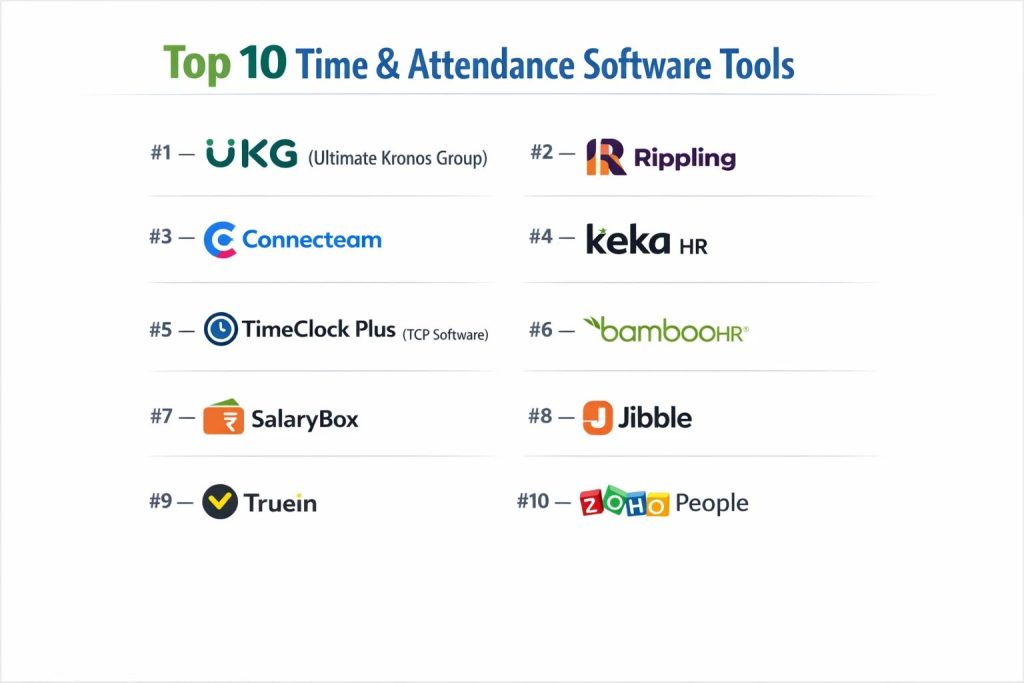
Top 10 Time & Attendance Software Tools
#1 — UKG (Ultimate Kronos Group)
A global leader in workforce management, UKG provides a high-scale platform for enterprise-grade attendance, scheduling, and labor analytics.
Key Features
- Bryte AI Agents: Automates the reconciliation of timecard exceptions and predicts turnover risks.
- Advanced Scheduling: Uses machine learning to create optimized rosters based on business demand.
- Touchless ID Plus: A sophisticated kiosk system using facial recognition and thermal sensing.
- Labor Compliance Library: Pre-configured rules for thousands of global jurisdictions.
- Employee Voice: Integrated sentiment analysis to gauge workforce morale during shift changes.
- Mobile Power-Punch: Geofenced mobile clock-ins with offline capabilities.
Pros
- Unmatched Scale: Built to handle millions of employees across multi-national setups.
- Deep Analytics: Provides the most granular labor cost reporting in the industry.
Cons
- Complexity: Requires specialized implementation teams and significant training.
- Price Point: Generally the most expensive option on the market.
Platforms / Deployment
- Web / Win / iOS / Android / Proprietary Kiosks
- Cloud
Security & Compliance
- SOC 2 Type II, ISO 27001, HIPAA, GDPR, FedRAMP.
Integrations & Ecosystem
- Deeply integrated into the UKG Pro and UKG Ready HCM suites.
- SAP, Oracle, and Workday.
Support & Community
Comprehensive global support with dedicated account managers and a massive “UKG Community” portal.
#2 — Rippling
Rippling is a “unified workforce platform” that automatically syncs time and attendance with payroll, hardware, and IT permissions.
Key Features
- Unified Data Model: Attendance data flows instantly into payroll without manual “runs.”
- App/Hardware Management: Can automatically lock an employee’s computer if they haven’t clocked in.
- Workflow Automator: Triggers actions (like Slack alerts) if an employee is late or nearing overtime.
- Custom Policy Builder: Create complex break and overtime rules with no-code logic.
- Global Payroll Sync: Handles attendance-based pay in 100+ countries natively.
- Tablet Kiosk: Turns any standard iPad into a biometric/PIN attendance station.
Pros
- Extreme Efficiency: Eliminates the “sync” gap between HR and IT systems.
- User Experience: Widely considered the most modern and intuitive UI in the SaaS space.
Cons
- Bundle-Heavy: Most effective only if you use Rippling for other HR/IT functions.
- Support: Response times can vary for users not on “Premium” support plans.
Platforms / Deployment
- Web / iOS / Android
- Cloud
Security & Compliance
- SSO/SAML, SCIM, SOC 2 Type II, GDPR.
Integrations & Ecosystem
- 500+ integrations including Slack, Zoom, and QuickBooks.
Support & Community
Robust online help center and chat support; high-tier plans include a dedicated success manager.
#3 — Connecteam
An all-in-one mobile app designed for the “deskless” workforce (construction, retail, field services) where traditional computers aren’t available.
Key Features
- Breadcrumbs GPS: Real-time tracking of field employees’ locations while they are on the clock.
- Geofenced Sites: Employees can only clock in when physically present at a designated job site.
- Job Scheduling: Drag-and-drop shift planning with instant mobile notifications.
- Digital Forms: Attach safety checklists or reports to the clock-out process.
- In-App Chat: Dedicated channels for shift-specific communication.
- Simple Payroll Export: One-click exports to QuickBooks, Xero, and Gusto.
Pros
- Mobile-First: The easiest tool for blue-collar workers to learn and use.
- Affordability: Offers a “Free for Life” plan for small teams under 10 users.
Cons
- Desktop Depth: The desktop interface is less powerful than enterprise competitors.
- Limited Biometrics: Focuses more on GPS and PINs than advanced facial recognition.
Platforms / Deployment
- Web / iOS / Android
- Cloud
Security & Compliance
- 2FA, Data Encryption, GDPR.
Integrations & Ecosystem
- QuickBooks, Xero, Gusto, Paychex.
Support & Community
Excellent 24/7 chat support and an extensive library of templates for various industries.
#4 — Keka HR
A dominant HRMS in the Indian and MEA markets, Keka focuses on employee experience and “gamified” attendance tracking for growing teams.
Key Features
- Multi-Modal Attendance: Supports mobile-GPS, selfie-punch, and hardware biometric devices.
- Shift Roster Management: Easily manage complex rotations like night shifts or rotating breaks.
- Statutory Compliance: Built-in PF, ESI, and LWF calculations based on attendance data.
- Regularization Workflows: Simple process for employees to fix missed punches via the app.
- Leave Management: Real-time sync between leave approvals and attendance logs.
- Expense Integration: Link field attendance with travel and meal reimbursements.
Pros
- Local Expertise: Best-in-class for companies needing to follow specific regional labor laws.
- Employee Engagement: Features like “praise” and “announcements” increase app daily active usage.
Cons
- Setup Time: Configuring complex shift rules can take significant effort.
- Feature Bloat: Some users find the interface “busy” due to the many HR modules.
Platforms / Deployment
- Web / iOS / Android
- Cloud
Security & Compliance
- ISO 27001, SOC 2, GDPR, Indian Labour Law compliant.
Integrations & Ecosystem
- Tally, QuickBooks, various biometric hardware vendors.
Support & Community
Strong regional support in India/UAE with webinars and a structured “Keka Academy.”
#5 — TimeClock Plus (TCP Software)
A specialized, high-reliability attendance solution used by government, education, and healthcare sectors for extreme accuracy.
Key Features
- Dynamic Pay Rules: Handles complex union contracts and public sector overtime regulations.
- Thermal Kiosks: Integrated temperature screening for health-conscious environments.
- Audit Trail Pro: Every change to a timecard is logged with a “reason code” for legal safety.
- Substitute Tracking: Specialized modules for schools to manage on-call staff.
- Advanced Labor Costing: Real-time visibility into “project vs. budget” spend.
- Configurable Alerts: Automated emails for “short breaks” or “missing punches.”
Pros
- Compliance Rigor: Ideal for organizations that face frequent audits or have unionized staff.
- Hardware Choice: Offers a wide range of proprietary physical clocks (biometric/HID/Mag).
Cons
- UI Aesthetics: The interface feels more functional/traditional than “modern/SaaS.”
- Onboarding: Steep learning curve for administrators.
Platforms / Deployment
- Web / Win / iOS / Android / Physical Hardware
- Cloud / On-Premise
Security & Compliance
- SOC 2 Type II, HIPAA, PCI-DSS, GDPR.
Integrations & Ecosystem
- 200+ integrations with major ERPs and Payroll providers (Workday, ADP).
Support & Community
Standardized US-based support with deep technical documentation.
#6 — BambooHR
An easy-to-use HR platform for small-to-medium businesses that prioritizes simplicity and a “people-first” culture.
Key Features
- Single Sign-On Attendance: Employees clock in from the same dashboard where they check their benefits.
- Project Tracking: Allows employees to log time against specific tasks for billable hour reporting.
- Approval Workflows: Multi-level approval chains for timesheets and PTO.
- Mobile Timesheets: Clean, minimal mobile interface for editing and submitting hours.
- Automated Overtime: Calculates extra pay based on state/provincial laws automatically.
- Unified Reporting: High-level attendance summaries for HR managers.
Pros
- Culture-Focused: Makes HR tasks feel “friendly” and less bureaucratic.
- Fast Implementation: Can be fully operational in days rather than months.
Cons
- Scale Limits: Not suitable for large factories with thousands of hardware-dependent workers.
- Limited Biometrics: Lacks native facial/fingerprint recognition (relies on integrations).
Platforms / Deployment
- Web / iOS / Android
- Cloud
Security & Compliance
- SOC 2, ISO 27001, GDPR, HIPAA.
Integrations & Ecosystem
- Marketplace with 100+ apps like Slack, Greenhouse, and various payroll tools.
Support & Community
Award-winning customer service and a very high “Net Promoter Score” among SMB users.
#7 — SalaryBox
A mobile-first, AI-powered attendance and payroll solution specifically tailored for SMEs and startups in emerging markets.
Key Features
- AI Selfie Punch: Uses facial recognition with “liveness detection” to prevent proxy attendance.
- WhatsApp Reporting: Managers receive daily attendance summaries directly via WhatsApp.
- Auto-Payroll: Converts attendance, overtime, and late marks into a final salary slip in one click.
- Offline Mode: Field workers can punch in without internet; data syncs once they are back in range.
- Geofence “Circle”: Define precise boundaries for construction sites or office buildings.
- Digital Register: Replaces old-fashioned paper attendance books with a verifiable digital log.
Pros
- Cost-Effective: Extremely affordable for small businesses.
- Hardware-Free: No need to buy expensive biometric machines.
Cons
- Advanced Analytics: Lacks the deep “Business Intelligence” features found in UKG.
- Regional Focus: Primarily optimized for India and Southeast Asia.
Platforms / Deployment
- Android / iOS / Web
- Cloud
Security & Compliance
- Data Encryption, GDPR compliant, Local Indian labor code support.
Integrations & Ecosystem
- Tally, Zoho, and various local payment gateways.
Support & Community
Direct chat support and a growing community of small business owners.
#8 — Jibble
Known for its “Free Forever” basic version, Jibble offers powerful biometric and GPS tracking for teams that want a standalone attendance tool.
Key Features
- Face Recognition: High-speed AI verification available on both mobile and shared tablets.
- Activity Tracking: Links attendance to specific clients or projects.
- Daily Overtime Alerts: Notifies managers the moment an employee enters overtime status.
- Public Kiosk Mode: PIN or Face-based clocking for shared entry points.
- Slack & Teams Bot: Clock in/out directly from within communication apps.
- Automated Timesheets: Daily and weekly summaries sent to admins automatically.
Pros
- Unbeatable Value: The free tier is remarkably generous and feature-rich.
- Speed: One of the fastest “punch-in” experiences on mobile.
Cons
- Limited HR Suite: Not a full HRMS; focuses primarily on time and attendance.
- Report Customization: Advanced reporting is locked behind the “Premium” tier.
Platforms / Deployment
- Web / iOS / Android / Tablet
- Cloud
Security & Compliance
- SOC 2, GDPR.
Integrations & Ecosystem
- Slack, Microsoft Teams, QuickBooks, Xero.
Support & Community
Strong 24/7 global support and an easy-to-follow knowledge base.
#9 — Truein
An AI-specialist platform focusing on “Touchless” facial recognition and attendance for contract and multi-site workforces.
Key Features
- Mask-Aware AI: Recognizes employees even when wearing masks or safety gear.
- Contractor Management: Specific modules for tracking third-party or temporary workers.
- Shift-Specific Policies: 70+ customizable rules for different sites and worker types.
- Revenue Leakage Alerts: Flags “buddy punching” or “late arrivals” that impact project budgets.
- Centralized Dashboard: Real-time view of attendance across 100+ different geographic sites.
- Hardware-Agile: Works on any standard smartphone or tablet.
Pros
- Fraud Prevention: Highly specialized in stopping time theft in field-heavy industries.
- Offline Punching: Robust sync engine for remote sites (mines, construction, etc.).
Cons
- Specific Niche: Less useful for standard “office-only” white-collar teams.
- Minimal HR Features: Requires an external payroll/HR system to be truly effective.
Platforms / Deployment
- iOS / Android / Tablet
- Cloud
Security & Compliance
- ISO 27001, GDPR.
Integrations & Ecosystem
- Integrates with major HRMS like Darwinbox, SAP, and SuccessFactors.
Support & Community
High-touch implementation support for multi-site deployments.
#10 — Zoho People
A modular, cloud-based HR system that offers high customizability for attendance policies within the broader Zoho ecosystem.
Key Features
- Geofencing & Geo-tagging: Verification of employee location during every clock action.
- Facial Recognition: Native AI verification for mobile and kiosk punches.
- Shift Scheduling: Visual scheduler with conflict detection and shift-rotation logic.
- Biometric Integration: Seamlessly connects with existing fingerprint or iris scanners.
- Custom Attendance Views: Specific dashboards for managers, HR, and employees.
- Timesheet Management: Detailed logging for client-billable projects.
Pros
- Customizability: Nearly every field and workflow can be tailored to the business.
- Ecosystem Value: Incredible value if your business already uses Zoho CRM or Zoho Books.
Cons
- Learning Curve: The interface can be overwhelming for first-time users.
- Mobile Speed: Occasionally slower to sync than dedicated “lightweight” apps like Jibble.
Platforms / Deployment
- Web / iOS / Android
- Cloud
Security & Compliance
- SOC 2 Type II, ISO 27001, GDPR, HIPAA.
Integrations & Ecosystem
- Native integration with the entire Zoho Suite; 100+ external apps via Zapier.
Support & Community
Global support network, extensive video tutorials, and a massive community of Zoho developers.
Comparison Table (Top 10)
| Tool Name | Best For | Platform(s) Supported | Deployment | Standout Feature | Public Rating |
| UKG | Global Enterprise | Web, iOS, Android, Kiosks | Cloud | Bryte AI Agents | 4.4 / 5 |
| Rippling | IT/HR Automation | Web, iOS, Android | Cloud | Unified HR/IT/Finance | 4.8 / 5 |
| Connecteam | Deskless/Field Workers | Web, iOS, Android | Cloud | Breadcrumbs GPS | 4.7 / 5 |
| Keka HR | India/MEA SMBs | Web, iOS, Android | Cloud | Indian Statutory Logic | 4.6 / 5 |
| TimeClock Plus | Union/Public Sector | Web, iOS, Android, Hardware | Cloud/Local | Audit Trail Pro | 4.3 / 5 |
| BambooHR | Culture-First SMBs | Web, iOS, Android | Cloud | People-First UX | 4.5 / 5 |
| SalaryBox | Startups & Micro-SME | Android, iOS, Web | Cloud | WhatsApp Summaries | 4.7 / 5 |
| Jibble | Free/Standalone | Web, iOS, Android, Tablet | Cloud | High-Speed Face ID | 4.8 / 5 |
| Truein | Multi-site/Contract | iOS, Android, Tablet | Cloud | Mask-Aware AI | 4.6 / 5 |
| Zoho People | Zoho Power Users | Web, iOS, Android | Cloud | Modular Customization | 4.4 / 5 |
Evaluation & Scoring of Time & Attendance Software
This scoring model evaluates the tools based on their technical capabilities and market reliability.
| Tool Name | Core (25%) | Ease (15%) | Int. (15%) | Sec. (10%) | Perf. (10%) | Supp. (10%) | Value (15%) | Weighted Total |
| UKG | 10 | 4 | 9 | 10 | 10 | 9 | 5 | 8.25 |
| Rippling | 9 | 9 | 10 | 9 | 9 | 8 | 8 | 8.90 |
| Connecteam | 8 | 10 | 8 | 8 | 9 | 9 | 10 | 8.80 |
| Keka HR | 9 | 8 | 8 | 9 | 8 | 9 | 8 | 8.45 |
| TimeClock Plus | 10 | 5 | 9 | 10 | 9 | 8 | 6 | 8.15 |
| BambooHR | 7 | 10 | 8 | 9 | 9 | 10 | 7 | 8.30 |
| SalaryBox | 7 | 9 | 7 | 8 | 9 | 8 | 10 | 8.15 |
| Jibble | 8 | 10 | 8 | 8 | 10 | 8 | 10 | 8.80 |
| Truein | 9 | 8 | 7 | 8 | 9 | 8 | 8 | 8.20 |
| Zoho People | 8 | 7 | 9 | 9 | 8 | 8 | 9 | 8.20 |
Which Time & Attendance Software Tool Is Right for You?
Small Businesses (<50 Employees)
Connecteam or Jibble are the clear winners here. They offer powerful mobile features with zero hardware investment and generous free or low-cost tiers that provide immediate ROI.
Mid-Market (50-500 Employees)
Rippling is ideal if you want to automate everything from payroll to laptop security. If you are based in India or the Middle East, Keka HR provides superior localized compliance and employee engagement features.
Large Enterprise & MNCs
UKG is the industry standard for handling massive workforces with complex union rules and global compliance needs. For data-heavy environments that still value a “modern” feel, Workday (integrated into the HCM) is a strong alternative.
Field & Construction Teams
Truein and Connecteam are specifically built for these environments. Truein is better for fraud prevention through facial recognition, while Connecteam is better for overall team communication and job scheduling.
Budget vs Premium
- Budget: SalaryBox and Jibble provide the most critical features (GPS, Face ID) for the lowest price point.
- Premium: UKG and Rippling represent premium investments that offer deep automation and integrated “Workforce Intelligence.”
Privacy & Data Security
For organizations with high security requirements (e.g., government, banking), TimeClock Plus and UKG offer the most comprehensive audit logs and physical security certifications.
Frequently Asked Questions (FAQs)
What is “buddy punching” and how do these tools stop it?
Buddy punching is when one employee clocks in for another who isn’t present. Modern tools stop this using biometric verification (facial recognition), GPS geofencing, or “selfie” photos during the clock-in process.
Is biometric attendance data safe to store?
Reputabl platforms use “encryption at rest” and often store “mathematical templates” of faces rather than actual photos. Ensure your provider is GDPR/CCPA compliant and has a clear biometric data retention policy.
Can these tools handle night shifts or 24/7 operations?
Yes. Professional tools like Keka, UKG, and TimeClock Plus have advanced “shift logic” that automatically recognizes when an employee works past midnight and assigns the hours to the correct workday.
Do I need to buy expensive biometric machines?
Not anymore. Most tools allow you to use a standard tablet (iPad/Android) as a kiosk or let employees use their own smartphones with GPS and Face ID verification.
How does geofencing work?
Geofencing allows admins to draw a virtual “fence” around a workplace. The app will only allow an employee to clock in if their phone’s GPS coordinates are within that specific boundary.
Can these tools calculate overtime automatically?
Yes. Most platforms allow you to input your local labor laws (e.g., “Time and a half after 40 hours”). The software calculates the premium pay and exports the final totals directly to your payroll system.
What happens if an employee loses internet connection?
Most high-quality apps have an “Offline Mode.” They store the clock-in timestamp locally on the device and sync it to the cloud as soon as a data connection is restored.
Can I track time for specific projects, not just attendance?
Yes. Tools like Zoho People, Jibble, and BambooHR allow employees to select a specific project or client when they clock in, which is essential for billing and job costing.
Are these tools compliant with the new global labor codes?
Platforms like UKG, Keka, and Rippling update their compliance engines in real-time as laws change. Always check the “Compliance Module” of your tool to ensure it matches your specific region.
How long does it take to implement attendance software?
For mobile-first tools like SalaryBox, it can take 1 hour. For enterprise systems like UKG, implementation can take 3 to 6 months due to the complexity of integrating with existing ERPs.
Conclusion
Time and attendance software has evolved from a simple administrative requirement into a strategic asset for workforce optimization. Whether you are a startup needing the mobile simplicity of SalaryBox or a global corporation requiring the massive scale of UKG, the key is to prioritize a tool that balances fraud prevention with a friction-less employee experience.
The right platform will not only save you thousands in “lost” hours but will also provide the data needed to make smarter staffing decisions and ensure complete legal peace of mind.