Introduction
Timesheet management software has transitioned from simple digital punch clocks into high-fidelity “Work Attribution Systems.” These platforms are designed to solve the critical business challenge of measuring human effort against financial output. In an era where hybrid work, freelance orchestration, and strict labor compliance dominate the corporate landscape, these tools provide the objective data needed to automate payroll, justify client billing, and prevent employee burnout through workload transparency.
The relevance of timesheet software is anchored in the “Precision Economy.” As margins tighten, companies can no longer rely on estimated labor costs. Modern tools now utilize AI-powered passive tracking to eliminate “timer-anxiety,” alongside biometric verification and geofencing to ensure accountability for field and deskless workforces. This ensures that every billable minute is captured while keeping organizations compliant with evolving global labor laws and data sovereignty regulations.
Real-world use cases include:
- Agency Client Billing: Generating verifiable proof-of-work reports to support “Time & Materials” invoices.
- Field Service Verification: Using GPS-stamped clock-ins to confirm technicians are on-site before starting the timer.
- R&D Tax Credit Compliance: Categorizing engineering hours to meet government requirements for innovation tax offsets.
- Remote Productivity Analytics: Identifying workflow bottlenecks by analyzing time spent on specific software applications.
- Global Payroll Automation: Syncing multi-currency work hours directly into localized payroll systems like Deel or Gusto.
What buyers should evaluate (Criteria):
- Passive vs. Active Tracking: Whether the tool requires manual input or automatically captures activity in the background.
- Biometric & Geo-fencing: Presence of “Buddy-Punching” prevention through facial recognition or location-locked clock-ins.
- Approval Workflows: The complexity of the hierarchy for reviewing and locking timesheets before payroll.
- Budget Tracking: Ability to set labor budgets per project and receive alerts before overages occur.
- Mobile Accessibility: The quality of the field-staff experience, including offline time capture.
- Privacy Controls: Features that allow employees to toggle tracking off or blur sensitive data during screen captures.
- Compliance Engine: Native tools for enforcing mandatory break times and maximum weekly hour limits.
- Integration Depth: How seamlessly the data flows into accounting software (Xero, QuickBooks) and ERPs.
Best for: Professional services, construction firms, remote-first startups, and enterprises looking to eliminate manual data entry in the payroll cycle.
Not ideal for: Fixed-price outcome teams that do not track hours, or ultra-small businesses that prefer a trust-based “honesty system” for flat-rate compensation.
Key Trends in Timesheet Management Software
The timesheet landscape is defined by “Frictionless Capture” and “Enforced Compliance.”
- AI-Generated Timesheets: Large Action Models (LAMs) now draft an entire day’s timesheet by observing browser and desktop activity, requiring only a one-click approval from the user.
- Break Lockout Technology: To prevent labor law violations, software now physically prevents employees from clocking back in until their mandatory 30-minute break is completed.
- Biometric Depth Mapping: Move away from simple photo-based verification to infrared depth mapping to prevent “spoofing” with physical photos.
- Predictability Pay Triggers: Systems automatically calculate and flag financial penalties for last-minute shift changes as required by modern fair-work regulations.
- Privacy-First Monitoring: High-end tools now use “blurred screenshots” or “metadata-only” tracking to monitor productivity without exposing PII (Personally Identifiable Information).
- Cross-Device Continuity: Seamlessly switching a timer from a desktop app to a mobile device or a physical “IoT tracker” on the desk.
- Immutable Audit Logs: Blockchain-backed or high-security ledgers that ensure time entries cannot be edited after approval without leaving a forensic trail.
- Sentiment Integration: Some advanced tools now ask for a “daily mood” during clock-out to correlate time spent on tasks with team morale and burnout risk.
How We Selected These Tools (Methodology)
Our selection of the top 10 timesheet management tools is based on a structured evaluation of technical capability and market reliability:
- Automated vs. Manual Efficiency: We prioritized tools that offer high degrees of automation to reduce the “administrative tax” on employees.
- Auditability & Compliance: We selected tools with strong permission sets and history logs to satisfy legal and financial audits.
- Ecosystem Breadth: Preference was given to tools that act as “connectors” between project management and payroll/accounting.
- User Feedback: We analyzed recent sentiment regarding mobile app stability and the “annoyance factor” of the tracking interface.
- Hardware Interoperability: Evaluation of how well software connects to physical wall-mounted clocks and biometric scanners for on-site staff.
- Scalability: The ability for the tool to handle 5-person startups up to 5,000-person global enterprises.
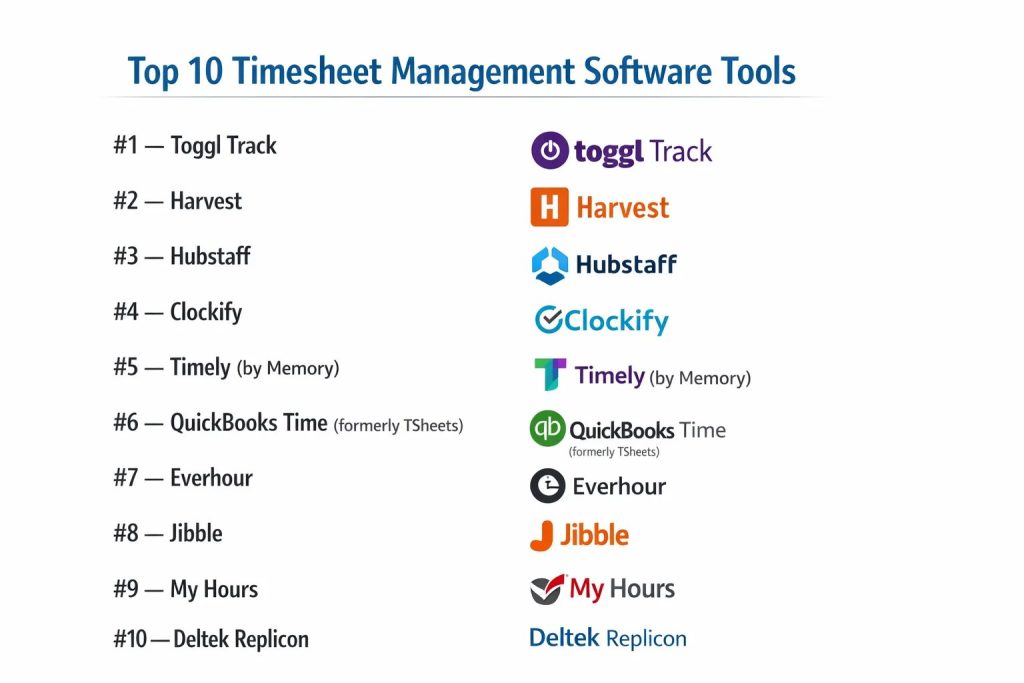
Top 10 Timesheet Management Software Tools
#1 — Toggl Track
A champion of simplicity, Toggl Track is a cross-platform timer that focuses on making time entry as painless as possible for creative and professional teams.
Key Features
- One-Click Timer: Start and stop tracking without needing to fill out complex forms first.
- Pomodoro Mode: Built-in focus timers to help users balance deep work with short breaks.
- Background Tracking: Records every website or app visited for more than 10 seconds to help “fill in” the gaps later.
- Time Audit: Flags entries that are suspiciously long or suspiciously short for manager review.
- Project Estimates: Visual alerts when a project is nearing its estimated billable hour limit.
- Native Browser Extensions: Track time directly from within tools like Jira, Trello, or Asana.
Pros
- Ultra-Low Friction: The easiest tool for employees to adopt with zero training.
- Massive Integration List: Connects with over 100+ business tools natively.
Cons
- Basic Payroll: Lacks native, deep payroll processing found in HR-centric suites.
- Reporting Rigidity: Advanced custom reporting is often locked behind the highest price tiers.
Platforms / Deployment
- Web / Windows / macOS / Linux / iOS / Android / Browser Extensions
- Cloud
Security & Compliance
- 2FA, SSO, TLS Encryption.
- SOC 2 Type II, GDPR compliant.
Integrations & Ecosystem
Toggl is famous for its “Tracking Button” that embeds in other apps.
- Slack & Microsoft Teams
- Asana, Trello, Jira
- Google Calendar & Outlook
- Zapier
Support & Community
Extensive help center, 24/7 email support, and a vast library of productivity guides.
#2 — Harvest
A specialized tool for agencies and freelancers that bridges the gap between time tracking and professional invoicing.
Key Features
- Integrated Invoicing: Automatically pull tracked hours and expenses into a professional, billable invoice.
- Expense Tracking: Snap photos of receipts and attach them to specific projects for reimbursement.
- Approval Workflows: Multi-step review process for managers to verify team timesheets weekly.
- Capacity Reporting: Visualizes who on the team is over-worked and who has availability.
- Payment Integration: Clients can pay invoices directly via Stripe or PayPal links on the invoice.
- Reminders: Automated emails to team members who have forgotten to submit their timesheets.
Pros
- Financial Focus: Best-in-class for businesses whose primary goal is accurate billing.
- Clean Interface: Focuses on the “essentials” without the clutter of full project management.
Cons
- Flat Hierarchy: Not designed for complex projects with multiple levels of nested sub-tasks.
- Limited Monitoring: No “productivity” features like screenshots or app tracking.
Platforms / Deployment
- Web / macOS / Windows / iOS / Android
- Cloud
Security & Compliance
- 2FA, SSL Encryption, regular third-party audits.
- GDPR, SOC 2.
Integrations & Ecosystem
Harvest connects deeply with the “modern agency” stack.
- Slack
- QuickBooks & Xero
- Asana & Basecamp
- Stripe & PayPal
Support & Community
Highly rated customer support, “Harvest Experts” directory, and comprehensive webinars.
#3 — Hubstaff
A high-accountability platform designed for remote and field teams, offering productivity monitoring and GPS tracking.
Key Features
- Activity Levels: Measures keyboard and mouse movement to provide a “productivity percentage.”
- Optional Screenshots: Captures a snapshot of the employee’s screen at randomized intervals.
- GPS & Geofencing: Automatically starts/stops timers when an employee enters or leaves a job site.
- Automated Payroll: Calculates pay based on tracked hours and sends it via integrated payment gates.
- App & URL Tracking: Detailed reports on which applications were used during a tracked session.
- In-Depth Fleet Management: Tracks location history for mobile teams throughout the workday.
Pros
- High Visibility: Ideal for managing contractors where “proof of work” is a priority.
- Mobile Power: Best-in-class GPS features for construction and landscaping industries.
Cons
- Privacy Concerns: The monitoring features can be perceived as invasive by some employees.
- Resource Intensive: The desktop app can consume more system memory than lighter timers.
Platforms / Deployment
- Web / Windows / macOS / Linux / iOS / Android / Chrome
- Cloud
Security & Compliance
- HIPAA (compliance settings), SOC 2, 2FA, Data encryption at rest.
- GDPR.
Integrations & Ecosystem
Hubstaff is built to be an “all-in-one” but integrates with PM tools.
- Jira & GitHub
- ClickUp & Monday.com
- Wise, Payoneer, & PayPal
- FreshBooks
Support & Community
24/7 support, dedicated account managers for enterprise, and a large documentation base.
#4 — Clockify
Known for its aggressive “free forever” tier, Clockify is a scalable time tracker used by both solo freelancers and large corporations.
Key Features
- Unlimited Everything: Tracking for unlimited users and projects even on the free plan.
- Timesheet View: A traditional grid view for logging hours at the end of the day or week.
- Kiosk Mode: A centralized tablet station where employees can punch in using a PIN code.
- Time-Off Management: Track leaves, holidays, and vacation balances in the same app.
- Scheduling: Plan employee shifts and compare “Planned vs. Actual” hours.
- Force Timer: Prevents users from manually editing their time (for high-compliance needs).
Pros
- Cost Efficiency: Most affordable solution for large teams on a budget.
- Feature Flexibility: Can be as simple as a timer or as complex as an ERP-lite.
Cons
- UI Clutter: The interface can feel a bit crowded as you enable more features.
- Customer Support: Free users primarily rely on self-help documentation.
Platforms / Deployment
- Web / Windows / macOS / Linux / iOS / Android / Browser Extensions
- Cloud / Self-Hosted (Enterprise)
Security & Compliance
- 2FA, SSO, Regional data hosting (EU/US/AU).
- SOC 2 Type II, ISO 27001, GDPR.
Integrations & Ecosystem
Over 80+ integrations and a powerful public API.
- Trello & Asana
- Microsoft Teams & Slack
- Google Workspace
- Jira
Support & Community
Live chat for paid tiers, active user forum, and extensive video tutorials.
#5 — Timely (by Memory)
An AI-powered “Memory” tool that automatically captures everything you work on and drafts your timesheet for you.
Key Features
- Memory Tracker: A private background app that records every file, website, and meeting you attend.
- AI Drafts: Automatically groups your activities into “suggested” time entries.
- Privacy by Design: The “Memory” timeline is 100% private to the user; only approved entries go to the manager.
- Team Planning: Visualizes capacity to help managers assign tasks without overbooking.
- Project Health: Real-time dashboards showing budget burn and progress towards milestones.
- Automatic Tagging: AI learns over time how to categorize your work based on historical data.
Pros
- Zero Manual Entry: Eliminates the “Friday afternoon” rush to remember the week’s work.
- Employee Privacy: Unlike Hubstaff, it protects the user’s raw activity data.
Cons
- Premium Pricing: One of the more expensive tools due to its advanced AI capabilities.
- Setup Period: The AI needs 1-2 weeks of data before it becomes truly accurate.
Platforms / Deployment
- Web / Windows / macOS / iOS / Android
- Cloud
Security & Compliance
- 2FA, SSO, Data Privacy Vault.
- GDPR (Strict compliance), SOC 2.
Integrations & Ecosystem
Focuses on capturing data from common work apps.
- Google Calendar & Outlook
- Zoom & Microsoft Teams
- Figma & Adobe Creative Cloud
- Slack
Support & Community
Priority support for teams, detailed onboarding guides, and AI optimization training.
#6 — QuickBooks Time (formerly TSheets)
A mobile-first time tracking solution with deep, native integration into the QuickBooks accounting ecosystem.
Key Features
- Seamless QB Sync: One-click sync of time data for payroll, job costing, and invoicing.
- GPS Tracking: Real-time map view of where mobile employees are currently working.
- Scheduling by Job: Assign shifts to specific clients or job sites.
- Custom Alerts: Notifications when employees haven’t clocked in or are approaching overtime.
- Signature Capture: Allow clients to sign off on timesheets directly on an employee’s mobile device.
- Photo Attachments: Snap photos of job progress and attach them directly to the time log.
Pros
- Payroll Accuracy: The gold standard for businesses already using QuickBooks for accounting.
- Robust Mobile App: Highly reliable in areas with poor cellular connection (offline mode).
Cons
- Ecosystem Locked: Less valuable for teams that do not use QuickBooks.
- Pricing Structure: Base fee + per-user fee can be higher than competitors.
Platforms / Deployment
- Web / iOS / Android
- Cloud
Security & Compliance
- Intuit-grade security, MFA, encrypted data transmission.
- GDPR, HIPAA (Limited), SOC 2.
Integrations & Ecosystem
Primarily focused on Intuit and major payroll providers.
- QuickBooks Online & Desktop
- Gusto & ADP
- Sage
- Square
Support & Community
24/7 phone support, “ProAdvisor” network, and extensive community knowledge base.
#7 — Everhour
An integration-first time tracker that “lives” inside your favorite project management tools like Asana, ClickUp, and Notion.
Key Features
- Native Embedding: The timer appears directly inside the task view of other apps.
- Budget Tracking: Set specific hour or financial budgets for every task and project.
- Visual Dashboard: Real-time view of what team members are working on right now.
- Flexible Billing: Set different rates for different team members or specific tasks.
- Resource Planner: A timeline view for scheduling your team’s weeks in advance.
- Custom Reporting: Build complex tables and charts based on any time or financial metric.
Pros
- Seamless Workflow: Employees never have to leave their PM tool to track time.
- Project Depth: Better for complex, task-heavy environments than standalone timers.
Cons
- Integration Dependent: Most powerful features require a connection to a PM tool.
- Steep Learning Curve: Configuring the reporting engine can take some time.
Platforms / Deployment
- Web / iOS / Browser Extensions (Chrome, Safari, Firefox)
- Cloud
Security & Compliance
- 2FA, SSO, Database encryption.
- SOC 2, GDPR.
Integrations & Ecosystem
Everhour’s strength is its “invisible” integration.
- Asana, Trello, & ClickUp
- Notion & Monday.com
- Jira & GitHub
- Basecamp
Support & Community
Email support, comprehensive documentation, and personalized demos for large teams.
#8 — Jibble
A high-tech time and attendance tool designed for modern offices and field operations, featuring facial recognition and mobile kiosks.
Key Features
- Facial Recognition: Prevents “buddy-punching” by requiring a selfie for clock-ins.
- Geofencing: Restricts clock-ins to specific GPS perimeters (e.g., the office or a job site).
- Automatic Overtime: Calculates time-and-a-half or double-time based on local labor laws.
- Kiosk Mode: Use a shared tablet with PIN or Face ID for team-wide attendance.
- Offline Mode: Buffers time entries and syncs them once an internet connection is restored.
- Work Schedules: Manage flexible, fixed, or rotating shifts.
Pros
- Extremely Secure: Best for high-compliance industries like healthcare or manufacturing.
- Generous Free Tier: Offers robust core features for unlimited users at no cost.
Cons
- Administrative Overhead: Setting up geofences and face profiles takes initial effort.
- Report Customization: Less flexible for financial reporting than Harvest or Everhour.
Platforms / Deployment
- Web / iOS / Android / Desktop
- Cloud
Security & Compliance
- Biometric data encryption, 2FA, SSO.
- GDPR, SOC 2, ISO 27001.
Integrations & Ecosystem
Connects attendance data to communication and payroll.
- Slack & Microsoft Teams
- Xero & QuickBooks
- Deel
- Zapier
Support & Community
24/7 live chat support, video tutorials, and active community of HR professionals.
#9 — My Hours
A straightforward, user-friendly tool focused on simplifying the approval workflow and project profitability for small teams.
Key Features
- Daily/Weekly Timesheet: Quick entry grid for team members to log their entire week at once.
- Approval Workflows: Clean interface for managers to review, comment on, and lock entries.
- Labor Costs: Track the “Cost Rate” of employees against the “Billable Rate” of projects.
- Custom Labels: Add meta-data to entries (e.g., “Non-billable,” “Internal,” “Emergency”).
- Invoice Generator: Basic tool for creating PDF invoices based on logs.
- Activity Dashboard: High-level view of time allocation across the whole company.
Pros
- Ease of Use: Specifically praised for its “clean and non-intimidating” interface.
- Fast Setup: Can move an entire company onto the platform in a single afternoon.
Cons
- Feature Set: Lacks the advanced monitoring of Hubstaff or the AI of Timely.
- Integration Library: Smaller selection of native integrations compared to Toggl.
Platforms / Deployment
- Web / iOS / Android
- Cloud
Security & Compliance
- 2FA, HTTPS encryption, daily data backups.
- GDPR compliant.
Integrations & Ecosystem
Standard connections for modern productivity.
- QuickBooks
- Zapier
- Google Drive (Exports)
Support & Community
Known for having one of the most responsive support teams in the SaaS industry.
#10 — Deltek Replicon
An enterprise-grade platform designed for global organizations that need to manage complex labor regulations and massive project portfolios.
Key Features
- Global Compliance: Built-in rule engine for labor laws in over 80+ countries.
- AI-Powered Validation: Flags errors or compliance risks automatically before submission.
- Resource Management: Real-time visibility into global workforce utilization and skills.
- R&D Tax Credit Tracker: Specialized modules for capturing innovation-related hours.
- Gross Pay Calculation: Handles complex union rules, premiums, and multi-state taxes.
- Enterprise Security: Advanced governance features for highly regulated industries.
Pros
- Power & Scale: The only tool on this list truly built for the Global 2000.
- Compliance Lead: Unmatched for organizations facing multi-national audits.
Cons
- Complexity: Requires a significant implementation period and professional services.
- User Interface: Can feel “traditional” and “enterprise” compared to nimble SaaS competitors.
Platforms / Deployment
- Web / iOS / Android
- Cloud / Hybrid
Security & Compliance
- SSO, MFA, EKM (Enterprise Key Management), Audit Trails.
- FedRAMP, SOC 1/2, ISO 27001, HIPAA, GDPR.
Integrations & Ecosystem
Built to sit at the center of the Enterprise Resource Planning (ERP) world.
- SAP & Oracle
- Salesforce
- Workday & NetSuite
- Microsoft Dynamics
Support & Community
Executive-level account management, global 24/7 support, and extensive professional services.
Comparison Table (Top 10)
| Tool Name | Best For | Tracking Type | Deployment | Standout Feature | Public Rating |
| Toggl Track | Low-Friction Teams | Active/Passive | Cloud | Pomodoro Mode | 4.6 / 5 |
| Harvest | Agency Invoicing | Active | Cloud | Native Invoicing | 4.5 / 5 |
| Hubstaff | Remote Monitoring | Active/Monitor | Cloud | Activity Levels | 4.4 / 5 |
| Clockify | Unlimited Scale | Active/Timesheet | Cloud/Self | Free Kiosk Mode | 4.7 / 5 |
| Timely | AI Automation | Fully Passive | Cloud | Private Memory AI | 4.6 / 5 |
| QB Time | QuickBooks Users | Active/GPS | Cloud | Intuit Integration | 4.5 / 5 |
| Everhour | PM Integrations | Active/Embedded | Cloud | Native PM Sync | 4.7 / 5 |
| Jibble | Field/Biometrics | Active/Selfie | Cloud | Facial Recognition | 4.8 / 5 |
| My Hours | Simple Approvals | Active/Timesheet | Cloud | Clean Workflow | 4.8 / 5 |
| Replicon | Global Enterprise | Active/AI Valid | Cloud/Hybrid | Global Compliance | 4.4 / 5 |
Evaluation & Scoring of Timesheet Management Software
This weighted model assesses tools based on their reliability and efficiency in a 2026 corporate environment.
| Tool Name | Core (25%) | Ease (15%) | Int. (15%) | Sec. (10%) | Perf. (10%) | Supp. (10%) | Value (15%) | Weighted Total |
| Toggl Track | 8 | 10 | 10 | 8 | 10 | 9 | 8 | 8.85 |
| Harvest | 9 | 9 | 8 | 8 | 9 | 9 | 8 | 8.60 |
| Hubstaff | 10 | 7 | 8 | 9 | 8 | 9 | 7 | 8.25 |
| Clockify | 8 | 9 | 9 | 8 | 9 | 7 | 10 | 8.55 |
| Timely | 10 | 8 | 8 | 9 | 7 | 8 | 7 | 8.25 |
| QB Time | 9 | 8 | 10 | 9 | 9 | 10 | 6 | 8.65 |
| Everhour | 9 | 8 | 10 | 8 | 9 | 9 | 8 | 8.75 |
| Jibble | 9 | 9 | 8 | 10 | 10 | 9 | 10 | 9.25 |
| My Hours | 8 | 10 | 7 | 8 | 10 | 10 | 9 | 8.75 |
| Replicon | 10 | 4 | 9 | 10 | 9 | 10 | 5 | 7.90 |
Which Timesheet Management Tool Is Right for You?
Creative Agency
Harvest is the definitive choice for agencies that need to move from a timer to a professional invoice in under 60 seconds.
Software Engineering Team
Everhour or Toggl Track are preferred because they integrate directly into developer environments (GitHub, Jira), minimizing context switching.
Remote / Global Startups
Timely is ideal for remote startups that value employee autonomy and want to use AI to handle the “boring work” of time logs.
Construction / Field Services
Jibble and QuickBooks Time are the clear winners here, providing the GPS and biometric security required for non-office environments.
Enterprise / Government
Deltek Replicon is the only solution on this list designed to navigate the multi-national regulatory and security requirements of enterprise and government contracts.
Budget vs Premium
- Budget: Clockify offers the best value with its “unlimited users” free model.
- Premium: Timely and Replicon represent premium investments in AI and compliance respectively.
Frequently Asked Questions (FAQs)
What is “Passive Time Tracking”?
It is a technology that runs in the background of your computer, recording the apps and websites you use. It allows you to see a timeline of your day and “drag and drop” those activities into timesheets later, rather than remembering to start a stopwatch.
Does timesheet software monitor my screen?
Only if the “Productivity Monitoring” or “Screenshot” features are enabled. Tools like Hubstaff can take screenshots, while tools like Toggl or My Hours do not have this capability at all.
How does Geofencing work in timesheets?
A manager sets a GPS radius around a job site. The app then only allows employees to “Clock In” when their phone’s GPS coordinates are within that circle, preventing people from clocking in from home.
Can I track time without an internet connection?
Yes, most top-tier tools (Toggl, Jibble, Harvest) have an offline mode. The time is stored locally on your device and automatically syncs to the server once you are back online.
Is biometric clock-in legal?
In most regions, yes, provided there is a “Consent Workflow.” Many tools include built-in legal waivers that employees sign within the app before facial recognition is activated.
How do I prevent “Buddy Punching”?
The most effective way is using Jibble or Clockify’s Kiosk mode with facial recognition or unique PINs, which ensures that the person clocking in is actually who they say they are.
Can I track billable vs. non-billable time?
Yes, all 10 tools mentioned allow you to tag entries. This is critical for calculating project profitability (only billing for client work while tracking internal meetings).
Why shouldn’t I just use Excel for timesheets?
Excel is prone to human error, lacks an audit trail (anyone can change any cell), and doesn’t integrate with payroll. The risk of a labor audit makes Excel a liability for most businesses.
What is a “Workdoc” integration?
Available in tools like Monday.com and Notion, this allows you to track time directly inside a collaborative document where you are actually doing the work.
Does timesheet software help with R&D Tax Credits?
Yes. By categorizing hours under specific “Research & Development” labels, you generate the forensic documentation required by tax authorities to claim innovation incentives.
Conclusion
The selection of a timesheet management tool is a decision that balances operational efficiency with employee trust. While high-monitoring tools like Hubstaff provide maximum accountability, AI-driven tools like Timely offer a more autonomous experience. For most professional services, the deep integrations of Everhour or the financial simplicity of Harvest provide the best return on investment.