Introduction
Time tracking software has evolved into a sophisticated layer of the modern “Work OS,” serving as the bridge between human effort and organizational profitability. These tools are no longer simple digital stopwatches; they are intelligent systems that leverage ambient tracking and AI to eliminate the administrative burden of manual entry. By capturing work as it happens across desktop, mobile, and web applications, these platforms provide the high-fidelity data required for accurate client billing, payroll compliance, and resource optimization.
The relevance of time tracking is cemented by the shift toward output-based work and the rise of the “fractional” workforce. Organizations now manage a complex mix of full-time employees, freelancers, and automated agents, necessitating a unified way to measure labor investment. Modern platforms use machine learning to categorize activities automatically, helping teams distinguish between “deep work” and administrative overhead while ensuring that privacy boundaries remain intact.
Real-world use cases include:
- Client Billing & Invoicing: Automatically generating invoices based on billable hours for law firms, creative agencies, and consultancies.
- Workforce Compliance: Ensuring hourly employees take required breaks and managing overtime in accordance with local labor laws.
- Project Profitability Analysis: Comparing estimated project hours against actual time spent to adjust future pricing and resource allocation.
- Remote Productivity Insights: Helping distributed teams identify “time sinks” and distractions without invasive surveillance.
- Field Service Management: Using GPS and geofencing to track site attendance for construction and home service workers.
What buyers should evaluate (Criteria):
- Ambient Tracking: The ability to capture work in the background without requiring users to manually click “start” and “stop.”
- AI Categorization: How accurately the tool assigns tracked time to specific projects, clients, or tasks using natural language processing.
- Privacy Controls: Features that allow users to pause tracking or delete sensitive data, ensuring a balance between visibility and trust.
- Integration Depth: Seamless connectivity with project management (Jira, Asana), accounting (QuickBooks, Xero), and payroll systems.
- Multi-Device Support: Availability of robust apps across iOS, Android, macOS, Windows, and specialized browser extensions.
- Reporting & Analytics: The quality of visual dashboards for utilization rates, budget burn, and team capacity.
- Offline Functionality: The ability to log time without a stable internet connection and sync once reconnected.
- Security Standards: Adherence to global data protection regulations and enterprise-grade security protocols.
Best for: Professional service firms, remote-first companies, and agencies that need to prove value to clients and optimize their internal labor costs.
Not ideal for: Fixed-fee, low-complexity environments where time-to-task ratios never change and billing is strictly project-based rather than hourly.
Key Trends in Time Tracking Software
The landscape is defined by “Invisible Tracking” and “Predictive Utilization.”
- Zero-Touch Entry: Advanced tools now use AI agents to “reconstruct” a user’s day based on calendar events, document edits, and communication logs.
- Privacy-First Monitoring: A shift away from invasive screenshots toward “aggregated productivity scores” that protect individual privacy while giving managers trend data.
- Hyper-Localized Geofencing: GPS-based tracking that is accurate within centimeters, allowing for automatic clock-ins the moment a worker enters a specific job site.
- Predictive Burn Rates: Software that alerts managers when a project is likely to exceed its time budget weeks before the deadline, based on current velocity.
- Gamification of Focus: Integrated features that reward “deep work” sessions and help employees build better digital habits.
- Automated Compliance Audits: Real-time scanning of timesheets to flag potential labor law violations or “buddy punching” before payroll is processed.
- Non-Human Identity Tracking: Systems that now track the “time” and cost efficiency of AI agents alongside human workers for a total view of operational cost.
- Unified Identity Management: Consolidation of time tracking into corporate SSO and HRIS systems to ensure data sovereignty.
How We Selected These Tools (Methodology)
Our selection for is based on a rigorous evaluation of the “Time-Value-Trust” (TVT) index:
- Accuracy vs. Effort: We prioritized tools that provide high accuracy with minimal user input.
- Enterprise Grade Security: Each tool was vetted for SOC 2 Type II compliance and robust data encryption standards.
- Cross-Industry Utility: We included a mix of tools suitable for freelancers, creative agencies, field workers, and large enterprises.
- Innovation Score: Preference was given to platforms that have natively integrated AI for time categorization and project forecasting.
- User Sentiment: We analyzed review data from major software review platforms to gauge long-term reliability.
- API Flexibility: Evaluation of the developer ecosystem and the ease of building custom workflows via webhooks and REST APIs.
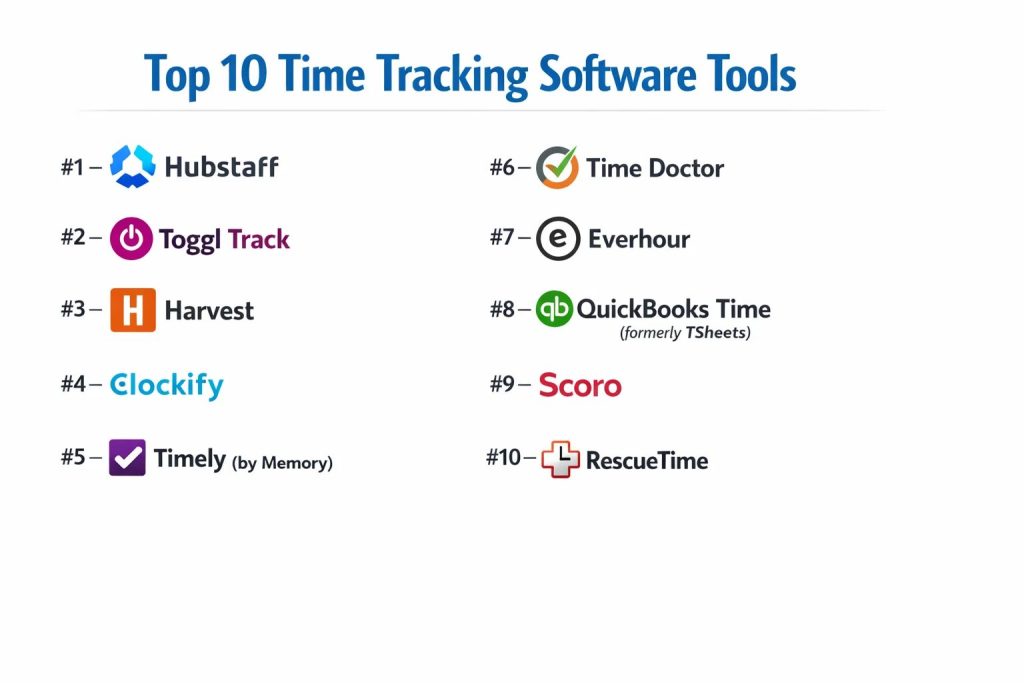
Top 10 Time Tracking Software Tools
#1 — Hubstaff
A comprehensive workforce management platform that excels in remote and field team monitoring with robust GPS and activity tracking features.
Key Features
- GPS & Geofencing: Automatically starts/stops timers when employees enter or leave specific job sites.
- Smart Reporting: Generates detailed reports on project costs, team activity levels, and individual utilization.
- Automated Payroll: Integrates with payment gateways like Deel and PayPal to pay workers based on tracked hours.
- Activity Monitoring: Optional features for screenshot capture and app/URL tracking to ensure accountability.
- Shift Scheduling: Built-in tools for planning team shifts and managing attendance.
- Budget Alerts: Notifications that trigger when a project or client reaches a predefined percentage of its time budget.
Pros
- Field Friendly: Best-in-class features for teams that move between physical locations.
- All-in-One: Combines time tracking, payroll, and project management in a single interface.
Cons
- Perceived Privacy Risk: High-level monitoring features can be off-putting for some remote teams.
- Interface Weight: The feature density can make it feel more “heavy” than simple trackers like Toggl.
Platforms / Deployment
- Web / Windows / macOS / Linux / iOS / Android
- Cloud
Security & Compliance
- SSO, MFA, AES-256 Encryption.
- SOC 2 Type II, GDPR, HIPAA (Enterprise).
Integrations & Ecosystem
Hubstaff connects with 30+ major apps.
- Asana & Jira
- QuickBooks & FreshBooks
- Slack
- Salesforce
Support & Community
24/7 live chat support, dedicated account managers for premium tiers, and an extensive library of remote work guides.
#2 — Toggl Track
The industry standard for simplicity and ease of use, Toggl Track focuses on frictionless time logging for individuals and teams.
Key Features
- One-Click Tracking: An extremely simple interface designed to minimize the friction of starting a timer.
- Browser Extension: Integrates directly into 100+ websites (like Trello and Todoist) to track time inside other tools.
- Automated Tracking: Detects when you are using certain apps and reminds you to start a timer.
- Detailed Analytics: Visualizes where your time goes with colorful, exportable charts and graphs.
- Project Estimates: Allows you to set time budgets and track progress against them in real-time.
- Offline Mode: Logs time even without an internet connection and syncs when back online.
Pros
- User Experience: Widely considered the most intuitive and “lightweight” tracker available.
- Versatility: Equally powerful for a solo freelancer as it is for a 500-person team.
Cons
- Lacks Billing Native: While it tracks billable hours, it doesn’t have the robust native invoicing of Harvest or FreshBooks.
- Price Per Feature: Some advanced reporting features are locked behind higher-priced tiers.
Platforms / Deployment
- Web / Windows / macOS / Linux / iOS / Android
- Cloud
Security & Compliance
- 2FA, SSO (Premium), Data encryption.
- SOC 2, GDPR.
Integrations & Ecosystem
Toggl has one of the largest integration ecosystems via its “Toggl Button.”
- Google Calendar & Outlook
- Slack & Microsoft Teams
- GitHub & GitLab
- Notion
Support & Community
Robust knowledge base, email support, and a massive community of freelancers who share best practices.
#3 — Harvest
A mature, agency-focused tool that perfectly bridges the gap between time tracking, expense management, and professional invoicing.
Key Features
- Integrated Invoicing: Converts tracked hours and expenses into professional invoices with a few clicks.
- Expense Tracking: Allows users to snap photos of receipts and log them against specific projects.
- Capacity Reporting: Visualizes team bandwidth to help managers reassign tasks and avoid burnout.
- Online Payments: Supports Stripe and PayPal integrations for direct invoice payment.
- Project Notes: Encourages users to add context to their time entries for better client transparency.
- Team Overview: A simple dashboard to see who is currently working and what they are working on.
Pros
- Agency Workflow: Best-in-class for teams that need to go from “timer” to “payment” seamlessly.
- Clean UI: Professional and uncluttered interface that appeals to creative and professional services.
Cons
- Limited Monitoring: Does not offer activity screenshots or URL tracking (which some managers might want).
- Mobile App: While functional, it is less feature-complete for complex project editing than the desktop version.
Platforms / Deployment
- Web / macOS / Windows / iOS / Android
- Cloud
Security & Compliance
- SSO, 2FA, TLS Encryption.
- SOC 2 Type II, GDPR.
Integrations & Ecosystem
Harvest features deep native integrations with popular project management tools.
- Asana & Trello
- Slack
- Basecamp
- QuickBooks
Support & Community
Highly rated customer support, webinar training sessions, and a long-standing reputation for reliability.
#4 — Clockify
A “free forever” (for unlimited users) platform that has rapidly become one of the most popular time trackers for growing businesses.
Key Features
- Unlimited Everything: Offers unlimited users and projects on its free plan, a rarity in the SaaS world.
- Time Audit: Automatically identifies “suspicious” or incomplete time entries for correction.
- Kiosk Mode: Allows employees to clock in from a shared device using a unique PIN.
- Scheduling: Built-in tools for visualizing work schedules and managing leaves.
- Expense & Invoicing: Advanced tiers include full-featured billing and expense management.
- Targets & Reminders: Sets daily/weekly targets for users and sends reminders if they fall behind.
Pros
- Unbeatable Value: The best choice for budget-conscious organizations that still need professional features.
- Simplicity: Very easy to set up and deploy across large teams with minimal training.
Cons
- Advanced Paywall: While the free plan is generous, the most powerful features (like SSO) are quite expensive.
- Reporting Speed: Can occasionally experience lag when generating reports for very large data sets.
Platforms / Deployment
- Web / Windows / macOS / Linux / iOS / Android
- Cloud / Self-hosted (Enterprise)
Security & Compliance
- 2FA, SSO, Data isolation.
- SOC 2 Type II, GDPR.
Integrations & Ecosystem
Clockify integrates with over 80+ web applications.
- Jira & GitHub
- Google Workspace
- Zendesk
- ClickUp
Support & Community
24/7 support for paid plans and an extensive forum where users share custom reporting scripts.
#5 — Timely (by Memory)
An AI-first time tracker that focuses on “automatic” memory tracking, perfect for professionals who hate manual timers.
Key Features
- Memory Tracker: A background app that records everything you do on your computer without you having to start a timer.
- AI Drafts: Automatically groups your activities into suggested time entries that you simply “approve.”
- Project Health: Real-time visibility into project budgets and time-to-completion forecasts.
- Privacy Controls: All data recorded by the “Memory” app is private to the user until they choose to log it.
- Team Lead View: High-level dashboard for managing team utilization without micromanagement.
- Timeline View: A visual calendar-style representation of your entire workday.
Pros
- Administrative Efficiency: Drastically reduces the time spent “doing” timesheets.
- Accuracy: Captures small tasks (emails, short calls) that are often forgotten in manual tracking.
Cons
- Learning Period: The AI requires a few weeks of “training” to accurately categorize your specific workflow.
- Cost: One of the more expensive options on the list, reflecting its advanced automation.
Platforms / Deployment
- Web / Windows / macOS / iOS / Android
- Cloud
Security & Compliance
- 2FA, SSO, Full data ownership.
- SOC 2, GDPR (Very strict adherence).
Integrations & Ecosystem
Focuses on deep integration with communication and calendar tools.
- Google Calendar & Outlook
- Slack & Zoom
- Trello
- GitHub
Support & Community
Concierge onboarding for larger teams and a strong emphasis on user privacy education.
#6 — Time Doctor
A productivity-focused tracker designed specifically for remote and hybrid teams that need to optimize performance.
Key Features
- Distraction Alerts: Pop-ups that ask “Are you still working?” if a user spends too much time on non-work sites.
- Web & App Usage: Detailed reports on which applications are used most frequently by the team.
- Screen Recording: Option for video or screenshot capture to verify work quality.
- Automated Screenshots: Can be set to specific intervals to maintain a visual trail of project progress.
- Payroll Integration: Direct exports to major payroll platforms like Wise and Gusto.
- Client Portal: Allows clients to log in and see real-time progress on their specific projects.
Pros
- Productivity Insights: Provides the most granular data on “how” work is getting done.
- Global Ready: Excellent features for managing international teams with multiple currencies.
Cons
- Micromanagement Feel: Its focus on “monitoring” can be controversial in high-trust work cultures.
- Setup Complexity: Requires more configuration than simple trackers to get the best data.
Platforms / Deployment
- Web / Windows / macOS / Linux / iOS / Android
- Cloud
Security & Compliance
- SSO, MFA, Data Encryption.
- SOC 2 Type II, GDPR.
Integrations & Ecosystem
Time Doctor offers 60+ integrations with major business tools.
- ClickUp & Asana
- Slack
- Salesforce
- Freshdesk
Support & Community
Professional services for enterprise deployment and a strong focus on “Workforce Analytics” training.
#7 — Everhour
A deeply integrated tracker that lives inside your favorite project management tools, making it feel like a native feature of Asana or ClickUp.
Key Features
- Native Embed: Adds a “Start Timer” button directly into the interface of other project tools.
- Budget Tracking: Monitors project budgets, task estimates, and labor costs in real-time.
- Resource Planning: Allows managers to schedule team members across multiple projects visually.
- Custom Reporting: A highly flexible report builder to slice and dice time data as needed.
- Billing & Invoicing: Built-in tools for generating invoices based on tracked hours and fixed fees.
- Time-Off Management: Tracks vacations and sick leave to provide a full view of team availability.
Pros
- Zero Switching: Users never have to leave their PM tool to log time, leading to higher adoption.
- Data Accuracy: Because time is linked directly to specific tasks, reporting is highly granular.
Cons
- Integration Dependent: Its value is significantly reduced if you don’t use a supported project management tool.
- No Offline Desktop App: Primarily relies on browser-based or integrated tracking.
Platforms / Deployment
- Web / Browser Extensions / iOS / Android
- Cloud
Security & Compliance
- 2FA, SSO, Encryption.
- SOC 2, GDPR.
Integrations & Ecosystem
Everhour’s strength lies in its deep, two-way sync integrations.
- Asana & ClickUp
- Monday.com & Trello
- Jira & Basecamp
- Slack
Support & Community
Responsive email support and a library of “How-to” guides for every major integration.
#8 — QuickBooks Time (formerly TSheets)
The gold standard for teams already using the QuickBooks ecosystem, focusing on payroll accuracy and labor cost management.
Key Features
- Mobile App with GPS: High-accuracy location tracking for field teams and construction workers.
- Schedule-to-Timecard: Converts shifts directly into timesheets for one-click payroll.
- Facial Recognition: Used in kiosk mode to prevent “buddy punching” (one employee clocking in for another).
- Job Costing: Real-time insights into labor costs versus project budgets.
- Overtime Alerts: Notifications for managers when employees are nearing overtime thresholds.
- Signature Capture: Allows workers to sign off on their timesheets directly from their mobile device.
Pros
- Accounting Synergy: Unbeatable integration for businesses that use QuickBooks for their books.
- Compliance: Built-in tools to help businesses adhere to complex labor laws and audit requirements.
Cons
- Interface Feel: The UI can feel a bit “legacy” compared to modern SaaS tools.
- Pricing: Can be expensive for very large teams compared to more agile competitors.
Platforms / Deployment
- Web / iOS / Android
- Cloud
Security & Compliance
- Intuit-grade security, MFA, SSO.
- SOC 2, HIPAA (Specific plans), GDPR.
Integrations & Ecosystem
Natively tied to the Intuit ecosystem but integrates with other major players.
- QuickBooks Online & Desktop
- ADP & Gusto
- Salesforce
- Aero Workflow
Support & Community
World-class customer support and a vast network of ProAdvisors who can help with setup.
#9 — Scoro
An end-to-end business management suite that treats time tracking as the core of a larger professional services automation (PSA) system.
Key Features
- KPI Dashboards: Real-time visualization of billable utilization and project margins.
- Planner: A drag-and-drop resource planning tool that links directly to time tracking.
- Automated Billing: Automatically creates and sends invoices based on project milestones or tracked hours.
- CRM Integration: Tracks time against specific client leads and deals from the very beginning.
- Financial Management: Tracks income, expenses, and profitability in a single source of truth.
- Detailed Work Reports: Provides high-level insights for executives on business performance.
Pros
- Holistic View: Best for agencies that want to manage their entire business (not just time) in one tool.
- Professional UX: A very polished, enterprise-ready interface.
Cons
- Learning Curve: Because it does so much, it takes longer to set up than a standalone tracker.
- Premium Price: One of the most expensive options, designed for established professional firms.
Platforms / Deployment
- Web / iOS / Android
- Cloud
Security & Compliance
- SSO, MFA, Tier-4 Data Centers.
- SOC 2 Type II, ISO 27001, GDPR.
Integrations & Ecosystem
Integrates with major financial and storage platforms.
- Xero & QuickBooks
- Google Workspace & Outlook
- Dropbox
- Zapier
Support & Community
Dedicated success managers, professional onboarding services, and a comprehensive “Scoro Academy.”
#10 — RescueTime
A productivity-first tool designed for individuals and teams who want to understand their focus levels and eliminate digital distractions.
Key Features
- Automatic Categorization: Automatically classifies websites and apps into “Productive” or “Distracting.”
- FocusWork Sessions: A feature that blocks distracting websites to help you stay in a state of flow.
- Daily Goals: Allows you to set “productivity goals” and tracks your progress against them.
- Impact Reports: Shows how meetings and communication apps (like Slack) are impacting your focus.
- Offline Time Logging: Prompts you to log what you were doing when you were away from your computer.
- Team Benchmarking: Aggregated, anonymous data to help teams understand their collective focus trends.
Pros
- Self-Improvement Focus: The best tool for individuals looking to build better work habits.
- Zero Effort: Completely automatic; you never have to remember to start a timer.
Cons
- Not for Billing: Lacks the invoicing and project-budgeting tools found in Harvest or Toggl.
- Limited Project Depth: Better at tracking “categories” of work than specific client projects.
Platforms / Deployment
- Web / Windows / macOS / Linux / iOS / Android
- Cloud
Security & Compliance
- 2FA, Data encryption at rest.
- GDPR compliant.
Integrations & Ecosystem
Connects with various productivity and lifestyle tools.
- Slack (Status updates based on focus)
- Google Calendar
- IFTTT & Zapier
Support & Community
Extensive blog on productivity science, email support, and a dedicated user community.
Comparison Table (Top 10)
| Tool Name | Best For | Platform(s) Supported | Deployment | Standout Feature | Public Rating |
| Hubstaff | Remote/Field Teams | Web, Win, Mac, iOS, Android | Cloud | GPS & Geofencing | 4.4 / 5 |
| Toggl Track | Ease of Use | Web, Win, Mac, iOS, Android | Cloud | One-Click Tracking | 4.6 / 5 |
| Harvest | Agencies/Billing | Web, Win, Mac, iOS, Android | Cloud | Invoicing & Expenses | 4.3 / 5 |
| Clockify | Budget/Unlimited | Web, Win, Mac, iOS, Android | Cloud/Self | Free Forever Tier | 4.5 / 5 |
| Timely | AI Automation | Web, Win, Mac, iOS, Android | Cloud | Memory Tracker | 4.8 / 5 |
| Time Doctor | Team Productivity | Web, Win, Mac, iOS, Android | Cloud | Distraction Alerts | 4.4 / 5 |
| Everhour | PM Integrations | Web, Browser, iOS, Android | Cloud | Native PM Embed | 4.7 / 5 |
| QB Time | Payroll/Compliance | Web, iOS, Android | Cloud | Facial Recognition | 4.5 / 5 |
| Scoro | Business Suite | Web, iOS, Android | Cloud | KPI Dashboards | 4.5 / 5 |
| RescueTime | Personal Focus | Web, Win, Mac, iOS, Android | Cloud | FocusWork Blocking | 4.1 / 5 |
Evaluation & Scoring of Time Tracking Software
The following scoring model evaluates these tools based on their performance levels and feature sets.
| Tool Name | Core (25%) | Ease (15%) | Int. (15%) | Sec. (10%) | Perf. (10%) | Supp. (10%) | Value (15%) | Weighted Total |
| Hubstaff | 9 | 7 | 8 | 9 | 9 | 9 | 8 | 8.45 |
| Toggl Track | 8 | 10 | 10 | 8 | 10 | 9 | 8 | 8.85 |
| Harvest | 9 | 9 | 9 | 9 | 9 | 9 | 7 | 8.65 |
| Clockify | 8 | 9 | 8 | 8 | 8 | 8 | 10 | 8.30 |
| Timely | 10 | 8 | 8 | 9 | 9 | 8 | 7 | 8.60 |
| Time Doctor | 9 | 7 | 8 | 9 | 9 | 8 | 8 | 8.30 |
| Everhour | 9 | 9 | 10 | 8 | 9 | 8 | 8 | 8.80 |
| QB Time | 9 | 6 | 9 | 10 | 8 | 10 | 7 | 8.25 |
| Scoro | 10 | 5 | 9 | 10 | 9 | 9 | 6 | 8.15 |
| RescueTime | 7 | 9 | 8 | 8 | 10 | 8 | 9 | 8.15 |
How to interpret these scores:
- Weighted Total: Scores above 8.5 indicate market-leading efficiency and reliability.
- Core (25%): Measures the accuracy of the tracking engine and the robustness of the data.
- Value (15%): A high score here indicates a very generous free tier or a high feature-to-price ratio.
Which Time Tracking Software Tool Is Right for You?
Solo Freelancer
If you are working alone, Toggl Track is the gold standard for simplicity. If you prefer to never think about your timer at all, Timely or RescueTime are superior for automated, set-and-forget logging.
Creative or Professional Agency
For agencies that need to bill clients and manage expenses, Harvest provides the cleanest end-to-end workflow. If you want to manage your entire business operations (CRM, Projects, Billing) in one hub, Scoro is the premium choice.
Remote Engineering or Ops Teams
Teams using Jira or Asana should look at Everhour or Toggl. The ability to track time directly inside the task card ensures higher compliance and more accurate data for sprint planning.
Field Service & Construction
QuickBooks Time and Hubstaff are the clear winners here. Their GPS, geofencing, and kiosk modes are specifically designed for workers who are on the move rather than behind a desk.
High-Performance Focus
If your primary goal is to eliminate distractions and improve “deep work,” RescueTime is the only tool on the list that focuses on your digital health rather than just your billable hours.
Budget-Conscious Teams
Clockify is the best option for teams that need “pro” features like reporting and team management without the per-user cost of the more established players.
Enterprise Compliance
For organizations requiring strict audit trails, facial recognition, and integration with massive payroll systems like ADP or Workday, QuickBooks Time and Hubstaff offer the most robust governance features.
Frequently Asked Questions (FAQs)
What is the difference between active and passive time tracking?
Active tracking requires you to click a “start” and “stop” button. Passive (or ambient) tracking, like in Timely, runs in the background and records your activity automatically, allowing you to categorize it later.
Is employee monitoring considered an invasion of privacy?
It depends on the tool and the culture. Tools like Time Doctor offer screen captures, while Toggl focuses purely on time logs. Most tools have “Privacy-by-Design” features that allow employees to pause tracking at any time.
Can time tracking tools help with tax compliance?
Yes. Accurate logs of billable and non-billable time, combined with expense tracking features (like in Harvest), make it significantly easier to document business costs and R&D tax credits.
Does time tracking work on tablets and smartphones?
Virtually all top-tier tools have native iOS and Android apps. Some even offer specialized Apple Watch or Android Wear versions for quick “one-tap” tracking.
What is “buddy punching” and how is it prevented?
Buddy punching is when one employee clocks in for another. Tools like QuickBooks Time prevent this using facial recognition or GPS geofencing to ensure the employee is physically at the job site.
How does AI improve time tracking ?
AI now analyzes the titles of your documents, emails, and meetings to automatically “guess” which project you were working on, reducing the time you spend manually editing your timesheet by up to 80%.
Are there free time tracking tools for large teams?
Clockify is the most notable example, offering a “free forever” plan for unlimited users and projects. Most other tools (like Toggl) offer free plans limited by seat count or feature set.
Can I track time across multiple time zones?
Yes. Platforms like Hubstaff and Harvest are designed for global teams and automatically adjust time logs to the company’s “source of truth” time zone while allowing individuals to see their own local time.
What is “utilization rate” in reporting?
It is the percentage of an employee’s total working hours that are “billable” to a client. High-end tools like Scoro track this in real-time to help businesses monitor profitability.
Do these tools integrate with Slack?
Most do. Common integrations allow you to start/stop timers using a slash command (e.g., /toggl start) or automatically update your Slack status to “Focused” or “In a Meeting” based on your activity.
Conclusion
Time tracking has moved past the era of manual checklists and into the era of automated intelligence. For teams that value simplicity and adoption, Toggl Track and Everhour are the primary contenders. For those needing deep operational insights or field-based verification, Hubstaff and QuickBooks Time offer the necessary power and compliance features.
The most successful implementations of time tracking occur when the software is presented as a tool for “empowerment and transparency” rather than “surveillance.” Choose a tool that fits your culture and provides the specific data your business needs to grow.