Introduction
Resource management tools (RMT) are specialized software solutions designed to optimize the allocation of an organization’s most valuable assets—its people, time, and equipment. While standard project management tools focus on “what” needs to be done, resource management focuses on “who” is doing it and “when” they are available. The shift toward agentic AI and decentralized workforces has made these tools the operational heartbeat of high-performance firms.
The relevance of RMT is underscored by the “Utilization Economy,” where profitability is tied directly to real-time capacity visibility. With the rise of the “liquid workforce” (a mix of full-time, fractional, and AI agents), managers can no longer rely on static spreadsheets. Modern RMTs provide a dynamic “Source of Truth” that prevents team burnout, identifies skill gaps, and forecasts hiring needs months in advance.
Real-world use cases include:
- Consultancy & Professional Services: Aligning high-value consultants with billable client projects to maximize margin.
- IT & Software Engineering: Balancing developer workloads across multiple product backlogs and incident responses.
- Marketing Agencies: Coordinating creative talent across shifting campaign deadlines and client demands.
- Manufacturing & Logistics: Managing specialized equipment and shop-floor personnel to meet production quotas.
- Healthcare Administration: Scheduling specialized medical staff and operating room availability in complex hospital systems.
What buyers should evaluate (Criteria):
- Visual Capacity Planning: High-level heatmaps that show who is overbooked or underutilized at a glance.
- Skills Taxonomy: A searchable database of certifications, languages, and technical expertise.
- Scenario Modeling (What-if): The ability to simulate the impact of taking on a new project without affecting the live schedule.
- AI Allocation Engines: Automated suggestions for the “best-fit” resource based on cost, skill, and availability.
- Time Tracking & Actuals: Seamless integration of timesheets to compare planned vs. actual resource spend.
- Financial Forecasting: Projecting revenue and margins based on billable rates and resource utilization.
- Leave Management: Built-in tracking for PTO, public holidays, and sick leave to ensure realistic capacity.
- Conflict Resolution: Automated alerts when a resource is double-booked across competing projects.
Best for: Agency owners, PMO leaders, and resource managers who need to balance complex portfolios and ensure sustainable team workloads.
Not ideal for: Small teams with fixed roles and a low volume of projects; for them, a simple shared calendar or basic Kanban board is often sufficient.
Key Trends in Resource Management Software
The resource landscape has moved from “Allocation” to “Optimization” through advanced orchestration.
- Agentic Capacity Planning: AI agents now act as “Resource Assistants,” automatically shifting tasks when a team member calls in sick or a project deadline moves.
- Skills-First Resourcing: A shift away from job titles toward “Skill Tags,” allowing managers to find the right talent based on verified micro-credentials.
- Sentiment-Driven Burnout Prediction: Natural language processing analyzes communication patterns to flag teams at risk of turnover before they reach a breaking point.
- Dynamic Costing: Real-time adjustment of project margins based on the fluctuating rates of fractional talent and specialized contractors.
- AR Resource Visualization: Using spatial computing to visualize physical asset utilization (machines, rooms) in 3D environments.
- Self-Service Scheduling: Empowering employees to “bid” on project tasks that align with their career goals and availability.
- Blockchain Skill Verification: Using decentralized ledgers to verify the certifications and past performance of external contractors.
- Zero-Grip Time Tracking: Passive time tracking that uses AI to categorize work hours without manual entry.
How We Selected These Tools (Methodology)
Our selection is based on a weighted framework designed to identify tools that bridge the gap between human intuition and data-driven precision:
- Resource-First Architecture: We excluded tools where resourcing is a “tacked-on” feature, focusing on platforms where capacity is the core UI.
- Financial Intelligence: Priority was given to tools that link utilization directly to project budgets and profitability.
- AI Readiness: We assessed the maturity of automated scheduling and predictive forecasting capabilities.
- Enterprise Scalability: Evaluation of how well the tool handles thousands of resources across global time zones.
- UX/Adoption Potential: Measuring how easily a team can maintain their availability data without feeling micromanaged.
- Integration Density: Connectivity with HRIS (Workday, BambooHR) and PM tools (Jira, Asana) was a critical factor.
- Scenario Depth: The robustness of “sandbox” environments for strategic long-term planning.
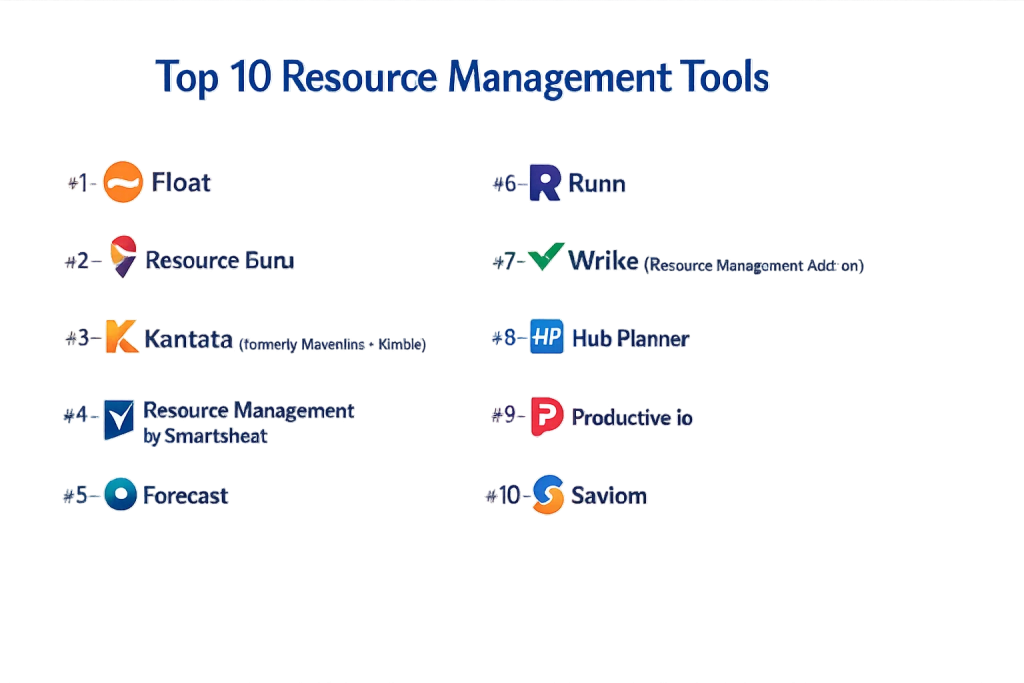
Top 10 Resource Management Tools
#1 — Float
A visual-first resource scheduling platform designed for teams that need to stay agile. It is the gold standard for simplicity and real-time capacity tracking.
Key Features
- Visual Schedule: A drag-and-drop interface that shows the entire team’s workload on one timeline.
- Capacity Tracking: Instantly see who is overbooked with visual heatmaps and “clash” alerts.
- Financial Integration: Link resource hours to project budgets to track spend in real-time.
- Pre-filled Timesheets: Automatically generates timesheets based on the planned schedule to reduce manual entry.
- Multi-Project View: Manage resources across hundreds of concurrent projects without losing focus.
- Skill Tags: Filter the team by specific expertise to find the right person for every task.
Pros
- User Adoption: One of the easiest tools for teams to use, ensuring data stays accurate.
- Speed: Designed for fast-moving environments where schedules change daily.
Cons
- Advanced Reporting: While good, it lacks the deep “BI-style” reporting found in enterprise suites like Kantata.
- Limited Task Depth: Not a full project management tool; you’ll likely need to integrate it with Jira or Asana.
Platforms / Deployment
- Web / iOS / Android
- Cloud
Security & Compliance
- SSO, MFA, TLS 1.2 Encryption.
- SOC 2 Type II, GDPR.
Integrations & Ecosystem
Float acts as a “resourcing hub” for existing PM stacks.
- Asana & Jira
- Slack & Microsoft Teams
- Google Calendar & Outlook
Support & Community
Responsive 24/5 support, a comprehensive help center, and a popular blog on agency management.
#2 — Resource Guru
A simple yet powerful tool for people and equipment scheduling. It is best known for its “clash management” and ease of use.
Key Features
- Clash Management: Prevents double-booking by placing overlapping tasks in a “waiting list.”
- Resource Pool: Manage people, meeting rooms, vehicles, and specialized gear in one view.
- Individual Dashboards: Each team member gets a personal view of their upcoming work.
- Availability Management: Native support for custom work hours, time zones, and public holidays.
- Leave Tracking: Integrated vacation and sick leave that automatically updates project capacity.
- Reporting Engine: Basic utilization and availability reports for quick team check-ins.
Pros
- Unbeatable Simplicity: No training required; teams can be onboarded in under an hour.
- Equipment Focus: One of the few tools that handles non-human resources as effectively as people.
Cons
- No Financials: Does not track budgets, rates, or project profitability natively.
- Static Planning: Lacks advanced “what-if” scenario modeling for long-term forecasting.
Platforms / Deployment
- Web / iOS / Android
- Cloud
Security & Compliance
- SSO, 2FA, Data Encryption at rest.
- SOC 2, GDPR.
Integrations & Ecosystem
Focuses on essential connectivity for scheduling.
- Google Calendar & Outlook
- Slack
- Zapier
Support & Community
Standard ticketing support and a clear, well-documented knowledge base.
#3 — Kantata (formerly Mavenlink + Kimble)
An enterprise Professional Services Automation (PSA) suite that deeply integrates resource management with financial performance.
Key Features
- Skills-Based Matching: Advanced AI that matches resources to projects based on margin, skill, and location.
- Margin Tracking: Real-time visibility into the profitability of every project and resource.
- Forecasting & Demand: Predict future hiring needs based on the sales pipeline (CRM integration).
- Automated Billing: Converts tracked time and expenses into client-ready invoices automatically.
- Role-Based Planning: Plan projects with “placeholder” roles before specific individuals are assigned.
- Global Capacity: Handles complex multi-currency and multi-tax jurisdictions for global firms.
Pros
- Financial Depth: The best tool for firms where project profitability is the primary KPI.
- Strategic Value: Provides the data needed for long-term executive decision-making.
Cons
- Complexity: Requires a dedicated administrator and significant training to master.
- Cost: One of the most expensive options, targeting mid-to-large enterprises.
Platforms / Deployment
- Web / iOS / Android
- Cloud
Security & Compliance
- SSO/SAML, SCIM, Enterprise Key Management.
- SOC 2 Type II, ISO 27001, GDPR, HIPAA.
Integrations & Ecosystem
Built for the enterprise stack, especially the Salesforce ecosystem.
- Salesforce (Native Integration)
- NetSuite & QuickBooks
- Slack & Jira
Support & Community
Dedicated success managers, professional services for implementation, and an extensive training academy.
#4 — Resource Management by Smartsheet
(Formerly 10,000ft) A high-level capacity planning tool that helps large organizations visualize their entire workforce.
Key Features
- Portfolio View: A massive, interactive timeline of all projects and people across the enterprise.
- Scenario Planning: Model different staffing outcomes to see how they impact the bottom line.
- Utilization Heatmaps: Instantly spot “bench time” (underutilization) to reassign resources.
- Project Budgeting: Track fees and expenses against the resource plan in real-time.
- Smartsheet Sync: Seamlessly connects high-level resourcing with detailed task execution in Smartsheet.
- Time Tracking: Integrated “suggested” timesheets based on the planned schedule.
Pros
- Enterprise Visibility: Excellent for PMOs who need to manage 500+ resources across multiple divisions.
- Data Integration: Strong ability to roll up resource data into executive dashboards.
Cons
- UI Style: The interface can feel a bit clinical and “data-heavy” for creative teams.
- Standalone Friction: While it integrates, using it without the core Smartsheet platform can feel disjointed.
Platforms / Deployment
- Web / iOS / Android
- Cloud
Security & Compliance
- SSO, MFA, User Provisioning.
- SOC 2 Type II, ISO 27001, GDPR, FedRAMP (Specific version).
Integrations & Ecosystem
Deeply integrated with the Smartsheet platform and Microsoft stack.
- Smartsheet (Native)
- Microsoft Teams & Power BI
- Slack
Support & Community
Large global community, professional certification, and premium enterprise support.
#5 — Forecast
An AI-native platform that automates the “busy work” of project and resource management.
Key Features
- Auto-Schedule: AI that assigns tasks and creates timelines based on past project data.
- Risk Prediction: Flags projects likely to go over budget or miss deadlines due to resource issues.
- Workload Balancing: Automatically suggests reassignments to resolve over-allocations.
- Financial Insights: Connects resource utilization directly to company revenue and growth.
- Retrospective Analysis: AI-generated reports on how well resources were actually used vs. the plan.
- Unified Workspace: Combines tasks, resources, and financials in one interface.
Pros
- Automation: Significantly reduces the time managers spend on manual data entry.
- Predictive Power: Excellent for identifying problems before they impact the client.
Cons
- AI Trust: Requires a high volume of historical data for the AI to become truly accurate.
- Flexibility: The automated nature can sometimes feel restrictive for non-standard project types.
Platforms / Deployment
- Web / iOS / Android
- Cloud
Security & Compliance
- SSO, 2FA, Data Encryption.
- SOC 2, GDPR.
Integrations & Ecosystem
Integrates with the modern tech stack to feed its AI engine.
- Jira & Azure DevOps
- Slack & Microsoft Teams
- Harvest & Clockify
Support & Community
Digital-first support with a strong focus on “AI training” for its user base.
#6 — Runn
A modern resource forecasting tool designed for agencies and consultancies to manage people and profits.
Key Features
- Dynamic Capacity Planner: Drag-and-drop resources to see instant updates on project timelines.
- Profitability Forecasting: Predicts project margins based on resource costs and billable rates.
- Hiring Dashboard: Identifies when you need to hire new staff based on the long-term project pipeline.
- Bench Management: Tracks who is unassigned and helps find work to keep utilization high.
- Placeholder Roles: Map out upcoming work using generic roles (e.g., “Senior Designer”).
- Timesheet Actuals: Simple time tracking that reconciles with the original resource plan.
Pros
- Clean UI: Highly intuitive and visually pleasing, making it great for creative agencies.
- Value for Money: Offers enterprise-level forecasting at a price point accessible to mid-sized firms.
Cons
- Integration Depth: Fewer native integrations than veterans like Monday.com or Asana.
- Mobile App: The mobile experience is more of a companion than a full management suite.
Platforms / Deployment
- Web / iOS / Android
- Cloud
Security & Compliance
- SSO, 2FA, ISO 27001 alignment.
- SOC 2 Type II, GDPR.
Integrations & Ecosystem
- Harvest & WorkflowMax
- Slack
- Zapier
Support & Community
High-touch customer support and a great library of resources for agency profitability.
#7 — Wrike (Resource Management Add-on)
A powerful enterprise PM tool that offers one of the most robust “Workload” views in the industry.
Key Features
- Dynamic Workload Charts: Real-time visibility into team capacity with drag-and-drop rescheduling.
- Resource Bookings: Formal request system for reserving team members’ time on specific projects.
- Effort Allocation: Specify exactly how many hours per day a resource should spend on a task.
- Custom Capacity: Set different working hours for part-time, full-time, and contract resources.
- Cross-Project Visibility: See a single person’s total workload across the entire organization.
- Timesheet Approvals: Native time tracking with manager approval workflows for billing.
Pros
- Seamless PM Integration: No need to switch between a resourcing tool and a project tool.
- Scalability: Built to handle the complex hierarchy of global marketing and IT departments.
Cons
- Cost: Resource features are only available on higher-tier plans (Business and above).
- Learning Curve: The interface can be overwhelming due to the depth of features.
Platforms / Deployment
- Web / Windows / macOS / iOS / Android
- Cloud
Security & Compliance
- Wrike Lock (Managed Keys), SSO, SCIM.
- SOC 2 Type II, ISO 27001, GDPR, HIPAA.
Integrations & Ecosystem
- Adobe Creative Cloud
- Microsoft 365 & Google Workspace
- Salesforce
Support & Community
Professional services, 24/7 support, and a very active community of power users.
#8 — Hub Planner
A dedicated resource scheduling tool that balances powerful reporting with a simple user interface.
Key Features
- Resource Scheduler: A flexible calendar view for booking teams across projects and tasks.
- Smart Reporting: Over 70+ pre-built reports on utilization, availability, and budgets.
- Skills Management: Track employee skills, seniority, and internal cost rates.
- Workflow Approvals: A system for requesting and approving resource time.
- Project Billing: Manage internal and external budgets directly within the schedule.
- Custom Fields: Add unique data points to resources (e.g., “Home Office” or “Security Clearance”).
Pros
- Reporting Depth: One of the most granular reporting engines for specialized resource managers.
- Modular Features: You can toggle specific features (like timesheets or billing) on and off.
Cons
- Interface: While functional, it feels slightly more “classic” compared to the sleekness of Float.
- Automation: Lacks the advanced AI-driven auto-scheduling found in newer competitors.
Platforms / Deployment
- Web / iOS / Android
- Cloud
Security & Compliance
- SSO, MFA, Data Encryption.
- SOC 2, GDPR.
Integrations & Ecosystem
- Slack
- Zapier
- API for custom builds
Support & Community
Personalized support and a robust help center with video tutorials.
#9 — Productive.io
An all-in-one agency management tool that places heavy emphasis on the “Resource-Profitability” link.
Key Features
- Scheduling with Financials: Every shift you schedule updates the project’s profit margin in real-time.
- Utilization Reporting: Detailed views of billable vs. non-billable time across the agency.
- Sales to Production: Turn won deals from the CRM directly into resource-ready project plans.
- Capacity Overviews: Filter by team, skill, or seniority to find available talent.
- Overhead Tracking: Includes internal costs to give a true view of agency health.
- Client Portal: Share specific project progress and resource status with external clients.
Pros
- Holistic View: Replaces the need for separate CRM, PM, and Resourcing tools for agencies.
- Profit Focus: Built specifically to solve the “Is this project making money?” question.
Cons
- Agency Niche: Not as effective for internal IT or manufacturing teams as general tools.
- Feature Overlap: Might be redundant if you already have a strong CRM and PM system.
Platforms / Deployment
- Web / iOS / Android
- Cloud
Security & Compliance
- SSO, 2FA, GDPR compliant.
- SOC 2 (In progress).
Integrations & Ecosystem
- QuickBooks & Xero
- Slack
- Jira
Support & Community
Very responsive support and a clear roadmap of upcoming features.
#10 — Saviom
An enterprise-grade resource management specialist designed for massive corporations and PMOs.
Key Features
- Strategic Planning: Long-term capacity forecasting up to 5 years into the future.
- What-if Analysis: Sophisticated sandbox for modeling large-scale organizational shifts.
- Talent Management: Align resource development and training with upcoming project demand.
- Real-time BI: Enterprise-level business intelligence dashboards for resource optimization.
- Matrix Organization Support: Handles complex reporting lines where resources report to multiple managers.
- Capacity Gap Analysis: Automatically identifies skills the company needs to hire for.
Pros
- Power: The most advanced tool for “Strategic” as opposed to “Tactical” resource management.
- Optimization: Focuses on squeezing every percent of efficiency out of a global workforce.
Cons
- UI/UX: Very technical and “spreadsheet-like”; requires professional training.
- Implementation: Can take months to fully deploy in a large organization.
Platforms / Deployment
- Web / Windows
- Cloud / On-Premise
Security & Compliance
- SSO/SAML, Granular permissions, Audit trails.
- ISO 27001, SOC 2, GDPR.
Integrations & Ecosystem
- ERP & HRIS systems (SAP, Oracle)
- Microsoft Project
- Jira
Support & Community
Consultative support, implementation partners, and advanced technical documentation.
Comparison Table (Top 10)
| Tool Name | Best For | Platform(s) Supported | Deployment | Standout Feature | Public Rating |
| Float | Visual Scheduling | Web, iOS, Android | Cloud | Real-time Timelines | 4.8 / 5 |
| Resource Guru | Equipment & Simple | Web, iOS, Android | Cloud | Clash Management | 4.6 / 5 |
| Kantata | Professional Services | Web, iOS, Android | Cloud | Profit-Resource Link | 4.4 / 5 |
| Smartsheet RM | Enterprise Portfolios | Web, iOS, Android | Cloud | High-level Forecasting | 4.3 / 5 |
| Forecast | AI Automation | Web, iOS, Android | Cloud | AI Auto-Scheduling | 4.5 / 5 |
| Runn | Agency Forecasting | Web, iOS, Android | Cloud | Hiring Dashboard | 4.7 / 5 |
| Wrike | Internal Teams/IT | Web, Win, Mac, iOS | Cloud | Workload Charts | 4.5 / 5 |
| Hub Planner | Detailed Reporting | Web, iOS, Android | Cloud | 70+ Built-in Reports | 4.4 / 5 |
| Productive.io | All-in-One Agency | Web, iOS, Android | Cloud | Margin-on-the-fly | 4.8 / 5 |
| Saviom | Enterprise PMO | Web, Windows | Cloud/On-Prem | What-if Analysis | 4.1 / 5 |
Evaluation & Scoring of Resource Management Tools
| Tool Name | Core (25%) | Ease (15%) | Int. (15%) | Sec. (10%) | Perf. (10%) | Supp. (10%) | Value (15%) | Weighted Total |
| Float | 9 | 10 | 8 | 8 | 10 | 9 | 9 | 8.95 |
| Resource Guru | 7 | 10 | 7 | 8 | 10 | 8 | 10 | 8.20 |
| Kantata | 10 | 4 | 10 | 10 | 8 | 9 | 6 | 8.15 |
| Smartsheet RM | 9 | 6 | 9 | 10 | 9 | 9 | 7 | 8.20 |
| Forecast | 10 | 7 | 8 | 8 | 8 | 8 | 8 | 8.45 |
| Runn | 9 | 9 | 7 | 8 | 9 | 9 | 9 | 8.55 |
| Wrike | 8 | 7 | 9 | 9 | 9 | 9 | 7 | 8.15 |
| Hub Planner | 9 | 7 | 7 | 8 | 9 | 9 | 8 | 8.15 |
| Productive.io | 9 | 8 | 8 | 8 | 9 | 9 | 9 | 8.60 |
| Saviom | 10 | 3 | 8 | 10 | 8 | 9 | 7 | 7.75 |
Which Resource Management Tool Is Right for You?
Creative Agency (10–50 People)
Float or Runn are the clear winners here. They prioritize visual ease and allow creative directors to quickly shift resources as client deadlines inevitably change.
Large Enterprise PMO
Saviom or Resource Management by Smartsheet are the go-to choices for high-level governance and strategic “What-if” modeling across thousands of employees.
Professional Services (Billing Focused)
Kantata or Productive.io provide the necessary link between resource utilization and the bottom line. If you need to manage margins as closely as people, these are the top picks.
Software/IT Teams
Wrike or Forecast integrate best with Agile workflows. Forecast’s AI capabilities are particularly useful for predicting development bottlenecks before they happen.
Frequently Asked Questions (FAQs)
What is the difference between project management and resource management?
Project management focuses on tasks and deadlines (the “what”). Resource management focuses on team capacity and availability (the “who”).
How does AI help in resource management in 2026?
AI now handles “Auto-Allocation,” suggesting the best person for a task based on their skills, cost, and availability, and it predicts future hiring needs by analyzing the project pipeline.
Can these tools handle part-time or contract workers?
Yes, most top-tier tools allow you to set custom work calendars for each individual, including specific time zones and part-time hours.
What is “Utilization Rate” and why does it matter?
It’s the percentage of a resource’s time spent on billable or productive work. High utilization means efficiency, but rates over 85–90% often lead to burnout.
Do I need to integrate my HR software?
For larger teams, yes. Integrating with HRIS (like Workday) ensures that new hires and leavers are automatically updated in your resource plan.
What is “Bench Time”?
Bench time refers to the period when a resource is unassigned to any project. Resource management tools help minimize this to maximize profitability.
Is “Skills Tracking” actually useful?
In 2026, yes. Modern tools use skills taxonomies to find specific expertise (e.g., “Python Developer with FinTech experience”) rather than just looking for any “Developer.”
How do I prevent “Resource Clashes”?
Tools like Resource Guru have built-in clash detection that alerts you if you try to book the same person for two different projects at the same time.
Are there free resource management tools?
Most professional-grade tools offer free trials, but few have robust “forever free” plans. Trello can be used as a basic resource board for free, but it lacks capacity logic.
Can I track non-human resources like equipment?
Yes, tools like Resource Guru and Float allow you to create “Non-human” resource types for things like camera gear, vehicles, or meeting rooms.
Conclusion
Mastering resource management is the difference between a team that is thriving and one that is burnt out. For most modern teams, Float offers the best balance of power and simplicity. However, if your focus is purely on profitability and enterprise scale, Kantata and Saviom remain the industry heavyweights.