Introduction
A personalization engine is a software system that analyzes customer data in real-time to deliver tailored experiences, content, and product recommendations to individual users. Unlike traditional marketing which treats audiences as broad segments, a personalization engine treats every visitor as a “segment of one.” It uses behavioral cues—such as pages viewed, time spent, and past purchases—to dynamically adjust what a user sees on a website, app, or email.
Landscape, personalization engines have evolved from simple “recommended for you” carousels into sophisticated “agentic” systems. With the death of third-party cookies, these engines now rely heavily on first-party and zero-party data to predict customer intent. Whether it is a streaming service adjusting its homepage layout based on your current mood or a retailer changing its entire navigation menu to suit your browsing style, these engines ensure that digital noise is filtered out, leaving only what is relevant to the user.
Real-World Use Cases
- Dynamic Web Content: Swapping hero banners, headlines, and call-to-action buttons in real-time based on a visitor’s industry or previous interactions.
- Predictive E-commerce: Showing “complete the look” bundles or “frequently bought together” items that update instantly as a user adds items to their cart.
- Email & SMS Orchestration: Sending triggers at the exact “golden window” when a specific user is most likely to open their phone and engage.
- Travel & Hospitality: Customizing search results for hotels and flights based on a traveler’s historical budget preferences and current weather at their destination.
- Financial Services: Delivering personalized financial advice or loan offers within a banking app based on a user’s real-time spending patterns.
Evaluation Criteria for Buyers
When selecting a personalization engine evaluate:
- Real-Time Latency: Can the engine make a decision and update the UI in under 100ms?
- AI/ML Depth: Does it use “black box” algorithms or allow for “explainable AI” where you can see the reasoning behind a recommendation?
- Omnichannel Reach: Can it unify the experience across web, mobile, email, kiosks, and even IoT devices?
- Data Integrity: How well does it handle identity resolution for users who switch between devices?
- Ease of Integration: Does it offer “plug-and-play” connectors for your existing CMS, CDP, and CRM?
- Experimentation Framework: Does it include robust A/B and multivariate testing to prove that personalization is actually driving lift?
- Privacy & Consent: Is it designed for a cookie-less world with built-in tools for managing user consent and data residency?
- Scalability: Can it handle millions of concurrent users during peak events like Black Friday or a major product launch?
Best for: E-commerce brands, high-traffic content publishers, and enterprise-level service providers looking to increase conversion rates and customer lifetime value (CLV).
Not ideal for: Very small businesses with low traffic (where the cost of the engine exceeds the potential revenue lift) or organizations with completely static product catalogs.
Key Trends in Personalization Engines
- Agentic Personalization: Engines are moving from “suggestive” to “agentic,” where autonomous AI agents proactively build and adjust entire customer journeys without manual intervention.
- Zero-Party Data Exchanges: Engines now include “value exchange” modules that offer discounts or content in direct exchange for users voluntarily sharing their preferences.
- Hyper-Contextual Awareness: Modern tools integrate external data like local weather, real-time stock levels, and even social trends to trigger specific personalized experiences.
- Neural Search Integration: Personalization is now baked into the search bar, with “neural search” understanding the intent behind a typo or a vague query to show the right product.
- Privacy-First Architectures: To comply with global regulations, engines are moving toward “edge personalization,” where the processing happens on the user’s device rather than a central server.
- Generative Content Variants: Instead of choosing from five pre-written headlines, AI now generates unique copy and images on the fly for every single user.
- Fatigue & Suppression Logic: Advanced engines now feature “cool-down” periods to prevent over-messaging and “personalization fatigue” that can lead to unsubscribes.
- AR/VR Integration: Leading platforms are beginning to personalize 3D environments within headsets, tailoring the virtual storefront to a user’s specific tastes.
How We Selected These Tools (Methodology)
To identify the top 10 personalization engines, we followed this evaluation logic:
- Market Mindshare: We prioritized tools recognized by major analyst firms and those with high adoption among global 1000 brands.
- Feature Completeness: We looked for platforms that offer a full suite including testing, segmentation, and recommendations.
- Real-Time Performance: Only engines capable of high-speed decisioning at the edge were selected.
- Security & Compliance Signals: We prioritized vendors with advanced certifications and a clear roadmap for cookie-less data handling.
- Integration Ecosystem: We evaluated how easily these tools connect with standard marketing stacks (CDPs, CRMs, and DXPs).
- Customer Segment Fit: The list represents a range from developer-centric APIs to marketer-friendly visual editors.
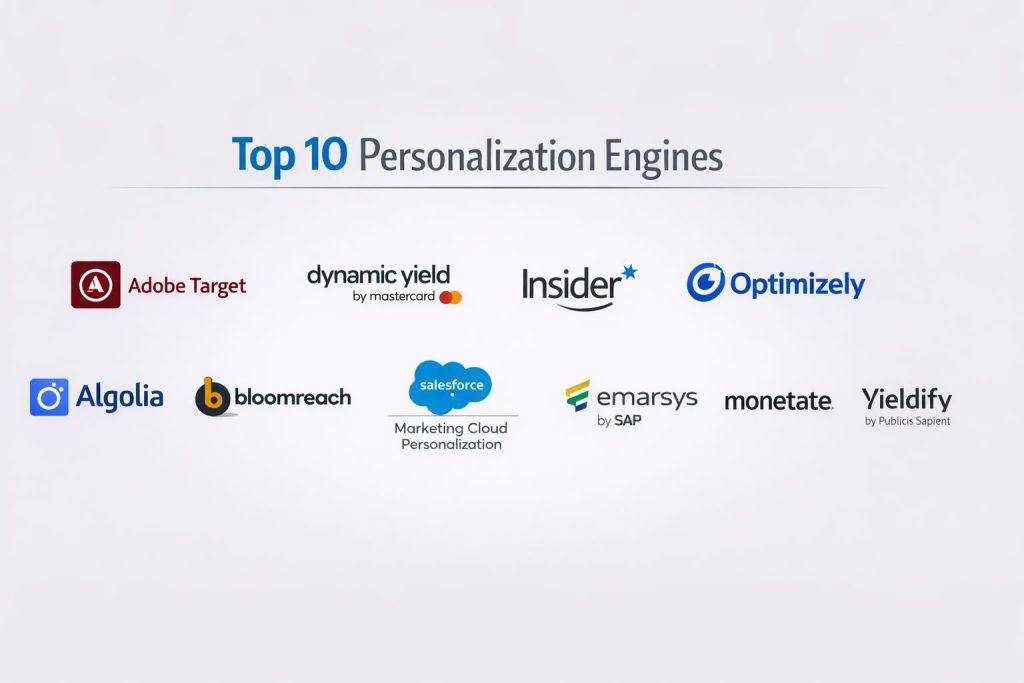
Top 10 Personalization Engines
#1 — Adobe Target
A high-end enterprise platform that offers automated, AI-driven personalization and testing at massive scale. It is a core part of the Adobe Experience Cloud.
Key Features
- Auto-Target: Uses Adobe Sensei AI to automatically determine which experience performs best for each individual user.
- Automated Personalization: Assigns specific content to users based on real-time profiles and historical behavior.
- Visual Experience Composer: A “what-you-see-is-what-you-get” (WYSIWYG) editor for non-technical marketers to create tests.
- Omnichannel Delivery: Delivers consistent experiences across web, mobile apps, email, and even offline devices like digital signage.
- Recommendations: Sophisticated algorithms for product and content suggestions based on sophisticated filtering rules.
- Advanced Reporting: Deep integration with Adobe Analytics for measuring the true ROI of every personalization campaign.
- Category Affinity: Automatically tracks which categories a user is most interested in based on their browsing journey.
Pros
- Unmatched depth in AI-driven automation for large-scale enterprise environments.
- Perfect for organizations already invested in the Adobe ecosystem (Analytics, AEM, Audience Manager).
- Excellent for global brands requiring strict governance and multi-regional support.
Cons
- Very high total cost of ownership, making it out of reach for SMBs.
- Implementation can be complex and usually requires specialized certification or agency help.
Platforms / Deployment
- Web / iOS / Android / IoT
- Cloud (SaaS)
Security & Compliance
- SSO/SAML, MFA, and RBAC.
- SOC 2, ISO 27001, HIPAA, and GDPR compliant.
Integrations & Ecosystem
Adobe Target is the center of the Adobe marketing universe.
- Native integration with Adobe Experience Manager (CMS).
- Real-time sync with Adobe Real-Time CDP.
- API support for headless and server-side implementations.
Support & Community
Adobe provides 24/7 enterprise support, a massive “Experience League” documentation portal, and a global network of specialized implementation partners.
#2 — Dynamic Yield (by Mastercard)
A leading “Experience Optimization” platform known for its powerful recommendation algorithms and user-friendly interface for e-commerce brands.
Key Features
- Predictive Targeting: Uses machine learning to group users based on their likelihood to purchase or churn.
- Advanced Recommendations: Highly customizable algorithms for “Best Sellers,” “Personalized for You,” and “Collaborative Filtering.”
- Experience OS: A modular architecture that allows teams to build custom personalization apps and logic.
- Omnichannel Sync: Connects offline purchase data (via Mastercard insights) with online behavior for a 360-degree view.
- Multi-Armed Bandit Testing: Automatically shifts traffic to the winning version of an experience in real-time.
- Template Library: A massive set of pre-built UI components for overlays, notifications, and banners.
- Deep Segmentation: Ability to create audiences based on hundreds of variables including weather and local events.
Pros
- One of the most intuitive interfaces in the market, allowing marketers to launch campaigns quickly.
- Exceptional performance in e-commerce, specifically for driving Average Order Value (AOV).
- Strong “managed services” options for brands that need help with strategy.
Cons
- Can become very expensive as traffic and data volume increase.
- Some users find the sheer volume of features overwhelming without a dedicated strategy.
Platforms / Deployment
- Web / iOS / Android / Email
- Cloud (SaaS)
Security & Compliance
- SOC 2 Type II, ISO 27001, and GDPR compliant.
- Backed by Mastercard’s enterprise-grade security infrastructure.
Integrations & Ecosystem
Dynamic Yield is designed for modern, composable stacks.
- One-click integrations with Shopify, BigCommerce, and Salesforce.
- Robust API for headless and mobile-first implementations.
Support & Community
Offers a comprehensive “Knowledge Base,” dedicated customer success managers, and regular strategic reviews for enterprise clients.
#3 — Insider
An AI-native growth management platform that excels at cross-channel orchestration and mobile-first personalization.
Key Features
- Sirius AI: A generative AI layer that builds journeys, writes copy, and optimizes send times autonomously.
- Unified Customer Profiles: Combines data from web, app, email, and SMS into a single, real-time view.
- Progressive Profiling: Tools for collecting zero-party data through interactive quizzes and surveys.
- InStory: Brings social-media-style “Stories” to your website or app for personalized content discovery.
- WhatsApp Marketing: Deeply integrated tools for personalizing the WhatsApp shopping experience.
- App Personalization: Dedicated SDKs for tailoring the mobile app UI based on user behavior.
- Journey Builder: A visual drag-and-drop tool for orchestrating multi-step, cross-channel campaigns.
Pros
- Exceptional for mobile-first brands and those heavily invested in messaging apps (WhatsApp, SMS).
- Fast time-to-value with a large library of “templates” for growth experiments.
- Rated highly for its proactive customer support and onboarding teams.
Cons
- The broad feature set means it can sometimes overlap with your existing email or mobile marketing tools.
- Pricing is not transparent and usually requires a custom quote based on volume.
Platforms / Deployment
- Web / iOS / Android / WhatsApp / SMS
- Cloud (SaaS)
Security & Compliance
- ISO 27001, SOC 2, and GDPR compliant.
Integrations & Ecosystem
Insider focuses on connecting the entire growth stack.
- Pre-built connectors for Shopify, Magento, and Salesforce.
- Webhooks and APIs for custom data ingestion.
Support & Community
Known for its “Managed Services” model where Insider experts help brands execute their personalization roadmap.
#4 — Optimizely
A platform built on a foundation of rigorous experimentation, helping teams prove the statistical impact of every personalized experience.
Key Features
- Stats Engine: A world-class statistical model that eliminates “peaking” and ensures data integrity in tests.
- Web Personalization: Allows for non-destructive, real-time content changes using a visual editor.
- Feature Flags: Enables product teams to roll out personalized features to specific segments without code deploys.
- Adaptive Recommendations: AI-driven product and content suggestions that learn from every click.
- Opal AI: A generative assistant that suggests headlines and images for personalized experiments.
- Audience Builder: Real-time segmentation based on first-party data and third-party integrations.
- Full Stack Personalization: Server-side capabilities for personalizing deep application logic and algorithms.
Pros
- The gold standard for teams that prioritize scientific accuracy and “proving” the value of personalization.
- Unified platform that manages both the CMS and the personalization/testing layer.
- Very developer-friendly with high-performance SDKs and clean documentation.
Cons
- Can be complex for pure “marketing” teams that don’t have a background in data science or testing.
- Recent shifts toward a broader suite may feel “heavy” for those only looking for a simple personalization tool.
Platforms / Deployment
- Web / iOS / Android / Server-side
- Cloud (SaaS)
Security & Compliance
- SOC 2 Type II, ISO 27001, HIPAA, and GDPR compliant.
Integrations & Ecosystem
Optimizely is designed to play well in an enterprise ecosystem.
- Deep integration with Google Analytics 4 and Salesforce.
- Support for all major modern JavaScript frameworks (React, Vue, Next.js).
Support & Community
Offers the “Optimizely Academy,” a massive global community of experimentation experts, and 24/7 technical support for enterprise tiers.
#5 — Algolia
An AI-powered search and discovery platform that treats the “search bar” as a core personalization engine for e-commerce.
Key Features
- NeuralSearch: Uses vector-based AI to understand the meaning behind a search query, not just the keywords.
- Personalized Ranking: Dynamically re-orders search results and category pages based on an individual’s past behavior.
- Recommend API: Fast, developer-centric APIs for “Frequently Bought Together” and “Related Products.”
- Dynamic Re-Ranking: Automatically boosts products that are trending or most relevant to the specific user session.
- A/B Testing for Search: Allows teams to test different ranking models to see which one drives the most revenue.
- Analytics & Insights: Deep dashboards showing what users are searching for and where the “content gaps” are.
- InstantSearch Libraries: Pre-built UI components for building high-performance, personalized search interfaces.
Pros
- Incredible speed (sub-10ms) for real-time personalization at the edge.
- Best-in-class for e-commerce brands where “search” is the primary way customers find products.
- Very easy for developers to implement and scale via API.
Cons
- Primarily focused on search and product discovery; not a full “website content” personalization tool.
- Pricing is based on “search requests,” which can scale quickly for high-traffic sites.
Platforms / Deployment
- Web / iOS / Android
- Cloud (SaaS / Edge)
Security & Compliance
- SOC 2, ISO 27001, and GDPR compliant.
- Dedicated “Sovereign Cloud” options for regional data residency.
Integrations & Ecosystem
Algolia is a “headless-first” tool.
- Native connectors for Shopify, Commercetools, and Netlify.
- Support for all major mobile and web SDKs.
Support & Community
Excellent developer documentation, a vibrant community forum, and dedicated solutions engineering for enterprise clients.
#6 — Bloomreach
A “commerce-first” personalization engine that unifies a CMS, a CDP, and a discovery engine into a single AI-driven platform.
Key Features
- Loomi AI: A proprietary commerce AI trained specifically on billions of retail data points.
- Search & Merchandising: AI-powered search that personalizes results and allows merchants to set “rules” for boosting items.
- Engagement (CDP): A unified customer data platform that triggers personalized emails and SMS based on live behavior.
- Pathways: AI-driven recommendations that guide users through a personalized buying journey.
- Content (CMS): A headless CMS that allows for “drag-and-drop” personalization of web pages.
- Segments: Real-time audience creation based on historical, behavioral, and predictive data.
- 1:1 Merchandising: Automatically adjusts the “sorting” of category pages for every individual user.
Pros
- Purpose-built for retail; the AI understands “commerce” concepts like margins and inventory levels.
- Highly effective at reducing the manual work required by merchandising teams.
- Strong “all-in-one” feel for brands that want content and commerce to be perfectly synced.
Cons
- Can be a major investment in terms of both cost and implementation time.
- Less flexible for non-retail use cases (like B2B services or pure content sites).
Platforms / Deployment
- Web / iOS / Android
- Cloud (SaaS)
Security & Compliance
- ISO 27001, SOC 2, and GDPR compliant.
Integrations & Ecosystem
Bloomreach is a leader in the MACH (Microservices, API-first, Cloud-native, Headless) movement.
- Pre-built connectors for BigCommerce, SAP, and Salesforce.
- Comprehensive GraphQL APIs.
Support & Community
Features the “Bloomreach Academy” for professional certification and a highly rated customer success program.
#7 — Salesforce Marketing Cloud Personalization
Formerly known as Interaction Studio, this is the default choice for organizations already running their business on the Salesforce CRM.
Key Features
- Einstein AI: Powers real-time “Next Best Action” and “Next Best Offer” decisions.
- Cross-Channel Consistency: Ensures a user sees the same offer on the website, in an email, and when talking to a call center agent.
- Unified Customer Profile: Leverages the full power of Salesforce Data Cloud to create a 360-degree view.
- Real-Time Behavioral Tracking: Monitors every click and mouse movement to build a “live” intent profile.
- Dynamic Content Blocks: Allows for the easy insertion of personalized text and images into web pages.
- Open-Time Email Personalization: Updates the content of an email at the moment the user opens it, not when it is sent.
- Triggered Journeys: Automatically drops users into a Marketing Cloud journey based on a real-time event.
Pros
- Unrivaled for companies that need their “sales” and “marketing” teams to be perfectly aligned.
- Powerful for B2B use cases where “account-based” personalization is required.
- Backed by the world’s largest CRM ecosystem and talent pool.
Cons
- The UI can be “heavy” and corporate, with a steeper learning curve than newer SaaS startups.
- To get the full value, you usually need to be “all-in” on the broader Salesforce stack.
Platforms / Deployment
- Web / iOS / Android / Call Center
- Cloud (SaaS)
Security & Compliance
- FedRAMP, HIPAA, SOC 2, and ISO 27001 compliant.
- Industry-leading security protocols.
Integrations & Ecosystem
Deepest integration with the Salesforce ecosystem.
- Seamless link to Salesforce Sales and Service Clouds.
- Extensive “AppExchange” for third-party extensions.
Support & Community
Benefit from the massive “Trailblazer” community, extensive “Trailhead” training, and global 24/7 premium support.
#8 — Emarsys (by SAP)
An omnichannel customer engagement platform that focuses on automating personalization to drive specific business outcomes like customer retention.
Key Features
- AI Product Recommendations: Predictive models that suggest products based on purchase probability.
- Revenue Attribution: Dashboards that clearly show which personalized campaigns are driving the most sales.
- Lifecycle Management: Automatically segments users into “New,” “Active,” “At Risk,” and “Churned” for targeted messaging.
- Web Channel: A visual editor for deploying personalized overlays and embedded content on any website.
- Automation Center: A node-based journey builder for cross-channel orchestration (Email, SMS, Push).
- Loyalty Integration: Built-in tools for personalizing rewards and offers based on a user’s loyalty tier.
- Strategic Dashboards: Vertical-specific insights (e.g., for Fashion or Beauty) based on SAP’s global data.
Pros
- Excellent for brands that want “out-of-the-box” strategies rather than building everything from scratch.
- Strong focus on the “customer lifecycle” and preventing churn.
- Benefit from SAP’s global scale and enterprise reliability.
Cons
- Integration with non-SAP systems can sometimes be less fluid than purely composable tools.
- The visual editor for web content can feel slightly less powerful than dedicated web tools like Adobe Target.
Platforms / Deployment
- Web / iOS / Android / Email / SMS
- Cloud (SaaS)
Security & Compliance
- ISO 27001, SOC 2, and GDPR compliant.
Integrations & Ecosystem
Optimized for the SAP ecosystem but maintains a broad set of connectors.
- Native integration with SAP Commerce Cloud.
- APIs for connecting with legacy ERP systems.
Support & Community
Provides global enterprise support and dedicated “Success Managers” to help brands achieve their specific revenue goals.
#9 — Monetate
A pure-play personalization platform that is widely respected for its ease of use and high-performance testing capabilities.
Key Features
- Contextual Personalization: Triggers content based on weather, location, referral source, and device type.
- Dynamic Bundling: AI-driven tools for creating product bundles that update based on user preference.
- Action Builder: A set of pre-built “actions” (like “sticky headers” or “countdown timers”) that can be personalized.
- Audience Manager: Real-time segmentation that integrates with your existing CDP or CRM data.
- Personalized Search: Integrates with your site’s search to provide tailored results.
- Social Proof: Displays real-time data like “5 people are looking at this right now” to drive urgency.
- Testing & Optimization: Robust A/B and multivariate testing with a clean, visual interface.
Pros
- Very marketer-friendly; easy for a single person to manage dozens of experiments.
- Strong history of high-touch customer support and “white-glove” onboarding.
- Exceptional for “context-aware” personalization (e.g., changing the site based on a rainstorm in the user’s city).
Cons
- Lacks a native CMS or CDP, so you must have those tools already in place.
- May lack some of the “deep AI” capabilities found in the massive suites like Adobe or Salesforce.
Platforms / Deployment
- Web / Mobile Web / Email
- Cloud (SaaS)
Security & Compliance
- SOC 2 Type II, GDPR, and HIPAA compliant.
Integrations & Ecosystem
Designed to sit on top of any existing website architecture.
- Integrates with major CDPs like Segment and Tealium.
- Works with any CMS via a simple JavaScript tag.
Support & Community
Known for its high-touch support model and a solid library of case studies and strategy guides.
#10 — Yieldify (by Publicis Sapient)
A managed-service-heavy personalization tool that focuses on the “customer journey” and easy website optimizations.
Key Features
- In-Page Content: Ability to swap out banners and text blocks without touching the underlying code.
- Behavioral Overlays: Personalized pop-ups triggered by exit intent, inactivity, or scroll depth.
- Email & SMS Capture: Personalized “lead magnets” designed to build your first-party database.
- Yieldify Analytics: Attribution dashboards that show the direct lift in conversion and AOV.
- Social Proof & Urgency: Dynamic messaging showing stock levels or recent purchases by others.
- Audience Segmentation: Simple rule-based and AI-driven audience creation.
- Managed Services: Access to a team of designers and strategists who build and run your campaigns for you.
Pros
- Perfect for brands with small internal teams who need “done-for-you” personalization.
- Very fast to implement; you can be live and testing within days.
- High focus on “Conversion Rate Optimization” (CRO) and direct ROI.
Cons
- Less powerful for “deep” app-level personalization compared to tools like Optimizely or Insider.
- The focus on “overlays” can be intrusive if not managed carefully.
Platforms / Deployment
- Web / Mobile Web
- Cloud (SaaS)
Security & Compliance
- GDPR compliant; SOC 2 (varies by tier).
Integrations & Ecosystem
Focuses on the “top of the funnel” and website layer.
- Integrates with all major e-commerce platforms (Shopify, Magento, etc.).
- Connects with popular email marketing tools for lead sync.
Support & Community
Strongest in its “Customer Success” model, where users receive high-level strategic support and campaign execution.
Comparison Table (Top 10)
| Tool Name | Best For | Platform(s) Supported | Deployment | Standout Feature | Public Rating |
| Adobe Target | Enterprise Ecosystems | All Platforms | Cloud (SaaS) | Auto-Target AI | 4.5/5 |
| Dynamic Yield | E-commerce ROI | Web, App, Email | Cloud (SaaS) | Experience OS | 4.6/5 |
| Insider | Mobile-First Growth | All + WhatsApp | Cloud (SaaS) | Sirius AI Copilot | 4.8/5 |
| Optimizely | Testing-Led Teams | All Platforms | Cloud (SaaS) | Stats Engine | 4.6/5 |
| Algolia | Personalized Search | Web, App | Cloud (Edge) | NeuralSearch AI | 4.7/5 |
| Bloomreach | Headless Commerce | Web, App | Cloud (SaaS) | Loomi Commerce AI | 4.6/5 |
| Salesforce Pers. | CRM-Driven Orgs | All Platforms | Cloud (SaaS) | Einstein AI | 4.2/5 |
| Emarsys | Lifecycle Automation | All Platforms | Cloud (SaaS) | Revenue Attribution | 4.3/5 |
| Monetate | Contextual Marketing | Web, Email | Cloud (SaaS) | Weather/Loc Targeting | 4.4/5 |
| Yieldify | Managed CRO | Web | Cloud (SaaS) | Managed Services | 4.1/5 |
Evaluation & Scoring of Personalization Engines
| Tool Name | Core (25%) | Ease (15%) | Integrations (15%) | Security (10%) | Performance (10%) | Support (10%) | Value (15%) | Weighted Total |
| Adobe Target | 10 | 4 | 10 | 10 | 8 | 9 | 5 | 8.1 |
| Dynamic Yield | 9 | 8 | 9 | 8 | 9 | 9 | 7 | 8.5 |
| Insider | 8 | 8 | 8 | 8 | 9 | 10 | 9 | 8.4 |
| Optimizely | 9 | 7 | 9 | 9 | 9 | 9 | 8 | 8.5 |
| Algolia | 7 | 8 | 10 | 8 | 10 | 8 | 8 | 8.1 |
| Bloomreach | 9 | 7 | 9 | 8 | 8 | 9 | 7 | 8.1 |
| Salesforce Pers. | 10 | 4 | 9 | 10 | 7 | 9 | 5 | 7.7 |
| Emarsys | 8 | 7 | 8 | 8 | 8 | 8 | 8 | 7.8 |
| Monetate | 8 | 9 | 7 | 8 | 8 | 8 | 8 | 8.0 |
| Yieldify | 6 | 10 | 7 | 6 | 8 | 10 | 9 | 7.8 |
How to Interpret These Scores
- 0–5: Niche tool or highly specialized with significant barriers for smaller teams.
- 6–8: Strong contender, often leading in a specific sub-category like B2B, search, or managed services.
- 9–10: Industry-leading performance, global versatility, and enterprise-grade depth.
- Note: Scoring is comparative. A “4” in Ease of Use for Salesforce doesn’t mean it’s flawed; it reflects the deep technical training required to master its enterprise-scale features.
Which Personalization Engine Tool Is Right for You?
Solo / Freelancer
Most solo operators do not need a personalization engine. However, if you are a consultant for e-commerce brands, learning Blender (for asset creation) or a simple tool like Yieldify can help you provide high-value services to your clients.
SMB
Small-to-mid-sized businesses should prioritize Insider or Dynamic Yield. These tools provide the fastest path to “seeing” results without needing a massive team of data scientists to manage the algorithms.
Mid-Market
For companies with a dedicated marketing ops person, Monetate or Optimizely offer the best balance. They allow for sophisticated testing and contextual targeting without the multi-million dollar overhead of the major tech suites.
Enterprise
Global organizations with complex security and data residency needs should focus on Adobe Target or Salesforce. These tools provide the governance, audit logs, and cross-departmental alignment required at the highest level of business.
Budget vs Premium
- Budget: Yieldify and Insider offer competitive entry points with strong ROI focus.
- Premium: Adobe, Salesforce, and Bloomreach represent the top tier of investment for those who need a “forever” platform.
Feature Depth vs Ease of Use
If you need deep, scriptable, server-side personalization, choose Optimizely or Adobe Target. If you need your marketing intern to be able to set up a personalized banner in 20 minutes, choose Monetate or Yieldify.
Integrations & Scalability
For brands scaling across dozens of countries, Adobe and Algolia (at the edge) offer the most robust global performance. If your scale is within the Salesforce ecosystem, Salesforce Personalization is the only logical choice.
Security & Compliance Needs
Organizations in finance or healthcare should look at Adobe or Salesforce, as they hold the most stringent certifications (like FedRAMP or HIPAA) required for sensitive user data.
Frequently Asked Questions (FAQs)
What is the primary difference between a CDP and a Personalization Engine?
A Customer Data Platform (CDP) is for collecting and unifying data into profiles. A personalization engine is the “brain” that acts on that data to change the user experience. You usually need a CDP to feed the engine the right information.
Do personalization engines slow down my website load time?
Historically, yes. However,most top engines use “edge delivery” or “asynchronous loading” which minimizes the impact on performance. Choosing a tool like Algolia or Adobe’s Edge Delivery ensures near-zero latency.
How much do these tools typically cost?
Mid-market tools can range from $2,000 to $10,000 per month. Enterprise suites can easily exceed $100,000 annually. Pricing is usually based on your monthly unique visitors (MUVs) or the number of personalized “impressions.”
Can I use personalization for B2B websites?
Absolutely. B2B personalization often focuses on “Firmographics” (company name, industry, size). Tools like Salesforce and Adobe are excellent for swapping out case studies and whitepapers based on the visitor’s company.
How long does it take to see a return on investment (ROI)?
Most brands see an immediate lift in conversion rates within the first 30–60 days of a successful A/B test. However, “true” long-term ROI from improved loyalty and CLV typically takes 6–12 months to measure accurately.
Do I need a developer to implement these tools?
Most tools require a developer to install a single JavaScript tag or SDK once. After that, “marketer-friendly” tools like Monetate allow non-technical staff to run campaigns. Deep, server-side personalization will always require engineering support.
Is personalization a privacy risk with new global regulations?
It can be if not managed correctly. Modern engines are “privacy-by-design,” meaning they respect browser signals (like GPC) and only personalize for users who have given explicit consent. Always ensure your engine is GDPR/CCPA compliant.
What is “fatigue scoring” in personalization?
It is a feature that prevents a user from seeing the same “personalized” offer too many times. If an engine sees a user has ignored a banner five times, it will “suppress” that offer and show something else to avoid annoyance.
Can I personalize experiences for anonymous visitors?
Yes. Engines use “contextual data” like location, device type, and referral source (e.g., “they came from a specific Facebook ad”) to personalize the experience even before the user logs in or shares their email.
What is the most common mistake in personalization?
The most common mistake is “over-personalization” where the site feels creepy or disjointed. It’s better to start with subtle, high-value changes (like a personalized greeting or relevant product category) than to try and change everything at once.
Conclusion
Choosing a personalization engine is no longer about checking a box for “AI”—it’s about finding a system that can act on intent in the blink of an eye. Whether you choose the massive integrated power of Adobe Target, the commerce-specific intelligence of Bloomreach, or the experimentation-led rigor of Optimizely, the goal is to make the digital world feel a little bit more human.