Introduction
Product analytics tools are specialized software platforms that track, visualize, and analyze how users interact with a digital product (such as a web app or mobile application). Unlike traditional web analytics that focus on page views and traffic sources, product analytics dive deep into specific user behaviors—measuring which features are most popular, where users get stuck, and what specific actions lead to long-term retention.
Landscape, these tools have transitioned from being “nice-to-have” dashboards to essential AI-powered command centers. With the rise of “Agentic AI” and complex user journeys, modern product teams use these platforms to predict churn before it happens and identify the “Aha! moment” that turns a casual visitor into a power user. Whether you are a product manager at a growing startup or a data analyst at a global enterprise, these tools provide the objective evidence needed to prioritize your roadmap and build better user experiences.
Real-World Use Cases
- Feature Adoption Tracking: Measuring how many users successfully use a new “dark mode” or “AI search” feature within the first week of launch.
- Funnel Optimization: Identifying exactly which step in a multi-page checkout or sign-up flow causes the highest percentage of users to drop off.
- Retention Analysis: Comparing the long-term behavior of users who came from a specific marketing campaign versus those who joined organically.
- Customer Support Integration: Viewing a user’s recent session history to understand the technical context behind a bug report or support ticket.
- A/B Test Evaluation: Determining if a new UI layout actually leads to higher conversion rates or just shifts the bottleneck to a different part of the product.
Evaluation Criteria for Buyers
When selecting a product analytics suite, you should evaluate:
- Data Capture Method: Does it require manual tagging for every event, or does it offer “autocapture” for retroactively analyzing data?
- AI Insights: Does it feature predictive modeling to surface anomalies or automatically identify drivers of churn?
- Cross-Platform Support: Can it seamlessly unify user data across web, iOS, Android, and wearable devices?
- Security & Compliance: Is it compliant with global standards like GDPR, HIPAA, and SOC 2?
- Integration Ecosystem: Does it connect with your existing tech stack (CDPs, CRMs, and communication tools)?
- Real-Time Latency: How quickly does data appear in dashboards after a user takes an action?
- Scalability & Cost: Does the pricing model scale linearly with user volume or event count?
- Learning Curve: Can non-technical team members build their own reports, or does it require SQL knowledge?
Best for: Product managers, growth marketers, and UX researchers at SaaS, E-commerce, and Fintech companies looking to optimize user journeys.
Not ideal for: Simple content-only blogs (where basic web analytics suffice) or companies with extremely low user traffic that wouldn’t yield statistically significant behavioral patterns.
Key Trends in Product Analytics Tools
- Generative AI Copilots: Many platforms have replaced complex query builders with natural language interfaces, allowing users to ask “Why did sign-ups drop in Germany yesterday?” and get an instant visual answer.
- Predictive Intent Scoring: Algorithms now assign “intent scores” to users in real-time, helping sales teams prioritize high-intent leads based on product usage patterns.
- Session Replay Convergence: The line between quantitative data (charts) and qualitative data (videos) has blurred, with tools offering “pixel-perfect” replays linked directly to funnel drop-offs.
- Privacy-First Tracking: With the tightening of global privacy laws, tools are moving toward “cookieless” and server-side tracking to maintain data accuracy while respecting user consent.
- Warehouse-Native Analytics: A shift toward “warehouse-native” tools that run directly on your own data (Snowflake, BigQuery) rather than requiring you to send a copy of your data to the vendor’s cloud.
- Automated Anomaly Detection: Platforms now use machine learning to alert teams to sudden changes in conversion rates or error spikes, often before a human notices the shift.
- Unified Journey Mapping: Modern tools can now bridge the gap between anonymous web visitors and logged-in app users, providing a single 360-degree view of the customer lifecycle.
- Product-Led Growth (PLG) Toolkits: Specialized features for managing “freemium” loops, in-app guides, and automated onboarding based on user milestones.
How We Selected These Tools (Methodology)
To identify the top 10 product analytics tools, we used the following selection logic:
- Market Adoption: We prioritized tools widely recognized as industry leaders by product management communities and major analyst reports.
- Feature Completeness: Only tools that offer a comprehensive suite (funnels, cohorts, retention, and segmentation) were included.
- Innovation & AI Integration: Preference was given to platforms that have successfully integrated modern AI capabilities into their core workflow.
- Security & Reliability: We looked for consistent signals of enterprise-grade security and platform uptime.
- User Feedback: We analyzed verified reviews to understand the practical “Ease of Use” versus “Feature Depth” for each tool.
- Ecosystem Connectivity: We evaluated how easily these tools integrate with the broader modern data stack.
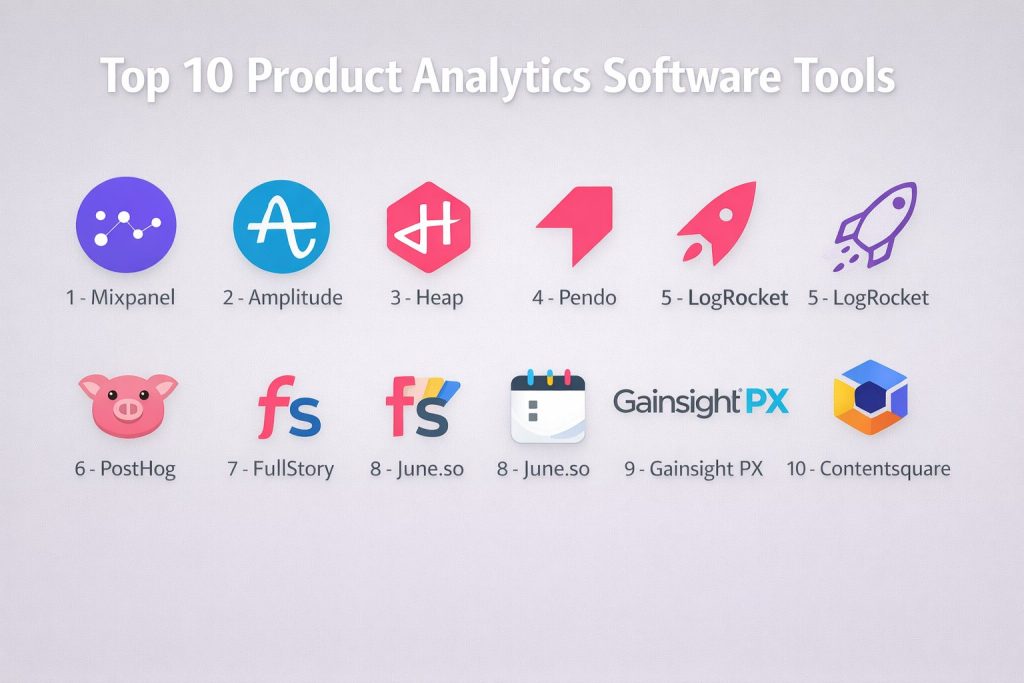
Top 10 Product Analytics Software Tools
#1 — Mixpanel
One of the most established names in the industry, known for its powerful event-based tracking and its ability to provide deep insights without requiring a data science degree.
Key Features
- Interactive Funnels: Highly customizable funnels that allow you to see where users drop off and instantly create cohorts from those users.
- Signal Correlation: An AI-powered feature that identifies which user behaviors are most closely correlated with long-term retention.
- Impact Reports: Measures how a specific feature launch or experiment changed user behavior over time.
- Limitless Segmentation: Allows you to filter data by any user property or event attribute with zero lag.
- JQL (JavaScript Query Language): Provides power users with the ability to write custom scripts for complex data transformations.
- Group Analytics: Tracks behavior at the company or account level, which is essential for B2B SaaS companies.
- Real-Time Data Processing: Data is available for analysis within seconds of being captured.
Pros
- Exceptionally intuitive user interface that allows non-technical team members to build complex reports.
- Very fast query performance, even when dealing with billions of events.
- Excellent free tier that is generous enough for early-stage startups.
Cons
- Initial instrumentation (setup) requires careful planning and engineering resources.
- Pricing can become quite expensive as your monthly tracked users (MTU) scale.
Platforms / Deployment
- Web / iOS / Android / Unity
- Cloud (SaaS)
Security & Compliance
- SSO/SAML, MFA, and RBAC.
- SOC 2 Type II, ISO 27001, GDPR, and HIPAA compliant.
Integrations & Ecosystem
Mixpanel sits at the center of many data stacks.
- Native connectors for CDPs like Segment and RudderStack.
- Integrates with messaging tools like Braze and Airship.
- Supports data warehouse sync with Snowflake and BigQuery.
Support & Community
Offers the “Mixpanel Academy,” extensive documentation, 24/7 technical support for higher tiers, and a large global community of “Mixpanel Experts.”
#2 — Amplitude
A high-end analytics and optimization suite that excels at managing massive data sets and uncovering complex user journey patterns.
Key Features
- Compass: An AI-driven tool that identifies the “Aha!” moment by finding behaviors that lead to the highest conversion.
- Behavioral Cohorts: Groups users based on the specific sequence, frequency, and timing of their actions.
- Amplitude Experiment: A fully integrated A/B testing platform that uses your existing analytics data to define test groups.
- Root Cause Analysis: Automatically surfaces the “why” behind changes in your KPIs by identifying contributing factors.
- Data Governance: Robust tools for cleaning, mapping, and managing data schemas across large organizations.
- Pathfinder: Visualizes the different paths users take through your product to find unexpected loops or roadblocks.
- Notebooks: Collaborative workspaces where teams can combine charts with text to tell a data story.
Pros
- Widely considered the most powerful tool for deep, complex behavioral analysis.
- Integrated experimentation means you can act on insights without switching platforms.
- Strong focus on enterprise-grade data management and governance.
Cons
- Steeper learning curve compared to more simplified tools.
- The “Full Suite” cost is significant and usually requires a dedicated analyst to maximize value.
Platforms / Deployment
- Web / iOS / Android / macOS / Linux
- Cloud (SaaS)
Security & Compliance
- SSO/SAML and advanced permissioning.
- SOC 2 Type II, ISO 27001, GDPR, and HIPAA compliant.
Integrations & Ecosystem
- Deep integration with Salesforce, Marketo, and HubSpot.
- Over 100+ native integrations with modern MarTech and Data stacks.
Support & Community
Provides world-class support for enterprise accounts, extensive training certifications, and a large annual conference (Amplify).
#3 — Heap
A “low-code” analytics tool famous for its “Autocapture” technology, which tracks every user action automatically so you can analyze data retroactively.
Key Features
- Autocapture: Tracks every click, swipe, and page view without requiring manual code changes for each event.
- Heap Illuminate: An AI layer that proactively surfaces “hidden” insights, such as steps in a funnel that users are skipping.
- Virtual Events: Allows you to define and rename events in a visual interface after the data has already been captured.
- Session Replay: Integrated video recordings that are automatically linked to specific user friction points.
- Journeys: A visual way to compare different user paths and see which ones lead to the best outcomes.
- Data Engine: Automatically organizes and labels captured data to keep the interface clean for non-technical users.
- Retroactive Analysis: Since everything is captured, you can ask a question today about a feature you launched months ago.
Pros
- Fastest time-to-value because you don’t need to define every event before you start tracking.
- Eliminates the risk of forgetting to track a critical metric.
- Very accessible for marketing and product managers who don’t want to wait for engineering cycles.
Cons
- Can lead to “data noise” if not managed correctly, as thousands of irrelevant events are captured.
- Autocapture can sometimes struggle with highly complex, custom-built single-page applications.
Platforms / Deployment
- Web / iOS / Android
- Cloud (SaaS)
Security & Compliance
- SSO and encryption at rest/transit.
- SOC 2 Type II and GDPR compliant.
Integrations & Ecosystem
- Integrates seamlessly with Shopify, Salesforce, and Intercom.
- Direct data export to AWS S3 and Google Cloud Storage.
Support & Community
Heap offers a dedicated “University” for onboarding and a responsive help desk, though community forums are smaller than those for Mixpanel.
#4 — Pendo
A comprehensive “Product Experience” platform that combines behavioral analytics with in-app guidance, feedback, and roadmapping.
Key Features
- In-App Guides: Allows you to create walkthroughs, tooltips, and announcements based on specific user behavior.
- Pendo AI: 2026 AI features that automatically summarize user feedback and suggest guide improvements.
- Sentiment Analysis: Integrated NPS and qualitative surveys to understand the “why” behind the data.
- Retroactive Analytics: Like Heap, Pendo can track events retroactively if the base code is installed.
- Resource Center: A self-service hub you can add to your product to help users find help articles and guides.
- Product Roadmaps: Connects your analytics and feedback directly to your strategic planning board.
- Feature Adoption Dashboards: Specialized views focused on how quickly and effectively new features are being used.
Pros
- The best “all-in-one” choice for teams that want to both analyze behavior and influence it (via guides).
- Excellent for driving product-led growth and reducing support tickets through self-service help.
- Non-technical users can build and deploy in-app messages without any code.
Cons
- The analytics capabilities are slightly less “deep” for complex data science compared to Amplitude.
- Bundled pricing can be high if you only need the analytics portion of the tool.
Platforms / Deployment
- Web / iOS / Android
- Cloud (SaaS)
Security & Compliance
- SOC 2 Type II, ISO 27001, HIPAA, and GDPR compliant.
Integrations & Ecosystem
- Strong integrations with Jira, Zendesk, and Slack.
- Connects with most major CRM and marketing automation platforms.
Support & Community
Maintains an extremely active community (the “Pendo Neighborhood”) and hosts the annual “Pendomonium” conference.
#5 — LogRocket
A platform designed for developers and product managers that combines session replay, error tracking, and product analytics to provide a holistic view of user health.
Key Features
- Pixel-Perfect Session Replay: Watch exactly what the user saw, including mouse movements and mobile gestures.
- Galileo AI: An intelligent layer that automatically flags “frustrating” sessions where users encountered bugs or slow performance.
- Error Tracking: Captures console logs, network requests, and stack traces alongside the visual recording.
- Frontend Performance Monitoring: Tracks “Core Web Vitals” and other metrics that impact the user experience.
- Frustration Signals: Automatically detects “rage clicks,” “dead clicks,” and “thrashed cursors.”
- Heatmaps & Clickmaps: Visualizes aggregate user behavior on specific pages.
- Conversion Funnels: Links drop-off points directly to the specific session replays of the users who left.
Pros
- Unmatched for debugging technical issues and understanding user frustration.
- Bridges the gap between the engineering team and the product team.
- Very easy to identify “why” a funnel is broken by watching the specific sessions.
Cons
- High volume of session recordings can become expensive and require data retention management.
- Less focused on long-term cohort/retention modeling than Mixpanel or Amplitude.
Platforms / Deployment
- Web / iOS / Android
- Cloud (SaaS) / Self-hosted (Enterprise)
Security & Compliance
- PII masking (automatic and manual), SSO, and MFA.
- SOC 2 Type II and HIPAA compliant.
Integrations & Ecosystem
- Integrates with Sentry, GitHub, Jira, and Intercom.
- Can send session links directly into your analytics tools like Mixpanel.
Support & Community
Provides excellent technical support, a deep knowledge base, and a focus on “Developer Experience.”
#6 — PostHog
The leading open-source product analytics suite that offers a “full stack” of tools including feature flags, experiments, and session recording.
Key Features
- Open-Source & Self-Hostable: Can be run on your own infrastructure for total data control and privacy.
- Feature Flags: Allows you to toggle features for specific user groups or perform “canary” releases.
- Session Replay: Built-in recording capabilities that are included in the core platform.
- Experiments: A native A/B testing suite that is deeply integrated with the event tracking.
- Heatmaps: Visualizes user interactions directly on your website or app.
- Group Analytics: Specialized tracking for B2B accounts and organizations.
- App Store: An extensible platform with dozens of community-built plugins for data enrichment.
Pros
- Incredible value for money, with a very generous free community edition.
- Ideal for privacy-conscious organizations that cannot send data to third-party clouds.
- Replaces multiple “point solutions” (analytics, flags, recordings) with a single tool.
Cons
- Self-hosting requires significant engineering effort and maintenance.
- The UI is functional but can feel “developer-focused” and less polished than premium SaaS rivals.
Platforms / Deployment
- Web / iOS / Android
- Cloud (SaaS) / Self-hosted (Docker/K8s)
Security & Compliance
- Because it can be self-hosted, you can maintain any compliance level your infrastructure supports.
- SOC 2 (Cloud), GDPR compliant.
Integrations & Ecosystem
- Huge “App Store” for connecting to Postgres, Slack, S3, and more.
- API-first design makes it highly extensible for custom needs.
Support & Community
Active community on Slack and GitHub, with a transparent “public roadmap” and fast release cycles.
#7 — FullStory
A “Digital Experience Intelligence” platform that focuses on identifying friction and uncovering qualitative insights from massive amounts of user data.
Key Features
- FullCapture: Automatically indexes every digital interaction without manual instrumentation or “naming” events ahead of time.
- Friction Quotient: An AI-generated score that identifies which parts of your product are causing the most user pain.
- Semantic Search: Allows you to search for sessions using natural language (e.g., “users who struggled with the search bar”).
- Privacy by Design: Robust, automated tools for masking sensitive PII (Personally Identifiable Information) in recordings.
- Conversion Analysis: Visualizes the “Happy Path” versus the “Actual Path” users take through your product.
- Frustration Signals: Advanced detection of rage clicks, error clicks, and navigation loops.
- Segment Sync: Export behavioral segments to other tools in your marketing stack.
Pros
- The “gold standard” for qualitative insight and finding the “unnamed” problems in your UI.
- Extremely easy to use; requires zero technical knowledge to find and watch specific user issues.
- Best-in-class privacy controls for session recording.
Cons
- Can be very expensive for high-traffic sites due to the data-heavy nature of “capturing everything.”
- Not a replacement for a deep, event-based quantitative tool if you need complex data science.
Platforms / Deployment
- Web / iOS / Android
- Cloud (SaaS)
Security & Compliance
- SOC 2 Type II, HIPAA, and GDPR compliant.
- Industry-leading “Private by Default” architecture.
Integrations & Ecosystem
- Excellent integrations with Slack, Jira, Trello, and Google Analytics.
- Data export capabilities for advanced BI tools.
Support & Community
Offers a “FullStory Academy,” dedicated success managers for enterprise, and a very polished support portal.
#8 — June.so
A lightweight, modern analytics tool built on top of Segment, designed specifically for B2B SaaS companies that want “instant” insights.
Key Features
- Template-Based Reports: Provides “out of the box” reports for Activation, Retention, and Power Users without any setup.
- AI Copilot: Allows you to query your data using plain English and receive instant chart updates.
- Company-Level Tracking: Automatically groups users into companies, showing which accounts are most active.
- Activation Funnels: Specialized tracking to help you understand how long it takes for a new user to reach their first “milestone.”
- Slack Integration: Sends daily or weekly digests of your product KPIs directly to your team channels.
- CRM Sync: Connects your product usage data directly to your sales CRM (like HubSpot).
- Feature Audit: Automatically ranks your features by adoption and frequency of use.
Pros
- The fastest setup in the category; you can have a full dashboard in under 5 minutes.
- Beautiful, modern UI that is a joy for small product teams to use.
- Focuses on the metrics that actually matter for B2B growth, cutting out the “noise.”
Cons
- Less flexible for highly custom or non-standard tracking needs.
- Lacks the deep data science and “raw query” power of Amplitude or Mixpanel.
Platforms / Deployment
- Web / iOS / Android (via Segment/PostHog)
- Cloud (SaaS)
Security & Compliance
- SOC 2 and GDPR compliant.
Integrations & Ecosystem
- Built to work perfectly with Segment, PostHog, and Intercom.
- Direct sync with HubSpot and Salesforce for sales-led growth.
Support & Community
Very personal support from a small founding team and an active Discord community for users.
#9 — Gainsight PX
A “Product Experience” tool designed specifically for Customer Success teams to align product usage with account health and retention.
Key Features
- Product Mapper: A visual way to organize your product’s features into a hierarchy for easier tracking.
- In-App Engagements: Specialized tooltips and sliders for gathering feedback or guiding users to new features.
- Health Scoring: Combines product usage data with support and financial data to predict account renewal probability.
- Query Builder: A powerful interface for creating custom cohorts and behavioral segments.
- Knowledge Center Bot: An in-app assistant that helps users find documentation and training.
- Retention Analytics: Deep-dive reports on which features drive long-term account value.
- Lifecycle Journey Mapping: Visualizes the stages a customer goes through from trial to advocate.
Pros
- The best choice for B2B companies where “Product” and “Customer Success” need to be perfectly aligned.
- Strong focus on enterprise accounts and complex contract management.
- Excellent for driving expansion revenue by identifying accounts ready for an upsell.
Cons
- The interface can be complex and “corporate” compared to newer, nimbler tools.
- Primarily designed for B2B; less effective for high-volume B2C consumer apps.
Platforms / Deployment
- Web / iOS / Android
- Cloud (SaaS)
Security & Compliance
- SOC 2 Type II, ISO 27001, HIPAA, and GDPR compliant.
Integrations & Ecosystem
- Native, deep integration with Gainsight CS (Customer Success).
- Strong connectors for Salesforce and Zendesk.
Support & Community
Provides world-class support for enterprise accounts and hosts the “Pulse” conference, the world’s largest gathering for Customer Success professionals.
#10 — Contentsquare
An enterprise-level “Experience Analytics” platform that specializes in visual behavioral data and journey analysis.
Key Features
- Zone-Based Heatmaps: Visualizes the “revenue value” or “frustration score” of every individual element on a page.
- Journey Analysis: Uses “sunburst” charts to show every possible path users take, highlighting where they loop or drop off.
- AI-Generated Alerts: Automatically notifies teams when a specific page’s conversion rate deviates from the norm.
- Error Analysis: Quantifies the financial impact of specific technical bugs or slow-loading elements.
- Impact Quantification: A 2026 feature that tells you exactly how much “money” you are losing due to a specific UX issue.
- Side-by-Side Comparison: Compare the behavior of two different user segments visually in real-time.
- Accessibility Monitoring: Flags elements of your UI that do not meet global accessibility standards (WCAG).
Pros
- The most visual tool on the market; perfect for presenting insights to executives and designers.
- Unparalleled ability to quantify the “monetary impact” of UX friction.
- Handles extremely large data sets for global retail and travel giants.
Cons
- Requires a significant investment; generally not accessible for startups or small SMBs.
- The focus is more on “Interface Optimization” than “Deep Product Logic.”
Platforms / Deployment
- Web / iOS / Android
- Cloud (SaaS)
Security & Compliance
- SOC 2 Type II, ISO 27001, and GDPR compliant.
Integrations & Ecosystem
- Integrates with Adobe Analytics, Google Analytics, and Optimizely.
- Strong connectors for voice-of-customer tools like Medallia.
Support & Community
Provides dedicated “Strategic Consultants,” a comprehensive “University,” and professional services for global rollout.
Comparison Table (Top 10)
| Tool Name | Best For | Platform(s) Supported | Deployment | Standout Feature | Public Rating |
| Mixpanel | Fast Analysis | Web, Mobile | Cloud | Signal Correlation | 4.6/5 |
| Amplitude | Deep Data Science | Web, Mobile, OS | Cloud | Compass (Aha! Moment) | 4.7/5 |
| Heap | Non-Technical Teams | Web, Mobile | Cloud | Event Autocapture | 4.4/5 |
| Pendo | Onboarding & Guides | Web, Mobile | Cloud | In-App Guides | 4.5/5 |
| LogRocket | Developers / Debugging | Web, Mobile | Hybrid | Galileo AI (Friction) | 4.6/5 |
| PostHog | Privacy / Open Source | Web, Mobile | Hybrid | All-in-One Suite | 4.8/5 |
| FullStory | Qualitative Insights | Web, Mobile | Cloud | Frustration Signals | 4.5/5 |
| June.so | B2B SaaS Startups | Web, Mobile | Cloud | Template Reports | 4.7/5 |
| Gainsight PX | Customer Success | Web, Mobile | Cloud | Product Mapper | 4.2/5 |
| Contentsquare | Visual UX Analysis | Web, Mobile | Cloud | Journey Sunbursts | 4.4/5 |
Evaluation & Scoring of Product Analytics Tools
| Tool Name | Core (25%) | Ease (15%) | Integrations (15%) | Security (10%) | Performance (10%) | Support (10%) | Value (15%) | Weighted Total |
| Mixpanel | 9 | 9 | 10 | 9 | 10 | 9 | 8 | 9.1 |
| Amplitude | 10 | 6 | 10 | 9 | 10 | 9 | 6 | 8.6 |
| Heap | 8 | 9 | 8 | 8 | 8 | 8 | 7 | 7.9 |
| Pendo | 8 | 8 | 9 | 9 | 8 | 9 | 7 | 8.2 |
| LogRocket | 7 | 8 | 9 | 9 | 9 | 8 | 8 | 8.1 |
| PostHog | 9 | 7 | 8 | 10 | 9 | 8 | 10 | 8.7 |
| FullStory | 8 | 10 | 9 | 10 | 8 | 9 | 6 | 8.3 |
| June.so | 6 | 10 | 8 | 8 | 9 | 8 | 9 | 7.8 |
| Gainsight PX | 8 | 6 | 8 | 9 | 8 | 8 | 7 | 7.5 |
| Contentsquare | 8 | 7 | 8 | 9 | 9 | 9 | 5 | 7.5 |
How to Interpret These Scores
- 0–5: Niche tool with significant limitations or very high entry barriers.
- 6–8: Strong, reliable tools that lead in specific use cases like “B2B Startups” or “User Portals.”
- 9–10: Industry-leading platforms with high scores across nearly every category.
- Note: Scoring is comparative. A “6” in Ease for Amplitude doesn’t mean it’s “bad”—it reflects that it is a power-tool requiring more training than a “plug-and-play” tool like June.so.
Which Product Analytics Tool Is Right for You?
Solo / Freelancer
If you are an early-stage solo founder, PostHog or June.so are your best bets. They offer generous free tiers and “all-in-one” capabilities that mean you don’t have to manage (or pay for) multiple different tools.
SMB
For small-to-mid-sized businesses that are scaling fast, Mixpanel or Heap provide the best balance. They grow with you, offer excellent documentation, and allow your marketing and product teams to get answers without constant engineering help.
Mid-Market
Companies that need both qualitative and quantitative data should consider a combination like Mixpanel + FullStory or LogRocket. This allows you to see “what” is happening in the data and “why” by watching the sessions.
Enterprise
For global organizations with billions of events, Amplitude and Contentsquare are the gold standards. They provide the governance, security, and complex data science capabilities required by the world’s largest companies.
Budget vs Premium
- Budget: PostHog (Open Source) and Mixpanel (Free tier) are incredibly cost-effective.
- Premium: Amplitude and Contentsquare represent a major investment for those who need the absolute peak of data power.
Feature Depth vs Ease of Use
If you need to find deep “Aha!” moments through complex regression, choose Amplitude. If you want a dashboard that looks great and works “out of the box” for your B2B app, choose June.so.
Integrations & Scalability
For teams that want to build a custom data pipeline, Mixpanel and PostHog offer the most flexible APIs and warehouse connectivity to scale alongside your product.
Security & Compliance Needs
If you have extreme privacy requirements (e.g., in Healthcare or Finance), PostHog (self-hosted) is the only choice that gives you 100% data ownership. For SaaS compliance, FullStory offers the most advanced automated PII masking.
Frequently Asked Questions (FAQs)
What is the primary difference between Google Analytics and Product Analytics?
Google Analytics is designed to track where people come from (Marketing) and what pages they visit. Product Analytics tracks what people do inside your app (Behavior), such as clicking a specific button, starting a video, or completing a purchase flow.
How much does product analytics software cost in 2026?
Most tools have a “Freemium” model. Small startups can often start for free. Mid-market plans typically range from $25/month to $1,000/month based on volume, while enterprise contracts can easily exceed $50,000 per year.
Do I need to be a developer to use these tools?
Most modern tools (like Heap or June.so) are designed for non-technical users to build reports. However, you will almost always need a developer to do the initial “installation” or code-based instrumentation.
Is “Autocapture” better than manual event tracking?
Autocapture (Heap, FullStory) is better for speed and retroactive questions. Manual tracking (Mixpanel, Amplitude) is better for data cleanliness and accuracy in very complex applications where you want to be intentional about what you measure.
Can product analytics tools help with GDPR compliance?
Yes. Most leading tools have built-in features for handling Data Subject Access Requests (DSARs), automatic PII masking in session replays, and options for data residency (storing data on EU-based servers).
What are “Aha! moments” and how do these tools find them?
An “Aha! moment” is the specific action a user takes that makes them realize the value of your product (e.g., a user adding 10 friends in the first 7 days). Tools like Amplitude use correlation analysis to find these patterns automatically.
Can I track mobile apps and websites in the same dashboard?
Yes. All the tools on this list are “cross-platform” and can unify a single user’s identity as they move from their laptop to their phone, provided you pass a unique User ID to the software.
How does AI improve product analytics?
In 2026, AI handles the heavy lifting: identifying anomalies, predicting which users will churn, summarizing qualitative feedback, and allowing you to query your database using natural language instead of SQL.
Is session recording a privacy risk?
If not managed correctly, yes. However, tools like FullStory and LogRocket have “Private by Default” settings that automatically mask credit card numbers, passwords, and other sensitive fields before they ever leave the user’s browser.
Which tool should I choose if I only care about B2B SaaS?
June.so and Gainsight PX are specifically built for the B2B SaaS lifecycle, focusing on account-level health, activation milestones, and customer success alignment.
Conclusion
Building a successful digital product in 2026 requires more than just gut instinct; it requires a deep, data-driven understanding of user behavior. Whether you choose the massive analytical power of Amplitude, the visual insights of FullStory, or the open-source freedom of PostHog, the right tool will act as a mirror for your product’s performance.